
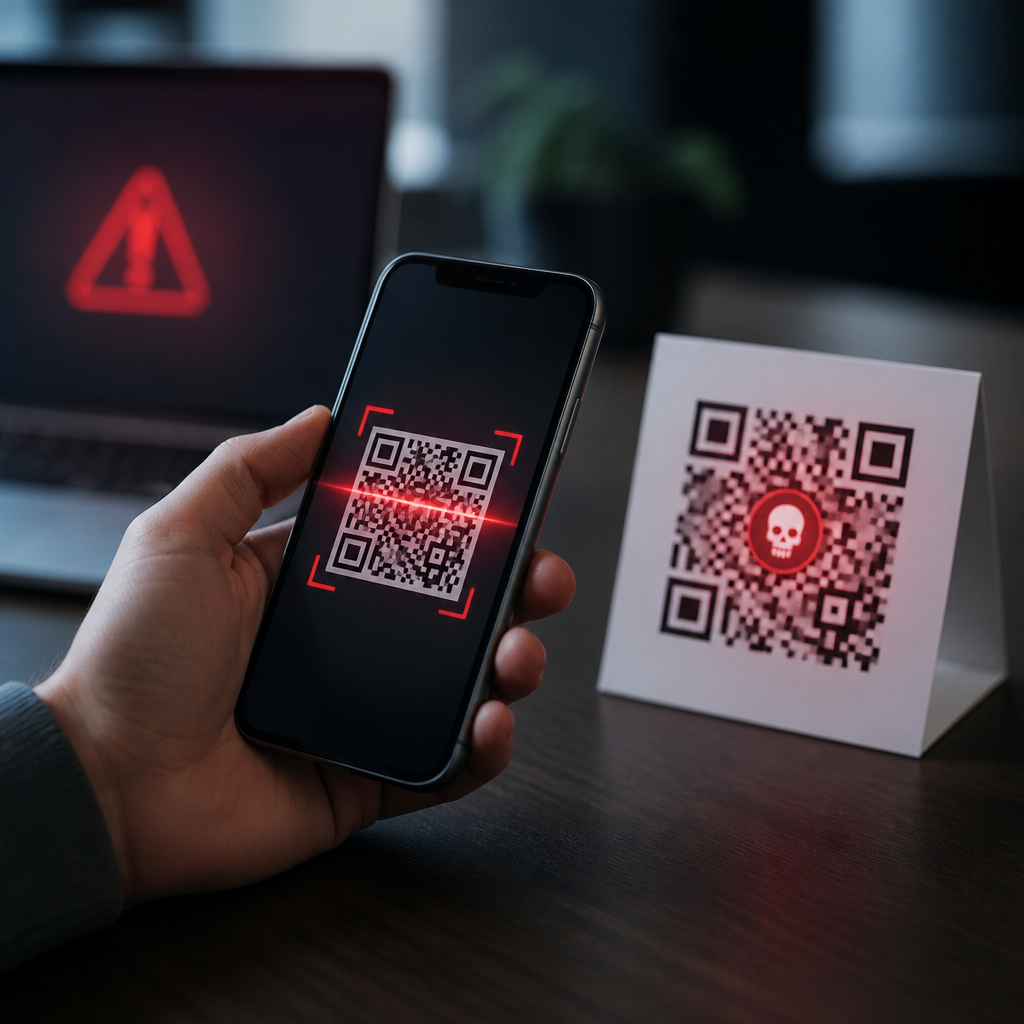
QR codes feel routine now: restaurant menus, parking meters, package labels, payment screens, event tickets, and login prompts all rely on them. That convenience also creates risk, because a QR code hides its destination until after a camera reads it. When people ask what happens when you scan a malicious QR code, the accurate answer is that the scan itself usually does not infect a phone, but it can trigger a chain of actions that leads to phishing, malware downloads, payment fraud, account takeover, or data exposure. Understanding that chain is the foundation of QR code security and safety.
A QR code, short for Quick Response code, is a two-dimensional barcode that stores data such as a website address, Wi-Fi credentials, contact details, app deep links, or payment instructions. A malicious QR code is one designed to deceive the user into opening harmful content or performing a risky action. Security teams often call this “quishing,” meaning QR-enabled phishing. I have seen this most often in fake parking-payment stickers placed over legitimate codes, email attachments that ask users to scan for document access, and printed posters that redirect to credential-harvesting sites designed to mimic Microsoft 365, Google, or banking portals.
This matters because QR codes collapse several trust signals. Users do not see the destination domain before scanning, they often act quickly in public settings, and mobile screens make it harder to inspect URLs, certificates, and page details. Attackers exploit urgency and familiarity. According to the FBI and multiple enterprise security advisories, QR-related scams have been tied to payment diversion, stolen passwords, and malware delivery. As a hub page for QR code security and safety, this article explains exactly what can happen after a malicious scan, what signs reveal danger, how Android and iPhone risks differ, and what practical controls individuals and organizations should use.
What a malicious QR code can actually do
A QR code does not have magical powers; it encodes data, and your device decides what to do with that data. In most cases, scanning opens a browser, payment app, map app, Wi-Fi prompt, SMS draft, phone dialer, or app store page. The danger lies in what opens next. A malicious code may send you to a phishing page that asks for a password, a fake package-tracking page that requests card details, or an app-install page pushing trojanized software outside official stores. On phones managed by businesses, it may also try to trigger single sign-on prompts that capture corporate credentials.
Some codes attempt indirect harm rather than immediate theft. They can prefill an SMS message to a premium number, open a deep link into a payment app with altered recipient details, or join a device to a rogue Wi-Fi network controlled by an attacker. Once connected to hostile Wi-Fi, a user may face captive-portal phishing, traffic monitoring opportunities, or malicious prompts to install configuration profiles. On both Android and iPhone, newer operating system safeguards reduce silent actions, but social engineering remains effective because users can still approve prompts themselves.
The practical rule is simple: the scan is the beginning, not the breach. Harm occurs when the user taps, logs in, approves, installs, pays, or shares. That distinction matters because it guides the best defense. You do not need to fear every QR code; you need a clear habit for checking where it goes and what it asks next.
The attack chain after a scan
Most malicious QR incidents follow a recognizable sequence. First, the attacker places or distributes the code: on a parking meter, in an email, on social media, inside a PDF, or on physical flyers. Second, the victim scans it and is routed to a destination chosen by the attacker. Third, the destination applies pressure using urgency, convenience, or imitation. Fourth, the victim completes a high-risk action such as entering credentials, making a payment, enabling notifications, installing an app, or granting permissions. Finally, the attacker monetizes access through fraud, resale of credentials, lateral movement, or repeated scams.
| Stage | What the user sees | What the attacker wants | Primary risk |
|---|---|---|---|
| Placement | Sticker, email image, poster, PDF | Get a scan | Initial exposure |
| Redirect | Browser or app opens | Hide true destination | Phishing entry point |
| Persuasion | Login, payment, install, Wi-Fi prompt | Induce action | Credential theft or fraud |
| Execution | User submits or approves | Capture data or transfer value | Account takeover, card theft |
| Follow-on | More prompts or silent abuse | Persist and profit | Repeated scams, malware spread |
A real-world example is a fake parking QR code. The victim thinks they are paying a city meter, but the code opens a lookalike site with a plausible logo and asks for card number, billing ZIP code, vehicle plate, and phone number. Even if the card is declined, the attacker now has enough data for card testing, smishing, or identity correlation. Another common example is a workplace email that says, “Scan this code to review your secure voicemail.” The page that opens resembles a Microsoft sign-in flow, captures credentials, and then relays the victim to the real site so the theft is not obvious.
Phishing, malware, and payment fraud on mobile devices
The most common outcome of scanning a malicious QR code is phishing. Mobile phishing succeeds because the page can closely mimic trusted brands and because users are less likely to inspect domain names on a phone. Attackers often register domains with subtle substitutions, extra words, or country-code endings that look official at a glance. If a victim enters a username, password, or one-time code, the attacker may immediately log in to the real service. If the target account lacks phishing-resistant multifactor authentication, takeover can happen within minutes.
Malware is possible, but the path is more constrained than many people assume. On iPhones, apps generally come through the App Store, and the operating system limits background installation. On Android, the risk rises if a user is convinced to install an APK from outside Google Play or to grant accessibility or device-admin privileges. In investigations I have worked around, QR-linked malware was rarely a “drive-by” infection; it usually depended on several user approvals plus a convincing pretext, such as a fake security update, browser update, or shipping app.
Payment fraud is another major category. QR codes are widely used for person-to-person transfers, merchant checkout, and crypto transactions. An attacker can swap a legitimate payment code with one that directs funds to a different wallet or recipient account. Because many payment apps display a summary only after scanning, rushed users may approve without checking the payee name. Crypto transactions are especially unforgiving because transfers are generally irreversible. Even traditional card scams can start with QR codes that lead to counterfeit checkout pages capturing PAN, CVV, and billing details for later abuse.
Warning signs and safety checks before you act
The safest habit is to treat the destination as untrusted until verified. Before tapping through, preview the URL if your camera app or scanner offers it. Look for the exact domain, not just familiar words in the path. “cityparking-pay.com” is not the same as “city.gov.” Prefer official apps or websites you navigate to yourself instead of scanning a posted code for payments, account login, or package tracking. On physical signs, check for tampered stickers, misaligned labels, or codes pasted on top of existing materials.
After the page opens, slow down and inspect the request. A parking payment page should not ask for your email password. A Wi-Fi code should not redirect to an app download. A document-access code should not ask for a banking card. Context mismatch is one of the strongest indicators of fraud. Also watch for poor spelling, generic greetings, unusual domain endings, missing privacy notices, and prompts to disable security settings. Legitimate mobile sites can be simplified, but they rarely hide ownership completely or demand unrelated permissions.
Use device defenses consistently. Keep iOS or Android updated, enable safe browsing features in Chrome or Safari, and install apps only from official stores. A password manager helps because it autofills only on matching domains, making phishing pages easier to spot. Multifactor authentication reduces the damage from stolen passwords, and passkeys offer even stronger protection because they are resistant to credential replay on fake sites. For organizations, mobile threat defense tools, DNS filtering, conditional access, and user reporting channels add valuable layers beyond awareness training alone.
What to do if you scanned one
If you scanned a suspicious QR code but did not interact further, close the page and move on. If you entered credentials, change the password immediately on the legitimate site, revoke active sessions, and update your multifactor settings. If you entered payment details, contact the card issuer or payment provider, monitor transactions, and request a replacement card when appropriate. If you installed an app from an untrusted source, disconnect the device from sensitive accounts, remove the app, run a mobile security scan if available, and consider a factory reset if the behavior is abnormal or permissions were extensive.
Document the incident. Take screenshots of the QR code, URL, and page, especially in workplaces where security teams may need indicators of compromise. Report fraudulent parking, retail, or event codes to the venue and relevant local authorities so the code can be removed quickly. For business users, notify IT or the security operations team right away; speed matters when cloud credentials may already be in use. Reviewing account login logs, OAuth grants, forwarding rules, and saved payment methods often reveals follow-on abuse that the victim did not notice at first.
QR codes are useful, but they deserve the same caution people already apply to links and attachments. A malicious QR code typically harms you only after it pushes you toward a bad decision: visiting a fake site, revealing credentials, approving a payment, joining rogue Wi-Fi, or installing unsafe software. That means the best protection is a repeatable process: preview the destination, verify context, use official apps, keep your phone updated, and stop whenever a prompt feels mismatched or urgent. If you manage mobile devices at home or at work, turn these checks into a standard habit and review your QR code safety practices today.
Frequently Asked Questions
What actually happens when you scan a malicious QR code?
In most cases, scanning a malicious QR code does not instantly infect your phone just because your camera recognized the pattern. A QR code is usually just encoded data, most often a website address, payment request, contact card, Wi-Fi setup, or app-related action. The real danger starts after the scan, when your device offers to open a link, connect to a network, download a file, launch an app, or complete some other task. If the code sends you to a fake login page, for example, you could be tricked into entering your password. If it opens a fraudulent payment screen, you might send money to a criminal. If it triggers a download, you could end up installing malicious software, especially on devices with weak security settings.
That is why the safest way to think about a malicious QR code is as the beginning of an attack chain rather than the attack itself. The code hides its true destination until your device reads it, which makes it easier for scammers to disguise harmful links in everyday places like parking meters, restaurant tables, printed posters, package inserts, and public signs. Once scanned, the code may direct you to phishing pages, fake customer support portals, malware-hosting websites, account takeover schemes, or scam forms designed to steal personal and financial information. The risk comes from what the code leads you to do next.
Can a malicious QR code install malware on your phone automatically?
Usually, no. On a modern iPhone or Android device, a QR code does not generally install malware by itself without some kind of follow-up action. Most phones are designed to show the decoded content and ask whether you want to open a link or perform a related action. In many scenarios, malware installation still requires the user to download an app, approve permissions, install a configuration profile, enable unknown sources, or interact with a deceptive webpage. That said, “not automatic” does not mean “safe.” Cybercriminals often design their QR code scams to make harmful actions feel normal and urgent, such as prompting you to install a so-called security update, payment app, package tracker, or document viewer.
There are also edge cases to keep in mind. A malicious site opened from a QR code could attempt to exploit a browser vulnerability, target outdated software, or use social engineering to persuade you to approve dangerous changes. For example, a fake mobile banking page may push a user to install a rogue app, or a bogus enterprise login prompt may try to harvest credentials and one-time passcodes. In other words, a malicious QR code often acts as a delivery mechanism for the next stage of the scam. Keeping your phone updated, avoiding sideloaded apps, and treating unexpected download prompts as suspicious greatly reduces the chance that a scan turns into a malware incident.
How do scammers use malicious QR codes for phishing and payment fraud?
Phishing is one of the most common outcomes of a malicious QR code scan. A scammer can place a QR code sticker over a legitimate code on a parking meter, menu, kiosk, flyer, invoice, or sign. When scanned, the replacement code sends the victim to a fake website that looks authentic enough to collect usernames, passwords, credit card numbers, banking details, or multi-factor authentication codes. Because people often expect QR code destinations to be fast and mobile-friendly, they may not inspect the URL as carefully as they would on a desktop computer. That sense of routine can make QR-based phishing, sometimes called “quishing,” surprisingly effective.
Payment fraud works in a similar way. Instead of sending a payment to the real merchant or service provider, the malicious QR code redirects the user to a fraudulent checkout page or embeds a payment request tied to the attacker’s account. This can happen in situations where people are already primed to pay quickly, such as parking, public transit, event entry, donations, package redelivery fees, or utility notices. Some scams also claim there is a failed delivery, overdue invoice, suspended account, or urgent verification problem, creating pressure to act without thinking. Once money is sent or payment credentials are entered, recovering the loss can be difficult. The combination of convenience, urgency, and hidden destinations is exactly what makes malicious QR codes so useful to fraudsters.
How can you tell whether a QR code is suspicious before and after scanning it?
Before scanning, context matters a lot. Be cautious with QR codes posted in public places, especially if they appear as stickers placed over another code, are poorly aligned, look recently added, or seem out of place. A payment code on a parking machine, for example, deserves extra scrutiny if it covers printed instructions or uses branding that does not match the rest of the device. You should also be skeptical of QR codes in unsolicited emails, text messages, social media posts, direct messages, and package inserts claiming you must verify an account, confirm a payment, or resolve a delivery problem immediately. Scammers use QR codes specifically because they conceal the destination until the scan occurs.
After scanning, pay close attention to what your phone shows you before you tap through. Many devices preview the URL or action. Look for misspellings, strange domains, shortened links, extra words added to a brand name, or addresses that do not match the company you expected. Be wary if the page asks for login credentials, payment details, one-time verification codes, app installations, or urgent account actions. Other warning signs include poor design, unusual pop-ups, aggressive countdown timers, or prompts to disable security features. If anything feels off, close the page and navigate to the company’s website or app manually instead of continuing from the QR code.
What should you do if you scanned a malicious QR code or think you interacted with one?
If you only scanned the code and did not open the link, submit information, or install anything, your risk may be low. Still, it is wise to stay alert and avoid scanning the same code again. If you opened the link, entered a password, submitted payment information, downloaded a file, installed an app, or approved a device setting, take action right away. Change any affected passwords immediately, starting with email accounts, banking services, shopping accounts, and any account that reuses the same password. If possible, enable or strengthen multi-factor authentication. Contact your bank or card provider if payment information was entered, and ask them to monitor or freeze suspicious activity. Review recent transactions for unauthorized charges.
You should also scan your device with a reputable mobile security tool if one is available to you, remove any recently installed suspicious apps, and check for unfamiliar configuration profiles, browser permissions, or accessibility settings that may have been enabled during the scam. Update your phone’s operating system and browser to reduce the chance of exploitation through older vulnerabilities. If the QR code involved a workplace login, notify your IT or security team immediately so they can protect your account and monitor for broader compromise. Finally, report the malicious code to the business or location where you found it, especially if it appears to be covering a legitimate code in a public place. Quick reporting can prevent other people from becoming victims.





