
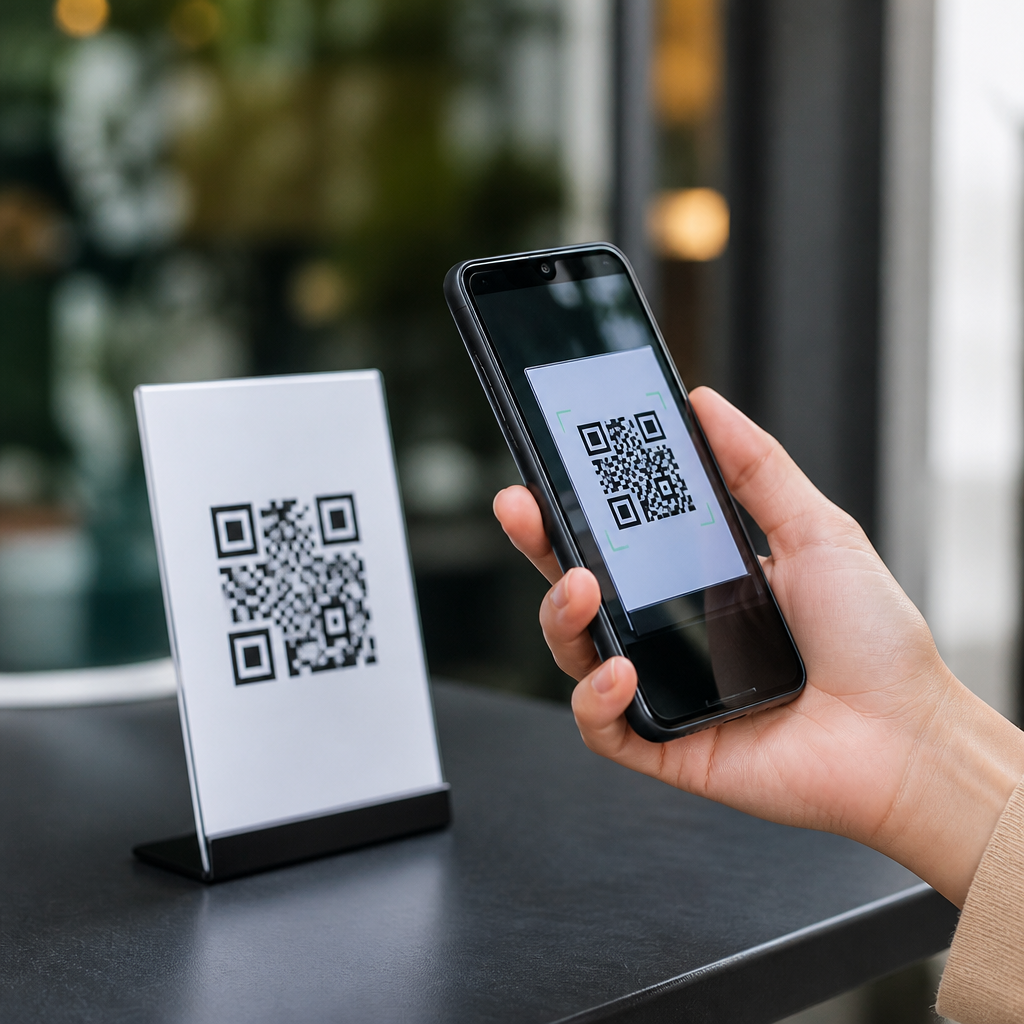
QR codes have become a routine part of mobile life, but that convenience has created a fast-growing security problem: QR code scams on mobile. A QR code is a machine-readable square barcode that stores a destination such as a website, payment request, app download, contact card, Wi-Fi login, or file. When you scan it with a phone camera, the device usually opens the encoded action immediately. That speed is useful in restaurants, parking meters, retail checkouts, event tickets, and customer support, yet it also removes the pause people normally take before clicking a typed link.
Security teams now treat malicious QR codes, often called quishing attacks, as a serious mobile threat. Instead of persuading someone to tap a suspicious email link, scammers hide the destination inside a printed sticker, a text message image, a social media post, or a PDF attachment. I have seen this work in the real world because users often trust a code more than a visible URL. They assume a physical sign in a public place, or a polished invoice sent to their phone, must be legitimate. That assumption is exactly what attackers exploit.
Learning how to avoid QR code scams on mobile matters because phones concentrate identity, banking access, password resets, and work accounts in one device. A single bad scan can lead to credential theft, fraudulent payments, malware prompts, or session hijacking. This guide explains the main QR code security risks, the warning signs of a scam, and the practical habits that keep mobile scanning safe.
How QR code scams on mobile actually work
Most QR code attacks rely on redirection. The code itself is not magical or inherently dangerous; the risk comes from the action it triggers after scanning. A scammer can encode a phishing page that imitates Microsoft 365, Google, Apple ID, a bank login, or a delivery service. On mobile screens, these fake pages are especially effective because the browser address bar is compact, page layouts look familiar, and people act quickly while standing at a meter, counter, or train platform.
Another common tactic is payment substitution. Criminals place sticker QR codes over legitimate ones on parking kiosks, charity posters, restaurant tables, or utility bills. The victim thinks they are paying a trusted merchant, but the code sends funds to the attacker. I have also encountered support fraud where a QR code claims to help install a software update, verify an account, or fix a billing issue, then routes users to a fake download page or a remote-management setup flow. On both Android and iPhone, the initial scan feels ordinary, which is why the damage happens after the camera opens the destination.
Attackers also use QR codes in email and messaging campaigns to bypass filters that catch suspicious links. Since the URL is embedded in an image, traditional scanners may miss it unless image analysis is enabled. That makes QR phishing attractive in business environments where employees use phones for multifactor authentication and cloud logins.
Common warning signs that a QR code is unsafe
The clearest red flag is context that feels rushed, unexpected, or inconsistent. If a text message says your package is delayed and demands you scan a code to reschedule delivery, treat it as suspicious. Major carriers usually direct users to official apps or known domains, not random QR images. The same applies to banks, tax agencies, and authentication providers. Unsolicited messages that create urgency are one of the oldest fraud patterns, and QR codes simply package that tactic in a new format.
Physical tampering is another major sign. On public signs, look for stickers placed over other stickers, mismatched branding, crooked placement, bubbling adhesive, or different print quality. In restaurants, compare table codes with the business website or ask staff whether digital menus and payments use the displayed code. At parking stations, legitimate operators often print the company name, customer support number, and app details near the code. Missing business identity is a warning sign.
Finally, pay attention to what your phone previews before opening. Modern camera apps often show the destination URL. If the domain is misspelled, uses unusual country-code endings, adds extra words, or relies on a shortener with no brand context, stop. A secure QR code experience starts by inspecting the target before you visit it.
Safe scanning habits that prevent most QR code fraud
The best defense is simple: never treat a QR code as proof of legitimacy. Treat it like any other link. On mobile, that means checking the preview, confirming the domain, and deciding whether the requested action makes sense. If a code asks you to log in, make a payment, download an app, or enter card details, do not continue from the scan alone. Open the official app or type the company website yourself. This one habit prevents most phishing and payment-diversion attacks.
Use built-in mobile security features consistently. Keep iOS or Android updated because browser protections, certificate checks, and app permission controls improve over time. Enable two-factor authentication on important accounts so a stolen password is less useful. Use a password manager that autofills only on correct domains; when autofill refuses to appear, that is often a sign the site is fraudulent. Google Safe Browsing, Apple’s fraud warnings, Microsoft Defender, Bitdefender Mobile Security, and Malwarebytes Mobile Security all add useful layers, especially for users who scan codes in public settings often.
For businesses and families, basic policy helps. Teach employees and relatives that QR codes from email attachments, posters, or messaging apps should be verified through a second channel before use. In practice, I recommend a simple rule: if the code leads to payment, credentials, or software installation, confirm with the source directly.
High-risk QR code scenarios and the safest response
Some situations deserve extra caution because they combine urgency, public placement, and financial risk. Parking payments are a leading example. Scammers know drivers are distracted and want to finish quickly. The safest response is to use the city or operator’s official app found through an app store search or the operator’s published website, not only the posted QR code. The same logic applies to transit passes, tolls, bike rentals, and event parking.
Restaurant tables, charity collections, and pop-up retail displays also deserve verification. If the QR code leads to a payment page, confirm the business name in the browser and check whether the checkout provider is recognized. For donations, compare the code with the organization’s official website. A legitimate nonprofit will list campaign pages clearly. At conferences or trade shows, avoid scanning random codes promising giveaways or software trials unless you know the exhibitor.
| Scenario | Main Risk | Safest Mobile Action |
|---|---|---|
| Parking meter or kiosk | Payment diversion | Use the operator’s official app or typed website |
| Email with QR image | Credential phishing | Log in through the known app or bookmarked site |
| Restaurant table code | Fake payment page | Ask staff to confirm the menu or checkout domain |
| Public poster or flyer | Malware or scam offer | Research the brand before opening the link |
| Account verification request | Identity theft | Contact the company through official support channels |
If you manage a business, inspect deployed QR signs regularly and replace damaged materials quickly. Static printed codes should be protected from tampering, and dynamic QR platforms should be monitored for unauthorized destination changes. Hub pages on mobile QR code scanning technology should also link users to deeper guides on secure payments, phishing detection, and scanner app privacy because those topics overlap in real deployments.
What to do if you scanned a malicious QR code
If you scanned a code but did not interact further, close the page and clear the browser tab. If you entered credentials, change the password immediately from the official site or app, then review active sessions and sign out of other devices where possible. If the account supports multifactor authentication, recheck the method and revoke suspicious authenticator enrollments. For Microsoft 365, Google, Apple, and major banks, session review tools are built into account security settings.
If you made a payment, contact the card issuer or bank quickly and report suspected fraud. Speed matters because some transactions can be disputed or blocked before settlement. If you installed an app after scanning, uninstall it, review device administrator privileges or profile installations, run a mobile security scan, and check accessibility permissions, notification access, and SMS permissions. On Android, sideloaded apps deserve extra scrutiny; on iPhone, unexpected configuration profiles are a serious signal. In work environments, report the incident to IT so they can assess account compromise, mobile device management status, and downstream risk.
The key point is not to panic, but to act in order: isolate, reset, review, and report. Fast response limits damage.
QR code security on mobile comes down to one principle: a scan is just the start of a trust decision, not proof that a destination is safe. Scammers exploit speed, small screens, and public confidence in printed codes, but most attacks fail when users slow down and verify the next step. Inspect the previewed URL, avoid logging in or paying from an unverified scan, prefer official apps and typed domains, and be extra cautious with public signs, texted QR images, and urgent account requests.
For organizations, QR code safety also requires process. Staff training, regular inspection of printed materials, and clear customer instructions reduce fraud opportunities. For individuals, mobile protection is strongest when device updates, password managers, multifactor authentication, and browser warnings work together. No single tool can guarantee safety, yet a few consistent habits dramatically reduce risk.
Use this page as your hub for QR code security and safety within the broader mobile QR code scanning and technology topic. Review your current scanning habits today, update your phone, and verify every code before you trust it.
Frequently Asked Questions
What is a QR code scam on mobile, and why are these scams becoming more common?
A QR code scam on mobile happens when a scammer uses a malicious or misleading QR code to trick you into visiting a dangerous website, sending money, downloading malware, revealing personal information, or handing over login credentials. Because QR codes are designed for speed and convenience, they often bypass the caution people normally use when typing a web address or clicking a suspicious link in email or text. On a phone, the risk can be even higher because mobile screens show less information, users tend to move quickly, and many QR code actions open immediately after a scan.
These scams are becoming more common because QR codes are now used everywhere in daily life, including restaurant menus, parking payments, utility bills, package deliveries, event entry, retail promotions, and customer support interactions. That widespread use gives criminals more opportunities to blend in. A scammer can place a fake sticker over a real code, send a QR code through text or email, post one on social media, or include one in a printed notice that appears legitimate. The goal is usually the same: create urgency, reduce scrutiny, and get the user to act before they think. As mobile payments and app-based services continue to grow, QR code scams are likely to remain a major security threat unless users adopt a more deliberate scanning routine.
How can I tell whether a QR code is safe before I scan it with my phone?
The safest approach is to evaluate the context before you ever point your camera at the code. Ask yourself where the QR code came from, who placed it there, and whether the situation makes sense. A code on an official product package, inside a verified company app, or on a sign behind a cashier is generally less risky than a random sticker in a public place, a printed flyer with no clear source, or a QR code sent in an unexpected message. If the code appears to be taped over another code, placed crookedly, printed poorly, or attached in a way that looks improvised, treat it as suspicious. Physical tampering is one of the most common methods used in public QR scams, especially at parking meters, restaurant tables, and kiosks.
If you do scan a code, pause before tapping anything. Many phones will show a preview of the destination link or action. Look closely at the web address. Watch for misspellings, strange domain endings, added hyphens, random numbers, or brand names that do not match the official company website. For example, a scam page may imitate a bank or payment service but use a slightly altered domain name. Be especially careful if the QR code tries to start a payment, prompts you to log in, asks for card details, requests app installation, or tells you to enter a one-time passcode. A legitimate QR code should lead to a destination that is consistent with what you expected. When in doubt, do not use the code. Open the company’s official website or app manually instead.
What are the biggest warning signs that a scanned QR code is trying to scam me?
There are several red flags that should make you stop immediately. One of the biggest is urgency. If the site says your account will be locked, your package cannot be delivered, your bill must be paid now, or your prize will expire unless you act within minutes, that is a classic scam tactic. Another warning sign is a request for sensitive information that should not be needed for the situation, such as your banking password, full card number, security code, identity document, or two-factor authentication code. QR code scams often imitate trusted services and then harvest the details needed to take over accounts or commit fraud.
Other signs include poor design, strange wording, spelling errors, low-quality logos, pop-up messages, and pages that do not fully load or redirect several times. Be wary if the code opens a shortened link that hides the real destination, triggers an unexpected app download, or launches a payment request before clearly identifying the merchant. You should also be cautious if a customer support QR code leads you to a chat asking for remote access to your device, or if a payment QR code does not match the company or location you are dealing with. In general, if the destination feels off, asks for too much, or pushes you to act fast, trust your instincts and back out. A small delay for verification is far safer than a rushed tap that exposes your money or data.
What are the best ways to avoid QR code scams when using mobile payments, parking apps, menus, or public signs?
The best defense is to avoid treating QR codes as automatically trustworthy just because they are common. In payment situations, try to begin the transaction from the official app or website you already know instead of relying on a posted code. For example, if you are paying for parking, open the city or parking provider’s app directly or type in the official web address yourself. At restaurants, ask staff if a table QR code is current and official if anything looks unusual. For event tickets, retail checkouts, and account access, compare the destination with what the company normally uses. This simple habit removes much of the advantage scammers rely on.
It also helps to secure your phone so a mistaken scan does less damage. Keep your mobile operating system and apps updated, use mobile security tools if available, enable multi-factor authentication on important accounts, and avoid saving unnecessary payment details in browsers or unfamiliar apps. Turn on transaction alerts from your bank and card issuer so you can spot fraudulent activity quickly. If your phone provides a link preview after scanning, use it every time. Never enter login credentials, payment details, or verification codes into a page reached through a QR code unless you independently confirm the destination is legitimate. In public places, inspect QR labels for signs of tampering and prefer codes displayed on digital screens, official receipts, or verified business materials over stickers placed in the open.
What should I do if I scanned a suspicious QR code or entered information after scanning one?
If you scanned a suspicious QR code but did not interact further, close the page immediately and do not download anything, log in, or approve any payment. Clear the browser tab and monitor your device for unusual behavior such as unexpected pop-ups, new apps, battery drain, or permission prompts. If you clicked through, downloaded a file, entered login credentials, submitted payment data, or shared a one-time code, treat the situation as a potential compromise and act quickly. Change the passwords for any affected accounts right away, especially email, banking, shopping, and social media accounts. If you reused that password elsewhere, change those accounts too. Then review your account activity and security settings for unauthorized logins or changes.
If money or card details may be involved, contact your bank or card issuer immediately to report the incident, freeze or replace cards if necessary, and watch for fraudulent transactions. If you entered a one-time password or authentication code, check whether someone may have used it to log in and revoke unknown sessions. Run a reputable mobile security scan if you suspect a malicious download, remove unfamiliar apps, and update your device. It is also wise to report the scam to the business being impersonated and to relevant consumer protection or cybercrime reporting channels in your region. Acting quickly can reduce the damage significantly. The most important thing is not to feel embarrassed or delay. QR code scams are designed to look routine, and fast response is what protects your accounts and finances.





