
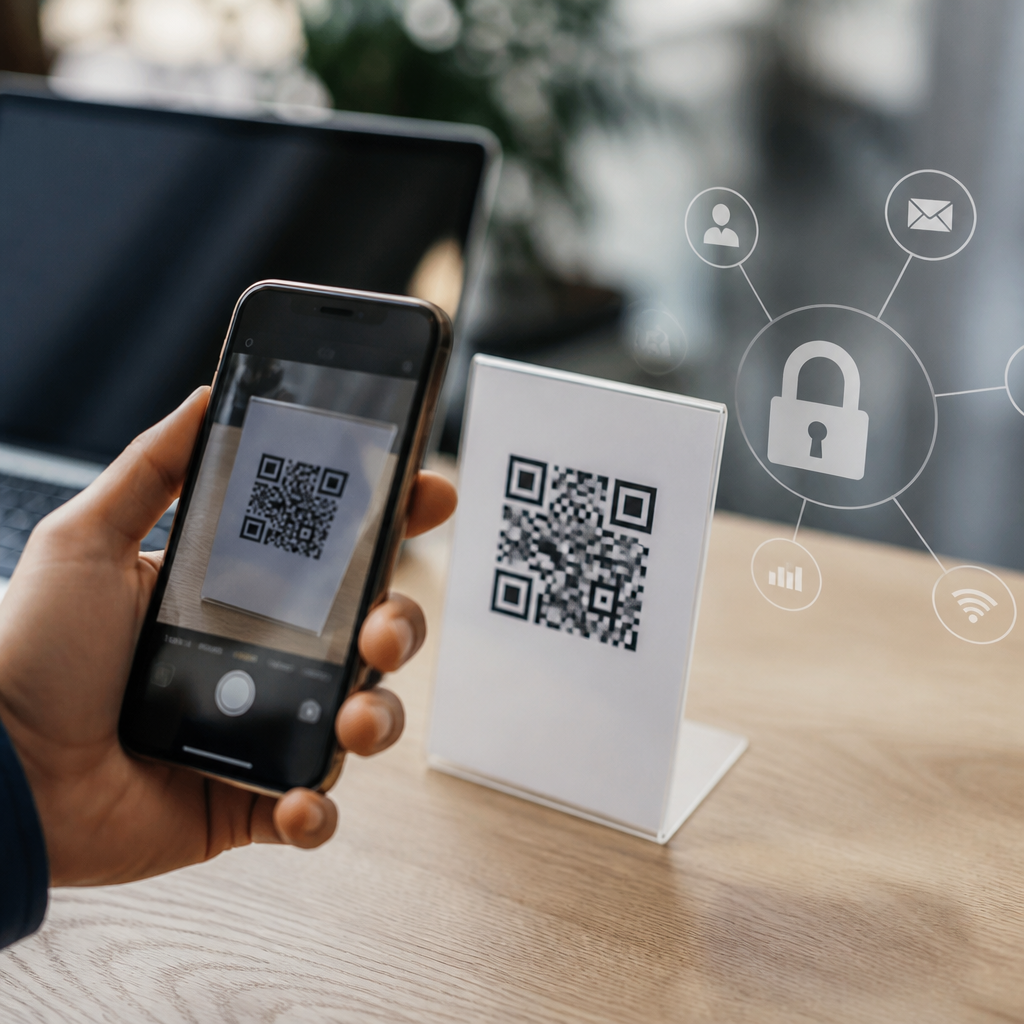
QR codes are everywhere: restaurant menus, parking meters, payment terminals, product packaging, event tickets, and direct mail. As their use has expanded, one question comes up in nearly every client workshop I run on mobile security: do QR codes track your data? The short answer is no, not by themselves. A QR code is simply a machine-readable pattern that stores information, usually a URL, text string, contact card, Wi-Fi credential, or app link. It does not contain a sensor, run software, or silently collect personal information on its own. What matters is what the code points to, how your phone handles it, and what happens after you scan.
That distinction is crucial because people often blame the symbol when the real issue is the destination. A printed QR code can send you to a webpage that uses analytics tools, cookies, device fingerprinting, or form fields to gather data, just like any other webpage. Dynamic QR code platforms can also record scan activity such as time, approximate location, device type, and referral source. In practice, the privacy question is less “does the QR code track you” and more “what system sits behind the QR code, and what data does that system log or request?” Understanding that difference helps consumers scan more confidently and helps businesses deploy QR code campaigns responsibly.
QR code security and safety matter because scanning is frictionless. People are trained to trust the camera prompt, tap quickly, and continue with little scrutiny. That convenience creates opportunity for both legitimate measurement and abuse. Marketers use QR scans to measure campaign performance; fraudsters use malicious replacement stickers to redirect users to phishing pages. Payment providers use QR codes to simplify checkout; attackers use fake payment codes to divert funds. If you use QR codes for marketing, operations, customer service, or payments, you need a clear view of how tracking works, what risks exist, and which controls reduce exposure for users and organizations alike.
What data a QR code can and cannot collect
A QR code by itself cannot watch your behavior, read your contacts, access your photos, or extract files from your phone. Technically, it is just encoded data in a two-dimensional matrix. When a camera app scans it, the app decodes that data and offers an action, such as opening a link. No network request occurs until you approve or trigger that next step. If the code contains plain text, your phone may display only text. If it contains a URL, the browser or in-app web view loads the destination. Data collection starts only when software beyond the code itself becomes involved.
What can be collected after a scan depends on the destination and permissions. A normal website can log your IP address, user agent, approximate location, timestamp, language settings, and referring source. If the page includes analytics from Google Analytics 4, Adobe Analytics, or Matomo, the operator may also track sessions, conversions, campaign parameters, and user paths. If the page asks you to sign in, submit a form, enable location, access a camera, or download an app, the amount of available data increases. This is not unique to QR codes; it is standard web and app behavior triggered by the scan.
Dynamic QR codes add another layer. Unlike static codes, which embed a final destination directly, dynamic codes typically point first to a short URL managed by a QR platform. That platform can record scan events before redirecting you onward. In campaigns I have audited, these logs commonly include scan count, date and time, country or city inferred from IP, device category, operating system, and whether the scan was unique or repeated. This tracking is useful for businesses, but it should be disclosed in privacy notices and governed like any other analytics data.
How QR code tracking works in the real world
Most business tracking tied to QR codes follows a predictable flow. A company creates a dynamic code in a service such as Bitly, QR Code Generator Pro, Beaconstac, Flowcode, or a campaign tool inside a CRM platform. The scan sends the user to a redirect domain first. That redirect records event metadata, then forwards the user to a landing page. The landing page may carry UTM parameters so the web analytics platform attributes the visit to a specific poster, product box, in-store display, or mailer. If the user converts, the business can connect the scan to downstream results such as sign-ups, bookings, or purchases.
That process is not inherently invasive, but context matters. A QR code on a billboard generally produces broad, anonymous campaign data. A QR code inside a loyalty app, account portal, or patient intake flow may be linked to an identifiable customer record. For example, airlines can encode boarding pass data in QR format, venues can validate ticket ownership, and medical providers can use QR links for appointment check-in. In those cases, tracking is attached to the business process, not because the pattern itself knows who you are, but because the surrounding system does.
| Scenario | What the QR code does | What may be tracked | Main risk |
|---|---|---|---|
| Restaurant menu | Opens a menu URL | Basic website analytics, device type, time | Low; mainly privacy notice quality |
| Marketing flyer | Redirects through a dynamic link | Campaign source, location, repeat scans, conversions | Moderate; undisclosed analytics or retargeting |
| Parking payment code | Starts a payment session | Transaction data, location, account details | High if code is replaced with a fake payment link |
| Event ticket | Encodes ticket identifier | Entry validation, attendance, fraud checks | Moderate; resale abuse or copied codes |
Consumers should also understand the role of the scanning app. Native camera apps on iPhone and Android typically decode the symbol and hand off the link to a browser or app. Some third-party QR scanner apps, however, monetize usage through ads, aggressive permissions, or their own analytics. I generally recommend using the built-in camera rather than installing a separate scanner unless there is a specific enterprise need. Fewer intermediaries usually means fewer privacy surprises.
Common QR code security threats and scams
The biggest QR code security threat is not hidden data harvesting inside the graphic. It is malicious redirection. Attackers place their own sticker over a legitimate code or distribute a fake code digitally, hoping the victim scans without verifying the destination. This tactic, often called quishing, combines QR delivery with phishing. The victim may land on a page that imitates Microsoft 365, a bank, a parcel redelivery portal, or a parking payment service. Because users cannot visually inspect the encoded URL before scanning, quishing succeeds by exploiting speed and trust.
Payment fraud is one of the clearest examples. I have seen incident reviews where criminals replaced QR codes on parking kiosks and table tents with lookalike payment labels. Users thought they were paying a legitimate merchant but were redirected to a cloned checkout page. The card details were captured, or the payment was sent to the attacker. Similar risks appear in crypto transfers and peer-to-peer payment apps, where a QR code can direct funds instantly to the wrong wallet or account. In those cases, the issue is not tracking alone but outright theft.
There are also mobile-specific risks. A QR code can prompt app downloads, prefill an SMS message, start an email draft, connect to Wi-Fi, add a contact, or open a map location. Many of these actions are convenient, but they can be abused. A Wi-Fi QR code could connect you to a rogue network. A contact QR code could add deceptive support details. An app-install QR code could push users toward sideloading or a counterfeit app if it does not point to the official Apple App Store or Google Play listing. Security awareness training should treat these as the mobile equivalent of suspicious links and attachments.
How to scan QR codes safely and protect your privacy
The safest scanning habit is simple: preview the destination and evaluate context before tapping. Modern phones usually show the URL or domain after the scan. Check whether the domain name matches the brand you expect, uses HTTPS, and looks spelled correctly. Be especially cautious with shortened links, misspelled domains, and pages requesting urgent payment or login credentials. If a code appears on a public surface, inspect it physically. A sticker layered on top of another label, poor print quality, or a domain unrelated to the service are all warning signs.
Use your phone’s built-in protections. Keep iOS or Android updated, enable Safe Browsing or equivalent browser protections, and avoid granting permissions unless the request makes sense for the task. A menu page does not need your microphone. A coupon page does not need your contacts. If the destination asks you to install software, go directly to the official app store and search for the publisher instead of trusting the link blindly. On managed devices, mobile device management policies can restrict risky installs and enforce secure DNS or web filtering.
For businesses, QR code safety starts before launch. Use reputable generators, prefer dynamic codes only when analytics or editable destinations are truly needed, and secure redirect domains with HTTPS and access controls. Publish codes where tampering is hard, inspect physical placements regularly, and print the plain-language destination nearby when possible. Privacy teams should document what scan data is collected, how long it is retained, and whether it is linked to identified users. If you operate in regulated environments, align practices with your legal obligations and platform policies, then audit campaign tags, redirects, and forms routinely. Scan smarter, publish safer, and review every QR workflow you own today.
Frequently Asked Questions
Do QR codes track your data by themselves?
No. A QR code does not track your data on its own. A QR code is simply a visual way to store information in a machine-readable format. In most cases, it contains a website address, but it can also hold plain text, contact details, Wi-Fi login information, payment instructions, or an app link. The code itself has no GPS, camera, microphone, internet connection, or ability to run software. It cannot watch what you do, collect personal details, or report your location just because you scanned it.
Where people get confused is what happens after the scan. If the QR code sends you to a website, opens an app, or starts a payment flow, the destination can collect data in the same way any website or app can. That may include your IP address, device type, browser information, approximate location, referral data, and behavior on the page. In other words, the tracking risk comes from the service behind the QR code, not from the black-and-white square itself. Think of the QR code as a shortcut, not a tracking device.
What information can be collected after you scan a QR code?
Once you scan a QR code and follow the action it triggers, data collection depends entirely on the destination. If the code opens a webpage, that site may log standard web analytics such as your IP address, operating system, browser version, language settings, time of visit, and pages viewed. If cookies or tracking pixels are present, the site may also connect your visit to ad campaigns, past browsing activity, or user profiles. If the QR code launches an app, the app may request permissions or collect data according to its own privacy policy.
Some QR code campaigns are designed specifically for measurement. For example, a restaurant menu QR code may track how many people opened the menu, what time they scanned it, and which items they clicked. A direct mail campaign may use a unique URL in each QR code so the marketer can tell which household responded. Event tickets may use individualized QR codes to confirm identity, validate entry, and prevent reuse. None of this means the QR code itself is doing the tracking. It means the linked system is set up to record interactions after the scan.
Can a QR code identify you personally?
Not automatically, but it can be part of a system that identifies you. A generic QR code that points everyone to the same website usually does not know who you are unless you choose to submit information or you are already identifiable through cookies, account logins, or device-based signals. However, a QR code can include unique parameters in its destination URL. Those parameters may correspond to a customer record, a campaign segment, an order number, a ticket ID, or a personalized offer. In that case, the scan can be tied back to a specific person or household if the organization has that data in its system.
This is common in marketing, logistics, customer support, and access control. For example, a package insert might use a coded link to see which batch or customer account engaged with a product registration page. A ticket QR code may be unique to your purchase and scanned at the venue to verify that the ticket belongs to you. So the accurate answer is that a QR code is not inherently personal, but it can absolutely be used in a personalized workflow. The identity link comes from the database and the destination platform, not from the QR pattern alone.
Are dynamic QR codes more trackable than static QR codes?
Yes, in practice they usually are. A static QR code contains the final destination directly in the code. If it links to a website, the scan takes you straight there. A dynamic QR code, by contrast, typically sends you first through a short redirect URL controlled by a QR code platform. That intermediate step allows the owner to change the final destination later without reprinting the code, which is useful for menus, packaging, signage, and campaigns. It also allows scan analytics to be recorded before you reach the final page.
Because of that redirect layer, dynamic QR codes are often used to measure total scans, time of scan, device type, rough location based on IP address, and campaign performance. Businesses like them because they provide flexibility and reporting. Static QR codes can still lead to a site that tracks users, but they generally do not have that built-in management and analytics layer at the QR service level. If privacy is your concern, the key question is not just whether the code is static or dynamic, but who controls the destination, what analytics tools are in place, and whether the page clearly explains its data practices.
How can you scan QR codes more safely and protect your privacy?
The best approach is to treat a QR code like any other link: useful, but worth checking before you trust it. Use your phone’s built-in scanner or a reputable app that previews the destination before opening it. Look closely at the web address and be cautious with shortened links, misspelled domains, or sites that do not match the business or context. Avoid scanning random stickers placed over official signs, parking meters, or payment terminals, since attackers sometimes replace legitimate codes with fraudulent ones. If a QR code immediately prompts you to install an app, enter payment details, or sign in, pause and verify the request through the company’s official website.
For privacy, limit what you share after the scan. Do not fill out forms unless the site is legitimate and the information is necessary. Review app permissions carefully. Consider using browser privacy protections that block unnecessary trackers, and clear cookies if you do not want visits linked across sessions. On the security side, keep your phone updated so your browser and operating system are protected against known threats. In short, QR codes are not inherently invasive, but the pages and apps they open deserve the same scrutiny you would give any email link, ad, or website.





