
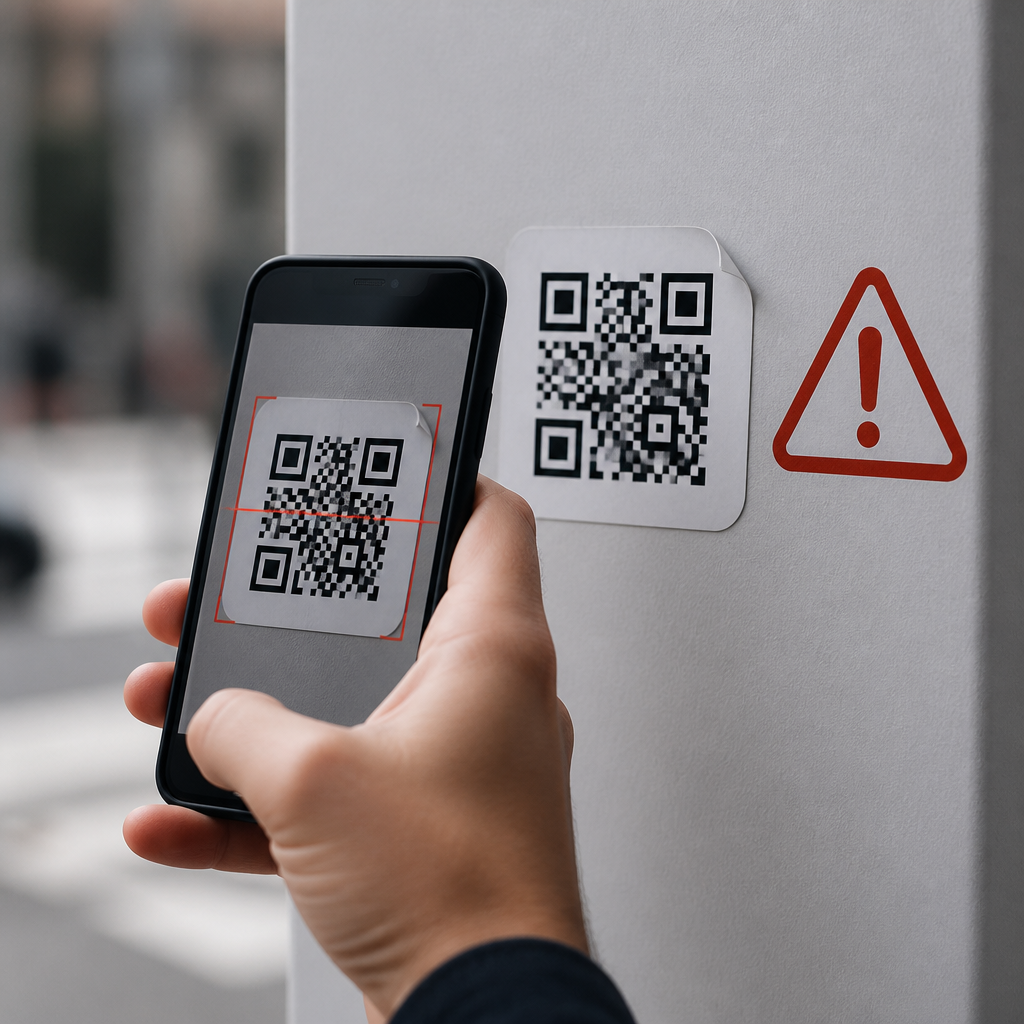
QR code phishing scams, often called quishing, use innocent-looking square barcodes to send people to fraudulent websites, trigger malicious app downloads, or harvest credentials without the usual warning signs people expect from email scams. A QR code is simply a machine-readable pattern that stores information such as a URL, payment request, Wi-Fi credential, or contact card, but that convenience also hides risk because the destination is invisible until after a scan. In mobile security work, I have seen users trust QR codes far more readily than typed links, especially in restaurants, parking meters, package inserts, office lobbies, and payment requests. That misplaced trust matters because smartphones concentrate email, banking, messaging, and multifactor authentication in one device. A single scan can lead to account takeover, card theft, malware exposure, or business email compromise. Understanding how QR code phishing works is now essential for consumers, employees, and IT teams. This guide explains the mechanics, common attack patterns, warning signs, prevention steps, and response actions so readers can evaluate QR code security and safety with the same caution they already apply to suspicious links and attachments.
How QR code phishing scams work
QR code phishing works by shifting the attack surface from visible text to encoded data. Instead of persuading a target to click a suspicious URL in an email, the attacker presents a code that looks routine and low risk. When scanned, the phone decodes the content and usually offers to open a browser, payment app, map, or other function. That moment is critical: the victim sees only a prompt, not the full context that would have been obvious in a plain hyperlink.
Most quishing campaigns direct users to a spoofed login page for Microsoft 365, Google Workspace, a bank, or a parcel service. Others route victims through redirect chains that conceal the final domain, or prefill a payment request in a digital wallet. I have also encountered QR stickers placed on public signs, where the code replaces a legitimate destination with a fake one. The social engineering varies, but the objective is consistent: capture credentials, payment data, session tokens, or device trust.
Attackers favor QR codes because mobile users are rushed, screens are small, and many people assume printed materials are safer than digital messages. The code itself may be delivered in an email attachment, PDF invoice, poster, table tent, text message, social media post, or physical sticker. Security teams increasingly see QR codes embedded in phishing emails specifically to bypass secure email gateways that are tuned to inspect text links more effectively than images.
Common QR phishing scenarios in the real world
The most common scenario is a fake login request. An employee receives an email stating that a password is expiring and is told to scan a QR code to reauthenticate on a mobile device. The code opens a cloned sign-in page, the employee enters credentials, and the attacker immediately uses them to access cloud email. If multifactor authentication is prompted in real time, the attacker may capture that too through adversary-in-the-middle tooling.
Consumer scams often target payments and deliveries. A sticker placed over a parking meter QR code can redirect drivers to a counterfeit payment page that steals card details. Fake package notices may ask a recipient to scan a code to pay a small redelivery fee. Restaurant menu replacements, event tickets, meter payments, crypto transfer requests, and charity donation posters all create urgency and legitimacy at the same time.
Another pattern involves malicious configuration. A QR code can encode Wi-Fi settings, SMS messages, or calendar events. While modern operating systems ask for confirmation, many users tap through prompts quickly. In enterprise environments, fraudulent device enrollment pages can trick users into installing management profiles or handing over corporate credentials. The attack works best when the code appears where people expect convenience, speed, or mandatory action.
Why QR codes are attractive to attackers
Attackers like QR codes because they compress trust signals into a single image. There is no misspelled URL to notice in advance, no anchor text to inspect, and often no keyboard involved, which removes friction for the victim. On mobile devices, browser address bars are minimized, redirects happen fast, and visual design carries more weight than domain scrutiny. That combination lowers user skepticism.
QR codes also travel across both physical and digital channels. A threat actor can print stickers cheaply, add a code to a phishing PDF, or post one in a private chat. Image-based payloads may slip past controls that focus on traditional indicators. From a campaign perspective, QR scams are scalable and adaptable: the same landing page can support credential theft, payment fraud, malware delivery, or affiliate abuse.
There is another advantage for attackers: many organizations have taught users to hover over links, but far fewer have trained them to safely evaluate a scanned destination. This gap in security awareness creates a reliable opening. The National Institute of Standards and Technology and major mobile platform vendors emphasize verifying URLs before submitting data, yet many users do not apply that discipline after scanning a code.
Red flags that a QR code may be malicious
The strongest warning sign is context mismatch. If a sign, email, or document asks for urgent payment, password confirmation, or account recovery through a QR code, treat it as suspicious. Legitimate organizations may use QR codes for convenience, but they rarely make scanning the only path for sensitive account actions. Unexpected stickers, poor print quality, tampering around a label, or a code placed over another code are physical clues that matter.
On the device, preview the destination if your camera app supports it. Watch for shortened links, domains unrelated to the brand, extra words such as secure-login-verify, or country-code domains that do not fit the organization. A page that asks for credentials immediately, especially without normal navigation or support links, is a strong sign of phishing. Spelling may be perfect now, so domain analysis is more reliable than judging design quality alone.
| Red flag | What it can indicate | Safer action |
|---|---|---|
| Sticker covering another QR code | Physical replacement attack | Use the official app or website directly |
| Urgent request to scan for login or payment | Social engineering pressure | Contact the organization through a known channel |
| Previewed URL does not match the brand | Spoofed destination or redirect | Do not open; navigate manually |
| Page requests credentials immediately | Credential harvesting page | Close the page and report it |
| Code sent in an unsolicited PDF or email image | Gateway evasion tactic | Verify with IT or the sender independently |
Best practices for consumers and employees
The safest habit is simple: scan, preview, verify, then act. If the QR code resolves to a website, inspect the domain before opening it and again before entering information. When possible, reach the service another way by typing the known URL, using a bookmarked site, or opening the official app directly. This is especially important for banking, workplace logins, tax forms, delivery issues, and payments.
Keep the phone updated because browser, camera, and operating system patches reduce exposure to known exploits and deceptive prompts. Use a password manager; it will often refuse to autofill on lookalike domains, which acts as a practical phishing signal. Enable multifactor authentication with phishing-resistant methods where available, such as passkeys or FIDO2 security keys, because one-time codes can still be intercepted in sophisticated attacks.
For organizations, user training must include QR-specific scenarios, not just email links. Mobile device management can restrict risky app installs, and secure web gateways can inspect destinations reached from managed devices. In high-risk environments, I recommend posting branded, tamper-evident QR codes and routinely checking public-facing signage. Payment stations, front desks, and event materials should have owner verification processes, because physical replacement attacks are easy to execute and hard for end users to notice.
What to do if you scanned a suspicious QR code
If you scanned a suspicious code but did not submit any data, close the page immediately and clear the browser tab. If you entered credentials, change the password at the legitimate site right away, sign out of other sessions if possible, and review recent account activity. For work accounts, notify the security team promptly so they can revoke tokens, reset sessions, and check for mailbox rules or other persistence mechanisms commonly used after compromise.
If you submitted payment information, contact the card issuer or bank, dispute unauthorized transactions, and consider replacing the card. If an app or profile was installed, remove it, review device administrator settings, and have the device inspected according to vendor guidance. On iPhone and Android, check for unknown configuration profiles, accessibility permissions, notification access, and sideloaded apps. Time matters because attackers often use stolen credentials within minutes.
Reporting is part of defense. Inform the business whose code was spoofed, the property owner where the code was posted, and any relevant fraud reporting channel. In a workplace, preserve screenshots, the source message, and the decoded URL if safely obtainable. That evidence helps block domains, update filters, and warn other users. Fast internal reporting often prevents a single scan from turning into a wider incident.
Building a safer QR code ecosystem
QR codes are not inherently dangerous; hidden destinations are the real issue. Used properly, they are efficient for menus, pairing devices, authentication bootstrapping, and payments. The goal is to treat them as links that happen to be visual. When people apply the same verification standards to scanned codes that they apply to typed URLs, the scam loses much of its advantage.
For site owners and publishers in the mobile QR code scanning and technology space, the most effective safety guidance is practical and repeatable: explain how codes are encoded, show where attacks occur, recommend preview-and-verify behavior, and link readers to deeper resources on mobile browser security, phishing-resistant authentication, safe payment flows, and enterprise mobile management. Clear standards beat vague warnings every time.
QR code phishing scams are growing because they exploit speed, convenience, and trust, but they are preventable when users know what to look for. Make destination checking a default habit, use official apps and known URLs for sensitive tasks, and report suspicious codes quickly. If you manage devices, payments, or public signage, review your QR code safety controls today and close the gaps before attackers find them first.
Frequently Asked Questions
What is a QR code phishing scam, and why is it called quishing?
A QR code phishing scam is a type of social engineering attack in which a criminal uses a QR code to direct someone to a malicious destination. That destination might be a fake login page designed to steal usernames and passwords, a fraudulent payment portal, a site that tricks the user into downloading a harmful app, or a page that harvests personal information. The term “quishing” combines “QR” and “phishing,” and it refers specifically to phishing attacks that use QR codes as the delivery mechanism instead of a traditional clickable link in an email or text message.
What makes quishing effective is that QR codes hide the destination from plain sight. With a normal email link, users may hover over the URL on a desktop and inspect it before clicking. With a QR code, the encoded address is not visible until after the scan, and many people are conditioned to treat QR codes as convenient and routine. They appear on restaurant tables, parking meters, event check-ins, invoices, posters, and package inserts, so scammers take advantage of that familiarity. In practice, the QR code itself is not dangerous; it is simply a machine-readable way to store data such as a web address, payment request, Wi-Fi credential, or contact card. The risk comes from what the code tells the phone to do next and whether the user can verify that destination before proceeding.
How do QR code phishing scams usually work in real-world situations?
Most QR code phishing scams follow a familiar pattern: the attacker creates urgency, provides a believable reason to scan, and then sends the victim to a fraudulent page or action. In the real world, that can happen in both digital and physical settings. For example, a scammer may send an email claiming there is a payroll issue, missed package, account verification request, or suspicious login, and instead of including a normal hyperlink, they embed a QR code and instruct the user to scan it with their phone. This can bypass some users’ normal suspicion because the code looks less obviously malicious than a long URL.
Physical quishing is also common. Attackers may place sticker overlays on legitimate QR codes found on parking kiosks, restaurant menus, transit signs, or donation boxes. A person believes they are paying for parking or viewing a menu, but the code actually routes them to a fake website that steals card details or asks them to log into a service account. In office environments, printed flyers, fake visitor notices, or supposed IT setup instructions can be used to lure employees into scanning a code that leads to credential theft. Some scams even direct the victim to install a mobile app outside the official app store or approve a malicious sign-in session through a counterfeit single sign-on page.
The common thread is deception. The scam relies on trust in the context around the code: a brand logo, a convincing message, a public location, or a time-sensitive request. Once the scan occurs, the attacker wants the user to act quickly before noticing warning signs such as a misspelled domain, unusual permission requests, payment instructions to an unfamiliar account, or a login form that does not match the normal brand experience.
What are the warning signs that a QR code might be malicious?
Several red flags can indicate that a QR code is unsafe, even if the code itself looks clean and professional. One of the biggest warning signs is unexpected urgency. If a message says your account will be suspended immediately, a delivery will be canceled, a payment is overdue, or your password must be reset right now, that pressure is often designed to get you to scan first and think later. Another common sign is poor context. If you receive a QR code in an unsolicited email, text message, social media post, or printed notice and there is no clear reason that scanning is necessary, caution is warranted.
In physical spaces, look closely for tampering. A sticker placed over an original code, mismatched branding, unusual placement, crooked labels, or low-quality printing can all suggest substitution. On the screen after scanning, inspect the previewed destination if your phone shows one. Watch for misspelled domain names, extra words added to a familiar brand, odd country-code domains, or shortened links that conceal the final destination. A legitimate company usually sends users to a clearly branded domain, not a random-looking address. Also be wary if the website asks for sensitive information that does not fit the situation, such as requesting your email password to view a menu, or demanding full card details for a routine parking extension.
Other warning signs include prompts to install software from outside the official app store, requests to disable security settings, unexpected multi-factor authentication prompts, or payment flows that seem disconnected from the service you intended to use. If anything feels off, stop and verify through an independent channel. Open the company’s official app directly, type the known website address yourself, or call the organization using contact information you already trust rather than anything provided by the QR code.
How can people protect themselves from QR code phishing scams?
The best defense against quishing is a mix of skepticism, verification, and mobile security hygiene. Start by treating QR codes as you would treat unknown links: convenient, but never automatically trustworthy. Before opening a scanned destination, use your phone’s preview feature if available to check the URL. If the domain does not exactly match the legitimate organization, do not proceed. When possible, avoid scanning codes sent in unsolicited messages about account issues, invoices, security alerts, benefits changes, or package problems. Instead, go directly to the service through its official app or by typing its website manually.
In public places, inspect printed QR codes for signs of tampering. If a code is on a parking meter, payment terminal, poster, or restaurant table, compare it with surrounding branding and printed instructions. If there is any doubt, ask staff or use a known official website. Keep your phone’s operating system and browser updated so built-in protections against known malicious sites remain current. Use strong, unique passwords and enable multi-factor authentication, because even if a phishing page captures one credential, additional security layers can reduce the damage. A password manager can also help because it typically will not autofill credentials on lookalike domains, giving users another clue that something is wrong.
For organizations, user awareness training should now include QR code threats, not just email links and attachments. Security teams should educate employees to verify any mobile login request, especially those tied to Microsoft 365, Google Workspace, payroll systems, VPN access, and internal portals. Mobile device management, web filtering, and threat detection tools can also help identify malicious destinations and suspicious app installation attempts. In short, the safest habit is simple: pause before scanning, inspect before tapping, and verify before entering any credentials or payment information.
What should you do if you scanned a malicious QR code or entered information on a fake site?
If you believe you scanned a malicious QR code, act quickly but methodically. First, stop interacting with the site immediately. Do not enter any more information, approve prompts, or download anything further. If you already typed a username and password, change that password right away using the legitimate website or app, not the page reached by the QR code. If the same password was reused elsewhere, change those accounts as well. Then review your account security settings for unauthorized changes, such as modified recovery email addresses, new trusted devices, forwarding rules, or added authentication methods.
If you submitted payment card details, contact your bank or card issuer as soon as possible, explain that your information may have been exposed in a phishing scam, and ask about fraud monitoring, a card freeze, or card replacement. If you approved a payment, report the transaction immediately. If you downloaded an app or configuration profile, remove it, run a mobile security scan if available, and review device permissions carefully. On managed work devices, report the incident to your IT or security team without delay so they can investigate potential credential exposure, session theft, or broader compromise. Time matters, especially if the phish targeted a corporate sign-in page.
It is also smart to monitor accounts for suspicious activity in the days and weeks that follow. Watch for failed login alerts, unexpected password reset messages, unauthorized purchases, or MFA prompts you did not initiate. If the scam involved work credentials, administrators may need to revoke sessions, reset tokens, and review logs for unusual sign-ins. Finally, treat the incident as a learning point rather than a reason for embarrassment. Quishing works because it exploits convenience and trust, and even careful users can be caught off guard. Prompt reporting and fast remediation can dramatically reduce the impact.





