
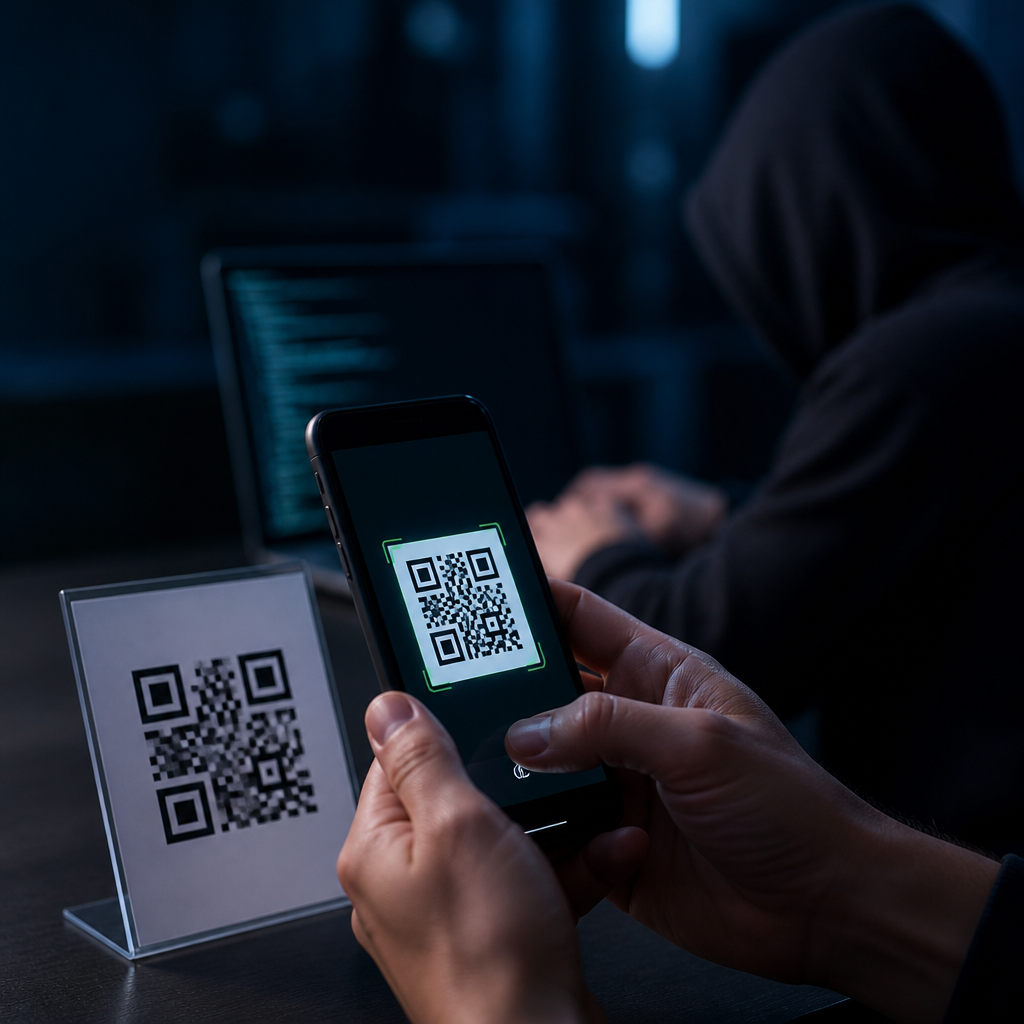
QR codes are everywhere, from restaurant menus and parking meters to package labels and payment terminals, which makes them convenient for users and attractive to attackers. In security work, I have seen the same pattern repeat: when people trust a black-and-white square more than a typed link, criminals gain an easy opening. This article explains how hackers use QR codes to steal data, what techniques they rely on, which warning signs matter, and how individuals and organizations can reduce risk without abandoning the technology.
A QR code, short for Quick Response code, is a two-dimensional barcode that stores information such as a website address, contact card, Wi-Fi credential, payment request, or app deep link. A phone camera or scanning app decodes the symbol and launches the embedded action. That speed is the main benefit, but it is also the main weakness. Users often cannot inspect the destination before acting, and physical codes can be replaced in seconds with fraudulent stickers. Security teams call many of these attacks quishing, or QR phishing, because the code is simply the delivery vehicle for a familiar social engineering scam.
This topic matters because QR code use has expanded faster than public security awareness. Regulators and industry groups, including the FTC, FBI, and NIST guidance on phishing-resistant behavior, consistently warn that attackers exploit low-friction channels where users make quick trust decisions. A malicious QR code can lead to credential theft, payment fraud, malware delivery, session hijacking, location tracking, or unauthorized device actions. For businesses, a compromised code on packaging or in a lobby can damage customer trust and create legal exposure. For consumers, a single scan can reveal login details, card information, or authentication tokens that protect more than one account.
How malicious QR code attacks work
Hackers use QR codes because the format hides intent. A normal-looking code can open a phishing page that imitates Microsoft 365, Google, Apple, or a banking portal. The victim scans, sees a branded login page, and enters credentials. In several incident reviews I have handled, the attacker then used those credentials within minutes, often before the victim realized anything was wrong. Because many users scan on personal phones outside corporate filtering tools, the attack can bypass email gateways, browser protections configured on managed laptops, and user suspicion triggered by ugly text links.
Another common method is code replacement in the physical world. Attackers print a sticker and place it over a legitimate restaurant menu code, parking payment code, transit sign, or donation placard. The fake code routes victims to a payment page controlled by the attacker or to a page that harvests card details. This is effective because the surrounding context looks legitimate. People trust the sign, not the destination. I have seen especially high risk in unattended public places where staff rarely verify codes after installation and where users are under time pressure, such as paying for parking before enforcement begins.
More advanced campaigns use QR codes as redirects rather than final destinations. The initial link may point to a legitimate compromised site, a URL shortener, or a cloud storage page that forwards the user to the actual phishing domain. This layered approach defeats simple reputation checks and makes takedown harder. Some campaigns also customize pages for mobile screens, preload the victim’s email address from encoded parameters, and request multifactor authentication codes in real time. The QR code itself is not the exploit; it is the trigger that moves a user into an attacker-controlled flow with fewer visual cues than desktop browsing provides.
Common data thieves target through QR scams
The most frequently stolen data is account credentials. Microsoft 365 and Google Workspace logins are prime targets because one compromised mailbox gives access to password resets, invoice threads, cloud documents, and contact lists for follow-on attacks. Banking usernames, card numbers, and one-time passcodes are also common. In payment fraud cases, the attacker may not need the full card if they can redirect a mobile wallet transaction to their own merchant account. Crypto wallet seed phrases and exchange credentials are another major target because transfers are difficult to reverse once authorized.
Attackers also seek session cookies and device information. A fake login page can capture browser details, IP address, location, language, and device identifiers, which help criminals tailor later fraud attempts. Some mobile landing pages ask users to install a configuration profile, trust a certificate, or download an app outside the official store. On Android, sideloaded APK files remain a real risk where users allow installation from unknown sources. On both Android and iPhone, malicious sites can request camera, microphone, contacts, or notification permissions that expose more information than users expect.
Business data is especially valuable. A scanned code in a warehouse, conference booth, or office lobby can lead staff to a fake single sign-on portal, giving attackers access to CRM records, pricing sheets, contracts, and internal chat tools. Once inside, they can conduct business email compromise, alter invoice routing, or steal customer data. The downstream impact is usually larger than the initial theft. One captured password can unlock cloud storage, and one approved push notification can let an attacker register a new device for persistent access. That is why QR code security belongs in broader identity and mobile risk programs.
Where users encounter dangerous QR codes
Risk concentrates in channels where speed and trust intersect: email, printed materials, public signage, and in-app messages. Email quishing has grown because gateways inspect text and attachments well, but image-based codes can obscure destination URLs. Attackers send messages about payroll updates, document reviews, package delivery, or security resets, then place the QR code as the primary call to action. The user scans with a phone, leaving the protected desktop environment. Physical codes appear on parking kiosks, utility posters, restaurant tables, event badges, and product packaging. Social media posts and messaging apps also spread malicious codes quickly because images are easy to forward.
| Attack setting | Typical lure | Primary goal | Key warning sign |
|---|---|---|---|
| Account verification or MFA reset | Steal credentials | Urgent request to scan instead of click | |
| Parking meter | Fast mobile payment | Capture card data or redirect payment | Sticker placed over original code |
| Restaurant table | Menu or loyalty signup | Harvest personal and payment details | Domain does not match brand |
| Package insert | Warranty registration or support | Collect customer data | Generic landing page with many permissions |
| Office poster | Benefits enrollment or Wi-Fi access | Compromise employee accounts | Unexpected login prompt after scan |
Legitimate business uses of QR codes are not inherently unsafe, but context matters. Dynamic codes managed through a trusted platform can be updated securely and monitored for misuse. Static codes printed once and forgotten often become blind spots. In retail and hospitality reviews, I often find no inventory of active codes, no ownership records, and no routine inspection process. That gap gives attackers room to replace or imitate codes without being noticed. The danger rises when the action involves money, authentication, or installation, because those steps create immediate consequences for a mistaken scan.
How to verify a QR code before and after scanning
The safest habit is to treat every QR code like an untrusted link. Before scanning, inspect the physical context. Is the sticker crooked, layered, or covering another code? Does the sign look professionally produced and consistent with the brand? If the code appears in email, ask why the sender wants a scan instead of a normal signed-in workflow. After scanning, read the preview URL carefully before opening it. Modern phone cameras usually show the destination domain. Focus on the registered domain, not the full string. A page hosted at secure-login.example.attacker.com is still controlled by attacker.com, not example.com.
If the destination requests credentials, payment, or an app download, stop and reach the service another way. Type the known website manually, use a saved bookmark, or open the official app from your device. For corporate systems, go through the normal single sign-on portal. I advise clients to disable direct trust in QR-initiated login prompts whenever possible and to rely on phishing-resistant authentication methods such as passkeys or FIDO2 security keys. These measures do not make bad codes disappear, but they sharply reduce the value of stolen passwords and one-time codes to attackers.
Organizations should publish clear standards for QR code deployment. Every code should have an owner, a documented destination, tamper-resistant placement, and a review schedule. Use branded short domains only if they are tightly controlled and monitored. Where possible, place the human-readable URL next to the code so users can compare. For high-risk actions like payments or account access, prefer flows that begin in an official app rather than a browser. Mobile threat defense tools, DNS filtering, secure web gateways, and conditional access policies also help, but user verification remains essential because many attacks succeed through social engineering rather than technical exploitation.
Best practices for long-term QR code security
Effective QR code safety combines user education, mobile security controls, and process discipline. Train people on quishing examples, especially fake parking payments, payroll notices, and account resets. Update awareness content frequently because attackers change branding and wording fast. Keep phones patched, use reputable mobile security tools where appropriate, and restrict app installation from unknown sources. Businesses should audit all public-facing codes, remove outdated ones, and monitor destination domains for certificate changes, redirects, and reputation issues. Include QR scenarios in phishing simulations and incident response playbooks so teams can recognize and contain abuse quickly.
QR codes are useful, but they should never receive automatic trust. Hackers use them to hide malicious links, impersonate brands, steal credentials, redirect payments, and gather device data with remarkable efficiency. The strongest defense is a simple routine: inspect the code, verify the destination, avoid entering sensitive information after an unexpected scan, and use official apps or typed URLs for important actions. If your organization relies on QR codes, inventory them, secure them, and train users continuously. Start by reviewing every code your team publishes and every scan your staff is asked to perform.
Frequently Asked Questions
1. How do hackers use QR codes to steal data?
Hackers use QR codes by turning a familiar convenience into a delivery system for malicious links, fake login pages, and fraudulent payment requests. A QR code itself is not dangerous in the way a virus file might be, but it can instantly send a person to a destination they cannot preview easily before opening. That is the key advantage for attackers. Instead of persuading someone to type a suspicious web address, they only need the victim to scan a code placed on a parking meter, restaurant table, package insert, email, poster, or payment terminal.
In many cases, the code leads to a phishing page designed to look like a bank, email provider, cloud service, payroll portal, or company sign-in screen. The victim believes they are confirming an account, viewing a receipt, or paying a bill, but they are actually handing over usernames, passwords, payment card details, or multi-factor authentication codes. In other attacks, the QR code directs the user to a site that prompts a file download, encourages installation of a malicious app, or triggers a payment to a scammer-controlled account. Criminals also use QR codes in business email compromise campaigns, where the code appears in a convincing message and bypasses some of the suspicion people might have if they saw a long suspicious link written out.
The reason this works so well is psychological as much as technical. People often assume QR codes are neutral shortcuts, especially when they appear in physical locations or official-looking communications. Attackers exploit that trust. They know many users scan first and think later, which gives them a fast path to credentials, financial information, and sensitive business data.
2. What techniques do attackers rely on in QR code scams and phishing campaigns?
Attackers generally combine QR codes with social engineering, visual deception, and urgency. One common technique is code replacement. A criminal places a sticker with a malicious QR code over a legitimate one on a parking machine, public notice, menu, or kiosk. To the average person, it looks authentic enough, especially in busy environments where people are rushing. Another common method is embedding QR codes in emails, text messages, invoices, or PDFs. Security tools and users may focus heavily on clickable text links, so a QR image can sometimes receive less scrutiny at first glance.
Once the code is scanned, the attacker usually directs the victim into one of several traps. The most common is credential phishing: a fake login page for Microsoft 365, Google, a bank, or a workplace portal. Another is payment fraud, where the page asks for card data or pushes the user to send funds through a wallet or transfer service. Some campaigns aim to harvest personal information such as phone numbers, account numbers, addresses, and one-time passcodes. Others try to convince users to install software that gives the attacker deeper access to the device.
More advanced attackers may use redirect chains, shortened URLs, and cloaking methods to hide the final destination from simple checks. They may also design mobile-optimized phishing pages because they know QR scans usually happen on phones, where browser address bars are smaller and signs of fraud are easier to miss. In corporate environments, attackers may use QR codes to imitate secure onboarding steps, document reviews, shared file access, or password reset requests. The core pattern is consistent: use the QR code to lower skepticism, move the victim onto a mobile device, and capture data before the person realizes anything is wrong.
3. What warning signs should people look for before scanning or using a QR code?
Several warning signs matter, and paying attention to them can prevent most QR-related fraud. First, consider the setting. If a QR code appears tampered with, printed on a sticker placed over another code, poorly aligned, or added in a way that looks unofficial, treat it as suspicious. This is especially important on parking meters, utility payment stations, public bulletin boards, and shared spaces where criminals can physically alter materials. If the code is on an email or text message claiming urgent account action, overdue payment, or a security alert, that is another red flag. Attackers deliberately create urgency to reduce careful thinking.
Second, inspect the destination before proceeding. Many phones show a preview of the URL before opening it. That preview deserves real attention. Look for misspellings, extra words, unusual domains, random strings, or a web address that does not match the brand or organization being claimed. A fake Microsoft sign-in page, for example, might use a domain that includes the word “microsoft” somewhere in the middle but is not actually owned by Microsoft. Secure-looking design does not mean the page is legitimate. A padlock icon and HTTPS connection only mean the connection is encrypted, not that the destination is trustworthy.
Third, pay attention to what the site asks you to do. If scanning a menu suddenly leads to a login form, if a package tracking code asks for payment details, or if a parking code requests excessive permissions or app installation, stop immediately. Legitimate QR code experiences should make sense in context. When the action requested feels unrelated, rushed, or overly invasive, it often is. The best habit is simple: pause, preview, verify, and only then interact.
4. How can individuals protect themselves from malicious QR codes?
Individuals can reduce risk significantly by combining cautious habits with a few basic security controls. The first and most effective step is to avoid scanning codes blindly. Use your phone’s preview feature to inspect the destination URL before opening it, and if the link looks unfamiliar or inconsistent with the organization involved, do not continue. Whenever possible, reach the service another way. If a QR code claims to lead to your bank, delivery service, employer portal, or utility account, open the official app or type the known web address yourself rather than trusting the code.
It also helps to keep your phone’s operating system, browser, and security software updated. While many QR attacks rely on phishing rather than malware, up-to-date devices are still important because they reduce exposure to browser exploits and malicious downloads. Use strong, unique passwords and enable multi-factor authentication on important accounts. That way, even if a password is accidentally entered into a fake page, the attacker has a harder time taking over the account. Be especially careful with one-time codes. A legitimate company will not typically ask you to scan a QR code and then immediately submit a verification code through a suspicious page.
Practical awareness matters too. Avoid scanning QR codes from random flyers, unexpected packages, or messages from unknown senders. In public places, look closely for signs of sticker overlays or tampering. If payment is involved, consider whether the process matches what you expect from that merchant or service. And if you think you scanned a malicious code, act quickly: close the page, do not enter any information, run a device security check if anything was downloaded, change exposed passwords immediately, and notify your bank or employer if financial or work credentials may have been involved. Fast response can limit the damage.
5. What should organizations do to reduce QR code security risks for employees and customers?
Organizations should treat QR codes as part of their broader phishing and fraud exposure, not as a novelty issue. The first priority is user education. Employees and customers need to understand that QR codes can hide malicious destinations just as easily as links in emails can. Awareness training should include examples of QR phishing, also called quishing, and explain how attackers use fake login pages, payment requests, and urgent prompts to steal credentials and financial data. Training should be specific, practical, and repeated regularly, especially for staff in finance, customer support, facilities, and field operations.
Controls matter just as much as awareness. Security teams should ensure mobile device management, email filtering, web filtering, and identity protections extend to QR-based attacks. That includes blocking known malicious domains, using phishing-resistant authentication where possible, and monitoring for suspicious logins that follow credential harvesting attempts. Organizations that use physical QR codes in offices, stores, events, packaging, or billing materials should establish a process for inventory, placement, inspection, and replacement. Public-facing codes should be checked routinely for tampering, sticker overlays, or unauthorized changes. If a QR code is used for payments, account access, or document retrieval, the destination should be clearly branded and easy for users to verify.
It is also wise to reduce dependence on QR codes for sensitive actions. For example, if customers or employees can type a short verified URL or use an official app instead, that often lowers risk. Incident response planning should explicitly cover QR-related fraud, including how to investigate reports, notify affected users, rotate credentials, and communicate trusted alternatives. The organizations that handle this well are not the ones that ban QR codes entirely; they are the ones that assume attackers will abuse them and design their processes, training, and technical safeguards accordingly.





