
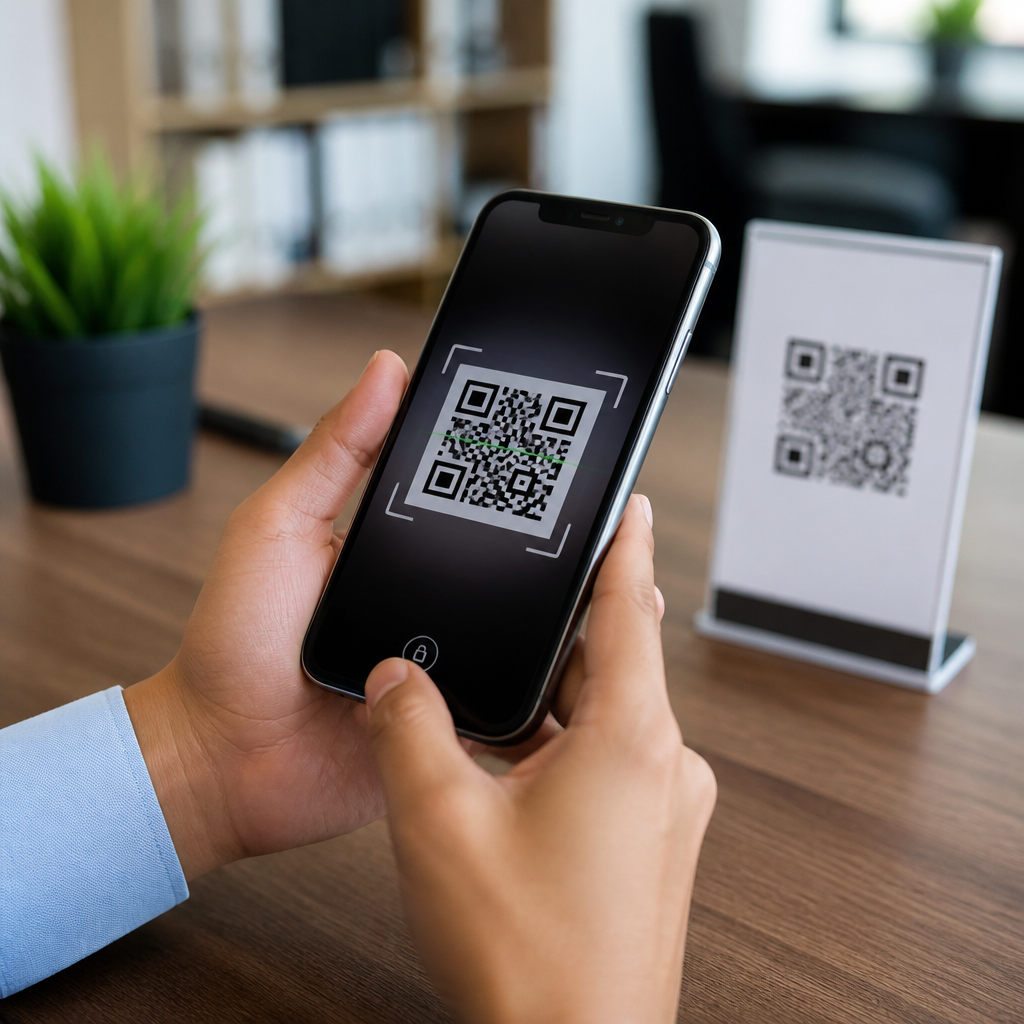
QR codes have become a routine part of daily mobile use, appearing on restaurant menus, parking meters, package labels, payment terminals, event tickets, and product packaging. That convenience has also made them a practical delivery method for fraud. Best practices for safe QR code scanning help people use QR technology without handing attackers easy access to credentials, payment data, or infected devices. In plain terms, QR code security means verifying where a code came from, understanding what action it triggers, and limiting the information or permissions exposed when you scan it. A safe scan is not just about the code itself; it is about the destination URL, the app handling the request, the network you are on, and the speed at which you decide to trust what appears on screen.
I have worked with mobile security rollouts where QR codes were used for device enrollment, contactless payments, and customer sign-in, and the same pattern appears every time: the risk is rarely the black-and-white square alone. The risk comes from social engineering wrapped in convenience. Criminals place fake stickers over legitimate codes, send QR codes by email to imitate account alerts, or direct users to credential-harvesting pages that look nearly identical to trusted brands. Security teams often call this quishing, or QR phishing. It matters because phones blend personal banking, work accounts, passwords, and biometric authentication in one place. One careless scan can open a malicious site, start a payment request, download a harmful file, or prompt a login page designed to steal credentials.
For anyone researching QR code security and safety, the central question is simple: how do you scan QR codes safely without giving up the speed that makes them useful? The answer is a set of repeatable habits. Check for tampering, preview links before opening them, trust official apps over random redirects, keep your phone updated, and never rush through a payment or login prompted by a code. These practices reduce exposure across consumer use, workplace enrollment, and public-space scanning. As a hub topic, safe scanning also connects to deeper issues such as mobile phishing defense, secure QR payments, business QR code deployment, and incident response after a suspicious scan. Understanding the fundamentals first makes every related topic easier to manage.
Understand the Main QR Code Threats
The most common QR code threat is redirection to a malicious website. A QR code can encode a URL, and the user often sees only the destination after the camera recognizes the code. Attackers exploit that gap. They register lookalike domains, use URL shorteners, or create pages that mimic Microsoft 365, Google, Apple, banking portals, or parcel delivery services. According to guidance from the FBI and cybersecurity agencies worldwide, criminals increasingly use QR codes in emails and public postings because users are trained to click less on suspicious links but may trust codes more readily.
A second threat is physical replacement. In retail stores, parking kiosks, and restaurant tables, fraudulent stickers can be placed over real codes. I have seen field teams find fake payment QR labels applied neatly enough that customers did not notice them for days. The code worked as expected in one sense: it opened a payment page. The problem was that the page belonged to the attacker, not the merchant. This is why physical inspection matters. A code posted in public should be treated like a card reader or ATM slot: convenient, but worth checking before use.
Other risks include malicious app downloads, unwanted contact additions, calendar spam, Wi-Fi profile prompts, and device configuration tricks. Most modern mobile operating systems sandbox these actions better than they once did, but safe handling still depends on user choices. If a code asks you to install an application, download a file, or grant permissions that do not fit the context, stop immediately. Legitimate organizations do use QR codes for app distribution and onboarding, but reputable ones usually provide alternative access methods and clear instructions on what the code should do before you scan it.
How to Scan a QR Code Safely Every Time
The safest workflow is consistent and simple. First, confirm the source. If the QR code appears in a store, on a meter, or at a venue, ask whether the business placed it there and whether the code has changed recently. Second, inspect the code physically. Look for stickers on top of stickers, uneven edges, mismatched branding, spelling errors, or codes placed in unusual locations. Third, use your phone camera or a trusted built-in scanner rather than an unknown third-party app, because native scanners on iPhone and Android typically show a link preview before opening the destination.
Fourth, read the preview carefully. Check the domain name, not just the brand text in the page title. Attackers rely on visual similarity, such as replacing letters with numbers or adding extra words around a brand name. A legitimate payment page for a city parking program should point to the city or approved vendor domain, not an unrelated address. Fifth, pause before entering credentials or payment data. If the code leads to a login page, open the official app or type the known website manually instead. That one step defeats many quishing attacks because you bypass the attacker’s link entirely.
| Scanning situation | Safer action | Why it reduces risk |
|---|---|---|
| Restaurant menu QR code | Check for tampering and confirm branding before opening | Fake overlays are common in public spaces |
| QR code in an email | Do not scan; visit the official site or app directly | Email-delivered codes are frequently used for phishing |
| Parking payment QR code | Verify the domain matches the city or payment vendor | Payment theft often relies on lookalike pages |
| Device setup or work login QR code | Confirm with IT and follow documented enrollment steps | Enrollment codes can grant access or collect credentials |
| App download prompt | Use the Apple App Store or Google Play directly | Avoids sideloading and fake installer pages |
Finally, limit what happens after the scan. Do not approve autofilled passwords, saved cards, or biometric payment confirmation unless you are certain the page is authentic. If the code initiates a phone call, text message, or contact save, review the action before confirming. Safe QR code scanning is less about technical complexity than disciplined friction. Adding ten seconds of verification prevents the most common losses.
Device, App, and Network Protections That Matter
Your phone’s security posture directly affects QR code safety. Keep iOS or Android updated, because browser engines, WebView components, and system protections are patched constantly. Enable automatic updates for the operating system, browsers, and security software. On Android, Google Play Protect should remain on. On iPhone, Lockdown Mode may be appropriate for high-risk users, though it is excessive for most people. A modern device with current patches is harder to compromise through malicious web content than an outdated one.
Browser choice also matters. Use a reputable browser with phishing protection and safe browsing features enabled. Google Safe Browsing and Microsoft Defender SmartScreen are established examples of URL reputation systems that can block known malicious destinations. Password managers add another layer: they only autofill on legitimate domains they recognize. If your password manager does not offer your saved login after opening a QR-linked page, that absence is useful evidence that the site may be fraudulent.
Network security is part of the equation too. Scanning a QR code on public Wi-Fi is not automatically dangerous, but it increases uncertainty if you then log in, pay, or download content. If possible, switch to cellular data for sensitive tasks. For organizations, mobile device management platforms such as Microsoft Intune, VMware Workspace ONE, and Jamf can restrict risky app behavior, enforce update compliance, and guide users through trusted enrollment flows. These controls do not eliminate unsafe scans, but they reduce the blast radius when someone makes a mistake.
Special Rules for Payments, Logins, and Business Use
QR code payments require extra scrutiny because they compress trust into a single moment. Before paying, verify the merchant name, amount, and destination on the final confirmation screen. If a parking meter or donation sign directs you to a peer-to-peer payment account or a generic processor page with weak branding, stop. Legitimate businesses usually use established payment providers, display clear merchant identity, and offer staff support when customers have questions. If anything feels improvised, pay another way.
For login security, never treat a QR code as proof that a request is legitimate. Many modern services use QR codes for quick sign-in, web session linking, or multi-factor enrollment. Those workflows can be secure when initiated from the official app or website you already trust. They become risky when the QR code arrives by email, text, flyer, or pop-up without context. I advise teams to document expected enrollment screens and approved domains so employees know exactly what a real setup flow looks like.
Businesses deploying QR codes should assume attackers will imitate them. Use tamper-evident labels where practical, inspect public-facing codes during routine operations, host destinations on recognizable branded domains, and avoid unnecessary redirects. Dynamic QR platforms can help rotate destinations safely and track scan analytics, but they also create concentration risk if the platform account is compromised. Protect administrative access with phishing-resistant multi-factor authentication and role-based permissions. Good QR code security is both a user habit and an operational discipline.
What to Do After a Suspicious QR Code Scan
If you scanned a suspicious QR code, act quickly but calmly. Close the page without interacting further. Do not enter credentials, payment details, or one-time passcodes. If you already submitted information, change the affected password immediately from the official site or app, revoke active sessions if the service supports it, and update any reused passwords elsewhere. For financial exposure, contact the bank or card issuer at once and monitor transactions. If you downloaded an app, remove it, review device administrator or profile settings, and run a mobile security scan if available.
Also check for follow-on compromise. Review recently installed profiles, browser downloads, saved payment methods, and account recovery settings. In workplace environments, report the incident to IT or security operations so logs, sign-in alerts, and endpoint telemetry can be reviewed. Preserve screenshots of the QR code, landing page, and messages you received; those details help investigators block domains and warn other users. The key benefit of these best practices for safe QR code scanning is straightforward: you keep the speed of QR convenience while sharply lowering the odds of phishing, payment fraud, and account takeover. Make link previews, source checks, and official-app verification your default routine every time you scan.
Frequently Asked Questions
What makes QR code scanning risky in the first place?
QR codes themselves are not dangerous, but they are effective at hiding a destination that a person cannot easily inspect before opening it. Unlike a printed web address, a QR code does not show where it will send you at a glance, which makes it useful for legitimate convenience and for scams. Criminals take advantage of that by placing malicious QR codes on parking meters, flyers, package inserts, payment stations, public posters, and even over the top of real business codes. A quick scan can lead to a fake login page, a fraudulent payment request, a malicious app download, or a site designed to collect personal or financial information.
Another reason QR scams work is that scanning often happens in a hurry. People use codes while paying, checking in, downloading documents, or accessing menus, so they may be less cautious than they would be when clicking a suspicious email link. Attackers rely on that rushed behavior. They may imitate trusted brands, use lookalike domains, or create convincing pages that prompt users to enter passwords, card numbers, or one-time authentication codes. In some cases, the goal is not to steal information immediately but to trick someone into installing software, granting device permissions, or approving a payment.
The safest mindset is to treat a QR code like any unknown link. Before acting on what appears after the scan, verify the source, check the destination, and pause if anything feels off. Best practices for safe QR code scanning are really about slowing down long enough to confirm that the code is legitimate and that the action it requests matches your expectations.
How can I tell whether a QR code is safe before I scan it?
Start with the physical context. Ask whether the code appears where it should and whether the source makes sense. A QR code on official product packaging, a branded sign inside a legitimate business, or a document you were expecting is generally lower risk than a random sticker on a public surface. Be especially careful with codes placed on parking kiosks, transit machines, utility payment signs, tables, bulletin boards, and storefront windows, because scammers often use stickers to cover real codes with fake ones. If a label looks recently added, misaligned, damaged, or inconsistent with the business branding, do not scan it.
Next, consider whether you actually need to scan at all. If the code claims to be for payment, account login, package tracking, or password reset, it is often safer to navigate manually through the company’s official app or website instead of relying on the code. For example, rather than scanning a code to pay a parking meter, open the parking provider’s known app yourself. Rather than scanning a package code to “confirm delivery,” visit the shipper’s official site directly. Reducing unnecessary scans is one of the simplest ways to lower risk.
If you do decide to scan, use a scanner that shows the destination URL before opening it. Many phone cameras and security tools preview the link first, giving you a chance to inspect it. Look closely at the domain name, not just the branding in the path or page title. A trustworthy brand name can appear in a malicious link, but the actual domain may be unrelated or slightly misspelled. A code is safer when the source is trusted, the destination is expected, and the requested action matches the situation. If any of those pieces do not line up, skip it.
What should I check after scanning a QR code but before tapping the link?
The first thing to check is the full web address. Pay attention to the main domain, not just the beginning or the visible words in the link. Scammers often use addresses that look close to a real brand, such as swapped letters, extra words, unusual endings, or shortened URLs that hide the destination. If the code is supposedly from a bank, retailer, delivery company, or event organizer, the domain should clearly belong to that organization. If it looks random, overly long, or unrelated to the business you are interacting with, do not continue.
You should also check whether the action being requested is reasonable. A restaurant menu code should open a menu, not ask for your email password. A parking meter code should direct you to a recognized payment page, not prompt you to download an unknown app from outside an official app store. A product package code might provide setup instructions or registration details, but it should not unexpectedly demand remote access permissions or sensitive account credentials. Context matters. If the requested action feels too invasive for the situation, treat it as suspicious.
Finally, watch for technical and visual warning signs after the scan. Be wary of pages that rush you with urgent messages, countdown timers, fake security warnings, or claims that your account will be locked unless you act immediately. Avoid granting permissions you do not understand, such as device management access, contact access, camera access, or file downloads unrelated to the task. If the page opens in a browser and something seems unusual, close it and go directly to the organization’s official website or app using your own saved bookmark or manual search. That extra step can prevent a simple scan from becoming a stolen password, fraudulent payment, or malware incident.
What are the best practices for safe QR code scanning on phones and mobile devices?
Use the built-in camera or a reputable scanning tool from a trusted developer rather than a random QR scanner app with unnecessary permissions. Many modern smartphones already include QR recognition and link previews, which reduces the need to install extra software. Keep your phone’s operating system, browser, and security updates current so known vulnerabilities are patched. Mobile safety starts with the device itself, because a well-maintained phone is better equipped to block harmful downloads, warn about unsafe sites, and limit exploitation attempts.
It is also smart to build a few habits into every scan. Preview the link before opening it, verify the domain, and avoid scanning codes from untrusted sources or public stickers that can be easily tampered with. Whenever possible, use official apps you have already installed for payments, tickets, package tracking, or account access instead of relying on a printed code. Be especially cautious with QR codes that lead to login pages. If a scan takes you to a page asking for credentials, payment details, or a one-time passcode, stop and access that service another way. Attackers often use fake mobile login pages because they are easier to overlook on a small screen.
Additional device-level protections also help. Enable multifactor authentication on important accounts so a stolen password alone is less useful. Use a password manager that can help you recognize when a login page does not match the legitimate domain. Review app permissions regularly and avoid sideloading apps from unofficial sources prompted by a QR code. If you use mobile payment platforms, confirm the payee information carefully before approving a transaction. Good QR code safety is a mix of source verification, cautious tapping, secure account practices, and keeping the device hardened against common mobile threats.
What should I do if I scanned a suspicious QR code or entered information on a fake page?
Act quickly, but stay methodical. If you scanned a suspicious code and did not interact further, close the page immediately and do not approve any prompts, downloads, or permissions. Clear the browser tab and, if you downloaded anything, do not open the file. If you installed an app from an untrusted source, disconnect from sensitive accounts until you can remove the app and review the device for unusual behavior. Watch for signs such as new pop-ups, battery drain, unfamiliar apps, browser redirects, or permission requests that do not make sense.
If you entered a username, password, payment information, or one-time code, assume the data may be compromised. Change the affected password right away from the official website or app, and change any other accounts using the same or similar password. If the account supports multifactor authentication, make sure it is enabled and review recent login activity for unauthorized access. For banking or payment details, contact the card issuer or financial institution promptly, report the incident, and monitor transactions for fraud. If you approved a payment to a suspicious recipient, report it as quickly as possible because fast reporting improves the chance of limiting losses.
It is also wise to run a mobile security check, review installed apps, and remove anything unfamiliar. Update the device, revoke suspicious permissions, and sign out of important sessions if needed. If the QR code appeared in a public place or business location, notify the business or venue so the code can be inspected and removed if it was tampered with. Reporting matters because QR fraud often targets multiple people in the same location. The most important takeaway is that early response can significantly reduce damage, especially when account credentials or payment data may have been exposed.





