
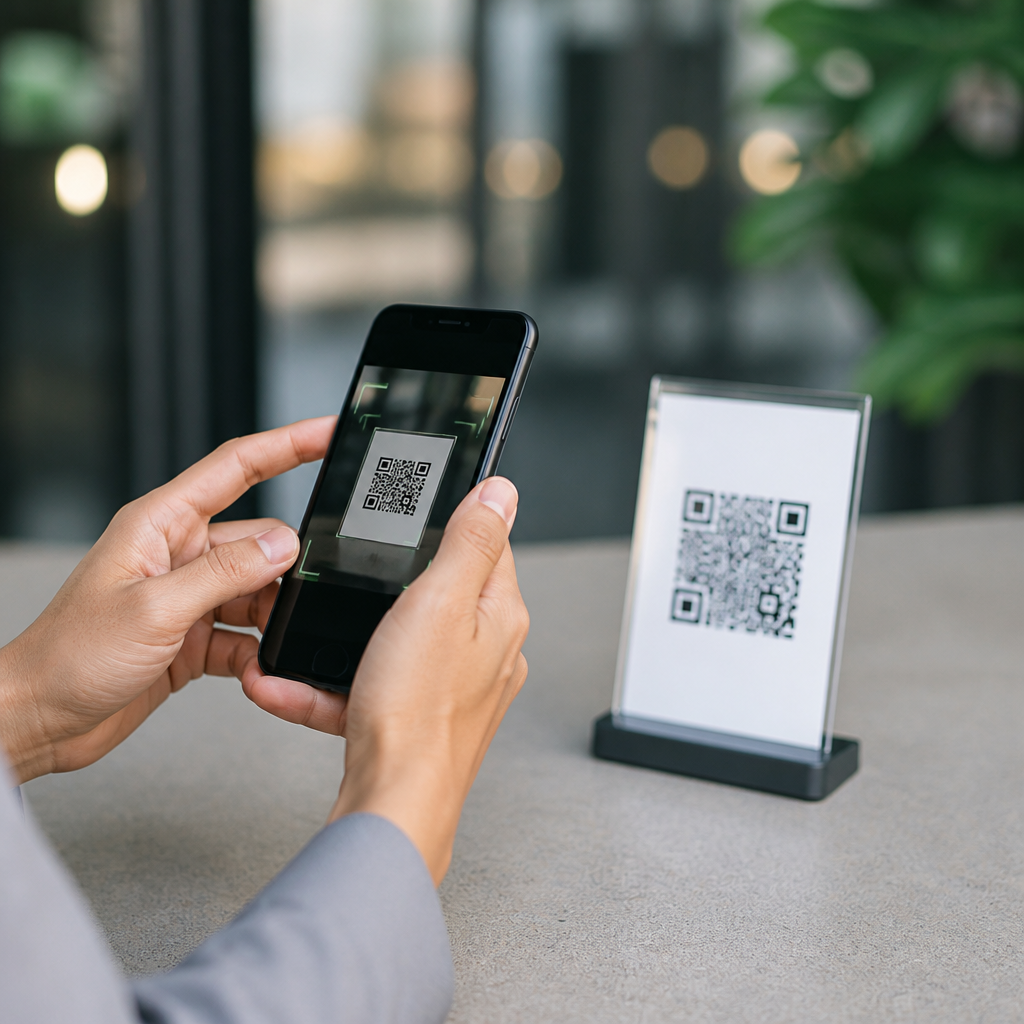
QR codes make everyday tasks faster, but they also create a simple path for fraud when people scan without checking first. A QR code, or Quick Response code, is a two-dimensional barcode that stores information such as a website address, payment request, Wi-Fi login, contact card, app link, or text string. The convenience is obvious: point a phone camera, tap the prompt, and complete an action in seconds. The risk is just as real: the code itself is usually unreadable to the human eye, so a malicious link can hide inside an ordinary-looking square.
In my work testing mobile workflows and documenting scanning behavior across iPhone and Android devices, I have seen the same pattern repeatedly. Users trust the physical context around the code more than the destination behind it. They scan a restaurant menu, a parking meter, a package label, or a flyer in a hallway and assume the code is safe because the setting feels familiar. Attackers exploit that assumption through sticker overlays, phishing pages, fake payment requests, and redirects that look legitimate for the first second or two.
To verify a QR code before scanning means checking both the code’s physical integrity and the digital destination it is likely to trigger. That includes examining where the code appears, whether it has been tampered with, what app or camera feature is doing the scan, what preview appears before opening, and whether the final page matches the expected brand, domain, and action. This matters because QR-related scams are no longer edge cases. Security teams, banks, and public agencies now routinely warn about “quishing,” a form of phishing delivered through QR codes.
This hub article explains how to verify a QR code before scanning, when to avoid scanning entirely, which warning signs matter most, and how to build safer habits for payments, logins, downloads, and public-space codes. It also serves as a practical foundation for the wider topic of QR code security and safety, because nearly every advanced protection step starts with one basic skill: pausing long enough to validate the code and its destination.
Start with the physical context and signs of tampering
The first verification step happens before your camera opens. Look at where the QR code is placed and ask whether the source makes sense. A code printed directly on product packaging from a known manufacturer is generally lower risk than a loose sticker on a parking kiosk or a paper sign taped over a counter display. Attackers often replace or cover legitimate codes with new stickers. In field examples shared by municipal parking operators and campus security offices, fraudulent QR stickers have been used to route drivers to fake payment portals that collect card details.
Inspect the code closely. If you see peeling corners, misaligned labels, different print quality, unusual adhesive, or one code placed over another, stop. Authentic codes in stores, hotels, transit systems, and healthcare facilities are usually integrated into signage, not casually pasted on top. Also check surrounding text. Misspellings, generic wording, urgent language, or a mismatch between the business name and the expected action are strong indicators of fraud. A table tent that says “scan to view menu” but redirects to a payment page is immediately suspicious.
Context should also match necessity. If a printed code asks you to log in with company credentials, install a profile, or download a file just to access basic information, that is a major red flag. Most legitimate QR use cases are lightweight: opening a webpage, menu, map, support page, ticket, or payment screen from an established provider. The more sensitive the requested action, the more carefully you should verify the source through another channel, such as the company’s official website or app.
Use your phone’s preview features before you open anything
The safest way to scan is with a trusted built-in camera or a reputable scanner that shows a preview before launching the destination. On modern iPhones and many Android devices, the camera typically displays the embedded link or action before you tap it. That preview is your decision point. Do not treat scanning and opening as one motion. Scan, read, evaluate, and only then proceed. If your scanner opens links automatically, change that setting or use a different app.
The key item to inspect is the destination URL. Look for the full domain, not just the page title or the first word in the address. Attackers rely on glance reading. For example, “paypaI.com” with a capital I instead of a lowercase l, “micr0soft-login.com,” or “secure-bank-example.net” can appear credible at speed. The registered domain is what matters. For a known brand, you should expect the company’s primary domain or a clearly documented subdomain, not a random variation, URL shortener, or unrelated country-code domain.
If the preview is truncated, use another method to inspect it. Some security apps and mobile browsers let you copy the link without opening it, then paste it into a note for careful review. You can also use a desktop browser with a URL expander or a safe browsing tool if you need more confidence. Google Safe Browsing, Microsoft Defender SmartScreen, and antivirus suites from vendors like Bitdefender, Norton, and Malwarebytes can help identify known malicious destinations, though no detection layer catches everything in real time.
Be especially cautious with shortened links embedded in QR codes. Shorteners hide the actual destination and are common in both legitimate marketing and malicious campaigns. If the code leads to bit.ly, tinyurl, or another redirect service, do not proceed unless you already trust the source and can verify the final destination elsewhere. For high-risk actions such as account login or payment, a shortened link is reason enough to stop and navigate manually instead.
Match the requested action to the level of trust required
Not every QR code carries the same risk. Opening a restaurant menu is different from authorizing a bank transfer. Verification should become stricter as the requested action becomes more sensitive. This is the practical rule I use when auditing mobile journeys: the more data, money, or access a scan could expose, the less acceptable any ambiguity becomes.
| QR code action | Typical risk level | What to verify before proceeding |
|---|---|---|
| View menu or event details | Low to moderate | Check for tampering, confirm brand name, review full domain |
| Open payment page | High | Verify merchant identity, secure connection, exact payment provider domain |
| Log in to an account | High | Never trust a QR login page unless initiated in the official app or website |
| Download an app or file | High | Use the official App Store, Google Play, or vendor site instead of the QR link |
| Join Wi-Fi or install a profile | High | Confirm with staff or IT, and avoid unknown configuration prompts |
This risk-based approach prevents a common mistake: using the same casual scanning habit for every situation. A code on a conference badge might be harmless. A code asking you to reset a password, approve a payroll change, or claim a missed package should be treated as hostile until proven otherwise. Many QR scams succeed because they compress decision-making into one tap on a small screen.
Know the most common QR code scams and how they appear
The most widespread QR code scam is a phishing redirect. You scan what looks like a service code, land on a page styled like Microsoft 365, Google, your bank, or a delivery company, and are asked to sign in. The page often loads over HTTPS, which misleads users into thinking it is safe. HTTPS only means the connection is encrypted; it does not prove the site is legitimate. The domain name, page behavior, and business context still need verification.
Payment fraud is another major category. Fake QR codes placed on parking meters, charity signs, vending machines, and restaurant tabs can send money to criminals rather than the intended merchant. In these cases, the payment page may work perfectly, which makes the scam harder to notice until charges appear or the service was never actually paid. When a payment is involved, compare the merchant name on the page with signage, receipts, and the official website. If possible, initiate payment through the organization’s app instead.
Malware delivery also occurs, though less commonly through mainstream phone browsers than through social engineering. A QR code may open a page that pushes an APK file on Android, a fake security update, or a mobile configuration profile. On managed devices, I advise teams to block sideloading and educate users that legitimate mobile software should come through official stores or approved enterprise channels. A random QR code should never be the start of a software installation path.
Another pattern is credential pairing fraud, where a code claims to connect your account to a TV, messaging app, or collaboration tool. Some services legitimately use QR-based sign-in, but attackers imitate the process and convince users to authorize access. If you did not initiate the pairing from the real service, do not scan. Start from the official app or website and follow its login flow there.
Use safer alternatives when a QR code feels uncertain
The best defense is often not scanning at all. If a code claims to lead to a business, bank, school, utility, or government service, you can usually reach the same destination by typing the known web address, using a bookmark, or opening the official app. That manual step removes the hidden-link problem entirely. For public notices, invoices, and package slips, compare the QR path with contact details from a trusted source before taking action.
Organizations can reduce user risk by printing short, human-readable URLs next to QR codes. I recommend this on signage and product materials because it creates a second verification route. If the printed text says example.com/pay but the scan preview shows something different, users have an immediate warning sign. Businesses should also monitor physical locations for sticker replacement, use tamper-evident labels where appropriate, and document their official payment and support domains publicly.
For individual users, a few habits make a measurable difference. Keep your phone updated, use built-in browser fraud protection, and avoid granting permissions that a scanned page does not clearly need. If a QR destination asks for camera, microphone, notification, contact, or location access without an obvious reason, back out. When in doubt, verify with a person or a separate device. A 30-second cross-check is far cheaper than recovering a compromised account or disputed payment.
Verifying a QR code before scanning is ultimately about slowing down a process designed to feel instant. Check the physical source, inspect for sticker overlays or print anomalies, rely on a scanner that shows the full destination, and judge the action by its risk level. Menu links and event pages deserve basic review; payments, logins, downloads, Wi-Fi setup, and account pairing demand strict verification or a safer alternative. The hidden nature of QR content is exactly why deliberate checking matters.
As the hub for QR code security and safety, this guide establishes the core practice behind every related topic: trust the destination only after you verify it. The most effective habit is simple and repeatable. Pause, preview, confirm the domain, and use the official app or typed address whenever the stakes are high. Start applying that process on your next scan, and you will reduce the chance of phishing, payment fraud, and malicious redirects immediately.
Frequently Asked Questions
How can I tell if a QR code is safe before I scan it?
The safest approach is to treat every QR code as untrusted until you verify where it came from and what it is supposed to do. Start by looking at the physical context. Is the code posted by a recognizable business, printed professionally, and placed where you would expect it to be? A QR code on a restaurant table that matches the restaurant’s branding is very different from a random sticker placed over a parking meter, utility bill, or public sign. Criminals often tamper with legitimate codes by covering them with fraudulent stickers, so check for peeling edges, mismatched fonts, crooked placement, or signs that one label has been placed on top of another.
Next, use your phone’s camera or a QR scanning app to preview the destination before opening it. Many devices show the website address or action prompt first. Read that preview carefully. A safe code should lead to a domain you recognize and expect. If a code claims to belong to your bank, delivery service, employer, or payment provider, the previewed link should match the official web address exactly, not a lookalike version with extra words, odd spelling, or unfamiliar extensions. If the QR code immediately triggers a download, payment request, app install, or login page you did not expect, stop and verify through another channel.
It also helps to ask a simple question: does this action make sense right now? Scammers rely on urgency and habit. If you are being pushed to scan quickly to avoid a fee, claim a prize, confirm an account, or make a payment, slow down. Go directly to the company’s official website, app, or customer support line instead of relying on the code. In short, a QR code is safer when its source is trustworthy, its placement looks legitimate, and its destination matches what you reasonably expect.
What should I check in the URL preview before opening a QR code link?
The URL preview is one of the most important verification steps because it gives you a chance to inspect the destination before your browser loads the page. First, look at the main domain name, not just the first few words. Scammers often design links that appear familiar at a glance but are actually hosted on a different website. For example, a fake site might include a real brand name somewhere in the full address while the actual domain belongs to an unrelated source. Focus on the core domain and ask whether it is the exact official site you would expect.
Then look for common warning signs. Be suspicious of misspellings, extra hyphens, unnecessary numbers, strange subdomains, shortened links, and unfamiliar country-code extensions when they do not fit the brand or organization. A legitimate payment page from a local utility company should not redirect to a random domain or an address that appears hastily assembled. Also pay attention if the link uses a URL shortener and gives you no indication where it leads. While short links are not always malicious, they reduce transparency and make it harder to verify the true destination before you tap.
If the preview suggests an unusual action, proceed with caution. A QR code can point to a webpage, but it can also trigger app downloads, file downloads, contact card imports, text messages, phone calls, or Wi-Fi network joins. Before approving anything, confirm that the action matches your intention. If you expected a restaurant menu but see a login page, a payment form, or a prompt to install software, that mismatch is a strong reason not to continue. When in doubt, manually type the official website into your browser or use the company’s official app instead of trusting the QR code link.
Are QR codes used for phishing and payment scams?
Yes, QR codes are increasingly used in phishing attacks and payment fraud because they hide the destination in a format most people cannot interpret visually. This tactic is sometimes called “quishing,” or QR phishing. Instead of sending a suspicious-looking email link, a scammer places a QR code in an email, printed notice, flyer, parking meter, package insert, or public sign and waits for someone to scan it. Once scanned, the victim may land on a fake login page designed to steal passwords, a counterfeit payment portal, or a site that installs malicious software or harvests personal data.
Payment scams are especially common because QR codes are widely used for fast transactions. A criminal may place a fake payment code over a real one at a parking station, vending machine, event booth, donation box, or merchant checkout area. If the victim does not verify the destination, the payment can be redirected to the scammer instead of the intended recipient. In other cases, the code may lead to a page that requests credit card details, banking credentials, or one-time passcodes under the false appearance of a trusted company or service.
The best defense is to confirm both the source and the destination before taking action. Never rely on the appearance of the QR code itself, because the code does not reveal whether it is legitimate. Verify who posted it, inspect it for tampering, and review the preview link carefully. If money, account access, or personal information is involved, pause and confirm through an official website, printed contact number, or trusted app. A few extra seconds of verification can prevent account compromise, financial loss, and identity theft.
What are the biggest warning signs that a QR code may be malicious or tampered with?
One of the clearest warning signs is physical tampering. If a QR code appears to be a sticker placed over another code, is crooked on a sign, has bubbling edges, or does not match the quality and branding of the surrounding materials, treat it as suspicious. This is common in public places where people expect to scan quickly, such as parking kiosks, transit stations, store windows, and restaurant tables. A malicious sticker can be placed over a legitimate code in seconds and may go unnoticed for long periods.
Another red flag is contextual inconsistency. Ask yourself whether the QR code makes sense in that location and for that purpose. A code taped to an ATM, a handwritten code claiming to be from a major utility, or a login QR code sent unexpectedly by email should immediately raise concern. Scammers often create urgency by claiming your account will be locked, a bill is overdue, or a package cannot be delivered unless you scan right away. Pressure, secrecy, and urgency are classic fraud techniques, whether the scam arrives by QR code, email, text, or phone call.
Technical warning signs matter too. If the scan preview shows a strange domain, a shortened link with no clear destination, a request to download an app, an unexpected login page, or a prompt to pay or enter sensitive information, do not continue until you independently verify it. Also be cautious if the code tries to trigger actions beyond what you expected, such as opening a phone dialer, joining a Wi-Fi network, or downloading a file. A trustworthy QR code should align with the task you intended to perform and should not require blind trust or rushed decisions.
What should I do if I scanned a suspicious QR code by mistake?
If you scanned a suspicious QR code, the right response depends on what happened next. If you only scanned it and viewed the preview without opening the link or approving any action, your risk may be low. Simply close the prompt and avoid interacting further. If you opened the link, entered login details, submitted payment information, downloaded a file, installed an app, or joined an unknown Wi-Fi network, take action immediately. Time matters when reducing potential damage.
Start by disconnecting from any unfamiliar network and closing the webpage or app involved. If you entered a username and password, change that password right away on the real service by navigating to its official website or app manually. If you reused the same password elsewhere, change those accounts too. If you submitted banking or card information, contact your bank or card issuer promptly, explain that you may have interacted with a fraudulent payment page, and ask them to monitor, freeze, or replace the account as appropriate. If the scam involved work credentials, notify your employer’s IT or security team immediately.
Next, review your device for signs of compromise. Delete any app you do not recognize, run a security scan if you have mobile protection software, and make sure your phone’s operating system is updated. Check account activity for unauthorized logins, password reset attempts, or unexplained transactions. If you gave away sensitive personal information, consider placing fraud alerts or credit monitoring where relevant. Finally, report the malicious QR code to the business, venue, or organization where you found it so they can remove it and protect others. A quick, calm response can significantly limit the impact of a mistaken scan.





