
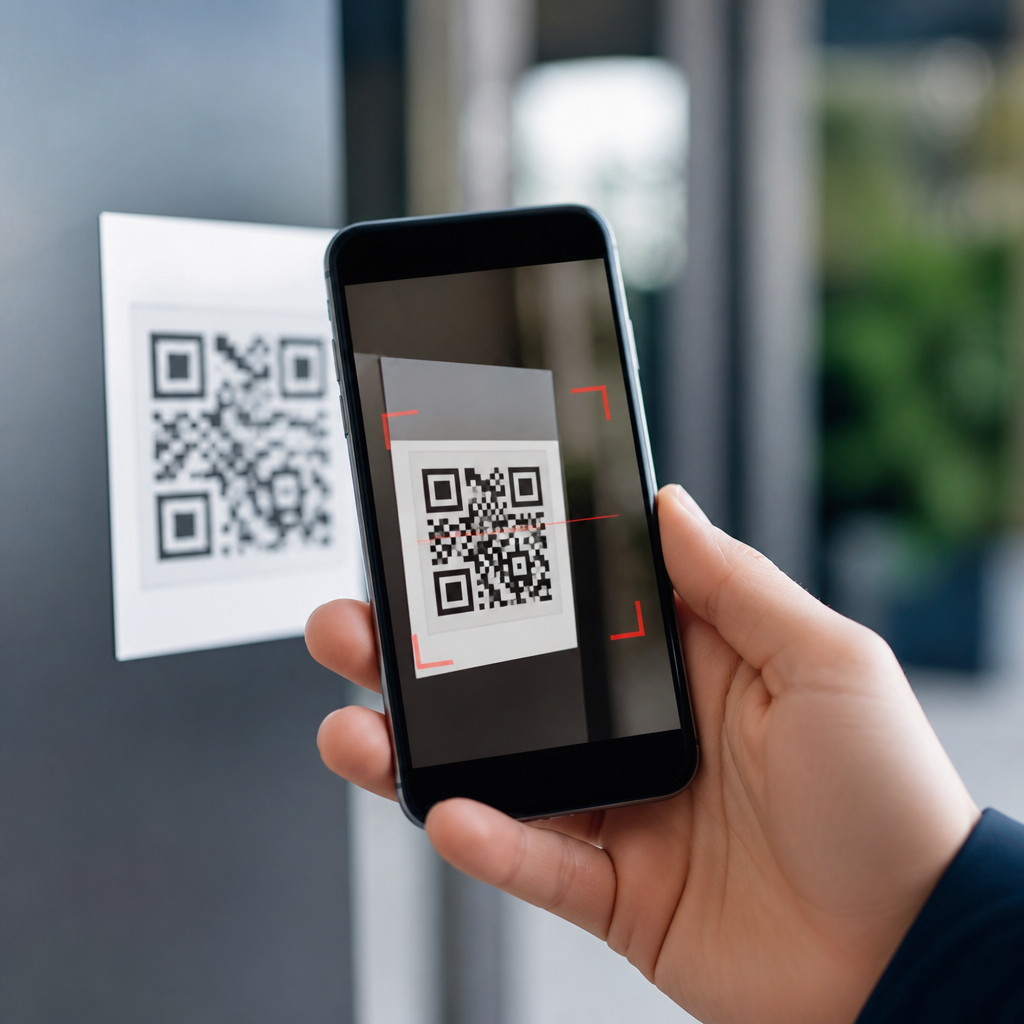
QR codes are now embedded in daily life, from restaurant menus and parking meters to package tracking and two-factor authentication, which makes learning how to spot malicious QR codes an essential digital safety skill. A QR code, or Quick Response code, is a two-dimensional barcode that stores information such as a website address, payment request, contact card, Wi-Fi credential, or app download link. Because the pattern is machine-readable rather than human-readable, people often scan first and inspect later, and that habit creates an opening for fraud. I have worked on mobile onboarding flows and QR-based campaigns, and the same convenience that improves customer experience also lowers friction for attackers. Criminals use fake or altered codes to redirect users to phishing sites, trigger fraudulent payments, install malware, harvest login credentials, or track devices. The threat has grown with the rise of “quishing,” a term commonly used for QR-enabled phishing. In 2023 and 2024, security vendors including Cisco Talos, Check Point, and Cofense documented increased use of QR codes in email attacks because scanners on secure email gateways often inspect attachments and links differently than images. Offline scams have expanded too: counterfeit stickers placed over legitimate parking payment codes, fake codes on public posters, and bogus restaurant table inserts that route victims to lookalike payment pages. Understanding QR code security matters because scanning is often done on mobile devices, where small screens hide full URLs and hurried users make fast decisions. This article explains the warning signs, common attack methods, practical verification steps, and safer scanning habits that reduce risk without forcing you to avoid QR codes altogether.
How malicious QR codes work
Malicious QR codes work by hiding a risky action behind a familiar square pattern. The most common payload is a URL, but the destination may be a credential-harvesting page, a fake package redelivery form, or a spoofed login portal for Microsoft 365, Google Workspace, or a bank. Other QR codes can initiate a payment request, compose an SMS message, trigger a phone call, open a map location, or download a file. On Android, a scan may prompt an app install from outside Google Play if device settings are lax. On both iPhone and Android, a browser page can still social-engineer a user into approving notifications, entering card details, or signing in with a password and one-time code.
Attackers usually rely on context rather than code complexity. A fake parking meter sticker works because people expect a payment flow, and a QR code in an email works because users are trained to use phones for authentication. In one common pattern, the printed code looks professionally designed and is placed where a legitimate code belongs. In another, a phishing email claims your payroll account, MFA session, or parcel delivery requires immediate action, then embeds a QR image instead of a clickable link. That bypass attempt matters because many employees have become better at hovering over links on desktops, but they cannot hover over a printed code.
Clear signs a QR code may be unsafe
The fastest way to spot a suspicious QR code is to examine the context before you scan. If a code appears on a sticker placed over another label, on a damaged sign, or in a location where tampering would be easy, treat it as untrusted. Legitimate businesses rarely replace permanent payment instructions with a loosely applied sticker unless they also post a clear notice. I have seen scam overlays on parking kiosks where the fake sticker copied brand colors but used a slightly blurry logo and a shorter support number. Small production flaws often reveal fraud.
Urgency is another strong warning sign. If a poster, text message, or email says “scan now or lose access,” “final notice,” or “verify immediately,” slow down. Social engineering works by compressing decision time. Also check whether the QR code matches the channel. A utility bill delivered by post may reasonably include a printed payment code; an unsolicited email asking you to scan a code to restore your cloud account is much less normal. When the claimed sender, request, and delivery method do not fit together, assume higher risk.
After scanning, inspect the preview carefully. Modern phone cameras and many scanner apps show the destination before opening it. Look for misspelled domains, extra subdomains, random strings, or deceptive brand mimicry such as paypaI.com using a capital I in place of a lowercase l. Secure browsing indicators help, but HTTPS alone is not proof of legitimacy because phishing sites also use TLS certificates. The domain name is the critical clue.
What to verify before and after scanning
The safest QR scanning process is simple: inspect the source, preview the action, verify the destination, and confirm through an independent channel if money or credentials are involved. Before scanning, ask who created the code and why it is here. If it is on a restaurant table, compare it with the venue’s printed branding, menu design, and website listed elsewhere. If it is for payment, check whether the business normally accepts QR payments and whether the merchant name in the payment app matches the storefront.
After scanning, never enter passwords or card details just because the page looks polished. Compare the URL with the official site you already know, or navigate to the site manually through your browser bookmarks or a trusted search result. For account security prompts, open the official app directly instead of following the QR destination. For package deliveries, log into the courier account yourself. For parking, use the city or operator app listed on roadside signage or in app stores.
| Situation | Safe check | Why it matters |
|---|---|---|
| Parking meter payment | Inspect for sticker overlays and verify merchant name in payment screen | Parking scams often replace legitimate codes with fraudulent payment pages |
| Email asks you to scan to sign in | Open the official app or type the known website manually | QR phishing frequently targets workplace and cloud credentials |
| Restaurant menu code | Compare branding and ask staff if unsure | Tabletop codes can be swapped to harvest payment data |
| Package redelivery notice | Check the courier account directly | Fake fees and credential theft are common redelivery lures |
Common QR code scams in the real world
Parking payment fraud is one of the clearest examples because the victim expects to use a phone, pay quickly, and move on. A fake sticker directs the driver to a counterfeit payment page that collects card data or a direct transfer. Restaurant scams are similar: a code leads to a fake ordering or tipping page. Event tickets and transit posters can be abused too, especially where temporary signage is common and staff oversight is limited.
Email-based QR phishing has become especially effective in workplaces. Instead of sending a suspicious link, an attacker embeds a QR code in a PDF or email body and claims it is needed to reset a password, enroll in multifactor authentication, review a secure voicemail, or access a document. Because many users complete the action on a personal phone, the attack can evade some desktop security visibility. Microsoft, Proofpoint, and other security providers have warned that this cross-device behavior is a practical challenge for defenders.
Another category involves account takeover through fake authentication pages. The QR code opens a page that looks identical to Okta, Microsoft, Google, or a bank. Victims enter credentials and, in some cases, the attacker captures a one-time passcode in real time. Some campaigns even use reverse-proxy phishing kits to relay sessions. The key point is that the QR code itself is not “infected”; the danger is the destination and the action it persuades you to take.
Safer habits, tools, and device settings
Good habits reduce QR risk dramatically. Use your phone’s native camera or a reputable scanner rather than an unknown app loaded with ads or excessive permissions. Keep iOS or Android updated so browser protections, Safe Browsing checks, and app security controls stay current. On Android, avoid allowing app installs from unknown sources unless there is a specific, trusted reason. On both platforms, disable automatic actions where possible and read the preview before opening a link.
Password managers are unusually helpful here because they only autofill on the correct domain. If a QR code opens a lookalike sign-in page and your password manager refuses to fill, treat that as a warning. Multi-factor authentication also helps, but use phishing-resistant methods such as passkeys or FIDO2 security keys when available, because codes that steal both password and SMS code can still succeed. Mobile security tools from vendors such as Microsoft Defender, Lookout, or Norton can add web reputation checks, though no tool catches everything.
Organizations should back up user awareness with technical controls. Mobile device management, DNS filtering, identity protection, and conditional access policies all help limit damage when someone scans a bad code. Clear internal policy matters too: if the IT team will never ask employees to scan a QR code from email to reauthenticate, say so explicitly.
What to do if you scanned a suspicious QR code
If you scanned a suspicious code but did not interact further, close the page and do not grant permissions, download files, or approve prompts. If you entered a password, change it immediately on the official site, revoke active sessions if the service allows it, and update any reused passwords elsewhere. If you submitted card details, contact the card issuer, freeze or replace the card, and monitor transactions. If you approved a payment, report it to the payment provider and the business being impersonated.
Run a device security check, review installed apps, and remove anything unfamiliar. For work accounts, notify IT or the security team right away so they can reset sessions, review sign-in logs, and block malicious domains. Save screenshots, the full URL, and the physical location or email where the code appeared. That evidence helps with fraud reporting and takedown efforts.
Learning how to spot malicious QR codes comes down to a repeatable rule: trust context first, verify the destination second, and never let urgency override inspection. QR codes themselves are not unsafe, but they are opaque, and that opacity gives scammers room to redirect payments, steal credentials, and imitate trusted brands. The most reliable defenses are practical ones: examine the physical label, read the link preview, verify the domain, use official apps, and confirm sensitive requests through another channel. In my experience, users stay safer when they treat QR scans like opening a shortened link from a stranger: possible, sometimes useful, but never automatic. For teams managing mobile risk, this page should serve as the hub for deeper topics including phishing-resistant authentication, secure payment flows, mobile browser safety, and reporting procedures. For everyday users, the benefit is simpler: a ten-second verification habit can prevent hours of account recovery and financial cleanup. Share these checks with coworkers and family, and make cautious scanning your default.
Frequently Asked Questions
1. What is a malicious QR code, and why is it dangerous?
A malicious QR code is a QR code created or altered to send someone to a harmful destination or trigger an unsafe action. At a basic level, a QR code is just a visual shortcut that tells your phone or tablet what to do next. It may open a website, start a payment, connect to Wi-Fi, download an app, add a contact, or launch a login page. That convenience is exactly what makes it useful to criminals. Because the information inside the code is not readable at a glance, many people scan first and evaluate later.
The danger comes from what happens after the scan. A malicious QR code may send you to a fake website that looks legitimate but is designed to steal passwords, payment details, or personal information. It can also lead to fake package tracking pages, fraudulent parking payment portals, counterfeit banking login screens, or scam two-factor authentication prompts. In some cases, the code may prompt you to download a harmful app or connect to a rogue Wi-Fi network controlled by an attacker.
This type of attack is often called “quishing,” or QR code phishing. It works because QR codes remove some of the normal warning signs people rely on. You cannot visually inspect a QR code and tell whether it points to a trusted domain or a fake one. That means your best defense is to slow down, preview the destination if possible, and verify that the code appeared in a legitimate place and context before interacting with it.
2. How can I tell if a QR code might be fake or tampered with before I scan it?
One of the best ways to spot a suspicious QR code is to examine its surroundings, not just the code itself. Context matters. If a QR code is placed on a parking meter, restaurant table, poster, package notice, or public sign, look closely for signs that it was added later. A sticker placed over another sticker, mismatched branding, crooked placement, poor print quality, or a code that looks different from nearby official materials can all signal tampering. Criminals often place their own QR stickers over legitimate ones in high-traffic places.
You should also ask whether the code makes sense for the situation. If a printed utility bill suddenly asks for payment through an unfamiliar QR code, or a package delivery email pushes you to scan a code instead of visiting the carrier’s normal site, that is worth questioning. The same goes for urgent claims such as “scan immediately to avoid a fine,” “re-verify your account now,” or “confirm payment before your reservation expires.” Pressure and urgency are classic scam tactics, even when delivered through a QR code.
Another warning sign is inconsistency. If the business name on the sign does not match the website you expect, or if the code appears on a homemade flyer with no official contact information, do not trust it. If you are in a store, office, hotel, or restaurant, ask an employee whether the QR code is official. In digital settings, be cautious with QR codes sent through unsolicited emails, text messages, social media messages, or printable attachments, especially if the sender is unknown or the message seems out of character.
Before acting on any QR code, use your phone’s preview feature if available. Many modern smartphone cameras show the destination URL before opening it. That quick pause can help you catch fake or misspelled domains and avoid scanning blindly into a scam.
3. What should I check after scanning a QR code but before I enter any information?
After you scan a QR code, pause before tapping through or entering any details. The first thing to check is the destination itself. If your phone shows a preview link, read it carefully. Look for the full domain name, not just familiar words in the beginning of the URL. Attackers often create lookalike addresses that include a trusted brand name alongside extra words, numbers, hyphens, or misspellings. For example, a domain that looks close to a real bank, delivery company, or retailer may still be fraudulent.
Next, evaluate whether the page matches the purpose of the QR code. A restaurant menu code should not lead to a login request for unrelated services. A parking meter code should not redirect through several strange websites before showing a payment page. A package tracking QR code should take you to the official carrier site, not a generic form asking for payment to release a shipment. If the request feels unrelated, excessive, or unusually invasive, stop immediately.
You should also watch for security and quality cues. While the presence of HTTPS alone does not prove a site is safe, the absence of it is a serious warning sign if sensitive information is being requested. Poor design, broken formatting, low-quality logos, grammatical errors, and generic instructions can all suggest a scam page. Be especially cautious if the site asks for passwords, credit card numbers, one-time passcodes, identity documents, or app installation before providing the expected service.
If the QR code initiates an action other than opening a website, review the prompt carefully. For instance, if your phone asks to join a Wi-Fi network, save a contact, compose a message, call a number, or download an app, confirm that action is truly necessary and expected. Legitimate QR codes can trigger these actions, but malicious ones rely on people approving prompts too quickly. In short, scanning is not the point of no return. The real decision happens after the scan, when you choose whether to proceed.
4. Where are malicious QR codes most commonly found?
Malicious QR codes can appear almost anywhere people are used to scanning quickly and trusting the environment. Public locations are common targets because they allow scammers to place fake stickers over legitimate codes. Parking meters are a well-known example because drivers are often in a hurry and focused on paying before time runs out. Restaurant tables and countertop displays can also be targeted, especially when customers expect to scan for menus, ordering, or payment.
Delivery and package-related scams are another major category. Fraudsters may send messages claiming there is a shipping issue, missed delivery, customs fee, or address verification problem, then include a QR code to “resolve” it. Because package tracking is a familiar use case, people may scan without asking whether the message is authentic. Similar tactics are used in utility, tax, banking, and account-security scams, where the QR code leads to a fake portal.
Printed materials in offices, apartment buildings, events, and transit hubs can also be abused. Flyers, bulletin boards, charity posters, digital payment requests, and temporary signs are easy to replace or alter. Even product packaging can be used to direct buyers to fake registration pages, warranty forms, or support sites. In workplaces, scammers may embed QR codes into emails or presentation materials that appear to come from HR, IT, or benefits administrators.
Two-factor authentication and account access workflows deserve special mention. Some legitimate services use QR codes for device setup, app pairing, or secure login. Attackers may imitate those flows to trick users into scanning a fake setup code, revealing credentials, or approving an unauthorized access request. The broader rule is simple: the more normal and convenient the QR code feels, the more important it is to verify the source before trusting it.
5. What should I do if I think I scanned a malicious QR code?
If you suspect you scanned a malicious QR code, the right response depends on what happened after the scan. If you only opened the link but did not enter information, approve a payment, download anything, or log in, close the page right away. Clear the browser tab, and avoid returning to the link. While simply visiting a page is not always enough to cause harm, it is still wise to be cautious and monitor for anything unusual afterward.
If you entered a username and password, change that password immediately on the legitimate website or app, not through the QR-linked page. If you reused the same password elsewhere, change those accounts too. If you entered payment information, contact your bank or card issuer promptly, explain what happened, and ask them to watch for or block unauthorized charges. If you submitted personal data such as your address, phone number, or identification details, remain alert for phishing follow-ups, identity theft attempts, and suspicious account activity.
If the QR code caused you to download an app or install software, remove it unless you are certain it is legitimate. Run a security scan on your device if possible, review app permissions, and check for any unfamiliar profiles, device management settings, or changes to your browser and Wi-Fi configurations. If the code connected you to a wireless network, disconnect and forget that network unless you can verify it is official.
It is also a good idea to report the incident. Notify the business, property manager, or organization where the QR code was displayed so they can remove or inspect it. If the scam involved a financial account, shipping company, employer, or online service, contact their official support channels directly. Finally, treat the experience as a reminder to add one extra habit to your routine: always preview, verify, and question a QR code before trusting it. That brief pause is often enough to stop a scam before it starts.





