
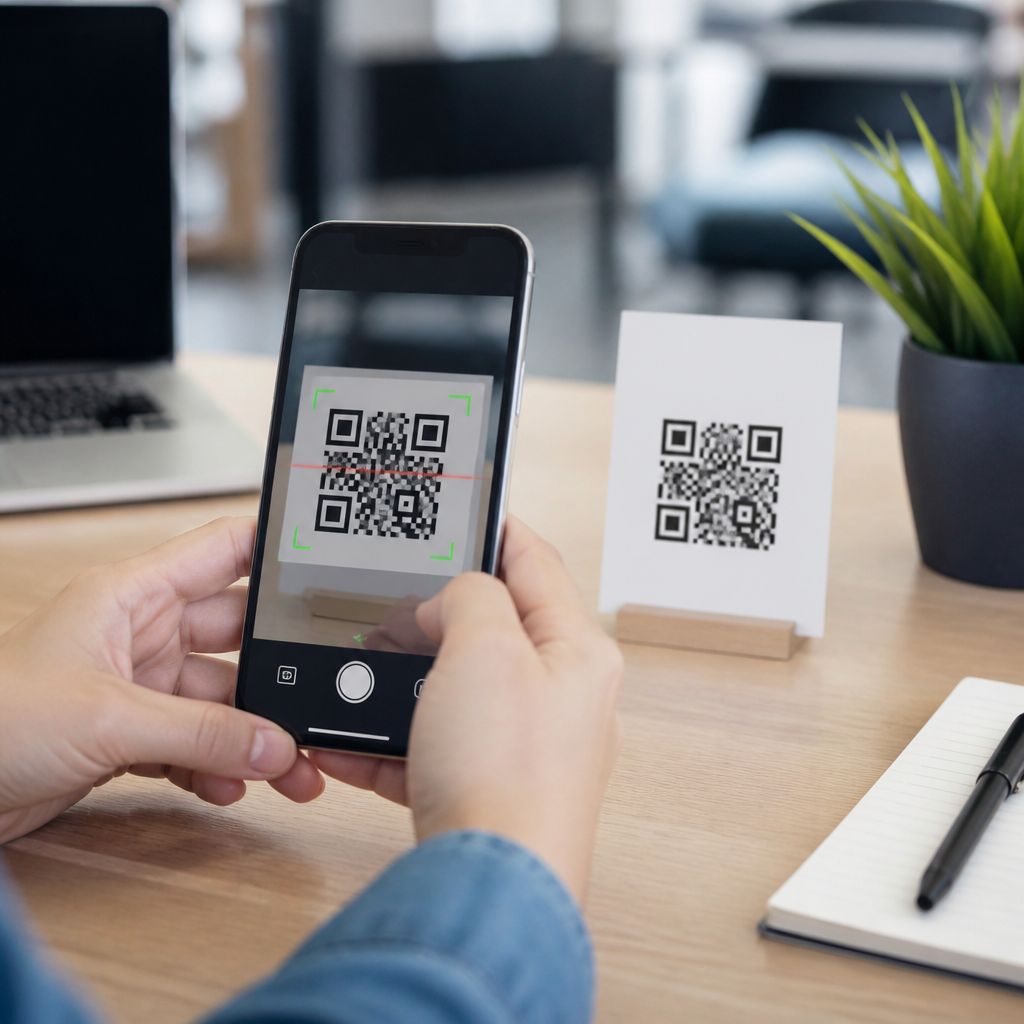
Testing QR codes for scanability is the difference between a campaign that converts in seconds and one that frustrates users before the destination page ever loads. A QR code is a two-dimensional matrix barcode that stores data such as a URL, contact card, Wi-Fi credential, payment token, or app deep link. Scanability refers to how reliably that code can be detected, decoded, and opened by real devices under real conditions. In practical terms, a scanable code must survive three stages: camera recognition, decoding by scanning software, and successful delivery to the intended action. If any stage fails, the user experiences the QR code as broken.
This matters because QR codes now sit at the center of packaging, retail displays, event check-in, restaurant ordering, field service documentation, and direct mail. In my own testing work, the most common failures are not dramatic design mistakes but small preventable issues: low contrast, undersized print, overcompressed exports, weak mobile landing pages, and redirects that add delay. Troubleshooting QR code scans therefore requires more than pointing a phone camera at a sample. It requires a repeatable process that evaluates code generation quality, print or screen presentation, environmental conditions, device compatibility, and destination behavior. When teams test systematically before launch, they reduce failed scans, protect campaign spend, and improve the user experience across the wider mobile QR code scanning and technology stack.
What Makes a QR Code Easy or Hard to Scan
A QR code scans well when it combines clean symbol structure with favorable presentation. The core technical factors are data density, module size, error correction level, contrast ratio, quiet zone, and output quality. Data density means how much information is packed into the symbol. A short URL produces a simpler code with fewer modules than a long tracking link, making it easier for cameras to resolve at smaller sizes. Module size is the dimension of each small square in the grid. If modules are too tiny relative to viewing distance and camera resolution, the device cannot distinguish them accurately.
Error correction is often misunderstood. QR codes use Reed-Solomon error correction in four common levels: L, M, Q, and H. Higher levels allow successful decoding even if part of the code is obscured or damaged, but they also increase density. In testing, I usually start with M or Q unless the code will face abrasion, curved packaging, or logo placement. Contrast is equally critical. Black on white remains the benchmark because it offers the strongest luminance difference. Inverted or decorative color choices may still work, but low-contrast combinations such as light gray on pastel backgrounds regularly fail on midrange phones and under dim lighting.
The quiet zone, the blank margin around the code, is another frequent source of trouble. Industry guidance generally calls for a clear border of at least four modules on all sides. When designers place text, icons, or image edges too close, scanners struggle to locate the symbol boundaries. Output quality also matters. Raster exports saved at low resolution create blurred edges that reduce decoding reliability, especially in print. Vector formats such as SVG, EPS, or PDF preserve edge sharpness and are safer for production. If you understand these inputs, troubleshooting becomes more objective and far less guesswork-driven.
How to Test QR Codes Before Launch
The fastest way to test QR codes for scanability is to use a structured preflight workflow. First, verify the encoded content. Confirm that the URL, deep link, phone number, or payload is correct, active, and formatted intentionally. Shorten long URLs where possible with a reliable redirect domain you control. Second, inspect the symbol itself. Check the quiet zone, contrast, file type, and print dimensions. For print, a practical baseline is at least 1 x 1 inch for standard phone scanning at close range, though larger sizes are safer for posters, shelf talkers, and signage viewed from farther away.
Third, test across multiple devices and apps. Use both iPhone and Android models, including at least one older or lower-cost device with a less capable camera. Test native camera apps, Google Lens where relevant, and any proprietary scanner your audience may use, such as a payment or retail app. Fourth, test under realistic conditions: bright sunlight, indoor fluorescent light, glare, hand movement, different angles, cracked screens, and weak mobile connectivity. A code that scans perfectly at a desk can fail on glossy packaging under retail lighting or on a bus shelter at dusk.
Fifth, measure the destination experience, not just the scan. A working decode that opens a slow, non-mobile page is still a failed user journey. Review redirect chains, page speed, interstitials, and app store fallbacks. I recommend documenting every result in a simple matrix so teams can see patterns quickly.
| Test Area | What to Check | Common Failure | Fix |
|---|---|---|---|
| Symbol design | Contrast, quiet zone, module clarity | Decorative styling blocks detection | Restore black-on-white and proper margins |
| Size | Printed or on-screen dimensions | Code too small for viewing distance | Increase physical size and simplify data |
| Device compatibility | iPhone, Android, older cameras | Scans only on flagship phones | Retest with simpler code and stronger contrast |
| Environment | Glare, low light, motion, curved surfaces | Retail lighting or reflections prevent focus | Reposition code or change finish/material |
| Destination | Redirects, mobile UX, page speed | Code opens slowly or lands on error page | Reduce redirects and optimize mobile page |
Common QR Code Scanning Problems and Their Causes
Most QR code scan failures fall into a short list of recurring issues. The first is insufficient size. If a code appears on business cards, labels, or equipment tags, designers often shrink it to protect layout. The result is a module pattern too fine for reliable focus. A useful rule is to increase code size as scan distance grows; a poster viewed from several feet away needs a significantly larger symbol than a countertop sign. The second issue is low contrast or reflective material. Metallic inks, glossy laminates, and transparent labels can introduce glare or wash out edges.
Another common problem is excessive customization. Brand teams may round modules, embed large logos, remove finder pattern integrity, or apply gradients. Some styling is acceptable, but once the code departs too far from standard geometry, decoding rates drop. Data overload is another hidden cause. Encoding long URLs with many UTM parameters creates denser patterns. Using a short redirect URL usually produces a cleaner code and offers easier campaign management. Print production errors also matter. I have seen otherwise correct QR codes ruined by dot gain on porous packaging, low-resolution screenshots dropped into layouts, and compression artifacts from messaging apps.
Software and destination issues are just as important. Some users scan with native cameras, others with platform-specific apps, and some with enterprise scanners. A code linked to a desktop-first webpage, region-blocked app, or expired campaign URL appears broken even when the symbol itself is fine. Finally, environmental placement can sabotage a good code. Curved bottles distort alignment. Codes placed near folds, seams, or corners lose readable structure. Window decals may scan poorly from one side because of reflections or backlighting. Effective troubleshooting starts by identifying which of these failure classes is responsible.
Troubleshooting QR Code Scans in Print and Digital Settings
Print and digital displays create different scanability risks, so troubleshooting QR code scans should account for the medium. In print, begin with substrate and finishing. Uncoated paper usually produces less glare than high-gloss stock. Corrugated packaging can distort modules along ridges, while flexible pouches may wrinkle and break alignment patterns. If the QR code sits on a cylindrical container, place it where curvature is minimal or increase size to compensate. Always inspect a physical proof, not just a PDF, because ink spread, trim shifts, and material reflections can change real-world performance.
For digital displays, focus on screen brightness, pixel density, refresh artifacts, and surrounding interface clutter. A QR code shown on a low-brightness monitor at an event booth may be technically correct but hard to capture from a moving line. LED walls can create moiré effects or segmented edges that confuse cameras. On websites and in-app flows, avoid placing the code too close to animated elements, busy backgrounds, or auto-rotating carousels. If users are expected to scan from another phone, ensure the code remains still long enough and occupies enough screen real estate.
Placement strategy improves outcomes in both settings. Keep the code flat when possible, provide a short callout explaining the benefit of scanning, and leave visual breathing room around it. Then validate with scenario-based tests: a shopper one-handed in aisle lighting, an attendee scanning from a queue, a technician scanning a machine label outdoors. Those field tests reveal practical issues lab checks miss, and they should guide whether you adjust size, contrast, destination flow, or physical placement.
Tools, Metrics, and Ongoing Quality Control
Reliable QR testing is not a one-time launch task. It should become part of ongoing quality control, especially for teams managing high-volume packaging, retail signage, direct mail, or serialized asset labels. Start with dependable generation tools that export vector files and support dynamic URLs, analytics, and edit controls. Many teams use commercial QR platforms for campaign management, while designers prepare final assets in Adobe Illustrator or similar tools to preserve print integrity. For advanced verification, barcode quality verifiers based on ISO/IEC methodologies can grade symbol parameters, though practical phone testing remains essential because consumer scan behavior is the end reality.
The most useful metrics are scan success rate by device class, time to first successful scan, landing-page load time on mobile networks, bounce rate after scan, and destination uptime. If scans are high but conversions are low, the problem may be content relevance or page speed rather than code readability. If success varies sharply by device, camera limitations, contrast, or density are likely culprits. Version control also matters. Keep a source-of-truth record of each QR code, destination URL, artwork version, print placement, and campaign owner so expired links or replaced files can be traced quickly.
In summary, to test QR codes for scanability, evaluate the full chain: symbol design, physical or on-screen presentation, device compatibility, environmental conditions, and the post-scan destination. The main benefit of doing this well is simple: more successful scans and fewer wasted interactions. Treat every QR code as a user journey, not just a graphic. Build a repeatable checklist, test with real phones in real settings, and fix the small issues before they become visible failures in market. If you manage mobile QR code scanning and technology at scale, make troubleshooting QR code scans a standard release step on every campaign.
Frequently Asked Questions
What does it actually mean for a QR code to be “scanable”?
A scanable QR code is one that works smoothly from start to finish in real-world conditions, not just in a design file or on a desktop preview. In practice, scanability depends on three connected stages. First, the phone camera has to detect the code quickly and distinguish it from the surrounding background. Second, the scanning software must decode the pattern accurately, even if the code is small, slightly angled, printed on a textured surface, or viewed in uneven lighting. Third, the device has to open the encoded destination properly, whether that is a website, PDF, payment flow, app deep link, contact card, or Wi-Fi login. If any one of those stages breaks down, the user experiences friction.
This is why a QR code can be technically valid but still perform poorly. A code may encode the right URL and still fail because the contrast is too low, the quiet zone is too tight, the print size is too small, or the destination page loads too slowly on mobile. True scanability is about reliability under realistic use: different phones, different camera qualities, different operating systems, different distances, and different environments such as indoor retail lighting, bright sun, glossy packaging, or moving foot traffic. The best way to think about scanability is not “can someone scan it once?” but “can most people scan it quickly, consistently, and without confusion?”
How can you test a QR code before publishing or printing it?
The most effective way to test a QR code is to follow a structured process that mirrors how people will actually use it. Start by verifying the encoded content itself. Confirm that the QR code points to the correct destination, that the destination opens on both iPhone and Android, and that any redirects, tracking parameters, deep links, or app store fallbacks behave as intended. If the code contains non-URL data such as a vCard, Wi-Fi credential, or payment token, check that the expected action is triggered cleanly and that the data appears correctly after scanning.
Next, test the code visually and physically. Scan it from multiple distances and angles using several devices, ideally including older phones as well as newer flagship models. Check performance in bright light, low light, and moderate glare. If the code will be printed, test it at the exact production size rather than relying on an enlarged on-screen version. Evaluate whether the code scans when placed on curved packaging, posters behind glass, labels on matte and glossy stock, or digital screens with varying brightness. Also review design fundamentals: strong foreground-to-background contrast, adequate quiet zone, sharp edges, and no visual clutter overlapping finder patterns or modules.
Finally, test the full user journey after the scan. A QR code is only successful if the landing experience is fast and mobile-friendly. Confirm that the page loads quickly over cellular data, the content is readable without pinching or zooming, and the intended conversion action is obvious. If your campaign uses dynamic QR codes, analytics, or A/B testing, make sure tracking works without creating broken links or excessive redirect chains. A thorough pre-launch test should answer one question clearly: can a real person scan this code and complete the intended action in seconds with no hesitation?
What are the most common reasons a QR code fails to scan?
Most scan failures come down to a short list of preventable issues. The first is poor contrast. Dark modules on a light background are easiest for cameras and scanning software to recognize, while low-contrast combinations such as gray on beige, pastel-on-white, metallic ink, or transparent overlays often reduce detection accuracy. The second is insufficient quiet zone, which is the blank margin around the code. Without enough clear space, the scanner may struggle to isolate the QR symbol from nearby text, borders, images, or packaging graphics.
Size is another major factor. If the code is too small relative to the scanning distance, users have to move closer, steady their phones, and hunt for focus, which raises failure rates. Printing quality matters as well. Blurry edges, ink spread, pixelation, compression artifacts, folds, scratches, and reflective lamination can all interfere with decoding. Over-customization is also a common culprit. Branded QR codes can be highly effective, but aggressive styling, embedded logos that block too much data, altered finder patterns, or decorative shapes that break the module grid can make codes unreadable.
There are also destination-related failures that people often misdiagnose as scanning problems. For example, the camera may read the code successfully, but the user lands on a broken URL, a page blocked by geo rules, a mobile-unfriendly form, or an app link that does not resolve correctly. In those cases the QR code itself is not the only issue; the entire experience is failing. That is why scan testing should always include both technical readability and destination performance. A code that decodes but does not deliver a usable next step still fails in practice.
How many devices and environments should you use when testing QR code scanability?
There is no single magic number, but broad coverage matters more than testing on just one phone. At a minimum, test with both iPhone and Android, and include more than one generation of hardware if possible. Newer phones usually have faster autofocus, better low-light performance, and more capable native scanning tools, while older devices are often less forgiving. If a QR code only performs well on premium new devices, that is a warning sign that the design may be too fragile for a general audience.
Environment testing is just as important as device testing because the same code can behave very differently depending on context. A code on a backlit screen may scan instantly indoors and become difficult outdoors due to glare or brightness limits. A poster in a subway station, menu tent on a restaurant table, product label on a curved bottle, or direct mail postcard all create different constraints around angle, distance, reflections, and hand stability. You should test under the conditions people will actually encounter: natural light, fluorescent light, low light, reflective surfaces, and moderate motion where users may be walking or holding a bag in one hand.
For critical campaigns, it is wise to test beyond internal staff devices. If the QR code supports a major launch, in-store activation, packaging run, event signage, or paid media placement, use a checklist and gather scans from multiple people. Different users hold phones differently, react differently to prompts, and notice friction that internal teams overlook. The goal is not laboratory perfection. The goal is confidence that the code is resilient across the realistic mix of devices, operating systems, camera capabilities, and environmental conditions your audience will bring to it.
What are the best practices for improving QR code scanability if testing reveals problems?
If testing uncovers weak scan performance, begin with the highest-impact fixes. Increase contrast so the QR modules stand out clearly against the background, typically using a dark code on a light solid field. Restore or expand the quiet zone so there is enough blank space around the code with no borders, text, or imagery crowding it. Enlarge the code if users must scan from farther away, and review the print method to ensure sharp edges and consistent module definition. If the code is being placed on a glossy, curved, or textured surface, consider moving it to a flatter area, changing materials, or adding a matte finish to reduce reflections.
Next, simplify the design if customization has gone too far. Remove heavy graphic treatments, reduce logo size if it covers too much of the center, and avoid stylized patterns that distort the module structure or finder markers. If the encoded data is long and creates a denser code, shorten the URL or use a well-configured dynamic QR code to reduce complexity while preserving analytics and destination flexibility. Denser codes can still work, but they are generally less forgiving at small sizes or under poor viewing conditions.
Then optimize the post-scan experience. Reduce redirect chains, make sure the landing page is fast on mobile networks, and confirm that any app deep links or forms work properly across platforms. After every change, retest under the same real-world conditions that exposed the problem in the first place. Improvement should be measured by practical outcomes: faster recognition, fewer repeat attempts, and a smoother path to the intended action. The strongest QR campaigns are built on iteration. Good testing does not just tell you whether a code works; it shows you exactly how to make it work better.





