
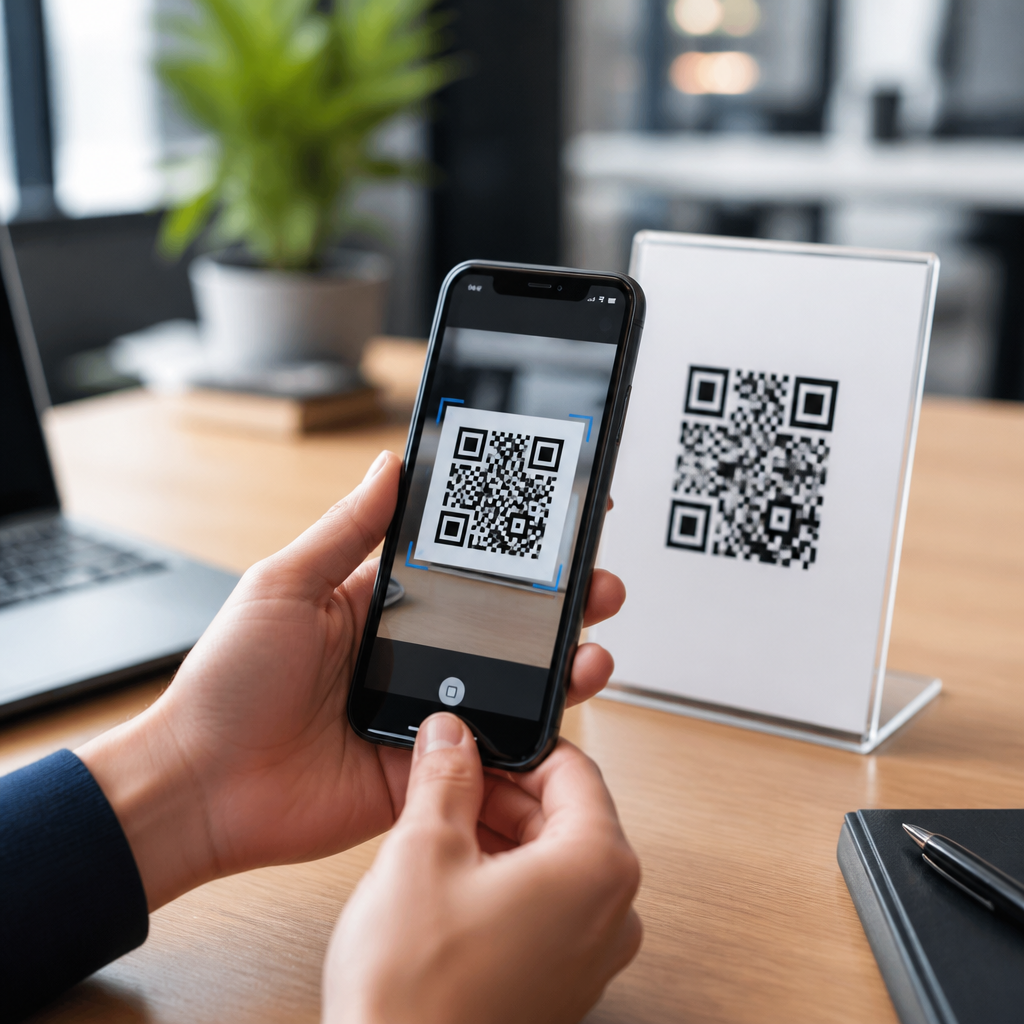
Choosing the best QR code scanner app starts with understanding what the app actually does: it uses your phone’s camera, image processing, and permission controls to read QR codes safely and quickly. A QR code scanner app can open websites, connect to Wi-Fi, save contact details, launch payment flows, or verify tickets, so the stakes are higher than many people assume. I have tested scanner apps across Android and iPhone in retail, event check-in, and field support settings, and the differences are not cosmetic. Some apps decode damaged codes instantly, while others miss basic scans or flood users with ads. The best QR code scanner app balances speed, accuracy, privacy, and useful actions after the scan. That matters for everyday users who want convenience, for parents who want safer browsing, and for businesses that depend on reliable customer interactions. This guide explains how to choose well, what features matter most, and which tradeoffs deserve close attention before you install anything.
What a QR Code Scanner App Should Do Well
A strong QR code scanner app should perform four core jobs consistently: detect the code, decode the content, present the result clearly, and let you act on it safely. Detection depends on camera access, autofocus, low-light handling, and image recognition quality. Decoding means interpreting common QR payloads such as URLs, vCards, calendar events, SMS prompts, app deep links, and payment requests. Presentation matters because users need to see the destination before opening it. Safe action matters because a good app should not push you directly into risky websites without warning.
On modern phones, the native camera can scan many QR codes without a dedicated app. Apple integrated QR recognition into the Camera app years ago, and Google offers similar support through Android camera implementations and Google Lens. Even so, dedicated QR code scanner apps still matter when users need scan history, batch scanning, flashlight shortcuts, saved records, offline decoding from photos, inventory workflows, or enterprise controls. In warehouse and retail environments, I have seen dedicated apps outperform default camera tools because they recognize small, angled, or partially damaged codes faster and log scans in a structured way.
The baseline standard is simple: the app should read a code in one or two seconds under normal indoor lighting, identify the content type correctly, and show a confirmation screen before opening any link. If it cannot do that reliably, no extra feature will compensate.
Key Features That Separate Good Apps From Bad Ones
The best way to compare QR code scanner apps is to evaluate specific features instead of relying on app store ratings alone. Ratings often blend legitimate performance feedback with complaints about ads, device compatibility, or subscription prompts. A careful review looks at scanner engine quality, security behavior, usability, and data practices. In my experience, three apps can all claim “fast scanning,” yet only one will scan a wrinkled restaurant menu code from an oblique angle without repeated attempts.
| Feature | Why It Matters | What Good Looks Like |
|---|---|---|
| Scan speed | Reduces friction in checkout, entry, and daily use | Reads standard codes in 1–2 seconds |
| Accuracy | Prevents failed scans and wrong actions | Handles small, tilted, or low-contrast codes |
| Security preview | Helps users inspect links before opening | Shows full URL and warns about risky destinations |
| Permission control | Limits unnecessary data access | Camera-only permission for basic scanning |
| History and export | Useful for support, records, and repeat actions | Searchable logs with delete and export options |
| Low-light support | Improves scanning in stores, venues, and transit | Fast flashlight access and stable focus |
Look for image-from-gallery scanning as well. That feature is valuable when a QR code appears in a screenshot, PDF, email attachment, or printed manual. Also consider whether the app supports barcodes beyond QR, including Data Matrix, Code 128, EAN-13, and UPC. For many users, one scanner that handles both QR and linear barcodes is more practical than separate tools.
Security and Privacy: The Most Important Buying Criteria
Security is the most overlooked factor when choosing a QR code scanner app. QR codes are only containers; they are not inherently safe. A code can lead to a phishing page, trigger an unintended app action, or disguise a shortened URL. The scanner app should therefore act as a checkpoint, not just a launcher. The best apps show the entire destination, identify the content type before execution, and let users copy data instead of opening it immediately.
Permission requests are a strong signal. A basic scanner app should usually need access to the camera and, if you want to scan saved images, photos. If a flashlight-only scanner asks for contacts, precise location, microphone, or full file access without a clear use case, that is a warning sign. On Android, review permissions in the system settings after installation because some apps request additional access later. On iPhone, verify whether the app tracks activity across other apps and websites; Apple’s privacy labels help, though they are self-reported.
Privacy policies also deserve a direct reading. Look for statements about scan history storage, analytics collection, third-party ad networks, and whether scanned content is processed locally or sent to cloud servers. Local decoding is preferable for privacy and speed. In regulated environments, I recommend scanner apps with minimal telemetry, no account requirement, and clear data deletion controls. If the app monetizes through aggressive interstitial ads, there is another risk: accidental taps can redirect users after a scan, creating confusion that looks like malicious behavior even when it is just poor design.
Performance on Android and iPhone
Platform differences matter. On iPhone, many users can rely on the built-in Camera app for simple scans, and that convenience sets a high baseline for third-party apps. A dedicated iPhone QR code scanner app should justify itself with better history, organization, batch actions, or professional workflows. It should also support current iOS conventions such as permission prompts, dark mode, and deep integration with Safari or Wallet where appropriate.
On Android, performance varies more by device brand, camera quality, and operating system customization. Some phones include excellent native scanning in the default camera, while others route scanning through Google Lens or perform inconsistently in dim light. A strong Android QR code scanner app should adapt well across hardware tiers. During field deployments, I have found that midrange Android devices benefit most from scanner apps with robust autofocus and edge detection because native camera apps are often less optimized for dense codes on glossy surfaces.
Battery and resource use also matter. A poorly built scanner app can drain power by keeping the camera active too long, running excessive background analytics, or loading heavy ads. Check whether the app opens instantly, resumes quickly, and shuts down the camera cleanly. For older devices, lightweight apps often outperform feature-stuffed alternatives.
Ads, Pricing, and the Free Versus Paid Decision
Many people search for the best free QR code scanner app, and free can be perfectly acceptable if the app is secure, stable, and restrained in how it monetizes. The problem is not that an app shows ads; the problem is where, when, and how. If ads appear after a confirmed scan result and remain clearly separated from the main action, that can be manageable. If ads mimic system warnings, cover the result screen, or insert delays before opening a verified link, the app is not worth using.
Paid apps or subscriptions make sense when scanning is part of business operations. Teams may need centralized history, user management, offline performance, integration with inventory systems, or support for custom schemas. In those cases, the cost is usually lower than the operational waste caused by failed scans or poor records. For personal use, a one-time purchase is often preferable to a recurring subscription unless the app includes broader document scanning or business automation features.
Before paying, check whether the app offers a trial and whether premium features are truly relevant. Flashlight access, history, and image scanning should not require expensive plans. Enterprise exports, API connections, or shared device management reasonably might.
How to Evaluate an App Before You Keep It
The fastest way to choose the best QR code scanner app is to test two or three candidates with the same set of real tasks. Use a standard website QR code, a Wi-Fi code, a contact card, a code on a reflective package, and a screenshot from your gallery. Time the scan, inspect how the result is displayed, and note whether the app explains the action clearly. Then test in lower light with the flashlight on. Good apps stay readable, stable, and predictable through each step.
Read recent reviews, not just the overall star rating. Look for patterns: crashes after the latest update, broken autofocus on specific devices, new ad overload, or subscription bait after installation. Check the update history too. An app that has not been updated in years may still work, but active maintenance matters for security, OS compatibility, and camera framework changes.
Finally, keep the hub mindset. The best QR code scanner app for your needs depends on how you use QR technology overall: payments, restaurant menus, product information, event access, customer support, or internal operations. Prioritize security previews, minimal permissions, accurate decoding, and clean usability above marketing claims. If you are choosing today, install a small shortlist, test them against your real-world scenarios, and keep only the app that proves it can scan quickly, protect your data, and help you act with confidence every time.
Frequently Asked Questions
What features should I look for in the best QR code scanner app?
The best QR code scanner app should do more than simply read a code. Start with speed and accuracy, because a good app should recognize QR codes quickly in different conditions, including low light, glare, damaged labels, and awkward camera angles. In real-world use, that matters a lot more than people expect. A scanner that works perfectly on a clean code in ideal lighting may struggle at a checkout counter, event entrance, warehouse shelf, or printed flyer outdoors. Look for an app with strong image processing that can detect codes fast without repeated tapping or constant refocusing.
Security is just as important as scanning performance. A reliable app should show you the destination before opening a link, so you can confirm whether it looks legitimate. This is especially useful when scanning codes for payments, sign-ins, promotions, or public Wi-Fi access. The app should also handle permissions responsibly. In most cases, it only needs camera access to scan live codes, and any request for unrelated permissions such as contacts, microphone, or constant location access should be reviewed carefully. Good scanner apps are transparent about what data they collect and why.
Beyond that, consider practical usability features. Scan history can be valuable if you need to revisit links, tickets, product pages, or service records later. Support for multiple QR actions is also helpful, including opening URLs, joining Wi-Fi networks, saving contact details, launching maps, reading event check-ins, and handling payment links. Some apps also include flashlight support, batch scanning, image-from-gallery scanning, and built-in browser previews. If you scan often for work or travel, these extra tools can save time and reduce mistakes. The best choice is the app that combines fast recognition, clear security prompts, stable performance, and a clean experience on your specific device.
Are QR code scanner apps safe to use, and how can I avoid risky scans?
QR code scanner apps can be safe, but the safety depends on both the app itself and the code you scan. A QR code is just a trigger that tells your phone to do something, such as open a website, join a network, download contact details, or start a payment action. Because of that, malicious or misleading QR codes can send users to fake login pages, unsafe downloads, fraudulent payment screens, or spoofed support portals. A strong scanner app helps reduce that risk by previewing the destination before taking action and by giving you control over whether to proceed.
When evaluating app safety, first check the developer’s reputation, app store reviews, update frequency, and privacy policy. Well-maintained apps are generally safer because they are more likely to fix security issues and keep up with operating system changes on Android and iPhone. Avoid apps that are overloaded with ads, pop-ups, or aggressive redirects, since those can interfere with safe scanning and sometimes create confusion about what was actually scanned. If the app instantly opens links without showing you the destination, that is a drawback, not a convenience.
To avoid risky scans, treat QR codes the way you would treat unfamiliar links in email or text messages. Be cautious with codes posted in public places, placed on stickers over existing signage, or shared in unsolicited messages. Before opening anything, look at the URL preview and check whether the domain name is spelled correctly and matches the brand or organization you expected. For payment, ticketing, or account access, it is worth slowing down for a few seconds to verify the destination. In short, a safe QR code scanner app should help you inspect first and act second, while giving you enough information to spot suspicious scans before they cause problems.
Is a built-in phone camera scanner enough, or should I download a separate QR code scanner app?
For many people, the built-in scanner in an iPhone or Android camera app is enough for occasional everyday use. Native scanners are convenient, already installed, and often tightly integrated with the operating system. They usually handle basic tasks well, such as opening a website, connecting to Wi-Fi, or reading a menu code. Since they are part of the phone’s default software, they also tend to benefit from system-level security and permission controls, which can be reassuring for users who want a simple, low-maintenance option.
That said, dedicated QR code scanner apps can offer clear advantages depending on how often and where you scan. In business environments like retail, event check-in, delivery confirmation, field support, and inventory work, a standalone app may scan faster, perform better with damaged or distant codes, and provide more control over how results are handled. Separate apps may also offer scan history, bulk scanning, saved records, image import, code-type filtering, and destination previews that are easier to review before opening. These features can make a real difference when efficiency and accuracy matter.
The right choice depends on your use case. If you scan once in a while and mostly need basic link access, your phone’s built-in scanner may be perfectly adequate. If you scan frequently, need stronger visibility into where codes lead, or want tools like logs and advanced handling options, a dedicated app is often the better fit. The key is not assuming that “built-in” automatically means “best” or that “extra app” automatically means “better.” Compare the actual performance, safety prompts, and workflow benefits based on how you plan to use QR scanning day to day.
How do I compare QR code scanner apps on Android and iPhone?
The best way to compare QR code scanner apps is to test them against the situations where you will actually use them. App store ratings are useful, but they do not tell the whole story. Start by checking core performance: how quickly the app recognizes a code, how well it handles poor lighting, whether it can read small or partially damaged codes, and whether it needs repeated attempts. If possible, test with several code types, including website links, Wi-Fi codes, contact cards, payment prompts, and event or ticket codes. An app that feels smooth in one scenario may be inconsistent in another.
Next, evaluate the user experience and safety controls. Does the app clearly show the result before acting on it? Is the interface clean and easy to use, or cluttered with ads and distractions? Does it request only the permissions it reasonably needs? Also pay attention to how the app handles history, saved scans, copied links, and browser handoffs. On both Android and iPhone, a good scanner should feel predictable. You should know exactly what will happen when you scan something, and you should not have to fight through unnecessary prompts, redirects, or interruptions.
Platform differences also matter. Android scanner apps often vary more widely in design and feature depth, while iPhone users may rely more often on the built-in camera scanner unless they need specialized functions. That means Android users should be especially selective about permissions, ad behavior, and developer credibility, while iPhone users should focus on whether a third-party app offers enough extra value to justify installing it. In both cases, look at update history, privacy details, battery impact, and compatibility with your device model. The best app is the one that combines reliable scan performance, transparent security behavior, and a workflow that fits your personal or professional needs without adding friction.
Why do some QR code scanner apps perform better than others in real-world use?
QR code scanner apps can look very similar on the surface, but their real-world performance often differs because of how they handle camera input, focus speed, image processing, error correction, and system integration. A strong scanner app does not just point the camera and wait. It continuously analyzes the image, looks for QR patterns, adjusts to motion and blur, and tries to decode the content even when the code is imperfect. That is why one app may scan instantly from a wrinkled label or a dimly lit screen while another struggles with the same code.
Performance differences also come from app design choices. Some apps are optimized for speed and simplicity, while others prioritize extra features and overload the experience with ads, web views, or unnecessary transitions. Those distractions can slow down the moment between detection and action. In work settings such as event entry, retail counters, repair visits, or equipment support, even a one- or two-second delay per scan adds up quickly. The best apps reduce those small frictions by locking onto codes faster, keeping the interface responsive, and making it easy to confirm results without extra taps.
Device compatibility plays a role as well. The same scanner app may behave differently depending on camera quality, processor speed, operating system version, and how well the developer has optimized for that hardware. That is why testing matters more than marketing claims. If you rely on QR scanning regularly, compare a few top options on your own phone with the kinds of codes you see in daily use. Pay attention to consistency, not just one successful scan. The best QR code scanner app is the one that performs reliably under normal, messy, real-world conditions while maintaining clear security controls and a smooth user experience.





