
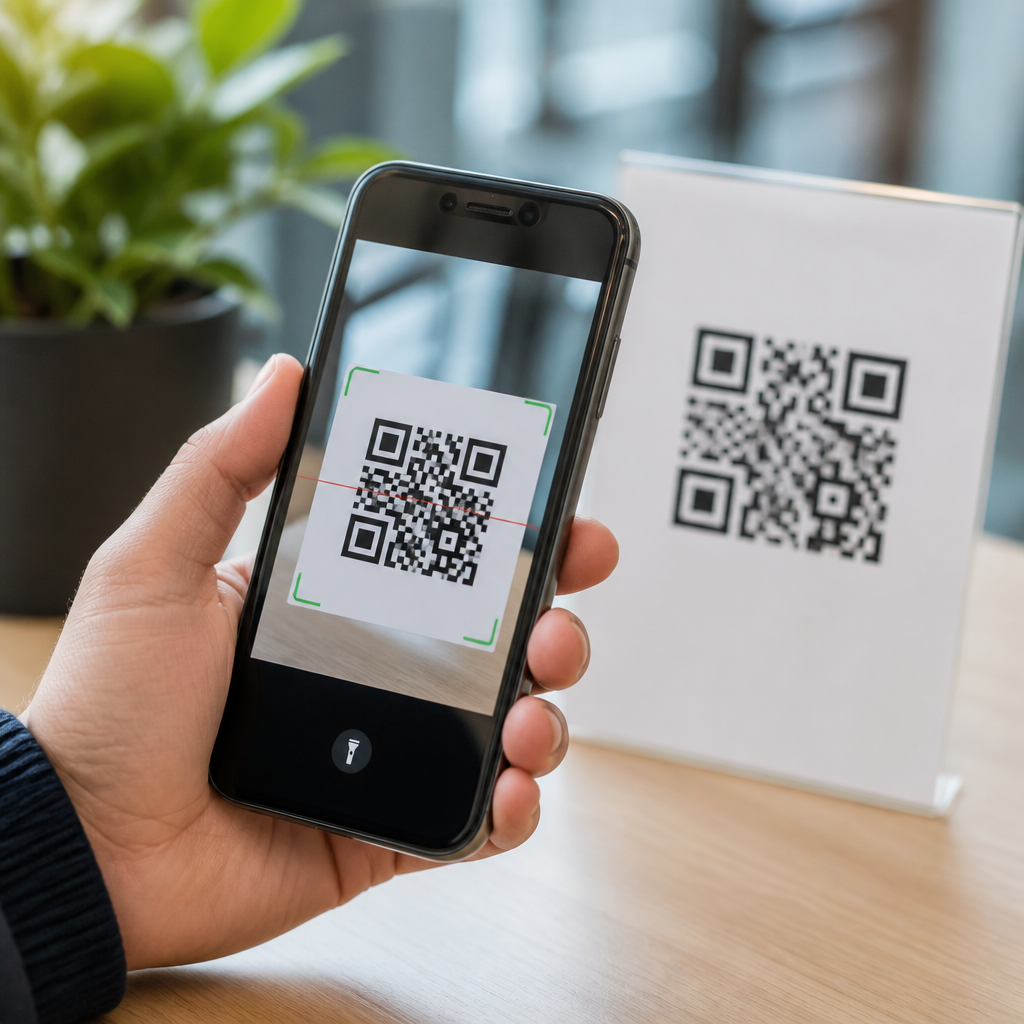
QR code scanner apps are convenient tools that let a phone camera read the black-and-white matrix symbols used for website links, payments, tickets, menus, logins, and product information. Safety, however, depends less on the square code itself and more on what happens after the scan. A QR code can open a legitimate restaurant menu, or it can send a user to a phishing page, trigger a malicious app download, or expose data through a poorly designed scanner. That is why the question “Are QR code scanner apps safe to use?” matters for any business, parent, employee, or traveler who relies on quick mobile interactions.
A QR code, short for Quick Response code, stores machine-readable data that a scanner interprets instantly. Modern smartphones often include native scanning inside the camera app on iPhone and Android, while third-party QR code scanner apps add features such as scan history, batch scanning, inventory logging, and custom code generation. In practice, I have tested consumer and enterprise scanning workflows across retail displays, warehouse labels, and event check-in systems, and the biggest safety issues rarely come from the code format. They come from aggressive app permissions, hidden redirects, ad-heavy interfaces, weak privacy practices, and users tapping through warnings too quickly.
This hub article explains how QR code scanner apps work, when they are safe, where the real risks sit, and how to evaluate an app before installing it. It also covers safe scanning habits, permission red flags, business use cases, and when a built-in phone camera is the better choice. If you want a practical answer, here it is: QR code scanner apps can be safe to use, but only when the app is reputable, permissions are limited, links are previewed, and the user treats each scan like any other untrusted input from the internet.
How QR code scanner apps work and why built-in scanners are often safer
A QR code scanner app uses the phone camera and image-processing libraries to detect the code’s finder patterns, decode the payload, and decide what action to offer. Common payloads include HTTPS URLs, Wi-Fi credentials, contact cards in vCard format, calendar events, SMS prompts, and payment strings such as EMVCo-compatible data. Good apps separate decoding from action. They show the content first, let the user inspect it, and only then open the browser or associated app. Poor apps launch content automatically, which removes an important decision point.
For most people, the safest default is the native scanner built into iOS or Android. Apple’s Camera app and Google’s camera implementations benefit from platform-level security controls, frequent updates, permission transparency, and fewer incentives to load intrusive advertising SDKs. They also reduce the attack surface that comes with installing another application. A standalone QR code scanner app makes sense when you need advanced features, but convenience should not override the basic principle of least privilege. If a simple scan can be handled by software already on the device, that option usually carries less risk.
The real security risks behind QR code scanner apps
The largest risk is not that a QR code magically infects a phone on sight. The typical danger is social engineering. Attackers place codes on parking meters, flyers, email attachments, or counterfeit stickers over legitimate codes. When scanned, the code opens a fake banking page, a spoofed Microsoft 365 login, or a parcel redelivery scam. Security teams often call this “quishing,” or QR phishing. The user sees a mobile page, enters credentials, and the attacker captures them. The scanner app is involved because it mediates the step between image and action.
Another risk comes from the app itself. Free scanner apps have historically requested access to contacts, location, microphone, storage, and device identifiers without a clear operational reason. Some monetize by embedding ad networks and analytics SDKs that collect behavioral data. Others route users through tracking redirects before opening a destination. On Android, especially outside Google Play, low-quality apps have been caught bundling trojans, click-fraud modules, or deceptive subscription flows. On both iPhone and Android, excessive permissions and dark patterns are stronger warning signs than the QR capability alone.
There are also privacy and operational risks. Scan history may reveal where a person traveled, what product they checked, or which internal asset tag they used at work. In enterprise settings, scanner apps can expose warehouse locations, patient identifiers, or maintenance records if they sync scans to insecure cloud services. Safety therefore includes data governance, not just malware prevention. A scanner that works flawlessly but uploads every scanned URL to a vendor dashboard without explicit disclosure is not a safe choice for regulated or sensitive environments.
How to evaluate whether a QR code scanner app is safe
Start with the app source. Download only from Apple’s App Store or Google Play, and verify the developer name, company website, support contact, and update history. Look for a privacy policy that clearly states what scan data is collected, how long it is retained, and whether it is shared with advertisers or data brokers. Check permissions before and after installation. A basic scanner generally needs camera access; it should not need contacts, microphone, call logs, or precise location to read a code. If cloud backup or business workflows are part of the app, extra permissions may be justified, but they must be explained.
User reviews help, but they need interpretation. A flood of five-star reviews with generic wording can be manipulated, while one-star complaints often reveal real issues such as forced subscriptions, pop-up ads, or suspicious redirects. I also look for signs of maintenance discipline: recent updates, compatibility with current operating systems, and clear release notes. Security is not a one-time feature. Mobile apps need patching as APIs change and new abuse patterns emerge. If a scanner has not been updated in years, it should not be trusted with active browsing actions.
| Safety check | What to look for | Why it matters |
|---|---|---|
| Developer identity | Real company, support page, update history | Anonymous publishers are harder to trust or hold accountable |
| Permissions | Camera only by default; extra access clearly justified | Unnecessary permissions increase privacy and security risk |
| Link handling | Preview before opening, domain shown in full, no auto-launch | Gives users a chance to catch phishing or typo-squatted sites |
| Privacy policy | Explains scan logging, retention, sharing, and deletion options | Scan history can reveal sensitive personal or business activity |
| Monetization model | Transparent pricing, limited ads, no forced subscriptions | Deceptive monetization often correlates with poor app quality |
Safe scanning habits that matter more than the app icon
Even the best QR code scanner app cannot protect someone who ignores obvious warning signs. Always inspect the destination before opening it. If the scanner shows a shortened link, an IP address, a misspelled domain, or an unrelated brand name, stop. Be especially cautious with QR codes asking for payments, password resets, package redelivery fees, or urgent account verification. On public posters and kiosks, look for tampering such as stickers placed over an original code. Attackers often rely on physical substitution because people trust printed materials more than email links.
Use the same habits you would apply to any mobile browsing session. Prefer HTTPS sites, never enter credentials after following an unexpected code, and avoid downloading APK files or configuration profiles from a scan. If a QR code claims to join Wi-Fi, verify the network name with staff before connecting. In corporate environments, mobile device management, DNS filtering, and secure web gateways add useful layers, but user judgment still matters. Training employees to preview links and report suspicious codes has proven more effective than relying only on technical controls.
When third-party scanner apps make sense for business and power users
There are valid reasons to use a dedicated QR code scanner app. Retail teams may need scan logging for promotions. Field service crews may scan asset labels tied to maintenance systems. Event operators may need offline ticket validation, batch scanning, or exportable attendance records. In healthcare, operations teams may use scanning workflows for specimen tracking, though those deployments usually require strict access controls and audited vendors. In these cases, the right question is not whether dedicated apps are inherently unsafe. It is whether the app’s security controls match the sensitivity of the workflow.
Look for enterprise-grade features such as single sign-on, encrypted data at rest and in transit, role-based access, mobile application management support, and administrative controls for scan retention. Vendors should explain where data is stored, whether subprocessors are used, and how deletion requests are handled. If the app integrates with systems like Shopify, Square, ServiceNow, or proprietary inventory tools, review the scopes of those integrations carefully. A scanner app that is safe for scanning restaurant menus may not be suitable for scanning internal asset codes that map directly to business systems.
Common myths about QR code scanner app safety
One myth is that all QR code scanner apps are dangerous. That is false. Reputable apps from established developers, or built-in phone scanners, can be used safely with standard precautions. Another myth is that a QR code is harmless because it is “just an image.” Also false. The image is a delivery mechanism for commands or links, and those actions can expose users to fraud. A third myth is that mobile operating systems automatically block every bad destination. They reduce risk, but phishing pages, scam forms, and deceptive prompts still succeed every day because they target human behavior, not only software vulnerabilities.
It is also wrong to assume that paid apps are always safer than free ones. Price alone says nothing about secure coding, data handling, or permission discipline. Some free tools are lean and privacy-conscious, while some paid apps are bloated with trackers or manipulative renewal tactics. The safer approach is evidence-based evaluation: permissions, previews, updates, developer reputation, and transparent data practices.
QR code scanner apps are safe to use when you choose them carefully and scan with the same caution you would give any unknown link. The safest option for everyday use is usually the phone’s built-in camera scanner because it minimizes extra software, receives regular platform updates, and typically asks for fewer permissions. When you need a dedicated QR code scanner app, pick one from a known developer, confirm that it previews links, review its privacy policy, and reject any app that asks for access it does not need.
The core lesson is simple: the main risk sits at the intersection of app quality, user behavior, and destination safety. A well-designed scanner can reduce exposure by showing full URLs, limiting data collection, and avoiding automatic actions. A careless app, or a hurried tap on a fake payment page, can do the opposite. If you manage mobile security for a household or business, use this page as your starting point, then review your current scanner choices, remove weak apps, and standardize safer scanning habits today.
Frequently Asked Questions
Are QR code scanner apps safe to use?
QR code scanner apps can be safe to use, but their safety depends on both the app itself and the destination the code opens. A QR code is simply a way to store information, most often a web link, so the real risk usually begins after the scan. If the code points to a legitimate site, such as a restaurant menu, event ticket, or payment page from a trusted provider, the experience is typically low risk. If it leads to a fake login page, a malicious download, or a spoofed payment portal, the danger comes from the content behind the code rather than the code’s black-and-white pattern.
The scanner app also matters. Well-designed apps usually show a preview of the destination before opening it, ask for only necessary permissions, and avoid collecting unnecessary personal data. Poorly designed or overly aggressive apps may request access to contacts, location, storage, or camera-related data beyond what is needed to scan a code. In short, QR code scanner apps are safe when you use a trusted app, keep your phone updated, and treat unknown QR codes with the same caution you would use with suspicious email links or text messages.
What are the biggest risks of scanning a QR code?
The biggest risks involve being redirected to harmful or deceptive content. A malicious QR code can send you to a phishing website designed to steal usernames, passwords, banking details, or payment information. It can also lead to a fake app download page, a fraudulent customer support form, or a spoofed login screen that looks almost identical to a real service. In public places, attackers sometimes place their own QR code stickers over legitimate ones, which can trick users into visiting the wrong destination without realizing it.
There are also privacy and device-level concerns. Some QR codes can trigger actions such as opening messages, initiating calls, connecting to Wi-Fi, or launching app stores. Those actions are not automatically dangerous, but they can become risky if users confirm them without checking the details. In addition, some third-party scanner apps collect browsing behavior, scan history, or device data for advertising or analytics. The key takeaway is that the risk is not usually the scan itself, but the chain of actions that follows it. That is why it is important to review links carefully, avoid entering credentials on unfamiliar pages, and never approve unexpected downloads or payments.
How can I tell whether a QR code scanner app is trustworthy?
A trustworthy QR code scanner app is usually easy to identify if you look for a few specific signs. First, check the developer and where the app is being downloaded from. Apps from major mobile platforms, reputable developers, or well-known security companies are generally safer than random tools with little history. Next, review the permissions it asks for. A scanner app normally needs camera access, but it should not need unrelated access to your contacts, microphone, or extensive location data just to read a code.
User reviews, update history, and privacy disclosures are also strong indicators. A legitimate app typically has a clear description of what data it collects, regular updates, and a large number of authentic reviews. Be cautious if reviews look repetitive, the app has not been updated in a long time, or the privacy policy is vague. Features can also reveal quality. Good scanner apps often let you inspect the URL before opening it, warn you about suspicious links, and avoid forcing you through ad-heavy screens. In many cases, the built-in camera scanner on modern smartphones is the safest choice because it reduces the need to install extra software altogether.
Is it safer to use my phone’s built-in camera scanner instead of a third-party QR app?
In many situations, yes. Built-in camera scanners on modern smartphones are often safer because they are integrated into the operating system, maintained through regular phone updates, and less likely to include unnecessary advertising or data collection. They also usually display the detected link before opening it, giving users a chance to review the destination. Since these tools are part of the phone’s native software, they often follow stronger platform security standards than unknown third-party apps.
That said, built-in scanners are not a complete defense against malicious QR codes. If a code leads to a fake website or scam payment page, even the safest scanner cannot make that destination legitimate. The advantage of the built-in option is mainly reduced app-related risk, not elimination of link-based threats. If you do choose a third-party scanner because you need extra features such as scan history, batch scanning, or advanced code formats, stick to highly rated apps from reputable developers and confirm that the app shows you exactly what the code will do before you proceed.
What should I do before and after scanning a QR code to stay safe?
Before scanning, consider the source of the code. Ask yourself where it came from and whether it looks tampered with. Printed QR codes on posters, parking meters, restaurant tables, and public kiosks should be checked for signs of stickers placed over the original code. If the code arrived by email, text, social media, or messaging apps, treat it with the same skepticism you would use for any unsolicited link. It is also wise to use your phone’s built-in scanner or a trusted app that shows the destination URL before opening it.
After scanning, pause and inspect the result. If the QR code opens a website, check the domain name carefully for misspellings, extra characters, or lookalike branding. Do not enter passwords, banking details, or personal information unless you are confident the site is genuine and secure. Avoid downloading apps or files directly from QR code prompts unless they come from official app stores or verified vendors. If the scan triggers a payment request, double-check the recipient and amount before confirming. Finally, keep your device updated, use mobile security protections where appropriate, and if something feels off after a scan, close the page immediately and clear your browser session. A few seconds of verification can prevent phishing, fraud, and privacy exposure.





