
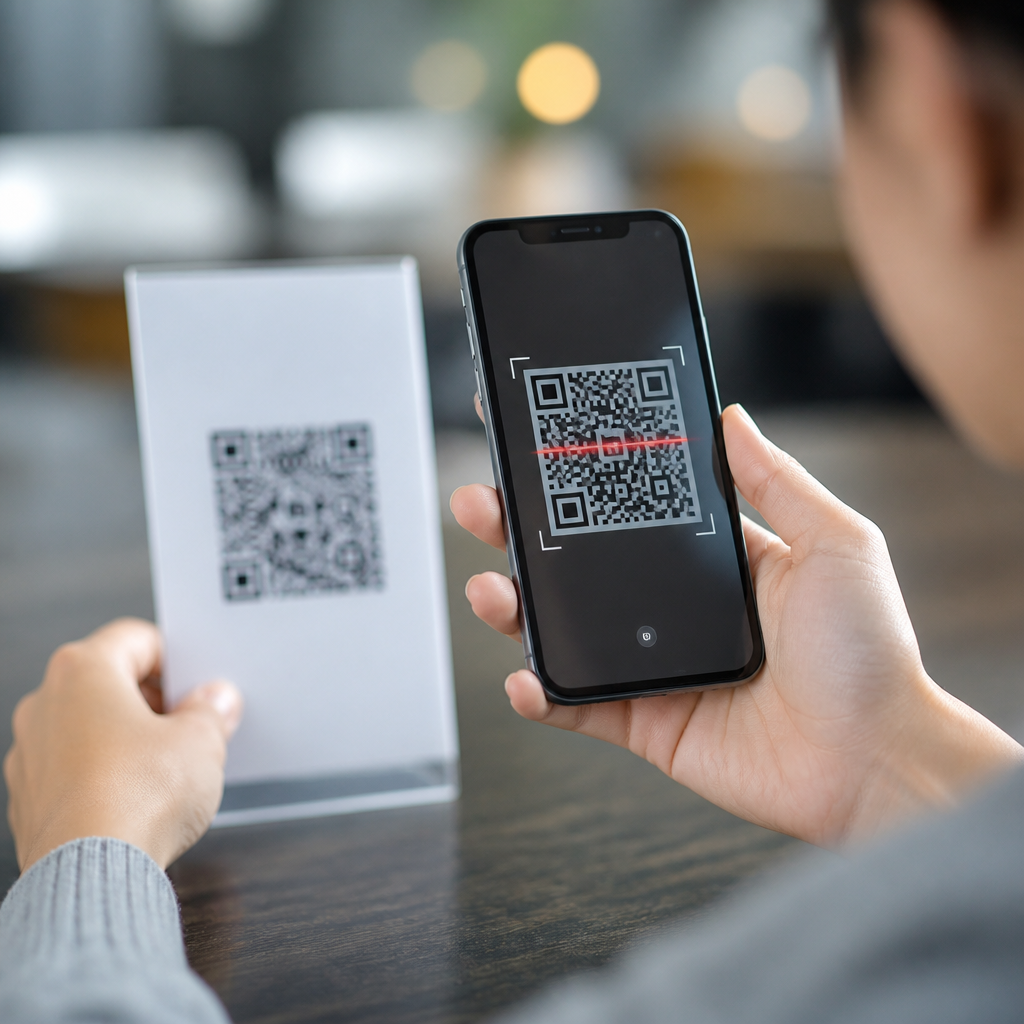
QR code scanner apps solve a simple problem—turning a phone camera into a fast bridge between the physical world and digital content—but they often create new problems that users and businesses do not expect. A QR code scanner app is software that reads the black-and-white matrix pattern in a Quick Response code, decodes the embedded data, and then takes an action such as opening a URL, joining Wi-Fi, adding a contact, launching a payment flow, or displaying plain text. In practice, I have seen scanner apps succeed or fail based on three factors: how accurately they decode damaged or low-contrast codes, how safely they handle links and permissions, and how smoothly they integrate with the phone’s camera and operating system. Those details matter because QR codes now appear in restaurants, packaging, tickets, warehouses, payments, healthcare, and marketing campaigns. When the app misreads, opens a malicious destination, or simply refuses to focus, the user experience breaks immediately. Understanding the common problems with QR code scanner apps helps consumers choose safer tools and helps teams design support content, testing procedures, and fallback options that reduce scan failures.
Camera, decoding, and compatibility issues
The most common technical complaints about QR code scanner apps start with scanning performance. Users point the camera at a code and nothing happens, or the app takes several seconds to lock focus and decode. That usually comes down to autofocus behavior, low-light image noise, glare on glossy packaging, insufficient contrast, or poor error-correction handling in the decoding engine. Mature apps often rely on established libraries such as ZXing or ML Kit, but implementation quality still varies widely. A good decoder crops intelligently, detects perspective distortion, and retries quickly across frames instead of waiting for a perfectly still image.
Compatibility is another frequent pain point. Many users no longer need a separate QR code scanner app because iOS Camera and Google Lens can scan codes natively. Third-party apps must therefore compete while also dealing with fragmented Android hardware, camera APIs, and permission models. I have tested apps that worked well on a recent Pixel but failed on budget Android phones because of weak low-light performance or broken autofocus callbacks. Older devices may also struggle with high-resolution camera streams, causing lag, battery drain, or overheating during repeated scans in retail or warehouse environments.
Code quality matters as much as app quality. Tiny codes, stretched artwork, poor quiet zones, and inverted color schemes can confuse otherwise capable scanners. Dynamic QR codes that redirect through tracking links may add a second layer of latency that users blame on the app. In the field, the fastest fix is often not a software patch but a better-printed code, stronger ambient light, and a clear fallback path such as a short URL displayed below the code.
Security, privacy, and misleading permissions
Security is the most serious category of problems with QR code scanner apps because users often scan without inspecting the destination. A QR code can encode a phishing URL, a malicious app download page, a payment request, or a fake login screen that closely resembles a trusted brand. The best scanner apps do not just decode data; they preview the full destination, flag suspicious domains, and require explicit confirmation before launching external actions. If an app opens links instantly with no visible warning, it increases the chance of social engineering success.
Privacy concerns are just as important. Many scanner apps request more access than they need, including contacts, location, microphone, or persistent clipboard access. Camera permission is necessary, but broad data collection is not. Some free apps monetize through aggressive advertising SDKs and analytics pipelines that profile behavior around scans, device identifiers, or browsing destinations. On managed devices in healthcare, education, or enterprise fleets, that can conflict with privacy policies and mobile device management rules.
I also see confusion around built-in browser views. Some apps keep users inside an in-app browser rather than opening the system browser. That can be convenient, but it may hide security signals such as saved passwords, familiar domain indicators, content-blocking extensions, or enterprise security controls. Safe scanning depends on transparent behavior: show the decoded content clearly, reveal the full URL, support copy-only mode, and let the user decide what happens next.
Usability failures that slow adoption
A scanner app can be technically accurate and still fail because of poor usability. The biggest problem is friction at the moment of scan. If the app opens to a home screen full of promotions, account prompts, or subscription banners instead of the camera view, users abandon it. Native camera scanning set the benchmark: open, point, tap. Third-party apps that require several taps before the camera activates feel broken even when they are not.
Another common issue is unclear feedback. When a code does not scan, users need plain-language guidance: move closer, increase light, hold steady, or clean the lens. Many apps simply display an indefinite spinner or no message at all. Accessibility is also frequently overlooked. Small buttons, low-contrast overlays, haptic feedback that cannot be disabled, and missing screen-reader labels all create problems for real users. In public settings such as transit gates or event entry, even a two-second delay can create lines and staff intervention.
The table below summarizes typical usability problems and practical fixes.
| Problem | User impact | Practical fix |
|---|---|---|
| App opens to ads or sign-up screens | Users abandon before scanning | Launch directly into camera mode |
| No clear error message | Users cannot tell whether the code or app failed | Show scan guidance and fallback actions |
| Auto-open links without preview | Higher phishing and misclick risk | Display full decoded content first |
| Poor accessibility support | Excludes users with visual or motor needs | Add labels, contrast, larger controls, and voice support |
| Slow launch and battery drain | Frustration during repeated scans | Optimize camera startup and frame processing |
Ad clutter, subscriptions, and hidden costs
Many complaints about QR code scanner apps have less to do with scanning itself and more to do with monetization. Free apps frequently insert interstitial ads immediately after a scan, which is especially disruptive when a user is trying to access a ticket, menu, login page, or payment screen quickly. Some apps also use deceptive subscription patterns, presenting a “free trial” before the first scan or obscuring the close button. Both Apple and Google have tightened store enforcement against misleading billing flows, but low-quality apps still slip through.
From a product perspective, ads can also create operational risk. If a staff member in a retail, hospitality, or healthcare environment uses a consumer scanner app and an ad steals focus at the wrong moment, that delay can interrupt service. For businesses, it is usually better to standardize on the built-in camera scanner or deploy a vetted enterprise app with policy controls. For consumers, the simplest rule is to check app reviews for billing complaints, confirm the publisher identity, and review the permissions list before installing.
There is also a false economy in “feature-heavy” scanner apps. Many bundle flashlight controls, history sync, barcode support, document storage, and browser features, but the extra code can increase crashes, tracking, and startup time. If the only job is to scan QR codes safely, a leaner app often performs better than an all-in-one utility.
History, redirects, and content-handling limitations
Users often assume a QR code scanner app will remember what was scanned, make the result easy to revisit, and handle every content type correctly. In reality, scan history is inconsistent. Some apps save every result indefinitely, which creates privacy issues on shared devices. Others save nothing, which frustrates users who need to reopen a boarding pass, product page, or setup link later. The best approach is configurable history with local storage, clear deletion controls, and no cloud sync unless the user explicitly enables it.
Redirect behavior is another overlooked problem. A QR code may point to a shortened link, a dynamic QR code platform, or a tracking URL that then forwards to the final destination. Each hop adds delay and obscures where the user is really going. Some scanner apps display only the first URL, while others skip all previews and open the final page directly. Neither is ideal. Transparent apps should show both the encoded value and, when resolved safely, the final destination domain.
Content handling can also fail in edge cases. Wi-Fi QR codes may not auto-fill correctly if the payload format is malformed. vCard contact data can import with missing fields. Calendar event codes may open as plain text instead of structured entries. Payment QR standards differ by region, and an app that works for generic URLs may not support local wallet flows. Businesses treating this page as a hub topic should recognize that scanning is not one function but a chain of decoding, parsing, validation, previewing, and action handling.
How to choose or recommend a better QR code scanner app
The best way to avoid common problems with QR code scanner apps is to evaluate them against a practical checklist. First, prefer native scanning when possible because Apple Camera, Google Lens, and many OEM camera apps are faster, better maintained, and less likely to include deceptive monetization. Second, if a dedicated app is necessary, test it on the actual devices your audience uses, including older Android models and low-light conditions. Third, verify security behavior: URL preview, suspicious-link warnings, and explicit confirmation before opening external content are nonnegotiable.
Fourth, inspect privacy details carefully. A scanner app should need camera access and little else. Fifth, review usability with real tasks: scanning a menu through glare, checking in at an event while walking, opening a Wi-Fi code in a lobby, or reading a code on curved packaging. Sixth, create fallback support around the app itself. Publish a short URL near the code, provide troubleshooting steps, and make sure printed codes meet size, contrast, and quiet-zone standards. In my experience, teams that test the full journey—from printed code to final destination—reduce support tickets far more effectively than teams that focus only on generating the code. If you rely on QR interactions, audit your current scanning workflow and replace weak apps before they create avoidable failures.
Frequently Asked Questions
Why do QR code scanner apps often fail to scan codes quickly or accurately?
QR code scanner apps can struggle for several reasons, and the problem is not always the code itself. In many cases, the issue comes down to camera quality, focus speed, low lighting, screen glare, motion blur, or poor print quality. If a code is too small, damaged, stretched, low-contrast, or displayed on a reflective surface, the app may have trouble detecting the alignment markers and decoding the data correctly. Some apps also use weaker image processing or outdated scanning libraries, which makes them slower and less reliable than better-built alternatives.
Another common cause is how the app handles real-world conditions. A strong scanner app should automatically detect a code within the camera frame, adjust for perspective, tolerate partial damage, and decode quickly without forcing the user to tap repeatedly. Many lower-quality apps do not do this well. They may need perfect lighting, a steady hand, or a precise distance from the code. On older phones, limited processing power and weaker autofocus systems make the problem worse. For businesses, this matters because a failed scan creates friction at the exact moment a user is supposed to move smoothly into a website, payment page, menu, or signup flow. Even a small delay can reduce conversions and damage trust in the experience.
Are QR code scanner apps safe to use, or can they expose users to security and privacy risks?
QR code scanner apps can absolutely introduce security and privacy risks, especially when users assume that scanning a code is harmless. A QR code itself is just a container for data, but that data may trigger actions such as opening a website, downloading an app, joining a Wi-Fi network, composing an email, or launching a payment request. If the scanner app automatically performs these actions without clearly showing the destination first, users can be exposed to phishing pages, malware delivery attempts, fake login screens, malicious redirects, or payment fraud. In short, the convenience of scanning can hide the risk of acting before verifying.
The app itself may also be part of the problem. Some scanner apps request excessive permissions, collect analytics far beyond what is needed, inject ads into the scanning flow, or log scanned content to remote servers. This is especially concerning when users scan codes containing personal data, internal business links, Wi-Fi credentials, event tickets, or payment information. A well-designed scanner should preview the decoded content before opening it, use minimal permissions, avoid unnecessary tracking, and clearly explain what it does with scan history and metadata. Users and businesses should treat scanner app selection as a trust decision, not just a convenience decision.
Why do some QR code scanner apps open the wrong content or behave unpredictably after a scan?
This usually happens because QR codes can store many different types of data, and not every scanner app interprets that data consistently. One app may treat a QR code as a plain URL and open it in a browser immediately, while another may first display a preview. Some apps understand structured formats for contacts, calendar events, Wi-Fi credentials, or payment requests, while others only display raw text or misread the format entirely. If the app does not support the encoded data type well, the result can feel broken, confusing, or even unsafe.
Unpredictable behavior can also come from poor app design. Some scanner apps auto-open links, trigger in-app browsers, rewrite URLs through ad networks, or redirect users through tracking layers before reaching the final destination. Others save scan history without notice or launch the wrong installed app based on a deep link. From a business perspective, that inconsistency creates a serious user experience problem. A brand may test a QR code on one device and see perfect behavior, while real users on different phones and different scanner apps encounter warnings, redirects, or formatting errors. That is why QR experiences should be tested across multiple devices, camera apps, operating systems, and popular scanners before rollout.
Do users still need a separate QR code scanner app if modern phones can scan codes with the native camera?
In many cases, no. Most modern smartphones now include QR recognition directly in the native camera app, and that has changed user expectations significantly. Built-in camera scanning is usually faster, simpler, and more trusted because it does not require downloading an extra app. It also reduces the chance that the user will choose a low-quality scanner filled with ads, aggressive permissions, or unreliable behavior. For basic tasks like opening a web link, joining Wi-Fi, or viewing plain text, the native camera is often the better experience.
That said, dedicated scanner apps still exist because some offer extra features such as scan history management, batch scanning, code generation, inventory workflows, advanced parsing, enterprise controls, or integration with payment and logistics systems. The problem is that many users download a separate scanner app when they do not actually need one, and then run into the exact issues that make scanner apps frustrating: pop-up ads, slower performance, excessive permissions, or automatic redirects. For businesses, this means QR code campaigns should be designed with native camera behavior in mind first. If a campaign only works well through a specific third-party app, the experience is likely too fragile for general use.
What are the most common business problems caused by QR code scanner apps, and how can they be reduced?
The biggest business problems are friction, inconsistency, and loss of trust. A QR code may be intended to create a seamless transition from offline to online, but scanner apps can interrupt that journey in many ways. They may fail to read the code, open the wrong destination, trigger security warnings, bury the user under ads, or display the content differently across devices. If the scan is tied to a high-intent action such as payment, ticket validation, product verification, menu access, or account signup, every extra second of confusion increases abandonment. What looks like a minor technical issue can directly reduce conversions, customer satisfaction, and perceived brand quality.
To reduce these problems, businesses should control the parts of the experience they can actually influence. That includes using high-quality QR codes with strong contrast and sufficient size, linking to mobile-optimized destinations, avoiding overly long redirect chains, and testing across iPhone and Android devices under realistic conditions. It also helps to provide a short instruction near the code, such as telling users to use their phone camera, not a random third-party app. Dynamic QR code management can help update destinations without reprinting materials, but it should be implemented carefully to avoid unnecessary redirects. Most importantly, businesses should assume that users will scan in less-than-ideal environments and through inconsistent apps. Designing for that reality is what turns QR codes from a novelty into a dependable customer touchpoint.





