
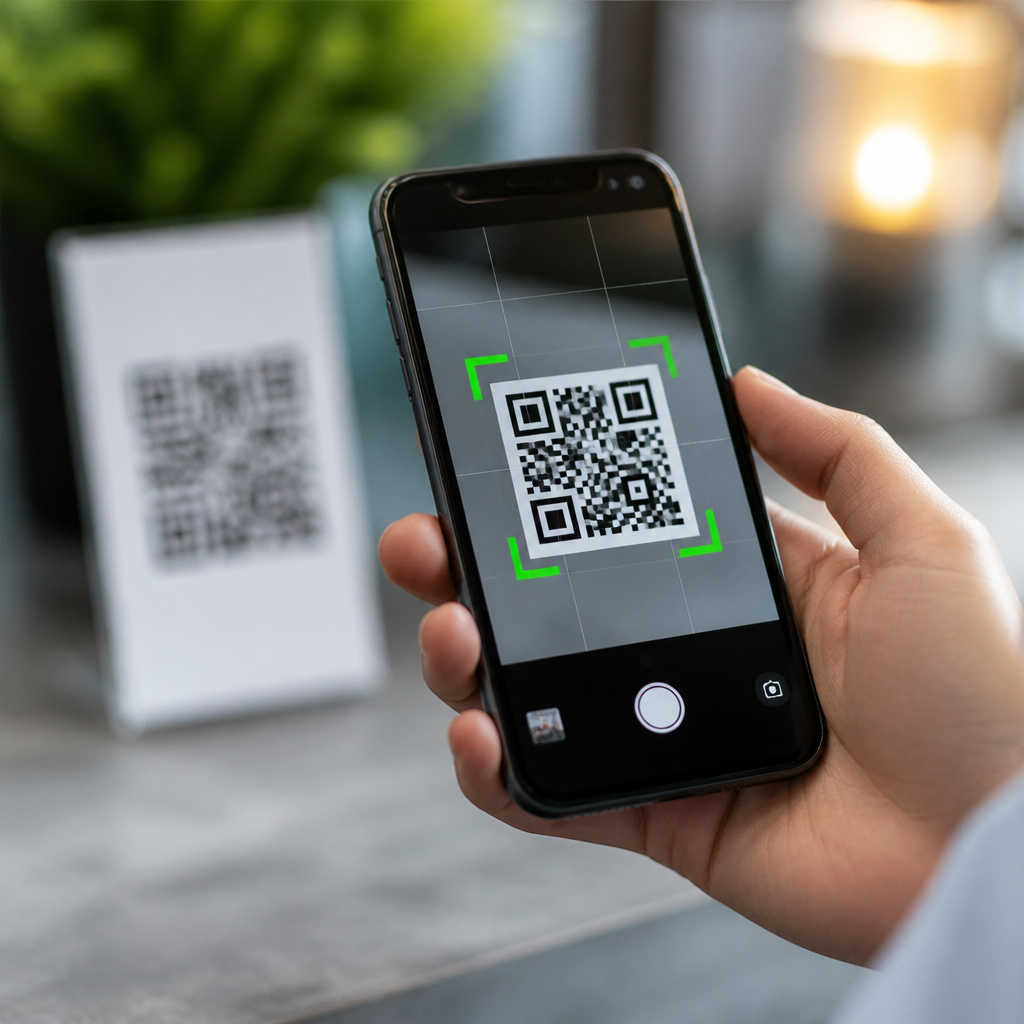
QR code detection in mobile cameras is the blend of optics, image processing, computer vision, and operating system support that lets a phone recognize a code, decode its data, and present a safe action in seconds. In practical terms, the camera captures a live image, the software identifies the square finder patterns, corrects perspective, samples the grid, applies error correction, and then hands the decoded result to the operating system for a user-facing prompt. That sequence sounds simple, but after working with scanning workflows on both consumer apps and enterprise deployments, I can say the reliability users expect depends heavily on camera integration and OS support, not just on the printed code itself.
For a hub article under mobile QR code scanning and technology, camera integration and OS support matter because they determine whether scanning feels instant, secure, and consistent across devices. A modern phone may support QR code detection at the system level inside the default camera, in visual search layers, in wallet apps, or through third-party SDKs. Each path uses different APIs, privacy permissions, autofocus behavior, exposure control, and result handling. If you are evaluating user experience, building a scanning feature, or troubleshooting poor scan rates, understanding this stack helps you separate issues caused by lighting, lens quality, firmware, app logic, and platform restrictions. It also clarifies why one phone reads a damaged QR code from an angled poster while another struggles with a crisp code on glossy packaging.
Key terms are worth defining up front. Camera integration refers to how the camera sensor, image signal processor, autofocus system, and software frameworks work together to provide frames suitable for detection. OS support refers to built-in platform capabilities, such as Apple’s AVFoundation and Vision frameworks or Android’s CameraX, ML Kit, and intent handling, that allow QR recognition and response. Detection is the act of finding a QR code in the image. Decoding is the act of turning the symbol’s modules into usable data such as a URL, Wi-Fi credential, contact card, or payment string. Good mobile QR code scanning relies on all four pieces working in sequence.
How mobile cameras detect a QR code in real time
At the camera level, detection starts before any decoder sees the code. The phone’s sensor captures light, the image signal processor reduces noise and balances exposure, and autofocus tries to make the code’s edges sharp enough for module separation. Most systems evaluate multiple frames per second rather than a single photo. This matters because QR code detection works best when the software can watch the scene stabilize, adjust focus, and compare candidate regions over time. In my testing, many scan failures blamed on software were actually caused by motion blur, aggressive noise reduction in low light, or focus hunting at close range.
The decoder then looks for the three large finder patterns placed at three corners of a QR code. Those square bullseye shapes are the signature that distinguishes a QR symbol from normal text or product graphics. Once found, the algorithm estimates orientation, corrects keystone distortion, and maps the code into a normalized grid. From there it samples black and white modules, reads format and version information, and applies Reed-Solomon error correction. That error correction is why a QR code can still scan when part of it is scratched or covered by a logo, although there are limits. If the quiet zone is missing, the contrast is weak, or the module size is too small for the current distance, even advanced decoders fail.
Native camera apps often add heuristics beyond basic decoding. They rank likely results, suppress duplicate prompts, and delay action until the decoded string passes validation rules. For example, a camera may treat an https URL differently from a malformed text string, a calendar event, or a deep link into a payment app. Some devices also combine QR code detection with scene text recognition and visual intelligence features. The result is a smoother experience, but it means scan behavior can vary by phone model, software version, and region-specific feature rollout.
Camera hardware integration: why lens, focus, and processing matter
Not all mobile cameras are equally good at QR code scanning. A larger sensor and sharper lens help, but practical performance often comes from the details of autofocus, minimum focus distance, frame rate, and image processing. Midrange phones sometimes outperform premium models at close scanning because their wide camera focuses nearer or uses less aggressive sharpening. On many devices, the ultra-wide camera is worse for QR detection because distortion near the edges makes module sampling less reliable. Default camera apps usually choose the main wide lens for this reason.
Autofocus is critical. Phase detection autofocus can lock quickly on a code at arm’s length, while contrast-based systems may pulse in and out, especially under fluorescent lighting. Exposure also matters because overexposed white areas wash out module boundaries and underexposed scenes increase luminance noise. I have seen warehouse scanning deployments improve simply by raising ambient light and disabling reflective label laminate. The software stack can compensate for some issues with auto-exposure metering and frame selection, but it cannot recover detail that the sensor never captured.
Image signal processors inside Apple A-series chips, Qualcomm Snapdragon platforms, and Google Tensor devices influence detection speed as much as optics. They handle denoising, edge preservation, tone mapping, and computational photography pipelines before computer vision runs. The best pipelines preserve the crisp transitions that QR decoders need while avoiding ringing artifacts that mimic false modules. That is one reason native scanning in a camera app often beats a generic web-based scanner using the same physical camera.
OS support on iPhone and Android
On iPhone, system-level QR support is mature and tightly integrated. The Camera app can detect QR codes directly in the preview, present a banner, and route supported content types to Safari, Wallet, Contacts, Calendar, or Wi-Fi setup flows. Developers typically use AVFoundation for metadata detection or Vision for broader image analysis, depending on the use case. Apple also applies strong privacy boundaries: camera access requires permission, and apps cannot silently act on scanned content without user interaction. In enterprise settings, this reduces risk when staff scan inventory labels, visitor badges, or login links.
On Android, support is broader in device variety but less uniform in implementation. Google’s ecosystem includes CameraX for camera integration, ML Kit for on-device barcode scanning, and intent systems that hand decoded content to the right app. Pixel devices usually offer reliable native scanning in the camera, while other manufacturers may place QR detection in a separate mode, a visual assistant, or a gallery action. Samsung, Xiaomi, Motorola, and OnePlus each layer their own camera software on top of Android, so prompt design, supported payloads, and scan latency differ. That fragmentation is the central Android tradeoff: excellent capability, inconsistent user experience.
Web-based scanning also depends on OS support. Browsers need camera permissions, secure context requirements, and access to modern media APIs. On current Chrome and Safari versions, in-browser scanning works, but frame access, autofocus control, torch access, and background behavior are still more limited than in native apps. For quick campaign landing pages this may be enough; for regulated workflows, native integration remains more dependable.
Common scanning paths and what they support
| Scanning path | Typical strengths | Common limitations |
|---|---|---|
| Native camera app | Fast launch, system prompts, tuned autofocus and exposure | Behavior varies by OS version and manufacturer |
| Native app with SDK | Custom workflows, validation, analytics, offline support | Requires development effort and camera permissions |
| Browser-based scanner | No install, easy campaign access, cross-platform reach | Less control over focus, torch, and background processing |
| Visual search or wallet layer | Good for payment, passes, and contextual actions | Narrower payload support and feature discoverability |
Security, privacy, and content handling
QR codes are simple containers, not trust signals. Mobile operating systems therefore put guardrails around what happens after detection. A scanned URL usually surfaces as a prompt rather than opening automatically. Wi-Fi QR codes can prefill network details, but users still confirm the join action. Payment payloads launch dedicated handlers. This separation between detection and execution is deliberate security design. It limits phishing, malicious deep links, and silent redirects.
For organizations, the safest approach is layered validation. A retail app scanning promotional QR codes should normalize and inspect URLs before rendering web content. A field service app scanning asset tags should constrain accepted formats, reject unexpected schemes, and log decode confidence or failures for troubleshooting. If personal data is encoded, developers must also consider storage minimization and regional privacy requirements. On-device decoding with frameworks such as ML Kit can reduce data exposure compared with sending frames to a server.
Designing and troubleshooting for better scan performance
The fastest way to improve mobile QR code scanning is to optimize the code and the capture environment together. Use high contrast, preserve the quiet zone, choose a realistic module size for expected scan distance, and avoid glossy surfaces. ISO/IEC 18004 defines the symbol standard, and print verification standards from ISO/IEC 15415 are relevant when quality matters at scale. In packaging reviews, I usually ask teams to test under supermarket lighting, not perfect office light, because specular glare and curved containers are where failures appear.
For app teams, instrument the scanning flow. Measure time to first detection, time to successful decode, camera permission denial rate, and failure reasons such as blur, low light, unsupported payload, or duplicate suppression. Test on older devices, not only current flagships. Include damaged codes, oblique angles, and low-bandwidth environments if the post-scan action depends on network access. The main benefit of understanding camera integration and OS support is practical: you can design QR experiences that scan quickly, behave predictably, and stay secure across iPhone, Android, native apps, and the mobile web. Use this page as your hub, then map related decisions—SDK choice, print quality, payload design, and analytics—back to the constraints of the camera and operating system.
Frequently Asked Questions
How does a mobile phone camera actually detect and read a QR code?
QR code detection in a mobile camera is a multi-step process that combines hardware, computer vision, and operating system features. First, the camera captures a continuous stream of images rather than a single still photo. The software then scans those frames for the distinctive geometric structure of a QR code, especially the three large square finder patterns typically located at the corners. Once those patterns are identified, the system estimates the code’s position, size, and orientation within the image.
After locating the code, the software corrects for perspective distortion. This matters because people rarely hold a phone perfectly parallel to a code, so the image may appear tilted, stretched, or skewed. The detection system mathematically transforms the QR code region into a normalized square, making it easier to interpret. From there, it samples the small black-and-white modules that form the code’s data grid, converts those visual patterns into binary information, and applies the QR standard’s decoding rules.
A crucial final step is error correction. QR codes are designed with redundancy, which allows the phone to recover data even if part of the code is smudged, obscured, or poorly lit. Once decoding is successful, the result is passed to the operating system, which determines how to present it to the user. For example, the phone may show a website preview, prompt to join a Wi-Fi network, open a payment app, or display plain text. What feels instantaneous to the user is actually a fast pipeline of image capture, pattern recognition, geometry correction, data extraction, and safe action handling.
Why can phones read QR codes so quickly even when the camera is moving?
Modern phones read QR codes quickly because they process live video frames in real time and use highly optimized detection algorithms. Instead of waiting for a perfect still image, the system analyzes many frames per second and looks for likely QR code features as soon as they appear. Even if one frame is slightly blurry due to hand movement, the next frame may be sharp enough to decode. This continuous scanning approach gives mobile cameras multiple chances to lock onto the code within a fraction of a second.
Mobile hardware also plays a major role. Today’s devices include fast image signal processors, dedicated machine learning components, and efficient CPU and GPU pipelines that can handle camera analysis without noticeable delay. In addition, mobile operating systems often include native QR detection frameworks that are tuned for common real-world conditions such as changing light, reflections on glossy packaging, and codes seen at an angle. These built-in tools are far more efficient than trying to decode every frame in a slow, generic way.
Another reason for speed is that the software does not search the image blindly. QR codes have predictable visual markers, and the algorithms are designed to prioritize those shapes. Once the finder patterns are detected, the rest of the decoding task becomes much more focused. Some phones also use autofocus, exposure adjustment, and scene optimization to improve the camera feed before decoding even begins. The result is a system that feels seamless: point the camera, let the software evaluate the scene continuously, and get a result almost immediately even under less-than-perfect handheld conditions.
What happens if a QR code is damaged, blurry, tilted, or partially blocked?
One of the reasons QR codes became so widely adopted is that they are built to remain readable even when conditions are not ideal. If a code is tilted, the mobile camera software can usually compensate by detecting the finder patterns and applying perspective correction. That allows the phone to “flatten” the code digitally before sampling the data grid. If the image is slightly blurry, the system may still succeed if the contrast between black and white modules remains strong enough for the decoder to distinguish the pattern.
When a QR code is damaged or partially blocked, error correction becomes especially important. QR codes use Reed-Solomon error correction, which adds redundant information to the symbol. This means the decoder can reconstruct missing or corrupted data up to a certain limit depending on the code’s error correction level. In practical terms, a code with a scratched corner, a logo printed in the center, or a small stain across a section may still scan successfully because the decoder does not require every module to be perfectly visible.
That said, there are limits. Severe motion blur, very poor lighting, glare, low print quality, or extreme damage can prevent reliable detection. If the finder patterns are obscured or the module grid is too distorted, the phone may fail before it even reaches the decoding stage. Distance also matters: if the code appears too small in the frame, the camera may not capture enough detail to separate the modules clearly. In those cases, moving closer, improving lighting, steadying the phone, or changing the angle often makes the difference. The overall design is robust, but successful scanning still depends on the camera getting enough usable visual information.
Do all mobile camera apps decode QR codes the same way?
Not exactly. While most QR scanning systems follow the same general principles, the actual implementation can vary across devices, camera apps, and operating systems. At a high level, every scanner needs to detect the code, correct its geometry, sample the module grid, decode the data, and present the result. However, the quality and speed of that process depend on the software framework being used, the camera hardware, and how tightly the feature is integrated into the operating system.
Native camera apps on modern smartphones often rely on operating system-level QR recognition. This gives them direct access to optimized camera pipelines, autofocus controls, exposure tuning, and trusted user-interface prompts. Third-party apps may use their own computer vision libraries or platform APIs, which can lead to differences in responsiveness, low-light performance, and support for specific QR payload types. Some apps are designed only to read URLs, while others can process contact cards, calendar events, Wi-Fi credentials, app links, or industrial codes used in enterprise settings.
There can also be differences in security behavior. One camera app may show a preview of the destination before opening it, while another may immediately hand the result to a browser or app. Some systems perform more validation on the decoded content, such as checking whether a URL looks suspicious or whether an action requires explicit user confirmation. So while the core decoding science is consistent, the user experience is not identical across all phones and apps. The best implementations combine accurate detection, efficient processing, and thoughtful safeguards that help users act on scanned content confidently.
How do mobile operating systems keep QR code scanning safe for users?
Mobile operating systems help make QR scanning safer by separating the act of decoding a code from the act of executing what that code contains. In most cases, the camera or scanning framework first interprets the QR code as data, such as a URL, phone number, payment request, or network configuration. The operating system then decides how to present that result in a user-facing prompt rather than automatically performing the action. This extra step is important because a QR code is simply a container for information, and that information could point to something risky if opened blindly.
Many modern phones display a clear notification, banner, or preview card that shows the decoded action before anything happens. For example, a scanned website may appear as a tappable link instead of opening instantly. This gives the user a moment to verify the domain or decide whether the action makes sense. Operating systems may also route different content types to trusted system handlers, such as the dialer for phone numbers, the maps app for location links, or a secure wallet interface for payment codes. That reduces the chance of arbitrary behavior and keeps the experience consistent.
Security protections can extend further behind the scenes. Platforms may apply URL reputation checks, require permissions before connecting to networks, block unsupported actions, or limit background app behavior triggered by scanned content. Enterprise and parental-control settings can also restrict what scanned links are allowed to do. None of this makes QR codes risk-free, since malicious actors can still encode deceptive destinations, but it does mean the operating system serves as a safety layer between raw decoded data and real-world action. In practice, the safest QR experiences happen when strong decoding technology is paired with clear prompts, sensible defaults, and user confirmation before anything important is opened or submitted.





