
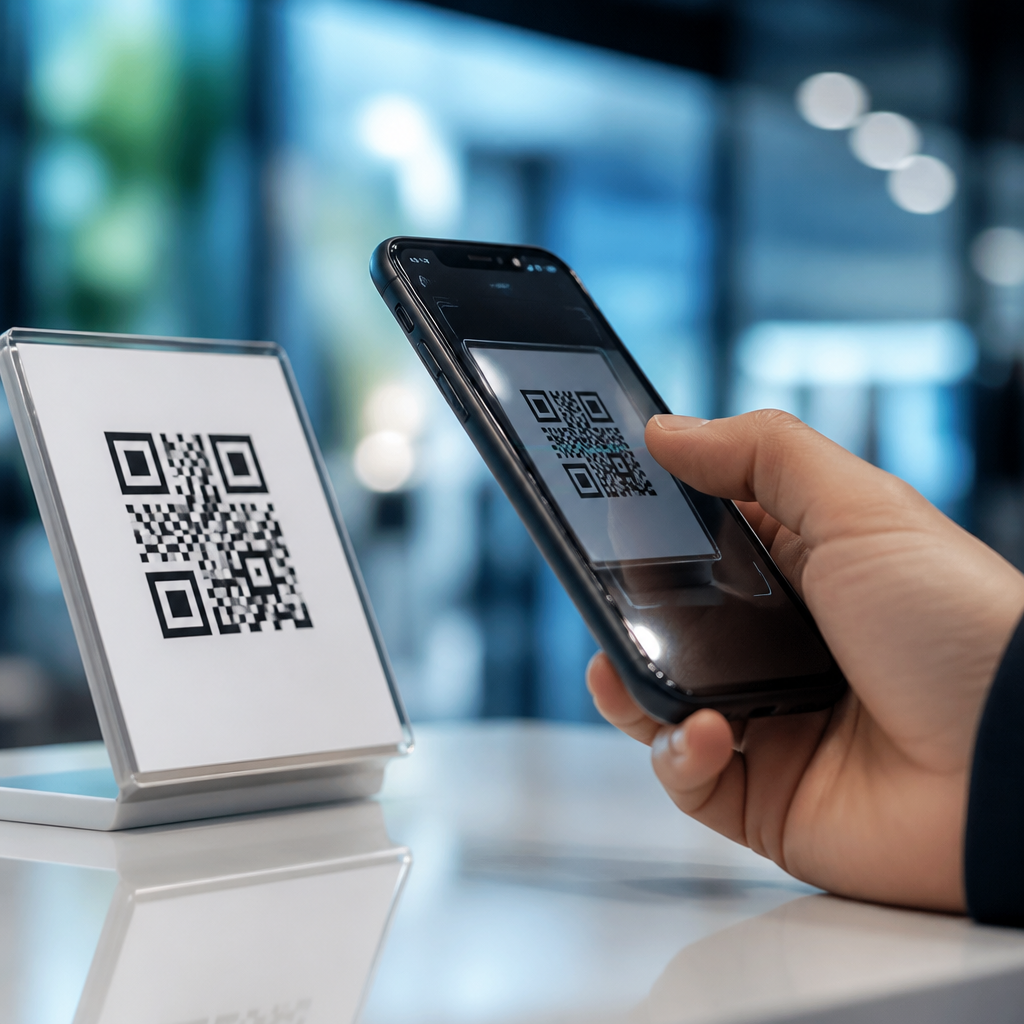
QR code scanning has moved from a niche utility to a built-in mobile behavior, and the future of QR code scanning technology depends heavily on camera integration and operating system support. In plain terms, camera integration means how deeply QR recognition is woven into the phone’s camera hardware, image processing pipeline, and default camera app. OS support means how iOS, Android, and related platforms expose scanning features to users, apps, enterprise tools, accessibility services, and security controls. Together, those layers determine whether a code opens instantly, fails in dim light, triggers a warning, or routes into a payment, login, or augmented reality flow. I have worked on mobile scanning rollouts where the same printed code performed flawlessly on one handset and poorly on another, and the reason was rarely the code itself. It was usually autofocus behavior, low-light image processing, permission settings, app handoff logic, or outdated platform support. Understanding those factors matters because QR codes now sit inside payments, ticketing, device pairing, healthcare intake, restaurant ordering, and industrial asset tracking. As smartphone makers invest in computational photography, on-device machine learning, and privacy controls, QR scanning is becoming faster, safer, and more context aware. That evolution affects developers, marketers, IT teams, and everyday users who expect a camera to recognize a code immediately without downloading a separate app.
How native camera integration is changing QR scanning performance
Native camera integration is the single biggest reason QR scanning now feels effortless on modern phones. Early mobile QR experiences depended on third-party scanner apps that used basic frame capture and software decoding. Today, Apple’s Camera app, Google’s camera implementations, and many OEM camera stacks detect codes directly in the live preview stream. That allows the system to apply autofocus, exposure control, image stabilization, high dynamic range processing, and machine vision before the user ever taps the shutter. In practice, this means a code on glossy packaging, a laptop screen, or a delivery label can be read from wider angles and under more difficult lighting conditions.
The technical shift is important. Most current devices process camera frames through an image signal processor and then feed optimized frames into barcode recognition libraries such as Apple VisionKit components, Google ML Kit, or OEM-specific scanning engines. When that integration is tight, detection latency drops and scan distance improves. I have seen warehouse deployments where newer devices recognized dense version 10 or higher QR symbols nearly twice as quickly as older handsets because macro focus and contrast enhancement were better tuned. Future improvements will likely come from multi-frame fusion, better motion compensation, and scene understanding that prioritizes probable codes within cluttered backgrounds.
Camera hardware also shapes outcomes. Larger sensors help in low light, wider apertures improve signal capture, and laser or phase-detect autofocus helps lock onto small printed codes. Front-facing cameras may eventually gain more reliable scanning for login and pairing workflows, but rear cameras will remain dominant because focal range and stabilization are stronger. Foldables, rugged enterprise devices, and wearable cameras will push vendors to optimize scanning across unusual form factors.
Operating system support now defines the user experience
Operating system support determines whether scanning is universal or fragmented. On iOS, QR detection has been native since iOS 11, with recognition integrated into the Camera app and surfaced through notification banners, Control Center code scanning, App Clips, Wallet flows, and continuity features. On Android, support depends more on version, Google services availability, camera app choice, and manufacturer customization. Google Lens, the default camera on Pixel devices, and ML Kit APIs have made Android scanning far more consistent, but enterprise fleets still show variation across Samsung, Zebra, Xiaomi, and other vendors.
This platform layer matters because users do not think in terms of decoding libraries. They think, “Does my phone camera open this code right away?” If the answer varies by operating system, trust falls. Strong OS support also improves accessibility. Screen readers can announce detected actions, system text scaling can affect prompts, and guided access or kiosk mode can constrain what a scan is allowed to launch. In regulated environments, mobile device management policies may disable certain handlers, block unknown URLs, or require managed browser opening. Those controls are part of the future, not edge cases, because QR codes increasingly bridge physical spaces and secure digital actions.
For this subtopic, related implementation details often connect to deeper articles on native iPhone scanning, Android QR support by version, enterprise device configuration, and camera permission troubleshooting. As a hub page, this overview should help you evaluate all of them through one lens: the operating system is no longer just a passive platform, it is the policy and experience layer that determines trust, speed, and compatibility.
Security, privacy, and trusted handoff will drive the next wave
The next major advance in QR scanning technology is not just speed; it is trusted action handling. A QR code is only an encoded payload, often a URL, text string, Wi-Fi credential, contact card, payment token, or deep link. The risk appears after decoding, when the OS or app decides what to do next. Modern platforms increasingly warn users before opening unfamiliar domains, and this behavior will become more granular. Expect reputation signals, certificate checks, app association validation, and enterprise policy enforcement to be applied before a scan launches a browser or app.
Apple’s Universal Links and Android App Links already provide a cleaner handoff by verifying domain ownership and opening the correct installed app rather than a generic browser page. That improves both security and conversion. For example, an airline boarding QR can move directly into the airline app, while a phishing code printed on a fake parking meter sticker is more likely to trigger a visible domain prompt. In my own testing, campaigns that used verified links reduced abandonment because users saw familiar branded destinations instead of confusing redirects.
Privacy will matter just as much. On-device decoding is increasingly preferred because it limits image transmission to cloud services. That aligns with broader platform trends toward local machine learning inference. Healthcare, financial services, and enterprise IT teams often require that scans containing patient identifiers, asset numbers, or provisioning credentials remain local until an approved app processes them. Future OS support will likely expose clearer per-app scanning permissions, better scan history controls, and more transparent indicators when camera frames are analyzed for machine-readable codes.
What future camera and OS features will improve scanning most
Several features are poised to define the future of camera integration and OS support for QR code scanning. The first is contextual recognition. Instead of merely detecting a code, the system will infer likely intent based on location, app state, and surrounding visual cues. A code on restaurant table signage may open a menu sheet; a code beside a smart appliance may trigger device onboarding; a code inside a PC setup screen may launch cross-device pairing. The second is adaptive capture, where the camera stack automatically switches macro mode, exposure priority, or frame sharpening when it recognizes a small, high-density symbol.
| Feature | How it improves scanning | Real-world example |
|---|---|---|
| On-device decoding | Faster results and better privacy | Hospital staff scan patient room codes without sending images to cloud services |
| Verified deep linking | Safer app launches and fewer redirects | Retail loyalty codes open the brand app directly through associated domains |
| Adaptive autofocus and macro switching | Higher success rate on tiny or damaged codes | Technicians scan serial labels on network hardware in cramped racks |
| Context-aware prompts | Clearer user decisions before action | Transit codes display fare or route info before opening a payment screen |
Another likely change is richer OS-level action menus. Rather than a single banner, platforms may present structured options such as open link, save contact, join Wi-Fi, add event, pay invoice, or verify device. This reduces ambiguity and improves accessibility because the system can describe the payload before action. Combined with offline support, better multilingual recognition, and stronger fraud detection, these features will make scanning more dependable in travel, retail, logistics, education, and field service environments.
How businesses and developers should prepare for the next generation
Businesses should prepare for a future in which QR performance is measured less by whether a code decodes and more by how smoothly the entire scan journey works across devices. Start by testing on current iPhone models, stock Android devices, and at least one enterprise handset with manufacturer-specific camera software. Evaluate low light, glare, cracked screens, curved packaging, and long-distance scans. Use error correction appropriately, maintain adequate quiet zones, and avoid over-stylized designs that compromise contrast. ISO/IEC 18004 remains the core reference standard for QR code symbology, and ignoring its practical constraints still causes many failures.
Developers should favor native OS capabilities when possible. On iOS, that may mean relying on built-in camera behaviors, associated domains, and lightweight entry experiences. On Android, it often means testing Google Lens behavior, intent filters, and fallback web flows carefully across OEM variants. Analytics should distinguish camera-app scans from in-app scans, because drop-off causes differ. I have repeatedly found that “bad QR performance” was actually a landing-page issue, an app-link misconfiguration, or a permissions prompt that interrupted trust at the wrong moment.
The future of QR code scanning technology will belong to teams that treat camera integration and OS support as product infrastructure, not afterthoughts. Better cameras will help, but the real advantage comes from secure handoff, consistent platform behavior, and thoughtful testing. If you manage mobile experiences under the broader Mobile QR Code Scanning & Technology topic, use this hub to guide deeper work on iPhone support, Android compatibility, permissions, security prompts, and enterprise deployment. Audit your current scan journeys, test them on real devices, and fix the friction users notice first.
Frequently Asked Questions
1. Why are camera integration and operating system support so important to the future of QR code scanning technology?
Camera integration and operating system support are the two biggest factors shaping how fast, reliable, and widely used QR scanning becomes. When QR recognition is deeply integrated into the camera hardware, image signal processor, autofocus system, and default camera app, scanning feels instant and effortless. Users do not need to open a separate tool, hunt for a button, or manually focus on the code. The camera recognizes the QR code in real time, stabilizes the image, adjusts exposure, and surfaces the action prompt immediately. That kind of seamless behavior is what turns QR scanning from a special task into a normal mobile habit.
Operating system support matters just as much because the OS determines how scanning features are presented across the device ecosystem. On iOS and Android, the operating system can make QR scanning available not only in the default camera, but also in lock screen shortcuts, control panels, accessibility tools, enterprise device management workflows, and third-party apps. Strong OS-level support also improves consistency, which is critical for user trust. If people know that scanning works the same way across apps and devices, adoption grows faster. Looking ahead, the most successful QR experiences will come from platforms that treat scanning as a core system function rather than an add-on feature.
2. How will built-in smartphone cameras improve QR code scanning in the coming years?
Built-in smartphone cameras are expected to make QR scanning faster, more accurate, and more context-aware. Future improvements will likely come from better sensors, smarter autofocus, stronger low-light performance, higher frame-rate image capture, and more advanced on-device image processing. In practical terms, that means phones will be able to detect QR codes from wider angles, longer distances, damaged surfaces, curved packaging, and busy visual backgrounds. Users will spend less time repositioning the phone and more time acting on the result.
Another major shift is that QR scanning will increasingly become part of the camera’s always-ready intelligence. Instead of simply recognizing a code and showing a link, the camera may interpret what kind of action is being offered, such as payment, login, product verification, event check-in, or device pairing. The camera experience could then prioritize the safest and most relevant next step automatically. This will be especially useful in retail, healthcare, transportation, and smart environments where speed and precision matter. As camera systems continue to merge computer vision with everyday photography, QR scanning will feel less like a separate feature and more like a natural extension of seeing the physical world through a phone.
3. What role will iOS, Android, and other operating systems play in expanding QR code scanning use cases?
Operating systems will play a central role in determining how broadly QR scanning can be used across consumer, business, and public-sector environments. iOS and Android already influence where scanning appears, how users interact with it, what permissions are required, and how secure the resulting actions are. In the future, these platforms are likely to expose richer APIs and system tools that allow apps, enterprise software, and accessibility services to incorporate scanning more deeply without creating fragmented user experiences. That could make QR workflows easier to deploy at scale in logistics, education, hospitality, healthcare, and field service operations.
OS support also affects discoverability and trust. If scanning is available directly in the camera, control center, search interface, digital wallet, or assistant layer, users are far more likely to rely on it. At the same time, operating systems can add safeguards such as malicious link warnings, verified content handling, managed-device restrictions, and clearer previews before an action is launched. This is especially important as QR codes are used for identity, payments, authentication, and sensitive account actions. The future of scanning is not just about reading a code more quickly; it is about building a secure, standardized platform experience that supports both simple consumer interactions and complex enterprise workflows.
4. Will QR code scanning become more secure and trustworthy over time?
Yes, security is expected to become a much more visible and sophisticated part of QR scanning technology. One of the long-standing concerns with QR codes is that they can hide the destination until after the user scans them, which creates opportunities for phishing, fraudulent payments, and malicious redirects. As QR scanning becomes more deeply integrated into camera apps and operating systems, platforms will be better positioned to inspect scanned content before launching it. Users may see clearer destination previews, domain reputation checks, risk warnings, and prompts that explain exactly what a code is trying to do.
Trust will also improve through stronger ecosystem standards. Businesses may increasingly use authenticated or branded QR experiences tied to verified domains, secure payment frameworks, digital identity systems, and short-lived session tokens. In enterprise settings, managed devices may be configured to accept only approved QR-based workflows. Accessibility and parental controls could also shape what kinds of content can be launched from a scan. Altogether, the future points toward QR scanning that is not only faster and easier, but also safer by default. The more platforms can reduce uncertainty at the moment of scan, the more willing users and organizations will be to depend on QR-based interactions.
5. What new everyday applications could emerge as QR code scanning technology evolves?
As the technology matures, QR scanning is likely to expand well beyond menus, payments, and website links. One major growth area is contextual interaction with the physical world. QR codes may become a routine bridge for product authentication, warranty activation, smart appliance setup, transit access, personalized retail offers, museum experiences, medical check-ins, classroom resources, and secure workplace entry. Because nearly every smartphone already has a camera, QR codes remain one of the most practical ways to connect offline objects and locations to digital actions without specialized hardware.
The next wave of applications will be driven by how smoothly scanning fits into larger platform experiences. For example, a code might open a wallet pass, trigger a verified app intent, connect to a support workflow, launch an augmented reality layer, or initiate a privacy-safe login on another device. In business environments, QR scanning may be tied into inventory systems, maintenance records, compliance logs, and employee training tools. In accessibility contexts, scanning could support audio guidance, simplified navigation, and on-demand translations. The broad takeaway is that the future of QR code scanning technology is not just about the code itself. It is about how cameras, operating systems, apps, and services work together to make real-world interactions quicker, smarter, and more dependable.





