
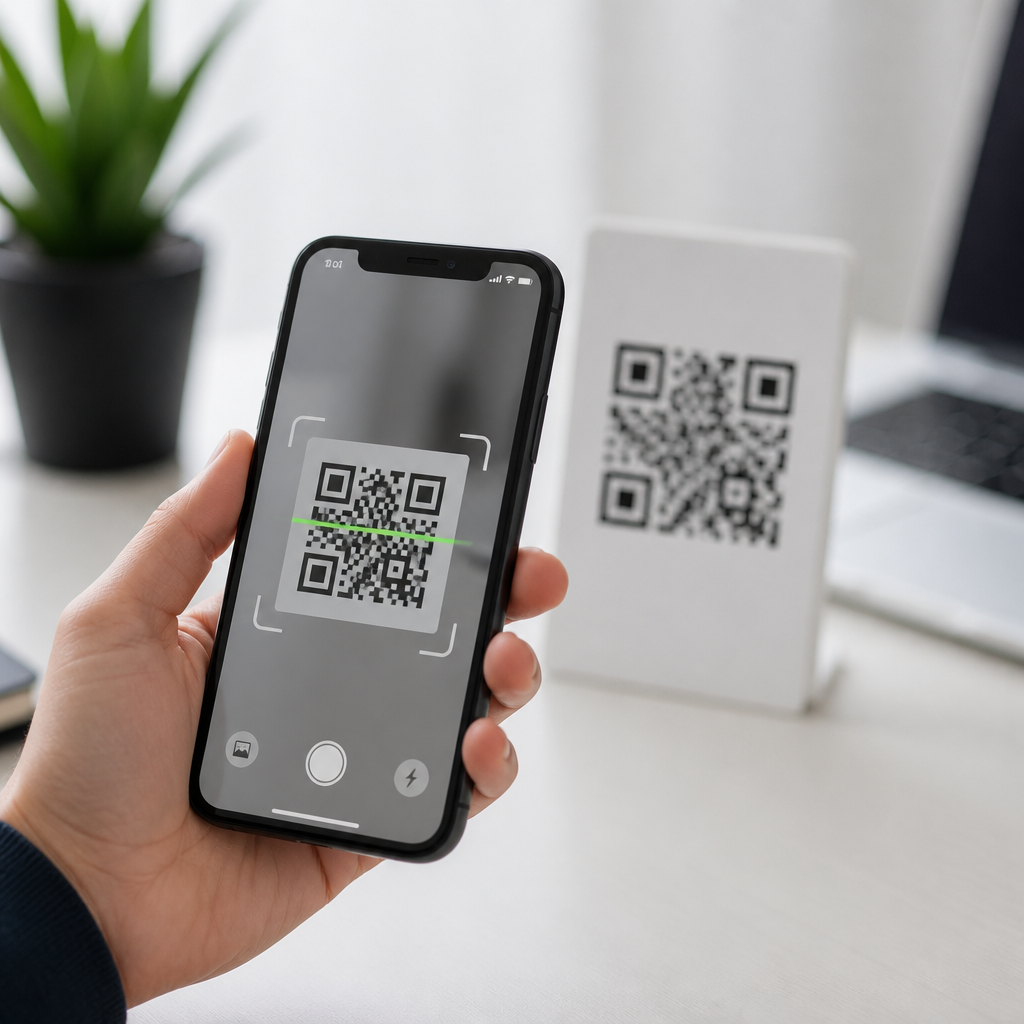
The best QR code scanner apps for iPhone do more than open a camera and read a square pattern. They balance speed, privacy, scan accuracy, link safety, history management, and compatibility with the way people actually use iPhones at work and at home. A QR code scanner app is any iPhone application that reads Quick Response codes and turns the encoded data into an action, such as opening a website, joining Wi-Fi, saving a contact card, launching a payment page, or storing product information. While Apple has built QR recognition into the Camera app since iOS 11, many users still need more capable tools. In testing scanner workflows across retail counters, conference check-ins, packaging audits, restaurant menus, and field service visits, I have found that dedicated apps can outperform the default camera when you need scan logs, batch reading, flashlight control, browser isolation, custom notifications, or stronger fraud awareness. That matters because QR codes now sit at the center of mobile payments, ticketing, authentication, inventory control, and print-to-digital marketing. Choosing the right iPhone QR code scanner app saves time, reduces risky taps, and makes everyday scanning more reliable.
What makes a QR code scanner app worth using on iPhone
The first question most people ask is simple: if the iPhone camera scans QR codes already, why install anything else? The answer is that the built-in tool is convenient but intentionally minimal. It recognizes most standard QR codes quickly, yet it offers limited control over scan history, content organization, and secure previewing. A dedicated QR code scanner app is worth using when you scan often, share one device among staff, need to export records, or want an extra layer between the code and the destination link.
In practical testing, the best iPhone QR scanner apps consistently share six traits. First, they focus fast, even in low light or on curved labels. Second, they preview the destination clearly before opening it. Third, they support multiple content types, including URLs, vCards, calendar events, SMS, email, Wi-Fi credentials, and geolocation. Fourth, they keep a usable scan history with search or favorites. Fifth, they avoid excessive ads and intrusive tracking. Sixth, they work smoothly with current iOS permissions, dark mode, and accessibility settings. Those details separate a helpful utility from an app that becomes frustrating after a week.
Another overlooked factor is how the app handles unsafe or malformed codes. QR phishing, often called quishing, relies on users tapping shortened or disguised links without inspection. Better apps show the full domain, warn about unusual redirects, and let you copy the data without visiting the destination immediately. For parents, teams, and business users, that behavior matters as much as scan speed.
Best types of QR code scanner apps for different iPhone users
There is no single best QR code scanner app for every iPhone owner because scanning habits vary. Casual users usually do best with Apple Camera or Code Scanner in Control Center. It is fast, free, deeply integrated, and adequate for restaurant menus, event posters, and package inserts. If you only scan a few times a month, adding another app may create more clutter than value.
Power users benefit from utility-focused scanner apps that maintain a searchable history, support continuous scanning, and let them open links inside an in-app browser. I recommend this category to consultants, sales staff, conference attendees, and anyone collecting many codes in a day. During trade show registration work, a persistent history log has been the difference between proving a successful scan and guessing whether a lead was captured.
Business teams often need scanning apps connected to broader workflows. Inventory and asset apps can tie QR scans to stock records, maintenance logs, or serial numbers. Retail associates may need support for both QR and linear barcodes such as UPC, EAN, and Code 128. In these cases, the best app is not the one with the prettiest interface; it is the one that integrates with the system of record, whether that is Shopify, Square, Sortly, Zoho Inventory, or a custom warehouse platform.
Privacy-first users should look for scanner apps with clear data policies, no mandatory account, and no unnecessary contact or location access. I have uninstalled otherwise competent scanners because they asked for permissions unrelated to decoding a visual code. A good scanner needs camera access. Anything beyond that should be justified by a real feature.
Key features to compare before downloading
When comparing QR code scanner apps for iPhone, look at feature quality rather than marketing claims. Many App Store listings promise instant scanning, but the underlying experience differs significantly. The table below highlights the features that matter most and how to evaluate them quickly before committing to an app.
| Feature | Why it matters | What good looks like |
|---|---|---|
| Scan speed | Reduces friction in busy environments | Reads codes in under a second at normal distance |
| Preview safety | Prevents accidental taps on suspicious links | Shows full URL and asks before opening |
| History | Helps recover links, tickets, and records later | Searchable log with delete and export options |
| Code support | Expands usefulness beyond web links | Handles Wi-Fi, contact cards, events, and barcodes |
| Offline behavior | Important in warehouses, transit, and venues | Decodes text without requiring a network connection |
| Privacy | Limits data collection and ad targeting | Minimal permissions and a clear App Privacy label |
Compatibility with modern iPhone hardware also matters. Newer iPhones with improved autofocus and image stabilization generally scan more reliably from awkward angles, but software still plays a role. A well-optimized app can recover detail from dim restaurant tables or glossy shipping labels better than a generic scanner packed with ads. Accessibility deserves attention too. VoiceOver labeling, large tap targets, and haptic feedback make scanning easier for more users.
If you compare paid and free apps, focus on what the price removes. The main value in a paid scanner is usually an ad-free interface, local history storage, export tools, and fewer distractions. In business settings, those benefits often justify a small one-time fee or subscription because they prevent user error and speed up repetitive tasks.
How top iPhone QR code scanner apps differ in real use
In real-world use, scanner apps tend to fall into four functional groups. The first is minimalist consumer scanners. These apps launch quickly and decode common codes well, but they often monetize with banners or interstitial ads. They are acceptable for occasional use, though ads near buttons can create accidental taps, which is a poor fit for security-conscious users.
The second group is premium utility scanners. These usually add scan history, favorites, folder organization, dark mode, CSV export, and built-in safety prompts. For frequent scanners, this is often the sweet spot. On client deployments where staff needed to verify dozens of QR-linked instruction sheets each day, premium utility apps reduced repeated scans because history and labeling made retrieval easy.
The third group is barcode and QR hybrids. Apps in this category are ideal for retail, logistics, and home inventory because they support both 2D and 1D symbologies. If you scan product packaging, ISBNs, shelf tags, and return labels, a hybrid scanner is more practical than a QR-only app. Look for support for UPC-A, UPC-E, EAN-13, Code 39, and Code 128 alongside QR, Data Matrix, and PDF417.
The fourth group is workflow-specific scanners embedded inside other apps. Payment, event, and inventory platforms often include a scanner purpose-built for one task. These can be the best option when speed and database integration matter more than general flexibility. For example, a ticketing platform’s native scanner may validate passes against live event status, something a generic QR reader cannot do.
App quality also shows up in small interactions. Better apps debounce duplicate reads during continuous scanning, preserve camera focus after movement, and handle broken codes gracefully. They also make it obvious when a code contains plain text instead of a URL. That clarity is useful in industrial labeling and equipment maintenance, where QR codes may carry part numbers or internal commands rather than websites.
Security, privacy, and performance best practices
The safest way to use a QR code scanner app on iPhone is to treat every code as untrusted until proven otherwise. Good apps support that habit by showing the full destination before opening it. Users should check the domain carefully, especially on payment pages, login prompts, and password reset screens. A legitimate company domain and a lookalike domain can differ by one character, and that is enough to enable fraud.
Performance and security are linked. Apps overloaded with advertising SDKs, aggressive analytics, or unnecessary web views can feel slower and expose more data than needed. Before installing, review the App Store privacy section, developer history, update frequency, and recent user feedback. A scanner app that has not been updated for years may still work, but stale maintenance is a risk in any app that opens web content.
On the iPhone itself, enable Control Center Code Scanner for the fastest native option, keep iOS updated, and use Safari fraud warnings. In managed business fleets, mobile device management policies can restrict risky installs and steer employees to approved scanner tools. That is especially important in hospitality, healthcare, and logistics environments where shared devices scan public-facing codes every day.
Finally, remember that the best QR code scanner app is the one that fits your scanning volume, risk tolerance, and workflow. Start with Apple’s built-in tools if your needs are simple. If you scan daily, compare dedicated apps based on speed, history, safety prompts, supported formats, and privacy disclosures. Test two or three in the exact environments where you work, from dim counters to warehouse aisles. A short trial reveals more than a feature list. Choose the app that makes scanning faster, clearer, and safer, then standardize on it so every scan follows the same reliable process.
Frequently Asked Questions
What should I look for in the best QR code scanner app for iPhone?
The best QR code scanner app for iPhone should do more than simply recognize a code and open a link. Speed matters, but so do privacy, safety, and reliability. A strong app should scan quickly in bright and low-light conditions, recognize codes from screens and printed materials, and handle different QR code uses such as website links, Wi-Fi setup, contact cards, app downloads, product details, and payment pages. Accuracy is especially important if you scan codes for work, retail, shipping, or events, where one failed scan can slow everything down.
It is also worth paying close attention to privacy features. Some apps collect scan history, device data, or browsing behavior, while others keep everything on-device or give you more control over what is stored. If privacy matters to you, look for a clear privacy policy, minimal permissions, and options to delete or disable scan history. Link safety is another major factor. The best apps often preview the destination before opening it, helping you avoid suspicious or misleading URLs. That extra step can make a real difference when scanning codes from posters, packaging, restaurants, emails, or public places.
Usability on iPhone matters too. A good scanner should feel native, open fast, work smoothly with the camera, and integrate well with iOS features. Useful extras can include flashlight access, automatic detection, copy-and-paste options, Safari opening controls, saved history, and support for multiple barcode formats. In short, the best app is the one that combines fast performance, trustworthy privacy practices, dependable scan accuracy, and practical everyday features without adding clutter.
Do iPhones already have a built-in QR code scanner, or do I need a separate app?
iPhones already include built-in QR code scanning through the Camera app, and for many users, that is enough for basic everyday use. You can simply open the camera, point it at a QR code, and tap the notification banner that appears. Apple also offers a Code Scanner shortcut in Control Center on many iPhone models, which can provide a more direct scanning experience. For simple tasks like opening a menu, visiting a website, or joining a Wi-Fi network, the built-in option is convenient, fast, and does not require installing anything extra.
That said, a separate QR code scanner app can still be worth it depending on how you use your iPhone. Dedicated apps may offer stronger scan history management, better low-light performance, more reliable recognition from small or damaged codes, and broader support for related barcode formats. Some also include link previews, security warnings, export tools, batch workflows, and easier access to previously scanned items. Those features can be especially helpful for business users, shoppers, delivery workers, warehouse teams, travelers, or anyone who scans often throughout the day.
So the answer depends on your needs. If you scan occasionally and want the simplest solution, the built-in iPhone scanner is usually enough. If you want more control, more safety checks, better record-keeping, or more consistent performance across different real-world situations, a dedicated app can be the better choice.
Are QR code scanner apps safe to use on iPhone?
QR code scanner apps can be safe to use on iPhone, but safety depends on both the app you choose and the code you scan. The app itself should come from a reputable developer, have a clear App Store history, and explain what data it collects. Be cautious with apps that request unnecessary permissions, flood the experience with aggressive ads, or do not clearly state how scan data is stored and used. In general, a trustworthy scanner should mainly need camera access and should not require unrelated permissions unless there is a clear reason.
The other side of safety is the content inside the QR code. A QR code can lead to a legitimate website, but it can also direct you to phishing pages, fake payment portals, malware-related downloads, or misleading login screens. That is why link preview features are so valuable. The best QR scanner apps let you inspect the URL before opening it, so you can check whether the domain looks legitimate. This is particularly important for codes found in public places, printed stickers placed over original signage, or messages from unknown senders.
Good safety habits make a big difference. Avoid scanning random codes unless you trust the source. Check for misspelled domains, unusual payment requests, or pages asking for sensitive credentials right away. Keep iOS updated, use Safari’s security protections, and choose apps with strong user reviews and transparent privacy practices. A QR scanner app is safe when it combines solid app security with tools that help you make safer decisions about the links and actions behind each code.
Why do some QR code scanner apps work better than others?
Some QR code scanner apps perform better because scanning quality is not just about pointing a camera at a code. It depends on how well the app processes the image, detects the code quickly, handles glare and shadows, and interprets imperfect or partially damaged patterns. Better apps often use stronger image recognition and focus handling, which allows them to read codes from awkward angles, low-resolution screens, curved surfaces, or poor lighting conditions. On iPhone, this can make the difference between an instant scan and repeated failed attempts.
Performance also varies based on the app’s overall design. A well-built scanner opens quickly, locks onto codes without delay, and clearly shows what it found before taking action. Some apps are optimized for modern iPhones and current iOS versions, while others may feel outdated or cluttered with ads and extra steps. Those design choices affect real-world usability more than many people expect. If an app is slow to launch, difficult to focus, or too aggressive about automatically opening results, it can feel unreliable even if its basic scanning engine is decent.
Feature quality matters as well. Better apps usually include practical tools such as history, manual confirmation before opening links, flashlight access, support for additional code types, and smooth handling of actions like adding contacts or joining Wi-Fi. In many cases, the best-performing apps are the ones that balance technical accuracy with a clean, efficient iPhone experience. That combination is what separates a scanner that merely works from one that feels dependable every day.
Is a QR code scanner app useful for work, or is it mainly for personal use?
A QR code scanner app can be extremely useful for both work and personal use, and the best apps are designed to support both. In personal settings, people commonly use QR codes to open restaurant menus, join Wi-Fi networks, compare products, redeem tickets, save contact details, access app downloads, and make payments. For those everyday tasks, a fast and simple app improves convenience and reduces friction. Features like saved history and link previews can also help users keep track of what they scanned and avoid unsafe destinations.
In work settings, the value often increases. Teams may use QR codes for inventory management, package tracking, event check-in, equipment labeling, customer support workflows, digital forms, product authentication, and internal documentation. In those environments, scan speed, consistency, and history tracking become much more important. Workers may need an app that can scan repeatedly throughout the day, recognize codes on labels or screens, and keep records that are easy to revisit. A scanner that works well under pressure, in low light, or with worn codes can save time and reduce errors.
The key is choosing an app that matches the way you actually use your iPhone. For casual personal use, the built-in camera may be enough. For frequent scanning, organized record-keeping, or tasks where privacy and link safety matter more, a dedicated QR code scanner app is often the smarter option. The strongest apps are not just personal convenience tools; they are practical productivity tools that fit naturally into both home and professional routines.





