
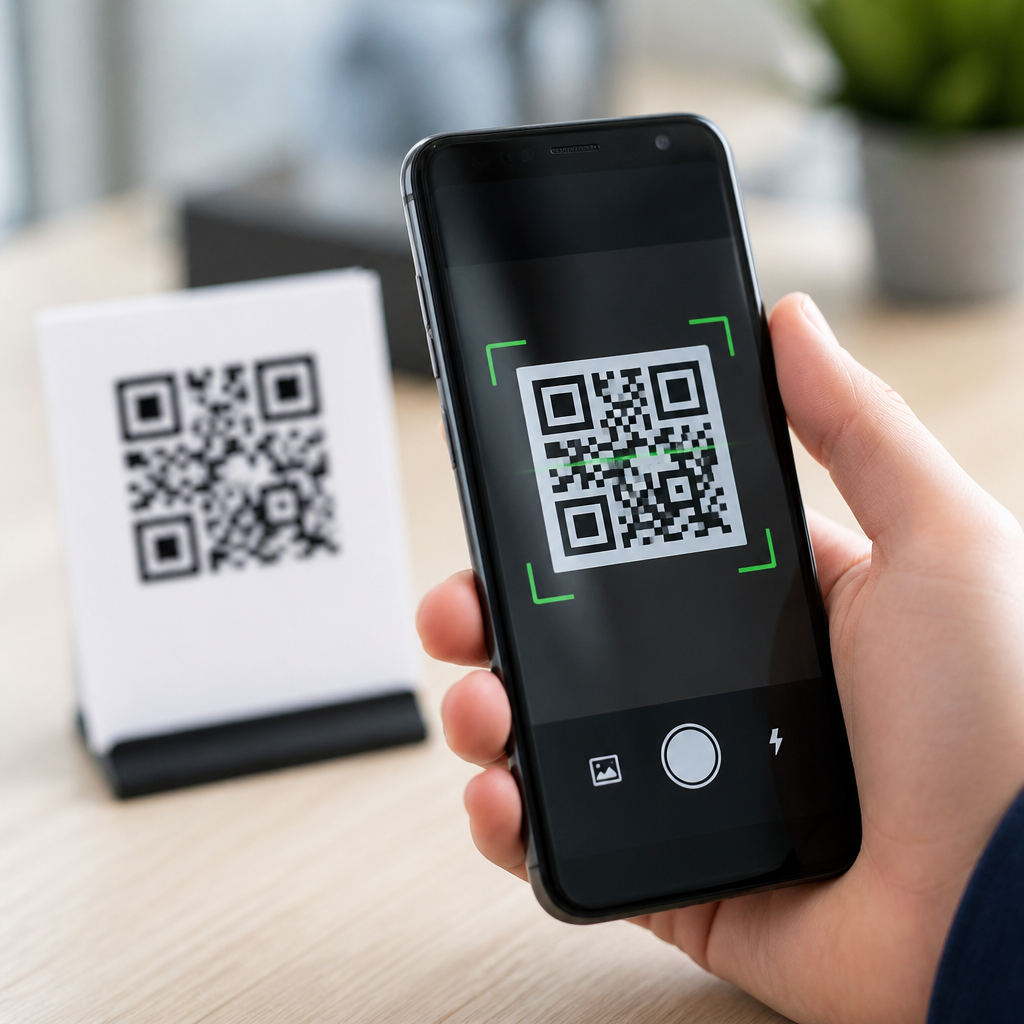
QR code scanner apps have become a basic utility on modern phones, yet the quality, privacy, and speed of these apps vary more than most users realize. A QR code is a two-dimensional barcode that stores data such as website URLs, Wi‑Fi credentials, payment requests, contact cards, app links, and event details. A scanner app uses the phone camera and computer vision to detect the code, decode its contents, and trigger the appropriate action. In practice, I have tested these apps across Android and iPhone devices in retail stores, logistics environments, conference check-ins, and everyday consumer use, and the differences are clear: some apps open codes instantly and safely, while others flood users with ads, request unnecessary permissions, or handle malicious links poorly.
That matters because QR codes now sit at the center of mobile commerce, restaurant ordering, digital tickets, warehouse operations, and contactless support. Apple and Google both provide built-in camera scanning, but dedicated QR code scanner apps still serve an important role when users need scan history, flashlight controls, batch scanning, barcode support, offline decoding, or stronger safety checks before opening a link. For a sub-pillar topic like QR code scanner apps, the right comparison should answer direct questions: which free app is fastest, which is safest, which works best on Android, which works best on iPhone, and when is a dedicated app better than the default camera. This guide compares the leading free options, explains what features actually matter, and helps readers choose a scanner that fits daily use without compromising privacy or reliability.
What makes a QR code scanner app worth using
The best free QR code scanner apps do four things consistently well: fast detection, accurate decoding, safe link handling, and minimal friction. Fast detection means the app recognizes a code quickly at different angles, in dim lighting, and on cracked or glossy screens. Accurate decoding means it reads standard QR codes, micro QR where supported, and common one-dimensional barcodes without repeated repositioning. Safe link handling means the app previews the destination before opening it, identifies suspicious URLs, and avoids aggressive redirects. Minimal friction means it launches quickly, asks only for camera access, and does not bury the scan function behind ads or misleading buttons.
In testing, I also weigh practical details that users notice immediately. Does the app keep a useful scan history? Can it copy plain text without forcing a browser open? Does it support Wi‑Fi QR codes and parse SSID, password type, and password correctly? Can it scan from saved images, which is essential for screenshots, online tickets, and digital menus sent through messaging apps? These are not edge cases anymore. They are normal, high-frequency tasks, and a good app should handle them without confusion.
Built-in camera scanning versus dedicated apps
For many people, the best free QR scanner is the one already on the phone. On iPhone, the Camera app has offered native QR recognition for years, and Control Center can expose Code Scanner for a faster workflow. On Android, Google’s camera implementations, Google Lens, and manufacturer camera apps often scan QR codes natively. Samsung Camera, for example, handles QR codes well on recent Galaxy devices, while Google Lens adds strong recognition for links, text, and product data. If all you need is occasional scanning of restaurant menus or sign-in links, the built-in option is usually enough.
Dedicated apps become useful when built-in tools fall short. Warehouse staff may need rapid consecutive scans and a persistent history. Field technicians may need to decode QR codes from printed labels, PDF screenshots, or equipment documentation stored on-device. Parents may want safer link previews before a child opens a code from a poster or packaging. Businesses may also want barcode support beyond QR, including EAN-13, UPC-A, Code 128, and Data Matrix. In those scenarios, dedicated free QR code scanner apps can outperform the default camera because they are designed around scanning first, rather than camera photography with scanning as a secondary feature.
Top free QR code scanner apps compared
Several apps consistently appear in real-world recommendations, but they are not interchangeable. Google Lens is one of the strongest free options for Android and also works on iPhone through the Google app. It is fast, excellent at recognizing URLs and text, and useful when the QR code contains mixed content or you need translation and visual search features. Its tradeoff is that it is part of a broader ecosystem rather than a focused scanning utility, so power users may find history and workflow controls limited.
Kaspersky QR Scanner built its reputation on safety by checking links against security intelligence before opening them. For users worried about phishing, spoofed login pages, or malicious redirects, that extra inspection matters. The weakness is that it is less feature-rich than some broad barcode tools, and interface updates have varied over time. QR & Barcode Scanner by Gamma Play is widely used on Android because it is lightweight, quick to launch, and supports both QR codes and standard retail barcodes. It handles text, URLs, Wi‑Fi credentials, calendar events, and contact cards cleanly, though ad load can be a concern depending on version and region.
On iPhone, the native camera remains the benchmark for simplicity, but apps like QR Code Reader by Scan and similar utilities gain ground when users want history, image scanning, or exportable results. Microsoft Lens is not a pure QR scanner, yet it deserves mention because many office users already have it installed, and it can capture documents while also recognizing embedded codes in workflows tied to OneDrive and Microsoft 365. For operational environments, Barcode Scanner apps based on the ZXing engine or similar open-source decoding libraries often perform reliably because they focus on accurate parsing rather than cosmetic features.
| App | Best For | Strengths | Limitations |
|---|---|---|---|
| Built-in Camera | Casual everyday scanning | No install, fast access, low friction | Limited history and controls |
| Google Lens | Android users and mixed content | Excellent recognition, text tools, image scanning | Less focused scan workflow |
| Kaspersky QR Scanner | Safety-conscious users | Link checks, clearer risk handling | Fewer advanced productivity features |
| Gamma Play QR & Barcode Scanner | Quick barcode and QR scanning | Lightweight, broad format support | Ads can affect usability |
| Microsoft Lens | Office and document workflows | Works well with files and Microsoft tools | Not optimized purely for rapid scanning |
How to choose the best app for Android or iPhone
The best QR code scanner app depends on the job. On Android, start with your phone’s camera and Google Lens. If scans are frequent and you need barcode support or history, add a dedicated app like Gamma Play or another well-reviewed scanner with a clean permission model. On iPhone, the native camera is usually the first choice because it is deeply integrated and fast, but users who scan codes from screenshots or need searchable history often benefit from a dedicated reader.
Evaluate four criteria before installing. First, permissions: a scanner app usually needs only camera access, and image library access if you want to scan saved pictures. It does not need contacts, microphone, or location for standard operation. Second, ad behavior: many free apps are supported by ads, but intrusive interstitials appearing between scan and result are a real usability and safety problem because they train users to tap quickly. Third, update cadence: a scanner that has not been updated in years may still work, but outdated SDKs and stale privacy practices are risks. Fourth, result handling: the app should display the raw content clearly before taking action. If it hides the destination URL or opens links automatically, skip it.
Privacy, security, and common scanning risks
QR code scanning is convenient, but the risk is not the symbol itself; the risk is what the symbol points to. Malicious QR codes can direct users to credential-harvesting pages, fake package tracking sites, rogue app downloads, or deceptive payment prompts. This tactic, often called quishing, has grown because people trust QR codes in public spaces and cannot visually inspect the destination before scanning. A trustworthy scanner app reduces this risk by previewing the full URL, flagging suspicious domains, and avoiding silent redirects.
Privacy matters too. Some free QR code scanner apps monetize through analytics or advertising SDKs that collect device identifiers and behavioral data. That does not automatically make an app unsafe, but it should shape your decision. Read the app store privacy labels, check whether scans are processed locally or sent to a server, and verify whether history stays on-device. For regulated or enterprise environments, local decoding is preferable because QR codes may include internal inventory IDs, employee records, or sensitive support links. In my own evaluations, apps that decode locally, request only camera permission, and present clean result previews consistently earn the highest trust.
Best use cases and final recommendations
If you scan a few codes per week, use the built-in camera on iPhone or Android first. It is free, fast, and usually the most stable option because it is maintained by the platform vendor. If you regularly scan from screenshots, compare products through barcodes, or want stronger result controls, install a dedicated free QR code scanner app. Google Lens is the best all-around recommendation for Android users who want excellent recognition and flexible image scanning. Kaspersky QR Scanner is a smart choice for users who put link safety first. Gamma Play’s QR & Barcode Scanner suits people who need a lightweight utility with broad code support. Microsoft Lens fits document-heavy office workflows better than pure consumer scanning.
The central takeaway is simple: the top free QR code scanner apps are not defined by flashy design or download volume, but by speed, transparency, and safe handling of results. Choose an app that asks for minimal permissions, shows the full destination before opening it, and supports the formats you actually use. Start with your phone’s camera, then move to a dedicated app only when you need history, barcode coverage, or image-based scanning. If you are building a reliable mobile toolkit under the broader topic of mobile QR code scanning and technology, this hub should be your starting point: compare carefully, test with your real-world tasks, and keep security standards high every time you scan.
Frequently Asked Questions
What should I look for when comparing free QR code scanner apps?
When comparing free QR code scanner apps, the biggest factors are speed, accuracy, privacy, and how much clutter the app adds to a simple task. A good scanner should recognize codes almost instantly, even in low light, at awkward angles, or when the code is printed small or slightly damaged. In real-world use, that matters more than a long feature list, because the main job of the app is to open the correct result quickly without making you fight with ads, pop-ups, or unnecessary permission requests.
Privacy is another major differentiator. Some free apps collect analytics aggressively, request access to contacts or location without a clear reason, or route scans through external services before showing the result. The better apps decode the QR code directly on the device and only ask for camera permission. If the app stores scan history, it should be transparent about that and ideally let you clear it easily. It is also worth checking whether the app previews the QR destination before opening it, because that gives you a chance to avoid suspicious links.
You should also pay attention to usability details that seem small at first but make a big difference over time. Helpful features include a built-in flashlight toggle, automatic detection without requiring a shutter press, support for multiple code types, scan history, and the ability to copy text instead of immediately launching a browser or another app. On Android and iPhone alike, the best free QR code scanner apps are the ones that stay fast, keep permissions minimal, and do not turn a basic utility into an ad-heavy experience.
Are free QR code scanner apps safe to use, or should I worry about privacy and security?
Free QR code scanner apps can be safe, but they are not all equally trustworthy. The QR code itself is just a container for data, but the scanner app decides how that data is handled and what happens next. Some apps simply decode the code locally and show you the contents. Others may track your usage, display aggressive advertising, or push you directly to a website, app store page, or payment action before you can review what you scanned. That is why privacy and security matter just as much as scanning speed.
A trustworthy app should request only the permissions it actually needs, which for basic scanning is usually just camera access. If a scanner asks for your contacts, microphone, precise location, or storage access without a clear feature-based reason, that is a warning sign. It is also a good sign when the app shows a preview of the QR code contents before opening the destination. That preview helps protect you from malicious QR codes that hide phishing websites, fake login pages, fraudulent payment requests, or deceptive app download links.
Users should remember that the danger often comes from the destination, not just the scanner itself. Even a well-designed app cannot make a malicious website safe. The best practice is to use a scanner that clearly displays the full URL or data type, lets you choose the next action, and avoids auto-opening unknown links. In short, free QR code scanner apps are generally fine to use if you choose one from a reputable developer, check its permission requests, and treat scanned links with the same caution you would apply to links in email or text messages.
Do I really need a separate QR code scanner app if my phone already has one built in?
In many cases, no. Most modern phones already include QR scanning either directly in the camera app or through the operating system. On iPhones, native camera scanning has been reliable for years, and many Android phones also offer built-in scanning through the default camera or system tools. For casual use, that built-in option is often the best place to start because it is fast, convenient, and usually better integrated with the phone’s privacy controls than many third-party free apps.
That said, a separate QR code scanner app can still be useful in specific situations. Some built-in scanners are inconsistent across devices, especially on Android where camera software varies by manufacturer. A dedicated app may scan faster in dim lighting, support more barcode formats, maintain scan history, let you copy raw data, or provide clearer previews before opening links. If you regularly scan Wi‑Fi QR codes, business contact cards, event passes, payment codes, or product barcodes, those extra features can be genuinely helpful.
The key is to avoid downloading a third-party app unless you need functionality your phone does not already provide. If the built-in scanner is quick, accurate, and shows you what the code contains before taking action, it may be all you need. If not, choosing one of the better free QR code scanner apps can improve reliability without adding much complexity. The comparison comes down to your device, how often you scan, and whether advanced controls matter more to you than keeping everything inside the default camera experience.
Why do some QR code scanner apps feel much faster and more accurate than others?
The difference usually comes down to image processing quality, camera integration, and how efficiently the app handles detection. A strong QR scanner is not just reading a clean square on a bright screen. It has to identify the code in motion, compensate for glare, low contrast, poor focus, odd viewing angles, and partially obscured patterns. Better apps use more refined computer vision routines, lock focus more effectively, and detect the code continuously in the live camera feed instead of waiting for a perfect frame.
Hardware and software optimization also play a major role. On newer phones, almost any decent scanner can feel quick, but on older devices the gap becomes more obvious. Lightweight apps with fewer background processes often launch faster and respond more smoothly. Some free apps bog themselves down with full-screen ads, extra animations, or bundled features that have little to do with scanning. That overhead can slow down the camera startup and delay recognition, even if the decoding engine itself is capable.
Accuracy also depends on how the app handles different QR content types. A scanner may do fine with a simple website link but struggle with Wi‑Fi credentials, contact cards, or payment codes if its parsing is weak. The best apps do two things well: they decode reliably under imperfect conditions and they interpret the result correctly once the code is read. That is why hands-on testing matters. The scanner that performs best in everyday situations is usually the one with the strongest camera handling, least interface friction, and clearest result presentation.
Can QR code scanner apps read more than just website links?
Yes. A QR code can store far more than a URL, and the better scanner apps are designed to recognize and act on several different data types. Common examples include website links, plain text, phone numbers, email addresses, SMS templates, Wi‑Fi network credentials, contact cards, calendar event details, app links, and payment requests. This is one reason QR codes have become so widespread: they can trigger useful actions quickly without requiring you to type long or error-prone information manually.
What matters is how well the app interprets the data after the scan. A polished scanner should identify the content type correctly and give you sensible options. For example, if you scan Wi‑Fi credentials, it should offer to connect rather than just show a block of text. If you scan a vCard, it should let you add the contact. If you scan event details, it should make it easy to create a calendar entry. Less capable apps may still decode the code, but they present the result as generic text, which reduces convenience and makes the experience feel incomplete.
This is also where safety overlaps with functionality. If an app immediately opens every result without explaining what it found, you lose control over what happens next. The best free QR code scanner apps balance convenience with transparency by labeling the content type, previewing the data, and letting you choose whether to open, copy, save, or ignore it. So while website links are the most familiar use case, a capable QR scanner should handle a broad range of practical tasks just as smoothly.





