
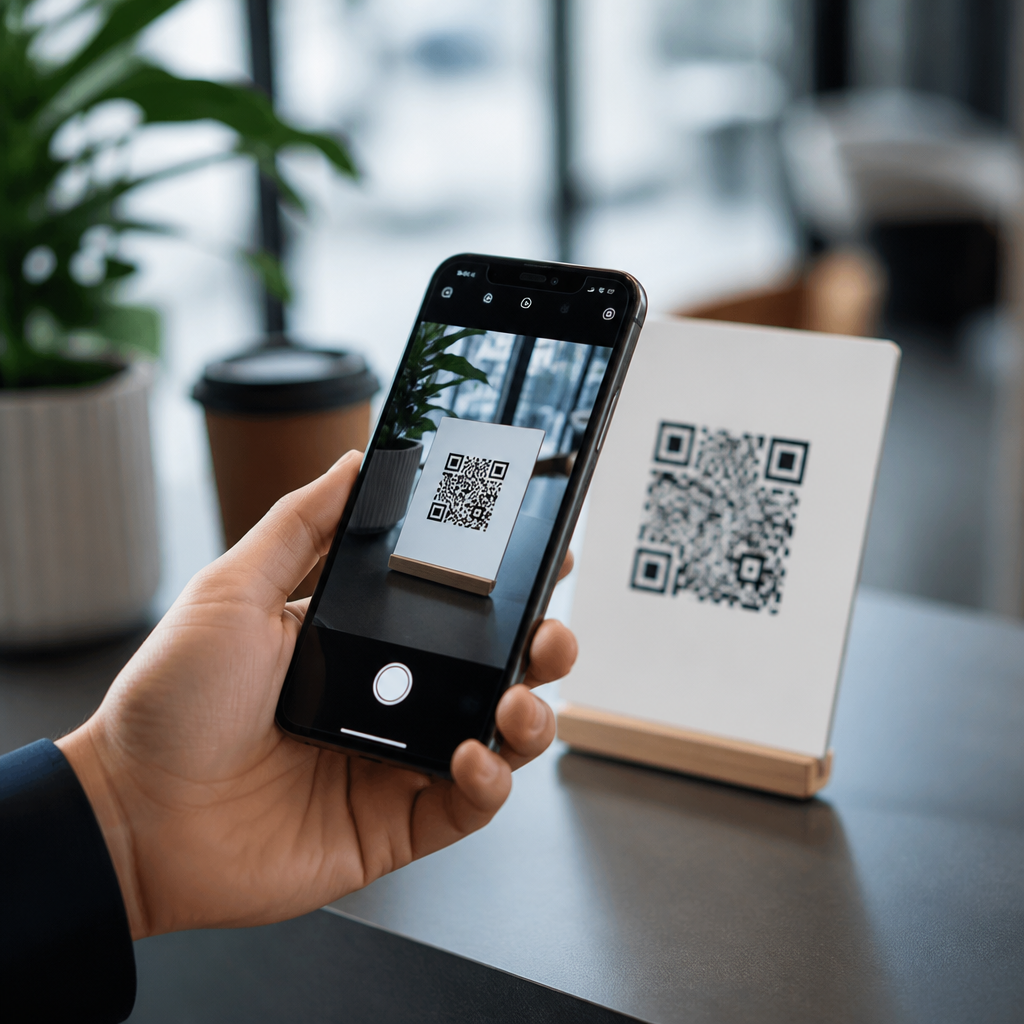
Modern phones no longer need dedicated QR apps because QR scanning has moved from a niche utility into a built-in camera function supported deeply by iOS and Android. A QR code, or Quick Response code, is a two-dimensional barcode that stores links, contact details, Wi-Fi credentials, payment requests, and app actions in a square matrix of black and white modules. Years ago, scanning one usually meant downloading a separate QR reader, granting broad permissions, and hoping the app recognized the code quickly. Today, that extra step is unnecessary for most users because camera integration and operating system support handle the job faster, more securely, and with less friction.
This change matters because QR codes are now part of everyday mobile behavior. Restaurants publish menus through codes, offices use them for guest check-ins, transit systems attach them to tickets, and retailers place them on packaging, shelves, and receipts. Apple added native QR recognition to the Camera app in iOS 11, and Google integrated similar functionality across Android through Google Lens, the camera app on Pixel devices, and manufacturer camera software. Samsung, Xiaomi, OnePlus, Motorola, and other major brands now ship devices that can scan QR codes directly from the camera viewfinder or quick settings panel. As a result, the question is no longer whether a phone can scan a QR code, but how the operating system manages detection, prompts, and security behind the scenes.
From experience rolling out QR workflows for customer check-in, field service documentation, and Wi-Fi onboarding, the biggest gain from native scanning is reliability. When the camera and operating system work together, there are fewer crashes, fewer permissions issues, and fewer support tickets from users who cannot figure out which app to install. Native support also improves discoverability: the user points the camera, sees a banner, taps, and completes the task. That simplicity is why camera integration has become the standard foundation for mobile QR code scanning technology.
How Native Camera QR Scanning Works
Modern phones detect QR codes through image processing layers built into the camera stack and operating system. The camera continuously analyzes frames for recognizable patterns, then passes a detected code to a decoding engine that interprets the encoded payload. If the content is a URL, the system presents a safe, tappable prompt rather than opening the link automatically. If the payload is a phone number, calendar event, contact card, or Wi-Fi network string, the operating system maps that data type to the appropriate action. This is significantly more efficient than older third-party apps, which often opened their own browser windows, stored scan histories insecurely, or interrupted the flow with ads.
On iPhone, the default Camera app can recognize QR codes without additional software, and the Code Scanner control in Control Center offers a more focused scanning mode. Apple’s implementation is tightly integrated with Safari, Wallet, Contacts, Shortcuts, and Wi-Fi onboarding. On Android, the exact interface varies by brand, but the principle is consistent: the camera or Lens service detects the code, then hands off the action to Chrome, Maps, Wi-Fi settings, or another system component. In practical use, this means better speed and fewer compatibility issues because the scanner is maintained as part of the platform instead of as a standalone utility.
Native integration also improves accessibility and consistency. The same notification style, tap target, and permission model appear across other system interactions, so users do not have to learn a separate interface. For organizations deploying QR-based processes, this lowers abandonment rates. A customer scanning a loyalty sign, for example, is more likely to complete the action when the phone displays a familiar system banner than when an unfamiliar app asks for camera, storage, and location permissions all at once.
Why Operating System Support Replaced Dedicated QR Apps
The main reason dedicated QR apps faded is that their original advantage disappeared. In the early smartphone era, default camera apps could capture photos but could not interpret machine-readable codes in real time. Third-party developers filled that gap. Once Apple, Google, and major Android manufacturers added native QR parsing, separate apps lost most of their purpose. Today, the operating system provides the same core capability with less setup, fewer privacy concerns, and better performance on current hardware.
Security is a major factor. Built-in scanners usually present a preview of the destination before opening it, reducing the risk of being redirected instantly to a malicious site. Operating systems also benefit from regular security updates, certificate handling, phishing protections in the browser, and standardized permission controls. By contrast, many free QR apps historically monetized through aggressive advertising SDKs or data collection practices that were unrelated to scanning itself. In audits I have run on enterprise-managed devices, removing redundant scanning apps consistently reduced attack surface and simplified mobile device management policies.
There is also a maintenance advantage. Native scanning improves automatically as phones receive OS updates, camera firmware improvements, and computational photography enhancements. Better autofocus, low-light processing, and edge detection all help QR recognition even though they were not built solely for QR codes. That means the scanning experience gets better over time without asking the user to change apps. For a subtopic hub focused on camera integration and OS support, this is the central point: QR scanning is no longer a separate feature bolted onto the phone; it is a native mobile capability embedded into the platform.
iPhone and Android QR Support Compared
Both major mobile platforms now support QR scanning natively, but they differ in presentation, defaults, and ecosystem tie-ins. iPhone offers a highly standardized experience because Apple controls both hardware and software. Android offers wider variation because camera apps differ by manufacturer, although Google Lens has made support more consistent. The table below outlines the practical differences users and site owners should understand.
| Platform | Where scanning happens | Typical actions supported | Important notes |
|---|---|---|---|
| iPhone | Camera app, Control Center Code Scanner | Open URLs, join Wi-Fi, add contacts, trigger app clips, open Wallet links | Consistent across current iOS versions; strong integration with Apple services |
| Pixel and stock Android | Camera app, Google Lens | Open links, copy text, join networks, launch Maps, translate mixed visual content | Lens adds broader visual search capabilities beyond QR recognition |
| Samsung and other Android brands | Camera app, quick settings scanner, Lens or browser tools | Open URLs, parse payment codes, connect to Wi-Fi, extract data fields | Support is strong but menu placement and labels can vary by model and software skin |
For most consumers, these differences are minor. For publishers, product teams, and marketers, they matter because the landing experience starts before a page loads. If a code triggers an App Clip on iPhone, a Wallet pass, or a deep link into Maps, the phone can complete the task with fewer taps. On Android, Lens may also interpret surrounding context, such as text near the code, which can help users understand where a scan will lead. That broader visual intelligence is another reason standalone QR apps no longer define the experience.
Practical Benefits of Built-In QR Scanning
Built-in scanning reduces friction at every stage of the user journey. The first benefit is speed: there is no app install, no account setup, and no learning curve. The second is trust: users are more comfortable interacting with a system-level camera prompt than with a random scanner app they found in an app store. The third is compatibility: native scanners understand standard QR payload formats such as URL, vCard, mailto, SMS, tel, and Wi-Fi configuration strings, so they work across common business use cases.
In real deployments, this translates into measurable gains. A hotel replacing printed Wi-Fi instructions with a QR code can expect fewer front-desk questions when guests simply scan through the default camera and join the network. A warehouse attaching QR codes to equipment manuals gets better adoption when technicians do not need extra apps on managed devices. A restaurant menu QR performs better when every current iPhone and nearly every recent Android phone can open it instantly. Removing the dependency on a third-party app increases completion rates because every extra step in mobile interaction causes drop-off.
Native support also helps content owners design better experiences. Because users arrive through standard browser and system flows, analytics, page speed optimization, and deep linking behave more predictably. Teams can connect QR entry points to responsive landing pages, digital business cards, payment pages, support portals, or internal knowledge bases without worrying that an intermediate scanner app will alter the link handling. That consistency is especially valuable for a hub page covering mobile QR code scanning and technology, because it connects camera behavior directly to downstream mobile web performance.
Limits, Edge Cases, and When a QR App Still Helps
Native scanning is the default choice, but there are edge cases where a dedicated QR app still has value. Some industrial workflows require batch scanning, persistent scan logs, offline decoding, or support for uncommon barcode symbologies beyond QR, such as Data Matrix, Code 128, PDF417, or GS1 formats used in logistics and healthcare. In those situations, specialized tools like Scandit, Zebra DataWedge, or enterprise mobility software can offer better controls than the consumer camera app. The key distinction is that these are professional scanning requirements, not everyday consumer needs.
Older phones can also be inconsistent. Devices running outdated operating systems may lack native support or hide it behind disabled settings. Some low-cost Android handsets ship with stripped-down camera apps that rely on Lens or a browser utility rather than direct in-camera detection. Poor lighting, cracked lenses, glossy print surfaces, and tiny code sizes can reduce performance as well. Even then, the solution is often not a generic QR app but better code design: higher contrast, adequate quiet zones, larger print dimensions, and testing across multiple devices.
The practical takeaway is straightforward. If your audience uses current phones, assume native QR scanning is available and optimize for that behavior. Build mobile-friendly destinations, use clear call-to-action text near the code, and test on iPhone and several Android camera apps. If your workflow depends on advanced scan management, then evaluate specialized tools deliberately instead of defaulting to consumer QR readers.
Modern phones no longer need QR apps because camera integration and operating system support have made QR scanning a standard mobile function. The default camera on iPhone and the camera or Lens experience on Android can recognize codes quickly, identify the payload type, and route users into the right action with minimal friction. That shift improves usability, security, and adoption across everyday scenarios such as menus, payments, Wi-Fi access, product information, event check-in, and support links.
For teams building QR-driven experiences, the main benefit is predictability. When scanning starts at the system level, users encounter fewer barriers, and organizations can focus on the quality of the destination instead of explaining how to install a reader. There are still exceptions in industrial and enterprise environments, but for mainstream mobile behavior, dedicated QR apps are largely obsolete. Audit your current QR touchpoints, test them with native camera scanning on recent iPhone and Android devices, and design every code destination for a fast, trustworthy mobile experience.
Frequently Asked Questions
Why don’t modern phones need separate QR code scanner apps anymore?
Most modern phones no longer need dedicated QR apps because QR scanning is now built directly into the camera and operating system. On current iPhones and most Android devices, you can usually just open the Camera app, point it at a QR code, and tap the prompt that appears. That built-in support is possible because QR codes have gone from being a niche tool to a mainstream part of everyday digital life, used for websites, restaurant menus, Wi-Fi sharing, app downloads, payments, event check-ins, and contact information.
Built-in scanning is also more convenient and often more secure than installing a third-party reader. In the past, users typically had to download a separate app, accept a long list of permissions, and rely on software of uneven quality. Today, the phone’s native camera can recognize a QR code as part of the system itself, which reduces friction and removes the need for extra downloads. For most people, that means fewer apps, less clutter, and a faster experience every time they scan.
What exactly is a QR code, and what kinds of information can it store?
A QR code, short for Quick Response code, is a two-dimensional barcode made up of small black and white squares arranged in a larger square grid. Unlike a traditional one-dimensional barcode, which usually stores a simple product number, a QR code can hold much more information in a format that smartphones can quickly interpret. That is one of the main reasons QR codes became so useful once phone cameras and mobile operating systems matured enough to support them natively.
QR codes can store many different types of data. The most common use is a web link, but they can also contain contact cards, Wi-Fi network credentials, text messages, email prompts, phone numbers, app actions, map locations, calendar details, and payment requests. When scanned, the phone reads the encoded data and presents the appropriate action, such as opening a webpage, joining a wireless network, or starting a payment flow. That flexibility is exactly why smartphone makers integrated QR support directly into the camera experience rather than treating it as something users should handle through separate apps.
How do iPhone and Android phones scan QR codes without extra software?
Both iPhone and Android phones use built-in image recognition in the camera app and operating system to detect QR codes in real time. When the camera sees the square pattern of a QR code, the phone analyzes it, decodes the embedded information, and then offers the relevant action on screen. On an iPhone, this typically appears as a notification banner or prompt near the top of the screen. On Android, the experience varies slightly by manufacturer, but most current devices provide a similar prompt directly in the Camera app, and many also include QR recognition through Google Lens.
This native integration matters because it makes QR scanning feel like a standard phone capability rather than a special feature. Users do not need to switch apps, sign up for an account, or troubleshoot poor recognition from a random download. The scanner is tied to the core camera software, which is frequently updated and optimized by Apple, Google, or the device manufacturer. In practical terms, that means better speed, better reliability, and a more seamless experience than the old model of installing one-off scanner apps.
Are built-in QR scanners safer than third-party QR code apps?
In many cases, yes. Built-in QR scanners are generally safer because they come from the phone’s operating system or default camera software rather than from an unknown app developer. Third-party scanner apps historically varied widely in quality. Some were perfectly legitimate, but many were bloated with ads, excessive permissions, tracking behavior, or confusing interfaces. Since QR scanning itself is now a standard feature, downloading a separate app often adds unnecessary privacy and security risk without offering much practical benefit.
That said, the bigger safety issue is not usually the scanner itself but the destination encoded in the QR code. A QR code can send you to a website, trigger a download, or initiate another action, so users should still be cautious before tapping unfamiliar links. Built-in scanners help by presenting the destination more clearly and within a trusted interface, but they cannot guarantee that the content behind the code is safe. The best approach is to use the phone’s native scanner and then apply common sense: check the link, be skeptical of unexpected codes, and avoid entering sensitive information on sites you do not trust.
Is there any reason to use a dedicated QR app today?
For the average user, usually not. If your phone is relatively current, the built-in camera already handles the most common QR tasks quickly and reliably. For everyday scanning, such as opening a menu, connecting to Wi-Fi, visiting a website, or viewing event information, a dedicated app is typically redundant. That is the core reason modern phones no longer need QR apps: the once-specialized function has become part of the default smartphone experience.
There are still a few niche cases where a separate app might make sense. Some advanced apps offer scan history, bulk scanning, custom code generation, analytics, inventory workflows, or enterprise-specific integrations. Businesses, warehouse teams, marketers, and power users may want those extra features. But for ordinary consumers, the camera app is almost always enough. In other words, dedicated QR apps have shifted from being essential tools to optional specialty software, which reflects just how fully QR functionality has been absorbed into modern mobile platforms.





