
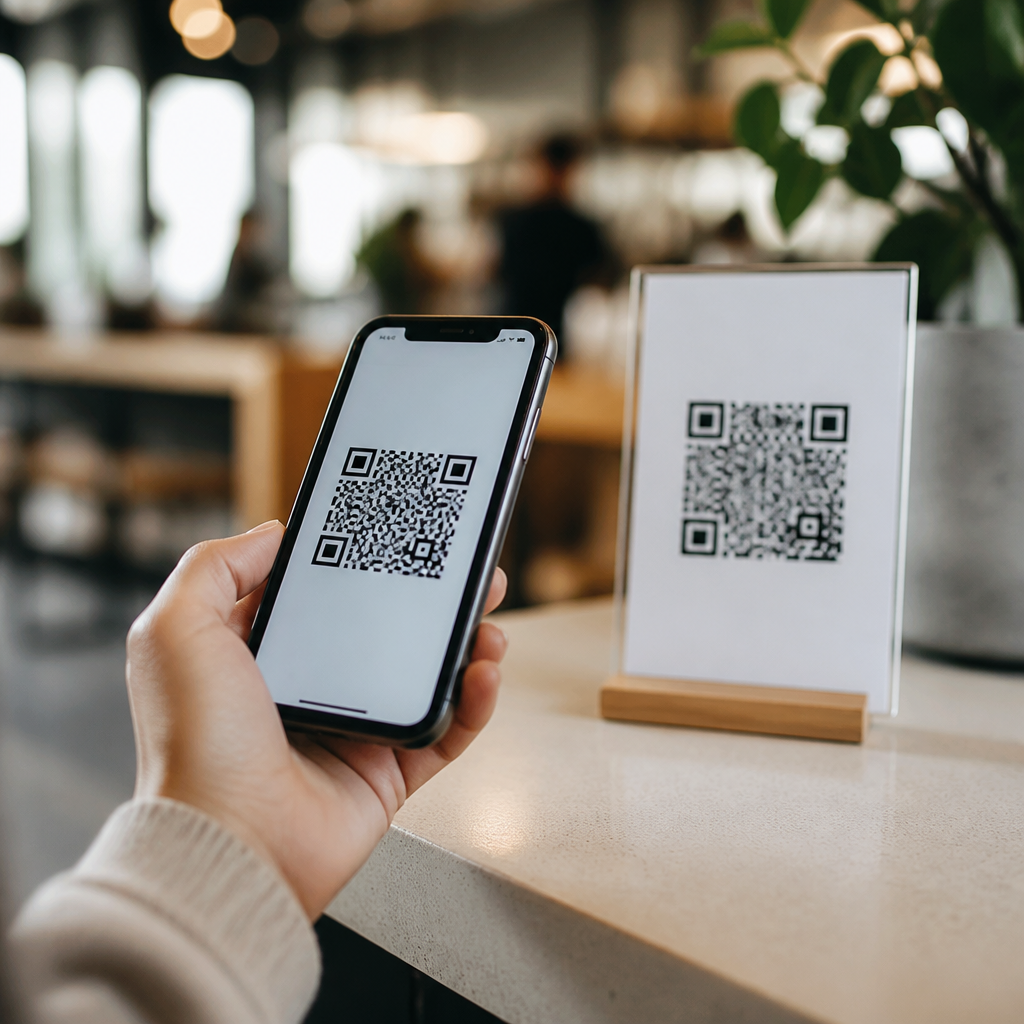
Mobile QR codes matter because they turn the smartphone into an instant bridge between physical spaces and digital actions. A QR code, short for Quick Response code, is a two-dimensional barcode that stores data such as a web address, contact card, app link, payment request, Wi-Fi credential, or product identifier. When scanned with a phone camera, the code launches a task without forcing the user to type a long URL or search manually. In a smartphone-first world, that speed is not a novelty. It is a core usability advantage.
When I have implemented QR code campaigns for retailers, events, and service businesses, the same pattern appears every time: people use them when the next step is obvious, fast, and clearly valuable. Mobile QR codes are specifically designed for that phone-based moment. They are not just generic QR symbols placed anywhere. They are codes built, tested, and optimized for mobile scanning behavior, mobile landing pages, mobile operating systems, and mobile conversion flows. That distinction matters because most users now encounter brands through a phone before any other device.
The growth of built-in camera scanning on iPhone and Android made QR codes mainstream by removing friction. During the pandemic, restaurants, health systems, and venues trained millions of people to scan codes for menus, forms, check-ins, and tickets. Since then, QR usage has expanded into packaging, payments, logistics, education, and customer support. For businesses, mobile QR codes matter because they compress the path from attention to action. For users, they reduce effort. For marketers and operators, they create measurable offline-to-online interactions.
What are mobile QR codes?
Mobile QR codes are scannable two-dimensional codes intended to be read primarily by smartphone cameras and to trigger mobile-friendly outcomes. The code itself may contain a static destination, such as a fixed URL, or a dynamic short link that redirects users based on rules, tracking parameters, language, device type, or campaign settings. In practice, a mobile QR code is only successful when the full experience works on a phone: the scan is fast, the destination page is responsive, the content loads quickly, and the action can be completed with a thumb in seconds.
Technically, QR codes can encode numeric, alphanumeric, binary, and Kanji data, and they include error correction levels that allow scanning even when part of the code is damaged. For mobile use, however, technical capacity is less important than practical design. A dense code with too much data may still be valid, yet harder to scan on a glossy poster in poor lighting. That is why experienced teams usually place a short URL or redirect inside the code rather than loading it with excessive information. Simpler encoding often produces a cleaner pattern and better mobile reliability.
Mobile QR codes typically support several use cases: opening a landing page, downloading an app, saving contact details through vCard, initiating SMS, connecting to Wi-Fi, starting a payment flow, verifying a ticket, or revealing product information. This sub-pillar hub connects those use cases under one principle: the smartphone is the default scanner, browser, wallet, ticket holder, and communication device. If your audience is reaching for a phone, a mobile QR code can remove multiple steps at once.
How mobile QR codes work in the real world
The process is straightforward. A user opens the native camera or scanning app, points it at the code, sees a preview prompt, and taps to continue. The operating system then passes the encoded content to the appropriate handler, usually a browser, dialer, maps app, or payment app. Behind that simple interaction is a chain of decisions that determines performance: code size, contrast ratio, print quality, lighting conditions, redirect speed, HTTPS security, page weight, and form complexity.
In field deployments, I have seen strong campaigns fail for avoidable reasons. A code placed too high on a store window forces awkward angles and reflections. A code on low-quality packaging loses edge definition and scans poorly. A code that opens a desktop page with a large PDF causes abandonment. Conversely, a well-executed code on a takeaway cup can drive thousands of repeat orders if it lands on a fast, mobile-optimized reorder page. The code gets credit, but the mobile journey does the real work.
| Use case | What the code does | Mobile benefit |
|---|---|---|
| Restaurant menu | Opens a hosted menu page | No app install, fast updates, easy ordering |
| Product packaging | Links to instructions or authenticity details | Instant support at point of use |
| Event ticketing | Validates entry or opens schedule | Phone becomes ticket and guide |
| Retail display | Sends users to product pages or coupons | Connects shelf browsing to checkout |
| Business card | Saves contact data to phone | Reduces manual typing and errors |
The most effective implementations follow established mobile standards. Pages should pass Core Web Vitals thresholds as closely as possible, redirects should be minimal, and forms should use autofill, large tap targets, and clear consent language. Codes should also be tested across current iOS and Android devices, because camera recognition can vary with distance, glare, and screen brightness when codes are displayed digitally.
Why mobile QR codes matter for customers and businesses
For customers, the value is convenience. Typing URLs on a small keyboard is slow, error-prone, and unnecessary when a camera can connect the user instantly. Mobile QR codes also reduce cognitive load. Instead of asking a customer to remember a promotion, search for a product, or locate support documentation later, the code delivers the next step in the moment of intent. That immediacy improves completion rates, especially for low-consideration actions like joining Wi-Fi, claiming a coupon, or opening setup instructions.
For businesses, mobile QR codes improve attribution and operational efficiency. A dynamic code can reveal scan counts, time of day, device type, approximate location, and campaign source when used with analytics platforms such as Google Analytics 4 or Adobe Analytics. A retailer can compare scans from in-store signage against direct traffic. A manufacturer can track which product inserts generate support visits. A venue can update a single destination without reprinting every sign. Those are practical gains, not theoretical ones.
There is also a cost advantage. Printing a QR code on packaging, receipts, posters, and inserts is inexpensive compared with building custom kiosks or training staff to repeat the same instructions. In service environments, codes can deflect routine support by linking directly to FAQs, video tutorials, booking forms, or live chat. In payments, standards such as EMV QR have enabled low-cost acceptance in many markets by letting customers pay through existing mobile banking or wallet apps. The exact workflow differs by country, but the principle is consistent: mobile QR codes lower friction at the point of action.
Types of mobile QR codes and when to use them
The first major distinction is static versus dynamic QR codes. A static code contains a fixed destination and cannot be edited after creation. It works well for permanent information that will not change, such as a canonical homepage, a long-term contact card, or a stable Wi-Fi password. A dynamic code points to a short redirect URL controlled from a platform. That allows destination changes, campaign tracking, expiration rules, A/B testing, and scan analytics without altering the printed code. For most business use cases, dynamic codes are the better long-term choice.
Destination type matters as much as code type. URL QR codes are the most common because they can route users to nearly any mobile experience. App deep link codes can open a specific screen in an installed app or send users to the App Store or Google Play if needed. vCard codes support lead capture and networking. SMS and phone codes can start a support request quickly, although they are less flexible than a mobile landing page. Payment QR codes, map links, calendar event codes, and document download codes each solve a specific mobile task.
Choosing the right type depends on user intent, environment, and lifecycle. If the code is on product packaging, users may need setup help, warranty registration, and care instructions over time, so a dynamic URL with a mobile hub page is ideal. If the code is on a conference badge, exchanging contact details through vCard may be the primary goal. If the code appears in a hotel room, Wi-Fi access and local information may be more useful than a promotional page. The best mobile QR code is the one that matches the exact context of the scan.
Best practices, risks, and the future of mobile QR codes
Good mobile QR code design starts with scanability. Use strong contrast, adequate quiet space around the code, and a size appropriate for viewing distance. As a rule of thumb, a code should be larger as scanning distance increases, and it should never be distorted to fit a layout. Branded codes can work, but excessive styling reduces reliability. I recommend testing printed samples under real conditions: sunlight, low light, cracked screens, older devices, and busy environments. That kind of practical testing catches issues analytics never will.
Security and trust are equally important. Because QR codes can hide destination URLs, users are vulnerable to phishing when malicious stickers are placed over legitimate codes. Businesses should use recognizable domains, HTTPS, and landing pages that clearly match the brand seen offline. In regulated sectors, add privacy disclosures and avoid collecting more personal data than needed. Accessibility matters too. A code should not be the only path to essential information; include a short URL or alternative instruction for users who cannot scan easily.
Looking ahead, mobile QR codes will remain important because they fit broader smartphone behavior. Phones now handle identity, payments, tickets, loyalty, navigation, messaging, and augmented reality. A single scan can launch any of those functions. The key takeaway is simple: mobile QR codes are not just squares on a sign. They are infrastructure for fast, measurable, low-friction action in the physical world. If you are building a smartphone-first customer journey, start by mapping where users pause, what they need next, and which mobile QR code experience will remove the most effort. Then test it, track it, and improve it.
Frequently Asked Questions
What makes mobile QR codes so important in a smartphone-first world?
Mobile QR codes matter because they remove friction at the exact moment a user is ready to act. In a smartphone-first world, people expect immediate access to information, services, and transactions directly from the device already in their hand. A QR code turns that expectation into a simple, fast interaction by connecting a physical object or location to a digital destination in seconds. Instead of typing a long web address, searching for a brand, or downloading materials later, users can scan and instantly open a website, menu, payment page, app download, form, video, map, or support resource.
This matters because convenience strongly influences behavior. The shorter the path between interest and action, the more likely someone is to complete that action. For businesses, that can mean higher conversions, better engagement, faster customer journeys, and fewer lost opportunities. For users, it means less effort and less confusion. QR codes are especially valuable in busy environments such as retail stores, restaurants, events, packaging, transit hubs, healthcare settings, and offices, where speed and clarity make a real difference. In short, mobile QR codes are important because they align perfectly with how people already use smartphones: quickly, visually, and on the go.
How do QR codes improve the user experience on mobile devices?
QR codes improve the mobile experience by making digital access nearly effortless. Smartphones are designed for immediate interaction, but traditional access methods can still create unnecessary obstacles. Typing URLs on a small screen, searching for the right page, or navigating through multiple menus introduces friction. A QR code eliminates those steps by taking the user directly to the intended destination with a single scan. That streamlined path feels natural on mobile and supports the kind of fast, task-oriented behavior that defines smartphone use today.
They also reduce errors and uncertainty. When a user scans a QR code on product packaging, a poster, a table tent, or a receipt, they know they are being directed to a specific resource chosen for that moment. That precision helps users get what they need faster, whether it is installation instructions, loyalty signup, event registration, Wi-Fi access, customer support, or a secure payment page. In many cases, QR codes also enable touchless interactions, which can improve convenience in public or shared settings.
From a usability standpoint, QR codes support context. A person scanning a code in a store may want product details, reviews, or stock information. Someone scanning at a restaurant likely wants the menu or payment options. Someone scanning at an event may want a ticket check-in page or schedule. Because the code can match the environment and the user’s immediate intent, the mobile experience becomes more relevant, efficient, and satisfying.
What types of actions can mobile QR codes trigger?
One of the main reasons QR codes are so useful is their flexibility. A mobile QR code can trigger a wide range of actions, all designed to help users move from the offline world to a digital task without delay. The most common use is opening a web page, but that is only the beginning. QR codes can also launch app download links, digital contact cards, payment requests, product authentication pages, customer feedback forms, social media profiles, video content, event registration pages, and promotional landing pages.
They are equally useful for practical utility tasks. For example, a QR code can connect a user to a Wi-Fi network without manually entering credentials, prefill a text message, start an email draft, display a map location, or add contact information directly to a phone. In commercial settings, QR codes can support mobile checkout, order tracking, warranty registration, support documentation, and personalized campaign experiences. In service environments, they can provide onboarding instructions, appointment check-in, digital brochures, or account access.
This breadth of use cases is what makes QR codes especially powerful in a smartphone-first environment. They are not tied to one industry or one type of user journey. Instead, they function as a universal mobile shortcut that can be adapted to marketing, operations, customer service, education, healthcare, hospitality, and more. Their value comes from helping people complete real tasks immediately, using the device they rely on most.
Are mobile QR codes good for businesses, marketing, and conversions?
Yes, mobile QR codes can be highly effective for businesses because they simplify the path from attention to action. In marketing, speed matters. If a customer sees a product display, flyer, ad, package, or storefront sign and has to remember the brand and look it up later, there is a strong chance that interest will fade. A QR code captures that moment by giving the user a direct route to the next step right away. That next step might be learning more, signing up, claiming an offer, making a purchase, downloading an app, or joining a loyalty program.
QR codes also work well because they connect offline and online channels. A printed asset no longer has to be static. Packaging can lead to tutorials or product verification. In-store signage can lead to real-time inventory or reviews. Event materials can lead to schedules, speaker bios, or lead capture forms. Restaurant tables can lead to menus and payment. This ability to make physical touchpoints interactive gives businesses more value from existing materials and environments.
From a performance perspective, QR codes can support measurement and optimization when paired with trackable links or dynamic destinations. Businesses can evaluate scan activity, campaign timing, location performance, and user response. That data helps marketers understand which placements and offers are working and where the customer journey can be improved. When implemented thoughtfully, QR codes do more than provide convenience. They become a practical conversion tool that supports acquisition, engagement, retention, and customer experience.
What should businesses keep in mind when using QR codes on mobile?
Businesses should treat QR codes as part of the full customer journey, not just as a visual add-on. The first priority is relevance. A QR code should lead to something that makes sense in the context where it appears. If a user scans a code on packaging, they should arrive at useful product information, setup guidance, care instructions, or warranty details. If the code appears in a storefront window, the landing page should be mobile-friendly and designed for quick action, such as browsing products, booking an appointment, or finding store hours.
Mobile optimization is essential. Since the scan happens on a smartphone, the destination must load quickly, display properly on smaller screens, and present a clear next step. Slow pages, cluttered layouts, or confusing navigation undermine the benefit of the code. Clear labeling also matters. People are more likely to scan when they know what they will get, so a short prompt such as “Scan to view menu,” “Scan to pay,” or “Scan for setup instructions” improves trust and response rates.
Businesses should also prioritize readability and accessibility. The code must be large enough to scan easily, placed where lighting and distance support use, and printed with enough contrast to remain reliable. Testing across devices is important to ensure consistent performance. Finally, security and trust should not be overlooked. Users are more willing to scan codes from recognizable brands and clear contexts, especially when the resulting page looks professional and matches expectations.
When these best practices are followed, mobile QR codes become far more than a trend. They serve as a reliable bridge between physical touchpoints and digital actions, helping businesses meet modern consumers where they already are: on their smartphones, ready for instant access.





