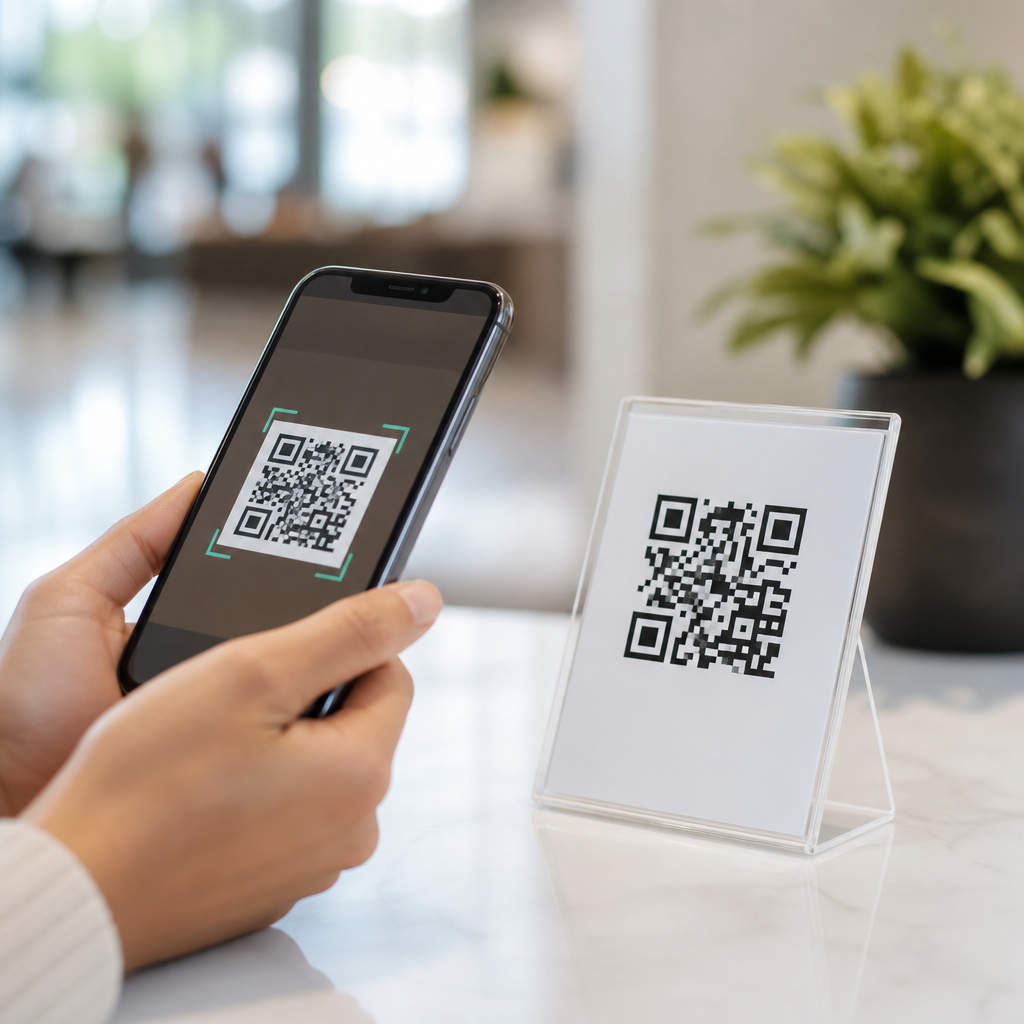
Mobile QR codes have become one of the simplest ways to connect people, devices, and information because they turn a smartphone camera into an instant bridge between the physical and digital world. A QR code, short for Quick Response code, is a two-dimensional barcode that stores data such as a URL, contact card, payment request, app link, Wi-Fi credential, ticket, or product identifier. When scanned with a phone, the code removes friction: no typing long addresses, no spelling mistakes, and no searching through menus. That convenience is why mobile QR codes now appear on restaurant tables, shipping boxes, bus stops, event badges, medicine packaging, and retail displays.
In practice, mobile QR codes matter because smartphones are already in nearly every customer’s hand. Apple integrated native QR scanning into the Camera app years ago, and Android followed with broad support through the camera and Google Lens. As a result, most users do not need to download anything before scanning. That small detail changes behavior. In campaigns I have managed for retailers and service businesses, every extra step reduced engagement sharply. When scanning is built in, people act in the moment: they open a menu, claim an offer, pay a bill, register a product, or join a loyalty program before attention drifts.
Convenience also has a business dimension. A mobile QR code can update a printed sign with a digital destination, track scans by location or campaign, and support touchless interactions that save staff time. Dynamic codes let organizations change the linked content without reprinting the code itself, which is especially useful for packaging, posters, manuals, and long-running assets. For users, the benefit is speed and clarity. For businesses, the benefit is measurable, low-cost access to mobile actions. Understanding why mobile QR codes are so convenient starts with one principle: they reduce the number of steps between intent and action.
They remove friction from everyday mobile tasks
The main advantage of mobile QR codes is that they replace manual entry with a single scan. That sounds minor until you examine common tasks. Typing a website from a flyer creates opportunities for errors, especially when URLs include tracking parameters, mixed capitalization, or unfamiliar brand names. A QR code eliminates that problem. The same applies to entering an email address, downloading an app, joining Wi-Fi, or saving a phone number. On a mobile device, where screens are small and attention is limited, cutting steps matters more than it does on desktop.
This friction reduction improves completion rates. A diner can scan a table tent and open the menu immediately. A traveler can scan a boarding pass at a kiosk. A patient can scan a code on discharge paperwork to access aftercare instructions. In each case, the phone becomes both scanner and destination device, which is why mobile QR codes feel so natural. They fit the context in which people already use their phones: standing in line, commuting, shopping, or responding to packaging in their home.
Convenience also comes from consistency. The scan action is familiar across industries, so users do not need to learn a new interface every time. That predictability lowers hesitation, a factor behavioral designers often describe as cognitive load. A clear call to action such as “Scan to pay” or “Scan for setup guide” tells users exactly what will happen next.
They connect physical spaces to digital content instantly
Mobile QR codes are especially convenient because they make offline objects interactive. Printed materials have limited space and cannot change once produced, but a code on that material can point to updated content at any time. That is why QR codes work well on posters, packaging, receipts, product labels, museum placards, conference signage, and direct mail. Instead of cramming detail onto paper, organizations can move the richer experience to a phone.
For example, a product box can link to video assembly instructions, troubleshooting guides, warranty registration, and replacement parts. A real estate sign can open a mobile listing page with photos, price history, and a contact form. A utility bill can connect directly to a payment screen. In each example, the code shortens the gap between seeing an object and taking action on it.
That bridge is useful because the mobile web is now the default research environment for many consumers. Google has long emphasized mobile usability, and analytics platforms consistently show that users often begin discovery on phones even when they complete a purchase later on another device. A QR code supports that behavior by capturing intent at the exact moment interest appears in the real world.
They support faster transactions, service, and self-service
Another reason mobile QR codes are convenient is that they speed up operational tasks. Payment QR codes, widely used through wallets and banking apps, let customers pay without swiping cards or handling cash. Service desks can display codes for digital queueing, returns, or feedback forms. Hotels can provide codes for check-in instructions, property maps, and room service menus. Warehouses and field teams use QR labels to pull records, inspect assets, and confirm work orders from phones.
These workflows save time for both users and staff. During menu transitions in hospitality projects I have reviewed, QR access reduced the number of routine questions servers needed to answer and lowered reprint costs when prices changed. In support environments, codes on hardware can route customers to the exact model-specific documentation instead of making them search a general help center.
| Use case | What the user scans | Immediate benefit |
|---|---|---|
| Restaurant ordering | Table menu code | Opens current menu without waiting for print materials |
| Retail packaging | Product box code | Shows setup, warranty, and support in one mobile page |
| Events | Badge or ticket code | Speeds entry, check-in, and session access |
| Payments | Checkout payment code | Completes transaction quickly through a wallet or banking app |
| Offices and venues | Guest Wi-Fi code | Connects devices without typing network credentials |
Self-service is the underlying theme. When people can complete routine actions independently on their own phones, the experience feels faster and more controlled. That is a core convenience benefit, not just a novelty.
They are flexible, measurable, and easy to maintain
Convenience is not only about the person scanning; it also depends on the system behind the code. Mobile QR codes are easy to deploy because they work across print and screen surfaces, from a storefront poster to an in-app onboarding screen. Static QR codes are useful for permanent destinations such as a canonical homepage or a vCard. Dynamic QR codes are more powerful for campaigns and operations because the redirect target can change while the visible code stays the same.
That flexibility reduces maintenance costs. If a company updates a landing page, seasonal promotion, PDF manual, or app deep link, it does not need to reprint every brochure or package insert. Teams can also add UTM parameters for analytics, segment scans by channel, and compare performance by store, region, or creative version. Tools such as Google Analytics 4, Bitly, QR Code Generator, and Adobe Express are commonly used to track or produce QR assets, while enterprise platforms may add governance, access controls, and bulk management.
There are practical standards that improve results. Codes need sufficient contrast, a quiet zone around the symbol, and a destination optimized for mobile speed and readability. ISO/IEC 18004 defines the QR code symbology, and following scanner-friendly sizing practices avoids failed scans. In short, convenience scales when the code is technically sound and the landing experience matches mobile expectations.
They improve accessibility, trust, and user choice when implemented well
Mobile QR codes are convenient, but only when paired with good design and clear communication. The best implementations tell users what they will get before they scan, such as “Scan to download the assembly guide” or “Scan to join guest Wi-Fi.” That preview reduces uncertainty and increases trust. Branded short links, secure HTTPS destinations, and familiar domain names also reassure users that the code is legitimate.
Accessibility deserves equal attention. A QR code should not be the only way to access essential information, especially in environments where users may have older devices, weak connectivity, low vision, or limited digital confidence. Good practice includes printing a short URL under the code, using large enough symbols, avoiding glare on glossy surfaces, and placing the code where a camera can focus easily. For public signage, consider viewing distance and lighting. For packaging, test scans on curved surfaces and small labels.
When these basics are handled correctly, QR codes respect user choice rather than forcing it. People can scan when it helps them and ignore it when they prefer another path. That optional, low-effort utility is part of their appeal. The convenience comes from offering the fastest route without blocking alternatives.
Mobile QR codes are so convenient because they reduce friction, link physical moments to digital actions, and help people complete tasks on the device already in their hand. They make websites, payments, menus, support pages, tickets, Wi-Fi access, and product information faster to reach and easier to use. For organizations, they add flexibility, measurement, and lower update costs. For users, they save time and cut errors. The best results come from clear calls to action, mobile-friendly destinations, secure links, and accessible fallback options.
As a hub within Mobile QR Code Basics, this topic leads naturally into deeper questions: static versus dynamic codes, QR code design best practices, analytics, security, and industry-specific use cases. Start by auditing one customer journey with unnecessary steps, then test where a mobile QR code can remove them. When a scan replaces confusion with immediate action, the convenience is obvious.
Frequently Asked Questions
What makes mobile QR codes so convenient compared with typing a web address or searching manually?
Mobile QR codes are convenient because they remove nearly every small point of friction that normally slows people down when moving from an offline moment to an online action. Instead of asking someone to type a long URL, search for a business name, enter contact details by hand, or download an app after several extra steps, a QR code lets a smartphone camera handle the transition instantly. That means fewer errors, less time wasted, and a much smoother user experience overall. A person can simply point their phone at the code and arrive at the exact page, form, menu, ticket, file, or payment screen they need.
This convenience matters because small obstacles often cause people to give up. A misspelled website address, a confusing app store search, or a hard-to-read printed link can all interrupt the process. QR codes reduce that risk by sending users directly to the intended destination. In practical terms, that helps restaurants share menus, retailers promote products, event organizers distribute tickets, and businesses capture leads more efficiently. The core reason mobile QR codes feel so useful is simple: they turn a smartphone into an instant bridge between the physical world and digital information with almost no effort required from the user.
How do mobile QR codes connect the physical and digital worlds so effectively?
Mobile QR codes work so well because they translate a physical object or location into an immediate digital action. A printed sign, product package, business card, poster, receipt, table tent, or storefront window can contain a scannable code that links directly to useful content. Once scanned, the user can open a website, save a contact card, join Wi-Fi, start a payment, view product details, watch a video, claim an offer, or access directions. That direct handoff from something tangible to something interactive is what makes QR codes especially effective in everyday life.
They are also versatile enough to serve many industries and use cases without needing special equipment beyond a smartphone. A customer in a store can scan a code to read reviews. A patient in a clinic can scan one to check in. A traveler can access a boarding pass or transit ticket in seconds. A conference attendee can scan a badge or booth display to download materials without collecting paper. In each case, the mobile QR code eliminates the disconnect between seeing information in the real world and acting on it digitally. That ability to make information instantly accessible is a major reason QR codes have become such a practical tool.
What kinds of information can a mobile QR code store or link to?
One of the biggest reasons mobile QR codes are so convenient is that they can carry or trigger many different types of information. A QR code may open a website URL, launch an app download page, display a digital menu, save a vCard contact, start an email, send a text message, connect a user to Wi-Fi credentials, initiate a payment request, verify a ticket, or identify a product. This flexibility means the same basic scanning behavior can support very different customer needs without requiring users to learn a new process each time.
That range of uses makes QR codes especially valuable for businesses, organizations, and individuals trying to simplify communication. For example, instead of printing full contact details on a card and hoping someone enters them correctly, a code can instantly save the information to a phone. Instead of making guests ask for the Wi-Fi password, a code can connect them automatically. Instead of listing a long payment URL, a code can open the exact transaction screen. Because the format is so adaptable, mobile QR codes function like compact digital shortcuts that can be placed almost anywhere and used by nearly anyone with a modern smartphone.
Are mobile QR codes easy for most people to use?
Yes, and that ease of use is a major part of their appeal. Most modern smartphones can scan QR codes directly through the built-in camera app, so users usually do not need to download anything extra. In many cases, scanning is as simple as opening the camera, pointing it at the code, and tapping the prompt that appears on the screen. That low barrier to entry makes mobile QR codes accessible to a wide audience, including people who are not especially tech-savvy.
From a usability standpoint, QR codes also reduce cognitive effort. People do not have to memorize instructions, type complex strings of text, or navigate through multiple pages to find the right destination. They can complete an action in seconds, whether that action is viewing a menu, accessing a coupon, registering for an event, or logging into a service. For organizations, this simplicity often improves participation and response rates because the process feels fast and intuitive. When technology saves time without requiring training, adoption becomes much easier, and that is exactly where mobile QR codes excel.
Are mobile QR codes useful for businesses as well as everyday consumers?
Absolutely. For consumers, mobile QR codes offer speed, convenience, and accuracy in common tasks such as opening links, making payments, saving contact details, joining networks, and accessing digital tickets. For businesses, they provide a highly efficient way to guide customers toward specific actions while reducing friction at every step. A company can place a QR code on packaging, signage, ads, receipts, product labels, or in-store displays and instantly direct people to promotions, support pages, how-to videos, loyalty programs, reviews, or checkout options.
They are also useful because they can improve operational efficiency and customer experience at the same time. Restaurants can update digital menus without reprinting materials. Retailers can connect shoppers to inventory or product specifications. Service providers can speed up onboarding, appointment check-in, or invoice payments. Event organizers can streamline entry with scannable tickets. In many cases, businesses can also track scans, measure engagement, and refine campaigns based on real usage data. That combination of convenience for users and practical value for organizations is why mobile QR codes have become such a widely adopted tool across marketing, service, commerce, and communication.