
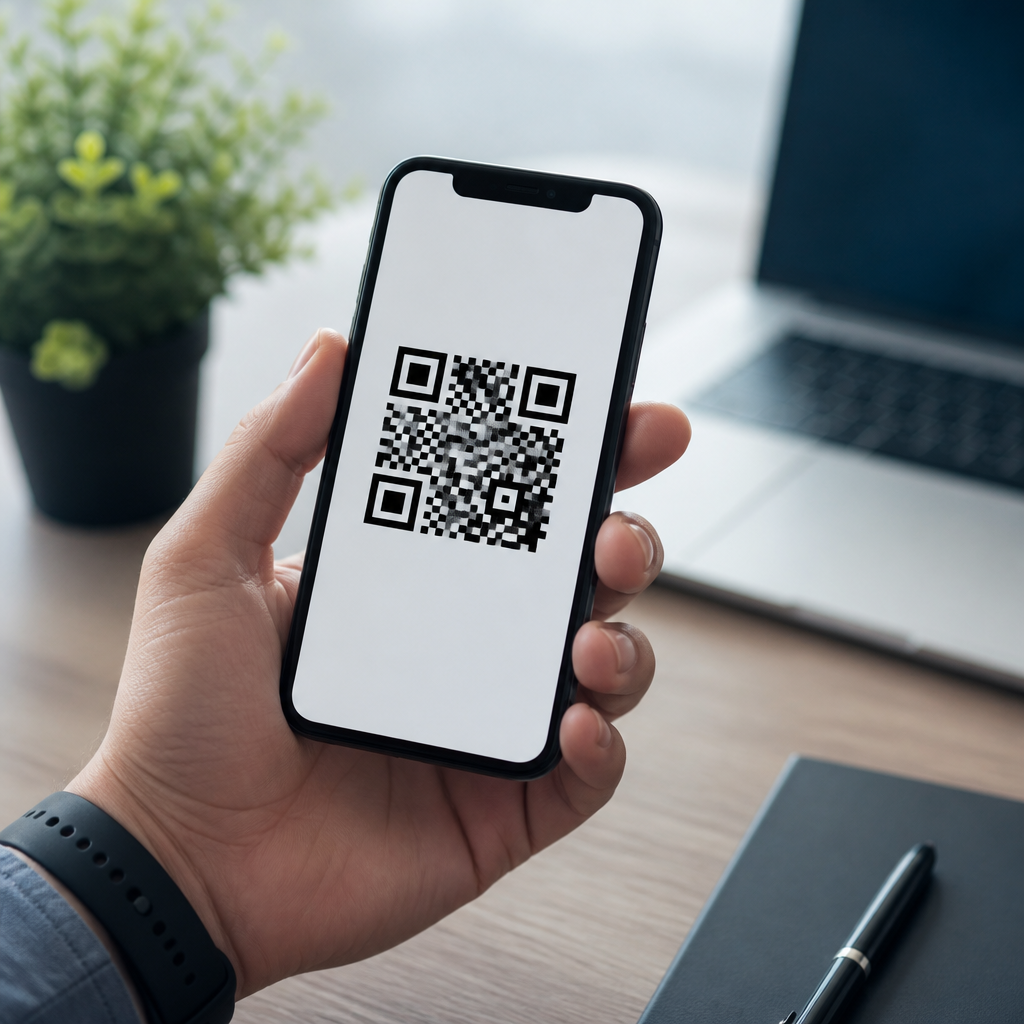
Mobile QR codes can store far more than a web link, and understanding that range is the key to using them well in marketing, operations, support, and customer experience. A QR code, short for Quick Response code, is a two-dimensional barcode made of black squares arranged on a white grid that a smartphone camera can read almost instantly. Unlike a traditional barcode that usually holds a short numeric string, a mobile QR code can encode text, URLs, contact details, Wi-Fi credentials, app deep links, payment information, and other structured data. In practice, I have used QR codes on packaging, event badges, restaurant tables, field service manuals, and retail displays, and the biggest mistake teams make is assuming every code does the same job. It does not.
What information can a mobile QR code store? The short answer is static or dynamic data that a scanning device can interpret into an action or readable content. Static data is written directly into the code itself and cannot be edited after printing. Dynamic data typically points to a short redirect URL managed by a QR platform, letting you change the destination, track scans, and segment campaigns without replacing the printed code. This distinction matters because capacity, flexibility, error correction, security, and analytics all depend on the type of QR code you choose. As the hub page for Mobile QR Code Basics, this article explains what mobile QR codes are, what they can store, how they work on phones, and where each use case fits.
The reason this matters is simple: the usefulness of a QR code depends on the quality and structure of the information inside it. If the encoded content is too long, poorly formatted, or mismatched to the user’s context, scan rates and completion rates fall. If it is designed correctly, a mobile QR code becomes a low-friction bridge between physical and digital experiences. The most effective codes answer a specific user need in a few seconds: open a menu, join Wi-Fi, save a contact, verify a ticket, pay a bill, download an app, or view product instructions. Knowing what a mobile QR code can store lets you select the right data type, use the proper format, and avoid preventable failures.
What Are Mobile QR Codes and How Do They Work?
Mobile QR codes are QR codes intended to be scanned primarily with smartphones or tablets rather than dedicated industrial scanners. The camera app or a built-in visual search tool detects the code, decodes the data, and prompts an action based on the content type. On iPhone, the native Camera app and Control Center code scanner handle most QR interactions. On Android, Google Lens is commonly integrated into the camera experience. From a user perspective, the process feels simple, but under the hood the code contains encoded characters, format information, alignment patterns, timing patterns, and error correction data based on ISO standards for QR symbology.
That structure is what makes QR codes flexible. They can store alphanumeric, numeric, byte, or kanji data, and the practical amount depends on the symbol version and error correction level. Higher error correction helps a damaged code remain scannable, but it reduces payload capacity. In the field, I usually advise keeping data compact, especially for small print placements such as product labels or business cards. A dense code with tiny modules may technically work, yet fail when scanned in low light, on cracked screens, or from awkward angles. Mobile-first QR design always balances information capacity with real-world scan reliability.
Types of Information a Mobile QR Code Can Store
A mobile QR code can store plain text, but most valuable use cases rely on structured data that triggers an expected phone behavior. The most common example is a URL that opens a landing page, product detail page, coupon, sign-up form, support article, or PDF. URLs dominate because they are flexible, lightweight, and compatible across devices. However, they are only one category. QR codes can also store a vCard for saving a contact, a mailto link that starts an email, an SMS prompt, a telephone number, a calendar event, a geo location, or Wi-Fi network credentials using the standard SSID, password, and encryption format. These are practical, immediate actions for mobile users.
They can also store app-oriented and payment-related information. A QR code may contain an app store link, a deep link into an installed app, or payment data compatible with regional systems. In restaurants, I have seen codes open digital menus, loyalty sign-up pages, and pay-at-table experiences. In logistics, a code can identify an asset, shipment, or work order through a mobile web application. In healthcare and events, QR codes often carry an ID token or a lookup URL rather than sensitive data directly, reducing risk if the code is copied. The better approach is usually to store a pointer to secure information instead of exposing private records inside the symbol itself.
| Data type | What the user sees | Best mobile use case | Main limitation |
|---|---|---|---|
| URL | Website or app page opens | Campaigns, menus, support, product pages | Needs internet access |
| vCard contact | Save contact prompt | Business cards, trade shows, sales teams | Too much data makes codes dense |
| Wi-Fi credentials | Join network prompt | Hotels, offices, cafés, events | Password changes require reissue if static |
| Phone/SMS/email | Call, text, or compose email | Support desks, lead generation, service requests | User may abandon before sending |
| Location | Map opens with destination | Stores, venues, pickup points | Less useful indoors without map context |
Static vs Dynamic QR Codes: What Changes and What Does Not
Static and dynamic QR codes both look similar, but they behave very differently after deployment. A static QR code stores the final information directly. If you printed a static code containing a URL and later need to change that URL, the code must be replaced everywhere it appears. Static codes are useful when the information is permanent, such as a plain text serial number, a stable URL, or a fixed Wi-Fi login in a controlled environment. They are also independent of third-party QR management services, which can be a trust advantage for long-term archival uses.
Dynamic QR codes are the standard choice for campaigns and operational programs because they separate the printed symbol from the final destination. The code usually contains a short URL from a QR platform, and that platform redirects users to the current target. This allows edits after print, scan analytics, device breakdowns, date-based routing, UTM tagging, and sometimes A/B testing. In my experience, this flexibility is worth the modest dependency on a platform, especially for posters, packaging, direct mail, and in-store signage. The tradeoff is governance: if the subscription lapses or the redirect domain is mismanaged, the code may stop working. Ownership, redirects, and retention policies must be documented before launch.
Capacity, Formatting, and Scan Performance on Phones
How much information can a mobile QR code store? Technically, a QR code can hold thousands of characters, with upper limits varying by encoding mode. Practically, mobile performance matters more than theoretical maximums. The more characters you encode, the denser the grid becomes, and the harder it is for phones to scan at small sizes. That is why long paragraphs, oversized vCards, or bloated URLs often perform poorly on packaging or tabletop cards. A better pattern is to minimize the payload, use shortened and controlled links where appropriate, and move rich content to the destination page rather than the QR code itself.
Formatting also affects usability. URLs should be canonical, secure, and free from unnecessary parameters unless they serve a tracking purpose. Contact records should include only the fields a user truly needs. Wi-Fi QR codes should be tested across iOS and Android because not every device handles enterprise authentication the same way. Print quality, contrast, quiet zone, module size, and placement are equally important. I recommend black on white for the highest reliability, at least a four-module quiet zone, and sufficient physical size for the expected scanning distance. A code on a storefront window needs different sizing than a code on a medicine box or event wristband.
Common Mobile QR Code Use Cases Across Industries
The best way to understand what mobile QR codes can store is to look at how organizations use them. In retail, QR codes commonly link to product specs, reviews, size guides, warranty registration, and post-purchase care instructions. On consumer packaged goods, brands use them to route buyers to recipes, sourcing stories, loyalty programs, and authentication pages that help fight counterfeits. In restaurants, the information may be a menu URL, allergen guide, order-ahead flow, or payment page. In offices and hospitality, Wi-Fi QR codes reduce front-desk friction by replacing manual network entry with a scan.
In field operations, QR codes often act as keys to a mobile workflow. A technician scans equipment and lands on the correct service history, parts list, safety procedure, or inspection form. In education and events, a code can store a check-in token, digital ticket, campus map, or downloadable agenda. Healthcare providers use QR codes on forms, lab workflows, and patient materials, but the safest implementations usually direct users to secured systems instead of embedding protected information. Across all these examples, the principle is consistent: store the minimum information needed to trigger the next useful mobile action, not every possible detail.
Security, Privacy, and Best Practices for Choosing the Right Data
QR codes are convenient, but convenience must be balanced with security and privacy. A QR code is visible to anyone who can photograph it, so it should not contain secrets you would not post publicly. That means no passwords in public settings unless the network itself is intended for guests, no personal medical details, and no irreversible exposure of sensitive identifiers. For secure experiences, encode a short-lived token or a URL that requires authentication on the server side. HTTPS destinations, reputable redirect management, and regular destination audits are baseline requirements, not optional extras.
The right choice depends on the user’s intent and the lifespan of the code. Use a URL when content may change. Use a vCard when the goal is contact capture at a meeting or booth. Use Wi-Fi credentials when the user is physically on-site and immediate access matters. Use a map link when navigation is the job to be done. Above all, test on multiple phones, in real lighting, at the real scan distance, before printing at scale. Mobile QR codes work best when the stored information is concise, purposeful, and matched to context. Review your current codes, simplify the data they carry, and build each scan around one clear user action.
Frequently Asked Questions
What types of information can a mobile QR code actually store?
A mobile QR code can store a surprisingly wide range of information, which is exactly why it has become so useful across marketing, operations, customer support, and everyday mobile experiences. The most familiar use is a website URL, but that is only one option. A QR code can also contain plain text, product details, serial numbers, event information, PDF links, image links, video links, map locations, payment links, and download links for apps or digital content. In a business setting, this makes the code a flexible bridge between printed materials and mobile actions.
It can also store structured data designed to trigger a specific function on a smartphone. Common examples include contact information in vCard format, which lets a user save a person or business directly into their phone; phone numbers that open the dialer; SMS prompts; email addresses with prefilled subject lines; and calendar event data. Another major use case is Wi-Fi credentials, where a user can scan a code and connect to a network without manually typing a long password. App deep links are also important because they can send users directly into a specific screen or feature inside a mobile app rather than just opening a homepage. In short, a mobile QR code can store much more than a link—it can store action-ready information that helps people move instantly from scan to task.
How much information can a QR code hold, and does size affect what it can store?
A QR code can hold a meaningful amount of data, but there are practical limits. The exact capacity depends on the type of content being encoded, the character set being used, and the level of error correction built into the code. In general, QR codes can store numeric data, alphanumeric data, binary data, and certain encoded character formats. Numeric-only data allows the highest capacity, while more complex text and symbols reduce how much can fit. This is why a short URL is usually easier to encode and scan reliably than a very long block of text or a highly detailed string of mixed characters.
Yes, the amount of stored information affects the visual complexity of the QR code. As more data is packed into it, the pattern becomes denser, with smaller squares and a more intricate layout. That density can make the code harder to scan if it is printed too small, displayed on a poor-quality screen, or placed in a low-contrast environment. This is why many businesses use shortened URLs, dynamic QR code platforms, or redirect links instead of embedding long raw data strings directly. Doing so keeps the code cleaner and easier for smartphone cameras to read. So while a QR code can technically store a lot, the best practice is to store only what is necessary and keep usability in mind.
Can a mobile QR code store sensitive information safely?
A QR code can store sensitive information, but whether it is safe to do so depends entirely on how the data is handled. A standard QR code is not inherently secure just because it looks technical or machine-readable. If the information is encoded directly into the QR code, anyone with a scanner can potentially access it. That means passwords, personal records, confidential business details, or payment-related information should never be stored in plain form unless there are additional layers of protection in place. A QR code is simply a container for data; it does not automatically encrypt, hide, or restrict access to what it contains.
A safer approach is to use the QR code as a pointer rather than the storage location for the sensitive data itself. For example, the code can link to a secure web page, login portal, tokenized transaction flow, or authenticated support system. This allows access controls, encryption, tracking, expiration rules, and user verification to happen on the server side rather than inside the code. Dynamic QR codes are especially useful here because the destination can be updated without changing the printed code, and security settings can be managed centrally. In practical terms, QR codes are excellent for directing users into secure systems, but they should not be treated as secure storage on their own.
What is the difference between storing information directly in a QR code and linking to information online?
When information is stored directly in a QR code, the content is embedded in the code itself. That means the smartphone can read and use the data immediately, even without an internet connection in some cases. This is ideal for things like contact cards, Wi-Fi credentials, short text instructions, phone numbers, email prompts, or basic offline identification data. Direct storage is fast and simple because there is no dependency on a live website or external platform. If the code is scanned successfully, the content is available right away.
Linking to information online works differently. In that case, the QR code usually stores a URL or redirect path that sends the user to a web page, document, app experience, payment page, support portal, menu, or campaign destination. This approach is far more flexible because the linked content can be changed, expanded, personalized, localized, or tracked over time without reprinting the code. It also allows businesses to measure scans, device types, locations, and conversions when the right analytics tools are in place. The tradeoff is that online-linked QR codes usually require an internet connection and a reliable landing experience. For most modern campaigns, operations workflows, and customer engagement efforts, linking to online content is the preferred option because it combines mobile convenience with updateability and performance measurement.
How are businesses using mobile QR codes beyond simple website links?
Businesses are using mobile QR codes in far more creative and functional ways than just driving traffic to a homepage. In marketing, QR codes can launch product videos, promotional landing pages, loyalty offers, coupon downloads, app install flows, social media campaigns, contest entries, and localized experiences. On packaging, they can provide ingredient details, setup instructions, authentication checks, warranty registration, sustainability information, or post-purchase support. In retail environments, they are often used to connect shelf displays to reviews, inventory information, comparison guides, and mobile checkout options.
Operationally, QR codes are also valuable in internal workflows. They can store asset IDs, maintenance records, training links, equipment logs, employee check-in actions, workflow instructions, and service history references. In customer support, a code on a device or printed insert can direct users to troubleshooting steps, live chat, return instructions, user manuals, or case submission forms. In hospitality and service settings, they may provide digital menus, room information, contactless payments, feedback forms, or instant Wi-Fi access. The key point is that a mobile QR code is not just a shortcut to a webpage—it is a versatile way to deliver the right information, trigger the right action, and reduce friction in the customer experience.





