
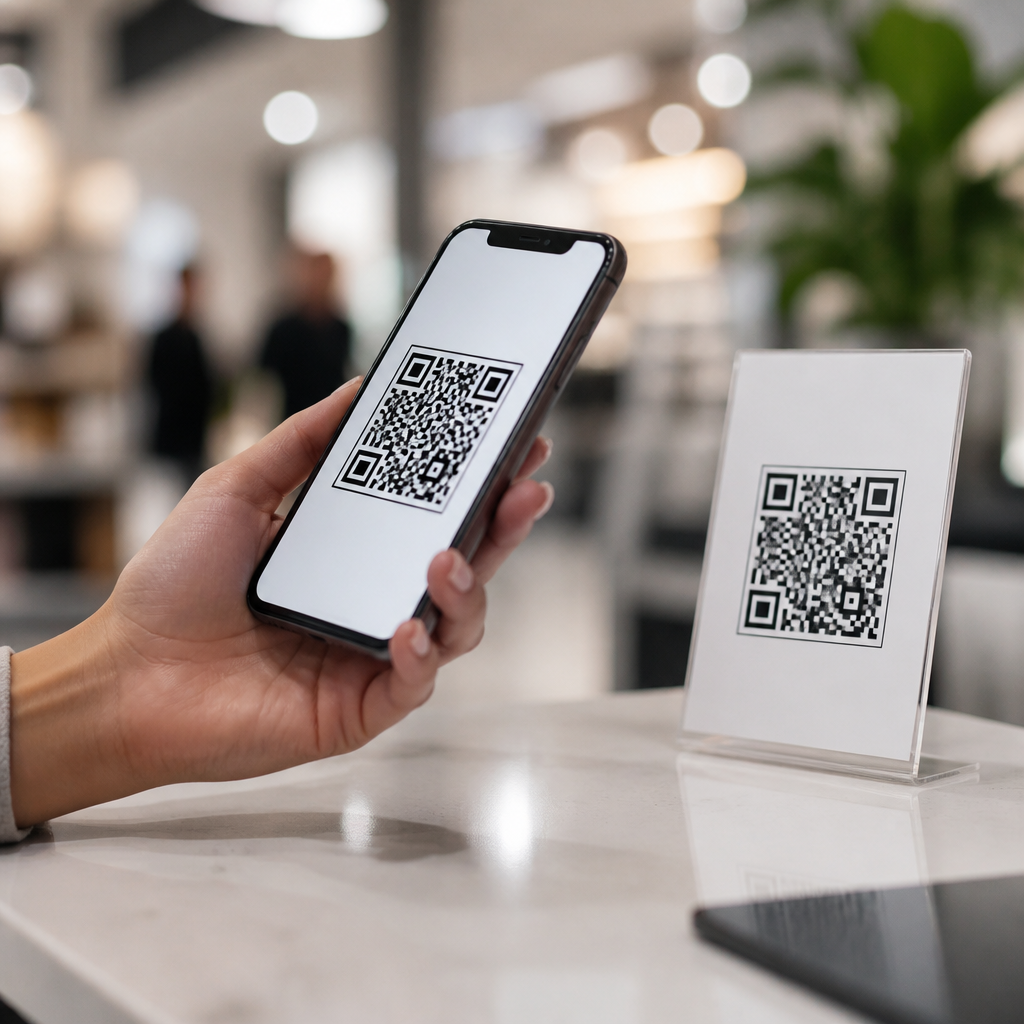
Mobile QR codes sit at the intersection of physical touchpoints and digital actions, giving brands a fast, measurable way to move customers from seeing something in the real world to doing something useful on a phone. A mobile QR code is a two-dimensional barcode designed to be scanned by a smartphone camera, then translated into an action such as opening a webpage, downloading an app, saving contact details, starting a payment flow, or redeeming an offer. I have implemented QR campaigns for retail, events, packaging, and field service, and the same lesson appears every time: when the code, destination, and context align, friction drops sharply. That matters because modern customer journeys are no longer linear. A buyer may notice a poster, compare products on mobile, read reviews later, and purchase days afterward. QR codes help connect those moments with a trackable bridge. They also matter because smartphones now include native scanning in iOS Camera, Google Lens, and many Android camera apps, removing the need for separate reader apps. As a result, mobile QR codes have moved from novelty to infrastructure. For any business building a mobile-first experience, understanding what mobile QR codes are, how they work, and where they fit in the customer journey is foundational.
What Are Mobile QR Codes and How Do They Work?
A QR code, short for Quick Response code, stores data in a grid of black and white modules that a camera can detect and decode. Unlike a traditional one-dimensional barcode that holds a limited string of numbers, a QR code can hold significantly more information and can be read from multiple angles. In customer-facing use, the code usually contains a URL, but it can also encode a vCard, Wi-Fi credentials, SMS prompts, calendar events, email addresses, deep links, or payment payloads. When scanned on a phone, the device interprets the data and presents a prompt to take the next step. In practice, the QR image itself is only the trigger. The real experience depends on the mobile destination behind it.
There are two broad types businesses use. Static QR codes contain fixed data and cannot be edited after printing. Dynamic QR codes point to a short redirect URL managed through a platform, allowing marketers to change the final destination, track scans, apply UTM parameters, and sometimes segment traffic by device, location, or time. Dynamic codes are usually the better choice for campaigns, packaging, menus, and signage because they preserve flexibility after distribution. Error correction is another core feature. Based on ISO/IEC 18004 standards, QR codes can often remain scannable even when partially obscured or branded, but excessive design changes reduce reliability. I generally advise clients to keep strong contrast, preserve quiet zone spacing, and test across multiple phones before launch.
Why QR Codes Matter in the Digital Customer Journey
The digital customer journey is the sequence of interactions people have with a brand from awareness to consideration, conversion, service, and loyalty. Mobile QR codes fit because they remove friction at the exact moment intent appears. A shopper standing in an aisle can scan packaging to view ingredients, comparisons, or how-to videos. A conference attendee can scan a badge or booth display to access a brochure without carrying paper. A restaurant guest can open a menu instantly. A homeowner can scan a sticker on a device to book maintenance. In each case, the code connects physical context with immediate digital utility.
That speed improves both customer experience and business measurement. Instead of asking users to type a long URL, search for an app, or remember an offer code, the scan turns interest into action in one step. The business gains attribution data that physical media often lacks. Scans can reveal which in-store display, direct mail piece, package insert, or event placement generated engagement. When connected to analytics platforms such as Google Analytics 4, CRM systems, or marketing automation tools, QR scans become part of a broader view of acquisition and retention. This makes mobile QR codes especially useful in omnichannel strategies, where organizations need a clean handoff between offline impressions and online behavior.
Common Types of Mobile QR Codes and Their Uses
Not every QR code serves the same purpose. Choosing the right format depends on what the customer needs in that moment. URL QR codes are the most common because they can send users to landing pages, product details, support content, or campaign microsites. App deep-link QR codes are useful when a brand wants an existing customer to open a specific screen inside an app, such as a loyalty wallet or reorder page. vCard QR codes simplify contact exchange at trade shows or sales meetings. Payment QR codes support peer-to-peer transfers, invoice settlement, or point-of-sale checkout through systems such as UPI, Alipay, or merchant wallet apps. Wi-Fi QR codes help guests join a network without manually entering credentials.
| QR code type | Best use case | Customer benefit | Business advantage |
|---|---|---|---|
| URL | Packaging, posters, flyers | Instant access to information | Flexible landing pages and tracking |
| App deep link | Loyalty, reorders, account actions | Fewer taps inside the app | Higher app engagement |
| vCard | Events, sales outreach | Save contact details quickly | Better lead capture accuracy |
| Payment | Retail, invoices, donations | Fast mobile checkout | Reduced payment friction |
| Wi-Fi | Hospitality, offices, clinics | Easy network access | Better on-site experience |
In my work, packaging and point-of-sale deployments tend to outperform generic homepage links because they answer a narrow question. A cereal box QR code that opens recipes, sourcing details, or a coupon performs better than one that sends users to a cluttered corporate site. Relevance beats reach. The scan should feel like a continuation of what the customer is already trying to do.
Where Mobile QR Codes Appear Across the Journey
At the awareness stage, QR codes often appear on out-of-home ads, transit posters, product displays, and print inserts. Here the goal is discovery: a trailer, store locator, contest entry, or limited offer. For consideration, codes work well on shelves, packaging, catalogs, and brochures because they can deliver detailed specifications, user reviews, FAQs, and comparison tools at the exact point of evaluation. In retail, I have seen QR-enabled shelf talkers increase product page visits because shoppers wanted proof before purchase, especially for health, electronics, and premium food categories.
At conversion, the code can launch checkout, apply a discount, preload a cart, or open a payment app. During onboarding and service, codes on welcome materials, receipts, equipment labels, or email signatures can direct people to setup guides, returns portals, appointment scheduling, or support chat. For loyalty and advocacy, brands use QR codes to enroll users in rewards programs, collect feedback, encourage referrals, or unlock exclusive content after purchase. This full-funnel flexibility is why the topic belongs at the center of mobile QR code basics: the technology is simple, but its role spans every stage of customer interaction.
Best Practices for Effective Mobile QR Code Experiences
Good QR performance depends less on the symbol itself and more on execution. First, give people a clear reason to scan. “Scan for setup video” or “Scan to see ingredients and allergens” is stronger than “Scan me.” Second, send users to a mobile-optimized destination that loads quickly, reflects the context of the scan, and keeps the next action obvious. Core Web Vitals still matter. A slow landing page can erase the convenience the code created. Third, size and placement must match viewing distance. A common rule of thumb is roughly one inch of code size for every ten inches of scanning distance, but field testing matters more than formulas.
Fourth, use dynamic QR codes when the destination may change or when performance data matters. Fifth, apply campaign tagging and analytics governance so scans can be compared with email, paid social, organic search, and direct traffic. Sixth, account for accessibility and trust. High contrast, plain-language calls to action, and recognizable branding improve confidence. Because malicious QR codes do exist, users are more likely to scan when the source is familiar and the destination domain is visible or clearly implied. Finally, do not overdesign. Rounded modules, inverted colors, and logo overlays can work, but only if they pass real-device tests under varied lighting. Reliability is the first design requirement.
Limitations, Risks, and What to Measure
Mobile QR codes are powerful, but they are not universal solutions. They depend on smartphone access, camera permission, decent lighting, and user willingness to scan. In some contexts, NFC, short links, or plain text instructions may be better backups. Security is another consideration. Organizations should use trusted QR generation platforms, secure redirects with HTTPS, avoid unnecessary data collection, and monitor destinations for breakage. If a printed code leads to a dead page six months later, the customer experience suffers immediately. Governance matters just as much as creative execution.
Measurement should go beyond scan volume. Useful metrics include unique scans, repeat scans, click-through to the final destination, bounce rate, conversion rate, assisted revenue, form completions, app opens, and downstream retention. Location and placement comparisons are especially valuable for physical media optimization. For example, a brand may learn that a QR code on product packaging drives more qualified traffic than one on a window cling because the packaging scan happens later in the decision process. Testing can also reveal whether incentives improve engagement or simply attract low-intent visitors. The best mobile QR strategies treat each code as a small product experience that deserves lifecycle management.
Mobile QR codes fit into the digital customer journey because they create a direct, low-friction link between offline attention and online action. They are easy to define but strategically important: a smartphone-readable code can open content, trigger payments, launch apps, save contacts, and support service across awareness, consideration, conversion, and loyalty. The most effective implementations are contextual, mobile-first, measurable, and maintained over time. Businesses should choose the right code type, prefer dynamic management for flexibility, align the landing experience with user intent, and test rigorously across devices and environments. Just as important, they should track meaningful outcomes rather than celebrating scans alone. When used thoughtfully, QR codes do more than shortcut a URL. They improve convenience for customers while giving organizations clearer attribution from packaging, print, signage, events, and in-person interactions. If you are building a stronger bridge between physical touchpoints and mobile behavior, start by auditing where customers hesitate, then place QR codes where a scan can remove the next step.
Frequently Asked Questions
What role do mobile QR codes play in the digital customer journey?
Mobile QR codes act as a bridge between offline attention and online action. When a customer sees a product package, in-store display, direct mail piece, event sign, receipt, or poster, a QR code gives them an immediate way to continue the journey on their phone without typing a URL or searching manually. That matters because customer intent is often highest in the moment of discovery. If the next step is difficult, many people drop off. A well-placed mobile QR code removes that friction and turns a physical touchpoint into a measurable digital interaction.
In practice, QR codes support multiple stages of the journey. At the awareness stage, they can send users to a landing page, product video, or brand story. During consideration, they can open comparison tools, reviews, FAQs, or personalized offers. At the conversion stage, they can launch a payment flow, apply a discount, start a checkout experience, or connect to a loyalty program. After purchase, they can guide customers to setup instructions, support resources, reorder pages, or feedback forms. Because the same basic scan action can trigger different outcomes, QR codes are flexible tools for moving customers forward wherever they are in the decision process.
They also help brands connect physical marketing with digital analytics. Instead of wondering whether a shelf talker, printed insert, or window display influenced behavior, marketers can track scans, timing, device type, location patterns, and downstream actions such as purchases or app installs. That visibility makes QR codes especially valuable in omnichannel strategies, where the goal is to create a seamless path from real-world exposure to measurable business results.
How can businesses use QR codes effectively across physical and digital touchpoints?
The most effective QR code campaigns start with a clear purpose. A QR code should not exist just because it can. It should answer a simple question: what useful action should the customer take right now? For a retailer, that might mean scanning a code on packaging to see product tutorials, scanning a shelf sign to check real-time inventory, or scanning a receipt to join a rewards program. For restaurants, it could be mobile ordering, menu access, reviews, or limited-time offers. For events, it might be registration, schedule access, speaker information, or lead capture. The strongest use cases are fast, relevant, and closely tied to the context in which the code appears.
Placement and experience design matter just as much as the destination. A QR code on a busy sidewalk poster should lead to a lightweight, mobile-optimized page that loads quickly and communicates the value immediately. A code on product packaging can support richer content because the customer may be more engaged and have more time. Brands should always include a short call to action near the code, such as “Scan to compare models,” “Scan to save 15%,” or “Scan for setup help.” That instruction removes ambiguity and increases scan rates because people know exactly what they will get.
Consistency across channels also improves performance. If a QR code appears in store, on printed inserts, and on social-related creative, the landing experience should feel connected to the broader campaign. Matching visuals, messaging, and offers helps customers trust that they are in the right place. Businesses should also test different destinations by audience segment or location, especially when using dynamic QR codes. That allows the same printed code to route users to updated content over time, making campaigns more adaptable without reprinting physical materials.
What makes a mobile QR code campaign successful?
A successful mobile QR code campaign combines relevance, usability, and measurement. Relevance means the scan offers something meaningful in the moment: convenience, information, savings, access, or speed. If the benefit is vague or low value, customers will ignore it. Usability means the code is easy to scan, large enough to notice, and placed where lighting, distance, and movement will not make scanning difficult. It also means the destination is built for mobile devices, loads quickly, and gets to the point without unnecessary steps. Every extra second or extra tap reduces completion rates.
Good campaigns also align the scan destination with customer intent. Someone scanning a code on a storefront after hours may want directions, online ordering, or business hours, not a generic homepage. Someone scanning a code on packaging may want ingredients, instructions, warranty registration, or refill options. Matching the destination to likely intent is one of the biggest drivers of performance because it respects the context of the interaction. That is where practical implementation experience becomes important: the best results usually come from thinking about what the customer needs at that exact touchpoint, not just what the brand wants to promote.
Measurement is the third critical element. Brands should define success before launch, whether that means scan volume, click-through rate, email captures, offer redemptions, purchases, app installs, or repeat engagement. Dynamic QR platforms and analytics tools can show which placements drive action, what times scans peak, and where users drop off after landing. With that data, businesses can refine page design, offers, placement, and creative language. The best QR campaigns are rarely one-and-done. They improve through testing and iteration, just like any high-performing digital channel.
Are mobile QR codes easy to track and measure for marketing performance?
Yes, and that is one of their biggest advantages. Mobile QR codes give brands a direct, trackable link between a physical asset and a digital action. When a customer scans a code, businesses can measure the scan event itself and often the next steps that follow, such as landing page views, form submissions, purchases, downloads, sign-ups, or coupon redemptions. This makes QR codes especially useful for understanding how physical marketing contributes to digital outcomes, something that has historically been harder to measure than paid search, email, or social campaigns.
Dynamic QR codes are particularly valuable because they allow marketers to change the destination URL without changing the printed code. They also typically support richer reporting, such as scan counts over time, approximate location data, device information, and campaign-level attribution. When combined with UTM parameters, analytics platforms, CRM systems, and conversion tracking tools, QR scans can be tied to broader reporting frameworks. That means a code on a product display can become part of a full-funnel measurement strategy, not just an isolated interaction.
That said, good measurement depends on good campaign structure. Each placement should ideally have its own QR code or tracking logic so performance can be compared accurately. A code on packaging, for example, should not be measured exactly the same way as a code on an in-store display if the audience intent differs. It is also important to define the business outcome behind the scan. A high scan rate is encouraging, but it matters more to know whether users completed the intended next action. The most informative QR reporting focuses on both engagement and conversion, allowing brands to evaluate not just curiosity, but real commercial impact.
What are the best practices for creating a seamless customer experience with QR codes?
The first best practice is to make the value proposition obvious. People scan when they understand what they will get and why it is worth their time. A clear call to action next to the code is essential, and the destination should immediately deliver on that promise. If the code says “Scan for exclusive pricing,” the landing page should show that pricing right away, not force users through multiple irrelevant screens. This kind of message-to-experience alignment builds trust and reduces abandonment.
The second best practice is to optimize for mobile from start to finish. Since the interaction begins on a smartphone, everything after the scan should feel effortless on a small screen. Pages should load quickly, forms should be short, buttons should be easy to tap, and content should be scannable rather than overly dense. If the goal is app download, payment, or contact saving, the path should be as direct as possible. Reducing friction is the core principle. QR codes succeed because they are fast, so the experience after the scan must preserve that speed.
Third, brands should think carefully about design, visibility, and trust. The code should be large enough to scan comfortably, placed at an appropriate height and distance, and supported by good contrast. It should not be hidden in cluttered layouts or printed too small on reflective surfaces. Including brand elements around the code can improve recognition, but scan reliability should always come first. It is also smart to reassure users with contextual cues, such as the brand name, destination type, or offer details, so they feel confident scanning. Finally, businesses should test the full experience in real conditions before launch. That means checking scan performance on different phones, under different lighting, and in the actual environments where customers will encounter the code. A seamless QR experience is not just about the technology itself; it is about thoughtful execution at every touchpoint.





