
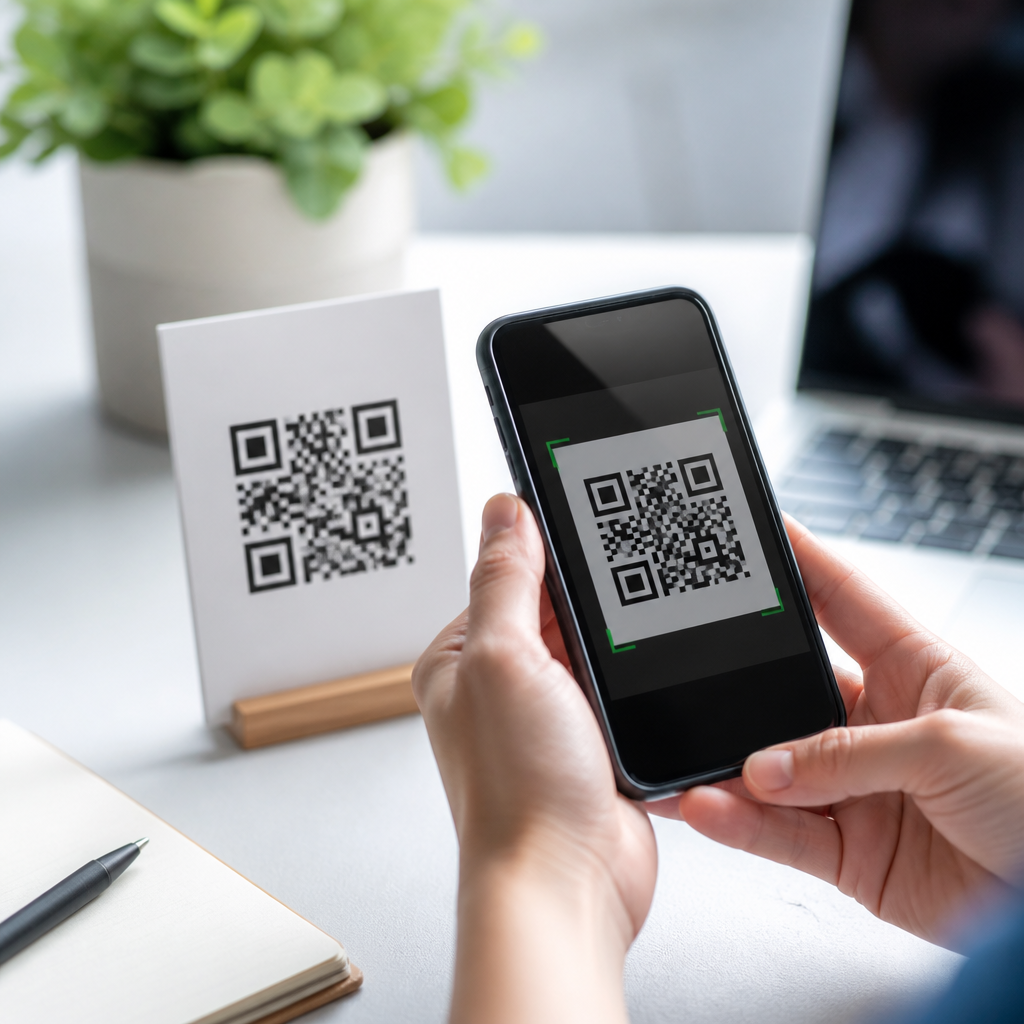
Mobile QR codes are scannable square barcodes designed to open digital content on a smartphone, and understanding the basic terms behind them is the fastest way to use them well. In practical terms, a mobile QR code lets a phone camera read encoded data, usually a web address, then send the user to a landing page, app screen, PDF, menu, payment flow, contact card, or Wi-Fi login. I have helped businesses deploy QR codes on packaging, posters, event badges, and restaurant tables, and the same pattern appears every time: results improve when beginners learn the vocabulary before printing anything. That is why this guide focuses on key terms, not just definitions, but how each term affects scanning speed, reliability, analytics, and customer experience.
A QR code, short for Quick Response code, is a two-dimensional matrix barcode first developed by Denso Wave in 1994 for tracking automotive parts. Unlike a traditional one-dimensional barcode, which stores data in parallel lines, a QR code stores information both horizontally and vertically. That design allows far greater data capacity and faster reading by mobile devices. Today, most modern phones can scan a QR code directly from the native camera app, removing the need for a separate scanner application. For marketers, retailers, educators, healthcare teams, and local businesses, mobile QR codes matter because they connect physical surfaces to digital actions with almost no friction.
When people ask, “What are mobile QR codes?” the clearest answer is this: they are QR codes created specifically for smartphone use cases, where the destination, layout, size, and tracking are optimized for mobile behavior. A mobile QR code should load quickly on a small screen, use responsive design, and support common actions such as tap-to-call, map directions, add-to-wallet, and autofill forms. This topic matters because a poor QR setup wastes print budgets and frustrates users, while a well-built one can increase conversions, reduce manual steps, and capture measurable engagement. To build that foundation, beginners need to know the terms that determine whether a code scans cleanly and delivers the intended mobile experience.
What a Mobile QR Code Contains
At the most basic level, a mobile QR code contains encoded data. That data may be static, meaning the destination is fixed, or dynamic, meaning the visible code points to a short redirect URL that can be edited later. Static QR codes are simple and often free to create, but they cannot be changed after printing. Dynamic QR codes are more flexible because you can update the destination, fix a typo, switch campaigns, or add tracking without replacing the printed code. In my work, dynamic codes are usually the safer choice for signage, packaging, direct mail, and any asset with a long shelf life.
Several structural terms are worth knowing. Finder patterns are the three large squares in the corners that help a phone identify orientation. Alignment patterns improve reading accuracy, especially on larger codes. Timing patterns are alternating modules that help the scanner determine the grid. Modules are the tiny black and white squares that make up the symbol. Quiet zone is the blank margin around the code; without enough of it, scans fail even when the design looks fine. Format information stores details such as error correction level, while version refers to the size and capacity of the QR code grid.
Error correction is one of the most important beginner terms. QR codes use Reed-Solomon error correction to remain readable if part of the symbol is smudged, wrinkled, or partially covered. The standard levels are L, M, Q, and H, which restore approximately 7 percent, 15 percent, 25 percent, and 30 percent of damaged data. Higher correction is useful when adding a logo or expecting wear, but it also increases density. Dense codes are harder to scan at small sizes, so the right level depends on print dimensions, viewing distance, and the amount of encoded content. Good QR deployment always balances durability against simplicity.
Key Terms Beginners Should Know Before Creating a Code
Destination URL is the page or file the code opens. For mobile QR codes, that destination should be mobile-friendly, secure, and fast. Landing page means the specific page users reach after scanning, ideally built for one clear action. Redirect is the server-side forwarding step common in dynamic QR platforms. Scan rate is the percentage of exposures that become successful scans. Conversion rate measures how many scanners complete the intended action, such as making a purchase or filling out a form. These are not interchangeable metrics; a code can scan often yet convert poorly if the landing page experience is weak.
CTA, or call to action, is the short prompt near the code that tells users what they will get, such as “Scan to see the menu” or “Scan for installation instructions.” Short URL matters because long URLs create denser static codes. Contrast refers to the difference between dark modules and a light background; black on white remains the most reliable combination. Invert means reversing colors, which often reduces scan success. Print resolution affects edge clarity, and vector format files such as SVG or EPS are better than low-resolution screenshots for production. Device compatibility means checking performance across iPhone and Android camera apps, not just one test phone.
| Term | Simple definition | Why it matters for mobile use |
|---|---|---|
| Static QR code | Code with a fixed destination | Cannot be edited after printing |
| Dynamic QR code | Code that uses a redirect link | Supports updates and scan analytics |
| Quiet zone | Blank space around the code | Prevents scan failures near text or images |
| Error correction | Built-in damage recovery | Keeps codes readable in real conditions |
| Landing page | Page opened after scanning | Determines user experience and conversion |
| CTA | Instruction beside the code | Increases scan intent by setting expectations |
Another term beginners hear often is UTM parameters. These are tags added to URLs so analytics tools such as Google Analytics can attribute traffic to a campaign, source, or medium. If you place one QR code on packaging and another on an in-store display, UTM tags help separate performance. Deep link is a mobile-specific link that opens a particular app screen instead of a generic webpage. If the app is not installed, a fallback URL should send users to a relevant app store page or mobile web version. Fallback handling is essential; broken app flows are one of the most common QR mistakes I see.
How Mobile QR Codes Work on Phones
When a user points a smartphone camera at a QR code, the device’s computer vision system detects the finder patterns, maps the grid, corrects perspective distortion, reads the module arrangement, and decodes the stored data. On current iPhones and most Android models, this process is built into the native camera app. Some phones also surface a scan result through Google Lens or equivalent visual search tools. Once the data is decoded, the operating system presents a prompt, usually with a domain preview. The user taps the prompt, and the browser or app opens the destination. The entire journey should take only a few seconds.
Good mobile performance depends on more than the code itself. Lighting conditions, reflective surfaces, camera focus, and screen brightness all affect scan success. Codes displayed on glossy windows or curved bottles often perform worse than the same code on matte flat materials. Distance also matters. A practical rule used in print production is a minimum scan distance ratio of about 10 to 1, meaning a code intended to scan from 10 feet away should be roughly 1 foot wide. For everyday hand-held scanning, many businesses use at least 0.8 by 0.8 inches, though larger is safer for older cameras and busy backgrounds.
Security is another important concept. A QR code itself is not malicious, but it can send users to an unsafe destination. That is why visible branding, a clear CTA, and trusted domains matter. HTTPS should be standard, and the landing page should avoid intrusive pop-ups that look suspicious on mobile. If collecting personal data, use forms that comply with applicable privacy rules and provide a clear consent statement. In regulated settings such as healthcare or finance, QR campaigns should be reviewed for data handling, retention, and access control. Good QR practice is partly technical and partly about user trust.
Best Uses, Common Mistakes, and What to Learn Next
Mobile QR codes work best when they remove effort. Common use cases include restaurant menus, product manuals, app downloads, digital business cards, event check-in, loyalty enrollment, coupon redemption, customer support, and contactless payments. A retailer can place a code on shelf talkers to show reviews and inventory. A manufacturer can put a code on equipment to open a troubleshooting guide. A real estate agent can use yard sign codes to launch a mobile property page with photos, map directions, and a call button. In each case, the code succeeds because it bridges an offline moment to an immediate mobile need.
The most common beginner mistakes are avoidable. People print static codes for campaigns that will change, use tiny sizes, remove the quiet zone, place codes too high to reach comfortably, or send scans to nonmobile pages. Others overdesign the symbol with low contrast colors, heavy logos, or patterned backgrounds that break readability. Tracking is another blind spot. Without analytics, it is impossible to know whether a code on a flyer outperformed one on packaging. Testing should include different phones, indoor and outdoor lighting, and weak cellular conditions. I also recommend printing proofs at actual size before approving a production run.
The key takeaway is simple: mobile QR codes are not just images; they are mobile access points that combine symbol design, smartphone scanning behavior, and landing page quality. Beginners who learn terms like static, dynamic, quiet zone, error correction, landing page, CTA, deep link, and UTM parameters make better decisions from the start. That leads to faster scans, clearer measurement, and better user experiences. As you build out your Mobile QR Code Basics knowledge, review your current materials, test one real use case, and create a code that solves a specific customer task with the fewest possible taps.
Frequently Asked Questions
What is a mobile QR code, and how is it different from a regular QR code?
A mobile QR code is simply a QR code intended to be scanned with a smartphone or tablet so it can immediately open digital content on a mobile device. In most cases, the code contains encoded information such as a URL, and once the phone camera reads it, the user is sent to a mobile-friendly destination like a landing page, app screen, PDF, restaurant menu, contact card, payment page, or Wi-Fi login screen. The term “mobile” matters because the entire experience is designed around fast, convenient phone use rather than desktop behavior or industrial scanning equipment.
Functionally, there is no completely separate barcode format called a “mobile QR code.” It is still a QR code, but the content, placement, and user experience are optimized for people scanning on the go. For example, a code on product packaging may take someone to setup instructions, while a code on an event badge might open a digital profile or check-in page. In practice, when people say “mobile QR code,” they usually mean a QR code built for smartphone scanning and a smooth mobile destination after the scan.
What does a QR code actually store or encode?
A QR code stores machine-readable data in a square pattern of black and white modules. The most common type of content is a web address, but QR codes can also encode plain text, phone numbers, email actions, SMS prompts, vCards for contact information, calendar details, app links, and Wi-Fi credentials. When a smartphone scans the code, it interprets that encoded data and presents the appropriate action, such as opening a web page or offering to save a contact.
For beginners, the most important idea is that a QR code does not usually “contain” the full digital experience itself. Instead, it acts like a bridge. A code printed on a restaurant table does not hold the entire menu visually inside it; it often stores a link that sends the user to an online menu. The same is true for posters, flyers, packaging, and tabletop displays. Understanding this helps explain why destination quality matters so much: the code gets the user there, but the landing page or mobile content is what determines whether the experience feels useful and professional.
What is the difference between a static QR code and a dynamic QR code?
A static QR code has information permanently encoded into it. If the code contains a specific URL, phone number, or text string, that content cannot be changed after the code is created and printed. Static codes are useful when the destination will never need to change, such as a basic contact card or a long-term web address that is unlikely to be updated. They are straightforward and often free to generate, but they can become limiting if a campaign, product page, or offer changes later.
A dynamic QR code works differently. Instead of encoding the final destination directly, it typically encodes a short redirect URL managed through a QR platform. That means you can update the destination later without changing the printed code itself. If a business places QR codes on packaging, posters, event materials, or menus, this flexibility is extremely valuable. A campaign link can be changed, a PDF can be replaced, a menu can be updated, or users can be routed to a new landing page without reprinting thousands of materials. Dynamic QR codes also often support analytics such as scan counts, device types, locations, and time-based performance data, which makes them the better choice for marketing, operations, and ongoing optimization.
Why does the landing page matter so much after someone scans a mobile QR code?
The scan is only the first step. What happens after the scan is what determines whether the QR code actually succeeds. A mobile QR code should lead to a destination that is fast, readable, and designed for a smartphone screen. If the landing page loads slowly, displays poorly on mobile, requires unnecessary pinching and zooming, or buries the next step under clutter, users often abandon the experience immediately. In other words, the QR code may technically work, but the campaign still fails because the post-scan experience is weak.
A strong landing page matches the user’s expectations and context. Someone scanning a code on a poster may want event details and tickets. Someone scanning on packaging may want setup instructions, support, or a product demo. Someone scanning at a restaurant table expects a menu that opens quickly and is easy to browse. The best mobile QR code experiences reduce friction by taking the user directly to the most relevant action, whether that is viewing a menu, starting a payment flow, downloading a PDF, connecting to Wi-Fi, or saving contact information. For beginners, this is one of the most important terms to understand: the QR code is the access point, but the landing page is where the actual user experience happens.
What basic terms should beginners know before creating or using mobile QR codes?
There are a handful of core terms that make QR codes much easier to understand. “Encoded data” refers to the information inside the code, such as a URL or contact card. “Scanner” usually means a smartphone camera or built-in camera app that can recognize the code. “Destination URL” is the web address the user reaches after scanning. “Landing page” is the page they arrive on. “Static” and “dynamic” describe whether the destination can be changed later. “Call to action” is the short instruction near the code, such as “Scan to view menu” or “Scan to connect to Wi-Fi,” which tells people exactly what they will get.
Other useful terms include “error correction,” which helps a QR code remain scannable even if part of it is damaged or slightly obscured, and “tracking” or “analytics,” which refers to data about scans, often available with dynamic QR platforms. “Mobile optimization” means the destination works well on a phone screen. “Print contrast” refers to the visual difference between the code and its background, which affects scan reliability. “Placement” matters too, because a code on packaging, a window, a table tent, or an event badge must be sized and positioned for real-world scanning distance and lighting. Once beginners understand these terms, they make better decisions about where to use QR codes, what content to link to, how to write clear instructions, and how to avoid common mistakes that reduce scan rates.





