
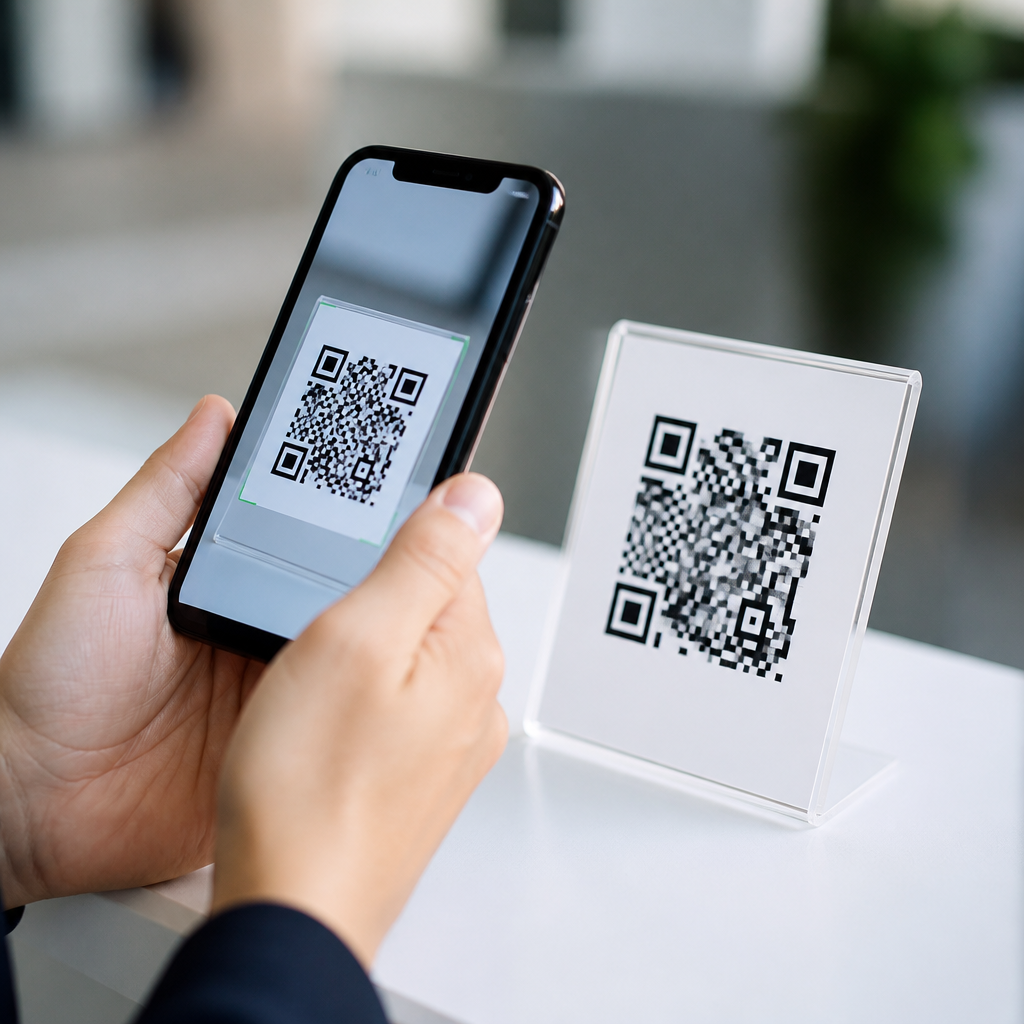
Mobile-friendly QR codes are QR codes designed to scan quickly on smartphones, open pages that work well on small screens, and guide users to a frictionless mobile experience from camera tap to final action. In practice, that means the code itself must be easy for phone cameras to read, the destination must load fast on mobile networks, and the content behind the code must match what a person expects when scanning in the real world. I have tested QR campaigns on packaging, retail signs, direct mail, trade show displays, and restaurant tables, and the same pattern holds every time: a QR code succeeds only when scanning, landing, and conversion are treated as one connected mobile system.
To understand what makes a QR code mobile-friendly, it helps to define two terms clearly. A QR code is a two-dimensional barcode that stores data such as a URL, text string, contact card, Wi-Fi credential, or app deep link. A mobile QR code is not a special barcode format; it is a QR implementation created with smartphone use as the primary context. That distinction matters because most scans now happen on mobile devices, using native camera apps on iPhone or Android rather than dedicated scanners. A code may be technically valid and still perform badly on phones if it is too dense, poorly printed, placed in glare, or linked to a desktop-first page.
This topic matters because QR codes now sit at the intersection of offline and online marketing, payments, support, product information, menus, ticketing, and authentication. Consumers expect instant access. If the scan fails, loads a slow page, or opens a cramped site with tiny buttons, the moment is lost. Mobile-friendly QR codes reduce abandonment, improve accessibility, and create measurable paths from physical touchpoints to digital outcomes. For a hub page in Mobile QR Code Basics, the key idea is simple: mobile success depends on both symbol design and the experience after the scan.
What Are Mobile QR Codes?
Mobile QR codes are QR codes planned for smartphone scanning and smartphone completion of a task. They usually point to mobile web pages, app content, payment flows, downloadable files, maps, forms, coupons, or digital menus. In day-to-day campaign work, I treat a mobile QR code as a three-part asset: the visible symbol, the encoded destination, and the mobile landing experience. If any one of those parts is weak, results drop. For example, a beautifully branded code on a poster may still fail if it sends users to a PDF that is unreadable on a phone.
There are also two common implementation types: static and dynamic. A static QR code contains fixed information that cannot be changed after printing. A dynamic QR code uses a short redirect URL so the destination can be edited later, scans can be tracked, and campaigns can be segmented by source. For mobile use, dynamic codes are often the better choice because they support testing, analytics, and error correction at the campaign level. If a product page changes, the printed code can stay in market while the redirect target updates behind the scenes.
Scanability: The Physical Design Rules That Matter on Phones
A mobile-friendly QR code starts with scanability. Smartphone cameras need enough contrast, size, margin, and print quality to detect the finder patterns and decode the data fast. The quiet zone, the blank margin around the code, is essential; remove it and scan reliability drops sharply. Dark modules on a light background remain the safest approach. In production, I avoid low-contrast combinations like mid-gray on black, glossy finishes that create reflections, and over-stylized shapes that break detection. Error correction helps recover damaged codes, but it is not a license to ignore print discipline.
Size depends on viewing distance. A practical rule used by print teams is a scanning distance ratio of roughly 10:1, meaning a 1-inch code is comfortable at about 10 inches away, while larger signage needs a much larger mark. Dense codes require more size because small modules become harder for cameras to resolve. If you encode a long URL directly instead of using a short dynamic link, the pattern grows more complex and less forgiving. That is one reason professional generators commonly use redirects. On packaging, table tents, and mailers, simplicity in encoded data directly supports smartphone scan success.
| Factor | Mobile-Friendly Standard | Why It Helps |
|---|---|---|
| Contrast | Dark code on light background | Improves camera detection in varied lighting |
| Quiet zone | Clear margin around all sides | Prevents surrounding graphics from interfering |
| Encoded data | Short URL or dynamic redirect | Creates less dense patterns that scan faster |
| Print size | Matched to viewing distance | Keeps modules large enough for phone cameras |
| Surface | Matte or low-glare finish | Reduces reflection and focus problems |
Mobile Landing Pages: The Destination Is Part of the QR Code Experience
A QR code is only as mobile-friendly as the page it opens. After scanning, users expect a fast, secure, touch-friendly destination. That means responsive design, readable text without zooming, tap targets sized for thumbs, compressed images, and minimal pop-ups. Google’s mobile-first indexing made this standard operational years ago, but many QR deployments still break it by linking to desktop PDFs, heavy homepages, or login gates. In field audits, landing-page friction is often a bigger conversion killer than the code graphic itself.
The best mobile landing pages are specific to the scan context. A code on a restaurant table should open the menu directly, not the brand homepage. A QR on retail packaging should lead to setup steps, warranty registration, or ingredient details, not force users to search again. For payments, the destination should support wallet-compatible flows or region-appropriate methods. For support, the page should surface the exact model, troubleshooting path, and contact options. Relevance lowers cognitive load, which is critical when someone is standing in a store aisle, on a sidewalk, or at an event booth with limited time and attention.
Speed, Security, and Trust Signals
Mobile-friendly QR codes must feel safe. Users are increasingly aware that anonymous links can be risky, so trust signals matter before and after the scan. The destination should use HTTPS, load on a branded domain when possible, and avoid suspicious redirect chains. In enterprise environments, teams often validate links through QR code management platforms and web governance processes to reduce the risk of stale or compromised destinations. Trust is not only a security issue; it directly affects scan rates and completion rates because hesitant users abandon uncertain experiences.
Speed is equally important. On mobile networks, every extra second increases bounce risk. Use caching, image compression, lightweight scripts, and content delivery networks to keep performance strong. Core Web Vitals are a useful benchmark even when the traffic source is offline. A QR code on transit signage, for example, may be scanned under weak connectivity, so pages need to degrade gracefully. In my experience, campaigns perform best when teams test on older Android devices, not just recent flagship phones. Mobile-friendly means resilient across real conditions, including dim light, lower bandwidth, and budget hardware.
Use Cases That Define Mobile QR Code Basics
Understanding common use cases helps clarify why mobile-friendly design matters. On product packaging, QR codes often connect shoppers to assembly videos, authenticity checks, recycling guidance, or nutritional details. In restaurants, they power digital menus, ordering, and payment. In events, they handle registration, ticket validation, and lead capture. Healthcare providers use them for patient forms and educational materials. Property managers place them on signs for virtual tours and leasing information. Each case starts with a phone in hand and a user seeking immediate utility, not exploration.
These examples also show why one-size-fits-all execution fails. A code meant for an outdoor real estate sign needs larger dimensions, stronger contrast, and a page that works in bright light with spotty coverage. A code on medicine packaging needs precise content governance and plain-language instructions. A code used in a museum can support richer media because visitors may have more time. The mobile basics remain constant, but context changes design choices. Good QR programs map the physical environment, user intent, and technical constraints before generating the symbol.
Measurement, Maintenance, and Common Mistakes
Mobile-friendly QR codes should be measurable and maintainable. Dynamic platforms such as Bitly, QR Code Generator, Flowcode, Beaconstac, and enterprise campaign tools let teams track scans by time, location, and device class, then update destinations without reprinting. For attribution, add UTM parameters carefully and connect scan traffic to analytics dashboards. What matters is not scan volume alone but completion: purchases, sign-ups, downloads, reservations, or support deflection. Measurement reveals whether the code is solving a real mobile task or merely creating curiosity without value.
The most common mistakes are predictable: codes printed too small, low contrast against busy artwork, placement on curved or reflective surfaces, links to non-mobile pages, no call to action, and no testing across devices. Another frequent error is overbranding the symbol until scanability suffers. A logo can work if enough structural integrity remains, but readability comes first. Before launch, test from realistic angles, distances, and lighting conditions. Then maintain the experience. Pages move, products change, forms expire, and campaigns outlive internal assumptions. A mobile-friendly QR code is not a one-time graphic; it is an operational asset that needs ownership.
What makes a QR code mobile-friendly is straightforward once the full journey is visible. The code must be easy for smartphone cameras to scan, the destination must load quickly and securely on mobile devices, and the content must fit the user’s immediate context. That is why mobile QR codes are best understood as connected experiences rather than isolated images. When physical design, link strategy, and landing-page usability work together, QR codes become dependable bridges from offline moments to digital action.
For anyone building within Mobile QR Code Basics, this page provides the core framework. Start with clean, high-contrast symbols, adequate size, and dynamic links where flexibility matters. Send scans to fast, responsive pages that answer the user’s need immediately. Measure outcomes, test under real conditions, and maintain links over time. If you are planning packaging, signage, menus, mailers, or event materials, audit your current QR journey from scan to completion and fix the weakest mobile step first.
Frequently Asked Questions
What does it actually mean for a QR code to be mobile-friendly?
A mobile-friendly QR code does more than simply scan. It creates a smooth path from the moment someone points a smartphone camera at the code to the moment they complete the intended action, whether that is reading a menu, claiming an offer, watching a video, filling out a form, or making a purchase. In practical terms, mobile-friendly means the code is easy for phone cameras to detect quickly, even in real-world conditions like low light, glare, awkward angles, or slight motion. It also means the destination page opens properly on a small screen, uses readable text, touch-friendly buttons, and a layout that does not force pinching or horizontal scrolling.
Just as important, the experience has to match user expectations. If a customer scans a code on product packaging, they should land on content related to that product, not a generic homepage that makes them hunt for information. If the code appears on a retail sign promising a coupon, the page should deliver that coupon immediately and without unnecessary steps. A QR code is only as mobile-friendly as the full experience behind it. Fast scanability, quick page load times, clear intent, and minimal friction are what turn a basic QR code into one that truly works well on smartphones.
What design factors make a QR code easier for smartphones to scan?
Several design choices have a direct effect on how easily a smartphone can scan a QR code. First is size. A code that is too small relative to the scanning distance often fails in real environments. On packaging, posters, shelf tags, and mailers, the code should be large enough that users do not need to move uncomfortably close just to get their camera to focus. Contrast matters too. Dark modules on a light background are the safest choice because phone cameras and scanning software recognize that pattern most reliably. Low-contrast color combinations, shiny materials, or patterned backgrounds can reduce scan accuracy significantly.
Another major factor is clarity. The QR code should have a clean quiet zone, which is the empty margin around the code that helps scanning software distinguish it from surrounding graphics. Over-customization can also cause problems. Branded QR codes can work well, but adding logos, changing shapes too aggressively, or distorting the pattern may reduce readability if not tested carefully across multiple devices. Error correction can help, especially when part of the code is covered by a logo or when the surface may get scratched, but too much data packed into the code can make it denser and harder to scan quickly. The best-performing mobile-friendly QR codes strike a balance: simple, high-contrast, properly sized, and tested on real phones in the exact contexts where people will encounter them.
Why is the landing page just as important as the QR code itself?
The landing page is where the mobile experience succeeds or fails. A QR code may scan perfectly, but if it opens a slow, cluttered, or desktop-only page, the user experience breaks immediately. Since most QR scans happen on smartphones, the destination should be built with mobile behavior in mind from the start. That means fast loading on cellular networks, responsive design that adapts to different screen sizes, compressed images, and content hierarchy that gets to the point quickly. People who scan codes in stores, on packaging, or in public spaces usually want immediate information or a simple next step. They are rarely willing to navigate a complicated site menu.
The destination should also reduce friction. If the scan is meant to trigger a specific action, such as downloading an app, viewing instructions, redeeming a discount, or contacting a business, the landing page should present that action clearly and early. Buttons should be easy to tap, forms should ask for only necessary information, and important details should be visible without excessive scrolling. Relevance matters just as much as usability. The page needs to reflect the context of the scan. Someone scanning a code on direct mail should not have to figure out why they landed on a generic page. A truly mobile-friendly QR code is connected to a landing experience that is fast, relevant, intuitive, and built for the reality of smartphone use.
How can you test whether a QR code is truly mobile-friendly before launching a campaign?
The most reliable way to test a QR code is in the same conditions where real users will encounter it. Start by scanning it with multiple smartphone models, operating systems, and camera apps, because scan performance can vary more than many marketers expect. Test at realistic distances and angles. If the code will appear on packaging, scan it while holding the package in hand. If it will be posted in a window or on a retail sign, test it under glare, bright light, and lower-light conditions. If it is going on direct mail, print it at actual size rather than judging it on a screen. A code that works in a design proof may perform differently once printed on textured material, glossy stock, or curved surfaces.
Then test the mobile destination just as rigorously. Check load speed on both Wi-Fi and mobile data. Make sure the page renders well on small screens, key information appears quickly, and the call to action is obvious. Tap every button, submit every form, and verify that redirects, analytics tracking, and app links behave correctly. It is also smart to test edge cases, such as weak network conditions or users with older devices. Finally, ask someone unfamiliar with the campaign to scan the code and describe what they expect to happen. If their expectation and the destination do not align, you may have a conversion problem even if the technology works. Good QR testing is not just about “does it scan,” but “does it scan fast, load fast, and lead smoothly to the intended outcome?”
What are the most common mistakes that make a QR code less mobile-friendly?
One of the biggest mistakes is focusing only on generating the code while ignoring the full mobile journey. Brands often place a QR code on packaging, signage, or mail without thinking through what happens after the scan. If the code opens a homepage instead of a dedicated mobile landing page, users may abandon the experience quickly. Another common problem is poor physical design: codes printed too small, placed on reflective surfaces, wrapped around curves, or surrounded by busy graphics that interfere with scanning. Even a technically valid QR code can underperform if the real-world placement makes it inconvenient for a smartphone camera to read.
There are also avoidable usability issues on the destination side. Slow-loading pages, oversized images, intrusive pop-ups, hard-to-tap buttons, long forms, and content that is not optimized for mobile can all kill engagement. Broken links and mismatched expectations are equally damaging. If the code promises product details, a discount, or exclusive content, the landing page should deliver that immediately. Failing to provide context near the code is another frequent mistake. Users are far more likely to scan when they know what they will get. In short, the least mobile-friendly QR codes are the ones that create uncertainty, delay, or extra effort. The most effective ones are clear, scannable, fast, and tightly aligned with the user’s real-world moment and intent.





