
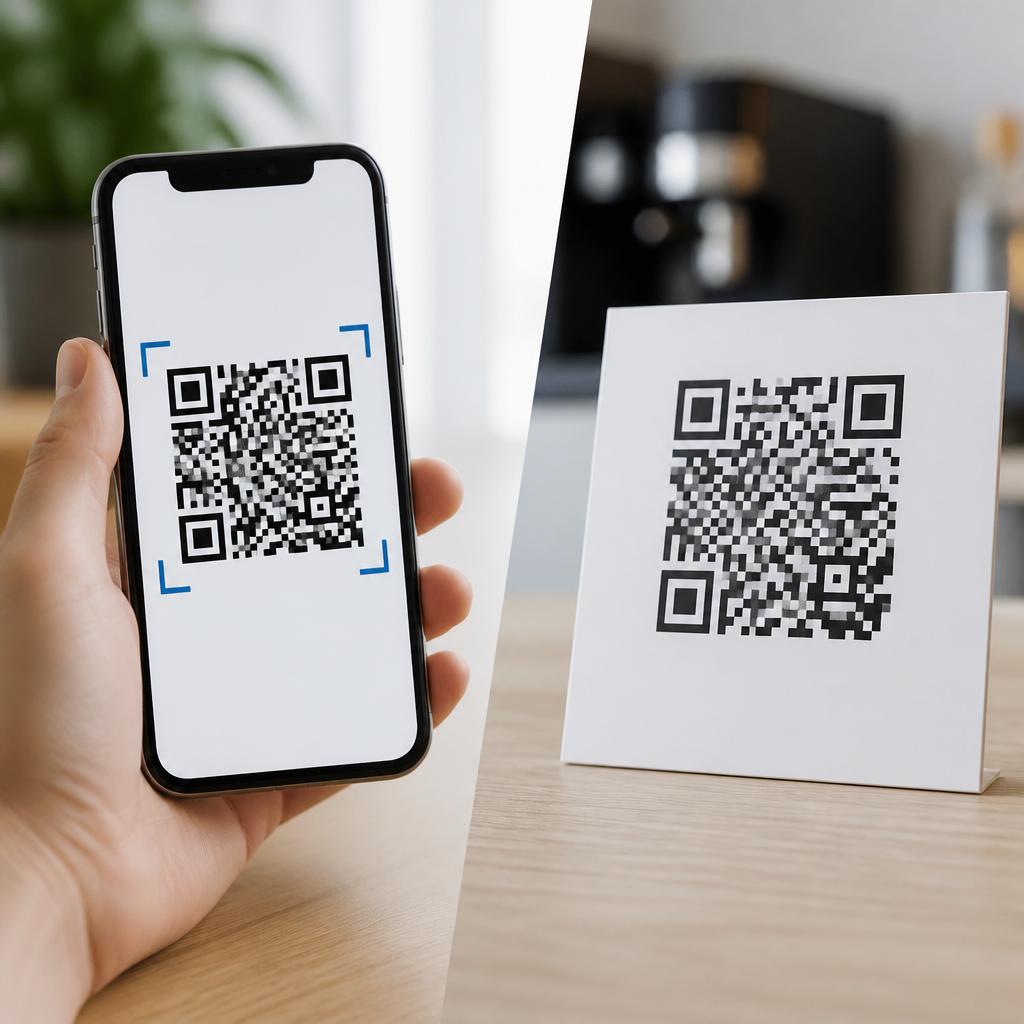
QR codes look simple on the surface, but the difference between mobile QR codes and traditional QR codes affects scan speed, user experience, tracking, and how well a campaign performs. A QR code, or Quick Response code, is a two-dimensional barcode that stores information readable by a smartphone camera or industrial scanner. Traditional QR codes usually point to fixed information, while mobile QR codes are designed specifically for smartphone interactions, mobile landing pages, app deep links, tap-to-call actions, SMS prompts, wallets, maps, and dynamic destination management. That distinction matters because most QR code scans now happen on phones, not dedicated barcode readers, and a code built for desktop-style destinations often wastes the moment of intent.
When clients ask me what a mobile QR code actually is, I explain it in practical terms: it is not a different symbol standard, but a mobile-first implementation strategy. The square pattern may look identical, yet the destination, redirect logic, analytics, page speed, and post-scan behavior are planned for a person holding a phone in a real environment. That could mean scanning a restaurant menu at a table, a product label in a store aisle, or a poster in a train station with weak signal and limited time. In each case, the code succeeds only if the mobile experience is immediate, readable, and relevant.
This topic matters because QR codes now sit at the intersection of offline media and digital conversion. Print ads, packaging, event signage, direct mail, retail displays, and field service labels all rely on a smooth handoff from camera to action. If the code opens a slow desktop page, asks for pinch-zooming, or sends users to a generic homepage, scan rates may look acceptable while conversion collapses. Understanding what mobile QR codes are, how they differ from traditional QR codes, and when to use dynamic mobile-first destinations helps businesses reduce friction, capture better data, and build experiences people will actually complete.
What Are Mobile QR Codes?
Mobile QR codes are QR codes created for smartphone users and optimized around what a phone can do at the moment of scanning. They often connect to mobile landing pages, app links, payment flows, digital business cards, mobile coupons, forms, social profiles, geolocation actions, or wallet passes. In many deployments, they are dynamic QR codes, meaning the visible code stays the same while the destination URL can be updated later through a management platform. That flexibility lets marketers change campaigns without reprinting packaging, posters, menus, or brochures.
In technical terms, the QR code image itself follows the same underlying encoding rules whether you call it mobile or traditional. The difference lies in implementation. A mobile QR code usually uses a short redirect URL, device-aware routing, UTM parameters, and a destination designed with responsive layouts, compressed assets, readable font sizes, and concise calls to action. Some also use deep linking so that iPhone and Android users open the correct app screen if the app is installed, or a fallback page if it is not. That is why mobile QR codes are better understood as a mobile experience architecture, not a separate barcode category.
Common use cases make the definition clearer. A traditional code on a flyer might send every user to a company homepage. A mobile QR code on that same flyer could detect device type, open a localized mobile landing page, preload a coupon, and present one thumb-friendly button to call a nearby store. On product packaging, a mobile QR code may open ingredients, video instructions, warranty registration, and customer support chat in a lightweight interface. The code is just the entry point; the mobile-first journey is what defines it.
How Traditional QR Codes Work
Traditional QR codes are usually built around static content and universal readability rather than smartphone-specific behavior. A static QR code directly encodes the final destination, such as a URL, plain text, email address, or Wi-Fi credential. Once printed, that content cannot be changed without generating and distributing a new code. Static codes remain useful for permanent information like serial numbers, equipment IDs, stable product manuals, or fixed contact records because they are simple, inexpensive, and do not require a subscription platform.
Historically, traditional QR codes were also used in contexts beyond consumer marketing. Warehousing, manufacturing, ticketing, healthcare labeling, and logistics depend on machine-readable reliability. In those settings, the end user may be a scanner, not a shopper. The priority is error correction, print contrast, symbol size, and compatibility with operational software. A code on a carton in a fulfillment center does not need a branded mobile page. It needs to survive low-light scans, abrasion, and high-volume throughput.
That said, traditional QR codes are often misused in modern campaigns. I regularly see static codes on posters that link to long desktop URLs, PDF files unreadable on small screens, or generic pages with no campaign context. The code itself scans, so teams assume the asset works, but analytics later show poor completion rates. The problem is not the QR format. The problem is treating a mobile scan as if it were a desktop click.
Mobile QR Codes vs Traditional QR Codes: Key Differences
The core difference is not appearance but intent. Traditional QR codes focus on storing information in a scannable pattern. Mobile QR codes focus on what happens after the scan on a smartphone. That affects destination design, analytics, editing flexibility, and conversion strategy. If your objective is merely to display fixed data, a traditional code is enough. If your objective is to drive a mobile action and measure outcomes, a mobile QR approach is usually the better choice.
| Factor | Mobile QR Codes | Traditional QR Codes |
|---|---|---|
| Destination | Mobile landing pages, deep links, calls, forms, wallets | Fixed URL, text, file, or contact data |
| Editability | Often dynamic and changeable after printing | Usually static and permanent |
| Analytics | Scan counts, device data, location trends, campaign tags | Limited unless tracked through destination tools |
| User experience | Designed for phone screens and one-tap actions | May lead to non-optimized destinations |
| Best use | Marketing, support, events, packaging, engagement | Permanent data, operations, inventory, labeling |
Dynamic routing is one of the biggest practical advantages. Using platforms such as Bitly, QR Code Generator, Beaconstac, Uniqode, or Flowcode, teams can update a destination without touching the printed asset. A restaurant can swap breakfast and dinner menus by time of day. An event organizer can change a registration page to a replay page after the event ends. A retailer can move a product code from a launch video to a discount offer when inventory slows. Traditional static codes cannot do that.
Measurement is another major difference. Mobile QR code platforms typically track total scans, unique scans, timestamps, approximate geography based on IP, operating system, and referrer-level campaign information when connected to analytics tools. This matters because offline media has historically been hard to measure. With a mobile QR campaign, a direct mail piece, shelf display, or out-of-home ad becomes attributable. There are limits, of course: privacy rules, VPN usage, and iOS restrictions affect precision, and scan data alone does not prove conversion. Still, it is far more actionable than a static code with no reporting layer.
When to Use Each Type
Use mobile QR codes when the next step should happen on a phone and when business value depends on reducing friction. Good examples include digital menus, appointment booking, app downloads, mobile payments, event check-ins, how-to videos, customer feedback forms, loyalty enrollment, and product education. In these cases, every extra tap costs conversion. A mobile-optimized landing page with compressed images, a clear headline, and one primary action consistently outperforms a generic destination.
Use traditional QR codes when the information is stable and operational simplicity matters more than campaign agility. Asset tracking, manufacturing documentation, internal equipment labeling, and fixed Wi-Fi credentials are strong fits. Hospitals and laboratories also use QR-style encoding where accuracy and permanence outweigh marketing needs. If you do not need editable links, segmentation, or mobile analytics, a static code can be the cleaner solution.
Many organizations benefit from using both. A consumer electronics brand, for example, may print a static code inside the device for permanent serial and support reference, while placing a mobile dynamic code on the box for setup videos, promotional offers, and warranty registration. Thinking in terms of use case instead of buzzwords leads to better deployment decisions.
Best Practices for Building Effective Mobile QR Code Experiences
The first rule is to optimize the destination before generating the code. Use responsive design, keep page weight low, and make the primary action visible without scrolling when possible. Google’s Core Web Vitals are a useful benchmark because load delay kills momentum after a scan. I also recommend using short URLs, high-contrast print, quiet zone spacing, and testing across native camera apps on iPhone and Android, not just one QR scanner tool. Real-world testing should include glare, distance, poor lighting, and weak connectivity.
The second rule is to match context with intent. A code on packaging should answer product questions fast. A code in a subway ad should open in seconds and work with one hand. A code on a tabletop sign can support richer interaction because the user is stationary. Add a clear call to action beside the code, such as “Scan for installation video” or “Scan to claim 15% off,” because people scan more when the benefit is explicit. Also, avoid sending users straight to app stores unless the app is essential; mobile web often converts better for first-time interactions.
Finally, govern QR codes like any other customer-facing channel. Maintain naming conventions, analytics tagging, destination ownership, expiration policies, and redirect audits. Broken QR destinations are common because campaigns outlive teams and platforms change. A simple quarterly review can preserve thousands of printed touchpoints already in circulation.
Conclusion
Mobile QR codes and traditional QR codes use the same basic symbol, but they serve different goals. Traditional QR codes are ideal for fixed information and operational reliability. Mobile QR codes are built for smartphone behavior, editable destinations, stronger measurement, and smoother conversion paths. The visible square may be identical, yet the user experience after the scan can be dramatically different.
If you are building anything customer-facing, treat the QR code as the start of a mobile journey, not the whole tactic. Choose static codes for permanence, choose mobile-first dynamic codes for flexibility and performance, and always test the destination in real conditions. That approach turns a simple scan into a measurable action. Review your current QR placements, identify where mobile friction exists, and upgrade the highest-impact touchpoints first.
Frequently Asked Questions
What is the main difference between a mobile QR code and a traditional QR code?
The main difference is in how the QR code is intended to be used and what kind of experience it creates after the scan. A traditional QR code typically links to fixed information, such as a static URL, plain text, contact details, or a file. In many cases, the destination is permanent and does not adapt based on the device being used. That makes traditional QR codes useful for straightforward tasks, but it can also limit flexibility if the campaign needs to change later.
A mobile QR code is built with smartphone behavior in mind. Instead of simply sending every scanner to the same destination, it may route users to a mobile-optimized landing page, trigger an app deep link, open a mobile wallet pass, launch a call or SMS action, or direct users differently based on device type. This makes the experience faster and more relevant for people scanning with phones, which is now the dominant use case.
In practical terms, traditional QR codes focus on storing or pointing to information, while mobile QR codes focus on optimizing the user journey on mobile devices. That difference affects everything from load speed and usability to conversion rates and campaign performance. If the end goal is just to share fixed information, a traditional QR code may be enough. If the goal is to drive action from smartphone users, a mobile QR code usually offers a much stronger result.
Are mobile QR codes faster to scan or easier to use than traditional QR codes?
They can be, but the answer depends on both the code itself and what happens after the scan. From a camera recognition standpoint, both mobile QR codes and traditional QR codes use the same core technology, so scan speed is influenced by factors like code size, contrast, print quality, error correction level, lighting, and scanning distance. A well-designed traditional QR code can scan just as quickly as a mobile QR code if the visual quality is strong.
Where mobile QR codes often gain an advantage is in the post-scan experience. If a code takes someone to a desktop-oriented webpage that loads slowly on a phone, the interaction feels clunky even if the scan itself was instant. A mobile QR code is typically connected to a destination designed for smaller screens, touch navigation, and faster mobile performance. That means users are more likely to land on a page that fits their device properly, loads quickly, and makes the next step obvious.
Ease of use also improves when the QR code supports mobile-specific actions. For example, instead of sending a user to a generic homepage, a mobile QR code might open an app to the right product page, start a chat, add event details to a calendar, or launch a location in maps. These shortcuts reduce friction, which is one of the biggest factors in whether a QR campaign succeeds. So while the black-and-white pattern may look similar, a mobile QR code often feels easier because it is built around mobile intent, not just mobile compatibility.
Can traditional QR codes be used on mobile devices too?
Yes. Traditional QR codes can absolutely be scanned with smartphones, and in fact that is how many people use them today. Any modern smartphone camera or QR scanning app can read a traditional QR code as long as it is printed clearly and linked to a readable destination. The term “traditional” does not mean the code is incompatible with mobile devices. It simply means the code is usually tied to static content or a one-size-fits-all destination.
The real issue is not whether a phone can scan the code, but whether the experience after scanning is optimized for mobile users. A traditional QR code that points to a desktop website, PDF, or non-responsive page may technically work on a phone, but it may not perform well. Users might need to zoom in, navigate awkward menus, wait for slow load times, or struggle to complete the intended action. That can reduce engagement and hurt campaign results.
So yes, traditional QR codes still work on mobile devices, but working and working well are not always the same thing. If mobile users are the primary audience, it is usually smarter to pair the QR code with a responsive page or use a mobile-focused setup that adapts to smartphone behavior. That way, you keep the convenience of QR technology while improving usability, completion rates, and overall satisfaction.
Which type of QR code is better for marketing, tracking, and campaign performance?
For most modern marketing campaigns, mobile QR codes are usually the better choice because they offer more control over the customer journey and more opportunities to measure results. Traditional QR codes are often static, which means the linked destination cannot easily be changed once the code is printed. They can still be effective for permanent information, but they are less flexible when a marketer wants to update an offer, test different pages, or route users based on campaign goals.
Mobile QR codes are commonly associated with dynamic functionality. That can include redirecting users to different mobile landing pages, tracking scan counts, collecting data by time or location, measuring device type, and integrating with analytics platforms. These capabilities make it much easier to understand how a campaign is performing and where users are dropping off. If a printed flyer, product package, poster, or in-store display is not converting well, a dynamic mobile-oriented QR setup allows changes without replacing the code itself.
Performance also tends to improve because mobile QR codes can reduce friction. A user who scans from a phone and lands on a fast, mobile-friendly page is more likely to subscribe, buy, register, or engage. Better user experience often leads directly to better marketing outcomes. So if the objective is basic information sharing, a traditional QR code may be enough. But if the objective is serious marketing performance, data visibility, optimization, and higher conversions, mobile QR codes are generally the stronger tool.
When should you choose a traditional QR code instead of a mobile QR code?
A traditional QR code makes sense when the information is simple, stable, and unlikely to change. Good examples include sharing Wi-Fi credentials, contact information, equipment IDs, product serial references, instruction labels, or fixed web pages that will remain the same over time. In operational settings such as manufacturing, logistics, inventory, and internal documentation, a traditional QR code can be a practical and reliable option because the goal is quick access to exact data rather than a tailored mobile experience.
Traditional QR codes can also be useful when you want a very direct setup with minimal dependencies. If the code contains the information directly or links to a permanent resource, there may be less complexity involved in managing redirects, analytics, or mobile-specific logic. For long-term uses where content does not need updates and campaign measurement is not a priority, that simplicity can be an advantage.
However, the decision should come back to audience and purpose. If people are scanning casually with smartphones and you want them to take action, engage with content, or move through a conversion path, a mobile QR code is often worth the extra planning. If the code is meant to deliver fixed information in a straightforward way, a traditional QR code may be perfectly appropriate. The best choice is not about which format sounds newer, but which one supports the real-world experience you want people to have after they scan.





