
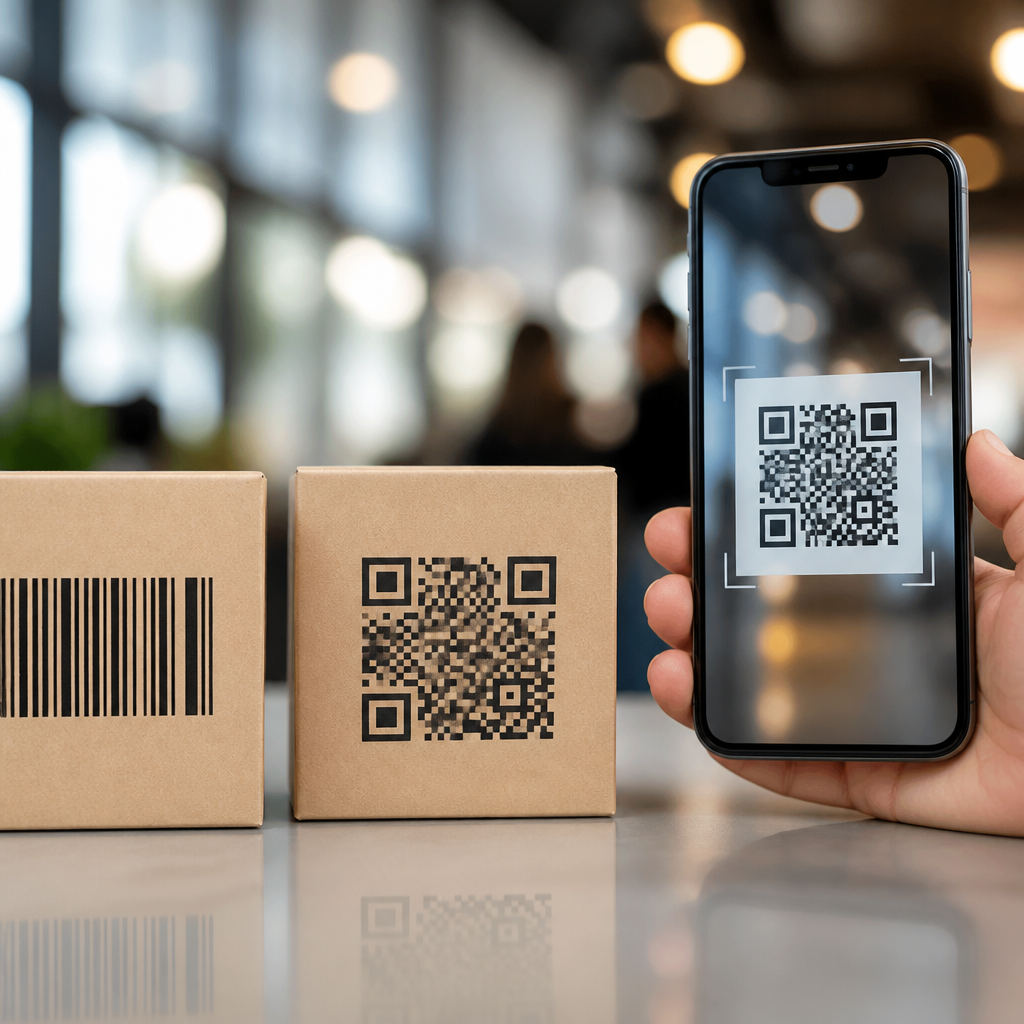
QR codes have evolved from simple machine-readable symbols into one of the most practical bridges between physical objects and mobile experiences. A mobile QR code is a two-dimensional matrix barcode designed to be scanned by a smartphone or tablet camera, instantly connecting a user to digital content such as a website, app download, payment page, contact card, map location, menu, authentication prompt, or product record. Unlike traditional one-dimensional barcodes, which usually store a short numeric identifier, QR codes can hold far more data and remain readable even when partially damaged. That combination of capacity, speed, and resilience is what turned them from an industrial tool into a mainstream mobile interface.
Understanding what mobile QR codes are matters because they now sit at the center of customer journeys, field operations, retail packaging, ticketing, healthcare intake, and touchless payments. I have worked on QR deployments for product packaging, event registration, and restaurant ordering, and the pattern is consistent: when the code leads to a fast mobile experience, adoption rises; when the landing page is slow or confusing, scan rates fall sharply. The code itself is only the gateway. The real value comes from how effectively it moves someone from an offline moment to an online action. That is why this topic deserves a hub-level explanation that covers history, structure, use cases, technical choices, and implementation standards in plain terms.
The evolution of QR codes started with the limitations of conventional barcodes. A standard UPC barcode was built for retail scanning efficiency, but it carries a narrow range of information and requires a specific orientation. In 1994, Denso Wave developed the Quick Response code to solve tracking challenges in automotive manufacturing. The design used square modules, finder patterns in three corners, and error correction based on Reed-Solomon coding, allowing faster reading from multiple angles and better performance in dirty or damaged environments. Years later, widespread smartphone cameras transformed that industrial innovation into a consumer-facing mobile tool. Today, mobile QR codes are less about encoding text for its own sake and more about launching useful actions with almost no friction.
How QR Codes Moved From Barcodes to Mobile Interfaces
Traditional barcodes and QR codes solve related but different problems. A one-dimensional barcode typically points to a database record. A QR code can do that too, but it can also directly encode a URL, vCard, Wi-Fi credential, calendar event, SMS draft, or plain text. That flexibility made QR codes especially useful once smartphones became capable of recognizing them natively through camera apps. Apple added built-in QR recognition in iOS 11, and Android manufacturers gradually made the feature standard across devices. That removed the old barrier of requiring a separate scanner app, which had slowed adoption in the early 2010s.
The mobile shift changed the meaning of the QR code. In warehouse and manufacturing environments, the code was a data container for operational systems. In consumer settings, it became a call to action. A product package could send a shopper to ingredients, setup instructions, warranty registration, or loyalty rewards. A poster could open a campaign page without forcing someone to type a long URL on a phone. A restaurant table tent could launch a digital menu optimized for small screens. The code became effective not because people suddenly loved scanning symbols, but because mobile web experiences improved enough to make the action worthwhile.
COVID-19 accelerated this transition. Menus, check-ins, vaccine records, and payments all shifted toward low-contact interactions. Businesses that had ignored QR codes started using them out of necessity, and many discovered they were also efficient, measurable, and inexpensive. That period normalized the idea that a camera scan could initiate a trusted transaction. As a result, mobile QR codes moved from novelty to habit.
What Are Mobile QR Codes, Exactly?
Mobile QR codes are QR codes used primarily in smartphone-driven contexts, where the expected next step happens on a mobile device. The code may appear on printed materials, packaging, screens, receipts, kiosks, labels, or in-app displays, but the destination is designed for mobile behavior. In practice, that usually means responsive landing pages, app deep links, wallet passes, mobile payment flows, or lightweight forms.
There are two broad categories: static and dynamic. A static QR code contains fixed data that cannot be changed after printing. If it encodes a website URL, that exact URL remains embedded forever. A dynamic QR code usually contains a short redirect URL managed through a QR platform. The visible code stays the same, but the destination can be updated later. Dynamic codes also support scan analytics such as timestamp, device type, approximate location, and campaign source, subject to privacy rules and platform capabilities.
That distinction matters in real deployments. If you print 100,000 product boxes, a static code is risky because a broken URL cannot be fixed. A dynamic code provides flexibility, supports A/B testing, and allows campaign rotation without reprinting inventory. Static codes still make sense for permanent information with no need for tracking, such as encoding a phone number, a basic contact card, or offline text in controlled environments.
How a Mobile QR Code Works in Practice
When a smartphone camera detects a QR code, software identifies the finder patterns, corrects perspective distortion, decodes the data, and presents the intended action. If the content is a URL, the phone offers a browser prompt. If it is a Wi-Fi payload, the device may offer to join the network. If it is a payment string, a wallet or banking app may handle it. This process feels simple to users, but good performance depends on technical and design choices made long before the scan.
The most important rule is relevance between code and destination. A code on a bus shelter should lead to a fast-loading mobile page with one clear action, not a desktop homepage filled with clutter. A code on equipment should open service instructions immediately, ideally with the model preselected. A code at an event entrance should surface a ticket or check-in workflow in seconds. The strongest QR implementations reduce typing, searching, and delay.
| QR code type | Best use case | Main advantage | Main limitation |
|---|---|---|---|
| Static URL | Permanent links on signs or manuals | Simple and low cost | Destination cannot be changed |
| Dynamic URL | Campaigns, packaging, analytics | Edit destination and measure scans | Depends on platform management |
| vCard | Business cards, booths, sales meetings | Saves contact details quickly | Limited analytics |
| Wi-Fi | Hotels, offices, cafes | Reduces password entry friction | Security policies may restrict usage |
| Payment | Retail, peer-to-peer, invoices | Fast mobile checkout | Varies by country and wallet support |
Scanning success also depends on sizing, contrast, quiet zone spacing, print quality, and error correction level. ISO/IEC 18004 defines the QR Code symbology standard, and ignoring its practical implications creates avoidable failures. I have seen beautifully designed codes become unreadable because brand teams reduced contrast too far or placed graphics over critical modules. In marketing reviews, aesthetics often compete with scan reliability; reliability must win.
Where Mobile QR Codes Deliver the Most Value
Retail and consumer packaged goods use mobile QR codes to extend the shelf experience. A code on skincare packaging can open ingredient sourcing details, how-to videos, subscription offers, or authenticity verification. Apparel brands use them for product care instructions and resale history. In these cases, the code turns packaging into a persistent digital touchpoint rather than a one-time printed surface.
Restaurants and hospitality businesses rely on codes for menus, ordering, table payments, room service, guest directories, and Wi-Fi onboarding. The most effective implementations keep the experience browser based and friction light. Forcing app downloads for a simple menu usually depresses usage. Hospitality teams also benefit from dynamic updates because pricing, inventory, and seasonal offerings change frequently.
Healthcare and public services use QR codes for patient forms, queue management, educational materials, and secure access to records or appointment details. Trust is especially important here. Users need to know what they are scanning and where the code will lead. Clear labeling, recognized domains, and HTTPS are nonnegotiable. In regulated environments, the code should never expose sensitive data directly when a secure authenticated session is required.
Payments are another major category. In China, QR-based payment systems became foundational through Alipay and WeChat Pay, while other markets adopted variations through EMVCo-aligned merchant-presented and consumer-presented flows. The practical appeal is straightforward: merchants can accept mobile payments without expensive card terminals, and customers can confirm transactions quickly. Adoption, however, depends on local banking infrastructure and consumer trust.
Best Practices for Creating a Strong Mobile QR Experience
Start with the destination, not the code generator. Before producing a QR code, define the user intent, screen context, and success metric. Is the goal to open a menu, claim an offer, register a product, authenticate a login, or start a payment? The answer determines whether the best destination is a mobile web page, app deep link, PDF, wallet pass, or native payment request. In most cases, a responsive mobile landing page is the safest default because it works across devices without install friction.
Next, optimize the scan environment. Codes viewed from a distance need larger physical dimensions. Codes in dim restaurants need strong contrast and matte finishes that reduce glare. Codes on moving surfaces, such as transit ads, require simpler calls to action and faster page loads. A useful field rule is to test each code on multiple devices, under realistic lighting, with average network conditions rather than office Wi-Fi only.
Security and governance matter as much as design. Use branded domains when possible, maintain HTTPS, avoid URL shorteners that obscure destination trust, and document who owns each dynamic code. Broken redirects, expired campaigns, and unmanaged vendor accounts create long-tail failures that are common in large organizations. For this subtopic hub, the essential principle is simple: a mobile QR code succeeds when scanning is easier than every alternative path. If you are building or updating a QR strategy, audit your existing codes, test every destination on mobile, and replace weak experiences with clear, fast, trustworthy journeys.
Frequently Asked Questions
1. How are QR codes different from traditional barcodes?
Traditional barcodes are one-dimensional codes made up of vertical lines that store a relatively small amount of information, usually a product identifier that must be matched with data in a separate database. QR codes, by contrast, are two-dimensional matrix barcodes that store information both horizontally and vertically. That design allows them to hold far more data in a much smaller space, including URLs, contact details, payment information, app links, map coordinates, Wi-Fi credentials, and other mobile-friendly content.
Another major difference is how people interact with them. Traditional barcodes were primarily created for industrial and retail scanning with specialized hardware. QR codes were designed for faster, more flexible scanning and are now easily read by smartphone and tablet cameras. This shift is what helped move codes from back-office inventory systems into everyday consumer experiences. In practical terms, a barcode usually helps a business identify a product, while a QR code often helps a user take immediate action, such as opening a website, viewing a menu, verifying a login, or downloading an app.
2. Why have QR codes become so important for mobile experiences?
QR codes have become important because they remove friction between the physical world and digital content. Instead of asking users to type a long web address, search for a product manually, or download an app and navigate through menus, a QR code creates an instant shortcut. A quick scan can take someone directly to the exact destination a business wants them to reach, whether that is a landing page, mobile payment screen, event ticket, support portal, or product information page.
This convenience matters even more in a mobile-first environment, where speed and simplicity strongly influence engagement. QR codes work well in stores, restaurants, packaging, print advertising, shipping labels, posters, business cards, and authentication workflows because they fit naturally into real-world settings. They also support measurable marketing and operational benefits. Businesses can track scans, update destination links through dynamic QR codes, personalize campaigns, and improve customer journeys without changing the printed code itself. That combination of accessibility, flexibility, and immediate action has made QR codes one of the most practical tools for connecting offline touchpoints to mobile experiences.
3. What types of information can a mobile QR code store or link to?
A mobile QR code can either directly store data or point users to online content. Common uses include website URLs, app download links, digital menus, coupons, contact cards, email prompts, SMS messages, social profiles, map locations, product records, and event registration pages. QR codes are also widely used for mobile payments, ticketing, identity verification, two-factor authentication, device setup, and Wi-Fi access. In business environments, they may link to training documents, maintenance logs, inventory systems, or customer support resources.
What makes QR codes especially versatile is that the scan experience can be tailored to a specific use case. A restaurant might use one to open a mobile menu, a retailer might connect packaging to product tutorials, and a healthcare provider might use one for patient check-in or secure information access. Dynamic QR codes make this even more powerful because the destination can be changed later without reprinting the code. That means one small square can serve as a flexible digital gateway, adapting over time as campaigns, products, and user needs evolve.
4. Are QR codes secure to use, and what should users and businesses watch out for?
QR codes themselves are not inherently dangerous, but like any link-based technology, their safety depends on where they lead. A legitimate QR code can send users to a trusted website, payment portal, login page, or document. A malicious QR code, however, can direct someone to a phishing site, trigger an unsafe download, or encourage the sharing of sensitive information. Because users cannot always see the destination before scanning, caution is important, especially in public places or on printed materials that could be tampered with.
For users, best practices include scanning codes only from trusted sources, previewing links when the device allows it, checking that websites use secure domains, and avoiding entering passwords or payment information on suspicious pages. For businesses, security means generating codes through reliable platforms, using secure HTTPS destinations, monitoring for unauthorized replacements, and clearly branding the experience so users know they are interacting with an authentic source. In many cases, trust can be improved by placing QR codes in controlled environments, adding descriptive text about what the scan will do, and using dynamic code management tools to maintain secure, updated destinations.
5. How have QR codes evolved from simple scanning tools into a broader digital engagement channel?
QR codes began as practical machine-readable symbols designed to hold more information than conventional barcodes and to be read quickly in industrial settings. Over time, improvements in smartphone cameras, mobile internet access, and consumer familiarity transformed them into mainstream interaction tools. What was once mainly a functional code for tracking and identification is now a key part of customer engagement, mobile commerce, authentication, logistics, and connected product experiences.
Today, QR codes are no longer just about retrieving information. They support interactive campaigns, contactless payments, loyalty programs, smart packaging, digital onboarding, and personalized mobile journeys. Businesses use them to bridge physical products and environments with real-time digital services, while consumers use them as a fast and intuitive way to access content without extra steps. Their evolution reflects a broader shift in technology: people increasingly expect physical objects, printed materials, and real-world spaces to offer instant digital utility. QR codes meet that expectation efficiently, which is why they continue to grow as a simple but powerful mobile experience tool.





