
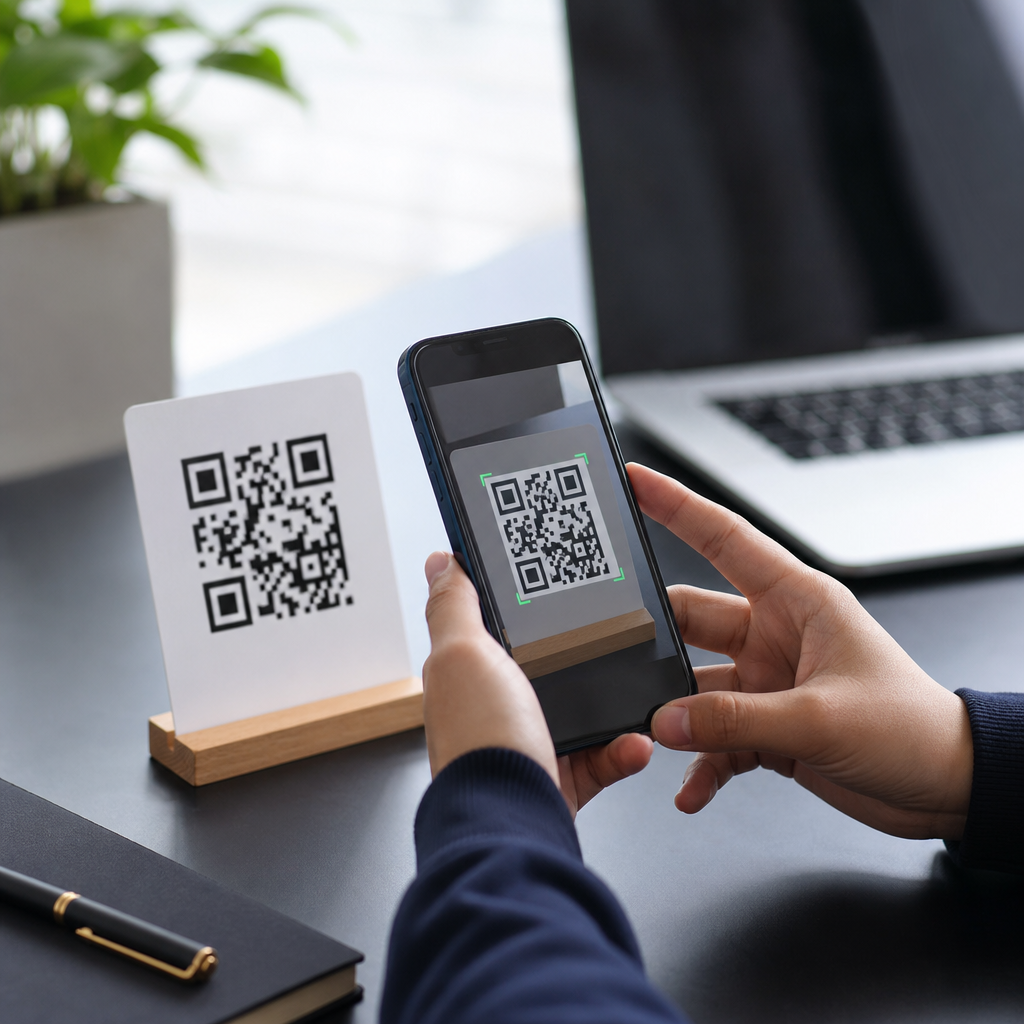
QR code encoding and decoding are the two technical processes that make mobile QR codes work: encoding converts data such as a URL, contact card, payment token, or app deep link into a machine-readable pattern of dark and light modules, while decoding reverses that pattern back into usable information on a phone. For anyone building, scanning, printing, or managing QR campaigns, understanding both sides matters because performance depends on far more than the visible square image. Data mode, character set, version size, error correction level, camera quality, contrast, lighting, and software interpretation all affect whether a code opens instantly or fails in front of a customer. In mobile use, QR codes act as a bridge between physical surfaces and digital actions. A label can launch a product page, a restaurant tent card can open a menu, and a payment placard can trigger a wallet transaction in seconds. That convenience explains why QR adoption accelerated across retail, logistics, events, healthcare, and field service. Yet many teams still treat a QR code as a simple graphic instead of a structured data container governed by ISO/IEC 18004 and decoded through computer vision. This article explains how mobile QR codes work from the inside out, using practical examples and plain language. It serves as a hub for the broader Mobile QR Code Basics topic by covering the essential mechanics, design rules, mobile scanning flow, common failure points, and implementation choices that shape real-world results.
The structure of a QR code and how encoding turns data into modules
A QR code is not random artwork. It is a two-dimensional matrix barcode made of square modules arranged in a grid. During encoding, software takes source data and maps it into this grid according to strict rules. The code includes functional patterns as well as payload data. The three large finder patterns in the corners help a mobile camera detect orientation. Alignment patterns help correct distortion, especially on larger versions. Timing patterns establish row and column spacing. Format information stores error correction level and mask pattern. Version information appears on larger symbols. The remaining modules hold encoded data and error correction codewords.
Encoding starts by identifying the most efficient data mode. Numeric mode is compact for digits only. Alphanumeric mode supports a limited character set including uppercase letters and certain symbols. Byte mode is used for general text, URLs, UTF-8 content, and most practical mobile experiences. Kanji mode compresses specific Japanese character ranges. Choosing the right mode affects how much data fits into a given symbol. For example, a short numeric ID can fit in a much smaller QR code than a long tracking URL with campaign parameters.
After mode selection, the encoder adds a mode indicator, character count indicator, and the data bits themselves. The stream is padded to fill capacity, then split into codewords. Reed-Solomon error correction codewords are generated and interleaved with data codewords. Finally, the encoder places bits into open modules and applies one of eight masking patterns to reduce problematic visual patterns that would hurt scanning. Good generators score each mask and select the best one. In practice, I have seen poor low-cost generators create codes that technically validate but scan inconsistently because masking and quiet zone handling are sloppy.
How mobile phones decode a QR code in real conditions
Decoding is the reverse process, but on a phone it begins with image processing, not data interpretation. The camera captures a frame containing the QR code, often at an angle, in uneven light, or with glare from laminated packaging. The scanner then locates the finder patterns, estimates perspective, corrects rotation, and samples the grid into a normalized square. This step is why a code can still scan when tilted on a poster or curved slightly on a bottle, but may fail when stretched across a heavily curved surface.
Once the grid is sampled, the decoder reads format and version information, removes the mask, extracts codewords, and applies Reed-Solomon error correction. If enough of the symbol is intact, the original payload is reconstructed. The software then interprets the content type. A URL may open in the browser or in-app web view. A vCard can prompt a contact save. A Wi-Fi payload can trigger a join workflow. A payment string may open a banking app. Modern mobile operating systems add a trust layer here by previewing the destination before launch, which is useful because the decoded content may still be malicious even if the symbol itself is valid.
Most current smartphones use native camera scanning backed by platform frameworks such as Apple VisionKit or AVFoundation on iOS and Google ML Kit or ZXing-based libraries on Android. Dedicated apps still matter in enterprise workflows because they can enforce symbology restrictions, logging, and action rules. In warehouse and field operations, I have deployed scanners configured to accept only approved URI schemes and internal asset tags, reducing accidental launches and improving auditability.
What determines capacity, resilience, and scan speed on mobile
Not all QR codes are equally easy to scan. Capacity increases with version size, from Version 1 at 21 by 21 modules upward in increments of four modules per side, but larger symbols become denser and harder for low-resolution cameras to sample at distance. Error correction comes in four levels: L, M, Q, and H. Higher levels recover more damage, but they reduce payload capacity and can enlarge the code. For many marketing URLs, level M or Q is a balanced choice. For industrial labels exposed to abrasion, H is often worth the larger footprint.
Scan speed is driven by module clarity, contrast, quiet zone, and payload length. A short URL encoded in byte mode with a proper four-module quiet zone and strong black-on-white contrast will usually scan faster than a dense code packed with tracking parameters and printed in reverse on glossy material. This is why dynamic QR codes are so useful operationally. Instead of encoding a long destination URL directly, the code can point to a short redirect URL controlled on the server. The physical code stays simple, while destination, analytics, and campaign logic remain editable.
| Factor | What it affects | Practical guidance |
|---|---|---|
| Data length | Symbol size and density | Keep payloads short; use redirects for long destinations |
| Error correction level | Damage tolerance and capacity | Use M or Q for general mobile use; H for harsh environments |
| Print contrast | Detection reliability | Prefer dark modules on a light matte background |
| Quiet zone | Edge recognition | Maintain at least four modules of clear space around the code |
| Physical size | Scanning distance | Increase size as viewing distance and density increase |
| Surface and lighting | Camera sampling quality | Avoid glare, wrinkles, and severe curvature |
Common mobile QR code use cases and the workflow behind them
Understanding how mobile QR codes work becomes easier when mapped to actual workflows. In retail packaging, a QR code often encodes a short HTTPS link. When scanned, the phone decodes the link, resolves a redirect, and opens a mobile landing page with product details, reviews, or warranty registration. In restaurants, table codes usually trigger a menu URL; some systems append a table identifier so staff know where the order originated. In ticketing, the payload may be a signed token checked against a backend system. In payments, many schemes encode structured merchant and transaction data, then pass it to a wallet app for confirmation.
Operational QR systems are often more nuanced than consumer examples suggest. A static QR code directly contains its final destination and cannot be edited after printing. A dynamic QR code resolves through a management platform, allowing content updates, georouting, expiration rules, A/B testing, and scan analytics. In my experience, dynamic codes are the default choice for campaigns and field assets because printed materials outlive landing page changes. Static codes still make sense for permanent information such as Wi-Fi access in a conference room or equipment IDs in a closed system.
Mobile behavior after decoding also matters. Deep links can open a specific in-app screen if the app is installed and fall back to the app store or web page if not. Universal Links on iOS and App Links on Android improve this handoff, but they require correct domain association and testing. A broken deep link creates the classic failure case where the code scans successfully yet the user lands nowhere useful. From the customer perspective, that is still a bad QR code.
Design, testing, security, and maintenance best practices
The biggest implementation mistakes are usually physical, not mathematical. Teams shrink codes too far, place them on reflective surfaces, crowd the quiet zone with logos, or use brand colors with insufficient luminance contrast. Stylized QR codes can work, but only after testing across devices, distances, and lighting conditions. I generally treat logo overlays conservatively and verify scan rates on older midrange phones, not only flagship models. If a code must be scanned from two meters away, module size and print resolution need to be designed for that distance, not for desktop aesthetics.
Testing should cover native iPhone and Android cameras, at least one low-light scenario, one lower-resolution device, and real print output rather than only on-screen proofs. Tools such as ZXing Decoder Online, Google ML Kit sample apps, and commercial QR validators help, but field tests remain essential because paper stock, lamination, and placement change outcomes. For enterprise deployments, maintain a QR inventory with destination ownership, expiration policy, and redirect logs. Broken redirects are a common source of failure months after launch.
Security deserves equal attention. Because decoding merely reveals whatever payload was encoded, users can be exposed to phishing links, fraudulent payment requests, or unsafe app prompts. Use HTTPS, clear branded domains, and destination previews. Avoid URL shorteners that obscure trust signals unless they are your own branded redirect domains. For internal operations, restrict scanner actions and validate payload formats server-side. The strongest mobile QR programs combine reliable encoding, disciplined print design, controlled redirects, and ongoing monitoring.
QR code encoding and decoding are the foundation of how mobile QR codes work, but the business outcome depends on decisions made long before a customer opens the camera. Encoding determines data efficiency, symbol size, and resilience through mode selection, versioning, masking, and error correction. Decoding depends on computer vision, perspective correction, codeword recovery, and safe action handling on the phone. When those pieces are aligned, QR codes create a fast bridge from physical touchpoints to digital experiences, whether the goal is product education, app engagement, payments, service workflows, or asset tracking.
The main lesson is simple: treat a QR code as a system, not an image. Keep payloads short, preserve the quiet zone, choose the right error correction level, print with strong contrast, test on real devices, and manage destinations over time. Use static codes only when the destination is truly permanent, and favor dynamic codes when campaigns, links, or analytics may change. Secure the destination with trusted domains and clear user expectations. If you are building out Mobile QR Code Basics, start by auditing your current codes against these principles, then map each use case to the right encoding, decoding, and maintenance approach.
Frequently Asked Questions
1. What does QR code encoding mean?
QR code encoding is the process of turning readable information into the structured pattern of black and white modules that a camera can scan. The source data might be a website URL, plain text, Wi-Fi credentials, a digital business card, a payment request, or an app deep link. During encoding, that content is translated into a format the QR specification can represent efficiently. The encoder chooses a data mode such as numeric, alphanumeric, byte, or kanji, then converts the content into binary data, organizes it into codewords, adds error correction, and places everything into the QR symbol according to standardized rules.
This matters because encoding is not just about making a square image. The decisions made during encoding directly affect how large the code becomes, how fast it scans, and how well it survives real-world conditions like small print sizes, poor lighting, damaged labels, or low-contrast materials. For example, a short URL usually encodes into a simpler, less dense QR code than a long tracking link with many parameters. A less dense code is often easier for phones to read quickly. In practice, good encoding means matching the data, error correction level, and output format to the intended use case, whether that is product packaging, signage, menus, tickets, or mobile payments.
2. What is QR code decoding and how does a phone read a QR code?
QR code decoding is the reverse process of encoding. When a user points a phone camera at a QR code, the scanning software first locates the symbol in the image by identifying key patterns built into the code, especially the large finder patterns in the corners. It then corrects for angle, perspective distortion, blur, and uneven lighting as much as possible. Once the symbol is isolated, the decoder reads the arrangement of dark and light modules, extracts the encoded bits, applies error correction to recover damaged or obscured data, and converts the result back into usable information such as a URL, contact record, or payment payload.
Modern phones make decoding look simple, but several technical steps happen in the background. The scanner has to determine the QR code version, identify the mask pattern used during encoding, interpret the correct data mode, and validate the result. If the print is low quality, the code is partially blocked, or the camera image is noisy, decoding can still succeed because QR codes include Reed-Solomon error correction. That is one reason QR codes are so resilient in retail, logistics, and consumer marketing. Still, decoding performance depends heavily on image quality, focus, contrast, module size, and the amount of data packed into the symbol. If any of those are poorly handled, scan speed and reliability suffer.
3. Why do encoding settings like data mode, character length, and error correction affect scan performance?
These settings influence how much information must fit inside the QR code and how complex the final symbol becomes. Data mode determines the most efficient way to represent the content. Numeric data is encoded more compactly than general byte data, for example, so the same message may produce a smaller QR code if the right mode is used. Character length also matters because more data requires more modules. As the code stores more information, it usually moves to a higher QR version, increasing the symbol’s dimensions and density. Denser codes can be harder to scan from a distance, on curved surfaces, or when printed at small sizes.
Error correction adds another important layer. QR codes can be generated with different error correction levels, commonly known as L, M, Q, and H. Higher levels provide more redundancy, allowing successful scans even if part of the code is damaged, dirty, or covered by a logo. The tradeoff is that more redundancy means less room for actual data, which can force the QR code to grow larger or become denser. That is why the best encoding setup depends on context. A warehouse label exposed to wear may benefit from stronger error correction, while a clean digital display may not need the same level. In short, scan performance is shaped by balancing efficiency, resilience, and physical presentation rather than simply generating any code that “works.”
4. What are the most common reasons a QR code fails to scan even when it looks correct?
A QR code can look visually normal and still perform poorly because scan reliability depends on more than appearance. One common problem is excessive data length. If too much data is embedded directly into the code, the symbol becomes dense, and small printing imperfections can make individual modules difficult for a camera to distinguish. Another issue is poor contrast. QR codes generally scan best when there is a strong difference between foreground and background, such as black on white. Stylish color combinations, reflective surfaces, transparent backgrounds, or dark-on-dark designs often reduce readability.
Physical production and placement also matter. If the code is printed too small, distorted during resizing, stretched out of proportion, placed on a curved bottle, or covered by folds, glare, or damage, decoding becomes harder. Quiet zone violations are another frequent problem. A QR code needs clear blank space around its edges so scanners can separate it from surrounding graphics. Without that margin, some devices struggle to identify the symbol correctly. Over-customization can also cause failures if a logo, illustration, or decorative treatment removes too many critical modules. Finally, destination issues can be mistaken for scan issues. A code may decode perfectly but lead to a broken URL, unsupported deep link, or poorly configured mobile landing page, creating the impression that the QR code itself failed.
5. How can businesses optimize QR code encoding and decoding for real-world campaigns?
The best approach is to treat QR performance as a full system, not just an image export. Start by encoding the shortest practical data possible. In many marketing use cases, that means using a short URL or dynamic QR code rather than embedding a long destination string with multiple tracking parameters. Shorter payloads usually create cleaner, less dense symbols that are easier to decode. Choose an appropriate error correction level based on the environment. For controlled digital placements, moderate correction may be enough, while packaging, outdoor displays, and industrial labels often need more resilience.
Next, design for scanning conditions. Maintain strong contrast, preserve the quiet zone, and size the code appropriately for the expected scanning distance. Test on multiple phone models, operating systems, and camera qualities rather than assuming one successful scan proves the code is production-ready. It is also smart to test under realistic lighting, print materials, and placement angles. If the QR code will appear on glossy packaging, behind glass, on moving screens, or in low-light environments, those conditions should be part of validation. Finally, remember that decoding success should connect to business success. Confirm that the decoded content opens the right app, page, or workflow quickly and securely. The most effective QR campaigns optimize both encoding quality and the user experience after the scan.





