
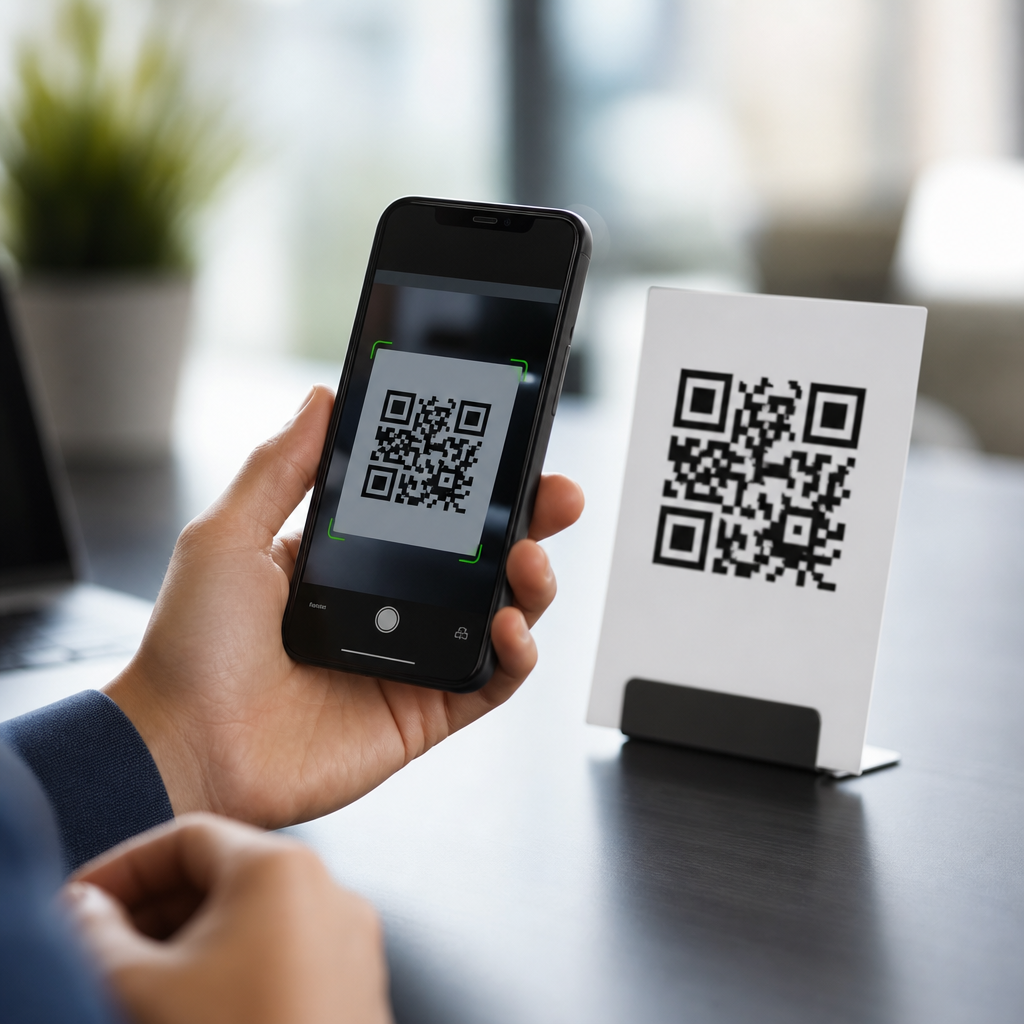
Why do some QR codes open websites instantly while others pause, fail, or ask for extra taps? The answer sits in how mobile QR codes work across camera hardware, operating systems, browser handoff, network conditions, and the way the code itself is generated. A QR code is a two-dimensional matrix barcode that stores data in square modules arranged on a grid. When that data contains a web address, a phone camera or scanning app decodes the pattern, recognizes the URL, and passes it to the operating system to open in a browser or in-app web view. In practice, that process can feel either seamless or clumsy. I have tested QR campaigns on iPhone, Pixel, Samsung Galaxy, rugged warehouse scanners, and low-cost Android handsets, and the difference is rarely random.
For mobile QR code basics, this matters because scanning speed directly affects conversion. Restaurant menus, event check-ins, payments, product packaging, and support labels all rely on quick, predictable behavior. If a user has to brighten the screen, move closer, dismiss a warning, wait for a redirect, or retry on weak cellular service, completion rates drop fast. Understanding how mobile QR codes work lets teams choose the right code type, print size, destination URL, and placement. It also helps explain why “instant” scanning is really the result of several optimized steps working together, from image capture through error correction to final page render on the mobile device.
How a mobile phone reads a QR code
A phone does not “understand” a QR code the moment it sees black squares. First, the camera captures a live image stream. Computer vision routines then look for three position markers, the large squares in three corners, to identify orientation. From there, the decoder corrects perspective distortion, samples the grid, reads format and version information, and applies Reed-Solomon error correction to recover damaged data. Only after those steps does the phone extract the payload, such as a URL, phone number, Wi-Fi credential, or plain text. When the payload is a website address, the operating system classifies it as a link and surfaces an action like Open in Safari or Open in Chrome.
Instant behavior depends on good source material. High contrast, adequate quiet zone spacing around the symbol, correct print resolution, and enough physical size for the scanning distance all reduce the number of frames needed before the decoder locks on. I have seen a well-printed Version 2 code on matte packaging resolve in under a second, while a denser code on a glossy label required several seconds because glare obscured modules. Newer phones also help. Modern image signal processors sharpen edges, autofocus faster, and run machine vision routines directly on the device, which is why flagship models usually detect codes from farther away than older phones.
Why some QR codes feel instant and others do not
When users say a QR code opens instantly, they are describing the full chain, not just decoding. The fastest path is simple: the camera detects the code immediately, the payload is a direct HTTPS URL, the phone recognizes it without warning, DNS lookup is fast, the server responds quickly, and the landing page is lightweight. Delays happen when any link in that chain adds friction. A dynamic QR code may redirect through a tracking domain before reaching the final page. That adds another network request and another TLS handshake. If the campaign uses several marketing parameters, a link shortener, and geo-routing logic, the “instant” moment becomes noticeably slower.
Operating system behavior also matters. iOS has native QR detection in the Camera app and often displays a banner with minimal interruption. Android varies by manufacturer and version. Google Lens integration is common, but some devices still rely on separate scanning flows. Security prompts can appear if the domain is unfamiliar, if the URL uses a custom scheme, or if enterprise mobile device management policies intercept the request. In retail and logistics projects, I have repeatedly found that the fastest scans come from direct links to mobile-optimized pages on stable domains with no chained redirects. Good QR performance is usually architecture, not luck.
Static vs dynamic codes and their effect on speed
Static QR codes encode the final destination directly in the symbol. Dynamic QR codes usually encode a short URL that redirects to a managed destination. Static codes can be marginally faster because the browser has one less redirect to follow, and they avoid dependence on a third-party QR platform staying online. They are also simpler to audit because the printed code always points to the same address. The tradeoff is inflexibility. If a URL changes, the static code must be replaced everywhere it appears, which is expensive for packaging, posters, manuals, and signage already in circulation.
Dynamic codes are popular because they allow destination edits, analytics, campaign scheduling, device-based routing, and A/B tests without reprinting the code. Those capabilities are valuable, but every redirect layer is a potential performance cost. A well-run dynamic platform with a content delivery network can still feel fast, especially if the final page is optimized. A poorly configured platform can slow down scans or trigger trust concerns when users see unfamiliar short domains. The practical rule is straightforward: use dynamic codes when management and measurement justify the redirect, but keep the redirect chain to one hop and host the endpoint on reliable infrastructure.
Technical factors that control scan speed
Several variables consistently determine whether mobile QR codes work quickly in the field:
| Factor | What it affects | Practical guideline |
|---|---|---|
| Module density | Detection and decode time | Use the lowest QR version that fits the data |
| Quiet zone | Recognition accuracy | Keep a four-module margin on all sides |
| Print contrast | Camera edge detection | Prefer dark code on light background |
| Surface finish | Glare and blur | Choose matte over glossy when possible |
| Physical size | Usable scan distance | Increase size as viewing distance increases |
| Redirects | Open time after decode | Limit to one redirect before the final page |
| Page weight | Perceived load speed | Compress images and defer noncritical scripts |
These factors are measurable. For example, a code that stores a long URL directly may require a higher QR version, creating smaller modules that are harder for low-end cameras to resolve. Switching to a shorter URL often reduces symbol density and improves scan reliability. The same is true for placement. A code on a curved bottle, moving vehicle, or backlit kiosk is harder to scan than one on a flat, evenly lit poster. Teams that test only on office printers under bright lighting miss the real-world constraints that customers face.
What happens after the scan: browser, server, and page performance
Decoding the code is only half the experience. After the mobile device recognizes the URL, it must resolve the domain through DNS, negotiate an encrypted connection using TLS, request the page, download assets, execute scripts, and render content. That is why two QR codes with identical print quality can feel dramatically different. One points to a fast, mobile-first page cached on a CDN; the other opens a bloated landing page full of render-blocking JavaScript, oversized hero images, multiple tag manager calls, and consent pop-ups. The code itself is not slow. The website is.
In production, I look at Core Web Vitals, server response time, redirect waterfalls, and JavaScript payload size before blaming the QR symbol. Google PageSpeed Insights, Lighthouse, WebPageTest, and Chrome DevTools expose most bottlenecks quickly. For QR destinations, the fastest pages usually keep above-the-fold content simple, use modern image formats like WebP or AVIF, minimize third-party scripts, and avoid intrusive interstitials. If the goal is menu access, ticket validation, or customer support, the ideal landing experience loads the needed action immediately, not a marketing splash page that forces users to hunt for the next step.
Common reasons QR codes fail on mobile
Failures typically fall into three categories: the phone cannot read the symbol, the device reads it but does not trust or handle the payload cleanly, or the website opens slowly or breaks after launch. Poor readability usually comes from tiny print, insufficient contrast, busy backgrounds, logo overlays that consume too much of the data area, or missing quiet zones. Environmental issues matter too. Low light, screen flicker on digital displays, motion blur, cracked protective covers over signs, and reflections from laminated surfaces all reduce recognition rates. Error correction helps, but it is not a license for decorative abuse.
Payload and destination problems are equally common. Some creators generate codes with HTTP instead of HTTPS, outdated links, unsupported deep-link schemes, or domains blocked by corporate filters. Others point to pages that are not mobile responsive, require a heavy app install, or depend on geolocation permissions before showing content. In healthcare, manufacturing, and field service, captive portals and poor connectivity are frequent hidden causes. A QR code can decode perfectly and still appear broken because the phone lacks a stable route to the server. Reliable mobile QR code performance always combines readable symbols with dependable destinations.
Best practices for creating QR codes that open websites instantly
The fastest QR experiences come from disciplined design and testing. Encode the shortest practical HTTPS URL. Use dynamic routing only when you need management or analytics. Keep the symbol version low, preserve the quiet zone, and print at a size appropriate for the expected scan distance. Place the code on a flat, high-contrast surface away from folds, seams, and glare. If branding is important, add a small logo only after testing on both flagship and budget phones. Then optimize the destination page for mobile speed, because users judge the whole interaction, not the barcode in isolation.
Test in the conditions your audience will actually face: indoors and outdoors, on Android and iPhone, over Wi-Fi and cellular, in bright light and dim light, from arm’s length and from several feet away. Track first scan success, time to open, and completion rate for the target action. This sub-pillar hub on how mobile QR codes work should guide every related decision, from code generation to landing page delivery. If you want websites to open instantly, remove friction at every stage, measure the results, and refine with field data rather than assumptions. Start by auditing one live QR code journey from camera scan to page render today.
Frequently Asked Questions
Why do some QR codes open a website instantly while others require extra taps or feel delayed?
The difference usually comes down to how smoothly the entire scanning chain works on a given phone. A QR code itself is only a visual container for data. When the code holds a web address, the phone’s camera or scanning software must first detect the code, decode the pattern, confirm that the content is a URL, and then hand that URL off to the operating system or browser. On newer devices, this process is highly optimized. The camera recognizes the code in real time, the operating system identifies the link immediately, and the default browser is ready to open it with little or no friction.
Delays happen when any part of that chain is slower or less integrated. Some phones rely on a separate scanning app instead of native camera detection. Some operating systems show a preview banner that requires a tap before launching the site for security reasons. Others may hesitate while checking whether the link should open in a browser, in an app, or through a built-in web view. In practical terms, instant opening is less about the QR code being “faster” and more about the phone’s hardware, software, and browser handoff working together efficiently.
Can the way a QR code is generated affect how quickly a website opens?
Yes, absolutely. The structure and content of the QR code can influence how quickly and reliably it is scanned. A clean, well-generated QR code with strong contrast, appropriate sizing, and a straightforward URL is usually recognized faster than a cluttered or overly stylized code. If a code has been heavily customized with logos, unusual colors, low contrast, or decorative elements that interfere with the square modules, the camera may need more time to lock onto the pattern and decode it correctly.
The type of URL inside the code also matters. A direct web address often opens more smoothly than a shortened or redirected link that sends the user through one or more intermediate servers first. Every redirect adds a step after scanning, which can create the impression that the QR code is slow even though the decode itself happened quickly. Dynamic QR codes can also introduce an extra lookup step because the code points to a short management URL before forwarding the user to the final destination. That is not inherently bad, and dynamic codes are useful for tracking and editable destinations, but it can add a small delay compared with a direct static URL.
How do camera hardware and phone software influence QR code performance?
Camera quality has a major impact on scan speed. Phones with better sensors, faster autofocus, improved low-light performance, and stronger image processing can detect and decode QR codes more quickly. A sharp image with good exposure makes it easier for the scanning system to identify the grid of square modules and interpret the embedded data. On older devices or in poor lighting, the camera may struggle to focus, which slows recognition or causes failed scans.
Software is just as important as hardware. Modern mobile operating systems often include native QR recognition directly in the camera app, which removes the need for a separate scanner and shortens the path from detection to browser launch. Some platforms also use machine vision and on-device processing to identify codes almost instantly. In contrast, older devices or third-party scanner apps may add extra steps, show ads, request permissions, or delay opening the URL until the user confirms the action. So when one QR code seems to open instantly on one phone but not another, the difference is often the device ecosystem rather than the code alone.
Why do some QR codes fail to open at all even when they scan correctly?
A successful scan does not always guarantee a successful website launch. In many cases, the camera decodes the QR code correctly, but the web address it contains is incomplete, malformed, expired, or no longer active. If the URL points to a page that has been removed, a misconfigured redirect, or a server that is temporarily down, the phone may appear to “fail” even though the scanning part worked exactly as intended. This is a common point of confusion because users often assume the QR code itself is broken when the real issue is the destination.
Network conditions are another major factor. Once the phone has decoded the link, it still needs internet access to load the website. Weak cellular coverage, congested public Wi-Fi, captive portals, VPN conflicts, or browser security checks can all slow or block the page from opening. Some links may also trigger warnings if the browser suspects a redirect chain, unsupported certificate, or potentially unsafe destination. In short, QR code performance depends on both decoding and web delivery. A code can scan perfectly but still fail at the website stage if the destination or connection is problematic.
What makes a mobile QR code experience feel truly instant for users?
An instant-feeling experience comes from reducing friction at every stage. First, the QR code must be easy for the camera to recognize: high contrast, sharp edges, enough quiet space around the code, and a size appropriate for the scanning distance. Second, the encoded destination should be simple and efficient, ideally a direct HTTPS URL with minimal redirects. Third, the landing page itself should be fast, mobile-friendly, and hosted on a reliable server. If the code scans immediately but the page takes several seconds to load, users will still perceive the whole interaction as slow.
The best results happen when technical quality and user experience design are aligned. That means testing the code on multiple phones, in different lighting conditions, and across both iOS and Android. It also means making sure the website opens cleanly in standard mobile browsers without unnecessary pop-ups, app-store detours, or interstitial screens. From the user’s perspective, “instant” does not just mean fast decoding. It means the phone recognizes the code right away, presents the link clearly, opens the browser without confusion, and loads the intended page almost immediately.





