
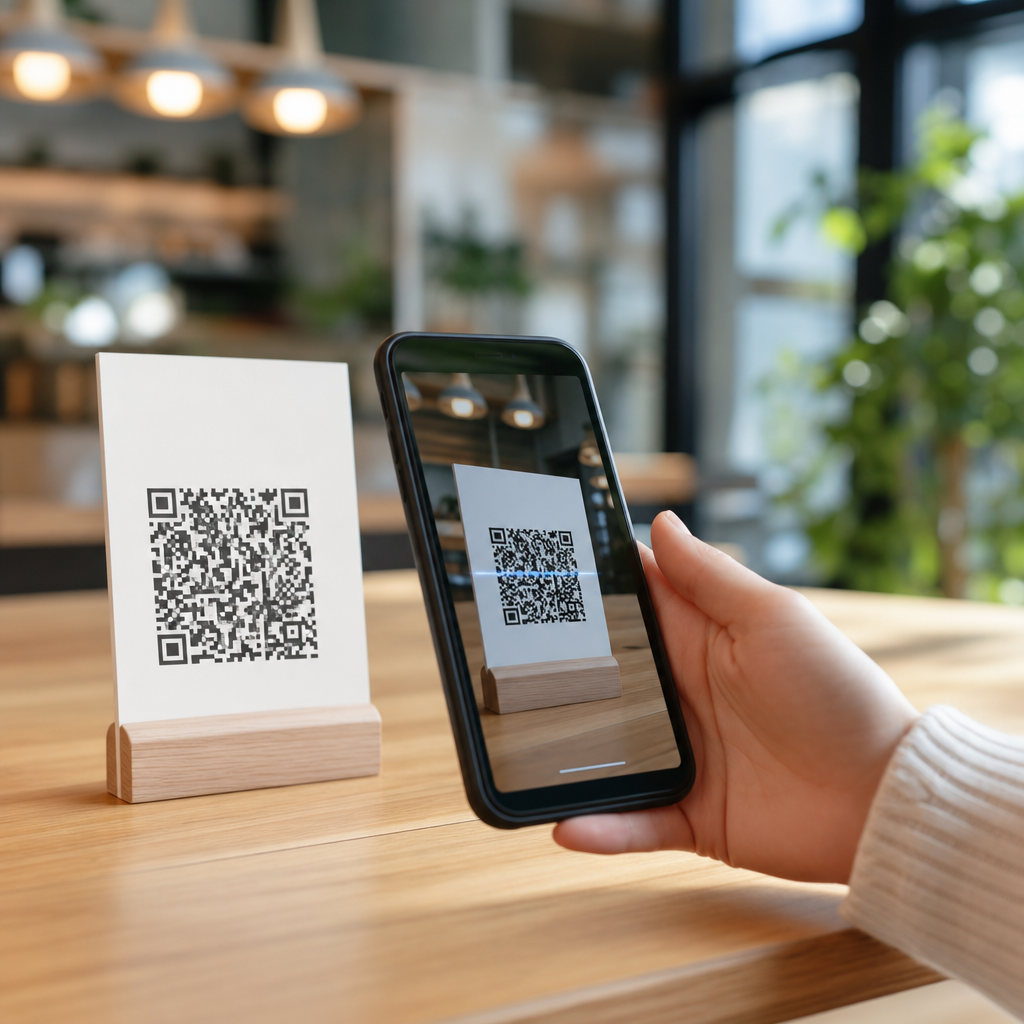
QR codes connect physical places, printed materials, and real-time digital actions by turning a phone camera into a bridge between offline attention and online experience. For businesses, schools, events, and public services, that bridge matters because people increasingly discover products, menus, forms, videos, and payments while moving through the physical world. A mobile QR code is a two-dimensional barcode designed to be read quickly by smartphone cameras, then interpreted by the operating system or app as an instruction, usually to open a webpage, download contact details, join Wi-Fi, launch a map, or start a payment flow. In practical terms, QR code technology reduces friction: instead of typing a long URL, searching for a brand, or installing a dedicated app, a user scans once and lands exactly where the creator intended.
Understanding how mobile QR codes work is essential because the quality of the connection between offline and online determines whether a campaign succeeds or fails. I have seen beautifully designed posters underperform simply because the code linked to a non-mobile landing page, while a plain table tent in a café generated strong conversions because the scan led to a fast menu, clear ordering path, and trackable analytics. This article explains the mechanics behind scanning, encoding, redirection, and destination design so readers can treat QR codes as an experience system rather than a graphic. It also serves as a hub for the broader Mobile QR Code Basics topic by covering the technical foundation, common use cases, setup decisions, measurement methods, and the mistakes that most often break scan performance.
What a mobile QR code actually does
A QR code stores machine-readable data in a square grid of black and white modules. When a smartphone camera detects the code, image-processing software identifies the three large finder patterns, corrects for perspective, reads the module layout, and decodes the embedded data. Most mobile scans resolve to a URL, but the payload can also contain plain text, a vCard, calendar information, SMS prompts, email prompts, geolocation coordinates, or wireless network credentials. The important point is that the code itself is not the experience. It is the trigger that launches the experience on a mobile device.
Modern phones make this process nearly invisible. On iPhone, the native Camera app recognizes most QR codes without a separate scanner. On Android, Google Lens and many stock camera apps do the same. After recognition, the device presents a prompt such as “Open in browser,” “Join network,” or “Add contact.” That last step matters because scan success depends on user trust. People need a clear indication of where the code will send them, especially in public spaces where malicious stickers or URL spoofing are possible. For that reason, reputable implementations use recognizable domains, secure HTTPS pages, and destination pages that match the context of the printed material.
How scanning works on smartphones
The scanning process has four stages: detection, decoding, interpretation, and action. Detection begins with the camera sensor capturing the image. Good lighting, sufficient contrast, and a code size appropriate to the viewing distance improve the camera’s ability to lock on. Decoding software then applies error correction, most commonly Reed-Solomon error correction, which allows the code to remain readable even if part of it is smudged, covered, or stylized. Interpretation maps the decoded payload to an action. If the payload is a web address, the operating system prepares a browser handoff; if it is Wi-Fi data, the phone offers a network connection prompt. Action happens only after the user confirms.
From experience, scan failures usually come from environmental conditions rather than from the code format itself. A glossy restaurant menu under warm overhead lights creates glare. A QR code on a moving bus is difficult to scan because users have limited time and changing angles. Codes placed too high on a retail window force awkward framing that frustrates customers. The fix is simple but often ignored: test the printed code on multiple devices, at the actual location, from the actual distance, under the actual lighting conditions. Camera quality varies, and older devices need larger quiet zones, stronger contrast, and fewer design embellishments than newer flagship phones.
Static vs dynamic QR codes and why the difference matters
Static QR codes contain final destination data directly in the code. If the payload is a URL, that exact URL is permanently encoded. Static codes are useful for fixed information such as a permanent homepage, a contact card, or a Wi-Fi password in an office. Dynamic QR codes, by contrast, encode a short redirect URL that points to a management platform. When the code is scanned, the platform routes the user to the current destination. This structure enables editing, campaign changes, expiration rules, password protection, geotargeting, device-based routing, and analytics.
For offline-to-online marketing, dynamic codes are usually the better choice because printed materials outlive digital campaigns. I have used the same QR code on packaging while changing the linked page from setup instructions to seasonal promotions to support content, all without reprinting. That flexibility also supports attribution. Platforms such as Bitly, QR Code Generator PRO, Uniqode, and Beaconstac can track scan count, time, approximate location, and device type, although exact reporting depends on privacy settings and consent frameworks. The tradeoff is operational dependency: if the service lapses, redirects can stop working. Businesses should document ownership, maintain subscriptions, and export data regularly.
| Type | Best use | Main advantage | Main limitation |
|---|---|---|---|
| Static QR code | Permanent links, simple contact or Wi-Fi sharing | No ongoing platform dependency | Destination cannot be changed after printing |
| Dynamic QR code | Campaigns, packaging, menus, analytics, changing destinations | Editable links and measurable scans | Usually requires a managed service |
How QR codes connect offline touchpoints to online journeys
The real value of QR codes appears when the physical trigger matches user intent at that moment. On product packaging, scans commonly lead to assembly guides, warranty registration, ingredient details, recycling instructions, or loyalty enrollment. In restaurants, table codes open mobile-friendly menus, allergen information, and payment screens. At events, badges and signs can route attendees to schedules, speaker bios, venue maps, and lead-capture forms. In healthcare, clinics use codes on discharge papers to send patients to aftercare instructions or appointment booking pages. In education, teachers place codes on worksheets that open video explanations or quiz forms.
Each example works because the code removes one step between an offline object and a digital next action. A poster for an apartment complex should not send users to a generic homepage where they must search inventory. It should open a mobile page showing available units, pricing, and a tour booking form. A museum placard works better when the scan launches a page with audio narration and accessibility options instead of a broad institutional site. QR code performance improves when the destination is specific, mobile-optimized, fast-loading, and aligned with the user’s immediate question: What is this, how do I use it, what does it cost, and what do I do next?
Design, usability, and destination page requirements
A QR code must be easy to notice, easy to scan, and easy to trust. In print, maintain strong contrast, preserve the quiet zone around the code, and size it according to distance; a common baseline is roughly one inch for close-range use, with larger sizes for signage viewed from farther away. Avoid warping the code, shrinking finder patterns, or adding logos so large that they exceed the chosen error-correction capacity. ISO/IEC 18004 defines the core QR code specification, and following established generation settings from reliable tools prevents many readability issues.
Equally important is the landing experience. Mobile pages should load quickly, ideally passing Core Web Vitals thresholds for usability, and the first screen should confirm that the user arrived in the right place. Include a plain-language call to action near the code itself, such as “Scan to view setup video” or “Scan to pay securely,” because instructions raise scan rates. Use UTM parameters or equivalent campaign tags on destination URLs for consistent reporting in analytics tools. If the page requires login, app installation, or a complex form, conversion drops sharply. The best QR journeys feel immediate: scan, confirm, act.
Measurement, security, and common mistakes
Measuring QR code effectiveness means connecting scans to outcomes. Scan count alone is not enough. Useful metrics include unique scans, repeat scans, landing-page bounce rate, form completions, purchases, downloads, reservations, and assisted conversions. Google Analytics 4, Adobe Analytics, and CRM platforms can attribute post-scan behavior when links are tagged correctly. In retail pilots I have run, location-specific dynamic codes revealed that endcap displays generated more scans than shelf talkers, but shelf talkers produced higher purchase conversion because shoppers were closer to the buying decision. That level of insight is what turns QR codes from novelty into operational data.
Security deserves equal attention. Users should scan only codes from trusted sources, and organizations should monitor placements for sticker replacement or tampering. Shortened or branded redirect domains must be managed carefully so users are not obscuring the final destination entirely. Use HTTPS, keep forms minimal, and avoid collecting unnecessary personal data. Common mistakes include linking to desktop pages, printing low-resolution codes, placing codes where cellular service is weak, failing to test on both iPhone and Android, and using a code with no surrounding context. The strongest implementations combine clear purpose, reliable mobile performance, and disciplined measurement.
QR codes work because they transform a physical moment of interest into an immediate digital action with almost no friction. When you understand the mechanics of mobile scanning, choose the right code type, match the destination to user intent, and measure outcomes beyond raw scans, QR codes become a practical system for connecting offline to online experiences. They can support menus, packaging, events, payments, support content, education, and lead generation, but only when the printed trigger and digital destination are designed as one journey. If you are building within Mobile QR Code Basics, start by auditing your current scan paths, test every code on real devices, and create mobile landing pages that answer the user’s next question instantly.
Frequently Asked Questions
1. How do QR codes connect offline materials to online experiences?
QR codes work as a fast bridge between something a person sees in the physical world and a digital destination on their phone. When someone points a smartphone camera at a QR code printed on a poster, product package, restaurant table, event badge, classroom handout, storefront window, or public sign, the phone reads the two-dimensional barcode and interprets the encoded information. In many cases, that information is a web link, but it can also trigger other actions such as opening a payment screen, downloading contact details, launching a video, starting a form, displaying directions, or connecting to a menu or service portal.
What makes this especially powerful is convenience. Instead of asking people to type a long web address, search for a brand name, or remember instructions until later, the QR code turns attention in the moment into immediate action. A person can move from seeing a flyer to registering for an event in seconds. A customer can go from holding a product to watching a demo video. A diner can go from sitting at a table to viewing the latest menu on their phone. That instant connection is why QR codes are so effective in places where physical presence and digital engagement need to work together.
For organizations, this creates a measurable path from offline interest to online behavior. A printed item no longer has to be the end of the interaction. It becomes the starting point for signups, purchases, information access, support requests, payments, downloads, and other digital actions. In practical terms, QR codes help businesses, schools, event organizers, and public services turn real-world touchpoints into useful online experiences without adding friction for the user.
2. Why are QR codes so important for businesses, schools, events, and public services?
QR codes matter because people increasingly expect instant access to digital information while they are moving through physical spaces. They do not want to wait until they get back to a desktop computer, type in a complicated URL, or search through multiple pages to find what they need. A QR code meets people where they are and gives them a simple next step using a device they already have in hand: their smartphone.
For businesses, that means QR codes can support product discovery, promotions, ordering, loyalty programs, customer reviews, service bookings, contactless payments, and post-purchase support. A code on packaging can lead to setup instructions, how-to videos, warranty registration, or related products. A code in a retail window can keep the shopping experience going even after hours by linking directly to an online catalog or purchase page.
In schools, QR codes can simplify access to assignments, reading materials, attendance forms, campus maps, parent resources, and student projects. Teachers can place a code on a worksheet that leads to a tutorial video or interactive lesson. Administrators can use them for event information, sign-in systems, or emergency updates. Because the process is quick and familiar, QR codes reduce barriers to participation.
At events, speed and convenience are critical. QR codes can be used for ticket check-in, schedules, speaker bios, venue maps, networking, sponsor promotions, live polls, and feedback forms. Attendees can scan once and immediately access real-time updates without needing paper handouts or manual instructions. That improves both the user experience and the organizer’s ability to adapt content dynamically.
Public services also benefit because QR codes can connect residents and visitors to transit information, forms, public health guidance, payment portals, reporting tools, multilingual resources, and wayfinding. In all of these settings, the value is the same: QR codes reduce friction, improve accessibility to digital resources, and make it easier to convert physical attention into useful online engagement.
3. What can a mobile QR code actually do once someone scans it?
A mobile QR code can do much more than open a homepage. Its real strength is that it can direct people to a specific action, piece of content, or service right at the moment they need it. The most common use is sending the user to a landing page or website, but modern QR code use cases are much broader and more strategic than that.
For example, a QR code can open a digital menu, start a payment process, launch a contact form, display event tickets, play a product demonstration video, download an app, save contact information, connect to Wi-Fi, open a map location, begin a text message, trigger an email draft, or route the user to a scheduling page. In schools or training environments, it can link to study guides, quizzes, instructional videos, or digital portfolios. In customer service settings, it can direct users to troubleshooting guides, manuals, support chat, or replacement part ordering.
The best QR code experiences are designed around user intent. If someone scans a code on product packaging, they likely want instructions, ingredients, authenticity details, or product benefits. If they scan a code on an event sign, they may want the agenda, directions, or speaker information. If they scan one at a checkout counter, the expected action might be payment or receipt access. Matching the destination to the context of the scan is what makes the experience feel natural and useful.
Because smartphone operating systems and camera apps now support QR scanning so smoothly, the interaction feels almost effortless. A person sees a code, scans it, and gets an immediate, relevant digital response. That makes QR codes one of the most practical tools for linking offline moments to online actions in real time.
4. What makes a QR code experience effective and user-friendly?
An effective QR code experience starts with relevance and clarity. People should understand why they are scanning and what they will get in return. A QR code placed on its own without context often underperforms because users hesitate when they do not know what will happen next. A short call to action such as “View the menu,” “Watch the demo,” “Pay here,” “Download the guide,” or “Register now” gives people confidence and sets expectations before they scan.
Placement and visibility are also essential. The code should be easy to notice, large enough to scan quickly, and positioned where people can comfortably use their phone. Lighting, distance, print quality, and contrast all affect usability. A code hidden in a cluttered design, printed too small, or placed where people have to awkwardly lean or move will create unnecessary friction. Good design supports fast scanning and immediate access.
The landing experience matters just as much as the code itself. Once someone scans, the destination should be mobile-friendly, fast-loading, and directly relevant to the context. If a person scans for a menu and lands on a generic homepage, the experience feels broken. If they scan for event check-in and have to navigate multiple pages, the convenience disappears. The most effective QR code journeys remove steps, reduce confusion, and help the user complete one clear action.
Trust is another major factor. People are more likely to scan codes from recognizable brands, institutions, and environments that appear legitimate and professionally maintained. It helps to place QR codes where the purpose is obvious and the organization behind them is clearly identified. In addition, keeping links updated and destinations secure is essential for maintaining confidence. In short, a strong QR code experience combines clear intent, smart physical placement, strong mobile design, and a destination that delivers immediate value.
5. Are QR codes still relevant now that mobile technology is so advanced?
Yes, QR codes are highly relevant precisely because mobile technology has become so advanced and so central to everyday behavior. As smartphone cameras, operating systems, and mobile internet access have improved, scanning a QR code has become faster, easier, and more intuitive. What once required a separate app is now typically built into the phone’s native camera experience, which removes a major barrier and makes QR codes practical at scale.
The broader reason they remain important is that people live in both physical and digital environments at the same time. They shop in stores while comparing products online. They attend events while checking schedules on their phones. They visit campuses, offices, restaurants, transit hubs, and public spaces while expecting immediate access to forms, payments, media, and information. QR codes fit naturally into that behavior because they provide a simple connection point between what people encounter offline and what they need to do online.
They are also adaptable. Unlike static printed instructions that become outdated, a QR-driven experience can often lead to updated content, time-sensitive offers, live event changes, revised menus, current public notices, or new service information. That flexibility is a major advantage for organizations that need physical materials to stay useful even as digital content changes.
Most importantly, QR codes solve a very practical problem: they reduce the effort required to move from attention to action. No matter how advanced mobile technology becomes, there will still be value in tools that make digital engagement more immediate, contextual, and accessible in the physical world. That is why QR codes continue to be a smart, effective way to connect offline experiences to online outcomes.





