
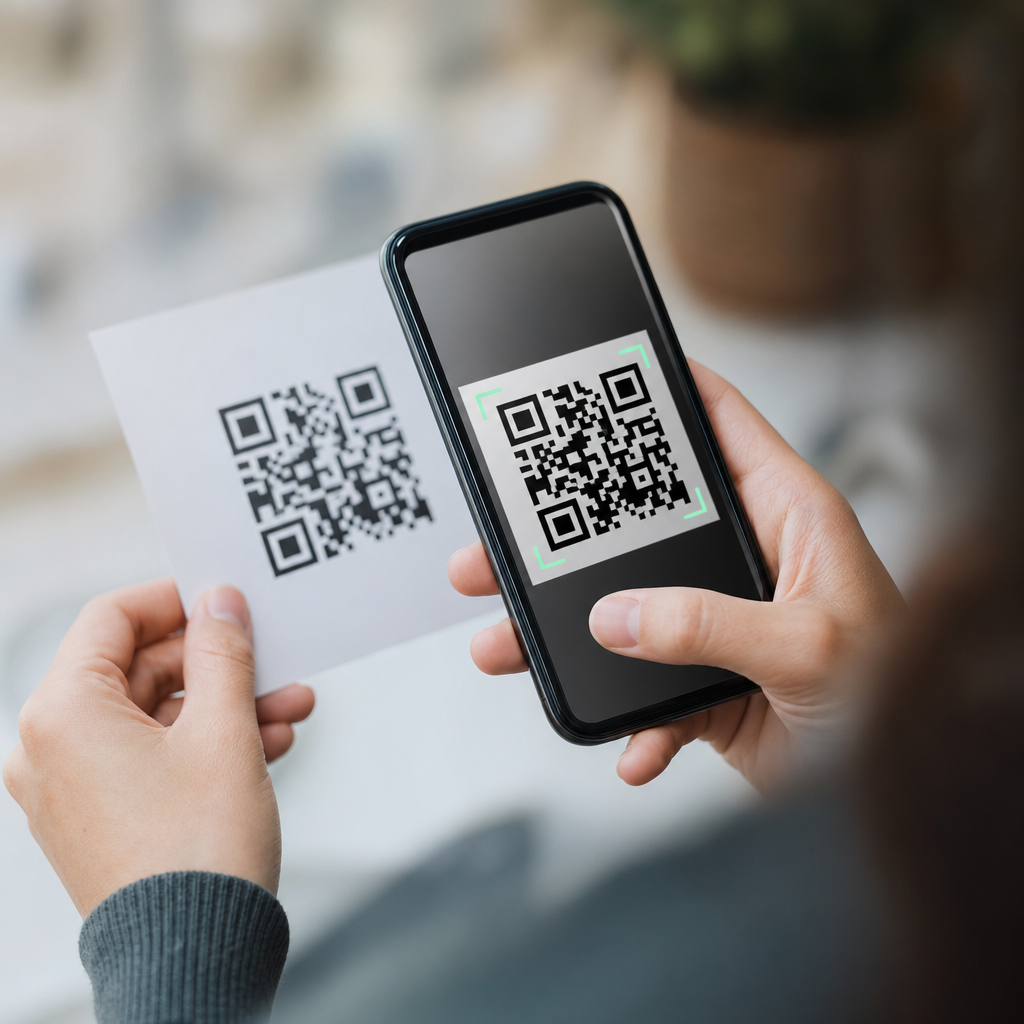
Scanning a mobile QR code feels instantaneous, but several coordinated actions happen between your camera, operating system, browser, and the destination service. A QR code, short for Quick Response code, is a two-dimensional matrix barcode that stores data in a grid of black and white modules. On phones, that data usually contains a URL, but it can also hold contact details, Wi-Fi credentials, payment instructions, SMS prompts, app deep links, or plain text. Understanding what happens when you scan a mobile QR code matters because QR usage now touches retail checkouts, restaurant menus, transit tickets, product authentication, event access, and mobile marketing. In practice, I have seen teams treat QR codes as simple images, then get surprised by broken redirects, poor analytics, or security issues. The scan experience is actually a chain: image capture, code detection, decoding, error correction, action selection, network request, and content rendering. If any link fails, the user experience suffers. This hub explains how mobile QR codes work from the moment the camera opens to the moment the intended page or function appears, so you can design, troubleshoot, and use them with confidence.
The scan begins with the phone camera and detection software
When you point a smartphone at a QR code, the camera does not immediately “read” the destination. It first captures a live video stream and passes image frames to detection software built into iOS, Android, or a scanning app. The software looks for the three large square finder patterns located in the corners of a standard QR code. Those patterns tell the device that the image contains a QR symbol rather than random shapes. The scanner then estimates orientation, perspective, and scale, which is why modern phones can read codes even when they are tilted, slightly curved on packaging, or viewed from an angle.
Lighting and focus matter at this stage. In field testing for retail signage, I have seen matte prints scan faster than glossy posters because reflections confuse edge detection. Phones also use autofocus and exposure balancing to sharpen the grid. If the code is too small, low contrast, damaged, or partially obscured, the camera may find the symbol but fail to extract enough reliable data. Native scanners have improved dramatically; Apple’s Camera app and Google’s camera frameworks both perform on-device detection quickly enough that users usually see a link prompt in under a second under normal conditions.
Decoding turns the visual pattern into usable data
After detection, the scanner samples the tiny modules inside the grid and converts black and white cells into binary data. A QR code includes more than the visible message. It contains format information, version information, timing patterns, alignment patterns on larger symbols, and encoded payload data. The encoding mode determines what type of data is stored, such as numeric, alphanumeric, byte, or Kanji. For most mobile campaigns, byte mode is common because it easily handles web addresses and UTF-8 text.
Error correction is a major reason QR codes are reliable on mobile devices. QR symbols use Reed-Solomon error correction with four levels: L, M, Q, and H. Higher correction allows more damage or obstruction while still recovering the payload, but it reduces total data capacity. That is why branded codes with logos in the center usually choose a stronger correction level. In real deployments, this tradeoff matters. A shipping label exposed to abrasion benefits from more redundancy, while a clean digital boarding pass can prioritize compact size. Once decoding succeeds, the phone now has a plain data string and must decide what action to offer.
The phone identifies the content type and suggests an action
Not every mobile QR code opens a website. The operating system or scanner app inspects the decoded string and classifies it by schema or structure. If it starts with https://, the phone treats it as a web link. If it uses MATMSG, mailto:, or SMSTO:, it may prepare an email or text message. A WIFI payload can prompt the user to join a network without manually entering the password. vCard and MECARD formats can create a new contact. Some payment systems encode merchant account data that compatible wallet apps interpret for transactions.
This is where user experience diverges across devices. On iPhone, the Camera app often shows a banner or highlighted link. On Android, the experience depends on the camera app and version, though Google Lens behavior is widely familiar. Security controls also appear here. A well-designed scanner does not execute sensitive actions silently; it presents a confirmation step before opening a browser, launching another app, or connecting to a network. For marketers and product teams, this means the data format should match the intended outcome exactly. A malformed schema or unsupported deep link can produce a dead end even when the code itself scans perfectly.
What happens after a QR code opens a URL
Most mobile QR codes resolve to a web address, so the next stage is a standard web request. The browser or in-app web view performs a DNS lookup to find the server behind the domain, negotiates a secure connection with TLS if the link uses HTTPS, and requests the page. If the QR code uses a short link or dynamic QR platform, one or more redirects may occur before the final destination loads. This redirect layer is useful because it lets teams update destinations without reprinting the code, segment traffic by device, attach campaign parameters, or route users by geography or language.
However, redirects also introduce latency and failure points. In audits I have run on packaging QR programs, the difference between a single direct URL and a chain of three redirects was noticeable on weak cellular connections. Mobile QR code performance depends on page speed, not just scan speed. If the landing page is heavy, users perceive the QR code as slow. Best practice is simple: use HTTPS, minimize redirect hops, keep the final page mobile-optimized, and test on both Wi-Fi and average 4G conditions. A fast scan that leads to a bloated page still feels broken to the user.
Static and dynamic QR codes behave differently
A static QR code stores the final payload directly inside the symbol. If the code contains a URL, that exact URL is what every scanner reads forever. Static codes are simple, inexpensive, and useful for information that will not change, such as a permanent profile page or plain text instructions. A dynamic QR code usually stores a short tracking URL controlled by a QR management service. When scanned, that URL redirects the user to a destination set in a dashboard. Because the redirect is editable, teams can change the destination later, collect analytics, run A/B tests, or deactivate the code if necessary.
| Type | How it works | Main advantage | Main limitation |
|---|---|---|---|
| Static QR code | Encoded payload is fixed in the symbol | No dependency on a management platform | Cannot change destination after printing |
| Dynamic QR code | Encoded URL redirects through a controlled service | Editable destination and scan analytics | Depends on service uptime and redirect speed |
This distinction affects operations and measurement. For example, a restaurant menu that changes weekly usually benefits from a dynamic code, while a Wi-Fi login sign in a lobby might use a static code if the credentials are stable. Dynamic systems also help preserve print assets during campaign changes, but they create governance responsibilities: domain ownership, redirect monitoring, privacy disclosures, and vendor continuity planning.
Mobile QR codes also trigger app deep links, wallets, and system functions
Web pages are only part of the picture. A mobile QR code can point into an installed app using a deep link or universal link. Retail apps use this to open product pages directly after a scan in-store. Airlines and ticketing platforms may encode passes that open wallet-compatible flows. Payment ecosystems such as EMVCo-based merchant-presented QR payments rely on standardized data structures so banking apps can parse merchant identifiers, amount fields, and transaction references consistently. In logistics, couriers scan codes that launch internal apps with package records preloaded, reducing manual entry errors.
These flows work only when the device can match the payload to a registered app or supported system handler. If the app is missing, the phone may fall back to a web page or show nothing useful unless the implementation was planned carefully. That is why robust mobile QR architecture usually includes graceful fallback paths. A code on printed packaging might open a mobile web page first, then suggest the app if deeper functionality is available. The simplest rule is to avoid assuming one app environment; design for native handling when present and web accessibility when not.
Security, privacy, and troubleshooting are part of the scan experience
A QR code is just a container, so its safety depends on the destination and the scanning context. Malicious actors can place sticker overlays on public signs, use lookalike domains, or send users to phishing pages that imitate payment or login screens. Phones cannot visually warn you from the pattern alone because the danger is in the encoded content. Good practice is to preview the URL, prefer recognizable domains, and avoid entering credentials after scanning an unexpected code. Organizations should secure printed assets, use branded domains, and monitor destinations for tampering.
Privacy and analytics deserve equal attention. Dynamic mobile QR codes can log scan time, approximate location from IP, device type, and referral parameters. That data is useful for attribution, but businesses must handle it in line with privacy laws and platform expectations. When scans fail, the causes are usually practical: insufficient contrast, poor lighting, tiny print size, overdesigned code styling, weak signal, expired redirects, or a non-mobile landing page. The fix is disciplined testing across real devices. Print a sample, scan from expected distances, verify redirects, and confirm that every destination loads quickly and clearly on a phone.
When you scan a mobile QR code, the phone detects a structured symbol, decodes its payload, determines the content type, and then launches the appropriate action, usually a web request or app handoff. The process is fast because modern phones combine camera intelligence, error correction, and built-in handlers for common data formats. The experience is reliable when the code is easy to detect, the payload is valid, and the destination is optimized for mobile use. Static codes are best for permanent information, while dynamic codes add flexibility, measurement, and post-print control. Deep links, Wi-Fi joins, contacts, wallets, and payments all follow the same basic pattern: decode first, then pass the result to the right system function. The practical lesson is clear. A QR code is not just an image on a poster or package; it is the front door to a mobile interaction. Build that interaction carefully, test it in real conditions, and treat speed, security, and clarity as part of the code itself. If you manage mobile experiences, audit your current QR codes and improve the full scan journey, not just the graphic.
Frequently Asked Questions
What actually happens the moment you scan a mobile QR code?
When you point your phone’s camera at a QR code, the process starts before you ever tap anything. The camera app or built-in QR scanner continuously analyzes the live image coming through the lens, looking for the distinctive square patterns that identify a QR code. Once it detects those alignment markers, your phone isolates the code from the rest of the image, corrects for angle or distortion, and converts the black-and-white module pattern into machine-readable data.
After decoding the pattern, the operating system interprets the content type. In most cases, the QR code contains a URL, so your phone recognizes it as a web destination and presents a prompt, banner, or preview asking whether you want to open it. If the code contains something else, such as Wi-Fi login details, contact information, a text message template, or a payment instruction, the phone routes that data to the appropriate app or system function instead.
If you choose to proceed, your browser or linked app launches and sends a request to the destination service over your network connection. At that point, the same web technologies used when you tap a regular link take over: domain lookup, server connection, security checks, page loading, and content rendering. So while scanning feels immediate, it is really a chain of coordinated actions involving image recognition, data decoding, operating system handling, and network communication.
Does scanning a QR code automatically open a website or perform an action?
Usually, no. On most modern smartphones, scanning a QR code does not instantly trigger a website or action without some user confirmation. Instead, the phone detects and decodes the data, then shows a notification, button, or preview card with the decoded result. This design helps reduce accidental launches and gives you a chance to verify what the code is trying to do before you continue.
What happens next depends on both the content inside the QR code and your device settings. A standard URL will typically open in your default browser only after you tap the prompt. A Wi-Fi QR code may offer to join a network. A contact card may open your contacts app with a prefilled entry. A payment QR code may hand off to a banking or wallet app. Some apps with built-in QR scanners can behave more aggressively and may move directly into the linked experience, but even then, the action is still governed by the app’s permissions and the phone’s security model.
In short, a QR code is not magic and it is not usually self-executing. It contains data, and your phone decides how to interpret that data based on rules in the operating system or the scanning app. The final action typically requires some level of user intent, especially when the code leads to a website, app link, or sensitive function.
What kinds of information can a mobile QR code contain besides a website link?
Although QR codes are widely associated with web URLs, they can store many other types of structured information. A mobile QR code may contain plain text, phone numbers, email addresses, SMS prompts, calendar event details, contact cards, geographic coordinates, or Wi-Fi credentials such as network name, password, and encryption type. Because the QR format is flexible, it acts more like a container for encoded data than a web-only tool.
Phones interpret these contents differently depending on the format. For example, if a QR code includes a vCard, your device may offer to create a new contact. If it contains a special Wi-Fi string, your phone can prompt you to join that network without manually typing the password. If it contains an SMS template, your messaging app may open with the recipient number and message body already filled in. Payment platforms also use QR codes to package transaction instructions, merchant identifiers, or account references that specialized apps can read securely.
This is why the scan experience can vary from one code to another. The code itself does not “know” what app to launch; it simply provides data in a recognizable format. Your operating system or installed apps decide what to do with that data. That flexibility is one reason QR codes are so common across retail, hospitality, authentication, payments, logistics, and everyday mobile interactions.
Is scanning a QR code safe, and what risks should you watch for?
Scanning a QR code is generally safe in the technical sense that simply reading the visual pattern does not usually harm your phone. The bigger risk comes from what the decoded content leads you to do next. If the QR code points to a malicious website, fake login page, fraudulent payment request, or deceptive app download, the danger begins after you open the link or follow the prompt. In other words, the QR code itself is just a carrier; the destination is where security concerns typically appear.
Common threats include phishing pages disguised as trusted brands, shortened or misleading URLs, fake parking-payment or menu codes placed over legitimate ones, and prompts that encourage you to enter credentials or financial information. Some QR codes can also launch deep links into apps, which may feel trustworthy because they open a familiar interface, but the underlying action may still be unwanted or misleading. Public spaces are especially important to approach carefully because printed codes can be replaced or tampered with.
The best practice is to preview the destination before tapping whenever your phone allows it. Check the domain name closely, look for HTTPS, and be cautious if the code immediately leads to a login screen, payment page, or app installation request. Use built-in scanners from your phone’s camera or trusted apps rather than unknown third-party scanner apps, and keep your operating system updated. QR codes are convenient, but they deserve the same caution you would use with any link received by email, text, or social media.
Why does scanning sometimes feel instant, while other times it is slow or fails?
Several layers affect how quickly a mobile QR code scan works. The first is image capture quality. Your phone needs enough light, focus, contrast, and stability to identify the code’s position markers and read the module pattern accurately. If the code is blurry, damaged, too small, glossy, poorly printed, or shown at an awkward angle, the scanner may struggle before it can even decode the data. Screen glare and low camera quality can also slow the process.
Once the code is decoded, speed depends on what the content tells the phone to do. Reading plain text or contact details is usually fast because no internet connection is needed. Opening a website, however, depends on network strength, DNS resolution, server responsiveness, redirects, page weight, browser performance, and any security checks along the way. A code might decode instantly but still feel slow because the destination page is heavy, the mobile signal is weak, or the server is overloaded.
Failures can also happen if the QR code uses an unsupported format, the linked app is not installed, the web destination is broken, or the content has been removed. In some cases, enterprise firewalls, captive Wi-Fi portals, content blockers, or browser privacy settings can interfere with what happens after the scan. So when a mobile QR code does not work smoothly, the issue may come from the camera, the code image, the operating system’s parser, the app handoff, the internet connection, or the destination service itself.





