
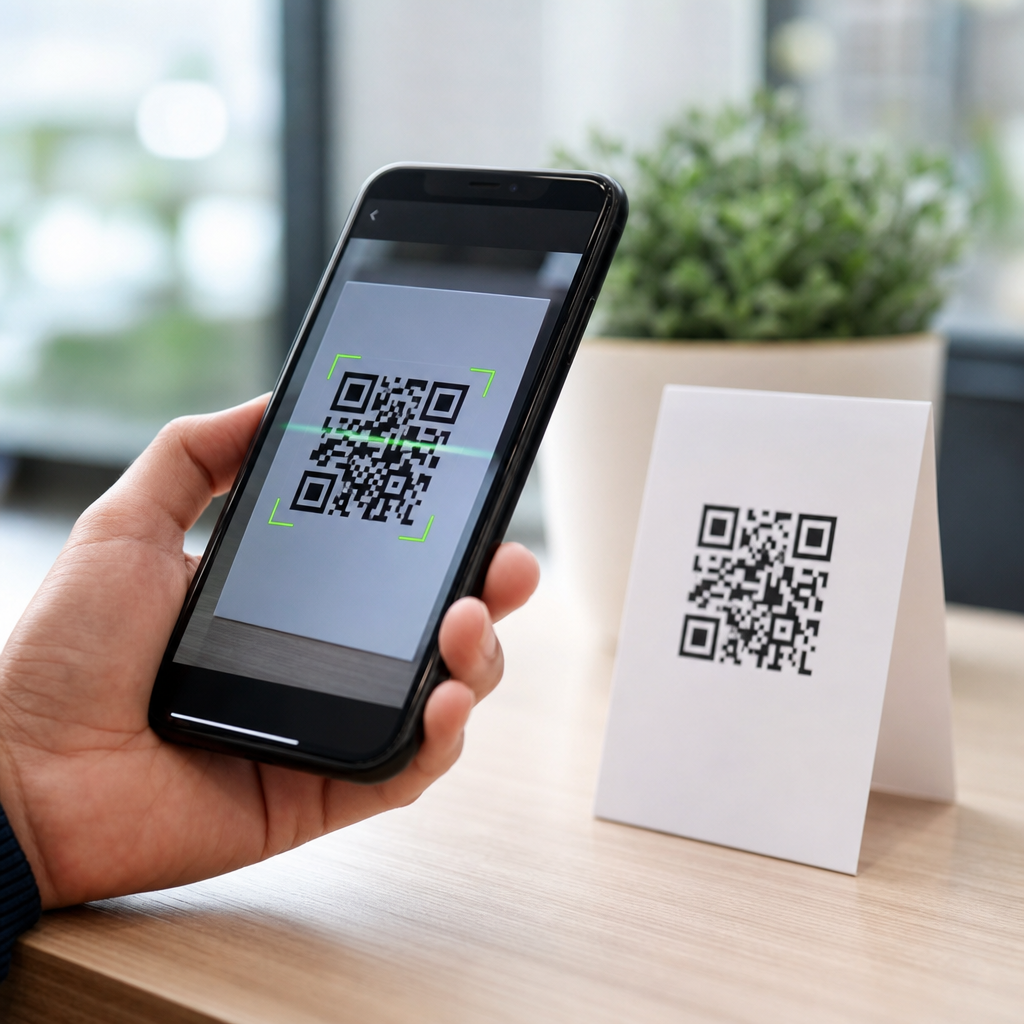
Mobile QR codes work by turning text or instructions into a grid of tiny squares that a smartphone camera can capture, decode, and pass to an app action such as opening a website, joining Wi-Fi, saving a contact, or launching a payment flow. A QR code, short for Quick Response code, is a two-dimensional barcode invented by Denso Wave in 1994 to store more data than the one-dimensional barcodes used on retail packaging. In mobile use, the code is only the visible carrier. The real process includes data encoding, image detection, geometric correction, error recovery, data decoding, security checks, and action handling by the operating system or scanning app.
I have implemented QR-based login, ticketing, and device onboarding flows, and the biggest misunderstanding I see is the idea that the code itself “contains a website” in some magical way. It does not. It contains structured data, often a URL string, that the phone interprets after the camera and software rebuild the message from the pattern. Understanding that chain matters because it explains why some codes scan instantly while others fail, why damaged codes can still work, and why a QR scan can be convenient yet still carry privacy and phishing risk.
This article serves as a hub for how mobile QR codes work, from the printed pattern to the final action on a phone. If you are comparing static versus dynamic QR codes, troubleshooting scan failures, or planning a campaign, the mechanics below give you the foundation. Once you know how symbol structure, camera optics, decoding logic, and mobile OS behavior fit together, the practical decisions around size, contrast, redirects, analytics, and security become much easier.
The anatomy of a QR code symbol
A QR code is built from square modules arranged on a grid. Three large finder patterns in the corners help the scanner locate the code quickly and determine orientation. Smaller alignment patterns, present on larger versions, correct distortion when the image is taken at an angle or on curved surfaces. Timing patterns, which alternate dark and light modules, define the row and column spacing. Quiet zones, the blank margin around the symbol, are mandatory because scanners need clear separation between the code and the surrounding design.
The data itself is stored in modules according to a fixed placement rule defined in the ISO/IEC 18004 standard. Format information tells the decoder which error correction level and masking pattern were used. Version information appears on larger symbols and identifies the grid size, starting at version 1 with 21 by 21 modules and increasing by four modules per side up to version 40. More modules mean more capacity, but also smaller individual squares if the printed size stays the same, which can reduce real-world scan reliability on mobile cameras.
Error correction is one of the reasons QR codes feel resilient. They use Reed-Solomon error correction, allowing recovery even when parts of the symbol are obscured, scratched, or poorly printed. The four common levels are L, M, Q, and H, which can restore roughly 7 percent, 15 percent, 25 percent, and 30 percent of damaged codewords respectively. In practice, high correction helps when adding a logo, but it also reduces payload capacity. That tradeoff matters when fitting long URLs or vCard data into a compact code.
How data gets encoded before a scan ever happens
Before a phone can scan anything, software must encode the payload into binary data. The encoder chooses a mode based on the content: numeric for digits, alphanumeric for a limited character set, byte mode for general text and URLs, and kanji mode for specific character compression. It then adds mode indicators, character counts, the payload bits, terminator bits, and pad bytes if needed. After that, the encoder generates error correction codewords and interleaves them with data codewords so localized damage does not wipe out a whole section of information.
Masking is another essential step behind the scenes. Some data patterns create large dark blocks or repeating shapes that are hard for scanners to read accurately. The encoder tests several mask patterns and applies the one that minimizes visual ambiguity according to penalty rules in the standard. This is why two QR codes containing the same destination can look different if generated by different tools. Reliable generators such as ZXing, QR Code Generator, goQR, and libraries built into payment or ticketing platforms all follow the same core rules even when their interfaces vary.
There are two broad payload models in mobile QR use. A static QR code directly contains the final data, such as a URL, plain text, or Wi-Fi credential string. A dynamic QR code usually contains a short redirect URL that points to a server, which then sends the user to a final destination. Dynamic codes are popular in marketing and operations because teams can update the destination, apply expiration rules, run A/B tests, or collect analytics without reprinting the symbol. The scanning mechanics are identical, but the network path after decoding is different.
What your phone camera and scanner do in real time
When you point a phone at a QR code, the process starts with image capture. Modern devices use autofocus, exposure control, white balance, and frame-by-frame analysis to improve readability. Native camera apps on iPhone and Android often perform QR detection continuously in preview mode rather than waiting for a still photo. Under the hood, computer vision routines search for the geometric signature of the finder patterns, estimate the code boundary, and correct perspective so a tilted symbol can be mapped back to a square grid.
Once the grid is normalized, the decoder samples each module as dark or light. It reads format information, removes the mask, reconstructs the data and error correction blocks, and uses Reed-Solomon decoding to repair missing or misread codewords. If the payload is valid, the app interprets its type. A URL may trigger a browser sheet, a mailto link may open an email client, and a Wi-Fi payload can offer to join a network directly. That entire sequence often finishes in well under a second on current phones.
| Stage | What happens | Typical failure point |
|---|---|---|
| Detection | Camera software locates finder patterns and code boundary | Low contrast, missing quiet zone, glare |
| Correction | Perspective and rotation are normalized into a square grid | Extreme angle, motion blur, curved surface |
| Decoding | Modules are sampled, unmasked, and error-corrected | Dense payload, tiny print, damaged modules |
| Action | Phone classifies payload and opens the next app or prompt | Blocked URL, unsupported format, security warning |
Different scan apps vary in speed because they make different decisions about autofocus timing, image sharpening, low-light compensation, and duplicate scan suppression. Apple’s Vision framework and Google’s ML Kit have made native scanning more consistent, but third-party apps still matter in enterprise workflows, warehouse operations, and payment environments where continuous batch scanning or custom parsing is required.
How mobile operating systems turn decoded data into actions
After decoding, the phone has to decide what the content means. Most mobile platforms use URI schemes, MIME-like conventions, or known string prefixes to classify payloads. A standard HTTPS URL opens a browser or in-app browser. A tel payload offers a call. An SMSTO payload opens messaging with a prefilled number and body. MECARD or vCard content maps to a contact import flow. Wi-Fi setup commonly uses the WIFI:T:WPA;S:NetworkName;P:Password;; pattern, which many Android devices and recent iPhones can interpret natively.
For app deep links, the process becomes more nuanced. A QR code can open a universal link on iOS or an Android App Link, which routes into an installed app if the domain is verified. If the app is not installed, the same link can fall back to the mobile website or app store. I have used this pattern for event check-in and account recovery because it keeps one printed code compatible across installed and non-installed states. The QR code still only carries the link; the OS and domain verification handle the app handoff.
Network-dependent flows begin only after decoding succeeds. A dynamic QR redirect may call a link management platform, device management system, payment gateway, or identity provider. That is where campaign analytics, fraud checks, geolocation rules, or short-lived tokens often apply. For example, a restaurant menu QR code may resolve differently by language or time of day, while a mobile payment QR may encode an EMVCo-compliant payload that a wallet app parses into merchant, amount, and transaction fields before contacting the payment network.
Why some mobile QR codes scan instantly and others fail
Most scan failures come down to physical design, environment, or payload density. The safest practice is high contrast, adequate quiet zone, and sufficient printed size for the expected scanning distance. A common field rule is a 10 to 1 ratio: the code should be about one unit of width for every ten units of scanning distance. A 2-centimeter code is comfortable at roughly 20 centimeters, while a poster viewed from two meters needs a much larger symbol. Dense data shrinks module size, which makes blur and glare more damaging.
Surface and lighting matter more than many teams expect. Glossy labels create specular highlights that wash out modules. Curved bottles distort the grid, which is why alignment tolerance and placement testing matter. Low light forces longer exposure, increasing motion blur from hand movement. Branded codes with heavy styling often break quiet zones or reduce contrast below practical limits. I generally test on both older midrange Android phones and recent iPhones because flagship devices forgive mistakes that budget hardware will not.
Security is the other reason to understand how mobile QR codes work. The code is not dangerous by itself, but it can deliver users to a malicious destination or trigger unwanted actions if they do not review prompts. Good practice includes using clear branded domains, HTTPS, short redirect chains, and landing pages that match user intent. For internal deployments, signed tokens, expiration windows, and server-side validation reduce abuse. Teach users to preview URLs when possible, especially in public spaces where stickers can be replaced.
Mobile QR codes are simple on the surface and highly structured underneath. A successful scan depends on standards-based encoding, readable symbol design, competent camera detection, robust decoding, and sensible OS handling of the payload. If you remember one principle, make it this: the visible square is only the transport layer for data, and every layer after it affects user experience. That is why the best QR implementations are designed end to end, not generated as an afterthought.
For teams building under the Mobile QR Code Basics topic, this hub should guide your next steps. Use it to branch into deeper pages on static versus dynamic QR codes, QR code sizes and print specs, scan troubleshooting, QR code security, deep linking, and analytics. Start by testing one real use case on multiple phones, in real lighting, at real distances. When the behind-the-scenes mechanics are right, mobile QR codes become fast, reliable, and easy for users to trust.
Frequently Asked Questions
1. What actually happens when you scan a mobile QR code with your phone?
When you point your smartphone camera at a QR code, several behind-the-scenes steps happen in just a second or two. First, the camera captures the image and the phone’s software looks for the distinctive square pattern that marks something as a QR code. Those larger corner blocks, called finder patterns, help the scanner detect the code’s position, size, and orientation even if the code is tilted or viewed from an angle. Once the code is located, the phone corrects perspective distortion, improves contrast, and separates the dark and light modules, which are the tiny squares that carry the encoded data.
Next, the scanning software decodes the binary information stored in that grid. The code itself does not “do” the action directly; it simply contains text, numbers, or structured instructions in a standardized format. For example, it may contain a URL, Wi-Fi login details, contact information, calendar data, or payment request information. After decoding, the phone interprets the content type and decides what action to offer. If it detects a web address, it prompts the browser to open a site. If it detects Wi-Fi credentials, it may offer to join a network. If it detects a vCard, it can create a contact entry. In other words, the QR code is a machine-readable delivery format, while the phone provides the intelligence that turns the stored data into a useful mobile action.
2. How does a QR code store more information than a regular barcode?
A traditional one-dimensional barcode, like the ones seen on retail packaging, stores data in a series of vertical lines and spaces that are read horizontally. This works well for short identifiers such as product numbers, but it has limited data capacity because the information is encoded in only one direction. A QR code, by contrast, is a two-dimensional barcode, which means it stores information both horizontally and vertically across a square grid. That design allows it to hold significantly more data in a relatively small space.
This is one reason QR codes became so useful in mobile environments. Invented by Denso Wave in 1994, the Quick Response code was designed for fast readability and higher storage capacity. Instead of relying on a single line of bars, it uses hundreds of tiny black and white squares arranged according to specific encoding rules. Depending on the version and data type, a QR code can store numeric data, alphanumeric content, binary data, and even characters from more complex character sets. The exact amount depends on error correction level and symbol size, but in practical mobile use, it is more than enough to store website links, app deep links, payment instructions, event details, and many other action-ready payloads. That increased density is what makes QR codes flexible enough to support modern smartphone experiences far beyond simple product identification.
3. Why can phones still read some QR codes even when they are blurry, tilted, or partly damaged?
QR codes are intentionally designed for resilience. One reason they scan reliably is that their structure includes built-in orientation markers and alignment patterns. The three large squares in the corners help the scanner quickly recognize the symbol and determine how it is rotated. Additional internal patterns help the software correct distortion, especially when the code is printed on curved surfaces, viewed at an angle, or captured under less-than-ideal lighting conditions. Modern smartphone cameras and scanning algorithms add another layer of improvement by sharpening edges, adjusting exposure, and compensating for perspective before decoding begins.
Another major factor is error correction. QR codes use a mathematical method that allows some data to be recovered even if part of the code is obscured, scratched, smudged, or poorly printed. Different QR codes can be generated with different levels of error correction depending on how durable they need to be in real-world conditions. Higher error correction makes the code more tolerant of damage, although it also reduces the total space available for payload data. This balance is important in mobile use because codes often appear on posters, packaging, restaurant tables, kiosks, and phone screens where glare, wear, and motion can interfere with scanning. The result is a format that remains highly practical for smartphones because it is not dependent on perfect image quality to work correctly.
4. What kinds of data can a mobile QR code contain, and how does the phone know what to do with it?
A mobile QR code can contain many different kinds of information, but at its core it is simply storing encoded data in a visual pattern. Common payloads include website URLs, plain text, phone numbers, email addresses, SMS prompts, Wi-Fi network credentials, digital business card details, app links, geolocation coordinates, calendar events, and payment-related instructions. In each case, the QR code is acting as a compact transport layer for that information. It does not execute software by itself. Instead, it presents a structured payload that the phone can decode and interpret.
Once the smartphone reads the content, the operating system or scanning app examines the format of the decoded data. A string beginning with “https://” is recognized as a website link. A Wi-Fi payload follows a known syntax that includes the network name, security type, and password, allowing the phone to offer a direct connection. Contact information may be formatted as a vCard, which the phone can map into name, phone, email, and company fields. Payment QR codes may follow industry or regional standards that banking or wallet apps understand. This is the crucial point behind the scenes: the QR code carries instructions in a recognized format, and the mobile device translates that format into a contextual action. That is why the same scanning behavior can feel so seamless to users even though very different types of information may be encoded inside the symbol.
5. Are mobile QR codes secure, and what risks should users understand?
QR codes themselves are not inherently dangerous, but they are not inherently trustworthy either. A QR code is just a container for data, and that means its safety depends entirely on the information inside and how the phone or app handles it. A legitimate code might open a company website, connect you to guest Wi-Fi, or start a secure payment process. A malicious code, however, could send you to a phishing page, trigger an unwanted app action, or disguise a suspicious link behind a quick scan. Because people cannot visually inspect a QR code’s contents before scanning, attackers sometimes exploit that lack of transparency.
In mobile use, the main protection comes from the smartphone’s software and the user’s habits. Most modern phones preview the decoded content, especially for URLs, before taking action. Users should look carefully at the destination domain, avoid scanning codes placed over existing labels or in suspicious locations, and be cautious if the code immediately leads to a login page, download request, or payment prompt. Businesses can improve trust by using branded landing pages, secure HTTPS links, and clearly labeled code placement. For sensitive uses such as payments or identity workflows, secure app-based verification adds another layer of protection. So while the mechanics behind mobile QR codes are efficient and well-established, safe use still depends on treating the decoded destination with the same caution you would apply to any unknown link or digital prompt.





