
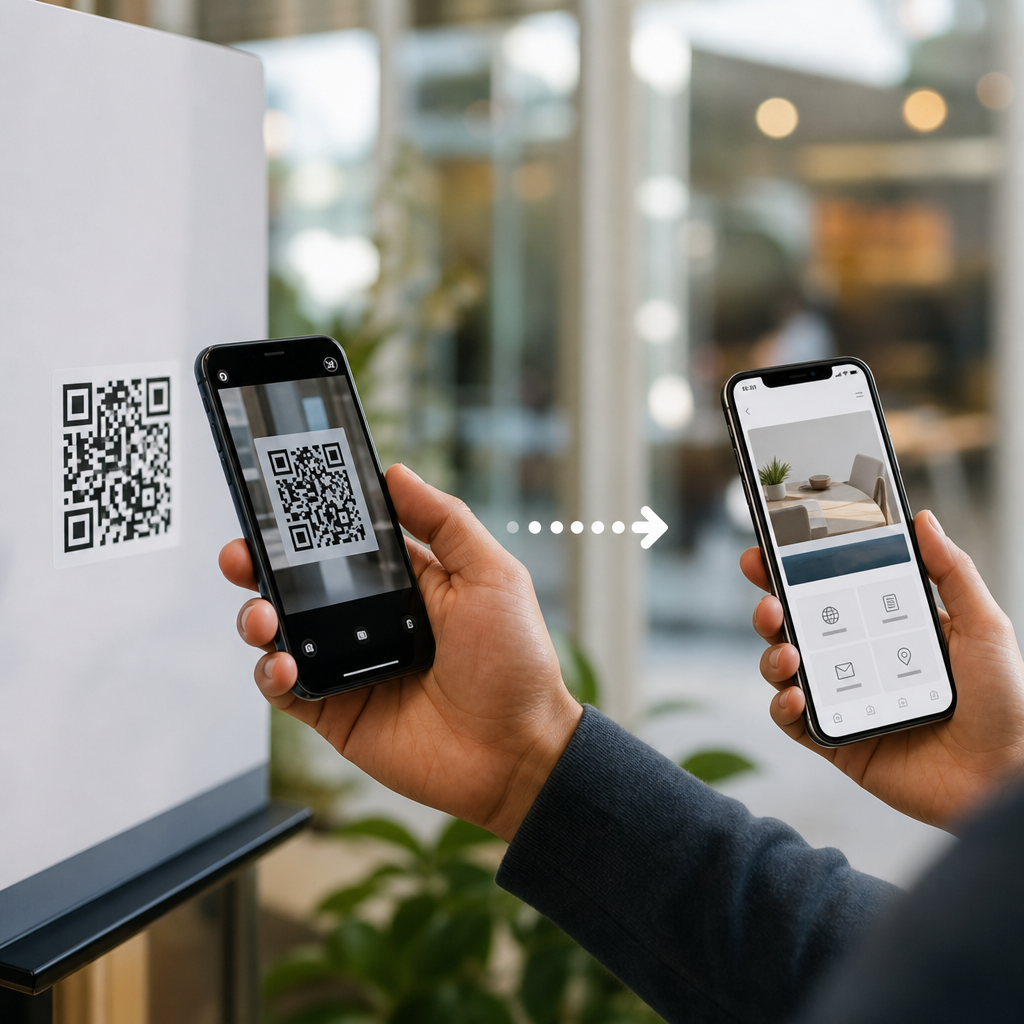
From a user’s point of view, a QR code feels instant: open a camera, point, tap, and arrive somewhere useful. Behind that quick interaction is a compact chain of encoding, image recognition, error correction, routing, and mobile behavior that turns a printed square into a measurable action. Understanding how mobile QR codes work matters because this technology now sits at the intersection of packaging, payments, menus, tickets, logistics, and omnichannel marketing.
A QR code, short for Quick Response code, is a two-dimensional matrix barcode made of black and white modules arranged on a square grid. Unlike a traditional one-dimensional barcode, which stores data along a single axis, a QR code stores data both horizontally and vertically. That design allows it to hold more information in less space and remain readable even when partially damaged. In practical terms, a QR code can encode a web address, plain text, contact details, Wi-Fi credentials, payment information, or an app deep link.
On mobile devices, the journey from scan to action includes several distinct stages. First, the phone’s camera captures the symbol. Next, scanning software detects the three position markers and alignment patterns that tell the decoder where the code sits in the image. The decoder then interprets the module pattern, applies error correction, and converts the binary payload into readable data. Finally, the operating system or scanning app decides what to do with that content, such as opening a browser, saving a contact, or launching a supported app. I have implemented QR-driven campaigns for retail displays and event check-in systems, and the biggest lesson is consistent: the scan is only the midpoint. What happens after decoding determines whether the interaction is helpful or abandoned.
The structure of a QR code and why it scans fast
A QR code scans quickly because its design helps software find and orient it under imperfect real-world conditions. The three large squares in the corners are position detection patterns. They let a scanner identify the code’s boundaries and rotation, whether the user holds the phone straight or at an angle. Many codes also include an alignment pattern, timing patterns, and a quiet zone, which is the blank margin around the symbol. Remove that margin and scan reliability drops sharply, especially on busy packaging or low-contrast signs.
The payload inside a QR code is not just a raw string dropped into a square. Data is encoded into bit streams using numeric, alphanumeric, byte, or kanji modes depending on the content. The symbol also includes format and version information. Error correction is based on Reed-Solomon coding, the same family of methods used in CDs and other data systems, and it allows part of the code to be restored if modules are obscured, scratched, or distorted. Standard correction levels range from roughly 7 percent to 30 percent recovery capacity, commonly labeled L, M, Q, and H.
That resilience explains why branded QR codes can still work when a logo covers the center, but only within limits. In production, I usually reserve high correction levels for packaging, outdoor posters, and restaurant tables because those environments introduce glare, wear, and uneven lighting. For tiny labels or dense payloads, excessive branding can make the module pattern too crowded. Good practice is simple: keep contrast high, preserve the quiet zone, and test at intended size and distance on multiple phones before publishing.
What happens on a smartphone during a QR scan
When a smartphone scans a QR code, the camera feed is continuously analyzed frame by frame. Modern phones do not need a separate app in most cases because native camera software on iOS and Android can detect QR patterns directly. Apple integrated QR recognition into the Camera app beginning with iOS 11, and Google’s ecosystem brought broad support through Google Lens and camera integrations across Android devices. The exact interface differs by manufacturer, but the underlying flow is similar.
Image processing comes first. The scanner looks for geometric features matching the three finder patterns, then corrects perspective distortion so the square grid can be sampled accurately. If the code is curved on a bottle or photographed in low light, this step becomes harder, which is why print placement matters. After sampling the modules, the decoder reads the timing pattern, determines the version, and reconstructs the data using the selected mask pattern and error correction blocks.
Once the payload is decoded, the phone classifies the content type. A URL may trigger a banner notification that opens in the default browser. A vCard may offer to create a contact. A mailto link opens an email client with prefilled data. A Wi-Fi QR code can prompt the user to join a network without typing the password. Payment implementations can hand off to banking or wallet apps, depending on regional standards and installed software. This is the point where user intent, device permissions, and app availability shape the actual outcome.
Static vs dynamic QR codes: the decision that changes everything
The most important implementation choice is whether to use a static or dynamic QR code. A static QR code stores the final destination directly in the symbol. If it encodes a URL, that exact URL is revealed and cannot be changed after printing. A dynamic QR code usually stores a short redirect URL controlled through a QR platform. When scanned, the user first reaches that redirect, which then forwards them to the current destination. That extra step enables analytics, editing, campaign segmentation, and conditional routing.
For a sub-pillar hub on how mobile QR codes work, this distinction is foundational because it affects operations, measurement, and long-term flexibility. Static codes are fine for permanent information such as a museum plaque, a personal portfolio URL, or fixed equipment documentation. Dynamic codes are better for product packaging, menus, paid media, event signage, and any campaign where the destination may change or the team needs scan data by time, device, or location.
| Type | How it stores data | Best use case | Main limitation |
|---|---|---|---|
| Static QR code | Destination is encoded directly in the symbol | Permanent links, offline instructions, simple labels | Cannot edit destination after printing |
| Dynamic QR code | Short redirect points to a managed destination | Marketing campaigns, menus, packaging, analytics | Depends on redirect service availability |
In practice, dynamic codes are also safer for campaign management. If a landing page breaks, I can redirect scans within minutes instead of reprinting thousands of inserts. The tradeoff is infrastructure dependence. Reliable providers should support HTTPS, low-latency redirects, exportable analytics, and domain options that align with brand trust. If the redirect domain looks suspicious, scan-through rates suffer.
From decoded data to real mobile actions
A decoded QR code does not create value on its own. Value appears when the payload maps cleanly to an action the phone can complete with minimal friction. The most common destination is a mobile web page, but the better question is what the user needs at that exact moment. On a shelf talker, they may want ingredients, reviews, or a coupon. At an event gate, they need identity verification in seconds. On a utility meter, a technician may need asset history and maintenance logs.
URLs remain dominant because they are universal, but strong implementations use mobile-aware destination design. That means fast page speed, responsive layout, readable font sizes, and content that matches scan context. A QR code on a restaurant table should not dump users on a generic homepage; it should open the menu immediately. A code on product packaging should not force a newsletter signup before showing instructions. Every extra step lowers completion rates.
Mobile actions can also extend beyond the browser. Deep links can open specific screens in installed apps. App Clips on iPhone and Instant Apps on Android have supported lightweight entry points in some use cases, reducing the need for full app installation. In payments, standards vary by market. EMVCo-based merchant-presented QR payments are common in many regions, while wallets and bank apps often use proprietary flows on top. The lesson is straightforward: choose the payload format that matches the action, not the one that seems technically impressive.
What makes a QR code succeed in the real world
Real-world performance depends less on theory and more on execution. Size, distance, contrast, lighting, and destination quality matter more than decorative styling. A common rule is to maintain a scan distance-to-code-size ratio of roughly 10:1, meaning a code meant to be scanned from 20 inches away should be about 2 inches wide. This is a rule of thumb, not a standard, but it is useful during design reviews. For roadside, storefront, or overhead placements, the code must be dramatically larger.
Contrast should be dark foreground on a light background. Reversed designs can work, but they are less forgiving. Glossy lamination, curved surfaces, and low-quality printing introduce failures that are rarely obvious on a designer’s screen. I have seen perfectly valid codes fail on shrink-wrap bottles because highlights cut across the finder patterns. The fix was not software; it was moving the code to a flatter panel and increasing the quiet zone.
Security and trust are equally important. Because a QR code hides its destination until scanned, users are right to be cautious. Brands should use recognizable domains, HTTPS, and landing pages that explain the value immediately. In controlled environments, staff should inspect for tampering, especially on public payment stands where attackers may place fraudulent stickers over legitimate codes. Scanning convenience should never replace normal security judgment.
Measurement closes the loop. With dynamic QR codes connected to analytics tools, teams can compare placements, creative versions, and time-of-day performance. UTM parameters, first-party analytics, and event tracking reveal whether scans lead to meaningful actions such as purchases, signups, or check-ins. The best QR programs do not report scans alone; they track completed outcomes.
QR codes work because they compress complex digital behavior into a simple physical cue: point your phone here. The journey from scan to action includes symbol design, camera detection, decoding, error correction, operating system handling, and destination experience. When each step is planned well, the user barely notices the technology. They just get the information, access, or transaction they wanted.
For anyone building under the Mobile QR Code Basics topic, the core takeaway is clear. Learn the code structure, choose static or dynamic intentionally, design for mobile context, and test in real conditions. Those decisions determine whether a QR code becomes a useful bridge or a dead end. Review your current QR placements, scan them on several phones, and improve the path from first tap to final action.
Frequently Asked Questions
1. What actually happens when someone scans a QR code?
When a person scans a QR code, the experience feels nearly instant, but several technical steps happen in sequence. First, the smartphone camera detects the square pattern and identifies the three large corner markers that help the device recognize orientation, size, and alignment. The phone then separates the code from the background, corrects for tilt or distortion, and reads the arrangement of black-and-white modules as encoded data. That data may contain a web address, payment string, contact information, ticket payload, app deep link, or other structured content.
Once the phone decodes the information, the operating system decides what action to offer. If the QR code contains a URL, the device usually presents a tap prompt that opens the browser or an in-app web view. If it contains a payment request, event ticket, Wi-Fi credential, or map link, the system may route the user into the appropriate app or native function. In many marketing and business use cases, the visible QR code does not point directly to the final destination. Instead, it may go through a redirect or routing layer that records the scan, identifies device type or campaign source, and then forwards the user to the most relevant landing page. That is how a printed square becomes a measurable digital action.
2. How do QR codes still work even if part of the code is damaged or dirty?
One of the reasons QR codes became so widely adopted is their built-in error correction. Unlike simpler barcodes, QR codes are designed to remain readable even when part of the symbol is smudged, scratched, folded, poorly printed, or partially covered. This resilience comes from mathematical error correction methods that allow the scanner to reconstruct missing or damaged data. In practice, that means a code can often still scan successfully on packaging, posters, labels, menus, and tickets even after real-world wear and tear.
Different QR codes can be generated with different levels of error correction, typically balancing durability against data capacity. Higher error correction makes the code more forgiving, but it also increases visual density because more redundancy must be stored. That matters for design, print size, and scanning distance. It is also why branded QR codes with small logos in the center can still work when built correctly: the code uses redundancy to compensate for the obscured area. However, error correction is not a license for poor design. Low contrast, tiny sizing, glossy glare, busy backgrounds, or excessive customization can still make scanning fail. In short, QR codes are robust because they were built to tolerate imperfection, but they perform best when that built-in resilience is combined with thoughtful production and testing.
3. Why are mobile QR codes so important in marketing, payments, and everyday customer experiences?
Mobile QR codes matter because they remove friction between the physical world and a digital action. A package can send someone to setup instructions, a restaurant table can open a menu, a payment terminal can launch a checkout flow, an event ticket can verify entry, and a retail display can connect shoppers to product details or promotions. The user does not need to type a long URL, search manually, or install special hardware. That speed is exactly why QR codes now sit at the center of so many customer journeys across commerce, hospitality, transportation, healthcare, logistics, and omnichannel marketing.
From a business perspective, QR codes are more than a convenience tool. They are a measurable bridge between offline touchpoints and digital outcomes. A printed sign, direct mail piece, product label, or storefront window can suddenly generate trackable traffic, attribute campaign performance, and support audience segmentation. When paired with analytics and redirect logic, a QR code can help organizations understand when, where, and how customers engage. It can also adapt experiences based on device type, language, geography, or campaign source. That combination of accessibility, flexibility, and measurability is what makes mobile QR codes strategically valuable. They turn static surfaces into interactive channels without requiring the customer to do much more than point a camera and tap.
4. What is the difference between a static QR code and a dynamic QR code?
A static QR code contains the final data directly inside the code itself. For example, it may encode a specific URL, a block of text, or contact details. Once created and printed, that content is fixed. If the destination changes, the code must be regenerated and reprinted. Static QR codes are useful for simple, permanent uses where the information will not need to change, such as basic contact sharing, fixed informational pages, or internal labeling.
A dynamic QR code works differently. Instead of storing only the final destination, it typically stores a short redirect URL or identifier that points to a managed routing service. When scanned, that service can send the user to a chosen destination and record useful scan data such as time, device type, location signals, or campaign performance. The major advantage is flexibility: the destination can be updated later without changing the printed code. That makes dynamic QR codes especially useful for packaging, posters, menus, print ads, product inserts, and long-running campaigns where content may evolve. In most business settings, dynamic codes are preferred because they support analytics, A/B testing, retargeting workflows, and post-print optimization. Static codes are simpler, but dynamic codes are generally more powerful for real-world operations and marketing measurement.
5. What makes a QR code easy or difficult to scan in the real world?
Successful scanning depends on a combination of code quality, environment, device capability, and user context. A QR code is easier to scan when it has strong contrast, sufficient size, clean edges, and a quiet margin around it known as the “quiet zone.” Placement also matters. A code printed too small on curved packaging, too high on a wall, too low on a kiosk, or behind reflective glass may create problems even if the code itself is technically valid. Lighting conditions, motion, camera focus, and network availability can also affect the overall experience. A person may be able to decode the code visually, but if the destination page loads slowly or is not mobile-friendly, the scan still fails from the user’s perspective.
The best QR experiences are designed end to end. That means choosing the right error correction level, testing the code across multiple phones, ensuring enough print resolution, avoiding cluttered artwork, and linking to a fast mobile destination with a clear next step. It also means thinking about context: how far away the user will stand, whether they are indoors or outdoors, whether they are likely to scan one-handed, and what they expect to happen after the tap. In logistics or ticketing, reliability is the priority. In marketing, clarity and conversion matter just as much. A QR code may look simple, but real-world scan performance is the result of design, engineering, environment, and user experience all working together.





