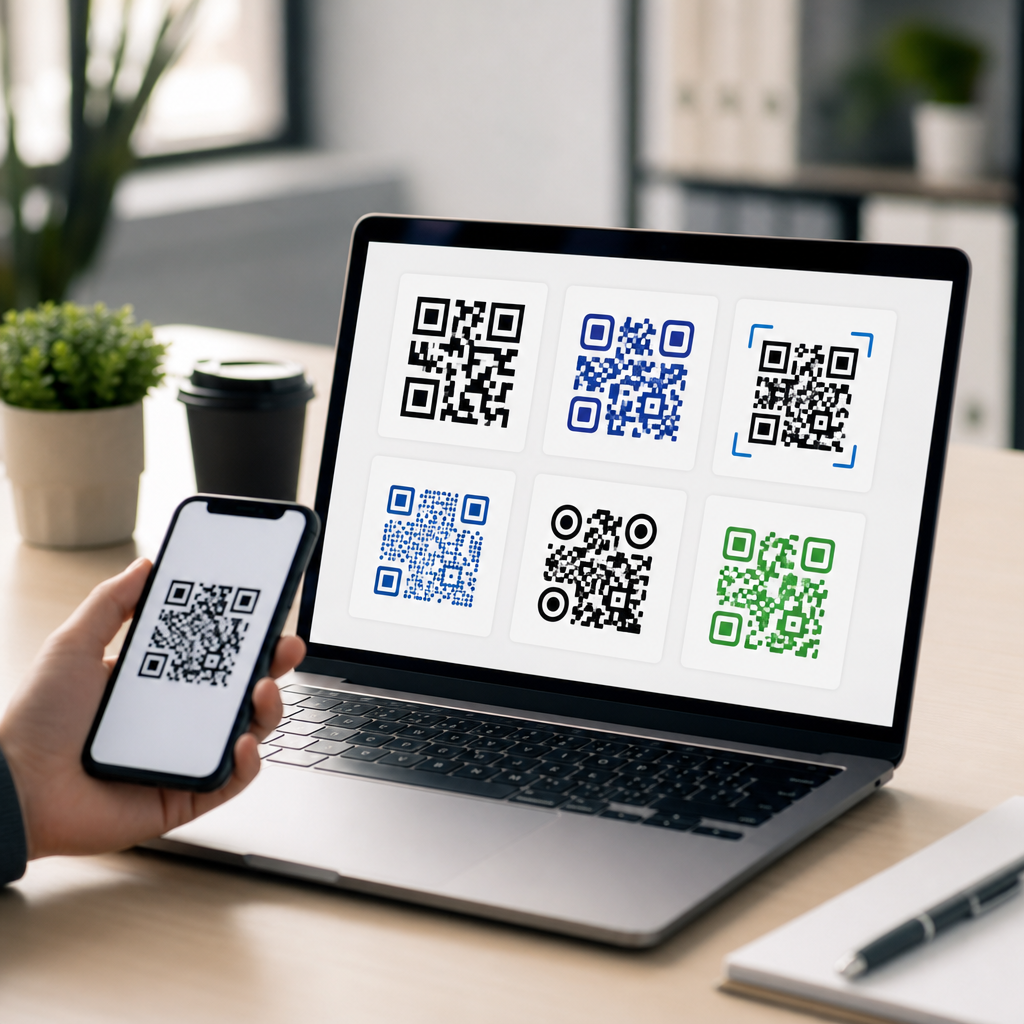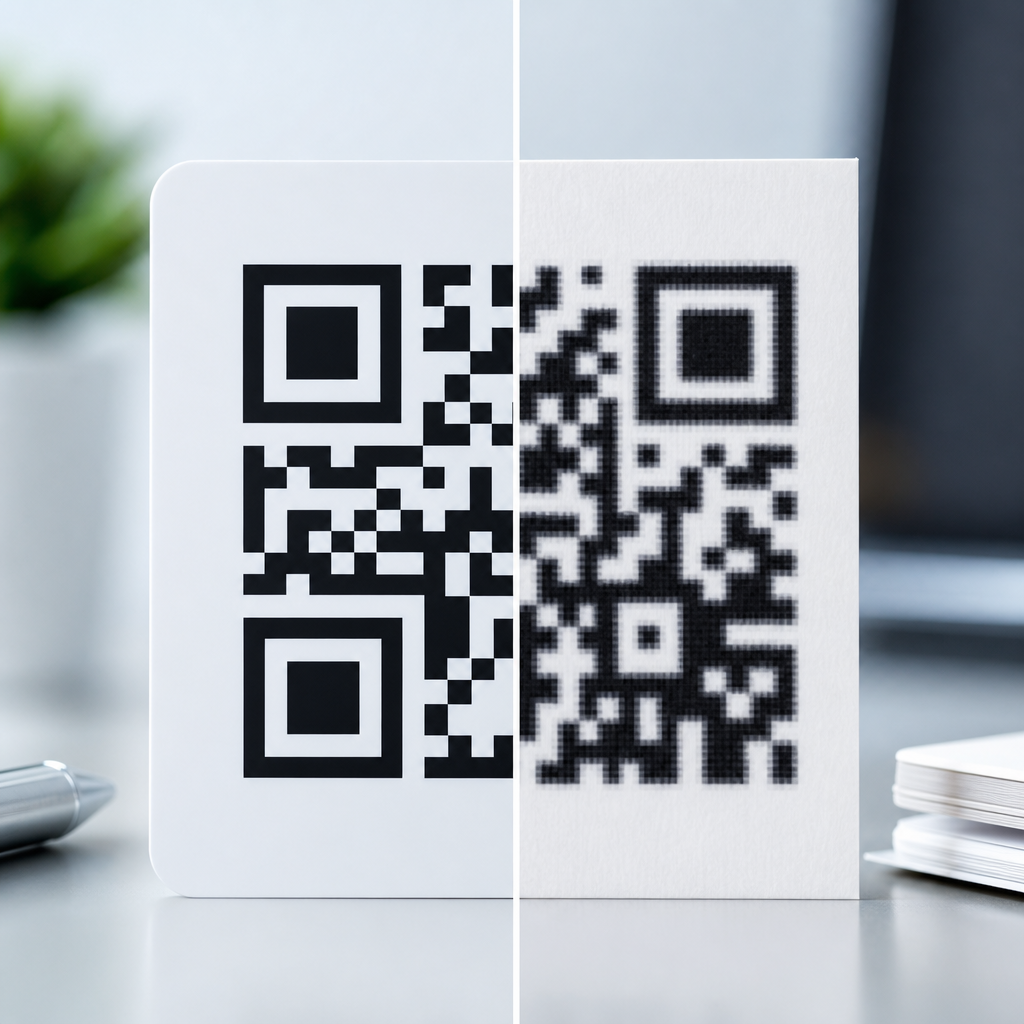
Vector vs raster QR codes determine whether a code stays perfectly sharp at any size or loses clarity as it grows, and that choice affects scan reliability, print cost, workflow, and long-term reuse. In practical terms, a vector QR code is built from mathematical paths, while a raster QR code is built from pixels. If you are creating mobile QR codes for packaging, posters, restaurant menus, event signage, product labels, or app-download campaigns, understanding QR code formats and file types is not optional. I have had print-ready QR codes fail at press checks simply because a PNG pulled from a slide deck was stretched beyond its native resolution. I have also seen one well-made SVG file reused across storefront windows, business cards, and trade-show walls without any loss in quality. That contrast explains why this topic matters.
QR code formats affect three things first: visual fidelity, production flexibility, and scanning performance in the real world. Visual fidelity is the obvious one. Raster files such as PNG, JPG, GIF, and WebP have fixed dimensions, so enlarging them introduces blur or blockiness depending on how they are exported and scaled. Vector files such as SVG, EPS, and PDF describe shapes mathematically, so they can be enlarged indefinitely without soft edges. Production flexibility is the next factor. Designers, marketers, developers, and printers often work in different tools, from Canva and Figma to Adobe Illustrator, InDesign, and RIP software at a print shop. Choosing the right format reduces handoff errors. Scanning performance is the third factor. QR readers depend on contrast, quiet zone, module shape integrity, and error correction. A file type does not change the encoded data, but it can absolutely change whether the printed or displayed code preserves those features well enough for fast scanning on phones.
This hub article covers the key differences between vector and raster QR codes, when each file type makes sense, and how to choose the right export for mobile-first campaigns. It also serves as the foundation for deeper articles on SVG QR codes, PNG QR codes, print specifications, and digital delivery formats. If you need one rule before anything else, use vector for anything that may be resized or professionally printed, and use raster when you need a quick fixed-size asset for screens and lightweight publishing workflows.
What Vector and Raster QR Codes Actually Mean
A vector QR code stores the geometry of the QR pattern as lines, squares, and curves defined by coordinates. Common vector formats include SVG for web and app workflows, EPS for legacy print pipelines, and PDF when a locked print-ready asset is required. Because the modules are mathematically described, the code scales cleanly from a tiny coupon insert to a large retail sign. This is why designers and printers generally prefer vector masters. A raster QR code stores the same pattern as a grid of colored pixels. Common raster formats include PNG, JPG, GIF, and WebP. Raster files are easy to insert into websites, social posts, presentation software, and messaging apps, but they are resolution-dependent.
The distinction sounds technical, yet the real-world difference is simple: vector is resolution-independent, raster is resolution-dependent. If a marketing manager asks for the same QR code on a 1080-pixel Instagram Story and a two-meter banner, a single SVG can support both outputs, while a single low-resolution PNG cannot. In my own production work, the safest workflow has always been to generate one master vector file, then export raster derivatives at exact target sizes. That preserves flexibility and prevents teams from repeatedly compressing or resaving a low-quality source.
How File Type Affects Scan Reliability
QR codes scan best when the modules remain crisp, the contrast remains strong, and the quiet zone stays intact. ISO/IEC 18004 defines the core QR Code specification, including symbol structure and error correction behavior. While most generators handle the encoding correctly, file format choices influence how faithfully that structure is reproduced in use. A stretched JPG can introduce compression artifacts around module edges. A transparent PNG placed on a busy background can reduce contrast. An SVG opened in a design tool and edited without respecting the quiet zone can become harder to scan even though the file itself is technically high quality.
Phone cameras and decoding libraries are tolerant, but not infinitely so. Modern scanners can recover from some damage thanks to Reed-Solomon error correction, yet that safety margin should not be treated as permission to use poor assets. For mobile QR codes, the most common scan failures I see are not caused by encoding errors. They come from soft edges on enlarged raster images, low contrast color choices, glare on glossy print, and insufficient testing at expected scanning distances. A clean vector export reduces one major variable because it preserves edge definition at any physical size.
Common QR Code File Types and Best Uses
Not every format serves the same purpose. SVG is usually the most versatile option for web, app mockups, and modern design systems because it stays sharp, supports transparent backgrounds, and is widely compatible. EPS is still useful in some commercial print environments, especially where older prepress workflows rely on it. PDF works well when you need to send a final locked asset to a printer or client and want predictable output. PNG is the strongest raster choice for most digital use cases because it supports lossless compression and transparency. JPG is generally the weakest choice for QR codes because lossy compression can soften the module edges. GIF and WebP can work on the web, but they are less common as master QR assets.
| Format | Type | Best use | Main limitation |
|---|---|---|---|
| SVG | Vector | Scalable web and print master | Some legacy apps render inconsistently |
| EPS | Vector | Commercial print workflows | Less convenient for web publishing |
| Vector | Print-ready distribution | Harder to edit casually | |
| PNG | Raster | Screens, websites, slide decks | Fixed resolution |
| JPG | Raster | General photos, not preferred for QR | Lossy compression artifacts |
For a subtopic hub on QR code formats and file types, the key takeaway is that file selection should follow destination. Screen-only assets can be raster if exported at the right size. Multi-channel campaigns need a vector master. Professional printing almost always starts with vector, even if the final printer workflow rasterizes internally at high resolution.
When to Use Vector QR Codes
Use vector QR codes whenever you need scale flexibility, brand consistency, or print durability. Packaging is a clear example. A code may begin on a prototype label, then move to cartons, shelf talkers, point-of-sale signs, and expo graphics. If the source file is SVG or EPS, the production team can resize confidently without asking for a new export each time. Signage is another example. Storefront decals, transit ads, museum panels, and conference backdrops often require large formats viewed from variable distances. Vector keeps edges precise, which protects readability after enlargement.
Vector is also the right choice when multiple teams will touch the asset. Designers may place the code in Illustrator, developers may embed it on a landing page, and printers may impose it into packaging artwork. A vector master preserves optionality. In structured brand systems, it also makes it easier to apply controlled styling, such as rounded modules or a central logo, while keeping the underlying geometry clean. The limitation is that vector is not automatically superior if mishandled. Over-customization, clipping masks, and careless color changes can still reduce scannability. Vector gives you headroom, not immunity.
When Raster QR Codes Make Sense
Raster QR codes are appropriate when the display size is fixed and known. If you need a 512-by-512 pixel QR code for an app onboarding screen, a PNG exported at that exact size is perfectly reasonable. The same applies to email signatures, digital menus, social graphics, presentation slides, and CMS uploads that do not support inline SVG well. In these situations, raster files are fast to distribute, simple for non-design teams to use, and widely accepted across software platforms.
The best practice is to export raster files deliberately rather than casually. Set the pixel dimensions based on the target placement, keep the background simple, and avoid repeated resaving in lossy formats. If the code may be reused later in print, do not treat the PNG as the master. Store the vector original and derive fresh raster outputs as needed. That single habit prevents most quality issues. It also supports internal linking and content governance across a broader mobile QR code program, because teams know exactly which asset is the source of truth.
Print, Screen, and Mobile Performance Considerations
For print, size and viewing distance matter more than abstract resolution numbers. A small code on product packaging might scan well at 0.8 to 1 inch if contrast is high and data density is moderate, while a poster viewed from several feet away may need a much larger symbol. Printers often ask for 300 DPI raster art, but that rule alone is incomplete for QR codes. A dense symbol printed small can still fail even at 300 DPI if modules collapse together. Vector avoids that export guesswork and lets the prepress process render the symbol sharply at output resolution.
For screens, the main variables are pixel density, surrounding clutter, and user context. A QR code shown on a phone to be scanned by another phone must be large enough to acquire quickly and bright enough to stand out from the interface. Dark mode backgrounds, translucent overlays, and animations can interfere. On responsive websites, SVG is often the strongest choice because it stays crisp across device sizes and high-density displays. On native apps, PNG may be easier depending on the rendering pipeline. In both cases, test on actual devices, not just desktop previews.
Practical Workflow for Choosing the Right QR Code Format
The most reliable workflow is straightforward. Generate the QR code from a trusted platform, save a vector master in SVG or PDF, verify the destination URL or payload, and test scans on iPhone and Android under realistic lighting. Then export raster versions only for specific placements such as social posts, ads, email, or CMS modules. Document minimum sizes, color rules, and quiet zone requirements in the campaign brief. If the code is dynamic, preserve access to the management platform so the destination can change without replacing printed materials.
Teams that skip this discipline usually pay later. They hunt through chat threads for the “latest” PNG, enlarge it for print, then wonder why scan rates drop. By contrast, teams that manage QR code formats intentionally can publish faster and with fewer production errors. The core lesson is simple: vector and raster QR codes are not interchangeable. Vector is the strategic master for scalable, reusable, print-safe assets. Raster is the tactical output for fixed-size digital placements. Choose based on destination, preserve a master file, and test before launch. If you are building a mobile QR code system, start by standardizing your file types now.
Frequently Asked Questions
What is the main difference between a vector QR code and a raster QR code?
The core difference is how the QR code image is built. A vector QR code is made from mathematical paths and shapes, which means it can be resized up or down without losing sharpness. A raster QR code is made from pixels, so it has a fixed resolution and can become blurry, jagged, or soft when enlarged. That distinction matters because QR codes depend on clean edges and high contrast for reliable scanning. If the square modules that make up the code lose definition, cameras may take longer to read the code or fail to scan it at all.
In real-world use, this means vector files are usually the better choice for professional printing, large-format signage, packaging, and any design workflow where the QR code may need to be reused in different sizes. Raster files can still work well for digital use, such as websites, email graphics, social media, or situations where the image will always appear at a known size and resolution. Common vector formats include SVG, EPS, AI, and PDF, while common raster formats include PNG, JPG, and TIFF. If you expect the QR code to appear in multiple places, at different dimensions, or in future campaigns, vector gives you much more flexibility and protects scan quality over time.
Why do vector QR codes usually scan more reliably when printed at larger sizes?
Vector QR codes tend to scan more reliably in print because their edges remain perfectly crisp no matter how large the artwork becomes. A QR code scanner reads the pattern by detecting contrast and the exact boundaries of each module. When a raster image is enlarged beyond its original resolution, those boundaries can become fuzzy or uneven, which reduces the precision of the pattern. That loss of precision may not always be visible at a glance, but phone cameras and scanning apps can be less forgiving than the human eye, especially in low light, at awkward angles, or on reflective printed surfaces.
This is especially important for posters, trade show displays, window graphics, event signage, restaurant boards, and packaging where the QR code may be viewed and scanned from a distance. In those settings, designers often need to scale artwork up substantially. A vector file handles that without degradation, while a raster file may require a very high-resolution export to maintain clarity. Even then, vector is generally safer because it avoids interpolation issues and preserves clean geometry throughout the production process. For businesses that care about scan success, fewer customer drop-offs, and more dependable campaign performance, vector is usually the preferred format for print.
When is a raster QR code acceptable, and when should you avoid using one?
A raster QR code is acceptable when the output size is fixed, the resolution is high enough, and the code is being used in a controlled digital environment. For example, a PNG can work very well for a website, mobile landing page, email signature, presentation slide, or social media post if it is exported at the exact dimensions needed and displayed without scaling. Raster can also be practical for quick internal use, temporary promotions, or situations where the design software or publishing platform specifically requires a pixel-based image.
You should avoid relying on raster if the QR code may need to be resized later, reused across multiple channels, or printed in larger formats. It is also risky for packaging, product labels, menus, direct mail, outdoor graphics, and other materials that may go through multiple design revisions or vendor handoffs. In those workflows, a code that starts as a small PNG may get enlarged by someone downstream, reducing sharpness and scan reliability. JPG is particularly problematic because compression artifacts can distort the clean edges a QR code needs. If long-term reuse, print quality, and consistent scanning matter, it is smarter to keep a vector master file and only export raster versions when you need them for a specific digital application.
Which file formats are best for QR codes, and how should you choose between them?
The best file format depends on where the QR code will be used, but as a general rule, choose vector formats for print and flexible production, and raster formats for screen-based use at fixed sizes. SVG is often one of the best all-around options because it is lightweight, scalable, widely supported, and easy to use in web and design workflows. EPS and PDF are also strong choices for commercial printing and professional layout applications. These formats preserve the geometric structure of the QR code, making them ideal when you need sharp output at any size.
For raster, PNG is usually the safest choice because it supports lossless compression and preserves clean edges better than JPG. TIFF can also be useful in print workflows when high resolution is required, though file sizes are often larger. JPG is generally the least desirable option for QR codes because lossy compression can introduce artifacts around the modules, which can interfere with scanning. When choosing a format, think about the final medium, the expected size, whether the code may be edited or resized later, and who will handle the file after you. A practical best practice is to generate and store a vector master first, then export PNG versions as needed for web, apps, or other digital placements.
How do QR code format choices affect print cost, workflow efficiency, and long-term reuse?
Format choice has a direct impact on production quality and an indirect impact on cost and efficiency. A vector QR code typically reduces risk in the design and print process because it can be resized freely without needing to regenerate the asset. That means fewer last-minute fixes, fewer quality concerns from printers, and less chance of a campaign going live with a code that is technically visible but difficult to scan. In professional environments, that reliability can save time, prevent reprints, and streamline approvals across agencies, designers, printers, and marketing teams.
Long-term reuse is another major advantage of vector. If the same QR code needs to appear on product packaging today, a poster next month, and event signage later in the year, a vector master can support all of those uses without compromising clarity. Raster files are more limiting because each use case may require a separate export at the correct size and resolution. That increases the chances of someone using the wrong version or stretching the image beyond its intended dimensions. From an operational standpoint, vector is usually the smarter archival format because it future-proofs the asset. For brands running app-download campaigns, menu systems, packaging programs, or recurring promotional materials, starting with vector helps maintain scan performance, simplifies asset management, and supports more efficient creative reuse over time.