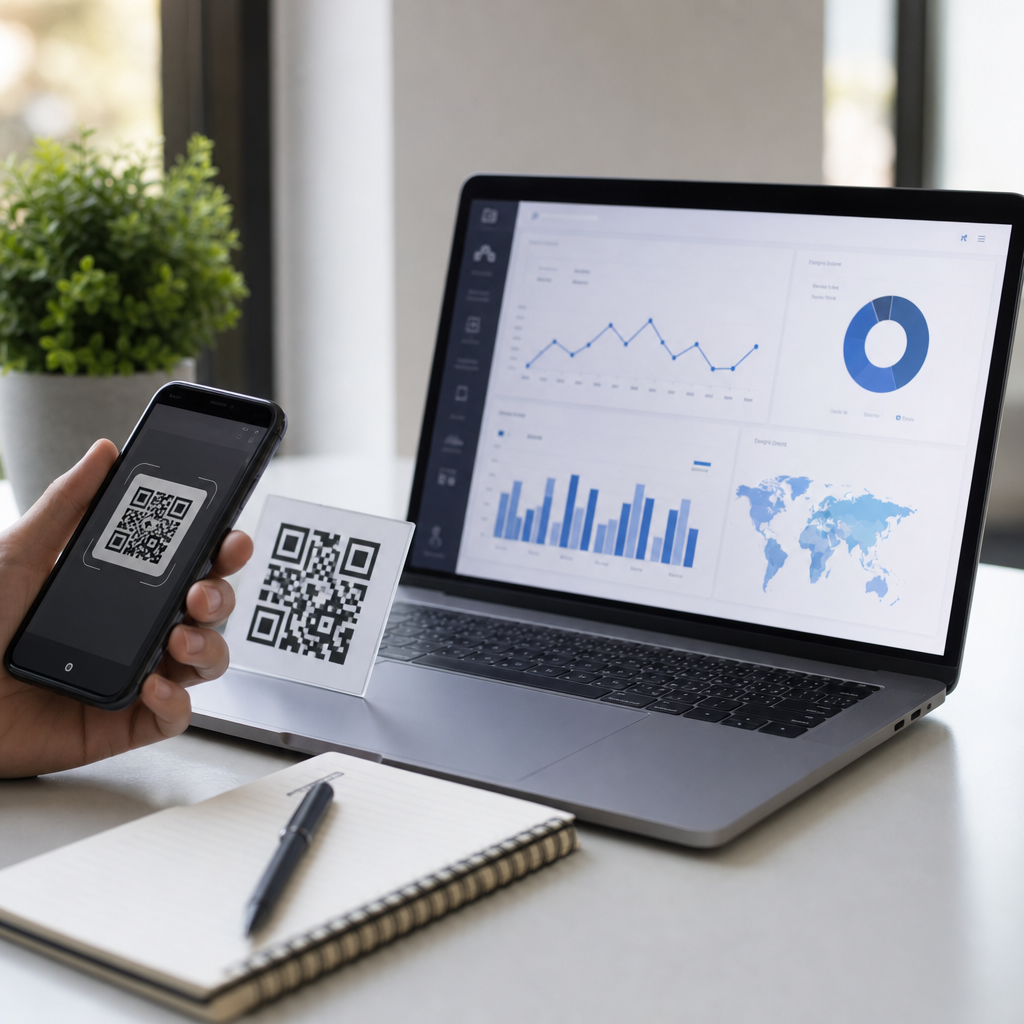
Small businesses use QR codes to bridge print and digital touchpoints, turning menus, packaging, signs, business cards, and storefront windows into measurable customer journeys. A QR code, or Quick Response code, is a two-dimensional barcode that stores a destination such as a website URL, payment link, Wi-Fi credential, PDF, app store listing, or vCard. The best QR code tools for small businesses do more than create a scannable square: they support dynamic editing, scan analytics, branded design, reliable error correction, and practical integrations with the systems owners already use.
I have implemented QR campaigns for retailers, restaurants, local service companies, and event teams, and the pattern is consistent. Businesses that pick a tool based only on price often outgrow it quickly, while those that choose based on editing flexibility, print safety, and reporting avoid expensive reprints and tracking blind spots. That matters because a single code may appear on thousands of boxes, flyers, table tents, or receipts. If the linked page changes, dynamic QR codes let you update the destination without replacing the printed material. For a small business watching margins, that feature alone can justify the platform cost.
This hub article covers the best QR code generators and the criteria that separate a basic maker from a dependable business tool. It also answers the practical questions owners ask before buying: which platforms are easiest to use, which are best for branded campaigns, which support analytics, and what tradeoffs come with free versus paid plans. If you are building a creating mobile QR codes workflow, this page should be your starting point because it frames the software options and the operational decisions that affect performance after the code goes live.
What small businesses should look for in a QR code generator
The best QR code generator for a small business must balance usability, control, and durability. Start with dynamic codes. Static QR codes permanently encode the destination, which is acceptable for a fixed homepage URL but risky for promotions, seasonal landing pages, or changing product links. Dynamic codes route scans through the provider first, allowing destination edits later. In practice, I recommend dynamic codes for almost every public-facing use case except highly permanent reference content.
Analytics are the second core requirement. At minimum, a business tool should show total scans, unique scans, time, location by country or city, and device type. Better platforms integrate with Google Analytics through UTM parameters or direct connectors, so campaign performance can be tied to conversions rather than scan counts alone. Design controls also matter. A tool should support custom colors, logo insertion, frame text such as “Scan to View Menu,” and export formats including SVG, EPS, and high-resolution PNG. Vector output is especially important for large-format printing because it preserves sharp edges and scanning reliability.
Security and governance are often overlooked. Businesses should verify whether the platform supports password-protected destinations, access control for team members, and custom domains for branded short links. A custom domain increases trust because the redirect URL reflects the business name rather than a generic third-party domain. Finally, confirm pricing behavior. Some platforms advertise free QR creation but restrict dynamic editing, analytics retention, or scan volume. Others allow creation but can deactivate codes if a subscription lapses. Before printing anything, test the code on multiple phones, under varied lighting, and at the final production size.
Best QR code tools for small businesses compared
Several platforms consistently stand out for small business use. QR Code Generator Pro is widely adopted because it combines an easy interface with dynamic codes, campaign folders, branded design, and dependable analytics. Beaconstac is stronger for businesses that want enterprise-grade controls, bulk generation, and integrations, though some very small teams may find it more than they need. Uniqode, formerly Beaconstac’s strongest competitor in many comparisons, is known for polished management features, good templates, and practical use across marketing and operations. Bitly is not a pure QR platform first, but it deserves consideration because link management and QR generation live together, which simplifies campaign tracking for teams already using short links.
Canva is useful when design speed matters. I have seen boutiques and solo operators use Canva to place QR codes directly into flyers, packaging inserts, and menus without moving between tools. However, Canva works best when paired with a more robust analytics stack, because its QR features are simpler than specialized platforms. QR Tiger is another strong option for budget-conscious teams that still need dynamic codes, editable destinations, and decent reporting. Flowcode emphasizes fast setup and clean consumer-facing experiences, often appealing to creators, restaurants, and local brands that need attractive branded scans without deep technical configuration.
| Tool | Best for | Strengths | Watchouts |
|---|---|---|---|
| QR Code Generator Pro | General small business use | Dynamic codes, branding, analytics, simple UI | Advanced features require paid tiers |
| Uniqode | Growing teams and multi-location brands | Bulk management, templates, reporting | Higher cost than basic tools |
| Bitly | Businesses already managing links | Short links plus QR in one platform | Design options are less specialized |
| QR Tiger | Value-focused campaigns | Affordable dynamic codes and exports | Interface is less refined in places |
| Canva | Fast design workflows | Easy placement into marketing assets | Limited deep analytics and governance |
If a business asks me for one default recommendation, I usually start with QR Code Generator Pro or Uniqode because both cover the essentials without forcing awkward workarounds. If the business already relies on Bitly for SMS, email, and social campaigns, Bitly can be the smarter operational choice because QR codes become part of one trackable link ecosystem.
How to match the tool to the use case
Choosing the best QR code generator depends on where the code will live and what the business needs after the scan. Restaurants usually prioritize dynamic menu links, table-level tracking, and the ability to swap destinations instantly when hours, specials, or seasonal menus change. Retailers often care more about product education, loyalty signup flows, and packaging codes that can survive long print runs. Service businesses use QR codes on vehicles, invoices, yard signs, and leave-behind cards, where call booking, review collection, and payment links are common destinations.
For event-driven campaigns, scan spikes and time-sensitive destination changes make dynamic routing essential. I have used this approach for trade show booths where a code linked to a lead form on day one, a booking calendar on day two, and a recap page after the event. The printed sign stayed the same, but the customer journey evolved. For real estate agents, QR codes on property signs often connect to listing pages, virtual tours, or prefilled contact forms. In that case, analytics by location and time help identify which signs generate genuine buyer intent.
There are also technical fit questions. If a business needs hundreds of unique codes for inventory labels, table numbers, or direct mail personalization, bulk generation and CSV import matter. If brand consistency matters, look for custom frames, logo-safe error correction, and reusable templates. If compliance is a concern, especially in healthcare or finance-adjacent environments, confirm data handling policies and user permissions. The right tool is the one that supports the full lifecycle: creation, testing, deployment, measurement, and revision.
Free versus paid QR code generators
Free QR code generators can be perfectly acceptable for simple, low-risk use cases. If you need a static code that points to your homepage on a business card, a free option may be enough. The problem appears when businesses assume all QR codes behave the same. Many free tools do not provide dynamic editing, meaningful analytics, or reliable support. Some add branding to the redirect page, and some create codes that depend on the provider’s hosted short link, which can create continuity risks later.
Paid platforms earn their keep in three ways. First, they prevent reprint costs by allowing destination updates. Second, they produce reporting that supports decision-making. Third, they help maintain brand trust through custom domains and cleaner visual design. A local café printing ten laminated table cards may not feel the difference immediately, but a retailer printing five thousand packaging inserts will. One updated URL can save a full reprint cycle.
Small businesses should also watch for hidden limits. Scan caps, download restrictions, short analytics retention windows, and logo removal fees are common. I advise owners to calculate total campaign cost, not subscription cost alone. A twenty-dollar monthly plan that avoids one print mistake or reveals which flyer placement drives bookings is often cheaper than a free tool that offers no correction path.
Implementation tips that improve scan rate and reliability
Even the best QR code tools fail when execution is sloppy. Maintain high contrast, usually dark code on a light background. Avoid shrinking codes too far; for many printed pieces, at least 0.8 by 0.8 inches is a practical floor, while posters and window signs need larger sizing based on scan distance. Leave quiet space around the code so phone cameras can distinguish the pattern. If you add a logo, keep error correction high and test aggressively because decorative edits can reduce readability.
Placement and context matter as much as the generator. A code without a call to action underperforms. “Scan to view pricing,” “Scan for today’s menu,” or “Scan to book a free estimate” tells the customer what happens next. Destination experience matters too. The landing page must load quickly, fit mobile screens, and continue the promise made near the code. If the sign says “scan for coupon” and the page opens to a generic homepage, conversion drops.
Track campaigns with UTM parameters, use separate codes for different placements, and review scan reports weekly. That habit turns QR codes from a novelty into a measurable channel. For businesses building a broader creating mobile QR codes strategy, the best generator is the one that makes that discipline easy to maintain.
The best QR code tools for small businesses are the ones that combine dynamic editing, dependable analytics, strong design controls, and export quality suited to real print use. For most teams, specialized platforms such as QR Code Generator Pro, Uniqode, QR Tiger, and Flowcode outperform generic makers because they support the entire campaign lifecycle. Bitly is especially effective when link management already sits at the center of marketing operations, while Canva remains useful for fast visual production when paired with stronger tracking elsewhere.
The central decision is not simply which QR code generator has the lowest price. It is which platform fits your use case, protects you from costly reprints, and gives you enough data to improve results over time. Restaurants need fast menu updates. Retailers need packaging durability and campaign attribution. Service businesses need simple mobile journeys tied to calls, bookings, reviews, or payments. Once you match the platform to the job, QR codes become a practical business asset rather than a trendy add-on.
Use this hub as your starting point for evaluating the best QR code generators, then choose one platform and test it in a live campaign this week. Print carefully, measure every scan, and refine from there.
Frequently Asked Questions
What should small businesses look for in the best QR code tools?
The best QR code tools for small businesses should do far more than generate a basic code. A strong platform helps a business connect offline materials with digital experiences in a way that is flexible, trackable, and easy to manage over time. At a minimum, small businesses should look for dynamic QR code support, which allows the destination link or content to be updated without reprinting the code. This is especially valuable for restaurants updating menus, retailers changing promotions, service businesses rotating landing pages, or event organizers refreshing registration details.
Analytics are another major feature to prioritize. Good QR code tools show scan counts, dates, approximate locations, device types, and performance trends so business owners can measure which signs, flyers, packaging, or storefront placements actually drive customer action. Branding options also matter. The ability to add a logo, customize colors, and choose frames or calls to action can make QR codes feel more professional and aligned with a company’s visual identity while still remaining easy to scan.
Small businesses should also evaluate ease of use, pricing transparency, download formats, and collaboration features. If a team needs codes for menus, business cards, product packaging, and in-store displays, the tool should make organization simple. It is also wise to check whether the provider offers reliable scan performance, strong mobile compatibility, error correction, and support for multiple QR code types such as URL, PDF, Wi-Fi, payment, app download, and contact card. In short, the right tool is one that combines usability, editing flexibility, measurable insights, and dependable real-world performance.
Why are dynamic QR codes better than static QR codes for small businesses?
Dynamic QR codes are often the smarter choice for small businesses because they provide flexibility after the code has already been printed or published. A static QR code permanently stores the final destination, which means if a URL changes, a menu is updated, a campaign ends, or a landing page needs to be replaced, the code becomes outdated and may need to be recreated and reprinted. That can lead to unnecessary design work, printing costs, and missed marketing opportunities.
With a dynamic QR code, the printed code stays the same while the destination behind it can be changed from the dashboard of the QR code tool. For a small business, that means one code on a storefront sign can lead to seasonal promotions throughout the year, one code on packaging can point to different product tutorials over time, and one code on a table tent can shift from breakfast specials to dinner reservations without changing the physical material. This flexibility is especially useful for businesses that need to move quickly and keep costs under control.
Dynamic QR codes also usually unlock analytics, which static codes generally do not provide. That data helps business owners understand which campaigns work, which locations generate the most engagement, and how customers interact with printed materials. While static QR codes can still be useful for permanent information that will never change, such as a fixed Wi-Fi password or a long-term contact card, dynamic codes typically offer more value for marketing, operations, and customer engagement. For most small businesses, the ability to edit and track makes dynamic QR codes the more practical long-term investment.
How can small businesses use QR codes to improve marketing and customer experience?
QR codes can play a surprisingly large role in both marketing and customer experience because they make it easy for customers to move from a physical touchpoint to a useful digital action in seconds. A small business can place QR codes on product packaging, storefront windows, receipts, menus, posters, mailers, business cards, trade show materials, and point-of-sale displays to guide customers toward promotions, appointment booking, loyalty programs, reviews, social media, payment pages, product demos, or downloadable resources.
From a marketing perspective, QR codes help make traditional print materials measurable. Instead of handing out flyers or displaying posters and hoping they work, businesses can track scans and see which placements generate interest. A salon might use one QR code on its front desk for rebooking appointments and another in local print ads for new-client offers. A restaurant might place one code on takeout packaging for online reviews and another on table cards for digital menus or limited-time specials. A retail store could use shelf tags that link to sizing guides, how-to videos, or customer testimonials, helping shoppers make faster and more informed decisions.
For customer experience, QR codes reduce friction. They let people access information immediately without typing a web address, searching online, or asking staff for basic details. Customers can scan to join Wi-Fi, save contact information, view service options, make a payment, or access support documents. The most effective uses are clear, relevant, and connected to a real customer need. When small businesses pair a well-designed QR code with a strong call to action and a mobile-friendly destination, they create a faster, smoother journey that can increase engagement, conversions, and overall satisfaction.
Do branded QR codes scan as reliably as standard black-and-white QR codes?
Yes, branded QR codes can scan reliably when they are designed correctly, but there is an important balance between appearance and functionality. Many of the best QR code tools allow small businesses to customize colors, add logos, and adjust shapes so the code matches their brand identity. This can make the code more noticeable, more trustworthy, and more visually integrated into menus, signs, packaging, and marketing materials. A thoughtfully branded QR code often performs better than a plain one because it feels intentional and includes a clear reason to scan.
That said, readability should always come first. QR codes need strong contrast between the foreground and background, enough quiet space around the edges, and a size appropriate for the scanning distance. If the colors are too light, the logo is too large, or the design removes too much of the core pattern, scan performance can suffer. This is why it is important to use a reputable QR code tool that applies safe customization standards and offers previews or testing before download. Higher error correction levels can also help preserve scanability when logos are added, though they should not be used as an excuse to over-design the code.
For small businesses, the best practice is simple: brand the code, but test it in real conditions. Scan it with both iPhone and Android devices, print it at actual size, and check performance under normal lighting and from realistic distances. If the code is going on a window, package, or outdoor sign, test it there too. A branded QR code can absolutely be both attractive and dependable, but only if the design choices support fast, frictionless scanning.
How do scan analytics from QR code tools help small businesses make better decisions?
Scan analytics turn QR codes from simple access points into practical business intelligence tools. For a small business, this matters because every print asset, display, or package has a cost, and analytics help show whether those touchpoints are actually generating engagement. The best QR code tools typically provide data such as total scans, unique scans, time of scan, device type, and approximate geographic location. Some also support campaign tagging and integrations with analytics platforms, giving a fuller picture of customer behavior after the initial scan.
This information helps businesses compare performance across placements and campaigns. For example, a coffee shop might discover that a QR code on takeaway cups drives more loyalty sign-ups than one posted at the register. A real estate agent might find that property sign codes generate more traffic on weekends than weekdays. A boutique may learn that packaging inserts get more scans than in-store signage, suggesting stronger post-purchase engagement than foot-traffic interaction. These insights allow owners to improve placement, messaging, offer design, and budget allocation based on evidence instead of guesswork.
Analytics are also useful for ongoing optimization. If scan activity drops after a campaign launches, the business can adjust the landing page, update the offer, or revise the call to action without replacing the printed code if it is dynamic. Over time, these small improvements can lead to better conversion rates and more efficient marketing. For small businesses working with limited time and resources, scan analytics provide a clear advantage: they make offline-to-online customer journeys measurable, testable, and easier to improve.