
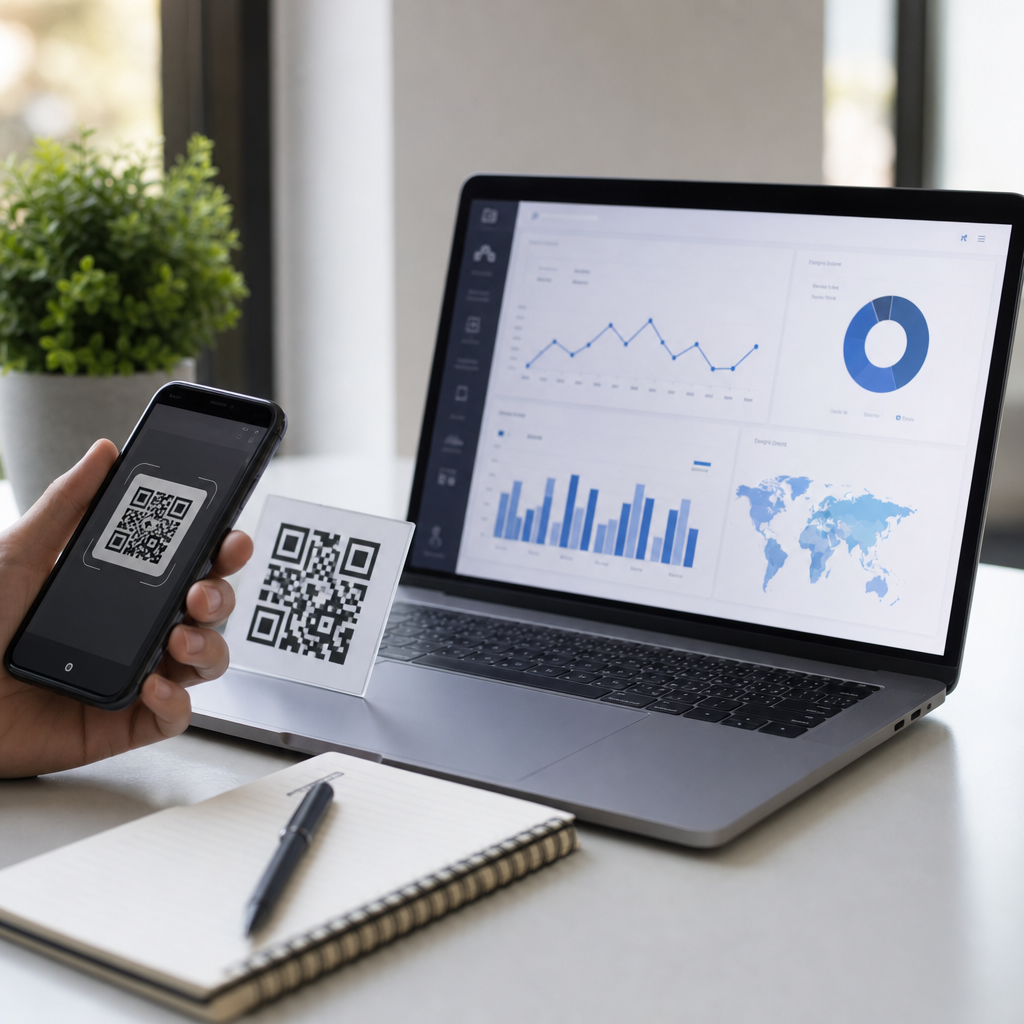
Best QR code generators with analytics tracking help businesses turn a simple scan into measurable marketing data. A QR code generator creates a scannable image that sends users to a URL, app store page, PDF, menu, payment link, or contact card. Analytics tracking adds the layer that matters most in practice: scan counts, location data, device type, time of scan, campaign attribution, and, in stronger platforms, integration with Google Analytics, CRM systems, and marketing automation tools. If you are building a mobile QR strategy, this category of software is the control center, because it determines not only how your codes look, but also what you can learn after they are printed and deployed.
I have used QR platforms for packaging, retail displays, event badges, restaurant menus, and direct mail. The pattern is always the same. Static codes are fast and cheap, but dynamic codes with tracking give teams room to optimize. If a flyer is already in circulation and the destination page changes, a dynamic QR code lets you update the target without reprinting. If one store poster outperforms another, analytics reveals the difference. That combination of flexibility and measurement is why businesses searching for the best QR code generators are usually not looking for image creation alone. They want campaign management, reliable redirects, and reporting they can trust.
This hub article explains what makes a QR platform worth using, which generators stand out for different business needs, what analytics features matter most, and how to choose a tool that fits your budget and workflow. It also serves as a foundation for deeper articles within the Creating Mobile QR Codes topic, including platform comparisons, dynamic versus static QR codes, branded QR design, and QR code campaign tracking.
What separates the best QR code generators from basic tools
The best QR code generators do four things consistently well. First, they support dynamic QR codes, which route scans through a managed short link so the destination can be changed later. Second, they provide analytics beyond a raw scan total, including unique scans, timestamps, country or city, operating system, and device category. Third, they protect scan reliability with fast redirects, error correction support, and downloadable formats such as PNG, SVG, EPS, or PDF for print. Fourth, they make campaign administration practical through folders, naming conventions, bulk creation, user permissions, and integrations.
A basic free generator may be enough for a personal Wi-Fi code or one-off event sign. It is usually not enough for a business campaign. In the field, I have seen teams lose attribution because they printed static QR codes that pointed to pages later removed during a site redesign. I have also seen beautifully branded codes fail because the contrast ratio was too low or the quiet zone was too tight for lower-end phone cameras. A serious platform reduces those risks by enforcing scan-safe design rules and retaining control over the redirect layer after launch.
Another differentiator is analytics quality. Some tools count every reload as a scan, while stronger platforms distinguish total scans from unique users and sometimes filter suspicious traffic. If you use UTM parameters, a good generator lets you append them cleanly so scans can be traced in Google Analytics 4. That matters when QR codes are used in omnichannel campaigns, where print, in-store signage, and packaging all need to feed the same reporting framework.
Top QR code generators with analytics tracking
QR Code Generator Pro is one of the most widely recognized options for marketing teams because it balances ease of use with enterprise-friendly features. It supports dynamic codes, editable destinations, scan analytics, team collaboration, and a broad set of QR destinations including links, PDFs, app downloads, coupons, and business pages. Its interface is straightforward enough for nontechnical users, and in my experience it is one of the fastest tools for producing branded codes that still scan reliably when tested across iPhone and Android devices.
Bitly is a strong choice when link management is as important as the code itself. Because Bitly already specializes in branded short links, its QR capability fits naturally into attribution workflows. Teams that run cross-channel campaigns often prefer it because links, QR codes, and campaign naming live in one environment. If your organization already relies on Bitly for redirects and branded domains, adding QR codes can simplify governance and reporting.
Beaconstac stands out for businesses that need deeper campaign controls, retargeting, API access, and security options. It is commonly used by larger brands, restaurants, healthcare groups, and field marketing teams. Beaconstac also emphasizes templates and bulk generation, which is valuable when producing hundreds or thousands of codes for product labels, tables, locations, or franchise sites. Uniqode, previously known as Beaconstac’s rebrand in some markets, is also frequently evaluated in this same enterprise tier depending on regional branding and plan structure.
Flowcode is popular with creators, events, and consumer-facing brands that want attractive designs and easy mobile landing page connections. It offers scan analytics and customization options that work well for posters, packaging, music promotions, and social profiles. While it may not always match the governance depth of enterprise-oriented platforms, it is often a good fit for small businesses that want a polished brand experience without a complex setup.
Scanova is another reliable option for dynamic QR campaigns, especially for marketers who need password protection, lead generation forms, and editable campaigns. It supports multiple QR types and presents data in a way that is accessible to smaller teams. Shopify merchants and ecommerce brands often shortlist Scanova because it can support print-to-product journeys, discount promotions, and post-purchase packaging campaigns.
| Platform | Best for | Key analytics strength | Notable limitation |
|---|---|---|---|
| QR Code Generator Pro | General marketing teams | Clear scan reporting and editable dynamic codes | Advanced enterprise controls may require higher tiers |
| Bitly | Link-centric campaigns | Unified link and QR attribution | Design flexibility is narrower than specialized QR tools |
| Beaconstac | Large campaigns and bulk deployment | Granular tracking, API, and scale features | Can be more than small teams need |
| Flowcode | Creators and branded promotions | Accessible campaign reporting | Less operational depth for complex organizations |
| Scanova | SMBs and ecommerce use cases | Good visibility into campaign performance | Feature access depends heavily on plan level |
Analytics features that actually matter
When evaluating the best QR code generators, scan count alone is not enough. You want to know where scans happened, when they occurred, what devices were used, and whether the user reached a destination that converted. The most useful baseline metrics are total scans, unique scans, scan location, date and time, operating system, and top-performing campaigns. For retail, event, and out-of-home campaigns, time-based reporting is especially helpful because it can show whether scans spike during commuting hours, lunch periods, or after an email drop.
The next layer is attribution. A platform should let you use UTM parameters or native analytics integrations so QR traffic appears clearly in Google Analytics 4. Without that, you may know that a code was scanned but not whether the visit produced a purchase, signup, or download. In one packaging campaign I worked on, scan totals looked healthy until GA4 revealed that a large share of users bounced because the landing page was too slow on mobile data. The QR tool showed interest; the web analytics exposed the conversion problem.
Some advanced tools also support retargeting pixels, first-party domains, webhooks, or CRM integrations. These features are useful when QR codes are part of lead generation or customer lifecycle marketing. For example, a real estate company can place dynamic QR codes on yard signs, route visitors to listing pages, and push source data into its CRM for follow-up. That is very different from a hobby use case, and it explains why professional buyers should inspect analytics depth before comparing price alone.
How to choose the right generator for your use case
The right platform depends on scale, print permanence, reporting requirements, and who will manage the codes. For a solo business owner, ease of design and simple scan dashboards may be enough. For a multi-location brand, bulk creation, folder structure, user roles, and branded short domains become critical. If codes will appear on packaging, manuals, storefront decals, or trade show assets that cannot be reprinted easily, dynamic routing is nonnegotiable.
Budget should be assessed against replacement cost, not subscription cost alone. A monthly fee for dynamic QR software is usually far cheaper than reprinting menus, labels, brochures, or signage after a URL changes. I recommend asking five direct questions before committing: Does the platform support dynamic codes on every paid tier? Can you export analytics? Does it support custom domains? What file formats are available for print production? What happens to active codes if you downgrade or cancel?
Testing is equally important. Always print sample codes at final size, test them under realistic lighting, and scan them with multiple phone models. A code that works on a flagship device at a desk may fail on an older Android phone in a dim restaurant. The best QR code generators make this easier by providing high-resolution exports and preserving sufficient error correction even when logos are added.
Common mistakes businesses make with QR tracking
The most common mistake is using static QR codes for campaigns that will evolve. The second is sending all scans to a homepage instead of a mobile-specific landing page built for intent. The third is ignoring analytics hygiene. If campaign names are inconsistent, UTM structures vary, and redirects are changed without documentation, reporting becomes unreliable. Other frequent problems include overdesigned codes, poor placement, tiny print size, and missing calls to action such as “Scan to view menu” or “Scan for installation guide.”
Another mistake is treating the QR platform as the only source of truth. Scan analytics show engagement at the code level, but they do not replace site analytics, conversion tracking, or revenue reporting. Strong performance analysis combines the QR dashboard with GA4, CRM data, and, where relevant, point-of-sale data. That is how you distinguish curiosity from actual business impact.
Why this hub matters for creating mobile QR codes
Best QR code generators are the foundation of every serious mobile QR program because the platform determines flexibility, measurement, and long-term maintainability. If you choose well, you can create branded codes, update destinations without reprinting, track campaign performance, and connect offline scans to online outcomes. If you choose poorly, you risk broken links, weak analytics, and expensive rework. Start by prioritizing dynamic codes, clean reporting, export-ready design files, and dependable redirect infrastructure. Then match the tool to your operating reality, whether that is a single storefront, a national campaign, or a product packaging rollout. As you build out your Creating Mobile QR Codes strategy, use this hub as the starting point, then compare individual platforms, test your scan journeys, and implement tracking that ties every scan to a meaningful business result.
Frequently Asked Questions
What should I look for in a QR code generator with analytics tracking?
The best QR code generator with analytics tracking should do much more than simply create a scannable code. At a minimum, it should offer dynamic QR codes, because dynamic codes let you change the destination URL or content after printing without replacing the code itself. That is essential for marketing campaigns, product packaging, restaurant menus, event materials, and any long-term use case where links may need to be updated over time. A strong platform should also provide clear reporting on total scans, unique scans, scan time, device type, operating system, and approximate location data so you can understand when, where, and how people are engaging.
Beyond the basics, businesses should pay close attention to campaign management features. Useful tools include UTM parameter support, Google Analytics integration, custom landing pages, folder organization, team access controls, and exportable reports. If the QR code is part of a broader customer journey, CRM and marketing automation integrations can be especially valuable because they connect scan behavior to lead generation, email campaigns, and downstream conversions. Branding options also matter. Many companies want custom colors, logos, frames, and short URLs so the code feels like part of the brand instead of a generic black-and-white square.
Reliability and security are just as important as analytics. Look for a platform with dependable scan performance, SSL-secured links, strong uptime, and clear privacy practices. If your campaigns operate at scale, check whether the provider supports bulk generation, API access, and enterprise-level user permissions. In short, the right tool should combine flexible QR code management, actionable analytics, branding, and dependable infrastructure. A QR code may be simple on the surface, but the platform behind it determines whether it becomes a measurable marketing asset or just a static shortcut.
Why are dynamic QR codes better than static QR codes for analytics?
Dynamic QR codes are generally the better choice for analytics because they route scans through a trackable short link before sending the user to the final destination. That redirect layer is what makes scan tracking possible. It allows the platform to record useful engagement data such as scan volume, location, device information, and time of interaction. Static QR codes, by contrast, usually point directly to a destination URL embedded permanently in the code. That means they have limited flexibility and, in many cases, little to no built-in tracking unless analytics are handled separately through the final destination page.
The biggest practical advantage of dynamic QR codes is editability. If you print a QR code on product packaging, brochures, business cards, posters, or signage, a dynamic code lets you update the link later without reprinting the asset. You can send users to a new product page, revised PDF, seasonal offer, event registration form, or app download link while keeping the exact same code in circulation. That flexibility becomes even more valuable when combined with analytics, because you can compare campaign performance over time and optimize where traffic is being sent.
Dynamic QR codes also support more advanced campaign tracking strategies. Marketers can test different landing pages, adjust calls to action, segment campaigns by channel, and connect scans to UTM-tagged URLs for Google Analytics reporting. In stronger platforms, dynamic QR scans can feed into CRM systems or marketing dashboards, giving businesses a clearer view of how offline touchpoints contribute to digital outcomes. For anyone serious about measuring ROI, improving campaigns, and maintaining long-term usability, dynamic QR codes are almost always the smarter option.
What analytics can the best QR code generators actually track?
The most useful QR code analytics go far beyond a simple scan count. Leading platforms can typically show total scans, unique scans, scan timestamps, geographic location at the city or regional level, device type, operating system, and browser information. This data helps businesses identify patterns such as peak engagement hours, high-performing regions, and the types of devices their audience uses most often. For example, a restaurant might learn that menu scans spike during lunch hours, while a retailer may find that in-store signage performs better on weekends than weekdays.
More advanced QR code generators can also provide campaign attribution and traffic source context. When dynamic QR codes are paired with UTM parameters, scans can be measured inside Google Analytics alongside other marketing channels. That makes it possible to compare QR-driven traffic against email, paid ads, social media, and organic search. Some platforms support event tracking and custom tags, which helps marketers distinguish scans from product packaging, direct mail, trade show booths, window displays, or table tents. This level of detail is especially helpful when the same destination page is promoted in multiple places.
Higher-end tools may include integrations with CRM platforms, ecommerce systems, and marketing automation software. In those setups, a scan is not just an isolated metric but part of a customer journey. Businesses can potentially connect QR interactions to lead submissions, purchases, repeat visits, form completions, or follow-up email sequences. It is important to remember that analytics quality varies by provider, and some limits may apply based on privacy rules, user permissions, or subscription tiers. Still, the best QR code generators turn each scan into actionable intelligence that can support smarter marketing decisions.
Can QR code analytics help measure offline marketing performance?
Yes, QR code analytics are one of the most practical ways to measure offline marketing performance because they create a bridge between physical materials and digital behavior. Traditional offline channels such as flyers, posters, packaging, mailers, storefront displays, brochures, event booths, and print ads can be difficult to track with precision. When a QR code is added, each scan becomes a measurable interaction. Businesses can see how many people responded, when they engaged, what device they used, and in many cases where the scan happened. That turns a previously untrackable print asset into a source of performance data.
This visibility helps marketers compare campaigns and optimize spend. For example, if the same promotion appears on in-store signage, direct mail, and event banners, separate dynamic QR codes can be created for each placement. The analytics then show which asset drove the most scans and which audience segments were most responsive. If one location consistently outperforms another, that may influence future distribution decisions. If scans happen but conversions remain low, the issue may be with the landing page or offer rather than the offline placement itself. In that sense, QR code analytics support both attribution and troubleshooting.
QR tracking becomes even more powerful when combined with downstream analytics. By connecting dynamic QR codes to Google Analytics, ecommerce tracking, or a CRM, businesses can move beyond scan data and evaluate outcomes such as signups, purchases, appointment bookings, menu views, app installs, or contact form submissions. This allows teams to estimate true return on investment instead of relying only on impressions or assumptions. While not every scan leads directly to a conversion, QR code analytics provide a much clearer performance picture than offline marketing has historically offered on its own.
Are there any limitations or privacy concerns with QR code analytics tracking?
There are both practical limitations and privacy considerations to keep in mind. First, QR analytics are only as strong as the platform collecting the data. Not every provider offers the same level of detail, and some metrics are based on approximations rather than exact user information. For example, location data is often inferred from IP addresses and may reflect general regions rather than precise physical positions. Unique scan counts can also be influenced by browser settings, device changes, and privacy protections. In other words, QR code analytics are highly useful, but they should be interpreted as directional marketing intelligence rather than perfect one-to-one identity tracking.
Privacy rules also matter. Depending on the region and the nature of the campaign, businesses may need to consider regulations related to consent, data retention, cookies, and personally identifiable information. If QR code scans lead to landing pages with forms, remarketing tags, or CRM capture, compliance obligations can increase. Reputable QR code platforms should provide secure redirects, clear data policies, and options that support responsible data handling. Businesses should also be careful not to collect more information than they genuinely need, especially if campaigns involve healthcare, finance, education, or other sensitive sectors.
Another important limitation is that a scan itself does not always equal meaningful engagement. Someone may scan a code accidentally, leave the page immediately, or fail to complete the intended action. That is why the best approach is to pair QR scan data with landing page analytics, conversion tracking, and campaign attribution tools. Used properly, QR code analytics are extremely valuable, but they work best as part of a broader measurement strategy. Companies that choose secure, transparent platforms and combine scan data with business outcomes will get the clearest, most responsible view of performance.





