
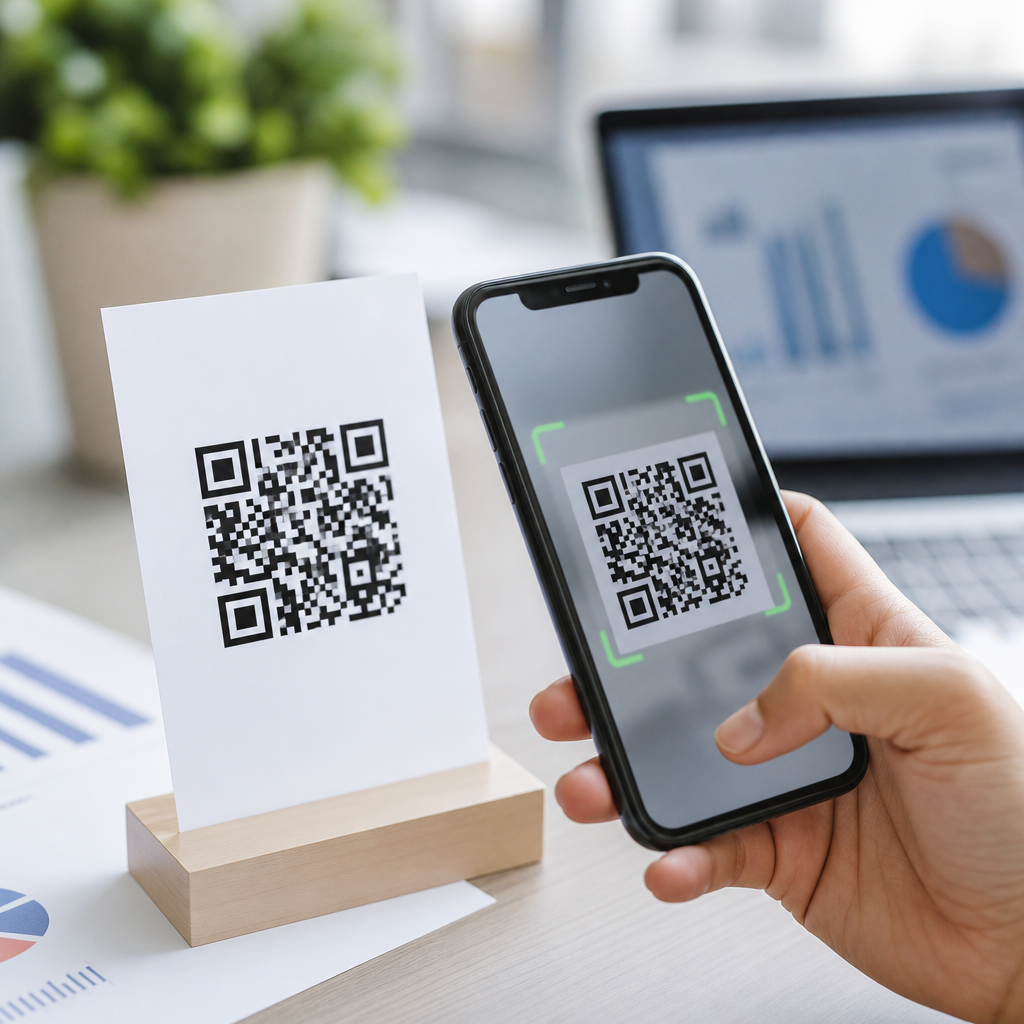
How file type affects QR code scanability becomes obvious the moment a perfectly designed code fails in print, blurs on a storefront window, or loads slowly inside a mobile checkout flow. In practical terms, file type refers to the digital format used to save and distribute a QR code image, such as PNG, SVG, EPS, PDF, JPG, or WebP. Scanability is the likelihood that a phone camera or dedicated scanner can detect finder patterns, read module contrast, correct errors, and open the encoded destination without hesitation. In mobile QR code projects, the file format is not a minor production detail; it directly shapes edge sharpness, scalability, compression behavior, print reliability, and display performance. I have seen the same QR code scan instantly as an SVG on a responsive landing page, then fail after someone exported it as a low-quality JPG for social media reuse. That is why QR code formats and file types matter: they determine whether the code remains machine-readable across screens, packaging, signage, labels, menus, invoices, and app-based workflows.
As a hub topic under creating mobile QR codes, QR code formats and file types sit at the intersection of design, printing, device compatibility, and campaign operations. Teams usually ask the same practical questions. Which format is best for print? Which file stays sharp when resized? Is PNG good enough for mobile? Can JPG ever be acceptable? When should you use vector instead of raster? The clear answer is that no single format is best in every case. Raster formats like PNG store pixels and work well for fixed-size digital placements. Vector formats like SVG and EPS store paths and scale without losing edge definition, which is crucial for large-format printing. PDF often serves as a production container for print. Understanding these distinctions helps you preserve quiet zone spacing, module geometry, and contrast ratios, all of which affect real-world scanning speed. If you want mobile QR codes that survive resizing, reposting, and commercial printing, choosing the right file type is one of the first decisions to get right.
Why file type changes whether a QR code scans
A QR code scanner does not interpret the design the way a human does. It looks for a high-contrast matrix with square modules, three finder patterns, and enough clean separation from the background to reconstruct the symbol. File type affects each of those elements because different formats store image data differently. Raster files, including PNG, JPG, and WebP, are made from fixed pixels. Once exported at a set size, enlarging them can soften edges or create stair-stepping artifacts. Vector files, including SVG and EPS, describe shapes mathematically, so modules stay crisp at almost any size. That makes vector especially valuable when one code must appear on both a business card and a retail poster.
Compression is another major factor. PNG uses lossless compression, which preserves hard edges and is why it is widely trusted for digital QR delivery. JPG uses lossy compression and can introduce blur, ringing, or blocky artifacts around module borders, especially at lower quality settings. Those distortions can interfere with thresholding, the process by which scanning software decides what is dark and what is light. In testing, I routinely see marginal JPG codes fail first under poor lighting, curved placement, or older phone cameras. Even when a JPG scans in ideal conditions, it leaves less tolerance for real-world imperfections such as glare, motion, or slight print gain.
File type also affects production workflows. A designer may place a QR code into Adobe Illustrator, Figma, Canva, or InDesign, then send it to a printer or developer. If the file arrives flattened, recompressed, or converted into a screenshot, the output can degrade without anyone noticing. That is why reliable teams keep a master vector file for print and a properly sized PNG for digital deployment. The QR code itself may contain error correction, but error correction is not a license for poor asset handling. It is designed to recover from partial obstruction or minor damage, not fix soft edges caused by the wrong export settings.
Best QR code file types for digital screens and mobile use
For websites, apps, email, and mobile landing pages, PNG is usually the safest default. It preserves sharp contrast, supports transparency, and is broadly compatible across browsers, CMS platforms, ad systems, and messaging tools. If the display size is known, exporting a PNG at exactly the rendered dimensions or at 2x for high-density screens works well. SVG is often even better for responsive interfaces because it scales cleanly as layouts change across phones and tablets. On modern websites, an inline or linked SVG can keep a QR code crisp without generating multiple bitmap sizes. That said, some email clients and no-code tools handle SVG inconsistently, so PNG remains the more universally dependable option.
WebP can reduce file size for web delivery, but it requires careful testing. Although modern browsers support it, some marketing platforms, older workflows, and third-party systems may convert or recompress uploaded images. If a platform transforms assets behind the scenes, a pristine QR code can leave your workstation and return with altered edges. For that reason, I recommend using WebP only after confirming the final rendered output and scanning it on multiple devices. JPG should be a last resort for digital QR codes. It can work at high quality and sufficient size, but because it is optimized for photographic content rather than hard-edged symbols, it is not the format you choose when scan reliability matters.
Digital use also raises sizing questions. A file type cannot rescue a code that is simply too small on screen. In mobile campaigns, the QR code should occupy enough physical screen space for the camera to resolve individual modules. Exact minimums depend on version, distance, and device camera quality, but practical testing matters more than generic rules. I advise teams to scan on recent iPhones, mid-range Android devices, and at least one older phone under indoor lighting. If a code scans only when the user zooms, retargets, or steadies for several seconds, the problem is rarely the payload alone; it is often a combination of undersized display and an unsuitable exported file.
Best QR code file types for print, packaging, and large formats
For print, vector formats are the professional standard because they preserve module geometry at any output size. SVG is excellent for modern design workflows, especially when collaboration happens in browser-based or digital-first tools. EPS remains common in legacy print environments and with vendors who prefer established prepress formats. PDF is also highly practical because it can package vector artwork, color settings, and layout elements in one file for press-ready delivery. When a QR code is headed to packaging, labels, trade show graphics, restaurant tables, or retail signage, a vector master prevents quality loss during scaling and placement.
Print introduces physical variables that amplify file-type mistakes. Ink spread can thicken dark modules, uncoated materials can soften edges, and textured substrates can reduce contrast. A vector file cannot solve every production problem, but it prevents the avoidable one: image degradation before the code even reaches the press. When raster files are used in print, they must be exported at sufficiently high resolution for final size, typically at least 300 ppi in the placed dimensions. Even then, a high-resolution PNG is a compromise compared with vector for anything likely to be resized by a printer or production team.
| File type | Best use | Main advantage | Main risk |
|---|---|---|---|
| PNG | Web, apps, email, fixed-size digital assets | Lossless and widely supported | Softens if enlarged beyond export size |
| SVG | Responsive web, print, scalable design systems | Infinite scaling with crisp edges | Inconsistent support in some email and legacy tools |
| EPS | Commercial print and legacy prepress workflows | Reliable vector output for vendors | Less convenient for everyday web use |
| Press-ready layouts and production handoff | Can retain vector data inside final artwork | May hide rasterized content if exported poorly | |
| JPG | Only limited fallback scenarios | Small and familiar format | Lossy compression reduces scan tolerance |
| WebP | Optimized web delivery after testing | Efficient file sizes | Platform recompression or workflow incompatibility |
Large-format printing deserves special caution because viewing distance changes scanner behavior. A poster in a subway station may be physically large, but if the QR code was exported from a small raster source and then scaled up, the modules can appear fuzzy from close scanning distance. I have seen event signage fail for this reason even when the artwork looked acceptable to the naked eye. The right approach is to keep the code in vector through the layout stage, print proofs at actual size, and test scans in the intended environment, including glare, motion, and expected user distance.
Common file-type mistakes that reduce scanability
The most common mistake is converting a clean QR code into JPG because it seems smaller or easier to upload. The second is taking a screenshot of a code from a generator dashboard instead of downloading the original asset. Screenshots can introduce scaling artifacts, anti-aliasing, and inconsistent pixel alignment. Another frequent problem is copying a QR code through presentation software, chat apps, or social tools that automatically compress images. By the time the file reaches the final designer, it may have gone through several invisible transformations.
Color handling creates another risk. Some file types and export settings preserve transparency, while others flatten artwork against backgrounds that reduce contrast. A QR code with trendy brand colors may still scan, but only if the dark modules remain sufficiently darker than the background and the quiet zone stays clear. Metallic inks, gradients, shadows, and overprinting effects can all undermine detection. File format interacts with these choices because a flattened raster export may bake decorative effects directly into the code area. For dependable mobile QR codes, keep the symbol simple, preserve contrast, and treat styling as secondary to readability.
Finally, teams often assume dynamic QR codes are more forgiving because the destination can be changed later. That is true for the URL target, not for the image asset already printed or published. If the original file type caused blur or compression damage, editing the redirect will not help. Asset quality must be solved before distribution.
How to choose the right QR code format every time
Choose the file type based on output environment, not convenience. Use SVG, EPS, or vector PDF for anything that may be printed, resized, or handed to a vendor. Use PNG for most digital placements where the rendered dimensions are controlled and compatibility matters. Avoid JPG unless a platform absolutely requires it and you can verify scan performance after upload. Test WebP carefully before standardizing it. Keep one master source, document export settings, and scan the final in-context asset, not just the original file. If you are building a broader mobile QR code program, link this guidance to your print specs, landing page standards, and analytics naming conventions so every team uses the same rules.
The benefit is straightforward: the right file type preserves scan speed, reduces campaign failure, and protects the user experience across screens and print. QR code formats and file types are not an afterthought within creating mobile QR codes; they are foundational production decisions. Start with a vector master, export intentionally, and test where the code will actually be used. That simple discipline prevents most scanability problems before they reach customers.
Frequently Asked Questions
How does file type directly affect QR code scanability?
File type affects QR code scanability because it determines how the code is stored, scaled, compressed, and displayed across print and digital environments. A QR code works only when a scanner can clearly recognize its square modules, finder patterns, spacing, and contrast. Some file types preserve those sharp edges better than others. Vector formats such as SVG, EPS, and many PDFs store the QR code as mathematical paths rather than fixed pixels, which means the code can be enlarged or reduced without losing edge definition. That makes them especially reliable for signage, packaging, posters, and other printed materials where the final size may change during production.
Raster formats such as PNG, JPG, and WebP store the code as pixels. These can scan very well when exported at the right resolution, but they are more vulnerable to blur, resizing artifacts, and compression damage. PNG is typically preferred among raster formats because it uses lossless compression and keeps hard edges intact. JPG is usually the weakest option for QR codes because its lossy compression was designed for photographs, not high-contrast geometric shapes. That compression can soften corners and introduce noise around module boundaries, making the code harder to read. In short, the file type influences whether the visual structure of the QR code stays precise enough for fast, reliable scanning.
Which file types are best for printed QR codes versus digital QR codes?
For printed QR codes, vector formats are usually the best choice. SVG, EPS, and print-ready PDF files give designers and printers the flexibility to scale the code to different sizes without degrading quality. This is important because print production often involves resizing artwork to fit labels, flyers, menus, product packaging, banners, or storefront decals. With a vector file, the QR code remains crisp whether it is printed at one inch wide or several feet across. That crispness supports scanner accuracy, especially when people are scanning from a distance or under uneven lighting conditions. EPS and PDF are especially common in professional print workflows because they integrate well with design and prepress software.
For digital use, PNG is often the safest and most practical option. It renders sharply on websites, emails, apps, and checkout flows while preserving contrast and clean edges. SVG can also be excellent online, especially for responsive design, because it scales cleanly on different screen sizes and resolutions. However, implementation matters; if the SVG is styled, transformed, or embedded incorrectly, it can introduce rendering issues. WebP may be useful when page speed is a priority, but only if the exported image remains crisp and high enough in quality to avoid degrading scan performance. JPG is generally a poor fit for both print and digital QR delivery unless there is no alternative. The most reliable rule is simple: use vector for print whenever possible, and use PNG or carefully deployed SVG for digital placement.
Why is PNG usually recommended over JPG for QR codes?
PNG is usually recommended over JPG because QR codes depend on precise, high-contrast, square-shaped modules that must remain visually clean for a scanner to interpret them correctly. PNG uses lossless compression, which means it preserves the original image data without introducing artifacts. As a result, the transitions between black and white areas stay sharp, the finder patterns remain distinct, and the quiet zone around the code is less likely to be contaminated by compression noise. That makes PNG a dependable choice for web pages, mobile screens, digital documents, and even many print use cases when the export resolution is high enough.
JPG, by contrast, uses lossy compression. To reduce file size, it blends neighboring pixels and throws away detail that it assumes the human eye will not notice in photographs. Unfortunately, QR scanners do notice. Even small amounts of JPG compression can create fuzzy edges, ringing around squares, or grayish transitions where a scanner expects hard boundaries. Those visual distortions can slow scan time, force users to reposition their camera, or cause complete scan failure in low-light or glare-heavy environments. While a high-quality JPG may still work in some cases, it offers far less margin for error. If scan reliability matters, PNG is almost always the smarter raster format.
Can SVG, EPS, or PDF improve scan reliability compared with raster files?
Yes, vector-based formats such as SVG, EPS, and many PDFs can improve scan reliability because they preserve the exact geometry of the QR code regardless of size. Since a vector QR code is built from paths instead of pixels, there is no inherent loss of sharpness when the artwork is enlarged. This is especially valuable in print, where a code may be reused across business cards, posters, product labels, trade show displays, or window graphics. The scanner benefits from cleaner edges, more accurate module proportions, and a more stable quiet zone, all of which contribute to easier pattern detection and error correction.
That said, vector formats are not automatically perfect. A vector QR code can still become less scannable if someone alters its proportions, applies effects, changes the contrast, removes padding, or flattens it poorly during export. PDF quality also depends on how the file is generated; a PDF may contain true vector artwork, or it may simply embed a low-resolution raster image. SVG on the web can be highly effective, but developers need to ensure it is rendered at a usable size and not distorted by CSS or responsive containers. So while vector formats usually provide the strongest foundation for scanability, the real advantage comes from keeping the QR code technically intact throughout the production process.
What practical mistakes with file type and export settings most often make QR codes hard to scan?
Some of the most common scanability problems come from choosing the wrong file type and then compounding that choice with poor export settings. One major mistake is saving a QR code as JPG, especially at a low quality setting. Another is exporting a raster image at too small a size and then enlarging it later for print or display. That upscaling causes blurred edges and uneven module shapes. Designers also run into trouble when a QR code is copied from a screenshot, pulled from a low-resolution document, or compressed automatically by a website builder, messaging app, or email platform. In each case, the file may still look acceptable to a person, but it can become significantly harder for a scanner to interpret.
Other frequent issues include flattening a vector file into a low-resolution raster during handoff, embedding a QR code inside a PDF without checking whether it remains vector-based, and using modern image formats like WebP with aggressive compression settings. Removing the quiet zone, changing the aspect ratio, applying shadows or gradients, or placing the code over a busy background can also undermine scan performance regardless of file type. A practical best practice is to export the QR code in a format suited to the final channel, preserve high contrast, maintain the required clear space, avoid distortion, and test the finished asset on multiple phones before publishing or printing at scale. In real-world use, successful scanability is less about picking a trendy format and more about choosing a technically appropriate one, then protecting the QR code’s structure all the way to the end user.





