
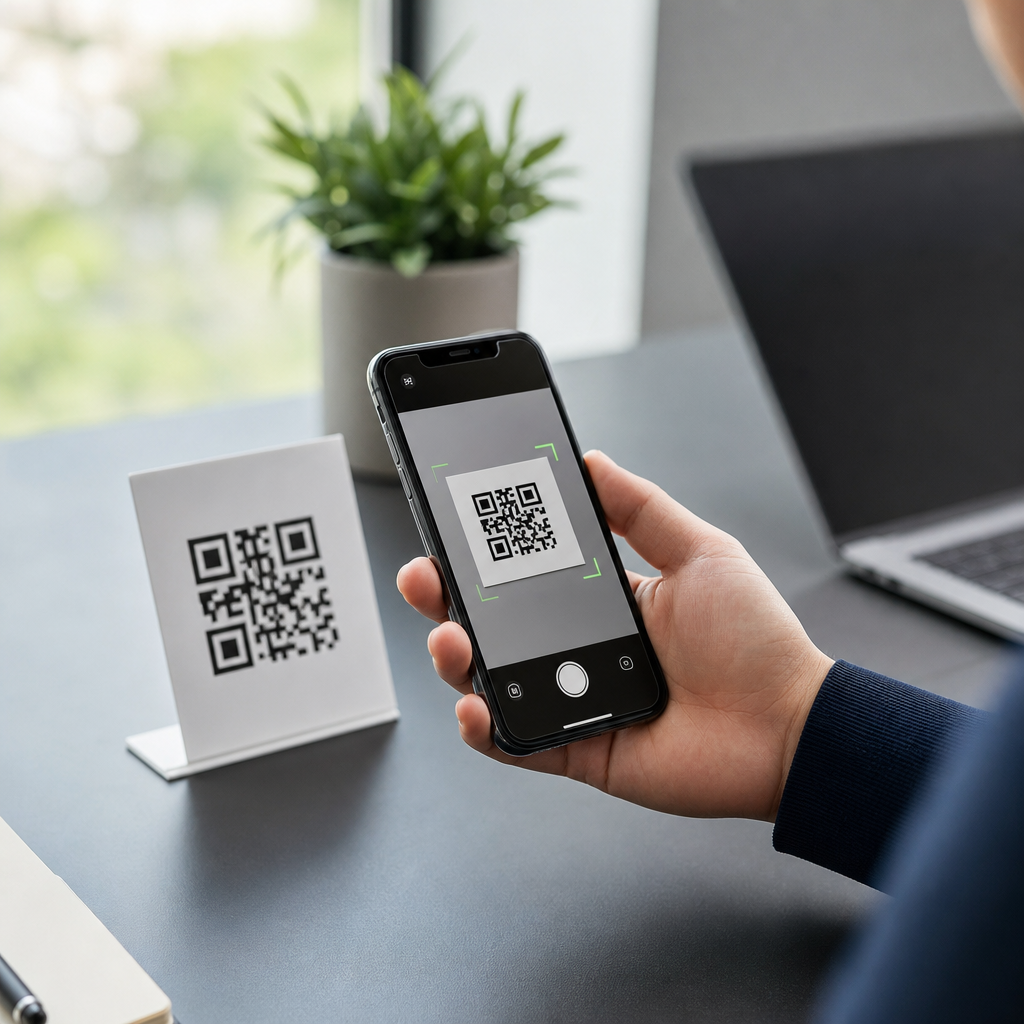
URL QR codes are the workhorse of mobile engagement because they turn a printed square into an instant path to a webpage, app landing page, menu, payment screen, or support form with one camera scan. In simple terms, a URL QR code stores a web address and prompts a phone to open that destination, usually in the browser, though deep links can also route users into apps. Within the broader landscape of mobile QR code basics, they sit at the center because nearly every other campaign goal—downloads, registrations, product education, coupons, and contact capture—can be supported by a well-built link. I have deployed QR programs for retail packaging, restaurant tables, events, and field service documents, and URL QR codes consistently outperform more specialized types because users already understand what will happen after scanning. That familiarity matters: lower friction produces higher scan-through rates, better attribution, and fewer support issues. For businesses building a content hub on types of mobile QR codes, understanding the URL variant first provides the foundation for choosing when to use app, vCard, SMS, PDF, Wi-Fi, or payment codes later.
A URL QR code matters because it bridges offline intent and digital action without requiring typing, search, or app installation. The code can point to a standard HTTPS page, a shortened redirect, or a dynamic destination managed through a QR platform such as Bitly, QR Code Generator Pro, Scanova, Beaconstac, or Flowcode. Static URL QR codes encode the final address directly and cannot be edited after printing. Dynamic URL QR codes encode a short redirect that can be changed later, which is why they dominate professional use cases. Key terms are straightforward but important. A landing page is the webpage opened after the scan. A redirect sends the user from the short tracking URL to the final destination. UTM parameters are tags added to the URL for analytics in Google Analytics 4 or Adobe Analytics. Error correction determines how much damage the code can tolerate and still scan. Quiet zone refers to the empty margin around the symbol, a frequent reason for failed scans when designers crop too tightly. Mastering these basics makes every other QR code discussion easier, because many so-called different QR types are really different destinations attached to the same scanning behavior.
What a URL QR code is and why it became the default
A URL QR code is the most popular type because it solves the broadest set of problems with the least user effort. When someone scans it, the phone reads the encoded string and offers to open the linked resource. Unlike a plain text QR code, which only displays text, or a phone QR code, which initiates a call, the URL version can lead almost anywhere on the web. That flexibility turned it into the default option for marketing, operations, education, hospitality, and support. A restaurant can place one on a table for menus, ordering, loyalty sign-up, allergy details, and payment. A manufacturer can print one on product packaging for assembly videos, warranty registration, and manuals in multiple languages. A conference organizer can put one on badges for agendas, venue maps, and lead capture forms.
Its popularity also comes from smartphone behavior. Both iPhone and Android camera apps natively recognize URL QR codes, and users trust the familiar action of opening a web page more than launching an opaque file download. In my campaigns, scan completion rates increase when the destination is clearly previewed on the page or near the code, such as “Scan to see size guide” instead of generic “Scan me.” The code itself is only the entry point; the destination experience determines whether a scan becomes value. That is why strong URL QR implementations pair a specific call to action with a mobile-optimized page, fast load times, and messaging continuity between print and screen.
Static vs dynamic URL QR codes: which should you use?
The practical choice is usually dynamic, but static still has a place. A static URL QR code directly contains the final web address. It is simple, often free, and works well when the destination will never change, such as a permanent personal portfolio or a public standards document. The tradeoff is inflexibility. If the page moves, the printed code is obsolete. You also get limited analytics unless the destination page itself captures traffic details. Dynamic URL QR codes, by contrast, point to a short managed link that redirects to the live destination. That allows edits after printing, A/B testing, geo-routing, device-based routing, expiration rules, and scan analytics. For campaigns in the real world, those controls are decisive.
| Type | Best for | Main advantage | Main limitation |
|---|---|---|---|
| Static URL QR code | Permanent destinations | No ongoing platform dependency | Cannot change destination |
| Dynamic URL QR code | Marketing, packaging, events, support | Edit, track, and segment traffic | Usually requires a service plan |
Use static codes for low-risk, evergreen links. Use dynamic codes whenever print distribution is broad, expensive, or long-lived. If a code goes on 50,000 product boxes, dynamic is not optional; it is risk management. I have seen teams save a national packaging run simply by updating the redirect after a product page URL changed during a site migration. Without dynamic routing, they would have reprinted packaging or accepted months of dead scans.
Where URL QR codes fit among the main types of mobile QR codes
As a subtopic hub, it helps to place URL QR codes inside the broader map of mobile QR code types. The main families include URL, app store and deep link codes, vCard contact codes, SMS codes, email codes, PDF or file download codes, Wi-Fi access codes, payment codes, map location codes, and social profile codes. URL QR codes overlap with almost all of them because a web page can mimic many of those functions while adding branding, measurement, and updates. For example, instead of encoding a raw PDF, many organizations now use a URL QR code that opens a landing page with an embedded PDF, alternate languages, and an accessibility-friendly text version. Instead of a direct app store link, they use a smart URL that detects device type and sends iPhone users to the App Store and Android users to Google Play.
That does not make every other code type obsolete. A Wi-Fi QR code is faster for guest network onboarding because it can join a device without a browser step. A vCard QR code can add contact details directly to the address book. A payment QR code using EMVCo or UPI rails can streamline checkout better than a general landing page. The rule is simple: choose a specialized code when the native action itself is the goal. Choose a URL QR code when you need flexibility, branding, analytics, or multiple next steps. In content planning, this article should connect users to deeper guides on each type while establishing URL QR codes as the baseline option most businesses start with.
How to create a URL QR code that actually performs
Creating a URL QR code is easy; creating one that scans reliably and converts well requires discipline. Start with the destination. The landing page must be mobile-first, served over HTTPS, and fast enough to load on average cellular networks. Core Web Vitals matter because a two-second delay after the scan feels broken in a physical environment. Next, decide whether the code should be static or dynamic. For nearly all business use, generate a dynamic code and attach UTM parameters for source, medium, campaign, placement, and version. Then size the symbol correctly. As a field rule, keep a minimum printed size near 2 x 2 centimeters for close-range scans, increase it for posters, and maintain a clear quiet zone on all sides. Avoid low contrast, reflective surfaces, curved placement, and cluttered backgrounds.
Design choices influence performance more than most teams expect. Error correction can compensate for logos or moderate wear, but pushing customization too far reduces scan reliability. Black on white remains the safest standard. If branding requires color, use dark foreground and light background with strong contrast. Test on both iPhone and Android, in bright light and dim light, at expected viewing distances. I also recommend adding a short fallback URL below the code. This helps users whose cameras are restricted, supports accessibility, and provides a manual path if a code is damaged. Finally, align the call to action with the actual reward: “Scan to view installation video,” “Scan to reorder parts,” or “Scan to download the conference schedule” consistently beats generic prompts because it sets expectation and reduces hesitation.
Analytics, governance, and common mistakes
The strongest argument for URL QR codes in professional environments is measurement. Dynamic platforms can report scan counts, timestamps, approximate locations, device types, and repeat scans. Combined with Google Analytics 4 events, server logs, or CRM tracking, that data reveals which placements work, which audiences engage, and where the landing page needs improvement. For example, a retailer can compare scans from shelf talkers, window decals, and direct mail by assigning each placement a unique dynamic code with distinct UTM tags. If shelf scans are high but add-to-cart is low, the issue is probably the page or offer, not the code itself. If direct mail scans spike after weekends, the business can adjust staffing or ad timing accordingly.
Governance matters just as much as analytics. QR programs often fail because nobody owns redirects, naming conventions, expiration policies, or destination quality checks. Maintain a QR inventory with asset IDs, placement photos, live URLs, owners, and review dates. Use HTTPS everywhere and avoid exposing long, suspicious-looking redirects that reduce trust. Common mistakes include linking to desktop pages, printing codes too small, placing them where there is poor reception, and forgetting accessibility basics such as descriptive surrounding text. Another frequent problem is sending every scanner to the homepage. That wastes intent. A URL QR code should resolve to the most relevant next action available, ideally tailored by product, location, or audience segment.
URL QR codes remain the most popular type because they combine universal smartphone compatibility, flexible destinations, measurable performance, and easy deployment across almost any offline touchpoint. They are the foundation of mobile QR code basics and the natural starting point for understanding the wider set of mobile QR code types. The key lessons are clear: use dynamic codes for most business cases, connect each code to a fast mobile landing page, preserve scan reliability through proper sizing and contrast, and track results with disciplined analytics and governance. Specialized codes such as Wi-Fi, payment, app, or vCard still matter, but URL QR codes cover the widest range of real needs with the least friction. If you are building or refining a QR strategy, audit every printed code, upgrade weak destinations, and create a hub of purpose-built landing pages that turn scans into useful actions.
Frequently Asked Questions
What is a URL QR code, and why is it the most popular type of QR code?
A URL QR code is a QR code that stores a web address and sends the user directly to that online destination after a scan. In practice, that destination might be a homepage, product page, restaurant menu, event registration page, app landing page, payment screen, feedback form, help center article, or customer support portal. Its popularity comes from how flexible and easy it is: one small printed code can connect people to nearly any digital experience without requiring them to type a long link.
That versatility is exactly why URL QR codes are often considered the workhorse of mobile engagement. They bridge the offline and online worlds better than almost any other format. A poster can drive website visits, packaging can open setup instructions, a business card can launch a booking page, and a tabletop display can pull up a live menu. Because so many marketing, operational, and customer service goals ultimately lead to a webpage or app destination, URL QR codes naturally sit at the center of most QR strategies.
They are also user-friendly. Most smartphones can scan them with the native camera app, making the experience fast and familiar. For businesses, they are straightforward to create, easy to deploy across print and digital materials, and highly measurable when paired with tracking tools. In short, URL QR codes are the most popular type because they solve a simple but powerful problem: they turn a physical touchpoint into an immediate digital action.
How does a URL QR code work when someone scans it?
When someone scans a URL QR code, the phone’s camera or QR scanning tool reads the encoded data inside the square pattern. That data is typically a web address, such as a standard HTTPS link. Once the phone recognizes the code, it prompts the user to open the destination, usually in the device’s default browser. If the URL is configured as a deep link or app link, it may open a specific screen inside an app instead of a browser page.
From the user’s perspective, the process feels nearly instant: point the camera, tap the prompt, and arrive at the destination. Behind the scenes, the QR code is simply acting as a visual shortcut for a URL. It removes friction by replacing manual typing, reducing input errors, and speeding up access on mobile devices. This is especially valuable in situations where users are on the go, standing in a store, sitting at a restaurant table, attending an event, or interacting with product packaging.
There are two common implementation styles. A static URL QR code contains the final destination link directly in the code itself. A dynamic URL QR code points to a short redirect URL that forwards users to the intended destination. Dynamic versions are often preferred in business use because they allow updates, scan analytics, campaign management, and destination changes without reprinting the code. Either way, the scan experience is built around one core idea: instant access to a web-based destination from a quick camera scan.
What can URL QR codes be used for in marketing, business, and customer experience?
URL QR codes can be used almost anywhere a business wants to move someone from a physical moment into a digital action. In marketing, they commonly appear on posters, flyers, direct mail, retail displays, packaging, brochures, and advertisements to drive traffic to landing pages, special offers, videos, contest entries, product launches, or campaign microsites. Because they are easy to scan and easy to track, they are especially useful for connecting offline media to measurable online performance.
In business operations, they can streamline practical workflows. A product label can lead to setup instructions, warranty registration, or troubleshooting resources. A service technician can place one on equipment for maintenance logs or support documentation. A real estate sign can link to a listing page with photos and availability. A restaurant can use URL QR codes for menus, ordering systems, reservation pages, and payment flows. In offices, they can support visitor check-ins, internal resources, training materials, or policy documents.
They also play a major role in customer experience. A well-placed code can reduce frustration and help users get what they need immediately. Instead of asking customers to search for the right page, a business can guide them directly to the exact destination: a returns form, appointment scheduler, support article, review request, loyalty sign-up, or live chat page. That directness improves convenience, reduces drop-off, and often increases conversion rates because fewer steps stand between the user and the desired action.
What makes URL QR codes especially powerful is that they are not limited to one industry or one objective. They support awareness, engagement, transactions, service, and retention. If the goal leads to a webpage or app destination, a URL QR code is usually a strong fit.
What is the difference between static and dynamic URL QR codes?
The main difference is flexibility. A static URL QR code permanently encodes the final destination URL into the code. Once it is created and printed, the destination cannot be changed. If the webpage changes, the link breaks, or the campaign needs to point elsewhere, you typically need to generate and print a new QR code. Static codes are simple and often useful for permanent, unchanging destinations where analytics and editability are not priorities.
A dynamic URL QR code, by contrast, uses a redirect. The QR code contains a short intermediary URL managed through a platform, and that platform forwards scanners to the final destination. Because the redirect can be updated behind the scenes, the same printed code can continue working even if the destination page changes. This is a major advantage for campaigns, seasonal promotions, packaging, signage, or long-term printed materials where reprinting would be costly or impractical.
Dynamic URL QR codes also offer stronger measurement and control. Businesses can often track scan counts, dates, approximate locations, device types, and campaign performance. They may also support features like A/B testing, expiration settings, password protection, geolocation routing, and app deep linking. For marketers and operations teams, this makes dynamic codes far more useful than static ones in most professional use cases.
That said, the right choice depends on the goal. If you need a permanent code for a stable URL and want a simple, no-frills solution, static may be enough. If you want editability, analytics, optimization, or campaign management, dynamic is usually the better option. For most business use cases, dynamic URL QR codes provide the flexibility needed to manage real-world change without losing the value of printed assets.
What are the best practices for creating effective URL QR codes?
Start with the destination itself. A QR code can only perform as well as the page it opens. The linked page should be mobile-friendly, fast-loading, secure, and closely matched to the user’s expectation at the moment of scanning. If someone scans a code on a product box for setup help, they should land directly on setup instructions, not a generic homepage. Relevance and speed are critical because even a small mismatch can reduce trust and increase abandonment.
Next, design and placement matter. The QR code should be large enough to scan comfortably, printed with strong contrast, and placed on a flat, uncluttered surface whenever possible. Avoid distorting the code, shrinking it too much, or placing it where glare, folds, or awkward angles make scanning difficult. Leave sufficient quiet space around the code so cameras can detect it properly. If branding is added, it should never interfere with scan reliability. Testing across multiple phone models and lighting conditions is essential before launch.
It is also important to provide context and a clear call to action. People are more likely to scan when they know what they will get. Labels such as “Scan to view menu,” “Scan to download the app,” “Scan to pay,” or “Scan for support” set clear expectations and improve response rates. The best URL QR codes do not rely on curiosity alone; they explain the value of scanning and reduce uncertainty.
From a strategic perspective, use dynamic QR codes when possible so you can update destinations and track performance. Add campaign parameters for analytics if needed, monitor scan behavior, and continuously optimize placement and messaging. Also make sure the linked URL uses HTTPS and points to a trustworthy domain, since users are more cautious about unfamiliar links. Security, clarity, and relevance all affect scan confidence.
Finally, think about the full user journey. A successful URL QR code is not just scannable; it is useful. It should move the user quickly from interest to action with as few obstacles as possible. When the code is easy to scan, the destination is aligned with intent, and the next step is obvious, URL QR codes become one of the simplest and most effective tools for mobile engagement.





