
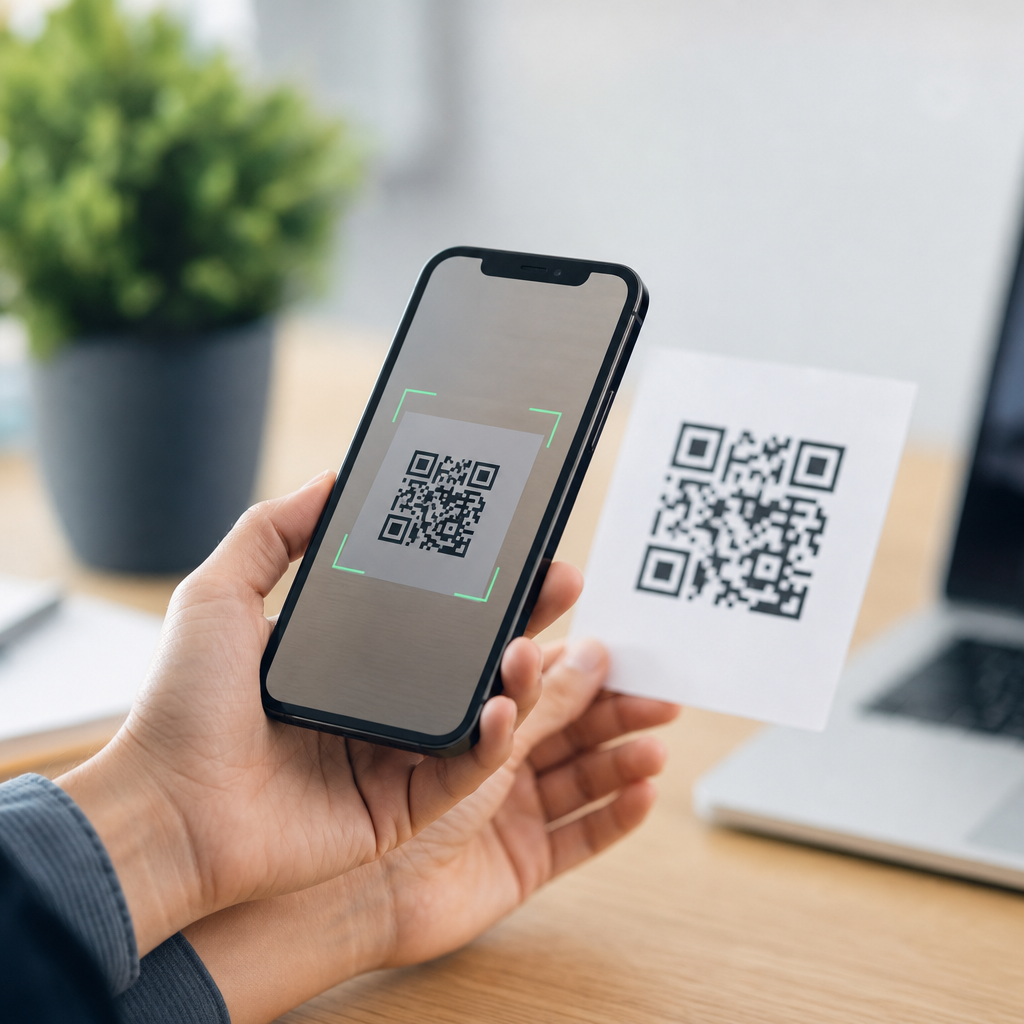
SMS QR codes turn a printed square into a ready-made text message, letting a user scan with a phone camera, open the messaging app, and send a prefilled SMS in seconds. In mobile marketing and service design, that simple flow matters because it removes typing, reduces friction, and increases the chance that a customer actually completes the action. An SMS QR code usually encodes two things: the destination phone number and the message body. When the code is scanned, the device interprets the string using the SMS URI format, then hands it off to the phone’s default messaging application. I have implemented these codes for retail coupons, event check-ins, support requests, field service updates, and opt-in campaigns, and the lesson is always the same: the technical setup is easy, but the customer experience depends on choosing the right mobile QR code type for the job. This article explains how SMS QR codes work, where they fit among the broader types of mobile QR codes, what standards and limitations matter, and how to design them so they perform reliably across iPhone and Android devices.
What an SMS QR Code Does and How the Scan Flow Works
An SMS QR code is a mobile QR code that triggers a phone’s text messaging function rather than opening a web page, downloading a file, or placing a call. The encoded payload commonly follows a URI pattern such as sms:+15551234567?body=JOIN%20VIP, although some generators use closely related formats that devices interpret similarly. After a scan, the user sees the messaging interface with the number and message prefilled. In most cases, the user must still tap send, which is important for consent and for platform compliance. That final human action distinguishes SMS QR codes from automated texting systems and is one reason they remain useful in regulated marketing environments.
The best way to understand how SMS QR codes work is to view them as one member of a larger family of mobile QR codes. A URL QR code opens a website. A vCard QR code stores contact information. A tel QR code opens the dialer with a number ready to call. An app store QR code sends users to a download page. An SMS QR code, by contrast, creates a low-friction text action. That makes it especially effective when the desired response is short and immediate, such as texting a keyword for loyalty enrollment, requesting a callback, confirming attendance, or asking for support from a product label or poster.
Where SMS Fits Among the Main Types of Mobile QR Codes
When teams discuss types of mobile QR codes, I usually group them by user intent: browse, contact, connect, save, or transact. SMS belongs to the contact-and-connect category because it starts a direct conversation. Other common mobile QR code types include website QR codes for landing pages, email QR codes that prefill recipients and subject lines, phone QR codes that open the dialer, Wi-Fi QR codes that connect users to a network, payment QR codes that launch payment apps, map QR codes that open navigation, app deep link QR codes that send users into a specific app screen, file download QR codes for PDFs or menus, and social profile QR codes that consolidate channels. Each type uses a different URI scheme or data format, and each has a different conversion pattern.
SMS QR codes stand out when speed and simplicity matter more than rich content. If a restaurant wants to show a digital menu, a URL QR code is better. If a clinic wants patients to text ARRIVED from the parking lot, an SMS QR code is better because the user does not need to find a form or log in. If a contractor wants homeowners to send a photo request, SMS may outperform email because texting is native, immediate, and familiar. That is why this article acts as a hub within Mobile QR Code Basics: understanding mobile QR code types means understanding that the right code depends on the exact action you want from the user.
Technical Structure, Device Behavior, and Compatibility
At the technical level, an SMS QR code stores text data inside a two-dimensional matrix barcode, most often a standard QR Code defined under ISO/IEC 18004. The camera or scanning app decodes that matrix into a character string. If the string starts with a recognized SMS pattern, the operating system routes it to the messaging application. The body parameter must be URL encoded so spaces, punctuation, and special characters are interpreted correctly. Short messages are safer because different apps handle long message bodies inconsistently, and line breaks or symbols can render differently between Android messaging apps and iMessage on iPhone.
Compatibility is good but not perfectly uniform. Native camera apps on modern iPhones and Android phones generally recognize SMS QR codes, but behavior can vary by OS version, device manufacturer, browser, and default messaging app. Some devices show a confirmation banner before opening Messages. Some populate the message body exactly; others trim unsupported characters. In testing, I always validate scans on current iOS and Android devices, with both native camera scanning and Google Lens where relevant. If the campaign is customer facing, I also keep the keyword short, avoid emojis, and use plain language because reliability matters more than novelty.
Best Use Cases for SMS QR Codes in Business and Service Design
SMS QR codes perform best where the next step should feel almost effortless. Retailers use them on shelf talkers and window signage to drive loyalty signups with keywords like JOIN or DEALS. Event organizers place them on badges or posters so attendees can text for schedules, venue updates, or lead capture. Utilities and field service teams use them on equipment labels so technicians can text a serial number or maintenance request without manually entering a contact. Property managers post them in lobbies for after-hours support. Healthcare offices use them for arrival instructions, provided workflows respect privacy rules and avoid collecting protected information by unsecured text.
They also work well in offline environments where web connectivity is unpredictable or the audience is less likely to complete a long form. A farm equipment distributor I worked with added SMS QR codes to service decals on machines. Owners scanned, saw a prewritten help message with the model number, and sent it to the nearest service line. Response rates beat the old “call this number” sticker because the customer did not need to explain the issue from scratch. That illustrates the practical advantage of this mobile QR code type: it shortens the path between intent and action using a tool every smartphone owner already understands.
Choosing the Right Mobile QR Code Type for the Objective
Selecting between SMS and other mobile QR code types should be based on channel fit, data needs, and user effort. If you need rich content, analytics depth, or retargeting, use a URL QR code that points to a fast mobile landing page. If you need immediate human contact with minimal typing, use SMS. If the goal is saving contact details, use a vCard code. If the goal is joining a network in a venue, use a Wi-Fi code. For app engagement, use deep linking if the audience already has the app and fallback web links if they do not. The QR format should match the action, not the other way around.
| Mobile QR code type | Best use | Main advantage | Main limitation |
|---|---|---|---|
| SMS | Opt-ins, support, quick responses | Lowest friction for direct contact | Limited message length and analytics |
| URL | Menus, offers, forms, product pages | Flexible content and tracking | Requires stronger page experience |
| Phone | Call now actions | Fast voice connection | Not ideal when users cannot talk |
| Formal inquiries, document requests | Structured written communication | Higher effort than text messaging | |
| Wi-Fi | Guest access in venues | Instant network connection | Only useful on site |
| vCard | Sales reps, networking, business cards | Saves contact details directly | Does not start a live conversation |
Design, Measurement, and Compliance Considerations
A technically correct SMS QR code can still fail if the design is poor. Use high contrast, enough quiet zone, and a printed size appropriate for scanning distance; a common starting point is at least 2 x 2 centimeters for close-range materials, larger for posters. Error correction helps, but excessive logo overlays can reduce readability. Pair the code with a clear instruction such as “Scan to text JOIN for weekly offers” so users know the outcome before scanning. If the code supports an opt-in program, disclose message frequency, support terms, and that message and data rates may apply. Those details improve trust and help align with carrier and TCPA expectations.
Measurement requires realistic expectations. Static SMS QR codes do not provide the same tracking granularity as dynamic URL QR codes because the action happens inside the messaging app rather than on a web server. You can still measure results through inbound message counts, keyword attribution, dedicated numbers, and campaign-specific prompts. Many teams combine both approaches: a QR code opens a landing page for analytics-rich journeys, while an SMS QR code handles urgent or low-friction interactions. The strongest programs choose deliberately, test across devices, and document where each mobile QR code type belongs. Review your customer journeys, map the action you want, and deploy the code format that makes that action easiest to complete.
SMS QR codes work because they convert a camera scan into a nearly finished text message, reducing effort at the exact moment a user is ready to act. They are not the answer to every mobile interaction, but they are the right tool when the goal is quick contact, simple opt-ins, support initiation, or immediate response from printed media. As part of the broader landscape of types of mobile QR codes, SMS sits alongside URL, phone, email, Wi-Fi, vCard, map, app, and payment formats, each serving a distinct purpose. The practical takeaway is clear: match the QR code type to user intent, test on real phones, keep the message short, and communicate the benefit before the scan. If you are building out a Mobile QR Code Basics strategy, start by auditing your top customer actions and identify where texting is the shortest path between curiosity and conversion. Then create an SMS QR code, test it in the field, and expand to complementary mobile QR code types where they fit.
Frequently Asked Questions
What is an SMS QR code and what happens when someone scans it?
An SMS QR code is a scannable code that launches a text message instead of sending a person to a website. In most cases, it contains two key pieces of information: the destination phone number and a prewritten message. When a user points their phone camera at the code and taps the prompt, the phone interprets the encoded data and opens the device’s default messaging app with those fields already filled in. The person can then review the text and tap send.
That simple sequence is exactly why SMS QR codes are useful. They remove the need for someone to manually type a phone number, remember a keyword, or compose a message from scratch. In practical terms, that means fewer errors, less friction, and a much higher likelihood that the intended action gets completed. For businesses, organizations, and service teams, this can improve response rates for promotions, customer support, event check-ins, appointment confirmations, lead capture, and other mobile interactions where speed matters.
What information is stored inside an SMS QR code?
An SMS QR code typically stores the phone number the message should be sent to and the message body that should appear in the text field. For example, the code may be configured so that scanning it opens a new text addressed to a specific number with a message like “BOOK DEMO” or “SEND INFO” already entered. This is what makes the user experience so fast: the essential action is prepared in advance.
It is important to understand that an SMS QR code does not usually send the message automatically on its own. Instead, it prepares the message and hands control to the user through the messaging app. The user still decides whether to send it. That distinction matters from both a usability and compliance standpoint because it keeps the person in the loop. Depending on the QR code generator and the device, the formatting may vary slightly, but the core function remains the same: encode a number and message so the scan creates a ready-to-send SMS.
Why do SMS QR codes improve conversions and user engagement?
SMS QR codes improve conversions because they reduce the number of steps between interest and action. Every extra step in a mobile process creates an opportunity for drop-off. If a customer has to open their messaging app, enter a short code or phone number, type a keyword correctly, and then send the message, some percentage of people will abandon the process. By contrast, an SMS QR code collapses those steps into a quick scan-and-send flow that feels immediate and easy.
This matters especially in environments where people are moving quickly or making decisions in the moment, such as retail stores, packaging, posters, trade show booths, direct mail pieces, receipts, or service counters. The easier the interaction, the more likely people are to complete it. SMS QR codes also help standardize responses, since the prefilled message can guide users toward the exact keyword or phrase needed for proper routing, automation, or campaign tracking. In short, they improve both the customer experience and the operational efficiency behind the scenes.
Do SMS QR codes work on all phones and messaging apps?
SMS QR codes work on most modern smartphones, but performance can vary depending on the device, operating system, camera app, and default messaging app. On many iPhones and Android phones, scanning a QR code with the built-in camera triggers a prompt that opens the messaging app with the number and message prefilled. That makes the experience feel seamless for most users. However, older devices or certain third-party QR scanning apps may handle the encoded data differently.
Because of those differences, testing is essential before deploying an SMS QR code in printed materials or campaigns. It is smart to test across multiple devices, including recent iPhone and Android models, and to verify that the messaging app opens correctly, the phone number appears in the proper field, and the message body is formatted as intended. You should also keep the message simple and avoid unnecessary complexity, since unusual characters or long text strings can sometimes create inconsistent results. With proper testing and straightforward formatting, SMS QR codes are highly reliable for broad consumer use.
What are the best practices for creating an effective SMS QR code?
The best SMS QR codes are built around clarity, simplicity, and user confidence. Start by encoding a valid destination number and a concise message that clearly reflects the intended action. The prefilled text should be short, recognizable, and easy to process, especially if it ties into an automated workflow or campaign keyword. It is also helpful to place a clear call to action next to the code, such as “Scan to text for a quote” or “Scan to join by SMS,” so users know exactly what will happen before they scan.
Design and placement matter as well. Make sure the QR code is large enough to scan easily, printed with strong contrast, and not distorted by low-quality production. Leave enough quiet space around the code so cameras can detect it without interference. If the code appears in a public setting, consider adding brief instructions and a note about possible message and data rates, where relevant. Finally, test the code in real-world conditions, not just on a desktop preview. Scan it from the printed version, confirm the message opens correctly, and review whether the end-to-end experience feels fast and intuitive. A well-executed SMS QR code should make the next step obvious, effortless, and trustworthy.





