
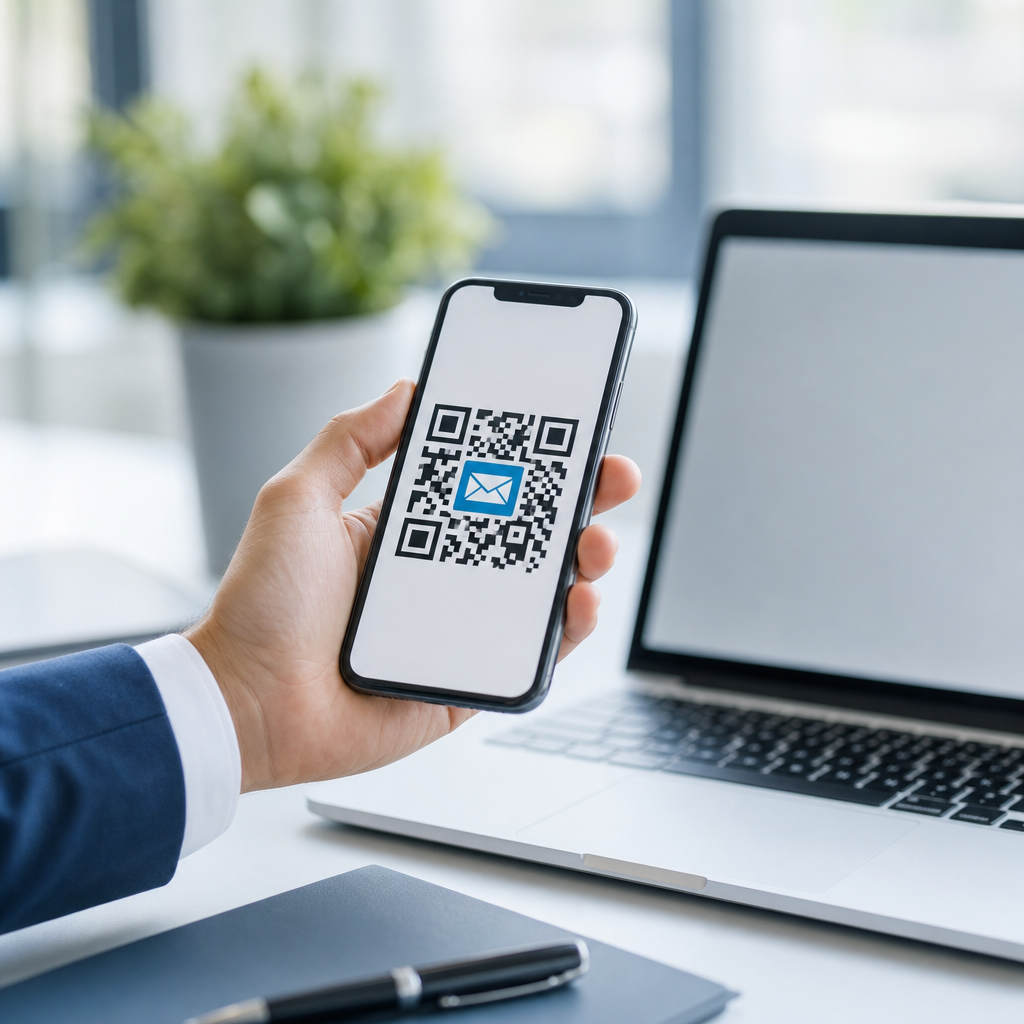
Email QR codes turn a smartphone camera into a one-tap communication shortcut, letting users open a preaddressed message instantly instead of typing an address, subject line, or body by hand. In mobile QR code basics, they sit within the broader family of QR code types that trigger specific actions on a phone, such as opening a website, saving a contact, joining Wi-Fi, starting a call, or drafting an email. That makes them a practical hub topic for understanding types of mobile QR codes, because they show the core principle clearly: a small square pattern can package structured data that a mobile device interprets into a useful action.
An email QR code usually encodes a mail action using formats like MATMSG or a mailto link. When scanned, the phone launches the user’s default email app with fields already filled in. In practice, that reduces friction at moments where people are busy, moving, or working from printed materials. I have used them on trade show signage, retail receipts, service stickers, packaging inserts, and account manager business cards, and the best-performing deployments all shared one trait: the scan saved time immediately. That direct value is why email QR codes matter. They improve response rates, reduce address-entry errors, support attribution when paired with unique inboxes or tagged subjects, and connect offline touchpoints to digital communication without requiring users to search, bookmark, or remember anything.
As a sub-pillar hub under mobile QR code basics, this guide explains where email QR codes fit among the main types of mobile QR codes, what they do well, where they fall short, and how to choose the right format for a real communication goal. If you understand the differences between static and dynamic QR codes, action-based and destination-based codes, and simple scan flows versus higher-friction forms, you can place the right code in the right context and get more useful scans from the same printed space.
Where Email QR Codes Fit Among Types of Mobile QR Codes
The most useful way to classify types of mobile QR codes is by user outcome. Some codes send people to a destination, such as a URL QR code that opens a landing page or app store listing. Others trigger a device action, such as a phone QR code that starts a call, an SMS QR code that drafts a text, a vCard QR code that saves contact details, a Wi-Fi QR code that joins a network, a location QR code that opens map directions, a payment QR code that launches a wallet, or an email QR code that prepares a message. Email QR codes belong to the action-based group. Their job is not to educate first; it is to remove steps between intent and outreach.
That distinction matters because action-based QR codes succeed or fail on immediacy. If someone scans a poster to request a quote, report a maintenance issue, or contact support, every extra tap reduces completion. A plain URL could still work, but it usually adds choices and delays. An email QR code can skip directly to the inbox composer with the recipient and subject already inserted. For a facilities team, that may mean “maintenance@company.com” plus “Room 204 issue” appears instantly. For a conference booth, it may mean a prefilled message to “sales@brand.com” with the event name in the subject line for easier routing.
Within the broader mobile QR code landscape, email also overlaps with adjacent types. A contact QR code may include an email address, but its primary purpose is saving a person or company to the address book. A website QR code may lead to a contact form, but that introduces browser load time and form fields. An SMS QR code is often better for short mobile-first interactions, while email works better when the user may need attachments, longer explanations, or a formal record. Understanding those tradeoffs is the foundation for selecting the right code type.
Static vs Dynamic Email QR Codes
Every hub on types of mobile QR codes needs to explain static and dynamic structure, because this choice affects management, analytics, and lifespan. A static email QR code directly contains the email payload. Once printed, its destination and prefilled fields cannot be changed. Static codes are simple, cheap, and dependable for stable addresses such as “support@company.com” or “info@organization.org.” They are ideal for equipment labels, permanent signage, manuals, or business cards where the email address is unlikely to change and scan reporting is not essential.
A dynamic QR code places a short redirect or managed endpoint between the scan and the final action. In the email context, that often means the QR code opens a tracked landing step, smart redirect, or app-aware link that then launches the email option. Dynamic management allows updates after printing, campaign-level analytics, A/B testing, device-based routing, and deactivation if a code is abused. In real deployments, this is crucial for seasonal promotions, event campaigns, franchise locations, or support workflows that change owners. If the trade show lead inbox changes next quarter, dynamic control prevents thousands of printed assets from becoming obsolete.
The tradeoff is complexity. Dynamic systems depend on a platform, a maintained redirect, and privacy-aware measurement. Some scanners also prefer direct actions to intermediary pages. For that reason, I usually recommend static email QR codes when the address and message template will remain stable for at least a year, and dynamic approaches when the code is part of a measurable campaign or operational process. The right decision is less about technology fashion and more about governance, update frequency, and whether scan intelligence will actually change what your team does next.
Common Mobile QR Code Types and Best Uses
The table below shows where email QR codes fit within the most common types of mobile QR codes and when each option is the better choice.
| QR code type | Primary action | Best use case | Main limitation |
|---|---|---|---|
| Opens a drafted email | Support, inquiries, quote requests, formal follow-up | Depends on a configured email app | |
| URL | Opens a webpage | Product details, menus, campaigns, forms | More steps before contact happens |
| SMS | Drafts a text message | Short mobile responses, fast opt-ins | Limited message length and weaker formality |
| Phone | Starts a call | Urgent support, reservations, hotlines | Not ideal in noisy or low-privacy settings |
| vCard | Saves a contact | Networking, sales reps, service technicians | Does not prompt immediate outreach |
| Wi-Fi | Joins a network | Hotels, clinics, offices, events | No direct communication channel |
| Location | Opens maps | Store visits, pickup points, venues | Useful only when navigation is the goal |
| App | Opens or installs an app | Loyalty, ordering, account access | Higher commitment than email |
For most organizations, the right approach is not choosing one code type forever; it is building a small system of purpose-built QR codes. A restaurant may use Wi-Fi codes at tables, URL codes on menus, location codes in ads, and email QR codes for private event inquiries. A property manager may combine location codes for site visits, phone codes for emergency maintenance, and email codes for nonurgent issues that need photos attached. A clinic may avoid SMS for protected health details but use email only for general inquiries and route sensitive matters to a secure portal instead. Context determines fit.
How Email QR Codes Work on Mobile Devices
Email QR codes work because smartphones interpret encoded text strings and map them to an application. The simplest pattern uses a mailto URI, such as mailto:sales@example.com?subject=Quote%20Request. Some generators use MATMSG, which stores TO, SUB, and BODY fields in a compact format. Modern iPhone and Android cameras typically recognize both through native scanning or Google Lens, then offer a prompt to open the email app. If the user has multiple mail apps installed, the operating system may ask them to choose.
In practical terms, the experience depends on device settings. A phone without a configured mail client may not complete the action smoothly. Character encoding also matters. Spaces, punctuation, and line breaks need proper URL encoding inside mailto links, or the subject and body can break. Long prefilled bodies increase pattern density, making small printed codes harder to scan. For print, I keep the payload lean: recipient, concise subject, and only the minimum body prompt needed to guide the user, such as order number or location identifier.
Testing is nonnegotiable. Scan with current iPhone and Android devices, native camera apps, and Google Lens. Verify dark mode screens, glossy surfaces, small labels, and low-light environments. Follow ISO/IEC 18004 principles for symbol quality, maintain strong contrast, and preserve a quiet zone around the code. A QR code can be technically valid and still fail in the field because it is too small, distorted by curved packaging, or placed where users cannot stand still long enough to focus a camera.
Best Practices, Limitations, and Strategic Use
The best email QR codes are specific, visible, and paired with a clear instruction. Tell users exactly what happens when they scan: “Email support,” “Request a quote,” or “Send event inquiry.” Prefill the subject line for routing, such as “Warranty Claim” or “Booth Demo Request,” and include a short body template only when it reduces back-and-forth. For operations teams, unique aliases like returns@, bids@, or leasing@ can separate workflows cleanly. For measurement, use campaign-specific inboxes, tagged subjects, or dynamic redirects tied to analytics platforms.
There are limits. Email is not always the best mobile QR code type. If speed is everything, a phone or SMS QR code may outperform it. If you need structured data, a web form is usually better. If privacy or compliance is involved, open email may be inappropriate compared with a secure portal. Some users also scan on a device where email is not their preferred channel, especially younger audiences conditioned toward messaging apps. That is why strong programs offer alternatives nearby, such as a URL for a form and an email QR code for detailed inquiries.
As a hub for types of mobile QR codes, the core takeaway is simple: email QR codes are valuable because they convert offline interest into direct digital communication with minimal friction. They work best when the goal is formal outreach, longer messages, or attachments; when the email destination is stable or dynamically managed; and when the code is designed for real mobile conditions, not just a desktop preview. Choose the code type that matches user intent, test it on actual phones, and build a small library of purpose-built QR experiences across your customer journey. Start with one high-intent contact moment, add an email QR code there, and measure how many steps you remove.
Frequently Asked Questions
What is an email QR code, and how does it work?
An email QR code is a scannable code that opens a new email draft on a smartphone, tablet, or other compatible device. Instead of asking someone to manually type an email address, subject line, or message, the code can automatically populate those fields after a quick scan. In most cases, the QR code contains a mail action format that tells the phone what to do, such as opening the user’s default email app with the recipient address already filled in. Depending on how the code is set up, it may also include a preset subject line and body text.
This makes email QR codes especially useful when speed and convenience matter. A customer can scan a code on packaging, a flyer, a sign, or a business card and immediately begin an email without worrying about typing errors. That small reduction in friction can make a big difference in whether someone actually follows through. From a broader mobile QR code perspective, email QR codes belong to a family of action-based codes that trigger specific tasks on a phone, much like QR codes that open websites, save contact details, connect to Wi-Fi, or place phone calls. Their value comes from turning a multi-step communication process into a near one-tap experience.
Why are email QR codes useful for simplifying communication?
Email QR codes simplify communication by removing unnecessary steps between intent and action. Normally, if someone wants to send an email after seeing a product, advertisement, event display, or support notice, they need to open their mail app, type the address correctly, think of the right subject line, and possibly include key details. Every extra step creates an opportunity for delay, abandonment, or error. An email QR code shortens that path by instantly opening a ready-to-send draft, which makes the process faster, easier, and more accurate.
They are also useful because they support structured communication. For example, a business can create different email QR codes for sales inquiries, customer support, appointment requests, feedback, warranty claims, or event registration. Each code can include a custom subject line or starter message that helps the sender provide the right information from the beginning. That improves internal organization and helps teams route incoming messages more efficiently. In practice, email QR codes are not just a convenience feature; they are a communication optimization tool that helps both the sender and the recipient get better results with less effort.
Where can businesses and organizations use email QR codes most effectively?
Email QR codes work best anywhere people may want to contact a person, team, or department quickly from a mobile device. Common examples include product packaging, brochures, menus, posters, trade show booths, storefront displays, receipts, instruction manuals, business cards, and event signage. In these environments, people often have immediate questions or interest, and the ability to scan and start an email on the spot can increase engagement. A printed “Contact Support” or “Request a Quote” QR code is often more effective than listing an email address alone because it reduces manual effort and encourages action in the moment.
They are also highly effective in internal and operational settings. Schools can use them for parent communication, hospitals can direct non-urgent inquiries to specific departments, real estate agents can place them on property flyers, and service businesses can add them to invoices or follow-up materials for feedback requests. Because email QR codes are part of the broader set of mobile QR code types, they are especially powerful when paired with other action-driven codes in a customer journey. For example, one sign might include a website QR code for information, a Wi-Fi QR code for easy access, and an email QR code for direct follow-up. Used strategically, they create a smoother and more responsive communication experience.
What information can be included in an email QR code?
An email QR code can include several useful fields beyond just the recipient’s address. At the most basic level, it can specify who the email should be sent to. More advanced versions can also prefill the subject line and body message. This is helpful when a business wants to guide users toward a specific type of inquiry, such as “Product Demo Request,” “Customer Support Question,” or “Partnership Inquiry.” The message body can include a short template prompting the user to add information like their name, order number, preferred contact time, or details about their question.
That said, it is important to strike the right balance. Overloading the message body with too much text can feel restrictive or make the email draft look cluttered on mobile devices. The best email QR codes provide just enough structure to be helpful without preventing users from personalizing their message. It is also wise to test how the QR code behaves across different devices and email apps, since formatting can vary slightly. A clean setup with a clear recipient, relevant subject line, and concise starter message usually delivers the best user experience and keeps communication organized from the first contact.
Are there any best practices for creating effective email QR codes?
Yes, and following best practices can significantly improve usability and response rates. First, be clear about the purpose of the code. A strong call to action such as “Email Us for Support,” “Request a Free Quote,” or “Send Your Feedback” tells users exactly what will happen when they scan. Second, keep the prefilled subject line and message focused and relevant. The goal is to reduce effort, not overwhelm the user. Third, make sure the QR code is large enough to scan easily and placed in a visible, accessible location with enough contrast between the code and its background.
It is also essential to test the code thoroughly before publishing it across print or digital materials. Scan it on multiple devices, confirm that it opens the expected email app or prompt, and check that the recipient address and prefilled content display correctly. If the code is being used in a campaign, consider creating different email QR codes for different use cases so you can better track intent and organize incoming responses. Finally, remember that email QR codes are one tool within the wider ecosystem of mobile QR code types. They are most effective when chosen intentionally for direct communication scenarios, especially when the desired action is starting a conversation rather than visiting a webpage or completing a transaction.





