
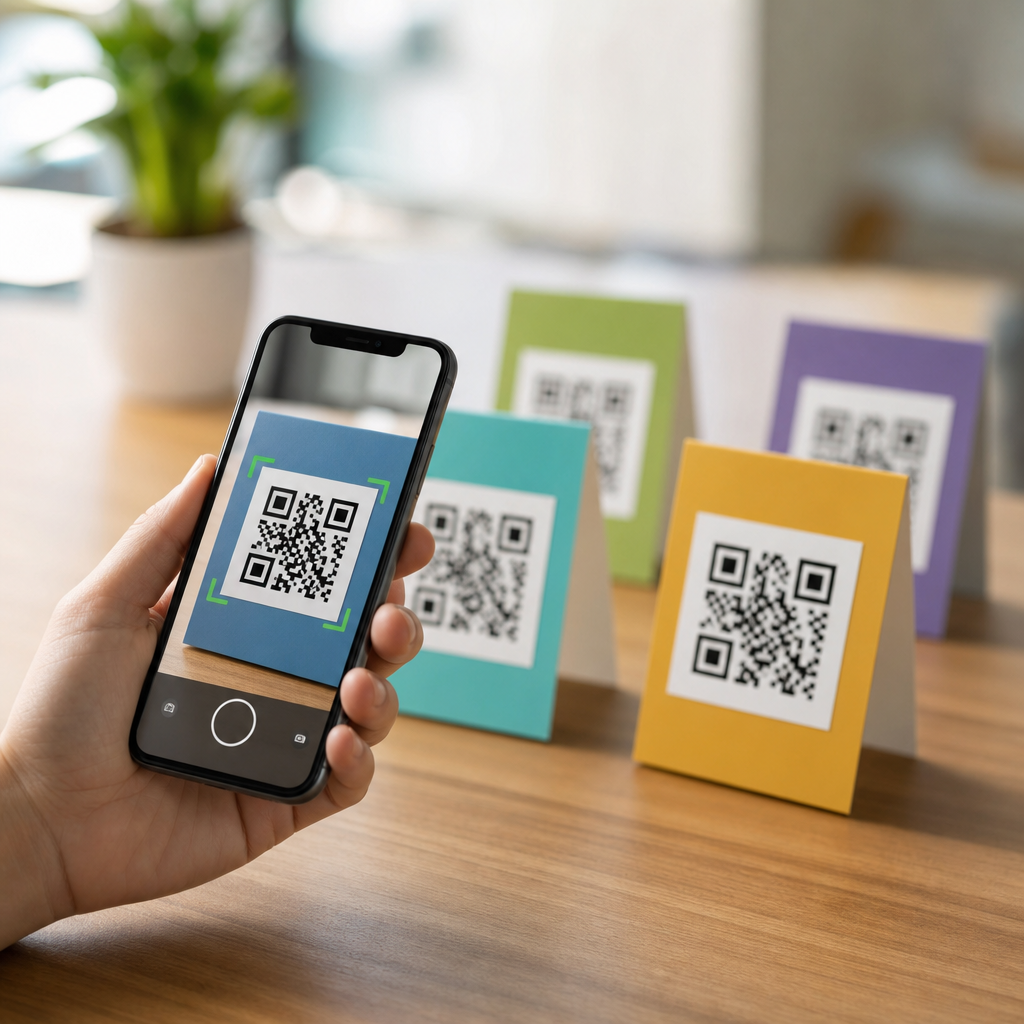
Mobile QR codes now appear on packaging, posters, payment screens, tickets, menus, and product labels because they bridge physical space and mobile action with almost no friction. A QR code, short for Quick Response code, is a two-dimensional barcode that stores data in a matrix of black and white modules readable by smartphone cameras and scanning apps. When people ask about the common types of mobile QR codes, they usually mean the different destination formats a code can open on a phone, such as a website, contact card, text message, app page, or payment request. That distinction matters because choosing the right code type affects user experience, analytics, compliance, and conversion rates.
In practice, I have seen teams treat every QR code as a simple URL, then wonder why scans fail to produce measurable business outcomes. The code type determines what the user sees after scanning, whether the content can be updated, and what information the scanner must share. Static QR codes hold fixed data directly in the symbol. Dynamic QR codes usually point to a short redirect URL controlled through a management platform, allowing edits, tracking, and device routing after print. Understanding these basics helps marketers, retailers, event organizers, and operations teams avoid expensive reprints and build mobile journeys that actually work for real users in real environments.
This hub article explains the main types of mobile QR codes, when each one works best, and the tradeoffs to consider before deployment. It is designed as the foundation for deeper pages on specific formats, security practices, design, testing, and measurement. If you manage any scan-to-mobile experience, knowing these categories will help you select the right format, reduce scan abandonment, and align the code with a clear user goal.
Website and landing page QR codes
The most common mobile QR code is the website QR code. It sends the scanner to a webpage, product page, signup form, support article, coupon, or campaign landing page. This format is popular because every smartphone browser supports it, and nearly every business already has web content. If you need one broad recommendation, a mobile-optimized landing page QR code is usually the safest starting point because it works across iPhone and Android without requiring a specific app.
However, not all website QR codes perform equally. The destination page must load quickly, display well on small screens, and match the context of the scan. A restaurant table tent should lead directly to the menu, not the homepage. A product package should open the exact instructions, warranty page, or ingredients list for that item. Platforms such as Bitly, QR Code Generator Pro, Beaconstac, and Flowcode let teams create dynamic web QR codes with scan analytics, UTM parameters, and editable destinations. I recommend dynamic deployment for printed campaigns because copy, inventory, and offers often change after assets go live.
For best results, pair a website QR code with a visible call to action. “Scan to view the menu,” “Scan for setup instructions,” or “Scan to claim 15% off” reduces uncertainty and improves scan intent. This code type is also the backbone of many other mobile QR use cases because a landing page can route users to different content based on device, language, location, or campaign rules.
Contact, call, email, and SMS QR codes
Another major category includes communication QR codes that initiate direct contact from a mobile phone. A vCard QR code stores contact information such as name, company, phone, email, address, and website, then prompts the user to save it to their contacts. Sales representatives use these on business cards, trade show booths, and presentation slides because they reduce manual data entry and lower the chance of errors. If your goal is relationship building, a vCard format usually outperforms a generic homepage link.
Phone, email, and SMS QR codes go one step further by launching the device dialer or messaging app with prefilled details. A tel link can place a call. A mailto link can open an email draft with subject line and recipient already completed. An SMS QR code can prepopulate a text message, which is useful for support, lead capture, appointment confirmation, or keyword campaigns. For example, a property manager can place an SMS QR code in an elevator with text already set to “Maintenance request” so residents can report issues in seconds.
These formats are simple, but they require careful testing across native camera apps because behavior varies by operating system and app permissions. Keep prefilled content short, clear, and privacy-conscious. Avoid forcing users to share more information than necessary, and remember that some corporate devices restrict automatic action handling for security reasons.
App download and deep link QR codes
App-focused QR codes are designed to send users to a mobile application. The basic version opens an App Store or Google Play listing. The more advanced version uses deep linking or deferred deep linking so the user lands in a specific in-app screen after installation or opening. This distinction matters. If a retailer wants shoppers to scan a shelf tag and immediately view loyalty rewards inside the app, a deep link provides a smoother path than a generic app homepage.
Teams often underestimate the routing complexity here. iOS and Android use different store URLs, different app identifiers, and different deep-link handling methods. Tools such as Branch, AppsFlyer, Firebase Dynamic Links alternatives, and Adjust help manage app routing, attribution, and fallback behavior. A good app QR code should detect whether the app is installed, send existing users into the correct screen, and send new users to the right store, then continue the original intent after install whenever possible.
This format works well for loyalty programs, event apps, mobile banking onboarding, and authenticated services, but it is not ideal when the user needs instant information without installing anything. In those cases, a mobile web landing page is often better because every extra step reduces completion rates.
Payment, wallet, and authentication QR codes
Payment QR codes have become a core mobile format in retail, hospitality, and peer-to-peer transactions. They can encode payment data directly or point to a payment request handled by services such as PayPal, Venmo, UPI apps, Alipay, WeChat Pay, or merchant payment gateways. In stores, customers scan a displayed code to pay on their own device. In invoices, they scan to complete checkout quickly without typing long account details. Because standards differ by region, businesses should use the payment method their customers already trust rather than assuming one universal option.
Related formats include mobile wallet and authentication QR codes. Wallet codes can add event tickets, loyalty cards, or coupons to Apple Wallet or Google Wallet. Authentication codes are commonly used for signing in on another device or enabling multi-factor authentication by scanning a setup secret into an authenticator app. In enterprise environments, I have also seen QR codes used for secure device enrollment and badge-based access workflows.
| QR code type | Primary mobile action | Best use case | Main limitation |
|---|---|---|---|
| Website | Open browser page | Menus, campaigns, support content | Depends on page quality and speed |
| vCard | Save contact | Sales, networking, service teams | Limited analytics if static |
| SMS or email | Open messaging app | Support, lead capture, reminders | Behavior varies by device |
| App deep link | Open app or store | Loyalty, banking, event apps | Higher setup complexity |
| Payment | Launch payment flow | Retail, invoices, donations | Regional standard differences |
Because payment and authentication flows involve trust, clarity is essential. Label the destination, show the merchant or service name, and never hide sensitive actions behind vague prompts. If the scan triggers payment, make that explicit before the user opens the code.
Media, document, location, and social QR codes
Several other common mobile QR code types support content distribution and discovery. PDF and document QR codes open manuals, brochures, menus, safety sheets, onboarding guides, or event schedules. These are useful when printed material would be bulky or frequently updated. Image and video QR codes can launch product demos, tutorials, testimonials, or augmented experiences, though the destination is still usually a webpage or hosted asset. Location QR codes open a map pin in Google Maps, Apple Maps, or another navigation app, making them practical for venues, store finders, parking instructions, and last-mile delivery.
Social and profile QR codes collect multiple social destinations in one mobile-friendly page. Instead of forcing users to choose between Instagram, TikTok, LinkedIn, YouTube, and a website, a single social landing code can present all options clearly. Wi-Fi QR codes are another useful type in hospitality, clinics, and offices because they let guests join a network without typing the SSID and password manually. Calendar event QR codes can add a meeting or webinar directly to the user’s calendar, reducing no-show rates for scheduled experiences.
Choosing among these formats comes down to user intent. If people need directions, use a location QR code. If they need a resource library, use a landing page that organizes files by audience and language. If they need one quick action, avoid sending them to a page with too many competing choices. The best mobile QR code is the one that removes the most friction from the next step.
How to choose the right mobile QR code type
Selecting the right QR code starts with one question: what exact action should happen within ten seconds of the scan? If the answer is unclear, the code strategy is not ready. Match the format to the intent, default to dynamic management for printed assets, and test under real conditions including glare, distance, poor connectivity, older phones, and different camera apps. Use adequate quiet zone spacing, strong contrast, and a code size appropriate for scan distance. ISO/IEC 18004 remains the underlying standard for QR code symbology, and following generator best practices reduces read errors.
Measurement also matters. Track scans, unique users, completion events, and downstream outcomes such as purchases, form fills, saved contacts, or app opens. A code with high scans but low completion usually signals a mismatch between the printed promise and the mobile destination. Security should be part of the decision too. Branded domains, HTTPS, and clear labeling help users trust the interaction, while governance processes prevent outdated or malicious redirects.
Common types of mobile QR codes are not interchangeable. Website, contact, messaging, app, payment, location, document, and social codes each solve a distinct mobile problem. When you map the code type to the user’s immediate goal, scans become useful actions instead of empty traffic. Use this hub as your starting point, then build a testing plan, document your standards, and review every live QR experience from the customer’s perspective before printing the next campaign.
Frequently Asked Questions
What are the most common types of mobile QR codes?
The most common types of mobile QR codes are usually categorized by what they make a phone do after scanning. The most familiar is the URL QR code, which opens a website, landing page, product page, app download page, or campaign link in a mobile browser. Another widely used type is the vCard or contact QR code, which lets users save a person or business contact directly into their phone without typing in names, numbers, or email addresses. SMS QR codes are also common and can prefill a text message to a specific number, while email QR codes can open the phone’s email app with a recipient address and sometimes a subject line already filled in.
Other popular mobile QR code types include phone call QR codes, which prompt the device to dial a number, and location QR codes, which open a map app with a business address or GPS coordinates. Wi-Fi QR codes are increasingly common in cafes, hotels, offices, and homes because they allow users to join a wireless network quickly without manually entering credentials. Payment QR codes are another major category, especially on checkout counters and peer-to-peer payment screens, where scanning launches a mobile wallet or payment app. There are also app store QR codes, event QR codes, digital menu QR codes, ticket QR codes, and social profile QR codes. In practice, when people talk about “types” of mobile QR codes, they are usually referring to these destination-based uses rather than differences in the black-and-white pattern itself.
What is the difference between a static QR code and a dynamic QR code?
A static QR code contains fixed information directly embedded in the code itself. Once it is created, the destination cannot be changed without generating a completely new code. For example, if a static QR code points to a specific website URL, that exact URL is permanently encoded. Static codes are useful when the content will never change, such as a simple personal contact card, a permanent phone number, or a stable web address. They are often easy to create and may not require a subscription or dashboard to manage.
A dynamic QR code works differently. Instead of permanently storing the final destination, it typically stores a short redirect link that sends the user to the actual content. Because of that setup, the destination can usually be updated later without changing the printed code. That makes dynamic QR codes especially valuable for packaging, posters, product labels, restaurant tables, flyers, and any material that would be expensive or impractical to reprint. They also often support analytics, such as scan counts, device types, time of day, and approximate location data. From a mobile marketing and operational standpoint, dynamic QR codes are usually the more flexible option, especially when campaigns evolve, links change, or businesses want to measure engagement over time.
Which type of QR code is best for payments, menus, tickets, and product labels?
The best type of QR code depends on the user action you want to trigger. For payments, a payment QR code is the right choice because it connects directly to a compatible payment app, mobile wallet, or merchant checkout flow. These codes are designed to reduce friction at the point of sale and can be used on payment terminals, countertop displays, invoices, or peer-to-peer payment screens. In many cases, they either encode merchant account details or route the user through a secure payment platform. For businesses, the key consideration is compatibility with the payment systems their customers already use.
For menus, a URL-based QR code is usually the most effective because it can open a mobile-friendly digital menu in a browser without forcing users to install an app. Dynamic codes are especially helpful here because restaurants often need to update pricing, specials, seasonal items, or availability. For tickets, event QR codes may either open a digital pass, direct users to a check-in page, or serve as a scannable validation code for entry. In ticketing, the exact setup matters because some QR codes are meant to be scanned by attendees, while others are meant to be scanned by staff for authentication. For product labels, URL QR codes are again the most common because they can connect shoppers to product details, instructions, certifications, video demos, warranty registration, reviews, or promotional offers. On packaging and labels, dynamic QR codes are often ideal because they allow brands to update destination content long after the product has been printed and distributed.
Can a mobile QR code open different actions like websites, calls, texts, maps, or Wi-Fi?
Yes, and that is one of the main reasons QR codes are so useful on mobile devices. A QR code can be formatted to trigger many different types of actions depending on the encoded data. If the code contains a web link, the phone will typically open a browser. If it contains a telephone format, the phone can prompt the user to place a call. If it contains SMS data, it can launch the messaging app with a number and message body prefilled. If it includes email information, it can open the mail app with the recipient and other fields already entered. For map-based codes, the scan can send the user to a navigation app with an address or coordinates ready to use.
Wi-Fi QR codes are another strong example of mobile convenience. When configured correctly, they can help users connect to a wireless network without typing the network name and password manually. That is why they are frequently used in hospitality, retail, offices, and events. QR codes can also support app deep links, calendar events, social media destinations, file downloads, and mobile forms. The exact behavior depends on the code format, the phone’s operating system, the default apps installed on the device, and the way the camera or scanner app interprets the data. Even so, the broader point is simple: mobile QR codes are not limited to websites. They are a flexible bridge between a printed surface and a specific action on a phone.
How do businesses choose the right mobile QR code type for their use case?
Businesses should start by identifying the exact action they want the user to take after scanning. If the goal is to drive traffic to a page with multiple resources, a URL QR code is usually the best fit. If the goal is to help customers save contact details, a vCard QR code is more appropriate. If the objective is store access, a Wi-Fi QR code may be ideal. For quick customer support, a phone call or SMS QR code can reduce effort. For in-person transactions, a payment QR code makes the most sense. In other words, the right code type is determined by the desired mobile outcome, not just by where the code will be placed.
Beyond the action itself, businesses should also consider whether the destination may need to change, whether analytics matter, and whether the landing experience is optimized for mobile. A dynamic QR code is generally the better option for campaigns, packaging, posters, menus, and retail displays because it offers flexibility and measurement. It is also important to think about user trust and usability. The destination should be clear, secure, and relevant to the context in which the code appears. A code on a product label should lead to product-specific content, not a generic homepage. A code on a poster should open a page that works well on a phone and loads quickly. When businesses match the QR code type to the user’s immediate intent and the mobile environment, scans are more likely to convert into meaningful actions.





