
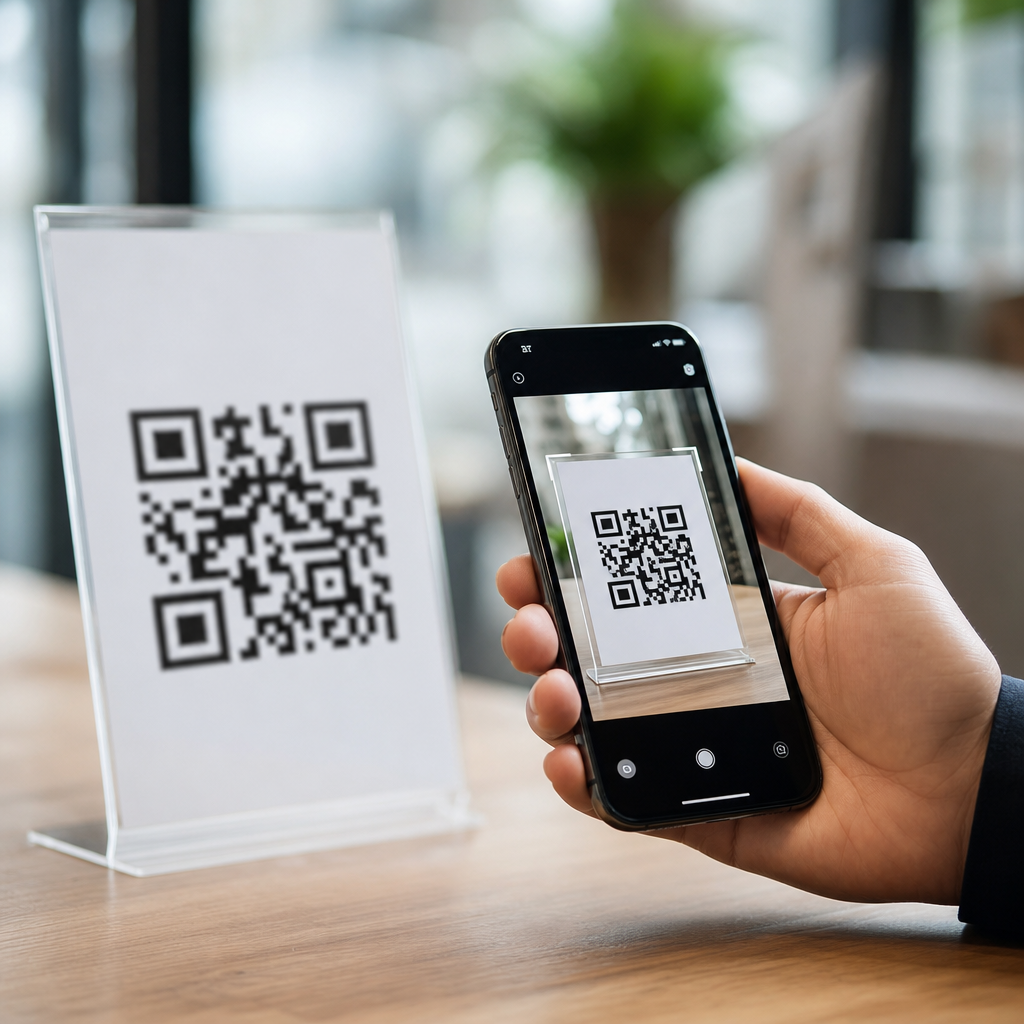
Mobile browsers handle QR code links by converting the scanned image into a structured payload, deciding whether the content is a web URL, app deep link, or another action, and then applying browser and operating system security rules before opening anything. That simple user experience hides a chain of decisions involving the camera app, the QR decoder, the mobile operating system, and the browser engine itself. For anyone building campaigns, product flows, support documents, or packaging that depends on QR scans, understanding how mobile QR codes work is not optional. It directly affects whether a customer lands on the right page, whether tracking survives the handoff, and whether a scan feels seamless or suspicious.
A QR code, or Quick Response code, is a two-dimensional matrix barcode that stores text data. In mobile use, that text is often an HTTPS link, but it can also contain a mailto address, telephone number, SMS prompt, Wi-Fi configuration, payment string, vCard, or app-specific URI. When people ask how mobile browsers handle QR code links, they are really asking three related questions: how the phone reads the code, how it decides what app should open it, and how the browser treats the destination once it loads. I have tested these flows across iPhone Safari, Chrome on Android, Samsung Internet, and in-app scanners, and the differences are practical, not academic. A code that works perfectly in one environment can break attribution, trigger warnings, or fail to open in another if the payload is not constructed carefully.
This matters because QR codes now sit at the intersection of physical media and mobile web behavior. Restaurants replaced printed menus with QR links. Retail packaging points shoppers to warranty registration, setup guides, and reviews. Events use codes for check-in, authentication, and app installation. Field teams rely on them for equipment records and asset tags. In each case, the scan begins offline, but conversion depends on the browser experience after the scan. A reliable hub page on mobile QR code basics therefore needs to explain not just what a QR code is, but how mobile scanning, browser routing, redirects, deep links, and security prompts work together in the real world.
How a phone reads a QR code and sends the link to a browser
When a smartphone camera sees a QR code, computer vision identifies finder patterns in three corners, corrects perspective, and decodes the black and white modules into text. Most current phones do this natively. On iPhone, the Camera app and Control Center code scanner use Apple’s built-in decoder. On Android, Google Lens powers many camera experiences, while some manufacturers use their own layer. The decoded result is not yet a webpage. It is simply a string that must be classified.
If that string begins with https://, the operating system usually presents a banner, chip, or preview card that opens the default browser or an in-app browser. If the string is an app URI such as myapp://product/42, the system checks whether a registered app can handle it. If the QR contains plain text, the scanner may offer copy, search, or share actions instead. This classification step explains why two QR codes that look identical to a user can behave very differently.
Browser handoff then depends on source context. A scan from the native camera often opens the system default browser. A scan inside Instagram, WeChat, LinkedIn, or another app may route to that app’s embedded webview. Webviews can alter cookie handling, autofill support, saved passwords, and analytics referrers. In testing, Safari and Chrome generally preserve standard web behavior better than social app browsers, which sometimes strip query parameters from previewed links or limit third-party scripts. That is one reason campaign teams often prefer short, direct HTTPS URLs and avoid unnecessary redirect hops.
What types of QR code links mobile browsers can open
The most reliable QR destination is a fully qualified HTTPS URL. Mobile browsers expect secure links, and modern users are conditioned to distrust anything else. HTTP links still work in some cases, but they invite browser warnings, mixed content issues, and lower confidence. Beyond standard URLs, mobile QR codes can trigger several link behaviors, each with distinct browser handling.
Web links open pages, PDFs, videos, forms, or web apps. Deep links attempt to open a specific location within an installed app. Universal Links on iOS and App Links on Android are the preferred method because they use verified HTTPS domains rather than custom schemes alone. If the app is installed, the operating system can open the app directly. If not, the link falls back to the browser. That fallback is essential. Without it, scans fail silently or strand users on an error screen.
Other payloads include tel:, mailto:, sms:, and geo: URIs, plus Wi-Fi setup strings and vCards. Browsers are not always the final destination in these cases. A tel link passes control to the dialer, mailto to the mail client, and a Wi-Fi payload to the operating system setup flow. Payment QR standards such as EMVCo merchant-presented codes may also launch banking apps rather than browsers. The key rule is simple: the QR payload determines the initial route, but the browser only participates when the content is web-addressable or when verified app links fall back to the web.
How redirects, tracking, and deep linking affect QR performance
Most production QR codes do not point straight to a final page. They pass through a redirect, often from a short domain or QR management platform, to enable analytics, destination updates, language routing, or device targeting. That can be useful, but every extra hop increases latency and creates another point of failure. Mobile browsers and app webviews can also treat redirects differently, especially when cookies, cross-domain parameters, or app intent handoffs are involved.
In practice, a clean sequence works best: QR scan, one HTTPS redirect if needed, then final destination. More than that can cause visible delay on cellular networks. I have seen packaging scans lose impatient users because the camera preview disappeared, a consent interstitial loaded, then a tracking domain redirected again before the actual page appeared. If the page is not fast, the QR experience feels broken even when nothing technically failed.
| Link approach | Typical browser behavior | Best use case | Main risk |
|---|---|---|---|
| Direct HTTPS URL | Opens immediately in default browser or webview | Simple landing pages, support docs, menus | Destination cannot be changed after print |
| Short URL with one redirect | Brief redirect, then final page loads | Campaign tracking, editable destinations | Added latency and dependence on redirect service |
| Universal Link or App Link | Opens app if installed, otherwise browser fallback | Account actions, product views, loyalty experiences | Poor setup can break fallback or attribution |
| Custom URI scheme | Attempts app open; may prompt or fail | Legacy app integrations | Unreliable behavior across scanners and browsers |
Attribution needs careful setup as well. UTM parameters usually survive a straightforward browser open, but they can be lost in some in-app scanners or when redirect services rewrite URLs poorly. Deep linking vendors such as Branch, AppsFlyer, and Firebase Dynamic Links have historically helped bridge app and web routing, although teams should review current platform support and maintenance status before standardizing. The safest habit is to test every printed QR code on actual devices, across both operating systems, before distribution.
Security checks, warnings, and user trust signals
Mobile browsers do not trust QR code links automatically. They apply the same protections used for typed or tapped URLs, plus extra caution because the destination was hidden inside an image. Safe Browsing in Chrome and Google-powered Android surfaces warnings for known malicious pages, deceptive domains, and malware downloads. Safari uses Apple and Google threat intelligence in its own protective systems. Browsers also flag certificate errors, suspicious redirects, and pages that try to launch repeated pop-ups or unexpected downloads.
That security layer influences conversion. Users often scan from posters, receipts, product boxes, or signs where they have only seconds to judge legitimacy. A branded domain, visible HTTPS, and a clear destination path improve trust. For example, support.example.com/setup feels safer than a random shortener with no brand context. QR labels help too. “Scan to view assembly guide” sets an expectation, while an unlabeled code invites doubt.
There are limits to what browsers can protect against. A QR code can still send users to a lookalike phishing page if the domain is new and not yet blocklisted. That is why organizations should use domain monitoring, HSTS, valid TLS certificates, and minimal redirect chains. If login is required after a scan, pass users to a familiar branded page and explain the next step clearly. The browser can warn about known threats, but it cannot replace good destination design.
Best practices for building QR destinations that work on mobile
The best mobile QR code experience starts with the destination page, not the code image. Make the page fast, responsive, and narrow in purpose. Core Web Vitals still matter after a scan. Compress images, avoid render-blocking scripts, and keep first content visible quickly on cellular data. A code scanned from a sidewalk sign or equipment label often happens in poor connectivity, so every kilobyte matters.
Use HTTPS links, limit redirects, and prefer verified app linking methods over custom schemes. If the experience should open in an app, ensure a complete browser fallback exists. Keep URLs stable enough for print, and if you need flexibility, use a redirect service you control on your own domain. That preserves brand trust and reduces dependence on third parties.
Design for context. A restaurant menu scan should land on the menu, not the homepage. A device label should open the exact model documentation, not a generic support center. Add descriptive text near the code, and maintain generous print contrast and quiet zone margins so cameras can decode quickly. Test in bright light, low light, cracked-screen conditions, older phones, and embedded app scanners. Finally, review analytics for scan-to-load drop-off, device mix, and app versus browser opens. Those patterns reveal whether your mobile QR code basics are sound or whether the browser handoff needs work. Audit one live QR journey on both iPhone and Android this week, and fix the weakest step before you print again.
Frequently Asked Questions
How does a mobile browser know what to do when someone scans a QR code link?
When a person scans a QR code on a phone, the browser usually is not the first component making the decision. The process often starts with the camera app, a built-in QR scanner, or a third-party scanning tool. That scanner reads the visual pattern, decodes it into text, and identifies the payload type. If the payload is a standard web address, such as an HTTP or HTTPS URL, the phone typically offers to open it in the default browser or an in-app browser. If the payload is a deep link, a mail action, a phone number, Wi-Fi setup data, or another structured format, the operating system evaluates which app or service can handle it.
Once the browser becomes involved, it still does not simply open everything without checks. Modern mobile browsers and operating systems apply security and usability rules before loading the destination. They may normalize the URL, validate the scheme, block dangerous or unsupported formats, and decide whether the destination should open as a normal webpage, trigger an app, or show a confirmation prompt. On iPhone and Android devices, these handoffs can differ because Safari, Chrome, the camera app, and the operating system each have their own behavior patterns and security policies.
From a user perspective, this feels almost instant. Behind the scenes, though, there is a chain of interpretation: image capture, QR decoding, payload classification, permission handling, browser launch logic, and final navigation. That is why two phones can scan the same code and produce slightly different results. For teams creating QR-driven experiences, it is important to understand that the code itself does not control the entire journey. The scanner, the mobile OS, and the browser all play a role in determining what happens next.
Do all QR code links open in the mobile browser, or can they launch apps instead?
Not all QR code links open as ordinary webpages. A QR code can contain many types of payloads, and mobile platforms are designed to route those payloads to the most appropriate destination. If the code contains a regular web URL, the browser is the usual handler. If it contains a deep link tied to a specific app, the operating system may attempt to open that app directly. For example, a retail app, payment app, support app, or ticketing app may register URL patterns or universal/app links that the device recognizes. In those cases, the browser may be bypassed entirely, or it may briefly open and then hand off to the app.
This matters because app-opening behavior is controlled by both the link format and platform-specific rules. On iOS, Universal Links can send users directly into an app if the domain and app association are configured correctly. On Android, App Links and intent-based handling can do something similar. If the app is not installed, the device may fall back to a webpage, an app store listing, or a chooser screen. That fallback behavior is critical for usability, especially in marketing, onboarding, and packaging scenarios where the audience may have very different device setups.
For publishers and product teams, the safest assumption is that QR codes can trigger multiple outcomes depending on environment. A single scan could open Safari, Chrome, an embedded browser inside a social app, a native application, or even a system confirmation prompt. That is why testing should include installed-app and no-app conditions across both major mobile platforms. If your goal is a predictable experience, use well-configured fallback URLs and avoid assuming that every QR scan starts and ends inside a standard browser tab.
Why do some QR code links show warnings, previews, or confirmation prompts before opening?
Warnings and previews exist because mobile platforms treat QR scans as an external input that can potentially send users somewhere unsafe or unexpected. A QR code is convenient, but it hides the destination until after scanning, which makes it a useful vehicle for phishing, misleading redirects, and malicious schemes. To reduce that risk, many camera apps, scanners, browsers, and operating systems display the decoded destination before opening it. They may show the domain name, ask for confirmation, or block suspicious actions entirely.
These protections vary by device and context. A standard HTTPS URL from a trusted-looking domain may open with little friction, while a shortened link, an unfamiliar scheme, or a URL that attempts to trigger another app may cause extra prompts. Some mobile browsers also evaluate the destination against Safe Browsing or similar threat-intelligence systems. If the destination has a history of malware, deceptive content, or certificate problems, the user may see a red warning page or a blocked navigation. In-app browsers and enterprise-managed devices can add even more policy checks.
From a practical standpoint, prompts are not necessarily a sign that something is wrong with your QR code. They often reflect legitimate safety design. However, they can reduce conversion if the destination looks unfamiliar or if the handoff feels abrupt. Brands can improve trust by using clear, human-readable domains, HTTPS everywhere, and landing pages that match the expectation set by the physical QR placement. A QR code on packaging, signage, or support material should lead to a destination that feels consistent, branded, and easy to verify at a glance.
What happens if a QR code points to a redirect, short link, or tracking URL?
Redirects are common in QR code campaigns because they let teams update destinations, measure scans, personalize flows, and keep printed codes reusable. When a scanned QR code contains a short link or tracking URL, the mobile browser first loads that intermediate address. The server then responds with a redirect, usually an HTTP 301, 302, 307, or 308 status, and the browser follows it to the final destination. In many cases, the user never notices the intermediate step unless the browser shows the initial domain or the network connection is slow enough to make the redirect visible.
Although redirects are useful, they introduce tradeoffs. Every additional hop adds latency, creates another point of failure, and can increase the chance that the user sees a security warning or loses confidence in the link. Some scanners show only the first domain before opening, which means a branded short domain is often better for trust than a generic shortening service. Redirects can also affect app deep linking. If your final goal is to open a native app through platform-specific link handling, a poorly configured redirect chain may break that behavior or cause the browser to open a webpage instead.
Tracking URLs also raise privacy and compatibility considerations. Mobile browsers may limit referrer data, block certain cross-site behaviors, or restrict cookies depending on platform and browser settings. That means analytics from QR traffic may not behave exactly like desktop campaign traffic. The best practice is to keep redirect chains short, use secure and recognizable domains, test with real devices, and make sure the fallback page works even if app opening, cookies, or advanced tracking mechanisms do not. A QR code should still deliver a useful experience even under strict privacy and security conditions.
How can businesses make sure QR code links work reliably across different mobile browsers and phones?
Reliability starts with choosing the simplest possible destination format for the intended outcome. If the goal is to open a webpage, use a clean HTTPS URL on a domain users recognize. If the goal is to launch an app, implement platform-approved linking methods such as Universal Links on iOS and App Links on Android, and provide a strong web fallback. Avoid obscure schemes unless there is a clear reason to use them, because unsupported or inconsistently handled schemes can fail silently or trigger confusing prompts.
Testing is the next critical step. Businesses should test QR code behavior across current iPhone and Android devices, multiple browsers, native camera apps, and common in-app browsers. They should also test conditions such as app installed versus not installed, fast versus weak network connections, and first-time visitors versus returning users. Small differences in browser engine behavior, operating system version, and scanner implementation can change how a QR code resolves. What works perfectly in one environment may degrade in another if redirects, cookies, consent banners, or deep-link logic are too fragile.
Finally, design for resilience and clarity. The landing experience should load quickly, explain what happens next, and avoid depending on fragile client-side behavior just to reach the core content. If a QR code appears on packaging, print, support guides, or retail displays, the destination should be mobile-optimized and immediately useful. Use branded domains, maintain valid SSL certificates, minimize redirect hops, and monitor scan paths for errors. In practice, the most successful QR implementations are not the most technically clever ones. They are the ones that respect how mobile browsers, scanners, and operating systems actually make decisions and that provide a smooth fallback at every step.





