
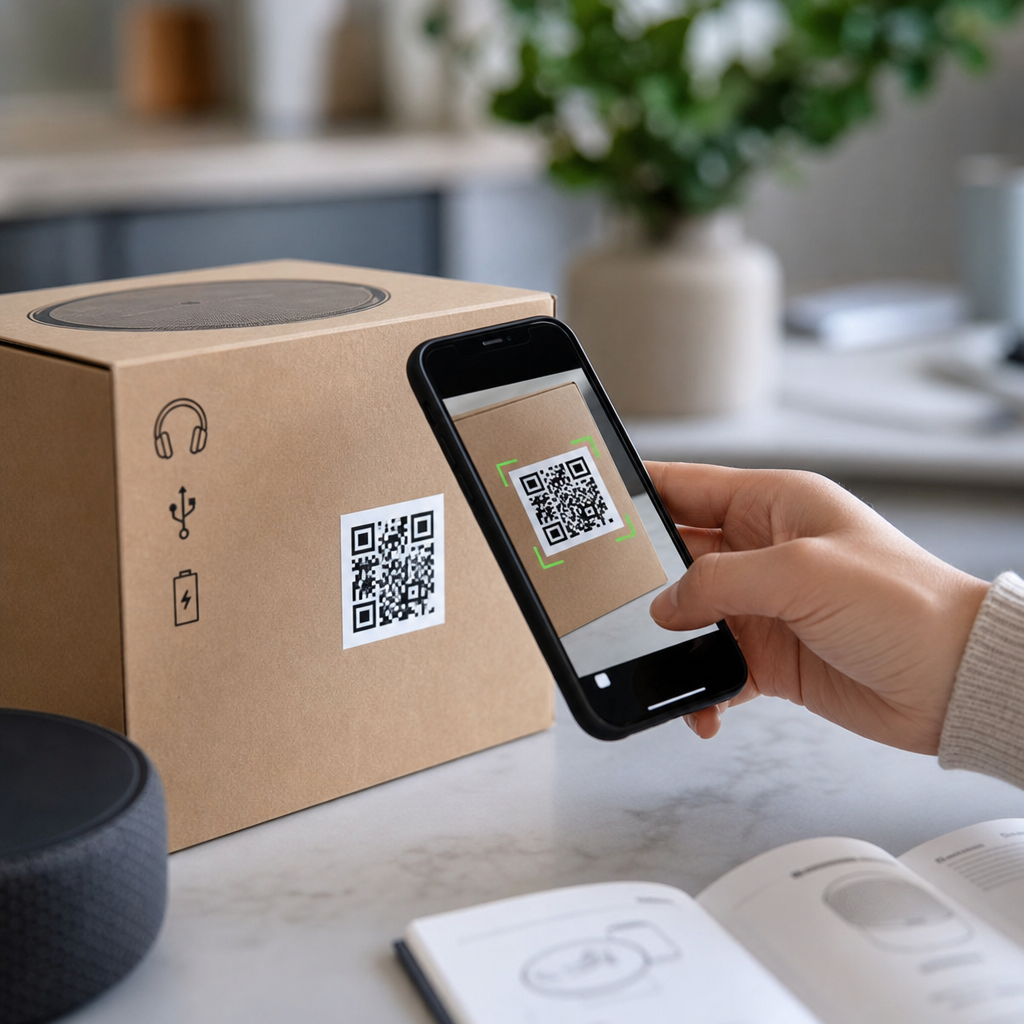
QR codes for product packaging and instructions have moved from novelty to standard practice because they solve a simple problem: small physical surfaces cannot hold all the information customers, retailers, regulators, and service teams need. A QR code, or Quick Response code, is a two-dimensional barcode that stores a URL, text string, identifier, or action trigger that a smartphone can read in seconds. On packaging, that means a label, carton, bottle, pouch, or insert can connect people to setup steps, safety details, warranty registration, authentication checks, recycling guidance, and post-purchase support without adding clutter.
I have worked with packaging teams, ecommerce operators, and support managers on QR code rollouts, and the same pattern appears again and again: when the code has a clear purpose and leads to a mobile-friendly destination, scan rates rise and service friction falls. This matters because packaging is often the first physical touchpoint after purchase. If instructions are confusing, ingredients are hard to read, or assembly steps are missing, the customer blames the brand, not the box. A well-designed packaging QR code turns that weak point into a guided experience.
For brands, the value is broader than convenience. QR codes can reduce print costs by moving long-form content online, support localization without separate manuals, and create a measurable bridge between offline products and digital analytics. They also help companies respond faster to changes. If a return policy, firmware version, compliance notice, or care instruction changes, the destination page can be updated without reprinting every package. That flexibility is especially useful in industries with fast product cycles, complex instructions, or strict regulatory obligations.
Why QR codes belong on modern product packaging
The strongest use case for QR codes on product packaging is information layering. The package carries essential on-pack content such as product name, quantity, warnings, and mandatory labeling. The QR code extends that content with what people ask next: How do I assemble it? Is this authentic? What size guide applies? Can I recycle the pump, cap, and bottle separately? Instead of forcing everything into tiny typography, brands can deliver complete answers in a format that suits mobile reading, video, downloadable PDFs, or interactive troubleshooting.
Consumer behavior supports this approach. Most shoppers already use smartphone cameras as scanning tools, and both iOS and Android have made QR reading native. In practical deployments, I have seen the highest engagement when the call to action is explicit. “Scan for setup video” consistently outperforms generic labels such as “Learn more.” The code should promise a specific benefit, match the customer’s context, and load quickly on a responsive page. If the landing experience feels generic or promotional, people abandon it immediately.
QR codes also fit operational needs across the product lifecycle. Manufacturers can use one code for batch traceability and another customer-facing code for instructions. Retailers can direct shoppers to comparison information in-store. Service teams can shorten resolution time by linking to model-specific manuals and spare parts. Compliance teams can host declarations, allergen data, or region-specific notices in one controlled repository. The same packaging surface can therefore support discovery, purchase confidence, onboarding, maintenance, and end-of-life disposal.
Common use cases for product instructions and customer support
Instruction delivery is the most common and most useful packaging QR application. Furniture, electronics, fitness equipment, beauty devices, and kitchen appliances all benefit because printed manuals are often too dense, too small, or too easy to lose. A packaging QR code can open a model-specific instruction hub with quick-start steps, full manuals, assembly videos, parts lists, troubleshooting flows, and contact options. The best implementations detect device type, language, and region automatically while still allowing manual selection.
Video is especially effective for assembly and first-time setup. A folded paper insert can show only a few diagrams, while a short mobile video demonstrates orientation, sequence, and common mistakes. For example, a flat-pack chair brand can show torque limits, leg alignment, and the correct order for tightening hardware. An espresso machine maker can show first rinse, filter insertion, and descaling intervals. These details reduce avoidable returns caused by user error rather than product defects.
Support and self-service are the next major use cases. Scanning from packaging or from the product itself can take customers to FAQs, chatbot triage, live chat, or warranty registration. This works best when the QR code passes the product SKU or serial number in the URL so the destination already knows which model the person owns. That removes friction and improves support accuracy. In my experience, model-specific landing pages cut time-to-answer dramatically compared with a generic help center homepage.
| Use case | What the QR code links to | Main benefit |
|---|---|---|
| Assembly instructions | Step-by-step video, diagrams, parts list | Fewer setup errors and returns |
| Warranty registration | Prefilled form with product ID | Higher registration completion rate |
| Authentication | Verification page with unique code check | Counterfeit deterrence |
| Ingredients and safety | Full disclosures, SDS, allergen details | Better compliance and readability |
| Recycling guidance | Material-specific disposal instructions | Clearer sustainability communication |
Packaging QR codes for authentication, traceability, and compliance
Counterfeit prevention is a growing packaging priority in cosmetics, supplements, luxury goods, electronics accessories, and pharmaceuticals. A QR code can support authentication by linking to a verification page that checks a unique identifier against a secure database. Static codes alone do not prevent copying, so higher-trust programs use serialized QR codes, one-time verification logic, tamper-evident seals, or integration with ERP and fulfillment systems. The customer scans, sees whether the code is valid, and receives product-specific information only a legitimate item should expose.
Traceability matters internally as much as externally. Packaging codes can encode lot numbers, manufacturing dates, or plant identifiers and route different audiences to different destinations. A consumer sees care instructions; a field technician sees service documentation; a distributor sees batch information. In food and beverage, this can support recall response by helping brands identify affected units quickly. In regulated sectors, digital access to declarations of conformity, safety data sheets, or updated instructions can reduce the burden of fitting every detail onto limited packaging space.
There are limits, and brands should acknowledge them. Some regulations still require critical information to remain on-pack, not hidden behind a scan. Accessibility also matters: customers may have low connectivity, older devices, or language needs the default page does not meet. For that reason, a QR code should extend essential packaging information, not replace mandatory basics. The safest rule is simple: if a customer needs it to use the product safely at the moment of opening, keep the core instruction visible and use the code for depth.
Post-purchase engagement, sustainability, and measurement
After the product is opened, QR codes continue to create value. Brands can guide customers to refill programs, spare parts ordering, consumable replenishment, accessory recommendations, and loyalty enrollment. On consumables, a scan can trigger subscription options or reorder reminders timed to expected usage. On durable goods, the same code can surface maintenance schedules, firmware updates, and registration benefits months after purchase. That extends the packaging role from static container to ongoing service channel.
Sustainability communication is another strong use case, especially when packaging contains multiple materials. A moisturizer carton may be recyclable in paper streams, while the pump is mixed material and the inner seal belongs in general waste. A QR code can present market-specific recycling instructions, explain recycled content percentages, and provide refill or return guidance. This avoids oversimplified claims on-pack and lets brands update disposal guidance as municipal rules change. Done well, it supports compliance and reduces customer confusion about what actually belongs in the recycling bin.
Measurement is where digital packaging becomes strategically useful. Dynamic QR codes let brands track scans by date, location, device type, and campaign source, then update the destination without changing the printed symbol. The data shows whether people scan during unboxing, in-store, or during support moments. It also reveals which content solves problems. If troubleshooting scans spike after launch, that may indicate unclear assembly, packaging damage, or a product quality issue. Teams can then revise instructions, improve inserts, or publish a clearer setup video before returns escalate.
Best practices for effective QR codes on packaging and instruction materials
Successful packaging QR codes follow a few non-negotiable rules. First, the code must be easy to scan: adequate size, strong contrast, quiet zone preserved, and placement on a flat area whenever possible. Glossy curved surfaces, tiny symbols, or codes printed over seams regularly cause failures. Second, include a clear instruction next to the code. “Scan for assembly video” or “Scan for ingredient details” gives people a reason to act. Third, send scanners to a mobile-first page that loads fast, reflects the exact product, and answers the promised question immediately.
Governance matters just as much as design. Use a URL structure that supports product families, languages, and version control. Maintain redirects so old packaging keeps working after site updates. Test every code under real conditions, including warehouse lighting, retail shelves, and damaged-box scenarios. If the product may be used offline, offer downloadable PDFs. For global programs, support WCAG-aligned accessibility, multilingual navigation, and region-specific compliance content. Packaging lives a long time in supply chains, so broken destinations create brand damage that lasts longer than a failed ad campaign.
QR codes for product packaging and instructions work best when they solve concrete customer problems at the exact moment those problems appear. They can simplify setup, improve support, strengthen authentication, expand compliance communication, and connect sustainability claims to usable guidance. They also give brands a measurable digital layer on top of physical packaging, turning every box, bottle, or label into a service entry point rather than a dead end.
The main benefit is clarity. Customers get the right instruction in the right format, and brands reduce confusion, returns, and support load without overloading the package itself. The most effective programs are specific, mobile-friendly, and operationally maintained over time. They do not rely on the QR code as decoration; they use it as infrastructure for better product experiences.
If you manage packaging, ecommerce, or customer support, audit your current products and identify the top questions customers ask after purchase. Then add QR codes where they will remove friction first: setup, safety, verification, and recycling are usually the highest-impact starting points. Build those journeys well, measure scans and outcomes, and expand from there.
Frequently Asked Questions
What are QR codes used for on product packaging and instruction materials?
QR codes on product packaging and instruction materials are primarily used to bridge the gap between limited physical space and the large amount of information different audiences need. A package might only have room for a product name, a few compliance marks, and the most basic usage or safety details, but customers often want setup help, ingredient or material information, warranty steps, troubleshooting guidance, recycling instructions, and product registration options. By scanning a QR code, they can immediately access digital content without needing to type a web address or search manually.
In practical terms, brands use QR codes to link to user manuals, assembly videos, FAQs, safety documentation, multilingual instructions, care guides, certification records, and customer support pages. Retailers may use them to confirm product specifications, storage requirements, and merchandising details. Regulatory or compliance teams may rely on them to provide access to traceability records, lot-level information, recalls, or legally required disclosures. Service teams benefit because customers can be directed to the exact help resource for a specific product model, version, or batch.
They also improve the post-purchase experience. Instead of stuffing a package with lengthy printed inserts, a company can offer a cleaner design while still giving buyers access to complete and current information. This is especially valuable for electronics, appliances, cosmetics, supplements, food and beverage products, industrial goods, and any item sold in multiple markets where content needs to be updated or translated. In short, QR codes turn packaging into a digital access point for instructions, support, compliance, and engagement.
Why have QR codes become a standard feature on packaging instead of just a marketing extra?
QR codes became standard because they solve a real operational and communication problem, not just a promotional one. Physical packaging is small, fixed, and expensive to revise, while product information is extensive, dynamic, and often market-specific. Businesses need a way to provide more detail than a label or insert can reasonably hold, and consumers increasingly expect immediate mobile access to that detail. QR codes offer a simple, low-cost, familiar solution that works across industries and product types.
Another major reason is flexibility. Printed packaging is static, but digital destinations can be updated as products change. If a company revises setup steps, expands troubleshooting content, adds a translated manual, or updates safety language, it can often do so on the linked page without redesigning every package in circulation. That makes QR codes highly efficient for ongoing support and reduces the risk that printed instructions become outdated. For brands managing multiple SKUs, regions, or versions, that flexibility can save significant time and cost.
They have also become more common because smartphone scanning behavior is now mainstream. Most consumers know what a QR code is and can scan one quickly with their phone camera. That familiarity lowered the barrier to adoption. At the same time, packaging teams, compliance managers, and customer service departments recognized that QR codes can reduce printed clutter, improve support outcomes, and create a clearer path from product to help resource. What started as a convenience or marketing add-on has evolved into a practical, scalable packaging tool for education, service, traceability, and compliance.
What information should a packaging QR code link to in order to be most useful?
The most useful packaging QR codes link to information that helps the user take the next step with confidence. In many cases, that means a mobile-friendly landing page built specifically for the product or package rather than a generic homepage. The destination should quickly answer the most common customer needs: how to use the product, how to assemble or activate it, what safety precautions matter, how to clean or maintain it, and where to get help if something goes wrong. If the code appears on an instruction insert, the linked content should expand on those instructions with visuals, videos, or interactive guidance.
Depending on the product category, useful content can include digital manuals, quick-start guides, installation videos, ingredient or material disclosures, allergens, dosage or application guidance, warranty registration, troubleshooting tools, care instructions, recycling information, and customer support contact options. For regulated products, the code may also direct users to compliance documentation, certificates, recall notices, expiration or lot data, and market-specific legal disclosures. For globally distributed items, multilingual content is especially important and can dramatically improve usability.
The key is relevance and clarity. A customer scanning a code from packaging usually wants immediate product-specific help, not broad corporate messaging. If they land on a cluttered homepage, need to search again, or cannot tell whether they found the right model, the experience fails. Effective QR code destinations are concise at the top, detailed below, easy to navigate on a phone, and aligned with the exact product variant in hand. The best implementations reduce friction, answer obvious questions fast, and provide pathways to deeper support when needed.
How do QR codes improve customer experience and reduce support issues?
QR codes improve customer experience by making critical information available at the exact moment of need. When someone opens a package, starts assembly, uses a product for the first time, or runs into a problem, they do not want to hunt through paper inserts or search online using incomplete product names. A well-placed QR code removes those extra steps. One scan can take the customer directly to setup instructions, a troubleshooting flow, or a video demonstration tailored to that item. That speed and convenience often make the difference between a smooth first-use experience and a frustrating one.
They also reduce support issues by helping customers solve common problems on their own. Many service inquiries involve predictable topics such as installation steps, pairing devices, reset procedures, usage errors, maintenance guidance, or missing parts. When QR-linked resources address those issues clearly, support teams receive fewer avoidable contacts and can focus on more complex cases. This can lower call volume, improve resolution times, and reduce returns caused by confusion rather than product defects.
From a brand perspective, QR codes create a more consistent and scalable support system. Every package can point users to the same up-to-date content, which helps standardize the guidance customers receive. Updates can be made centrally, and analytics can reveal what people scan, when they scan, and which support topics are most common. That feedback loop helps companies improve both their documentation and the product itself. The result is a better customer journey, fewer preventable support tickets, and a stronger sense that the brand is easy to buy from and easy to use.
What are the best practices for adding QR codes to product packaging and instructions?
Best practices start with placement, clarity, and purpose. A QR code should appear where users naturally look when they need help, such as near setup instructions, on the main label, on an insert, or beside a short callout like “Scan for full instructions” or “Scan for setup and support.” Without context, some users may ignore the code or hesitate to scan it. A clear label explaining what the scan will deliver improves trust and scan rates. The code should also be printed at an appropriate size with strong contrast and enough quiet space around it so it remains easy to scan on different materials and package shapes.
The destination matters just as much as the code itself. Always link to a mobile-optimized page that loads quickly and gives the user the exact information promised. Avoid sending people to a general homepage or forcing multiple extra clicks. If the product has different models, sizes, flavors, languages, or regulatory variations, the QR experience should reflect that specificity. Testing is essential as well. Brands should verify scan performance across phone types, lighting conditions, print finishes, and packaging formats such as bottles, pouches, cartons, and curved surfaces.
It is also wise to plan for long-term content management. If packaging will remain in circulation for months, the linked content must stay available and current. Many companies use dynamic QR codes so they can update the destination without reprinting packaging. Security and trust should be considered too; the landing page should clearly match the brand and use a secure web address. Finally, accessibility should not be overlooked. Important safety or legally required information should not exist only behind a QR code if regulations or user needs require an on-pack alternative. The strongest QR code strategy supports packaging, instructions, compliance, and customer service as one connected system rather than treating the code as an afterthought.





