
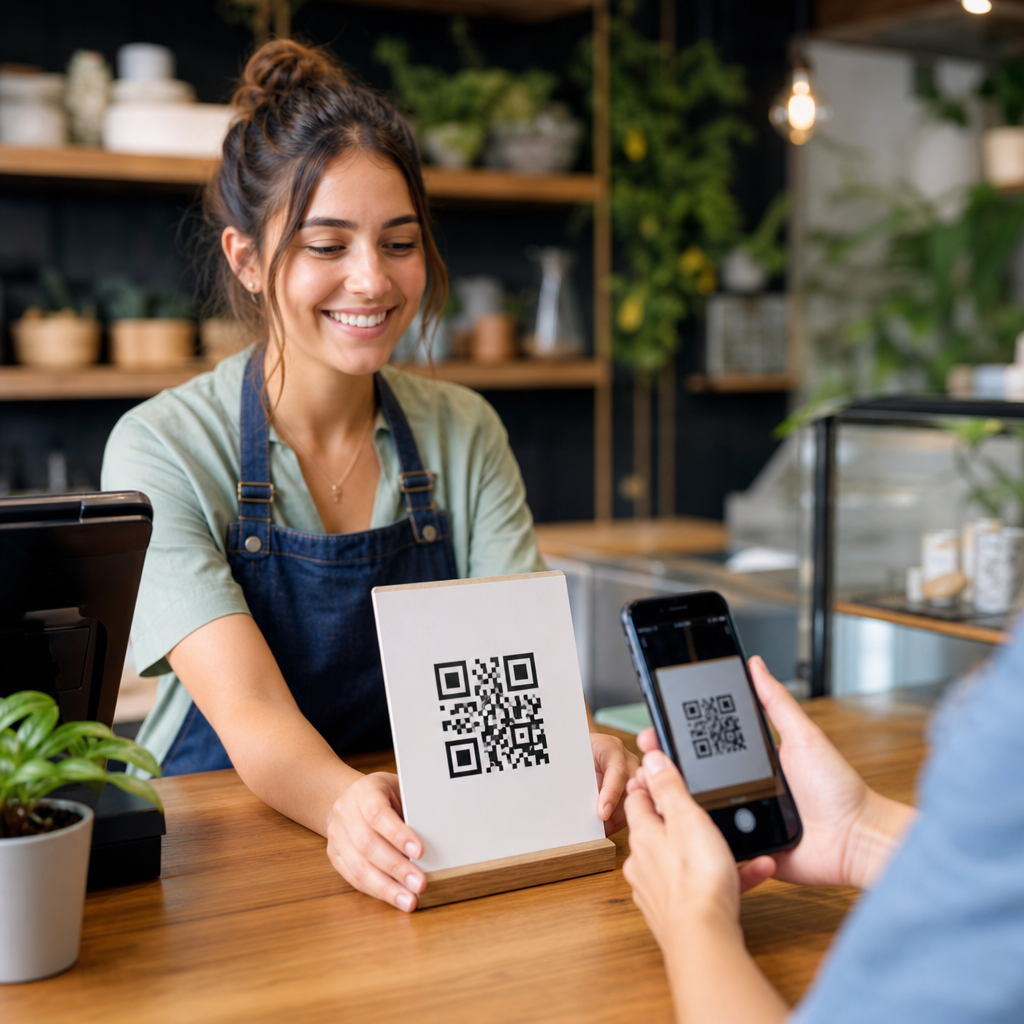
Small businesses use QR codes to connect printed touchpoints with digital actions, turning a poster, package, receipt, table tent, or storefront window into a measurable path to a menu, payment page, review form, signup flow, or product detail page. A QR code is a scannable two-dimensional barcode that opens a link, saves contact information, starts a message, launches an app, or triggers another mobile action. For small business owners, the appeal is practical: QR codes are inexpensive to deploy, easy for customers to use with a phone camera, and flexible enough to support marketing, operations, and customer service at the same time. I have implemented them for retailers, cafés, service firms, and event-driven businesses, and the pattern is consistent: when the destination is useful and the placement is intentional, scan rates rise and friction falls. That matters because small businesses rarely have excess budget or staff time. They need tools that stretch existing assets, improve attribution, and shorten the distance between interest and purchase.
Within mobile QR code basics, common use cases are the foundation. Before choosing a generator, tracking setup, or print specification, owners need to know what business problem the code should solve. A restaurant may want faster menu access and more direct online orders. A home services company may want quote requests from yard signs and truck wraps. A boutique may want product education on shelves, loyalty enrollment at checkout, and post-purchase reviews on receipts. Each objective implies different landing pages, calls to action, and success metrics. The most effective small business QR code campaigns answer a simple customer question immediately: what do I get by scanning this right now? When that answer is clear, QR codes stop being novelty graphics and become compact conversion tools that support growth across acquisition, retention, and local visibility.
In-Store Marketing and Product Discovery
One of the most common QR code use cases is improving the in-store experience without adding staff overhead. Small retailers use shelf tags, endcaps, fitting room signage, and window displays to send shoppers to product videos, size guides, color variations, ingredient details, setup instructions, or live inventory pages. This is especially effective when physical space is limited. A pet store can stock one bag size on the floor and use a QR code to show nutrition data and alternate sizes online. A hardware store can attach codes to complex tools so buyers can watch a two-minute demonstration before deciding. In my projects, scan rates are highest when the promise is specific: “See how it works,” “Check stock in your size,” or “Compare materials” performs better than “Scan me.”
Window QR codes also help capture demand after hours. A salon can place a code on the front door linking to online booking. A bakery can use one for next-day preorders when the shop is closed. A real estate office can attach codes to property flyers so pedestrians can open listings immediately. Because these scans happen on mobile, the destination must load fast, present the core information above the fold, and offer one next step. If a shopper scans from a sidewalk and lands on a cluttered homepage, the opportunity is usually lost.
Menus, Ordering, and Payments
Restaurants, cafés, food trucks, breweries, and market vendors often start with QR codes because the benefit is immediate. Table tents can open menus, reduce reprinting costs, and make updates simple when prices or specials change. Counter signs can push customers to direct ordering pages, helping businesses avoid some marketplace commission costs. Food trucks use a single code on the truck body, condiment station, and social posts to route customers to the live menu, pickup queue, and location updates. For small operations with slim margins, that operational efficiency matters as much as marketing reach.
Payments are another strong use case. Service businesses can place QR codes on invoices, estimate approvals, and point-of-sale displays to collect card, ACH, or wallet payments. Contractors often add one to printed invoices so homeowners can pay without typing a long URL. At events, pop-up sellers can display payment QR codes tied to Square, Stripe, Venmo, or PayPal. The main caution is trust: payment destinations must clearly show the business name and secure checkout indicators. A vague redirect can reduce completion rates because customers hesitate when money is involved.
Lead Generation, Appointments, and Contact Capture
For service-based small businesses, QR codes work best when they compress lead generation into a few taps. A landscaper can add a code to yard signs linking to a quote form with prefilled service area options. A dental clinic can place one on postcards that opens a new patient booking page. A fitness studio can use lobby signage to drive class trials and waiver completion. In each case, the code should lead to a mobile-first landing page, not a desktop-style contact page with tiny fields and no context.
Strong lead capture flows ask for only what is necessary. Name, phone, email, and one qualifying question often outperform long forms. If the business needs richer data, it can gather it later after the initial inquiry. I have seen local campaigns improve conversion simply by matching the destination to the source. A code on a vehicle wrap should land on “Request an estimate” with service areas and before-and-after photos, while a code on an event banner might land on “Claim your show special.” Intent is different, so the page should reflect it.
Loyalty, Reviews, and Repeat Business
Retention use cases are often more profitable than awareness campaigns because the customer already knows the brand. Coffee shops use QR codes on receipts, packaging, and counter cards to enroll buyers in loyalty programs. Boutiques use them on thank-you inserts to invite customers to join SMS lists for restock alerts. Auto detailers add them to service follow-up cards leading to review requests and maintenance reminders. These interactions extend the relationship beyond the initial transaction.
Review generation is particularly important for local search visibility. A QR code that opens the Google review form, Yelp profile, or a first-party feedback page can increase response volume when timed well. The best moment is usually right after a positive experience: at checkout, after a completed service, or in a thank-you email with a matching code for mobile users. The message should be direct and ethical. Ask for honest feedback, not only five-star reviews. Businesses also need a process for monitoring and responding to reviews, because collection without follow-through does not strengthen reputation.
| Use case | Best placement | Primary goal | Key metric |
|---|---|---|---|
| Menu access | Tables, counters, packaging | Faster ordering | Scans to orders |
| Review request | Receipts, thank-you cards | More local proof | Review completion rate |
| Lead form | Yard signs, flyers, vehicles | New inquiries | Scans to form submits |
| Loyalty signup | Checkout, packaging, email | Repeat visits | Enrollments per scan |
Packaging, Events, and Offline Advertising
Packaging is underused by many small businesses, yet it reaches existing buyers at the right moment for education and repeat purchase. A skincare brand can place a QR code on the box for usage instructions, ingredient sourcing, and replenishment reminders. A candle maker can link packaging to safety guidance and a refill subscription. A specialty food producer can direct customers to recipes that increase product consumption and encourage repurchase. Because packaging stays in the home, these codes often generate delayed scans that would never happen from a short campaign URL alone.
Events and offline ads are equally strong. Farmers market vendors, trade show exhibitors, and local sponsors use QR codes on banners, booth signs, postcards, and handouts to capture intent while attention is high. Gyms add them to neighborhood mailers for free-pass claims. Nonprofits use them on event programs to collect donations. Radio, podcast, and out-of-home campaigns can also benefit when a visible code is paired with a memorable offer and a page built for fast action. The value here is measurement. A flyer cannot report performance by itself, but a tracked QR code can reveal scans by date, location, device, and campaign source through tools such as Google Analytics 4, Bitly, Beaconstac, or QR Code Generator platforms with dynamic routing.
What Makes a Small Business QR Code Campaign Work
Successful QR code use comes down to utility, visibility, and measurement. Utility means the scan resolves a real need immediately. Visibility means the code is large enough, high contrast, and placed where a phone can comfortably capture it; for most print pieces, testing from the expected distance is mandatory. Measurement means using dynamic codes when possible so destinations can be updated without reprinting and performance can be tracked over time. UTM parameters, dedicated landing pages, and clear naming conventions are basic discipline, not advanced extras.
There are also limits. QR codes do not fix weak offers, slow websites, or confusing forms. They can fail in low-light environments, on glossy curved surfaces, or where mobile service is poor. Some audiences still prefer a short URL printed beneath the code as a fallback, and accessibility matters for users who rely on assistive technology. The practical approach is to start with one high-intent use case, test placement and messaging, and expand only after the data shows value. Small businesses grow with QR codes when each scan has a purpose, each page matches the moment, and each result is measured. If you are building a mobile QR code basics strategy, map your top customer journeys, choose the touchpoints with the least friction, and launch one trackable campaign this week.
Frequently Asked Questions
How do small businesses use QR codes to drive growth in practical, everyday ways?
Small businesses use QR codes as simple bridges between physical customer interactions and digital actions that lead to sales, leads, reviews, and repeat visits. A code placed on a storefront window can send passersby to current hours, featured products, or online ordering. On packaging, it can open product instructions, refill options, loyalty rewards, or a reorder page. On receipts, it can invite customers to leave a review, join a text list, or claim a discount on their next visit. In restaurants and service businesses, QR codes often connect customers to menus, booking forms, payment pages, or contactless checkout. At events, markets, and pop-ups, they help businesses capture interest quickly by linking to signup forms, social profiles, or product catalogs without requiring someone to type a long web address.
The real growth advantage is that QR codes turn offline attention into measurable digital behavior. Instead of hoping a customer remembers a business name later, the business can prompt immediate action in the moment of highest interest. That can mean collecting email subscribers from an in-store display, encouraging faster repeat purchases from packaging inserts, or reducing friction at checkout with scan-to-pay options. Because QR codes are low-cost and easy to update when tied to dynamic links, small businesses can test different offers, campaigns, and placements to see what actually drives results. In that sense, QR codes are not just a convenience tool; they are a practical, scalable way to improve conversion from everyday touchpoints a business already has.
What are the best places for a small business to place QR codes?
The best placement depends on the action the business wants the customer to take, but in general, the strongest QR code placements are the ones that match customer intent in that moment. Storefront windows work well for after-hours browsing, directions, appointment scheduling, and special promotions. Tables, counter cards, and in-store signage are ideal for menus, loyalty signups, Wi-Fi access, product education, and mobile payment. Product packaging is especially powerful because it reaches customers after purchase, when they may be ready to register a product, learn how to use it, reorder, or share feedback. Receipts are another high-value location because they can guide customers toward reviews, survey responses, support resources, or bounce-back offers for a future visit.
Other strong placements include flyers, posters, business cards, direct mail pieces, trade show displays, invoices, and vehicle wraps. For service businesses, a QR code on a technician leave-behind card or estimate sheet can open payment options, maintenance plans, or referral forms. For restaurants and cafes, takeout bags and cup sleeves can encourage app downloads, reward enrollment, or catering inquiries. The key is visibility, context, and incentive. Customers should immediately understand what happens when they scan and why it benefits them. A code with a short call to action such as “Scan to book,” “Scan for today’s menu,” or “Scan to get 10% off your next order” usually performs better than a standalone code with no explanation.
Are QR codes expensive or difficult for small businesses to set up and manage?
In most cases, no. QR codes are one of the more affordable marketing and operational tools available to small businesses. Basic codes can be generated quickly and used on printed materials, signs, labels, menus, and packaging with very little setup. That low barrier to entry is part of what makes them attractive to smaller teams that need practical solutions rather than complicated technology projects. Businesses can start with a single use case, such as linking a code to a payment page or review form, then expand into more advanced uses like campaign tracking, loyalty enrollment, or lead capture over time.
Management is also straightforward when businesses plan properly. A common best practice is to use dynamic QR codes or short redirect links, which allow the destination to be updated without reprinting the code. That matters if a promotion changes, a menu is updated, or a landing page needs to be replaced. Businesses should also keep branding and maintenance in mind: use codes large enough to scan easily, test them on multiple phones, place them where lighting and distance make scanning easy, and connect them to mobile-friendly pages. When QR codes are treated like part of a customer journey rather than just a graphic element, they become easy to manage and much more effective. For the cost, they often deliver strong value because they reduce friction, support faster action, and create measurable engagement from physical marketing assets that already exist.
How can a small business measure whether its QR codes are actually working?
The most effective way to measure QR code performance is to tie each code to a specific goal and track what happens after the scan. A business might track scans to an online ordering page, completed bookings, form submissions, review requests, digital coupon redemptions, or payment completions. If a bakery places one QR code on packaging and another on a window sign, each should have its own destination or tracking parameters so the business can compare which location generates more engagement. This transforms QR codes from a generic marketing add-on into a trackable channel with clear performance data.
Beyond scan counts, businesses should focus on downstream outcomes. A high number of scans is useful, but conversions matter more. Did the scan lead to an order, a reservation, a new subscriber, or a review? Businesses can also compare promotions, messaging, and placement. For example, “Scan to join our rewards program” may perform differently than “Scan for a free first-purchase offer.” Dynamic QR code platforms, analytics tools, and tagged URLs can help reveal scan timing, device types, and campaign-level performance. Over time, these insights let small businesses refine signage, simplify landing pages, improve calls to action, and invest more confidently in the placements that lead to meaningful growth rather than just curiosity clicks.
What are the biggest mistakes small businesses should avoid when using QR codes?
One of the biggest mistakes is using a QR code without a clear purpose. If customers do not know what they will get from scanning, many will ignore it. A code should always be paired with a direct, benefit-focused instruction such as “Scan to pay,” “Scan for setup instructions,” or “Scan to leave a review and get your next offer.” Another common problem is sending users to a poor mobile experience. Since QR scans usually happen on a smartphone, the destination page must load quickly, display cleanly on smaller screens, and make the next action obvious. If the page is cluttered, slow, or difficult to use, the scan opportunity is wasted.
Other mistakes include placing codes too small to scan easily, printing them in low-contrast designs, positioning them where internet access is weak, or failing to test them before launch. Some businesses also make the error of linking directly to pages that may change or disappear, which is why flexible routing or dynamic destinations are so useful. Finally, many small businesses miss the chance to measure results. A QR code should support a real business objective, not just exist because it seems modern. When businesses combine clear intent, strong placement, mobile-friendly destinations, and basic performance tracking, QR codes become much more than a novelty. They become reliable tools for customer convenience, better attribution, and consistent business growth.





