
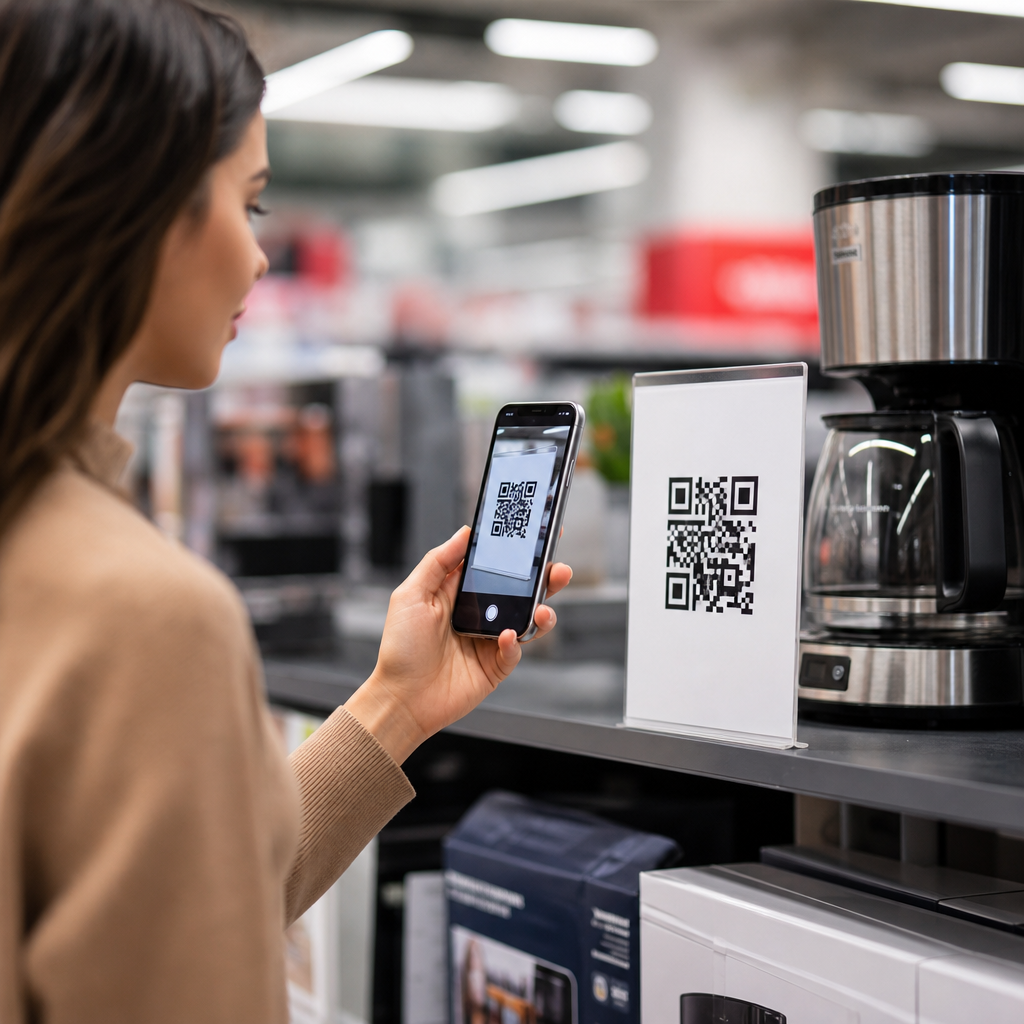
QR codes for price comparison in retail give shoppers instant access to product prices, reviews, promotions, and seller information with a single scan. In retail and e-commerce, that simple interaction closes a long-standing gap between the shelf, the shopper’s phone, and the wider market. A QR code is a two-dimensional barcode that stores a link or structured data; price comparison is the process of evaluating the same or similar products across sellers to find the best total value, not just the lowest sticker price. I have implemented QR programs for store aisles, packaging, and promotional displays, and the practical lesson is consistent: shoppers scan when the code clearly answers a buying question. For retailers, this matters because price transparency shapes trust, conversion rate, margin protection, and customer retention. For e-commerce teams, it matters because the physical store is no longer offline. Every shelf is a search result, and every package can become a product page. This hub explains how QR codes support retail and e-commerce price comparison, where they work best, what data they should show, and how to deploy them without creating confusion, channel conflict, or compliance risk.
How QR Codes Enable Retail Price Comparison
At the store level, QR codes turn static merchandising into a dynamic pricing interface. A shopper scanning a code can see current in-store price, online price, competitor benchmarks, pack-size equivalents, coupons, delivery options, loyalty discounts, warranty details, and verified reviews. The key is that the scan resolves uncertainty fast. In consumer electronics, for example, shoppers often compare model numbers, return policies, and bundle value more than base price. A shelf tag QR code that lands on a mobile page with “store price versus manufacturer suggested price, nearby availability, and included accessories” reduces showrooming anxiety and increases informed purchases. Grocery retailers use the same mechanism differently: a QR code on shelf strips can surface unit pricing, meal pairings, ingredient sourcing, and app-only offers, helping customers compare private label products against national brands.
The most effective implementations use dynamic QR codes rather than static ones. Dynamic codes let the retailer change the destination URL, campaign rules, or localized content without reprinting signage. That matters when prices shift daily, promotions expire, or stock availability changes by store. In practice, I have seen dynamic codes outperform static codes because operations teams can reroute scans during seasonal resets, supplier transitions, or flash sales. Integration with product information management systems, inventory feeds, and pricing engines makes the code useful at scale. Retailers running platforms such as Shopify, Adobe Commerce, Salesforce Commerce Cloud, or custom stacks can connect scans to SKU-level pages that update automatically. When the content is stale, trust drops immediately; when it is current, the QR code becomes a credible comparison tool instead of a gimmick.
Best Use Cases Across Retail and E-Commerce
Price comparison QR codes are most valuable where products have meaningful complexity, frequent promotion, or cross-channel purchasing behavior. Electronics is a leading category because shoppers compare technical specifications, financing, and refurbished options. Home improvement also performs well because project buyers need compatibility details, bulk pricing, and installation guidance. In beauty, QR codes can compare sizes, ingredients, allergen information, and subscription savings. Fashion retailers use them to connect a rack item to online colorways, size availability, and markdown history. In grocery and household essentials, the strongest use case is value comparison through unit economics, such as cost per ounce or per load, combined with loyalty incentives.
E-commerce benefits too, especially where packaging or inserts continue the buying journey after delivery. A QR code on a shipped box can direct customers to reorder pages, bundle recommendations, or “compare and save” alternatives within the same catalog. That is particularly effective for consumables, office supplies, pet products, and health items. Marketplace sellers can use package-level QR codes to move repeat buyers toward their own direct storefront, where pricing, subscriptions, and support are easier to control, while still staying within marketplace rules. Omnichannel brands also place QR codes in catalogs, direct mail, window displays, and event signage so the shopper can compare current prices without typing a URL or searching manually. The common thread is convenience: the scan must reduce effort more than it adds friction.
What Information the Landing Page Should Show
A QR code for price comparison succeeds or fails on the landing page. The page should answer the shopper’s next questions in the first screen view: what is this item, what does it cost here, what is included, how does it compare, and what should I do next? Clear product title, image, current price, promotional deadline, and stock status are mandatory. Unit price is essential in grocery, household, and B2B supplies. Shipping cost, pickup timing, and return window matter because shoppers compare total purchase value, not just shelf price. If competitor comparisons are shown, they must be accurate, time-stamped, and presented fairly to avoid misleading claims.
| Element | Why it matters | Retail example |
|---|---|---|
| Current price and promo | Confirms immediate value and urgency | “$89 today, ends Sunday” on a blender display |
| Unit price | Improves fair comparison across sizes | Cost per ounce for laundry detergent |
| Availability | Prevents wasted visits and abandoned carts | “Pickup in 2 hours at Store 14” |
| Reviews and ratings | Supports confidence when prices are close | 4.6 stars on private label headphones |
| Alternatives or bundles | Protects margin while giving choice | Printer plus ink bundle versus base model |
Structured data supports discoverability and consistency. Product, Offer, AggregateRating, and FAQ markup help search engines and assistants interpret the page accurately. Retailers should also maintain canonical URLs, strong internal links to category pages, and a clean hierarchy so the scan page supports the broader Retail and E-Commerce hub rather than becoming an isolated orphan. This is where hub strategy matters: the price comparison page should connect users to related resources on dynamic pricing, shelf labels, loyalty programs, local inventory visibility, returns policy, and omnichannel fulfillment. Those connections improve navigation and send clear topical signals that the site covers retail QR code applications comprehensively.
Operational Requirements, Analytics, and Compliance
Successful QR price comparison programs depend on back-end discipline. Pricing data should sync from the same source used by point-of-sale, e-commerce, or approved pricing middleware. If stores have localized pricing, the landing page must geolocate correctly or ask the shopper to confirm store selection. In larger chains, I recommend a service-level target for price feed freshness measured in minutes, not days, especially for promoted SKUs. Broken links, expired offers, and inventory mismatches damage credibility faster than almost any design flaw. Testing should cover different phones, camera apps, lighting conditions, printed sizes, and materials because scan reliability varies on glossy shelf talkers, curved packaging, and low-contrast signage.
Analytics should go beyond raw scan count. Retailers need scan-to-view rate, bounce rate, add-to-cart rate, store-level conversion, assisted revenue, coupon redemption, and repeat scans by category. Tools such as Google Analytics 4, Adobe Analytics, Bitly, and enterprise QR management platforms can attribute scans to location, campaign, and creative variation. A useful practice is A/B testing the call to action beside the code. “Compare prices and sizes” generally attracts more qualified scans than generic prompts like “Learn more.” Privacy and regulatory considerations also matter. If the scan collects personal data, consent banners, cookie disclosures, and retention policies must align with applicable laws. Price claims should comply with advertising standards, especially when referencing competitor prices, former prices, or personalized discounts. Accessibility should not be overlooked: the page needs readable type, keyboard-friendly controls, alt text, and enough contrast for mobile use under store lighting.
Common Pitfalls and Strategic Recommendations
The biggest mistake is treating QR codes as decorative technology rather than decision support. When the code opens a homepage, forces app download before value is shown, or buries the comparison under multiple taps, shoppers abandon quickly. Another common problem is channel conflict. Store teams may worry that comparison tools encourage online switching, while digital teams may optimize for e-commerce conversion at the expense of in-store sales. The solution is shared metrics: total margin, fulfilled demand, attachment rate, and customer lifetime value. If the code helps the shopper buy the right product through any profitable channel, it is working.
Retailers should start with categories where questions are predictable and product data is strong. Build landing pages around direct answers, keep pricing current, and present comparisons in plain language. Use dynamic QR codes, integrate with pricing and inventory systems, and connect every page to the wider Retail and E-Commerce content hub so users can move naturally into related topics such as smart packaging, omnichannel promotions, and in-store digital experiences. Done well, QR codes for price comparison improve transparency without surrendering margin, because they frame value, not only price. They help shoppers decide faster, help associates answer fewer repetitive questions, and help brands unify shelf, site, and app into one buying experience. Audit one category, map the customer questions, launch a pilot, and measure whether scans lead to better conversions and fewer abandoned decisions.
Frequently Asked Questions
How do QR codes help shoppers compare prices in retail?
QR codes make price comparison fast, direct, and easy to act on while a customer is already standing in front of a product. With a single scan, a shopper can open a mobile page that shows the current price, product specifications, customer reviews, available promotions, shipping details, and comparable offers from other sellers or channels. This removes the usual friction of manually searching for the same item online, typing in a model number, or trying to verify whether two similar-looking products are actually the same.
In practical terms, QR codes connect the physical shelf to real-time digital information. That matters because buying decisions in retail often happen in seconds. When shoppers can quickly confirm whether a product is competitively priced, whether another size or bundle offers better value, or whether there is a promotion available through the store’s app or website, they make more confident decisions. For retailers, this can reduce hesitation, improve transparency, and keep customers engaged inside their own ecosystem instead of losing them to a separate search experience.
Importantly, effective price comparison is not only about finding the lowest listed price. A good QR code experience can help shoppers evaluate total value by including warranty terms, delivery costs, loyalty rewards, return policies, seller reputation, and product authenticity. That broader comparison gives customers a more complete picture and helps retailers position their offer on more than price alone.
What information should a retail price comparison QR code include?
A strong retail price comparison QR code should lead to a landing experience that gives shoppers enough information to compare products accurately and confidently. At a minimum, it should include the exact product name, model number, SKU or UPC, current in-store or online price, and any active discounts or limited-time promotions. These identifiers are essential because price comparison only works well when shoppers know they are evaluating the same item rather than a similar substitute with different features or packaging.
Beyond basic pricing, the best QR code destinations also include product specifications, side-by-side comparisons, availability by location, customer ratings, verified reviews, and seller information. This matters especially for electronics, appliances, beauty products, grocery items, and household goods, where package size, ingredients, compatibility, or included accessories can significantly affect value. A lower price is not always a better deal if the item has fewer features, a shorter warranty, or less favorable return options.
Retailers can also improve performance by including dynamic content such as personalized offers, loyalty pricing, bundle recommendations, subscription savings, or in-stock alternatives when an item is unavailable. If the business operates across stores and e-commerce, the page should ideally show whether the shopper can buy immediately, reserve for pickup, or order for delivery. In short, the most useful QR codes do not just point to a price; they provide the context that makes the price meaningful.
Are QR codes for price comparison better for retailers, shoppers, or both?
They are beneficial for both, especially when implemented in a way that emphasizes transparency and convenience. For shoppers, the value is clear: less effort, faster decision-making, and easier access to reviews, competing offers, promotions, and product details. Instead of relying on memory or opening multiple browser tabs, customers can get a curated comparison experience designed to answer the questions that typically slow down a purchase. That convenience is particularly useful in categories with many similar items, such as consumer electronics, home goods, health products, and packaged retail.
For retailers, QR codes can do much more than deliver product information. They can improve conversion rates by keeping customers within the retailer’s digital environment at the exact moment of purchase intent. They can also support upselling and cross-selling by surfacing better-value bundles, accessories, or premium alternatives. Because scans are measurable, retailers gain valuable data about shopper behavior, including which products generate the most interest, which locations see the highest scan activity, and where customers may be encountering pricing friction.
That said, the benefit depends heavily on execution. If a QR code leads to a slow page, outdated pricing, poor mobile design, or generic product information, it can create frustration instead of trust. The most successful implementations treat QR codes as part of a broader omnichannel retail strategy, where shelf-level discovery, mobile research, and purchase completion work together seamlessly. When done well, the result is a better-informed customer and a retailer that is more competitive, credible, and responsive.
What are the biggest challenges of using QR codes for price comparison in retail?
The biggest challenge is maintaining accurate, real-time information. Price comparison only works if the data behind the QR code is current and reliable. If a customer scans a code and sees a different price than what appears on the shelf, or if a listed promotion has already expired, trust can erode quickly. Retailers therefore need strong integration between pricing systems, inventory management, product databases, and promotional calendars to ensure that the information presented through the QR code matches what is actually available.
Another major challenge is product matching. Many retail products have variations in size, color, configuration, region, packaging, or included accessories. If the QR code experience compares unlike items, shoppers may think they are seeing a better price elsewhere when the products are not equivalent. Clear model identifiers, standardized product attributes, and well-structured comparison logic are essential to avoid confusion. This is especially important in categories where small specification differences can materially change price and value.
User experience is also a critical factor. The page must load quickly, display properly on mobile devices, and present information in a simple, scan-friendly format. If shoppers have to dig through cluttered menus, close pop-ups, or enter unnecessary information, the usefulness of the QR code drops significantly. Retailers should also consider privacy expectations, accessibility, and in-store connectivity. A QR strategy works best when it feels effortless: easy to scan, easy to understand, and easy to act on without creating new barriers in the buying journey.
How can retailers implement QR codes for price comparison effectively?
Retailers should start with a clear objective. Some want to reduce showrooming by keeping shoppers on their own digital properties, while others want to increase confidence, highlight promotions, or support omnichannel fulfillment such as buy online, pick up in store. Defining that goal upfront helps determine what the QR code should do, what information it should display, and how success should be measured. From there, the retailer should connect each QR code to a mobile-optimized landing page that is specific to the exact product and updated dynamically rather than relying on static, manually maintained content.
Operationally, success depends on integration. Product identifiers, price feeds, reviews, inventory data, seller details, and promotional rules should all flow into the comparison experience in a consistent way. Retailers should test codes across stores, devices, operating systems, and lighting conditions to make sure they scan reliably in real-world environments. Placement also matters. Codes should be easy to find on shelf tags, packaging, displays, or signage, and they should include a brief call to action such as “Scan to compare prices, reviews, and offers” so shoppers immediately understand the benefit.
Finally, retailers should measure and refine performance over time. Useful metrics include scan rate, bounce rate, time on page, add-to-cart rate, store-level conversion impact, and promotion engagement. A/B testing can help determine whether shoppers respond better to competitor comparisons, total-cost breakdowns, loyalty discounts, or bundled offers. The most effective QR code programs are not one-time add-ons; they are continuously improved retail tools that bridge the gap between physical merchandising and digital decision-making.





