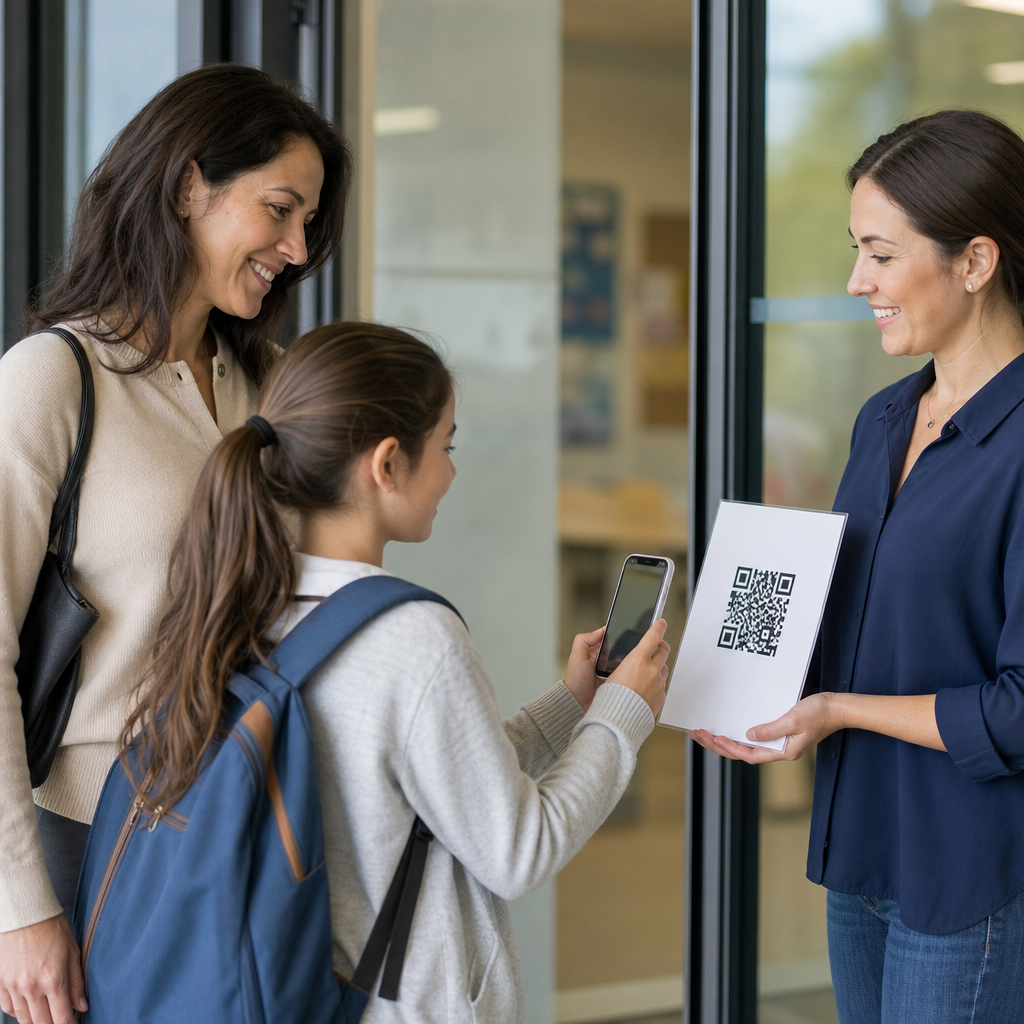
QR codes for homework and assignments are changing how schools deliver instructions, collect work, and connect classroom tasks with digital resources. In education, a QR code is a scannable two-dimensional barcode that sends a student, parent, or teacher to a website, form, document, video, or app action without typing a long link. Homework and assignments include daily practice, projects, reading logs, lab sheets, submission checklists, feedback forms, and extension activities. I have seen the difference in classrooms where students lose paper directions less often, parents access support materials faster, and teachers spend less time troubleshooting broken or mistyped links. This matters because schools now work across paper and digital systems at the same time, and QR codes bridge those systems with very little friction. Used well, they improve access, reduce confusion, support differentiated instruction, and create a cleaner workflow for teachers managing learning in person, remotely, or in blended environments.
What QR codes do in education and why they work
In practical classroom use, QR codes act as a shortcut between a physical assignment and the exact digital destination a student needs. A worksheet can point to a model answer, a science handout can open a safety video, and a homework planner can connect parents to weekly expectations. The main reason they work is simple: scanning is easier than typing. On mobile devices, camera-based scanning is built into iOS and Android, so most students and families do not need a separate app. That reduces the entry barrier, especially for younger learners and busy households.
QR codes also solve a common instructional problem: paper directions are static, but learning support often needs to be dynamic. Teachers can place one code on an assignment sheet that links to a cloud-hosted document updated with clarifications, deadlines, translated instructions, or examples. When dynamic QR codes are used, the destination URL can be changed without reprinting the code. That matters for schools because assignments shift, links break, and classes progress at different speeds. Static codes still work for fixed resources, but dynamic codes are usually the better operational choice for a department or district.
Another reason QR codes are effective is that they reduce cognitive load at the point of task initiation. Students are not forced to search a learning management system, navigate multiple tabs, or decode a shortened URL. One scan gets them to the exact page. In my experience, this improves assignment start rates, especially in middle school and in support settings where executive functioning is a challenge. A small workflow improvement can produce a measurable gain in completion, because fewer students stall before they begin.
Common uses for homework, classwork, and assignment management
The strongest education implementations use QR codes for very specific tasks rather than as a novelty. For homework, teachers commonly link codes to nightly directions, digital copies of worksheets, read-aloud recordings, answer-check videos, and optional review games. For assignments, codes can open rubrics, exemplars, submission portals, and reflection forms. In primary grades, a code on a take-home reading bag can launch phonics practice or a teacher-recorded story. In secondary settings, a code on a problem set can link to worked examples, lab simulations, or office-hour sign-up forms.
Assessment support is another high-value application. A printed quiz review sheet can include a code to a retrieval practice set in Google Forms or Microsoft Forms. Project packets can include separate codes for research databases, citation guides, and checkpoint submission pages. Special education teams often use codes to deliver audio directions, visual schedules, or chunked task lists, making assignments more accessible without drawing attention to accommodations. For multilingual families, a code can route users to translated instructions or a page offering language options.
Schools can also use QR codes to strengthen home-school communication around assignments. A planner sticker can send parents to the current homework calendar. A code on a returned essay can connect to teacher voice feedback. A classroom newsletter can include codes for missing-work policies, tutoring schedules, and curriculum overviews. These uses are practical because they meet people where they already are: on paper handouts, refrigerators, binders, and backpacks.
Best formats and examples for classroom implementation
Not every QR code use case is equal. The most reliable implementations pair each code with a plain-language label, a short fallback URL, and a clear action verb. “Scan for algebra video help” works better than “Resources.” “Scan to submit your lab report” is better than “Click here,” which makes no sense on paper anyway. Codes should be large enough to scan easily, usually at least 2 x 2 centimeters in print, with high contrast and quiet space around the edges. Dense codes created from long URLs can fail on low-quality printers, so link shorteners or dynamic code platforms help.
Teachers choosing destinations should prioritize tools students already use. Common options include Google Classroom, Canvas, Schoology, Seesaw, Microsoft Teams, Google Docs, Wakelet, Padlet, Kahoot, Quizizz, and district library databases. The point is not the platform itself; the point is consistency. If every assignment packet uses a predictable structure, students learn the routine quickly. One code might always mean directions, another always means help, and another always means submission. That visual system reduces errors.
| Assignment use | Best QR destination | Why it helps |
|---|---|---|
| Daily homework sheet | Class LMS page or shared folder | Keeps all resources in one predictable place |
| Math practice | Worked-example video | Supports students who need reteaching at home |
| Writing assignment | Rubric and exemplar document | Clarifies quality expectations before submission |
| Project checkpoint | Google Form or Microsoft Form | Collects progress updates efficiently |
| Reading log | Audio recording or comprehension prompt | Improves family access and student accountability |
| Returned work | Teacher feedback page or rework task | Makes next steps immediate and actionable |
A concrete example: a high school biology teacher prints one lab packet for all sections. The first code opens the pre-lab safety briefing, the second opens the simulation students use if absent, and the third opens the submission form for final analysis. Because the links are dynamic, the teacher can update due dates and resources across all classes without reprinting. Another example from elementary literacy: students take home decodable passages with a code linking to the teacher reading the text fluently. Families know exactly how to support practice, and students hear pronunciation and pacing modeled correctly.
Accessibility, privacy, and equity considerations
QR codes help only when access is planned carefully. The first issue is device availability. Many students can scan with a family smartphone, but not all have consistent access, sufficient data, or permission to use a device independently. Schools should always provide a fallback path, such as a printed short URL, downloadable packet, or in-school access window. Homework should not assume unlimited home connectivity. If a code is required to complete an assignment, the teacher must verify that every learner has a workable alternative.
Accessibility also includes readability and usability. Add descriptive text next to every code so screen-reader users and support staff understand the destination. Avoid color-only distinctions. If codes link to videos, provide captions. If they link to documents, ensure the files are mobile-friendly and follow accessible design practices, including heading structure, readable fonts, and alt text where relevant. For students with motor or visual challenges, tiny codes placed near page folds or glossy images create unnecessary barriers.
Privacy deserves equal attention. Student-facing QR codes should not send users to publicly editable documents or expose names, grades, or personal information. Use authenticated destinations within the school’s approved platforms when assignments involve submission or feedback. District policies, FERPA obligations in the United States, and vendor review procedures all still apply just because access starts with a scan does not mean compliance becomes optional. I strongly recommend avoiding consumer QR generators that collect analytics unless the school has reviewed their data practices. If analytics are needed, use approved education tools or district-managed platforms.
How teachers and schools can build a sustainable QR workflow
A sustainable system starts with standards. Decide which assignment types will use QR codes, where the codes will appear, how they will be labeled, and who owns updates. Without conventions, students face a different pattern in every classroom, and teachers recreate work unnecessarily. Departments can create templates for homework sheets, project packets, and parent communication forms. A simple naming rule such as Directions, Help, Submit, and Feedback covers most needs and creates consistency across grade levels.
Next, choose tools that match school scale. Individual teachers often start with Google Drive and built-in QR creation in browsers or design tools like Canva. Larger teams may need dynamic code management, expiration controls, scan analytics, and role-based access, which are offered by platforms such as Bitly, QR Code Generator, Flowcode, or Uniqode. Analytics can be useful when interpreted carefully. If many students scan the help code on one assignment, that signals a concept may need reteaching. If almost nobody scans a support resource, the issue may be visibility, timing, or relevance.
Finally, treat QR codes as part of instructional design, not decoration. Every code should answer a specific student question: What do I do, where do I go, how do I submit, how can I get help, and what does quality look like? When those questions are answered instantly, assignment completion becomes smoother and teacher workload becomes more manageable. For schools building an education technology strategy, QR codes are one of the simplest high-impact tools available. Review your current homework and assignment process, identify one friction point, and add a well-labeled QR code that solves it this week.
Frequently Asked Questions
How are QR codes used for homework and assignments in schools?
QR codes are used in schools to make homework and assignment workflows faster, clearer, and easier to access for students, parents, and teachers. Instead of sending home a long web address or asking students to manually type in a link, a teacher can place a QR code on a worksheet, planner page, classroom wall, slide deck, or learning packet. When scanned with a phone, tablet, or Chromebook camera, that code can instantly open directions, a video tutorial, a reading passage, a digital worksheet, a form for turning in work, or an extension activity. This reduces confusion and helps students get to the right resource in seconds.
In practical classroom use, QR codes can support many types of homework and assignments. A math sheet might include a code that opens worked examples. A reading log can link to comprehension questions or an audiobook. A science lab handout can send students to safety instructions, a demonstration video, or a data collection form. Project-based assignments can use separate codes for the rubric, source materials, and submission checklist. Teachers can also use QR codes to connect paper-based tasks with digital supports, which is especially useful when families need simple, low-friction access at home.
They also help organize communication around assignments. A single code can direct parents to weekly expectations, due dates, missing work forms, or teacher feedback tools. In many classrooms, QR codes act as a bridge between physical materials and online learning spaces, making homework more interactive without adding unnecessary complexity. When used well, they improve access, reduce lost instructions, and support more independent student work.
What are the main benefits of using QR codes for homework and assignment management?
The biggest benefit of using QR codes for homework and assignments is accessibility. Students no longer have to copy long URLs from the board, search through multiple class posts, or rely on remembering exact login paths. One quick scan can take them directly to the correct assignment page, instructional video, document, or submission form. That convenience saves time, lowers frustration, and makes it more likely that students actually begin the assignment with the right materials in front of them.
Another major advantage is clarity. Teachers can attach QR codes directly to the exact task students are completing, which reduces the chance of opening the wrong file or missing part of the instructions. This is especially helpful for multi-step assignments, homework choice boards, differentiated tasks, and make-up work. A code can also provide supports such as translated directions, read-aloud audio, examples, or visual demonstrations, which strengthens access for multilingual learners, younger students, and anyone who benefits from extra scaffolding.
QR codes can also improve workflow and organization. Teachers can use them to collect digital submissions, link to reflection forms, share rubrics, gather parent signatures, or provide answer keys after a due date. They are useful for blending paper and digital systems rather than forcing a school to choose only one approach. From an instructional standpoint, they create smoother transitions between classroom tasks and online resources. From a family communication standpoint, they give parents a simple way to understand what their child is expected to do at home. Overall, QR codes support efficiency, consistency, and stronger engagement with homework materials.
What kinds of homework and assignments work best with QR codes?
QR codes work best with assignments that benefit from direct access to digital content, extra guidance, or streamlined submission. Common examples include daily practice sheets that link to instructions, reading assignments that connect to discussion questions, spelling or vocabulary lists that open pronunciation audio, and math homework that includes a short reteach video. They are also excellent for project-based learning, where students may need access to research sources, planning templates, rubrics, and progress check-ins throughout the assignment.
They are especially useful for tasks that combine physical and digital elements. A paper lab sheet can include a code for data entry. A book report packet can link to an example presentation. A writing assignment can connect students to brainstorming prompts, peer review forms, or citation guides. QR codes also work well for submission-related tasks such as exit tickets, self-assessments, reading logs, attendance for tutoring sessions, and homework completion checklists. In these situations, the code serves as a direct path to action, not just a decorative add-on.
That said, the most effective use comes when the QR code solves a real instructional need. If students regularly need clarification, multimedia support, or an easy way to submit evidence of learning, a QR code adds value. If the task is already simple and fully self-contained, the code may be unnecessary. The best assignments for QR integration are the ones where quick access, reduced friction, and digital connection genuinely improve the student experience.
How can teachers make QR-code homework easy for students and parents to use?
Teachers can make QR-code homework much easier to use by focusing on simplicity, consistency, and clear directions. First, every code should have a short label explaining what it opens, such as “Homework Video,” “Turn-In Form,” or “Project Rubric.” Students and parents should never have to guess what will happen after scanning. It is also helpful to include a backup short link in case a device cannot scan the code or internet access is inconsistent. This small step greatly improves reliability and reduces support issues at home.
Consistency matters too. If teachers use QR codes regularly, they should place them in predictable locations, such as the top corner of every homework sheet, inside student planners, or on a weekly assignment board. Families benefit when the process looks the same from week to week. Teachers should also test every QR code before sending materials home to make sure the link works, the sharing permissions are correct, and the destination is mobile-friendly. A code that leads to a login error or a document with restricted access creates frustration very quickly.
It is also wise to think about age level and family support. Younger students may need picture cues, color coding, or separate codes for each step. Older students may benefit from one code hub that opens a choice board or assignment page. For parents, brief explanations at back-to-school night or in a class newsletter can make a big difference. When teachers combine QR codes with plain-language directions, accessible formats, and reliable backup options, the result is a homework system that feels helpful rather than complicated.
Are there any challenges or best practices schools should consider when using QR codes for homework and assignments?
Yes, schools should think carefully about equity, privacy, and usability when using QR codes for homework and assignments. Not every student has the same device access, home internet reliability, or comfort level with digital tools. A QR code should never become a barrier to completing the work. Best practice is to provide alternative access, such as a printed version of the resource, a shortened URL, or time in class to download materials before students go home. If schools want QR-code systems to be truly effective, they must assume that access conditions vary from family to family.
Privacy and security are also important. Teachers should avoid linking codes to resources that expose student data publicly or require confusing permission settings. Any forms used for submission or feedback should follow school policies for data protection. If a QR code links to a classroom video, document folder, or student work example, teachers need to confirm that viewing settings are appropriate. This is especially important when codes may be printed on take-home papers that can be shared beyond the classroom.
From a design perspective, schools should keep QR-code use purposeful and manageable. Codes should be large enough to scan easily, printed clearly, and placed where they are not distorted by folds or poor photocopying. Teachers should avoid overloading one sheet with too many unlabeled codes, which can confuse students. The strongest practice is to use QR codes as a support tool that removes friction, not as a novelty feature added to every assignment. When schools balance convenience with accessibility and thoughtful planning, QR codes can become a dependable part of homework and assignment systems.