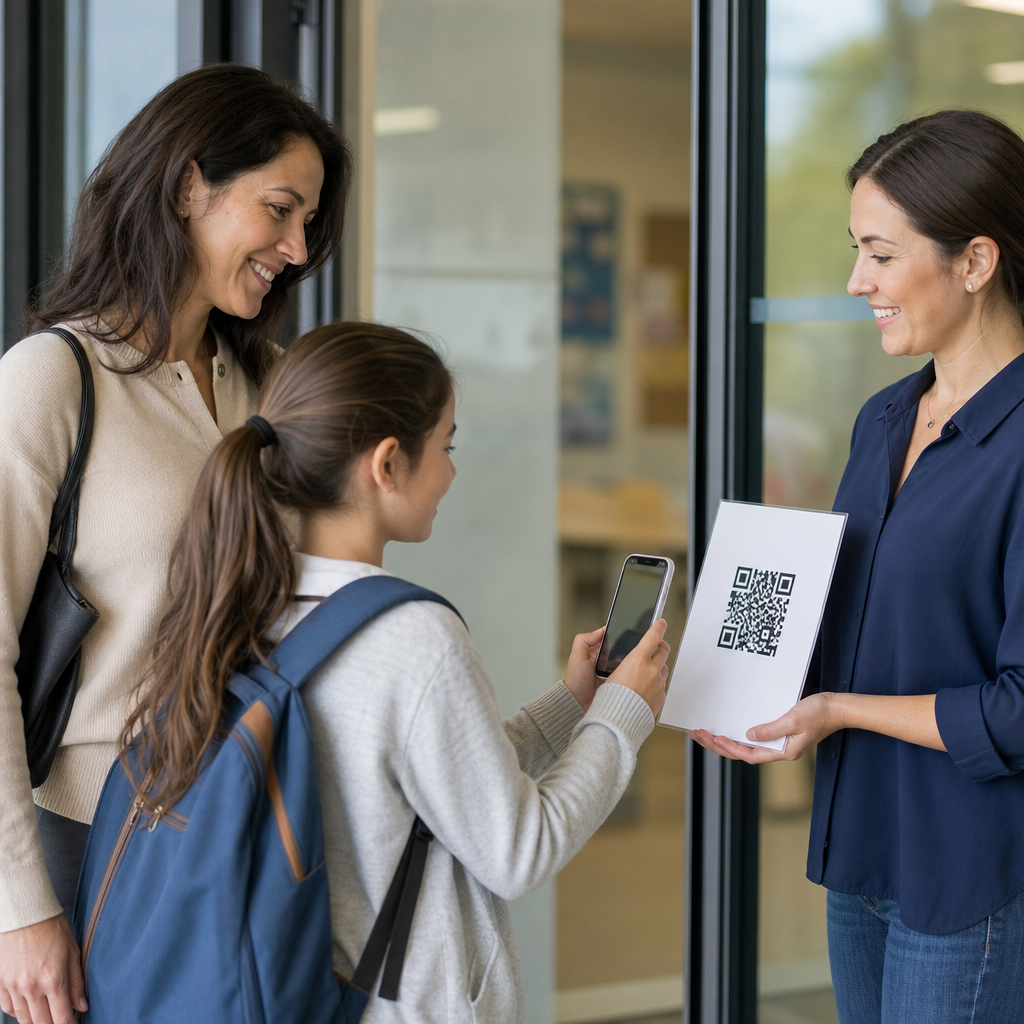
Schools use QR codes for learning resources because they connect printed materials, classroom spaces, and student devices with fast access to digital content. A QR code, or Quick Response code, is a two-dimensional barcode that stores a link, file location, text string, or action such as opening a form. In education, that simple scan solves a persistent problem I have seen in schools repeatedly: students lose links, mistype long URLs, and miss resources that teachers already prepared. When a worksheet, bulletin board, textbook insert, library shelf tag, or lab station includes a QR code, the path from instruction to resource becomes immediate.
This matters because modern learning is blended. Students move between paper handouts, learning management systems, videos, quizzes, simulations, and assistive tools throughout the day. Teachers need distribution methods that are fast, consistent, and easy to manage across grade levels. Administrators need affordable systems that work with existing devices and privacy rules. Families need simpler ways to access translated instructions, calendars, and homework supports. QR codes meet all three needs when they are planned well. They are inexpensive to create, familiar to most smartphone users, and flexible enough to support classrooms, libraries, school events, special education, and campus operations.
As a hub topic within education, QR codes deserve a comprehensive look because schools use them far beyond basic link sharing. They support differentiated instruction, formative assessment, student portfolios, attendance workflows, parent communication, device checkouts, safety procedures, and self-paced learning stations. They also raise practical questions: Which type of QR code should a school use? How do teachers make codes accessible for younger learners and students with disabilities? What should be tracked, and what should never be collected? The most effective school QR code programs answer those questions upfront, then build repeatable standards that teachers can adopt with minimal friction.
Classroom instruction and direct access to learning materials
The most common use of QR codes for learning resources is simple distribution of instructional content. Teachers place codes on slides, worksheets, anchor charts, textbooks, or whiteboards so students can scan and open a video lesson, reading passage, vocabulary set, assignment page, or interactive simulation. In practice, this removes transition time. In one middle school rollout I supported, science teachers added QR codes to each lab handout linking to safety videos, data tables, and extension readings. Students stopped asking for repeated links, and teachers reported fewer delays at the start of lab periods.
QR codes are especially effective when they connect physical spaces to digital learning. A history hallway display can link to primary source documents and oral histories. A math classroom can place codes at problem-solving stations that open worked examples or hint videos. In elementary rooms, reading corners often include audio read-aloud links so emerging readers can hear fluent models. Physical education departments use codes near skill stations to demonstrate movement patterns, while art teachers attach them to supply bins and project boards to show technique clips. The principle is consistent: keep the code where the student needs the help, not buried in a separate platform menu.
Teachers also use QR codes to support differentiated instruction without drawing attention to it. One worksheet can include separate codes for remediation, grade-level practice, and enrichment. Students can choose the support they need, or teachers can assign paths discreetly. In literacy intervention, I have seen teachers place codes beside decodable passages that open pronunciation support and comprehension questions. In algebra, a code can direct one group to manipulative-based explanations and another to challenge problems. This preserves classroom flow while expanding access to just-in-time instruction.
Libraries, media centers, and self-directed discovery
School libraries use QR codes to turn shelves and displays into gateways for richer discovery. A code on a book jacket label can link to a student-friendly review, author website, e-book version, or related database article. Librarians often place codes on themed displays for Black History Month, career exploration, or environmental science so students can move from a physical display to curated digital collections. This works particularly well in secondary schools, where students may browse independently but still need reliable starting points for research.
Media specialists also use QR codes to streamline routine services. A single code at the circulation desk can open the library catalog, device checkout form, printing instructions, or research help request form. During orientation, codes placed around the library can create a scavenger hunt that teaches students where to find genres, databases, makerspace tools, and citation help. Because the interaction is self-guided, staff can support large groups without repeating the same directions dozens of times.
For inquiry-based learning, QR codes help librarians curate quality sources. Instead of sending students to open web search immediately, a code can direct them to Britannica School, Gale In Context, JSTOR for secondary settings, or district-approved databases. That matters for information literacy. Students learn that research starts with vetted sources, not random results. Libraries that tie QR codes to research guides also improve continuity between in-person browsing and digital study at home.
Assessment, feedback, and student engagement
QR codes are useful for assessment because they reduce access friction to quizzes, polls, exit tickets, and reflection prompts. Teachers commonly connect codes to Google Forms, Microsoft Forms, Quizizz, Kahoot, Nearpod, or LMS assignments. When every desk group or station has a code, students can submit evidence of learning in seconds. That speed matters in formative assessment, where the goal is immediate insight. A teacher checking understanding halfway through a lesson needs responses now, not after students search through tabs or copy links incorrectly.
Feedback loops improve as well. I have seen teachers attach QR codes to graded papers that open video feedback or reteach resources targeted to common errors. In performance-based subjects, codes can link to rubric explanations or exemplar work before submission. Students then understand not only what to do, but what quality looks like. For project learning, teams often use QR codes on posters and prototypes so viewers can open source notes, process journals, or demonstration videos. That expands what students can communicate beyond the limited space of a physical display.
Engagement rises when QR use is intentional rather than decorative. Scavenger hunts, gallery walks, and station rotations benefit most because scanning advances a task with clear purpose. The code should unlock something students could not easily access otherwise: an audio clue, a map layer, a branching scenario, or an interactive check. When codes simply duplicate text already visible on the page, students stop noticing them. Effective implementation respects attention and uses scanning only where it adds real instructional value.
Accessibility, family communication, and implementation standards
Accessibility determines whether QR codes help all learners or only the most tech-comfortable ones. Schools should always pair codes with plain-language labels, short URLs, and context such as “Scan for Spanish homework directions” or “Scan for audio version.” Screen reader compatibility depends on the destination content, so linked pages must use accessible headings, alt text, captions, and readable contrast. For younger students, visual icons help identify whether a code opens a video, game, audio file, or form. Printing matters too: codes need adequate size, white space, and strong contrast to scan reliably under classroom lighting.
Family communication is another strong use case. Schools place QR codes on newsletters, report folders, event posters, and front-office signage to share translated notices, enrollment forms, bus information, volunteer signups, and counseling resources. This is one of the fastest ways to bridge print communication and multilingual digital support. A parent scanning a code at pickup can open the calendar, lunch menu, or attendance reporting form immediately. When districts serve diverse communities, codes can route families to language-specific landing pages without forcing them to search through complex websites.
Implementation works best when schools standardize a few decisions across departments.
| Area | Recommended practice | Why it matters |
|---|---|---|
| Code type | Use dynamic codes for resources that may change | Teachers can update links without reprinting materials |
| Link management | Create district-approved short links and naming conventions | Improves governance, consistency, and troubleshooting |
| Privacy | Avoid linking directly to pages requiring exposed student data | Reduces compliance and security risk |
| Accessibility | Add labels, short URLs, captions, and translated context | Supports all users, including families and disabled students |
| Analytics | Track scan volume by resource category, not by student identity unless justified | Measures adoption while minimizing unnecessary data collection |
| Training | Give teachers templates and examples by grade band | Raises quality and speeds implementation |
Schools should also choose dependable tools. Common options include Canva for classroom design, Bitly for manageable short links, Google Drive or Microsoft OneDrive for hosted files, and district LMS platforms for controlled access. The important distinction is static versus dynamic QR codes. Static codes point permanently to one destination and suit content that will never change. Dynamic codes route through a managed link, making them better for curriculum materials, event pages, and seasonal resources. In nearly every school deployment I have reviewed, dynamic codes save time and reduce dead links.
There are limits. Not every student has a personal smartphone, and some schools restrict device use. Connectivity can fail, printed codes can be damaged, and overuse creates visual clutter. For those reasons, schools should treat QR codes as an access layer, not the resource itself. Always offer a backup path, whether that is a posted short URL, LMS navigation route, or teacher-shared file. When schools design with that redundancy, QR codes become one of the most practical tools for connecting learning resources to the exact moment students, staff, and families need them.
QR codes work in schools because they solve a concrete instructional problem: getting the right resource to the right person quickly. They support classroom lessons, library discovery, formative assessment, differentiated pathways, and family communication without requiring expensive new systems. Their strength is not novelty. It is operational simplicity. A code on paper, signage, or a classroom object can bridge physical learning environments and digital resources in seconds, reducing lost time and improving consistency across the school day.
The best results come from disciplined implementation. Use dynamic codes when links may change. Label every code clearly. Make destination content accessible, mobile friendly, and translated where needed. Protect privacy by limiting unnecessary tracking and avoiding exposed student information. Give teachers templates, approved tools, and examples tied to real instructional goals. When schools establish those basics, QR codes scale well from one classroom to an entire district.
For education leaders building a stronger resource hub, QR codes are a practical starting point. Audit your current worksheets, posters, library displays, and family communications, then add codes only where they remove friction or expand access. Start small, measure use, refine standards, and grow deliberately.
Frequently Asked Questions
What are QR codes, and why do schools use them for learning resources?
QR codes, or Quick Response codes, are scannable two-dimensional barcodes that instantly connect a student, teacher, or parent to digital content. In schools, they are widely used because they remove one of the most common barriers to learning access: the extra steps required to type long web addresses, search for missing files, or navigate through multiple platforms just to find the right resource. When a student scans a QR code with a phone, tablet, Chromebook camera, or other device, the code can open a website, PDF, video, slide deck, form, assignment directions, audio recording, or digital worksheet within seconds.
That speed and simplicity make QR codes especially useful in education. Teachers can place them on worksheets, bulletin boards, textbooks, lab stations, library displays, classroom doors, homework sheets, and parent communication materials. Instead of telling students to copy down links or log into several systems, schools can create a direct path from a printed item or physical classroom space to the exact digital resource students need. This improves efficiency, reduces frustration, and helps students stay focused on learning rather than troubleshooting access issues. For many schools, QR codes are not just a convenience. They are a practical bridge between physical instruction and digital content.
How do teachers use QR codes in the classroom to support instruction?
Teachers use QR codes in a wide range of instructional settings because they make learning materials more interactive, organized, and easy to access. A teacher might add a QR code to a handout so students can open a model answer, watch a short explainer video, hear directions read aloud, or complete a follow-up activity online. In elementary classrooms, QR codes are often used at learning centers, where each station links to different instructions or tasks. In middle and high school classrooms, they may connect students to research sources, lab procedures, discussion prompts, rubrics, or digital note-taking tools.
They are also valuable for differentiated instruction. A single classroom activity can include multiple QR codes that direct students to support materials based on their needs, such as review content, enrichment tasks, translated instructions, or audio versions of text. This allows teachers to personalize learning without drawing unnecessary attention to who is receiving additional support. QR codes also work well for flipped learning, classroom scavenger hunts, gallery walks, attendance check-ins, and quick formative assessments. Because they are flexible and easy to place almost anywhere, they help teachers create smoother instructional workflows and give students faster access to the right material at the right moment.
What types of learning resources can schools link to with QR codes?
Schools can use QR codes to link to nearly any type of digital learning resource, which is one of the main reasons they are so effective. Common examples include Google Docs, Slides, Forms, PDFs, LMS assignments, recorded lessons, educational videos, reading passages, vocabulary practice, quizzes, e-books, classroom websites, and digital portfolios. A QR code can also launch a feedback form, open a sign-up sheet, connect to a school event page, or provide access to tutoring and intervention resources. In libraries, codes may be placed near bookshelves to highlight book trailers, author interviews, or recommended reading lists. In science labs, they can link directly to safety instructions or experiment demonstrations.
Beyond standard academic resources, QR codes can also support communication and accessibility. Schools often use them to share multilingual family information, audio read-aloud supports, counseling resources, attendance forms, lunch menus, and extracurricular details. This flexibility allows one simple scanning tool to serve classroom instruction, school operations, and family engagement at the same time. As long as the destination is mobile-friendly, easy to understand, and appropriate for students, a QR code can become a reliable shortcut to almost any learning support schools want to provide.
Are QR codes effective for improving student access and engagement?
Yes, QR codes can be highly effective for improving both access and engagement when they are used thoughtfully. From an access standpoint, they remove friction. Students no longer need to copy complicated URLs from a board, search through old messages, or ask repeatedly where a file is located. A quick scan gets them to the exact resource their teacher intended. This matters because even small access obstacles can lead to delays, off-task behavior, or missed learning opportunities. QR codes help create a smoother connection between physical materials and digital instruction, which is especially important in classrooms that blend paper-based work with online tools.
They can also increase engagement by making learning feel more immediate and interactive. Students often respond well to activities that involve scanning codes to unlock content, move through stations, explore multimedia, or reveal clues in a lesson sequence. The novelty alone is not enough to drive learning, but the convenience and interactivity can support stronger participation when the linked materials are purposeful and well designed. QR codes are most effective when they save time, reduce confusion, and add value to the learning experience rather than serving as a gimmick. When schools use them strategically, they help students spend less energy finding resources and more energy using them.
What should schools consider before implementing QR codes for learning resources?
Before implementing QR codes widely, schools should think about accessibility, device availability, content management, and long-term usability. Not every student has the same type of device or the same level of comfort with scanning technology, so schools should confirm that the linked resources work well across phones, tablets, and laptops. It is also important to make sure students who cannot easily scan a code still have another way to reach the content, such as a shortened URL printed nearby. Accessibility matters as well. Linked resources should be readable, mobile-friendly, and compatible with assistive technologies when possible.
Schools should also pay close attention to organization and maintenance. A QR code is only useful if the destination remains active, accurate, and relevant. Broken links, outdated documents, or permission-restricted files can quickly undermine trust in the system. Teachers and administrators should use clear naming conventions, test codes before distribution, and review them periodically. Privacy and safety are equally important, especially when codes link to forms, student data tools, or publicly accessible websites. With good planning, QR codes are easy to implement and highly scalable, but their success depends on thoughtful setup, reliable content, and a clear understanding of how they support teaching and learning goals.