
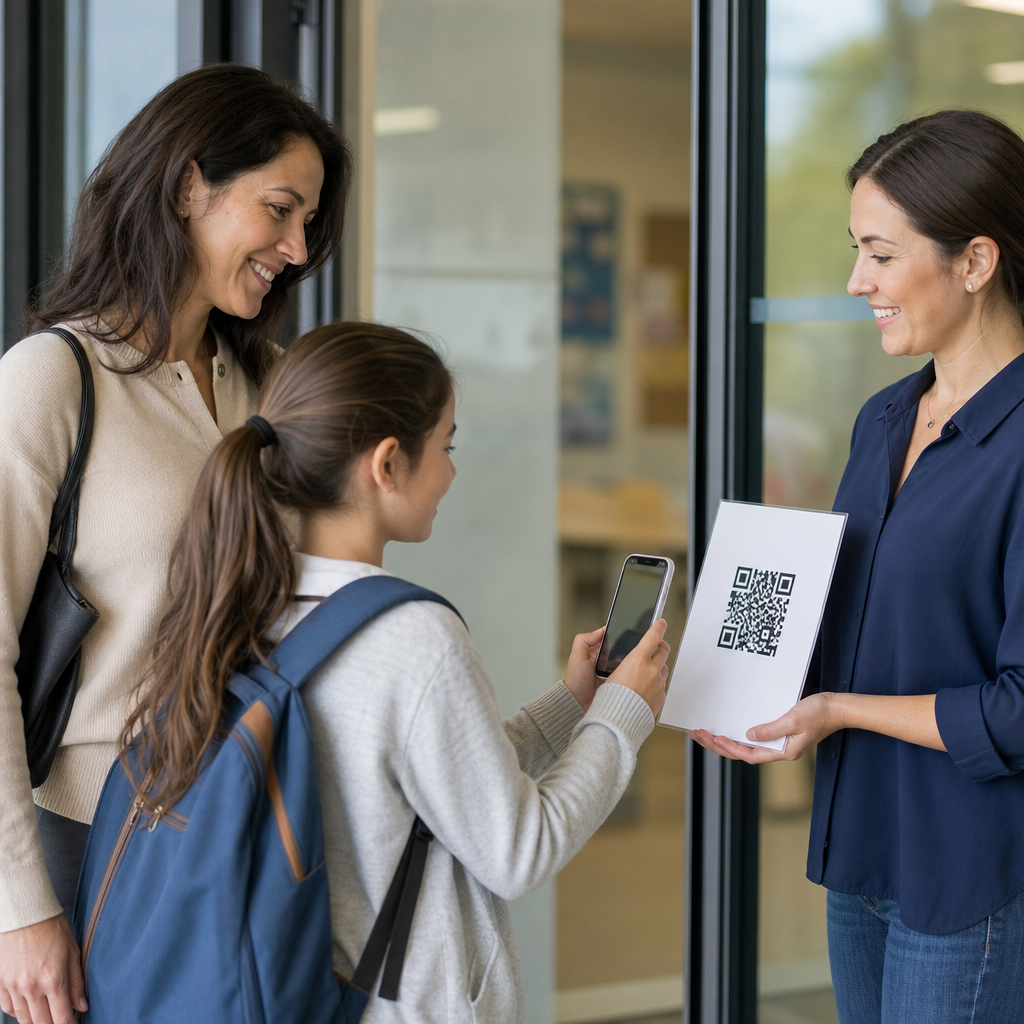
QR codes for school communication with parents have become one of the simplest ways for education teams to share information quickly, reduce paperwork, and improve response rates across families with different schedules, languages, and levels of digital access. In a school context, a QR code is a scannable image that opens a specific action on a phone, such as a newsletter, event form, translated handbook, payment page, attendance explanation form, or teacher contact page. I have implemented QR code programs for schools and district departments, and the practical advantage is always the same: parents do not need to type long web addresses, search through email threads, or download extra materials before they can act. That small reduction in friction matters because parent communication succeeds or fails on convenience. When schools make information easy to access at pickup, on backpacks, at open house, in report folders, and on hallway signage, engagement improves. Used well, QR codes support family involvement, streamline administrative tasks, and create a more consistent communication system across classrooms, front offices, transportation teams, and student services.
Education leaders also need to define the limits of the tool. A QR code is not a communication strategy by itself, and it is not a replacement for email, SMS, printed notices, parent portals, or interpreter support. It is a bridge between physical materials and digital information. That distinction matters because strong school communication depends on message clarity, accessibility, privacy protection, and follow-up. The most effective implementations pair QR codes with clear calls to action, mobile-friendly landing pages, multilingual content, and analytics that show which messages families actually use. Schools can place one code on a flyer for volunteering, another on a cafeteria menu, and another on a behavior support resource sheet, but every destination must be current, secure, and easy to understand on a small screen. This hub article explains where QR codes fit in education, how schools can use them across departments, what technical and policy decisions matter, and how to build a parent communication system that is practical, measurable, and trusted.
Why QR Codes Work in Education Communication
Schools communicate with parents through a fragmented mix of paper handouts, robocalls, apps, websites, email newsletters, learning management systems, and informal reminders. Families often miss messages not because they do not care, but because information lives in too many places. QR codes solve a narrow but important part of that problem by removing the search step. Instead of telling parents to visit a district website, navigate to a calendar section, and find a PDF, schools can place a code on a take-home sheet that opens the exact page instantly. In my experience, this is especially useful for time-sensitive actions such as conference booking, field trip consent, immunization reminders, bus route updates, and after-school registration.
Another reason QR codes work is device behavior. Most parents already use smartphone cameras daily, and modern iOS and Android devices scan codes without a separate app. That lowers the learning curve. QR codes also fit naturally into physical school environments where parents are already standing still for a few seconds: front desk check-in, parent-teacher night, school performances, athletics entry, dismissal lines, and bulletin boards. For education teams with limited budgets, they are inexpensive to deploy. A dynamic QR code can usually be updated without reprinting the image, which is valuable when schedules, links, or forms change midyear.
Core Use Cases Across the School Year
The strongest school QR code programs map codes to repeated communication moments. At the beginning of the year, schools can add codes to welcome packets for supply lists, transportation registration, student handbooks, health forms, and language preference surveys. During instructional periods, teachers can place codes on syllabi, curriculum night slides, reading logs, tutoring sign-up sheets, or digital portfolios. Administrative offices can use them for fee payment, volunteer background check instructions, lunch account funding, and PTO membership. Student support teams can share counseling referrals, community services, and special education meeting resources in a way that feels discreet and immediate.
Events are another high-value area. Open house, concerts, sports nights, science fairs, and graduation all generate repeated parent questions. A single event poster can include codes for parking maps, schedules, livestream links, donation pages, and feedback forms. Attendance and behavior communication can also improve when schools use codes on printed notices that lead to explanation forms, policy guides, or intervention resources. Libraries can place codes on book fair promotions and reading challenge pages. Transportation departments can place them at orientation tables for route alerts and contact forms. The common thread is direct access: each code should answer one parent question or trigger one clear action.
| School scenario | Recommended QR destination | Why it helps parents |
|---|---|---|
| Back-to-school packet | Mobile landing page with forms, calendar, handbook, and language options | Reduces lost papers and centralizes setup tasks |
| Parent-teacher conferences | Booking form with teacher availability | Makes scheduling immediate from a printed reminder |
| School event signage | Agenda, map, parking details, and FAQs | Answers common questions without staff bottlenecks |
| Student report folders | Teacher message, support resources, and follow-up form | Connects academic updates to next steps |
| Front office counter | Contact directory, enrollment steps, and visitor policies | Helps families self-serve while waiting |
Best Practices for Parent-Friendly QR Code Design
A school QR code only works when the parent immediately understands what will happen after scanning. The best practice is to add a short label beside every code, such as “Scan for conference sign-up” or “Escanee para el calendario escolar.” Never place an unlabeled code on a flyer and expect families to trust it. Use high contrast, adequate white space, and a size that scans easily from the intended distance. For handouts, around 1 x 1 inch can work, while wall posters and pickup signage usually need larger placement. Test on multiple phones before printing in volume.
The destination page matters even more than the code image. It should load quickly, display cleanly on mobile, and present the most important action first. If the page asks parents to pinch, zoom, or hunt through tabs, the benefit disappears. For multilingual communities, the landing page should offer clear language switching near the top. If a school uses Google Forms, Microsoft Forms, ParentSquare, ClassDojo, Remind, SchoolStatus, Canvas, or a district CMS, the linked experience must still feel concise and mobile-first. I recommend using dynamic QR code platforms when schools need to edit destinations later, track scan volume, or create separate codes by campus, grade, or event.
Accessibility, Equity, and Privacy Considerations
QR codes can improve equity, but only if schools plan for families who cannot or do not scan. Some parents have older phones, limited data plans, low digital confidence, or accessibility needs that make camera-based interaction difficult. Every QR code should have a backup path, such as a short URL, phone number, paper copy, or front office assistance. For multilingual communities, schools should avoid linking only to English materials. Translation should cover not just the first page, but also forms, attachments, and confirmation messages. If a school serves families with visual impairments, the code must be paired with readable text and accessible digital documents.
Privacy is equally important. Codes should not lead directly to pages containing student-identifiable information unless access is protected through secure authentication. Public posters are not the place for links to individualized academic records, discipline data, or health details. Schools should follow district data governance policies, FERPA requirements, and vendor review procedures before connecting codes to external tools. URL shorteners and dynamic code platforms should be vetted for analytics practices and retention settings. Parents are more likely to trust school communication when the destination uses recognizable branding, secure HTTPS pages, and clear statements about what information is being collected.
Implementation Strategy for Schools and Districts
Successful adoption starts with governance, not graphics. Schools should decide who can create QR codes, which platform will be used, how destination links are approved, and how expired materials will be retired. Without a standard process, campuses end up with inconsistent designs, broken links, and duplicate resources. A district communications team can create templates for common parent interactions, while schools customize them for local needs. Naming conventions are useful: for example, campus-grade-purpose-date. That simple structure helps administrators track active codes across the year.
Measurement should focus on outcomes, not novelty. Scan counts are useful, but they are only the first metric. Schools should also watch form completion rates, conference bookings, event attendance, volunteer sign-ups, reduced front office call volume, and fewer missed deadlines. Google Analytics, UTM parameters, QR platform dashboards, and form reporting can provide clear evidence of use. Training matters as well. Teachers and office staff should understand where to place codes, how to explain them to parents, and when another channel is better. A code for an emergency closure notice, for example, is less effective than SMS or automated calling because families must first encounter the printed code. The strongest communication systems treat QR codes as part of a broader parent engagement workflow, not as a stand-alone fix.
Building the Education Hub Around Parent Communication
As a hub topic within education, QR codes for school communication with parents connects to many related articles and practical applications. Schools can expand from this foundation into QR codes for student attendance, school events, fundraising, cafeteria menus, library programs, transportation updates, parent volunteer management, classroom resource access, enrollment workflows, and multilingual family engagement. That hub structure reflects how schools actually operate: communication is not one department’s task but a cross-functional system touching academics, operations, student services, and community relations.
The key takeaway is straightforward. QR codes help schools reach parents faster when they are used for specific actions, linked to mobile-friendly pages, supported by accessible alternatives, and governed with privacy in mind. They save time for families, reduce friction for staff, and make important information easier to find in the moments when parents are ready to respond. Start with a small set of high-frequency use cases, test them with real families, measure results, and standardize what works. When schools treat QR codes as a practical communication layer rather than a gimmick, parent engagement becomes easier to scale.
Frequently Asked Questions
How can QR codes improve communication between schools and parents?
QR codes make school-to-home communication faster, simpler, and more accessible because they remove extra steps for families. Instead of asking parents to type a long web address, search through emails, or keep track of printed papers, a school can place one scannable code on flyers, newsletters, posters, student folders, ID cards, or office signage. When a parent scans the code with a phone, it can instantly open the exact resource they need, such as a permission slip, event registration form, translated handbook, teacher contact page, attendance reporting form, lunch payment portal, or weekly update.
This convenience has a direct impact on engagement. Parents are more likely to respond when the path to action is immediate and clear. In busy households, especially those juggling work schedules, multiple children, or limited time during school hours, reducing friction matters. QR codes also support consistency across communication channels. A school can use the same code in printed materials, email graphics, classroom doors, and front-office displays so parents always know where to go for the most current information. That helps reduce missed messages, decreases reliance on paper handouts that may never make it home, and gives school staff a practical way to centralize important family communication.
What school information works best with QR codes for parents?
QR codes work best when they connect parents to information that is timely, action-oriented, and commonly requested. Some of the most effective uses include digital newsletters, back-to-school packets, parent-teacher conference sign-ups, field trip permission forms, volunteer registration pages, attendance explanation forms, transportation updates, food service accounts, fundraising pages, school calendars, and emergency contact update forms. They are also especially useful for documents parents may need to revisit, such as family handbooks, grading policies, device agreements, health forms, and bilingual resources.
Another strong use case is linking QR codes to specific teacher, classroom, or department pages. For example, a middle school might place codes in grade-level welcome packets that direct families to counselor information, curriculum expectations, and classroom supply lists. Elementary schools can add QR codes to folders or classroom newsletters so parents can quickly access reading logs, behavior expectations, or teacher communication apps. The best practice is to connect each code to one clear purpose. If a parent scans a code and immediately gets the exact form or update they need, the experience builds trust and encourages future use. If the destination is confusing, outdated, or too broad, adoption tends to drop.
Are QR codes accessible for families with different languages, devices, and levels of digital comfort?
Yes, QR codes can be a very effective tool for accessibility when they are implemented thoughtfully. For multilingual communities, schools can create separate QR codes for translated versions of the same resource or send parents to a landing page where they can choose their preferred language. This is especially valuable for enrollment information, school policies, event details, and health or emergency updates. A simple sign that says “Scan for English,” “Scan for Spanish,” or “Scan for Arabic,” for example, can make communication more inclusive and reduce dependence on students to translate important information at home.
QR codes can also support families with varying levels of digital access and technical confidence because scanning is often easier than navigating a website manually. Most smartphones now open QR links directly through the camera app, which lowers the barrier to entry. However, schools should not assume every family will use them comfortably. It is important to pair QR codes with a short written explanation, a plain-language label describing what the code does, and an alternative access option such as a printed URL, phone number, or front-office assistance. In other words, QR codes should expand access, not replace other communication methods. When schools provide clear instructions and backup options, QR codes become a flexible tool that serves a wider range of parent needs.
What are the best practices for creating effective QR codes for school communication?
The most effective QR codes are simple, purposeful, and easy to trust. First, each code should lead to a mobile-friendly destination because most parents will scan it on a phone. The linked page should load quickly, display clearly on small screens, and ask parents to complete only the necessary steps. Second, every QR code should include a visible label that explains exactly what it opens, such as “Scan to RSVP for Family Night” or “Scan to Submit an Attendance Note.” Parents are far more likely to scan a code when they know what to expect.
Schools should also think carefully about placement and maintenance. Codes need to be printed large enough to scan easily and placed in locations where families naturally look, such as parent newsletters, report card envelopes, car line signs, front office counters, open house packets, and event posters. It is also wise to test every code across different devices before distributing it widely. If the destination changes often, dynamic QR codes can be especially helpful because they allow the school to update the linked content without reprinting the code. Finally, schools should keep privacy and professionalism in mind by linking only to secure, official pages and avoiding destinations that require unnecessary logins or expose sensitive student information. A well-managed QR code program saves staff time and improves parent response, but only when the codes remain accurate, current, and clearly tied to school communication goals.
Can QR codes help schools reduce paperwork and increase parent response rates?
In many cases, yes. One of the biggest advantages of using QR codes in a school setting is that they streamline routine communication that would otherwise depend on paper forms, repeated reminder calls, or manual follow-up. Instead of sending home multiple printed copies of the same notice, schools can post one QR code that links directly to the digital form or information page. Parents can complete tasks immediately from their phone, whether they are signing up for conferences, making a payment, updating contact information, or responding to an event invitation. That convenience often leads to faster action and fewer incomplete responses.
From an operations standpoint, QR codes can also reduce the administrative burden on teachers, office teams, and family engagement staff. Fewer paper forms means less printing, sorting, collecting, and reentering data. Digital submissions can be organized automatically, making it easier to track responses and follow up with families who still need assistance. Schools that use QR codes consistently often see benefits beyond efficiency: they create a more modern, parent-friendly communication system that meets families where they already are—on their phones. While QR codes are not a complete replacement for every paper process, they are one of the most practical tools schools can use to simplify communication, improve reach, and make it easier for parents to stay informed and involved.





