
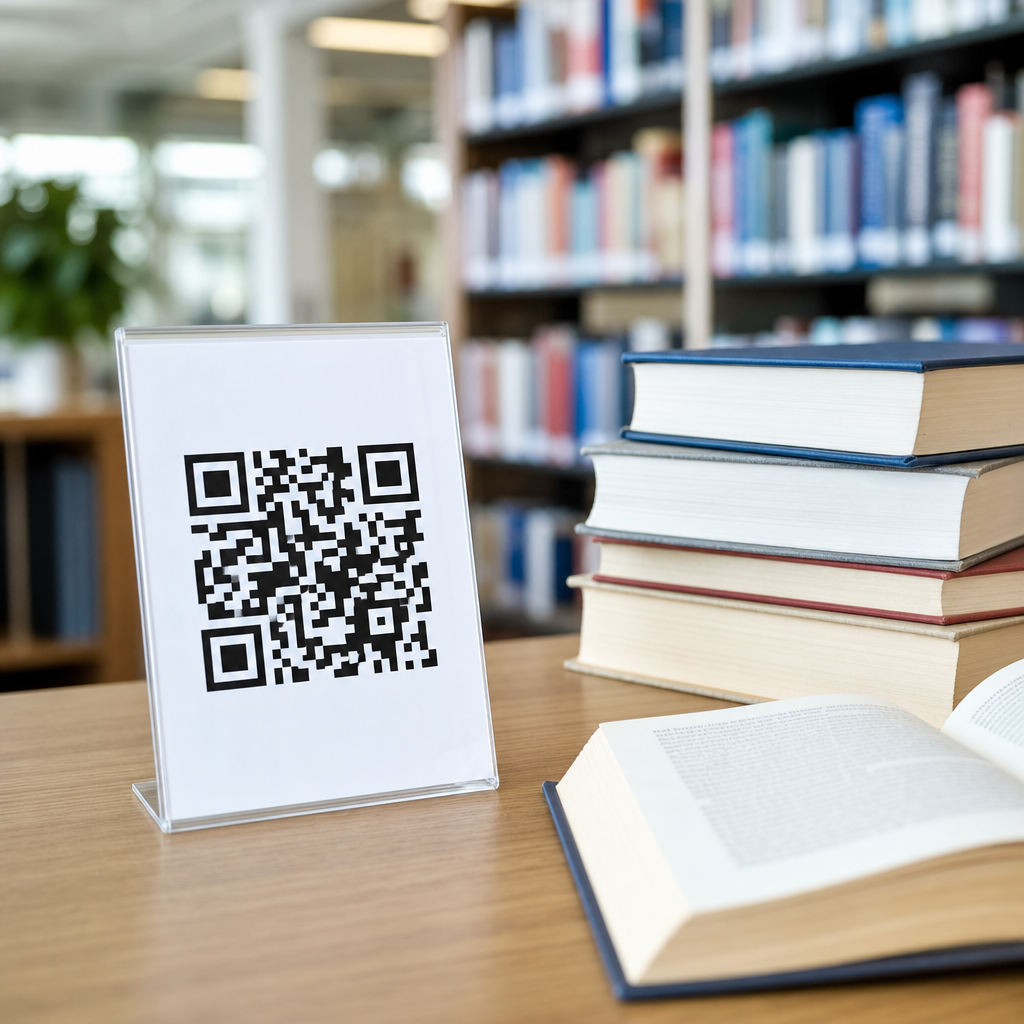
QR codes for library resources and books have become one of the simplest ways to connect physical collections with digital services in education. A QR code is a scannable matrix barcode that opens a web page, file, form, video, catalog record, or app action when a student, teacher, or librarian uses a phone camera. In library settings, that means a printed label on a shelf, book jacket, poster, handout, study room door, or circulation desk can instantly deliver context that would otherwise require searching. I have implemented these systems in school and academic libraries, and the practical value is clear: fewer access barriers, faster discovery, and better use of licensed and local content.
For education, the importance goes beyond convenience. Libraries support literacy, research skills, digital citizenship, and equitable access to learning materials. Students often move between print and digital environments in the same assignment. A history student may borrow a book, need the related JSTOR database, watch a citation tutorial, and reserve a quiet study room. Without a direct bridge, every extra click or search term becomes friction. QR codes reduce that friction by taking users straight to the exact resource, not just the library homepage. That makes them useful across K-12 schools, colleges, universities, and public libraries serving students.
Used well, QR codes also strengthen the library as an instructional space. They can point to reading guides, accessibility tools, language support, author interviews, LibGuides, equipment booking, and help desks. They also support offline moments, such as browsing stacks or attending orientation, when users are already in front of a physical object. Because they are inexpensive to print and easy to update when built with dynamic links, QR codes offer a scalable way to improve discovery without replacing the catalog, discovery layer, or librarian expertise. The key is designing them around real library tasks and measuring whether they actually help users complete those tasks.
How QR codes support discovery, circulation, and learning
In education libraries, the best QR code use cases solve a specific problem at the point of need. On shelves, a code can open a subject guide for the Dewey or Library of Congress range in front of the student. On an individual book, it can link to the catalog record, availability status, citation export, e-book version, audiobook version, or a faculty-created reading guide. At the circulation desk, a code can launch self-renewal instructions, overdue policy details, or a form for requesting course reserves. In practice, students scan when they need an answer immediately, and the destination must match that urgency.
Books benefit particularly from context-rich linking. A QR code inside the front cover of a biology text can open updated datasets, lab safety videos, and related encyclopedia entries. A children’s picture book can link to read-aloud audio, vocabulary activities, and family literacy guides. A novel in a secondary school library can connect readers to thematic discussion questions, content advisories, and author background. These additions do not replace reading; they extend it. In my experience, circulation rises when libraries use QR codes to make a title more discoverable and more teachable, especially for reluctant readers who respond to multimedia support.
Research support is another high-value application. A code on a database handout can take students directly to the authenticated resource through the library proxy or single sign-on page. A code near printers can open step-by-step printing instructions. A code in study rooms can launch booking tools, noise policies, or tech support. During orientation, libraries often place codes on maps, exhibits, and service points so students can follow a self-guided tour. These touchpoints matter because modern library service is distributed across space, systems, and formats. QR codes create continuity where students would otherwise encounter fragmented interfaces.
Best use cases in school, college, and university libraries
Different education settings emphasize different outcomes. In elementary schools, QR codes often support early literacy, family engagement, and classroom-library integration. A teacher-librarian may place codes on take-home reading logs that open phonics videos or multilingual caregiver tips. In middle and high schools, codes are effective for genre exploration, makerspace instructions, citation help, and links between classroom assignments and curated resource lists. Academic libraries usually focus more on database access, location services, course reserves, equipment lending, and instructional content tied to information literacy outcomes.
The most successful deployments align the code with a user intent already present in that location. A student standing in front of the history shelves is likely to want more history resources, not a generic homepage. A first-year student entering the library after hours is more likely to need door access policy, floor maps, or live chat. A faculty member reviewing a print reserve title may want the syllabus guide, fair use policy, or digitization request form. This location-intent match is the difference between a scan that helps and a label that becomes visual clutter.
| Library context | QR code placement | Destination | Primary benefit |
|---|---|---|---|
| Elementary school library | Inside picture books | Read-aloud audio and vocabulary activity | Supports literacy at school and home |
| Secondary school library | Genre shelf signage | Book lists, reviews, and read-alikes | Improves browsing and reader advisory |
| Academic library | Database posters and handouts | Authenticated database link or LibGuide | Reduces search friction for research |
| Course reserves area | Reserve shelf label | Reserve policy and digital companion materials | Clarifies access and usage rules |
| Study rooms | Door signage | Booking page and room technology guide | Speeds self-service support |
For this education hub, related subtopics naturally branch from these use cases: QR codes for classroom libraries, QR codes for student services, QR codes for campus wayfinding, QR codes for museum and archive collections, and QR codes for library instruction. A strong hub page should connect those narrower implementations while establishing the common principles: direct access, clear labeling, accessibility, and measurable outcomes. That structure helps both readers and site architecture, because the broad page answers strategic questions while supporting deeper pages on implementation details.
Implementation standards, accessibility, and content governance
Successful QR code programs in libraries depend on standards, not just generation tools. Start with durable destinations. If the target is a catalog record or database link, use stable URLs, DOIs, permalinks, OpenURL resolvers, or link shorteners with redirect control. Dynamic QR codes are usually better than static ones because the printed code can stay in place while the destination changes. That matters when vendors migrate platforms, proxy prefixes change, or a LibGuide is revised. Libraries that skip this governance step often end up with dead links attached to dozens of books and signs.
Accessibility must be built in from the beginning. The QR code itself is only an access method; the landing page still needs to meet Web Content Accessibility Guidelines expectations for contrast, keyboard navigation, heading structure, alt text, captions, and readable language. Printed signage should include a short plain-language description such as “Scan for audiobook version” or “Scan for citation help,” so users know what will happen before scanning. Codes should be large enough to scan easily, with adequate quiet space around the symbol and strong contrast between foreground and background. Avoid glossy lamination in bright light because glare reduces scan reliability.
Privacy and security also matter in educational environments. If a QR code directs students into authenticated systems, the destination should use secure HTTPS links and approved institutional services. Libraries should avoid linking to materials that collect unnecessary personal data or require students to install unknown apps. For student-created QR projects, review link destinations just as you would review website assignments posted in public spaces. I recommend keeping an inventory that records where each code is placed, what it points to, who owns the destination, and when it was last checked. That simple governance log prevents orphaned experiences.
Measuring results and improving library QR code strategy
Libraries should evaluate QR codes by outcomes, not novelty. The first metrics are scan volume, unique scans, device type, time of day, and repeat use, which many dynamic QR platforms provide. More important are downstream measures: Did database sessions increase after signage was added? Did students complete orientation modules more often? Did hold requests rise for highlighted titles? Did help-desk questions about printing or room booking decline? These signals show whether the code shortened the path to a successful task. In higher education, pairing scan data with instruction calendars can reveal which courses or weeks generate the strongest engagement.
Testing should be continuous and simple. Create two versions of a shelf sign, each linking to a different landing page format, and compare engagement. One page might open a long LibGuide; another might present three large buttons for “Find books,” “Find articles,” and “Ask a librarian.” In my work, the shorter decision path nearly always performs better for students under time pressure. The same principle applies to book-based codes. A generic resource page is less effective than a title-specific page with edition details, related media, and one clear next step.
Maintenance is where many promising projects fail. Build a review schedule into normal library operations, ideally monthly for high-traffic signs and each semester for book-embedded experiences. Check scan speed on both iPhone and Android cameras, test from typical standing distance, and verify that authentication prompts still work on campus Wi-Fi and off campus. Keep print design consistent so users learn to recognize your codes as trusted library access points. When libraries treat QR codes as part of service design rather than a one-time promotional tactic, they become a reliable bridge between books, resources, and learning support.
QR codes for library resources and books work best when they remove a clear barrier between a learner and the next useful action. In education, that can mean opening a read-aloud for a young reader, connecting a student to a database article, guiding a class through citation help, or helping a researcher book a study space. The technology is simple, but the value comes from careful planning: place codes where intent is obvious, send users to stable and accessible destinations, and monitor results so weak links are improved or removed.
As the hub for education applications, this topic connects many practical scenarios under one strategy: linking physical library touchpoints to digital instruction, discovery, and support. Schools, colleges, and universities do not need complex infrastructure to start. They need a standards-based workflow, clear governance, and use cases rooted in real student behavior. Begin with one shelf range, one service desk, or one course reserve area, track what happens, and expand from proven wins. If you manage library services, audit your highest-friction user journeys this month and add QR codes where they can save learners time immediately.
Frequently Asked Questions
1. How are QR codes used for library resources and books?
QR codes are used in libraries to connect physical materials and spaces with digital content in a fast, low-friction way. A code placed on a book, shelf label, bookmark, display sign, or circulation desk can send a student or teacher directly to a catalog record, eBook version, audiobook, research guide, author website, book trailer, citation help page, reading quiz, discussion questions, or a related database. Instead of asking users to type long URLs or search manually, the code removes extra steps and helps them reach the exact resource instantly.
In practical terms, libraries often use QR codes to extend the value of print collections. For example, a QR code inside a nonfiction book can open updated online resources, while a code on a fiction display can link to read-alikes, reviews, or student book recommendations. Codes can also support library operations by linking to room reservation forms, device checkout policies, event registration pages, or help videos that explain how to use the catalog. Because they are inexpensive to create and easy to place almost anywhere, QR codes work well in elementary, secondary, and higher education library settings where quick access and clear guidance matter.
2. What are the main benefits of adding QR codes to bookshelves, labels, and library displays?
The biggest benefit is immediate access to useful information at the point of need. When someone is standing in front of a shelf or holding a book, a QR code can provide context right then and there. That might include summaries, reading levels, related titles, digital copies, instructional videos, accessibility supports, or links to subject-specific resources. This improves discovery, saves time, and makes the library feel more interactive and responsive. For students especially, the ability to scan and get answers instantly aligns well with how they already use mobile devices in learning environments.
QR codes also support promotion, instruction, and engagement. A themed display becomes more effective when students can scan for book lists, author interviews, or extension activities. A research section becomes easier to navigate when shelf signage links to curated databases or citation guides. Staff can use QR codes to reduce repetitive questions by linking to FAQs, borrowing policies, and how-to tutorials. Over time, this can improve the user experience while making library services more visible. In addition, dynamic QR codes can provide scan analytics, helping librarians understand what resources people are using and where improvements may be needed.
3. What types of content should a library link to with QR codes?
The best content is content that solves a real user need quickly. Strong examples include online catalog entries, eBooks, audiobooks, database pages, LibGuides, citation support, reading recommendation lists, event calendars, instructional videos, teacher resources, assignment support, and digital archives. Libraries can also link to forms such as interlibrary loan requests, purchase suggestions, volunteer sign-ups, or workshop registration. In school libraries, QR codes often work especially well when they connect to age-appropriate book talks, comprehension activities, vocabulary support, and multimedia resources that deepen classroom learning.
It is important to match the destination to the location of the code. A QR code on a shelf should lead to something directly relevant to that shelf, while a code on a study room door might link to reservation tools or room-use guidelines. A code inside a book should enhance that specific title rather than send users somewhere generic. Libraries should also prioritize mobile-friendly destinations, since most scans happen on phones. If the linked content requires a login, includes complex navigation, or is not optimized for small screens, the experience can feel frustrating. The most successful QR code content is direct, useful, and easy to act on within seconds of scanning.
4. Are QR codes in libraries accessible and easy for students and patrons to use?
Yes, QR codes can be very accessible and user-friendly when they are implemented thoughtfully. Most modern smartphones can scan QR codes with the built-in camera, which means users often do not need a special app. That simplicity is one of the reasons QR codes are so effective in educational settings. However, ease of use depends on more than the code itself. Libraries should place codes at comfortable scanning height, print them at an appropriate size, use strong color contrast, and avoid glossy surfaces or cramped locations where scanning is difficult. Clear instructions such as “Scan for eBook access” or “Scan for research help” also improve usability because they tell users exactly what to expect.
Accessibility also means offering alternatives. Not every patron will be able or willing to scan a code, so libraries should include a short readable URL when possible and ensure that the linked content meets basic accessibility standards. Videos should have captions, documents should be screen-reader friendly, and websites should be usable on mobile devices. In addition, staff should think about privacy and network access. If students need to use personal devices, the library should consider whether Wi-Fi is reliable and whether the destination page asks for unnecessary personal information. A well-designed QR code strategy improves access, but it works best when it is part of a broader inclusive service model.
5. What are the best practices for creating effective QR codes for library resources and books?
Start with a clear purpose for each code. Every QR code should answer a simple question: what will this help the user do faster or better? Once that purpose is defined, link the code to a specific, mobile-friendly destination and test it on multiple devices before printing. Use high-resolution codes, maintain adequate white space around them, and avoid shrinking them so much that they become hard to scan. It is also wise to label each code with a brief call to action, such as “Scan to place a hold,” “Scan for author interview,” or “Scan for database access,” because unlabeled QR codes are often ignored.
Libraries should also plan for maintenance. Broken links, outdated resources, and moved web pages quickly reduce trust. Dynamic QR codes are often a smart choice because they allow librarians to change the destination without reprinting the code. Organizing codes in a tracking spreadsheet can help staff document where each code is placed, what it links to, and when it was last reviewed. Finally, keep the user experience focused. Too many codes in one space can create visual clutter and decision fatigue. The most effective library QR codes are intentional, relevant, and regularly updated so they continue to support discovery, instruction, and access in meaningful ways.





