
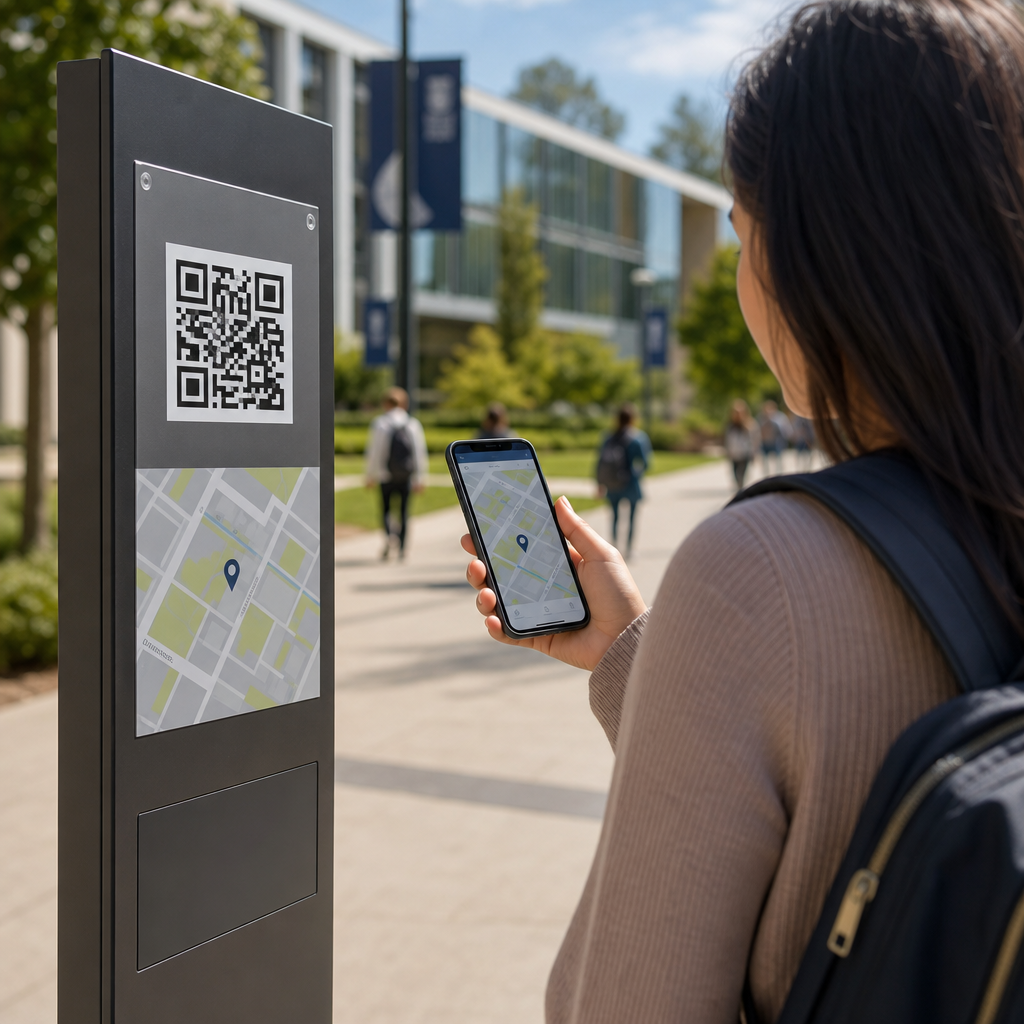
QR codes for campus navigation turn a printed square into a live wayfinding system that helps students, staff, visitors, and service teams move through complex education environments with less confusion. In education, campus navigation means the set of tools that guide people across academic buildings, residence halls, libraries, sports facilities, parking zones, and temporary event spaces. A QR code is a scannable matrix barcode that opens digital content on a phone, usually a map, directory, route, timetable, or accessibility note. When colleges, universities, and K–12 districts connect QR codes to mobile-friendly maps, they create a low-cost navigation layer that can be updated faster than static signs. That matters because campuses change constantly. Departments move, construction blocks paths, event traffic surges, and first-time visitors often arrive stressed and late. I have helped deploy QR-linked maps in large facilities, and the lesson is consistent: people do not need more signs everywhere; they need the right information at the decision point where they stop and ask, “Where do I go now?”
Education settings are unusually demanding because they serve different user groups with different levels of familiarity. A first-year student may need directions from a dorm to an advising office. A parent touring campus may need parking, admissions, and accessibility routes in one visit. Substitute teachers, adjunct faculty, delivery drivers, and emergency contractors often know the address but not the internal layout. QR codes solve the handoff between physical and digital guidance. Placed on entry monuments, parking kiosks, building lobbies, elevator banks, classroom corridors, and event signage, they can launch exact building maps, turn-by-turn walking directions, and department directories without requiring a dedicated app. For education leaders, this improves arrival experience, reduces repetitive front-desk questions, supports inclusion, and keeps printed materials useful longer because the destination behind the code can change even if the sign does not.
The strongest campus systems treat QR navigation as part of a broader student experience strategy, not a novelty. A code should answer immediate questions directly: Where am I, where is my destination, what path is accessible, how long will it take, and who can help if I still get lost? Done well, QR codes also support recruiting, retention, and operations. Prospective students get smoother tours. New students reach classes on time during the critical first weeks. Facilities teams can direct people around maintenance closures. Public safety can link to muster points and emergency instructions. Because this page is the hub for education applications, it covers the full picture: common use cases, implementation choices, accessibility requirements, governance, measurement, and the limits institutions need to plan for before rollout.
Core education use cases for QR code campus navigation
The most effective deployments start with clear use cases rather than broad promises. On a university campus, the highest-volume scenario is first-arrival wayfinding. A QR code at the main entrance or parking structure can open a map with key destinations such as admissions, registrar, student health, financial aid, and major lecture halls. During orientation, temporary signs with codes can send students to check-in tents, ID pickup, housing assignments, and shuttle stops. In K–12 districts, schools use codes at front entrances to direct families to attendance offices, counseling, cafeterias, gyms, and event seating. Because the code points to a live destination, staff can adapt routes during weather events, testing days, or building work without reprinting every directional sign.
Another major use case is internal building navigation. Large libraries, student centers, science complexes, and medical education buildings often confuse even frequent users because room numbering is inconsistent across wings and floors. A QR code in the lobby can open a floor-aware directory; codes near elevators can display “you are here” maps and nearest restrooms, labs, study rooms, or accessible exits. Residence life teams use the same approach for move-in weekends, linking codes at unloading zones to dorm-specific instructions, check-in locations, and after-hours contact numbers. Athletics departments place codes around stadiums and arenas to guide visitors to gates, seating sections, concessions, merchandise, and first-aid rooms during tournaments or commencement.
Education institutions also benefit from QR navigation in service workflows. Maintenance crews can scan codes to locate mechanical rooms or service corridors in unfamiliar buildings. Visiting lecturers can scan a code in a confirmation email or on a parking pass to reach the exact department office. Conference and continuing education programs use codes to guide attendees between breakout rooms, dining areas, and transit pickup points. In my experience, service users quickly adopt QR navigation when it removes one common friction point: uncertainty at the moment of arrival. That is why the best systems prioritize obvious placement and plain language over decorative design.
How to design a campus QR navigation system that people actually use
A usable system starts with mapping accuracy. Before printing a single code, institutions need a reliable source of truth for building names, room numbers, entrances, sidewalks, parking lots, and accessible paths. Many campuses already maintain this data in GIS platforms such as ArcGIS, CAD drawings, or facilities databases. The navigation layer should pull from those sources and be reviewed by facilities, accessibility staff, admissions, student affairs, and public safety. If a campus map says an entrance is public but it is locked after 5 p.m., the route is wrong for evening visitors. Accuracy failures destroy trust faster than poor graphic design.
Placement matters as much as content. A QR code belongs where a user pauses to make a decision: parking pay stations, shuttle shelters, crosswalk nodes, building entrances, and lobby directories. Codes should be large enough to scan from a natural standing distance, with strong contrast and lighting. Include a short text label such as “Scan for Engineering Building rooms and accessible routes” so users know what they will get before scanning. In higher education, I recommend dynamic QR codes rather than static ones because destinations change. Dynamic codes let administrators update the linked URL, campaign parameters, or language version without replacing the printed marker.
The landing experience should be fast and narrow in scope. Do not send a visitor to a generic homepage and expect them to search. Open the exact destination map, prefilled with current location, walking time, and alternative routes. Mobile pages should load on standard cellular service, support Apple Maps and Google Maps handoff when appropriate, and maintain a campus-branded experience. For indoor environments, some schools combine QR entry points with floor maps, Bluetooth beacons, or Wi-Fi positioning, but QR alone can still deliver useful zone-based guidance at lower cost. The decision depends on budget, building complexity, and the accuracy level required.
| Campus scenario | Best QR destination | Why it works |
|---|---|---|
| Main visitor parking | Interactive campus map with admissions, accessible entrances, and walking times | Solves first-arrival uncertainty immediately |
| Library lobby | Floor map with departments, study rooms, printers, and elevators | Reduces repeated desk questions inside large buildings |
| Orientation event signage | Schedule-linked route page with live updates | Keeps temporary traffic moving during high-volume days |
| Residence hall move-in zone | Dorm-specific instructions and check-in route | Shortens queues and prevents wrong-building arrivals |
| Arena or stadium gate | Gate map, seating finder, concessions, and first aid | Improves event flow and guest confidence |
Accessibility, privacy, and governance in education environments
Accessibility is nonnegotiable. Campus navigation must work for people with mobility, vision, hearing, cognitive, and language-related needs. That means QR-linked pages should follow WCAG guidance, with proper heading structure, alt text where needed, sufficient contrast, keyboard support, and plain-language instructions. Routes should clearly identify elevators, ramps, curb cuts, automatic doors, and accessible restrooms. If construction blocks an ADA-compliant path, the digital route must be updated quickly. Physical signs should not rely only on QR codes; they need baseline directional text so users without smartphones, data access, or scanning confidence can still navigate.
Privacy deserves equal attention. Most wayfinding use cases do not require collecting personal data. Institutions should avoid unnecessary location tracking and publish clear notices if analytics are used. Aggregated scan counts by code location are usually enough to measure effectiveness. If the destination includes appointment systems, student services portals, or authenticated maps, keep the wayfinding layer separate from sensitive records and align with FERPA expectations where student information is involved. Security reviews should also cover who can edit destinations, how redirects are controlled, and whether expired links could be hijacked.
Governance is what keeps the system reliable after launch. Assign ownership for map data, code creation, physical placement standards, and update workflows. Without governance, campuses end up with duplicate codes, outdated destinations, and inconsistent naming across departments. A practical model is shared ownership: facilities manages base maps, marketing oversees design standards, IT manages QR infrastructure, accessibility reviews content, and each department confirms destination details. Review cycles should be tied to semester changes, event calendars, and capital projects. When governance is clear, QR navigation becomes durable infrastructure instead of a short-term campaign.
Measuring results and connecting this hub to the wider education strategy
Success should be measured with operational and experience metrics. Useful indicators include scan volume by location, successful route starts, average time on map pages, bounce rate, and top searched destinations. Pair those with offline metrics: fewer front-desk wayfinding questions, reduced late arrivals during orientation, smoother event entry, and better visitor satisfaction scores. During one rollout pattern I have seen repeatedly, the most scanned codes are not at the main gate but at the transition points between parking and buildings. That insight helps institutions place additional signage where hesitation actually occurs.
As the education hub for industry-specific applications, this topic connects to adjacent articles naturally. Institutions evaluating QR codes for campus navigation also need guidance on student services, event management, library systems, campus safety communication, facility maintenance, and accessibility compliance. Those related use cases share the same core principles: dynamic destinations, accurate source data, mobile-first design, and clear governance. The difference is the outcome being optimized. Navigation reduces friction in movement, while other education applications may focus on engagement, compliance, or asset tracking. Keeping this hub page broad helps readers understand where navigation sits in the larger education ecosystem.
QR codes for campus navigation work because they bridge the last mile between a campus map and a person standing in an unfamiliar place. For education organizations, the benefit is practical: faster arrivals, fewer interruptions for staff, better accessibility support, and more adaptable wayfinding when campuses change. The winning approach is not complicated. Start with high-friction locations, link each code to a precise mobile destination, maintain accurate maps, and govern updates across departments. Treat physical signage and digital routing as one system, and test it with real students, families, and visitors before scaling. If your school, college, or university wants a stronger first impression and smoother daily movement, begin with one building cluster, measure the results, and expand from there.
Frequently Asked Questions
How do QR codes improve campus navigation for students, staff, and visitors?
QR codes improve campus navigation by turning static signs, posters, directories, and printed materials into instant access points for live digital wayfinding. Instead of relying only on a fixed campus map that may be hard to read or quickly outdated, a person can scan a code with a phone and open a mobile-friendly map, building directory, walking route, accessibility path, parking guide, or event-specific directions. This is especially useful on larger campuses where academic buildings, residence halls, libraries, athletic centers, dining areas, and administrative offices are spread across multiple zones.
For students, QR codes reduce the stress of finding classrooms, labs, advising offices, and student services, particularly during the first weeks of a term. For staff and faculty, they can speed up movement between offices, lecture spaces, and service locations. For visitors, including parents, guest speakers, delivery teams, and event attendees, QR codes provide a fast way to navigate unfamiliar grounds without needing to download a special app. They also help campuses respond to changes in real time, such as room relocations, construction detours, temporary entrances, or event traffic plans. In practical terms, that means less confusion, fewer late arrivals, and a smoother overall experience across the campus environment.
Where should campuses place QR codes for the best navigation results?
The most effective QR code placement strategy starts with high-decision points, meaning the places where people naturally stop and ask, “Where do I go next?” On a campus, that usually includes parking lots, transit stops, pedestrian entrances, residence hall lobbies, building entrances, reception desks, elevators, stairwells, campus intersections, library entrances, student centers, and major event venues. These are the locations where a quick scan can prevent wrong turns and help users commit to the correct route immediately.
Campuses also benefit from placing QR codes on printed maps, orientation packets, visitor badges, temporary event signage, sandwich boards, and department door signs. For example, a QR code at a stadium entrance might open event parking instructions and gate maps, while a code outside a science building might link to a floor-by-floor room directory. In multi-building institutions, it is useful to place codes both outdoors and indoors so users can move from general campus navigation to precise interior wayfinding.
Placement should also account for visibility and usability. Codes should be large enough to scan easily, positioned at a comfortable height, and paired with short instructional text such as “Scan for directions” or “Open accessible route map.” Good lighting, weather-resistant materials, and clear contrast all improve scan success. Most importantly, each code should match the context of its location. A parking-area QR code should not send users to a generic homepage when it could instead open the nearest entrance, permit info, shuttle schedules, or a walking path to a destination building.
What kind of information can a campus QR code link to besides a basic map?
A campus QR code can link to far more than a simple static map. One of its biggest advantages is flexibility. Depending on the location and use case, a QR code can open turn-by-turn walking directions, interactive campus maps, searchable building directories, office hours, event schedules, check-in pages, shuttle tracking, parking availability, or instructions for reaching a specific department or room. This makes QR codes valuable not just for general wayfinding, but for creating a more complete and responsive campus guidance system.
They can also support accessibility and convenience. A code may direct users to wheelchair-accessible entrances, elevator routes, low-slope paths, accessible restrooms, or ADA-compliant parking information. In residence life, a code can help students locate housing offices, package pickup areas, laundry rooms, or after-hours support. In athletics and event settings, it can guide attendees to seating sections, concessions, ticketing, or emergency exits. During construction or campus renovations, QR codes can point users to temporary detours and updated entrances without requiring full sign replacement.
Service teams can benefit as well. Facilities staff, custodial crews, IT support, and security personnel can use location-based QR codes to reach maintenance maps, restricted access instructions, asset details, or response routes. Because the destination is digital, campuses can update linked content as conditions change while keeping the printed code in place. That combination of permanence in print and flexibility online is what makes QR codes especially powerful in complex education environments.
Do campus navigation QR codes require a special app or advanced technology to use?
In most cases, no special app is required. Most modern smartphones can scan QR codes directly through the built-in camera, which makes campus navigation much more accessible for students, staff, visitors, and contractors. A user usually just points the phone camera at the code, taps the link prompt, and opens the map or navigation page. That low barrier to entry is one of the main reasons QR codes work well in higher education settings where users may have different devices, varying levels of technical comfort, and limited time.
From the campus side, implementation also does not require overly complex technology to get started. Institutions can create QR codes that link to existing map platforms, building directories, event pages, or mobile web content. More advanced campuses may integrate codes with GIS systems, custom wayfinding tools, accessibility platforms, or visitor management solutions, but even a basic setup can deliver significant value if the destinations are well organized and mobile friendly.
That said, the quality of the linked experience matters. The page opened by the QR code should load quickly, display well on phones, and immediately answer the user’s question. If someone scans a code outside a building, they should not have to dig through multiple menus to find directions. Strong mobile design, reliable connectivity, and clear destination pages are what make the technology feel simple and effective. In other words, QR codes themselves are easy to use, but the success of the system depends on thoughtful planning behind the scenes.
What are the best practices for creating an effective QR code campus navigation system?
An effective QR code campus navigation system starts with a clear structure. Campuses should define who the system serves, such as new students, current students, faculty, event guests, parents, delivery drivers, or service teams, and then map the most common navigation problems each group faces. From there, it helps to organize destinations into practical categories like academic buildings, student services, residence life, athletics, parking, accessibility routes, and temporary event spaces. When the linked content mirrors real campus behavior, users are much more likely to find what they need quickly.
Consistency is another major best practice. QR codes should follow a uniform visual standard across the campus, including similar labeling, branding, sign design, and instructions. Dynamic QR codes are often the better choice because they allow campuses to update destination links without reprinting signs. This is especially important in environments where classrooms move, offices relocate, entrances change, or construction affects travel paths. Testing should happen in real conditions, not just at a desk. That means checking scan performance outdoors, indoors, in bright sun, at night, and in areas with weaker connectivity.
Accessibility and maintenance should also be built into the system from day one. Linked pages should be readable on mobile devices, easy to understand, and supportive of assistive technologies where possible. Campuses should include accessible route options, multilingual support if needed, and clear fallback information for users who cannot scan. Regular audits help ensure that codes still work, signs remain visible, and linked content stays accurate. Finally, analytics can provide valuable insight. By reviewing scan activity by location, campuses can identify confusing areas, improve sign placement, and better understand how people actually move through the campus. The strongest systems are not just installed once; they are monitored, refined, and updated as the campus evolves.





