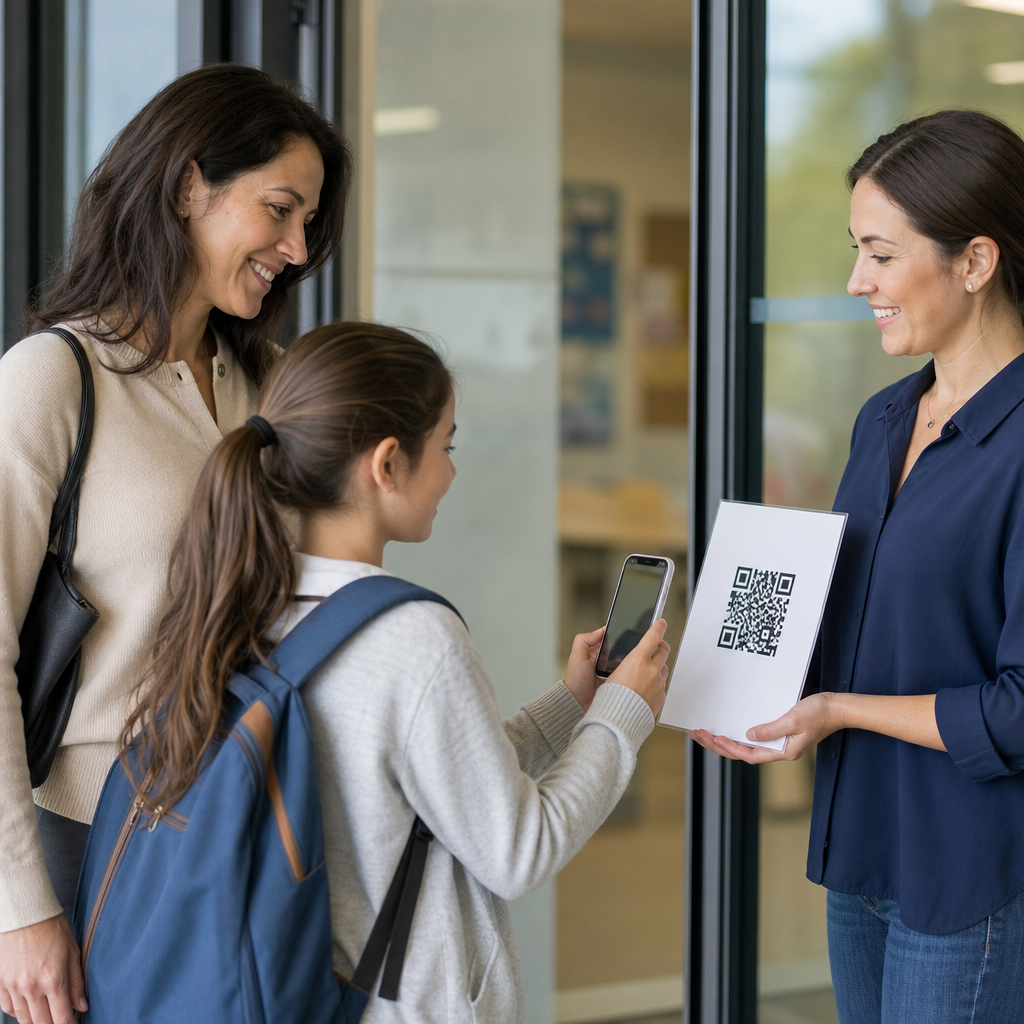
QR codes for educational videos and content give schools, universities, trainers, and curriculum teams a fast way to connect printed materials, classroom spaces, and digital learning assets with a single scan. In education, a QR code is a scannable two-dimensional barcode that opens a destination such as a video lesson, assignment portal, audio explanation, PDF, quiz, attendance form, or learning management system page. I have implemented QR workflows for course packets, lab stations, professional development handouts, and campus signage, and the same pattern keeps proving its value: students move from static information to guided instruction with less friction and fewer missed steps. That matters because teaching time is limited, device access is uneven, and attention drops when learners must manually type long links. Used well, QR codes support blended learning, flipped classrooms, accessibility, revision practice, and parent communication while also giving educators a manageable system for updating resources without reprinting every asset.
Educational use is broader than posting a code beside a YouTube link. A strong deployment strategy considers file type, destination stability, privacy, scanning distance, analytics, accessibility, and age-appropriate device policies. Teachers need codes that resolve quickly on school-managed tablets and student phones. Instructional designers need naming conventions, dynamic editing, and error correction strong enough for posters, laminated cards, and workbook pages. Administrators need confidence that content aligns with district policy, FERPA obligations, and classroom management expectations. Students need clarity about what happens after a scan and why the resource is worth their time. This hub article explains how QR codes support educational videos and related content across K–12, higher education, tutoring, training, and lifelong learning. It covers practical use cases, implementation standards, common mistakes, and content governance so education teams can build a scalable QR code system rather than a collection of disconnected classroom experiments.
How QR Codes Improve Access to Educational Videos
The most immediate benefit of QR codes in education is access speed. A learner scans once and lands directly on a lesson video, avoiding search results, login confusion, and mistyped URLs. In classrooms, that saves transition time. In my experience, a one-minute delay repeated across five stations and six class periods becomes a significant loss of instructional time. QR codes reduce that friction for video mini-lessons, recorded lectures, pronunciation clips, historical footage, science demonstrations, and assignment walkthroughs. They are especially effective when the same printed asset is used repeatedly, such as textbooks, worksheets, lab manuals, classroom displays, and library guides.
QR codes also bridge online and offline learning. A printed worksheet can point to a worked example video. A homework packet can open a teacher explanation recorded in Loom, Panopto, Vimeo, or a district-approved platform. A bulletin board can launch a student-created documentary or oral history interview. In higher education, professors add QR codes to lecture slides so students can review a difficult concept later without searching through a crowded course shell. The code becomes a stable access point tied to context, which improves recall and completion rates.
Dynamic QR codes are usually the better choice for educational videos because the destination can be updated after printing. If a YouTube video is replaced, a Vimeo privacy setting changes, or a learning management system URL is revised, the QR code can still point to the current resource. Static codes work for permanent public links, but schools often need the flexibility to edit destinations over time. That flexibility is critical for semester turnover, curriculum revisions, and accessibility updates like replacing an auto-generated caption file with a corrected transcript.
Core Education Use Cases Across Grade Levels
In elementary settings, QR codes often support independent centers, read-aloud stations, phonics practice, and parent communication. A student can scan a code on a decodable reader to hear fluent reading. Parents can scan a homework sheet to watch a short teacher video explaining number bonds or letter formation. In middle school, codes are effective for station rotations, science labs, multilingual vocabulary support, and project instructions. A code on a lab bench can open a safety demonstration before students handle materials. In high school, teachers commonly use them for flipped instruction, exam review playlists, art critique recordings, and links to primary source archives.
Higher education adds use cases such as linking syllabus sections to orientation videos, connecting lab equipment to operating demonstrations, and attaching codes to posters for conference presentations or capstone projects. In career and technical education, QR codes work well on machinery, tool boards, and simulation rooms where learners need just-in-time instruction. Corporate trainers and continuing education providers use them in workbooks, job aids, and event signage to distribute microlearning videos, compliance refreshers, and assessment forms. The educational principle is consistent across contexts: place the code exactly where the learner encounters the task.
| Education setting | QR code placement | Linked content | Main benefit |
|---|---|---|---|
| Elementary classroom | Reading folder | Teacher read-aloud video | Supports home practice and fluency |
| Middle school science | Lab station card | Safety and procedure video | Reduces repeated verbal instructions |
| High school math | Homework sheet | Worked example video | Improves independent problem solving |
| University lecture | Slide deck and syllabus | Recorded explanation or recap | Extends review beyond class time |
| Workforce training | Job aid or equipment label | Microlearning clip | Delivers instruction at point of need |
Best Practices for Creating Effective Educational QR Content
The linked content matters more than the code itself. Educational videos opened by QR scan should be short, specific, and clearly labeled. A strong format is one learning objective per asset: “How to balance chemical equations,” “How to cite a journal article in APA 7,” or “How to solve two-step equations.” Videos under six minutes generally perform better for procedural instruction, while longer recorded lectures should include chapter markers or segmented follow-up resources. If students scan and encounter a twenty-five-minute unstructured video, completion rates usually fall.
Accessibility is nonnegotiable. Videos should include accurate captions, readable visual contrast, and transcripts when possible. If audio quality is poor, the convenience of the QR code will not compensate for comprehension loss. For multilingual communities, it is often worth linking to translated versions or to a landing page where students can choose a language. I recommend avoiding destinations that require multiple redirects, pop-ups, or mandatory app downloads. On managed school devices, those steps often fail because of browser restrictions or content filters.
Design and placement also affect outcomes. A code printed too small on a glossy worksheet may scan poorly under classroom lighting. A code placed across a fold, near a spiral binding, or on a curved water bottle label is less reliable. As a working standard, maintain strong contrast, quiet space around the code, and enough size for the intended scanning distance. For wall displays viewed from several feet away, larger formats are necessary. Always add a short text label such as “Scan to watch the cell division recap” so learners know what to expect before opening it.
Governance, Privacy, and Platform Choices
Education teams should treat QR codes as part of content governance, not as isolated graphic elements. The destination must be owned, documented, and reviewed. If a teacher leaves the institution and their personal video account is deleted, every printed code linked to that account becomes useless. A better approach is to store instructional videos in institution-controlled systems such as Google Drive with managed sharing, Microsoft Stream, Panopto, Canvas Studio, or another approved repository. The QR management record should include owner, destination, audience, creation date, and review date.
Privacy and student safety deserve special attention. If student work is showcased through QR codes on hallway displays or event programs, verify consent requirements and avoid exposing personally identifiable information. Publicly accessible video links should not reveal private class rosters, internal comments, or restricted course materials. For attendance, assessment, or behavior forms, codes may lead to systems requiring authenticated login rather than open web pages. That additional step is acceptable when the information is sensitive. The rule is simple: convenience should not override policy or safeguarding obligations.
Analytics can help educators improve resources, but interpretation requires nuance. Dynamic QR platforms often report scan counts, time of day, approximate device type, and location estimates. Those signals are useful for spotting underused materials or testing whether parents engage with back-to-school content. They do not directly measure learning. A high scan count may mean the resource is valuable, confusing, mandatory, or repeatedly accessed because students did not complete the task the first time. Pair QR analytics with video retention data, quiz results, and teacher observation before drawing conclusions.
Building a Scalable Hub for Education Content
Because this page serves as a hub for education under industry-specific applications, the strategic goal is not just to list examples but to organize a coherent system that can connect to deeper articles on classroom posters, campus signage, textbooks, tutoring, library services, admissions, alumni engagement, and staff training. The hub model works when each use case maps to a repeatable pattern: context, learner need, destination type, technical requirement, and measurement method. That structure helps curriculum leaders and marketing teams maintain consistency across departments.
To scale successfully, start with an inventory. Identify existing educational videos, guides, forms, and course assets that already deserve easier access. Then prioritize high-friction moments: orientation, homework help, lab setup, assignment submission, and parent FAQs. Create naming conventions that reflect school, department, course, unit, and asset type. Test every code on multiple devices, including older phones and filtered student tablets. Review destinations each term. Replace dead links quickly. Finally, train educators on when QR codes help and when a plain visible URL is better, such as in low-connectivity environments or for users relying on printed alternative formats.
QR codes for educational videos and content work because they reduce friction between learner intent and instructional support. They turn worksheets into guided practice, posters into explanations, and physical spaces into entry points for richer digital learning. The strongest implementations are not flashy. They are clear, accessible, policy-aware, and maintained over time. Use dynamic codes when destinations may change, host materials in institution-controlled platforms, label every code with a benefit-driven prompt, and test with real students and families before broad rollout.
As an education hub strategy, QR codes also create continuity across the full learning ecosystem. The same approach can support kindergarten reading routines, university lab orientation, tutoring intake, teacher professional development, and community outreach. When schools standardize ownership, accessibility, and review practices, QR codes become dependable infrastructure rather than novelty. Audit your current educational content, choose three high-impact use cases, and launch a small pilot. Measure scans, completion, and learner feedback, then expand with confidence across the rest of your education content library.
Frequently Asked Questions
What are QR codes for educational videos and content, and how are they used in learning environments?
QR codes for educational videos and content are scannable two-dimensional barcodes that instantly connect learners, teachers, and administrators to digital resources. In practice, a student points a phone, tablet, or school-issued device at the code and is taken directly to a specific destination, such as a video lesson, assignment portal, quiz, attendance form, PDF, audio explanation, lab instructions page, or learning management system resource. This removes the need to type long URLs, search through course menus, or manually locate materials, which saves time and reduces friction in the learning process.
In schools, universities, and training programs, these codes are especially valuable because they create a seamless bridge between physical and digital instruction. A printed course packet can include a QR code next to each unit that opens the related lecture video. A lab station can display a code linking to safety demonstrations or step-by-step procedures. Classroom posters can connect students to review modules, pronunciation clips, or enrichment materials. Trainers and curriculum teams also use them in handbooks, orientation materials, worksheets, textbooks, and signage so that learners always have quick access to the right content at the right moment.
What makes QR codes so effective in education is their flexibility. One code can support blended learning, flipped classrooms, self-paced study, remediation, multilingual support, and mobile access. They are simple for learners to use, easy for educators to deploy, and adaptable across grade levels, subjects, and instructional models. When implemented thoughtfully, QR codes turn static materials into interactive learning tools and help educational content become more accessible, organized, and actionable.
What are the main benefits of using QR codes for educational videos, assignments, and course resources?
The biggest benefit is speed. QR codes let learners move from a printed handout, poster, workbook, or classroom display to a digital resource in seconds. That convenience matters in educational settings, where every extra step can reduce participation or create confusion. Instead of asking students to enter a long web address, search for a file in the LMS, or navigate through multiple menus, a single scan delivers the exact resource the educator intends. This improves access and helps keep learners focused on the lesson rather than the technology.
QR codes also improve instructional consistency. When attached to course packets, lab stations, classroom stations, training manuals, or curriculum materials, they ensure everyone is directed to the same approved content. That is especially useful for video lessons, assignment instructions, rubrics, attendance forms, and frequently updated class resources. Educators can reduce repetitive questions, streamline classroom routines, and support independent learning by making guidance available on demand. In many cases, this also helps absent students, substitute teachers, and support staff quickly find the correct materials without relying on verbal directions.
Another major advantage is engagement. Students are often more likely to interact with content when access feels immediate and intuitive. A QR code can turn a passive worksheet into an interactive experience by linking to a demonstration video, pronunciation guide, simulation, reflection form, or formative assessment. It can also support differentiated instruction by connecting different learners to varying levels of challenge, language support, or alternative explanations. For schools and training teams, QR codes are a practical way to expand the value of physical materials while reinforcing digital learning strategies in a format that feels modern, familiar, and efficient.
Where should educators place QR codes to make educational videos and content most effective?
The most effective placement depends on when and where learners need the content. In general, QR codes work best when they are positioned directly at the point of use. For example, if a code links to a video explanation of an assignment, it should appear on the assignment sheet itself or beside the instructions in the LMS printout. If it supports a science procedure, it should be placed at the lab station where students perform the activity. If it opens a pronunciation clip, reading support, or problem-solving example, it should be placed next to the related question, passage, or exercise. The goal is to eliminate the gap between confusion and clarification.
Common high-impact placements include course packets, syllabi, worksheets, textbooks, classroom posters, bulletin boards, door signage, library displays, student planners, orientation packets, and training manuals. In higher education and professional training settings, QR codes are also useful in clinical labs, workshops, equipment stations, assessment centers, conference materials, and department handouts. When used in physical spaces, they can guide learners to tutorials, checklists, safety information, and reference content exactly when needed. This contextual placement is what makes QR codes especially powerful for just-in-time learning.
To maximize effectiveness, placement should also account for usability. Codes need to be large enough to scan easily, printed with strong contrast, and positioned where glare, distance, or crowding will not interfere. It is also wise to label each code clearly so users know what will open before they scan, such as “Watch the lab demo,” “Open quiz review,” or “Submit attendance.” Clear labeling builds trust and increases scan rates. When educators combine strategic placement with concise instructions and relevant content, QR codes become far more than decorative tech elements; they become reliable access points within the learning experience.
How can schools, universities, and trainers implement QR code workflows successfully?
Successful implementation starts with a clear content strategy. Before generating QR codes, educators and curriculum teams should identify the specific learning assets they want to connect, such as lecture videos, assignment folders, audio supports, assessments, LMS pages, or downloadable PDFs. Each code should have a defined purpose tied to a learner action: watch, review, submit, check in, listen, practice, or explore. This prevents QR codes from becoming random add-ons and ensures they serve measurable instructional goals. A strong workflow begins with organization, naming conventions, and consistency across courses or departments.
The next step is choosing durable, accessible destinations. Videos should be hosted on reliable platforms, files should have correct permissions, and links should work well on mobile devices. For larger implementations, dynamic QR codes are often preferable because they allow the destination to be updated without reprinting the code. That is especially helpful when course materials change, videos are revised, forms expire, or LMS links shift between terms. Schools and training programs can also use scan tracking, where appropriate and privacy-compliant, to understand which materials are being used and where learners may need additional support.
Implementation also depends on clear communication and testing. Every QR code should be tested across common devices and networks before distribution. Staff should provide simple instructions for first-time users, especially in K–12 environments or in programs serving mixed levels of digital familiarity. It is equally important to include a backup option, such as a short URL, in case a learner cannot scan immediately. Over time, the best QR workflows are those integrated into normal teaching practice: codes embedded into course packets, station rotations, orientation materials, attendance procedures, and review resources in ways that feel intuitive rather than forced. When deployment is structured, consistent, and learner-centered, QR codes can significantly improve access, efficiency, and continuity across educational content systems.
What are the most important best practices for creating QR codes for educational content?
The first best practice is to focus on clarity and relevance. Every QR code should lead to content that is useful, specific, and clearly connected to the surrounding material. If a student scans a code printed next to a lesson objective, the destination should directly support that objective rather than sending them to a general homepage. This precision builds confidence and makes learners more likely to continue using QR-enabled materials. It also helps educators maintain instructional coherence across printed and digital resources.
Design and technical quality matter as well. QR codes should be easy to scan, with sufficient size, high contrast, and enough white space around the code to ensure reliable recognition. They should be placed on clean layouts and printed at a quality that will hold up in photocopies, lamination, or repeated classroom use. For educational videos and mobile resources, the linked page should load quickly and display well on phones and tablets. If login is required, educators should be aware that extra authentication steps can reduce convenience, so it is wise to align access settings with the intended user experience.
From an instructional and operational standpoint, best practices also include labeling, maintenance, accessibility, and privacy awareness. Labels should tell users exactly what they are scanning, such as “View chapter video,” “Open practice quiz,” or “Listen to the audio summary.” Links should be reviewed regularly to prevent broken destinations, especially in term-based or annually updated courses. Accessibility should be considered by offering captions on videos, readable document formats, and alternative access methods for users who cannot scan easily. Finally, if a QR code connects to attendance forms, student records, or assessment-related systems, schools and training providers should follow institutional privacy policies and platform security standards. The most effective QR codes are not just functional; they are thoughtfully designed, maintained, and aligned with the real needs of learners and educators.