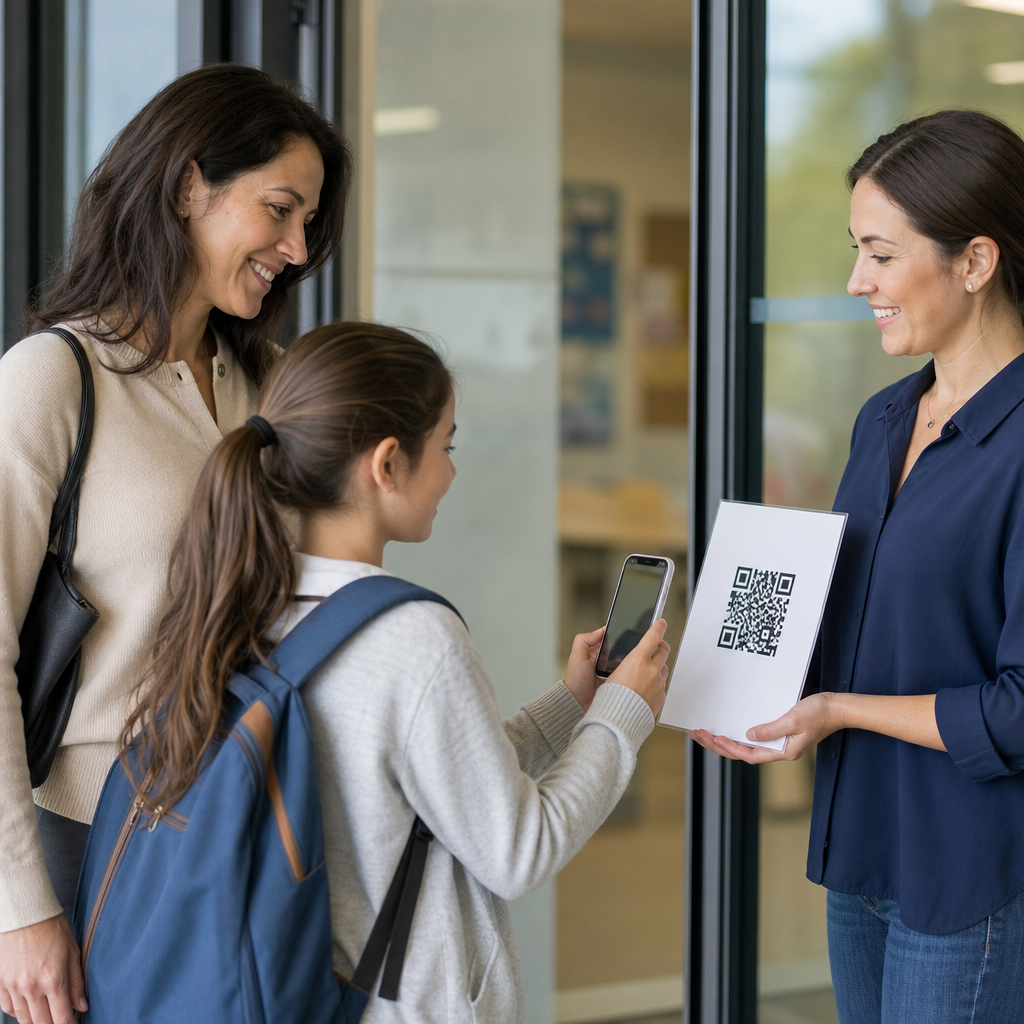
QR codes for classroom engagement give teachers a fast, low-cost way to connect physical learning spaces with digital resources, feedback loops, and interactive activities. A QR code is a scannable two-dimensional barcode that opens a link, file, form, video, or app action when a student points a phone, tablet, or Chromebook camera at it. In education, that simple scan can turn a worksheet into a multimedia lesson, a hallway display into a student voice station, or a lab bench into a safety checkpoint. The concept matters because modern classrooms run on limited time, mixed device access, and diverse learner needs. Anything that reduces friction while increasing participation is worth serious attention.
I have used QR codes in classrooms, teacher training sessions, and school communications, and the pattern is consistent: they work best when they remove steps, not when they add novelty. Students scan faster than they type long URLs. Teachers can update a destination link without reprinting every poster if they use dynamic codes. School leaders can measure engagement by tracking scans, form submissions, or assignment completions. For a hub page on education, the key idea is broad utility. QR codes support instruction, assessment, accessibility, behavior routines, family outreach, and campus operations. They fit elementary rooms, secondary content areas, tutoring programs, libraries, and professional development.
For education teams evaluating classroom QR codes, the practical questions are straightforward. What can students access with a scan? Which age groups can use them independently? How do teachers keep scans safe, purposeful, and aligned to standards? And how do schools avoid common mistakes such as broken links, inaccessible file formats, or overreliance on student-owned phones? The strongest implementation starts with clear learning goals, then maps each QR code to a specific action: watch, listen, submit, reflect, collaborate, or review. When that alignment is in place, classroom engagement improves because the technology disappears into the learning process.
How QR codes improve classroom engagement
Classroom engagement improves when students can move from instruction to action without waiting for handouts, login reminders, or repeated directions. QR codes compress that transition. A science teacher can place a code on each lab station that opens a two-minute demonstration video, a digital data table, and cleanup steps. An English teacher can attach a code to a novel study packet that opens an audio excerpt for fluency support. In both cases, students spend more time doing the work and less time asking where to find the materials.
Engagement also rises because QR codes support multiple participation modes. Some students contribute more through anonymous forms than public discussion. Others benefit from audio instructions, translated resources, or short review clips they can replay. In classrooms I have supported, exit-ticket completion rates often improved after replacing a shared URL with a posted QR code linked to Google Forms or Microsoft Forms. The change seems small, but reducing setup friction frequently determines whether every student participates or only the most organized students do.
Another benefit is physical mobility. Teachers can build movement into lessons with gallery walks, scavenger hunts, and station rotation. A history class might scan codes placed around the room to analyze primary sources in sequence. A math teacher can post worked examples on walls so students choose the help they need. This matters for attention and memory. Learning science consistently shows that variation, retrieval practice, and active processing improve retention more than passive listening alone.
Instructional uses across subjects and grade levels
QR codes are flexible because they are content-neutral. In elementary classrooms, they commonly support read-aloud stations, phonics practice, classroom jobs, and parent communication folders. A first-grade teacher can add codes to take-home books that link to recorded reading models. Students hear prosody and pacing, while caregivers get a simple way to support practice without separate logins. In upper elementary and middle school, codes often connect to choice boards, vocabulary review, and independent centers. A code on a task card can open a hint video or a self-check answer key.
Secondary classrooms benefit from QR codes in more specialized ways. In chemistry, each apparatus shelf can have a code linking to setup diagrams and safety notes. In world languages, desk cards can open pronunciation clips or speaking prompts. Career and technical education programs use them effectively for equipment checklists, troubleshooting guides, and portfolio evidence collection. Libraries use shelf-end codes for book trailers, research databases, and genre guides. Special education teams can place codes on visual schedules, calming strategy menus, and communication supports, provided destinations are simple and consistently structured.
Because this page serves as an education hub, it helps to view classroom QR codes as an umbrella strategy with several linked subtopics: lesson delivery, assessment, school communication, accessibility, and campus operations. Each deserves its own detailed treatment, but the central principle remains the same. A scan should launch the next meaningful step in the learning journey, not a dead end, a confusing menu, or a file students cannot open on school-managed devices.
Best practices for implementation, accessibility, and safety
The most effective QR code strategy begins with device reality. If a school is one-to-one with managed iPads or Chromebooks, teachers can plan routine scanning into lessons. If access is uneven, QR codes should supplement, not gatekeep, instruction. Always provide a short backup URL or printed alternative. Size and placement matter too. Codes on projected slides must be large enough to scan from the back of the room, generally at least 1 inch for close viewing and much larger for distance. High contrast, quiet margins, and limited visual clutter improve recognition.
Accessibility is not optional. Link destinations should load quickly, work with screen readers, and avoid forcing students into accounts they do not have. Captions for video, alt text for images, readable fonts, and translated versions for multilingual families are basic quality controls. I recommend testing every code with the same student device profile used in class, because a link that opens on a teacher laptop may fail behind a district filter or a restricted browser setting.
Safety requires both technical and procedural controls. Use trusted QR code generators, prefer dynamic codes for destinations that may change, and keep a master inventory in a spreadsheet with owner, location, purpose, and last test date. Students should learn a simple rule: scan only codes posted by school staff in known locations. Schools should avoid posting codes that lead directly to public comment spaces without moderation. For younger learners, codes should open teacher-curated content, not broad search results.
| Use Case | Best Destination | Main Benefit | Key Caution |
|---|---|---|---|
| Exit tickets | Google Forms or Microsoft Forms | Fast whole-class response collection | Check account permissions before class |
| Station rotation | Short video, slide, or task page | Clear independent directions | Avoid long loading times |
| Family communication | Translated newsletter or signup form | Easier access for caregivers | Provide non-digital alternative |
| Student portfolios | Shared folder or artifact page | Visible evidence of learning | Protect student privacy |
Assessment, feedback, and data collection
One of the strongest educational uses of QR codes is connecting assessment to immediate feedback. Teachers can place a code on an assignment that opens a rubric, exemplar, or reflection form. Students finish the task, scan, and self-assess while the work is still fresh. During observations, I have seen this approach improve reflection quality because students respond in the moment rather than after the lesson energy fades. For quick checks, a code can open a single-question poll, a retrieval quiz, or a confidence scale asking students how ready they feel for the next concept.
Dynamic QR codes add a valuable layer for schools that want better analytics. Instead of sending every student to a static document, a dynamic platform can report scan counts, time of day, and in some systems device type or location patterns. Those metrics should not be treated as learning outcomes by themselves, but they are useful operational signals. If a homework help code is scanned heavily on Sunday evenings, a teacher may decide to release support earlier. If a family resource code near the front office gets few scans, placement or messaging may need adjustment.
Assessment use must stay balanced. QR codes are excellent for access and response collection, but they do not automatically improve assessment quality. The underlying prompt still matters. A weak multiple-choice question stays weak even when delivered elegantly. The real value comes from reducing friction around high-quality practices such as retrieval, reflection, peer review, and timely feedback.
Building a sustainable schoolwide QR code strategy
For schoolwide adoption, consistency matters more than volume. Start with a few repeatable patterns: codes for daily agenda access, assignment submission, library resources, event information, and support requests. Create naming conventions, approved generators, and visual templates so staff are not reinventing the process. Districts using Google Workspace, Microsoft 365, Canva, Adobe Express, or learning management systems such as Google Classroom, Canvas, or Schoology can integrate QR workflows with existing tools rather than adding another standalone platform.
Training should focus on pedagogy first and mechanics second. In workshops I lead, the most successful teachers begin by asking, “What student action do I want immediately after the scan?” That question prevents random code placement and keeps attention on learning design. Maintenance also needs ownership. Every code in a building should have a responsible adult and a review schedule, especially for hallway signage, shared department materials, and public-facing family resources.
QR codes for classroom engagement succeed when they make learning more accessible, interactive, and measurable without creating new barriers. They help teachers connect print to digital content, support independent work, gather faster feedback, and extend learning beyond the classroom walls. They are not a replacement for strong instruction, but they are an unusually practical tool for delivering it. If your school is exploring education uses for QR codes, begin with one high-value routine, test it with real students, measure participation, and then expand with purpose.
Frequently Asked Questions
What are QR codes, and why are they useful for classroom engagement?
QR codes are two-dimensional barcodes that students and teachers can scan with a phone, tablet, or Chromebook camera to instantly open a digital resource. That resource might be a video, Google Form, reading passage, audio recording, slide deck, quiz, interactive whiteboard, or app-based activity. In a classroom setting, the value of QR codes comes from how quickly they bridge physical materials and digital learning. A paper worksheet can link to directions, a model example, and a reflection form. A classroom poster can connect to vocabulary pronunciation or extension tasks. A science station can open safety reminders, data collection sheets, and demonstration clips.
For engagement, QR codes reduce friction. Instead of asking students to type long URLs, search for resources, or wait for whole-group directions, teachers can place access points exactly where learning happens. This makes transitions faster and supports more student independence. QR codes also work well for differentiated instruction because different codes can lead different learners to supports, challenges, translations, or alternative formats. In practice, they help classrooms feel more interactive, responsive, and student-centered without requiring expensive equipment or complicated setup.
How can teachers use QR codes in everyday lessons without making instruction feel overly tech-heavy?
The most effective use of QR codes is usually simple, purposeful, and tied to a clear instructional goal. Teachers do not need to redesign every lesson around technology. Instead, QR codes work best as small access tools that improve clarity, choice, and participation. For example, a teacher might add one QR code to a worksheet that links to verbal directions, another to a short reteach video, and a third to an exit ticket. In reading, codes can link to author interviews, vocabulary audio, or text-dependent questions. In math, they can connect students to worked examples, error analysis tasks, or self-check answer stations. In science and social studies, they can power gallery walks, lab instructions, source analysis, and student-created exhibits.
To keep the classroom experience balanced, teachers should avoid using QR codes just because they are available. Every code should save time, add interactivity, or improve access to content. A good rule is to use them where they remove barriers: getting directions quickly, collecting feedback, offering enrichment, or supporting station rotation. When used this way, QR codes do not make instruction feel tech-heavy at all. They simply make routines smoother and open more opportunities for active learning.
What are some of the best classroom activities that use QR codes to increase student participation?
QR codes are especially strong in activities that ask students to move, respond, create, and collaborate. One popular option is a QR code scavenger hunt, where students scan codes posted around the room to answer questions, solve problems, or gather clues connected to the lesson. This format works well for review days, vocabulary practice, historical timelines, and problem-solving tasks because it combines movement with academic focus. Another effective strategy is a station rotation model, where each station has a code linking to directions, resources, and a response task. This allows groups to work more independently and gives the teacher more flexibility to support small groups.
Teachers can also use QR codes to amplify student voice. A hallway display of student work can include codes that open student audio reflections, video explanations, or peer feedback forms. In writing instruction, students can scan a code to hear mentor texts, access revision checklists, or submit a final reflection. In classroom discussion, codes can link to polls, quick-response prompts, and anonymous question forms, which often increases participation from quieter students. Even routine activities like bell ringers, exit tickets, and attendance check-ins can become more efficient and engaging with QR codes. The best activities are the ones where scanning leads directly to action, not just passive viewing.
Do students need special devices or apps to scan QR codes in school?
In most cases, no special app is required. Many modern smartphones, iPads, tablets, and Chromebooks can scan QR codes directly through the built-in camera. Some school devices may also support scanning through Google Lens or a district-approved camera application. That said, teachers should always test QR codes on the exact devices students will use before introducing them into a lesson. Device age, browser settings, and school filtering policies can affect how smoothly scanning works. A code may scan correctly but still fail to open if the linked website is blocked or requires a login students do not have at that moment.
It is also important to plan for accessibility and classroom logistics. Not every student may have equal device access, so pair work, small groups, or teacher-led stations may be more practical than assuming one device per student. Teachers should make sure QR codes are printed clearly, large enough to scan, and placed in areas with good lighting. It is wise to provide a short backup URL or alternative access method in case a student cannot scan successfully. With a little preparation, QR codes are a low-barrier tool that can work in most school environments without additional software or major technical support.
What are the best practices for using QR codes safely, effectively, and consistently in the classroom?
Strong classroom use of QR codes starts with thoughtful planning. First, teachers should link codes only to safe, age-appropriate, and school-approved resources. If a QR code leads to a form, video platform, or external website, it should be reviewed in advance for privacy, ads, account requirements, and content suitability. It is also a smart practice to label each code with a short description such as “Watch the experiment demo” or “Submit your exit ticket,” so students know what to expect before scanning. This reduces confusion and supports smoother classroom routines.
Consistency matters as much as safety. If students learn that QR codes in the room usually connect to directions, help resources, or reflection tasks, they become more independent over time. Teachers can create predictable systems, such as using one area of the room for extension codes, another for absent work, and another for daily warm-ups. They should also check links regularly, especially if materials are reused across grading periods or school years. Broken links quickly undermine trust and momentum. Finally, the most effective QR code use is inclusive: provide alternative formats, support students who need help scanning, and make sure the technology serves the learning objective rather than distracting from it. When used with clear routines and sound judgment, QR codes are a practical, low-cost tool for making classrooms more interactive and connected.